Every day we offer FREE licensed software you’d have to buy otherwise.
Giveaway of the day — Jitbit AutoText
Jitbit AutoText was available as a giveaway on December 14, 2007!

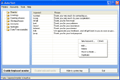
Type the same phrase over and over with less keystrokes. Jitbit AutoText assigns abbrevations to phrases, and types a phrase when you type an abbrevation. For example type "ffr" and the program will type "Feel free to contact us if you have any further questions" for you. Save your time on typing, yet remaining polite, helpful and responsive with your friends and customers!
AutoText will work in all word processors and text editors such as Microsoft Word and even online solutions like Google Docs. AutoText will work with any Internet browser including IE, Firefox or Opera.
System Requirements:
Windows NT/2000/XP/2003 Server/Vista
Publisher:
Jitbit SoftwareHomepage:
http://www.jitbit.com/autotext.aspxFile Size:
981 KB
Price:
$19.95
Featured titles by Jitbit Software
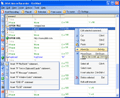
JitBit Macro Recorder is not only a mouse recorder, keyboard recorder and player. It is also an EXE-compiler and a very powerful automation script editor (with IF-THEN statements, commands like "OPEN FILE", "SHUTDOW" etc). Automate your routine tasks, bind them to hotkeys and more.
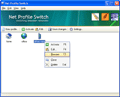
Net Profile Switch is a network configuration switcher for notebook users. It switches between preconfigured network settings (profiles) with one click of a button, keeping notebook users from having to reconfigure their network settings every time. It's a network settings manager (network settings switcher), which switches a computer between multiple network profiles - switch IP address, proxy server, printer etc.
Comments on Jitbit AutoText
Please add a comment explaining the reason behind your vote.

iPhone app giveaways »





Android app giveaways »





Ok, I've been using it for a while and can honestly say it's a mixed bag. First, it does not always load at startup. Two you must enable it after evoking it. That is rather stupid. The default should be on not off. Thirdly, and this is a rather large problem, every time I evoke it it re-installs. This is simple ridiculous. And now for the fourth problem -- the amount of standard keywords is quite small.
I am referring to %shortdate% and %time% and %date%. I would like to be able to shorten the full date to just, Monday, Jan 7th or whatever I would like for showing the date. The same argument of course goes for the time issue. Also I would like a keyword that changes my timezone or sets it for the program...I don't want it using the system timezone I want it to use Californian timezone.
Well those are the bulk of my problems. Nick
Happy Christmas! 7 January 2008
Save | Cancel
Autohotkey can do all this and much more and its free
Save | Cancel
I use the Freeware PhraseExpress which is even more powerful at ZERO cost.
http://www.phraseexpress.com
Check out the beta. It's a killer!
Frank
Save | Cancel
"if you have to execute a number of sequential UNIX commands is another great timesaver."
isn't jitbit a win app?
Save | Cancel
I thought this a great idea unfortunately after installing, which is did flawlessly, when I rebooted my machine,it was no longer usable. So I can't give this that kudos I had hoped.
Save | Cancel
I think this program was somewhat ok, but I this site(giveawayoftheday) is ridiculous, its only a trial period. Why do I say that? If your software is uninstalled for any reason, forget about reinstalling. It will not register. I think this site is a waste of everybody's time. It should close down now, toda!!!!!!!!!!!.
Save | Cancel
Don't you just love it when people get passionate about a subject? Even though I am not downloading this particular program because I think it is overpriced and too small and simple to be commercially viable in light of a number of similar products already available, some for free, I still enjoyed reading all the back-and-forth in the sixty (60!) comments above. Keep it up (but please keep it civil)! P.S. What do I do when my previous comment was apparently deleted or otherwise did not make it onto the posted comments? I did not get any notification that anything was wrong when I submitted it to you.
Save | Cancel
Yes thats cool !
This stuff going to save me lot of TIME !
Save | Cancel
I found that i spent too much time setting up the sentences and codes for it to be a time saver. I write varied phrases and sentences and like to create new modes of thought so it didn't suit me. Maybe for a customer support service?
Save | Cancel
There's a problem with the thinking and pre-conception of this Jitbit AutoText app - it is the assumption that you will always be using the same phrases or sentences in your writing. I like to vary my writing with more creativity so it is not really a time saver for me.
Save | Cancel
One of the things I usually look for in a software download, especially one like this, is No Adware, No Spyware, and this one has it. So there's nothing to be paranoid about as there may be with some of the others mentioned, although I have no idea about them. I very much appreciate software with No Adware and No Spyware. Especially when it's free. So thanks and kudos to GOTD and to Jitbit on that score.
Also I do not use Microsoft word or Office, so the assumption from my critics that we all do is way off. I'm sure there are many others like me.
I like the small size of this software, and it's simple form and fuction. It's clear and direct and does what it sez.
So again, to GOTD and Jutbit, thanks and kudos.
I'm always interested in what critics and supporters say - I learn heaps from you all - so thanks to you to. The flaming seems a bit rich, but hey, I guess it's just how some of us express ourselves.
Thanks again.
Save | Cancel
at #15-> there is no macro given with this program!
actual program is pretty cool and worth cost thou.
Save | Cancel
This is the first program I've seen GAOTD offer that was only worth the precise amount it is being given away for. This is exactly the kind of software that fills up lots of freeware sites: simple, easy to program macro utilizers that do one, just one, thing (and do it well, usually). Maybe I am spoiled by all the higher quality programs GAOTD has offered lately, but you have to wonder why the level of software is lower today.
Save | Cancel
#7 - thank you for the free option URL's. I've used a program called Key Text for about 5 years, which is a paid program, but it will do all the above programs will do, and even go to URL's, run programs and push buttons. http://www.keytext.com/
I've decided to download and use phase express, simply because it's free all the time and will work on any program. http://www.phraseexpress.com/
Save | Cancel
i prefer to use auto-correct instead. thanks anyway gaotd .. rgds dea
Save | Cancel
This is a simply elegant program. Installs easily without a hitch. Easy to define new keywords. Keyword definitions can be backed up in a simply-readable, editable file.
Comments/Questions/Suggestions: (1) Is there any way to make it use symbols in keywords? as bt@ (rather than bta) for "benjaminharveytayor34532@someinternetcompanyaddress.com"?
(2) Will it use anything other than space or return as a separator if the option is set under Tools, Settings, Wait for Separator? Why not comma or question mark or !
Hmmm...maybe its "very narrow audience" includes everybody who wants to save time typing e-Mail addresses or looking them up in huge addressbooks! Or long complicated website URL addresses....
Save | Cancel
I've been visting GOAD just to see the flames in this comments section. This has just about become a forum in its own right. :) I probably won't download this program. I got too much cr@p on my PC as it is. I just wanted to say this: At work our company, in a rare moment of brilliance, registered who knows how many copies of ShortKeys. We love it. In my department it's great. I have maybe 15 or 20 shortkeys programmed for my monotonous codes and phrases. ie. ++ (using the 10-key pad) is my employee ID and dept signature, // is a very common rate plan I use /. is another common rate plan. I would bet this AutoText program will do just as good. I don't see using it at home if you don't chat, which I don't.
Save | Cancel
i like this just because in code there are repititive phrases life
System.out.println...
that can be shortened
thanks GOTD
Save | Cancel
@47...
Well now....don't you have a chip on your shoulder.
Although I chose not to download & "trial" this software before purchasing it, I do feel the need to make a couple comments.
This site gives away full, operational versions of various software packages for review so the vendors may alter programming or better direct their product towards a specific market.....it has nothing to do with "if I can use it at home for free"....the vendors want valid appraisals of their software so they can make decisions on how to produce a better product.
I see a need for this type of software for the disabled or those who repeatly answer the same questions at work.....for the average home user, it may prove to be less useful because of the time setting it up & the frequency each shortcut is used...I'm a Network Admin & work the helpdesk also.....I have many different problems I have to deal with each day & they seldom repeat themselves....this software is not for me, but there have been many other programs I've found useful GAOTD have offered.
In closing, I'd like to remind everyone that the weekend is upon us....that means Sunday is coming.......yes, once again we will have to put up with the whiners about this Sunday's screensaver who want some "super duper" software for free instead of reviewing a peice of graphical art.....I have one request for the GAOTD team.....try to find one that will work on the "average" video card......I don't run a "gaming" system....mine is used for business....also, most people that have a "real" use for a screensaver are in business.....I'd love to find a nice screensaver, which I could purchase, & apply it to the profile of my network users....better yet, I'd like to be able to add 5 or 6 & have them engauge randomly once the user has left their workstation idle.
Save | Cancel
ABSOLUTELY GREAT!
not sure what the early posters were thinking...this program will save me LOTS of keystrokes...I have messages that I need to insert into my emails frequently and this program does it the easiest of any I have used!
I especially like the %date% function...AWESOME!
Many thanks to GOTD for a USEFUL program that will save me loads of time and effort...
as to the one's that think they don't need this program because they want to type everthing....hogwash....you apparently don't work with your computer for a living...get a life!!!
Save | Cancel
#16 So, lemme get this straight... I don't understand how a auto-text program works? Well, I suppose you must be right, because you know everything. Especially about me. I, on the other hand, think you have a lack of understanding in regards to typing fast keyboard (Yes, I know, if you're typing the same thing over and over, fair enough). If it's having to type the same thing over again, you can always use copy and paste anyway, or you can get the program - good on you. Oh, and I enjoyed the 'smarter than you will use it' quip, now I feel stupid (Especially when I was told to 'Live-it(sic) there someone(sic) smarter then(sic) you will take-it!' by someone who is obviously referring to themselves as being smarter than me). Don't you find it slightly ironic that apparently people who are smarter than me are using the aid of a program which types our words for themselves? I love the way you accuse me of being egotistical (oh wow, I have a blog) when you make sure to mention 'I’M a communication guy and I have to repeat over and over to “unabsorbing” (ED: try 'non absorbing', it makes just as little sense, but it's actually a word), brain who think they own the internet because they have a web page.' (After all, saying that an auto-text program wasn't worth it for most people; I think I own the internet . Oh yeah, and I have a blog too *gasp* It's a conspiracy). All I said was that for the majority of people who abide by the ToS of Gaotd (Read: NON commercial usage), a auto-text generator is next to useless for most (62% as of right now). I'm sorry, but I think you overreacted to me stating that most people will inevitably delete this program. But now, let's put that behind us, shall we?
#35 I said I didn't think this program would have much use for many people. Settle down, It's like I personally offended you by extension because I think this program has a very limited user base, which quite frankly, is absolutely true (Considering the 'non-commercial' usage nature of gaotd). You gotta settle down mate - I can't believe you got mortally offended because I have a different opinion on today's program. I'd go on but I sense that provoking you would result in a stream of expletives; although it would be funny and ironic if you were to use Jitbit AutoText to post said expletives.
#20. Yeah, that's a fair point, but how would you feasibly set up auto text for a uni lecture when you wouldn't even know what to assign as shortcuts? I mean, yeah, words that form a sentence like 'the' and all the hundreds of other words could be abbreviated, but I don't think it would be quite as effective (unless you knew what to type before the lecturer said it, so that you could set up a shortcut prior to the lecture).
Let me put this simply: How many people are actually going to find a real use for this program? I did install it and put it through its paces, and if the people that dugg down my first comment actually read it (no doubt the people who like this program find it challenging to both read and write, needing the aid of some software to help in that respect), I did state it had it's potential uses and I suggested viable alternatives, given that many people won't 'keep' this program... All I ever said was that it was likely that people outside of using it professionally would never touch it after the novelty of it wore off.
Using Word's auto correct feature is a genuine alternative (And get this: It's also integrated into the program you're most likely to use an auto text program with - how convienient), oh and the argument 'not everyone uses Microsoft word' is pretty shortsighted. If you are the kind of person who is going to get good use of this program (say mass e-mailing), chances are you're using it for business purposes (Which is ironically against the Gaotd terms and conditions), and therefore chances are you'll have a copy of Microsoft Word. If not, yeah, this program is for you.
I can guarantee you that only a fraction of everyone who downloaded this application will actually use it on a regular basis. I'm not being negative, I'm being rational. It's almost more effort to set up the program than it is to just type out your words. This is one of those giveaways where everyone goes 'hey! This is cool. Sure, It's not that necessary, but it's free, and it'll save me time!', then, later down the track, it just sits on the computer idly. If you're working as a tech support or in any other area which requires a lot of emailing, then yes, fair enough - I'm talking to the 62% of people who don't mass email and/or don't need write the same thing over and over .
My point is that this program is one which will only be used by
a) People using it for businesses (emailing, writing out the same thing etc.); and
b) well, I can't really think of any other practical use for it...
So. If I can make one point from this giant rambling post, it's that most people will never touch this program after the novelty wears off. The people who benefit the most are using it in a commercial way, which is sort of ironic.
I just love the way someone who suggests that perhaps this program won't be useful outside of business purposes is shot down (I didn't simply say 'this program sucks lolololol', did I?) - a pet peeve of mine is having a Start Menu that spans three columns of programs, and having to sort through and cull the programs I don't actually need - sure, everyone's needs are different, and this is useful to everyone using it for business purposes - so go ahead and download it. If you find some solid non-commercial uses for it (and msn and email doesn't count, because since when do you send essays [or sufficiently long writing] to your contacts?) then fair enough.
Good:
- Simple to use and set up
- Nice and simple interface
- Works with all windows applications
- Save time
- Improve productivity
Bad:
- Very narrow audience. Won't suit people outside of very specific scenarios (mass emailing, writing the same thing over and over [programming], people with disabilities)
So truce, anyone? ;)
Save | Cancel
As with most offers from GAOTD no problems with download, installation, registration.
The application works as advertised. Only took moments to created new key words and associated text, using notepad to confirm function.
Not surprised to see that some found something new to bitch about, calling a convenience lazy. Make one wonder why the own a computer and purchase internet service. ;)
Save | Cancel
I have used AsUType before and it is a pretty good program too. It's currently priced at $40.
Save | Cancel
So. Maybe for many of you this is useless, but for me, as I use alot of standard phrases in my correspondence and my day to day job, it's a real help.
the software does what it should , works great (up to now) and we have an entire team using it for using daily over and over again during the day.
to, really thanks gaotd. this migh be like nothing for some, but for at least 5 people in my team it works great :)
Save | Cancel
Oh this program is an absolute dream!!!
Although I can type, with 3 internet businesses and people emailing questions etc throughout the day, so many phrases - even signing in to different sites with my email addresses - become tedious to have to keep typing out the same thing over and over - this program is so simple to use, takes up very little resources and all being well will save literally hours every year.
Within 20 seconds of opening the program for the first time I had my email address programmed to 3 letters, it is absolutely wonderful, can be toggled on and off from the Taskbar and for anyone who types a lot this one application is genuinely a very precious early Christmas gift!
In the 7 months I have known of this site I have about 7 or 8 programs that I use frequently and would buy if I lost them from my computer - this is another one of those programs and if you type a lot or find saying the same things monotonous (even selling on eBay and putting at the end of a reply to a question "please do not hesitate to contact me if you have any further queries") then download this gem whilst you can get it as a giveaway, it is truly invaluable!
Save | Cancel
Very useful utility for translators.
Another program, yet not wholly identical, that has not been mentioned during today's reviews, is As-U-Type (http://www.asutype.com/).
A similar kind of program are the so-called "clipboard extenders" (i.e. Clipmagic, Arsclip), which also allow to paste predefined segments of text.
Save | Cancel
#40 - I downloaded the portable version of texter and was trying to run it from my flash-drive (because at work they lock down the PCs and so cannot install any software). However, after I enter a hotstring, [Enter your replacement text here...], and set the trigger, and click OK, the [Enter your replacement text here...] vanishes.
Any recommendations/suggestions?
Save | Cancel
I agree with previous recommendations for Texter from Lifehacker.com. It does the same thing and is free. It is very easy to use as well. Until you use this type of program, you don't realize how useful it can be. It all depends how you use it. Texter allows you to send keystrokes such as {tab}, {enter}, {spacebar}, etc. When you realize this you can do things like open IE and go straight to a site, send an entire email complete with predefined text, and so much more. You are only limited by your imagination.
As for this software, I don't know if it is good or not, I only know that there is already a free application like this that works very well.
Save | Cancel
To #1
I downloaded and installed this tool with no problems.
The ONLY reason I type on a computer is because there is no other
practicable way to communicate with it. We are still using a century
old technology , when we should not have to. Every keystroke I save is WIN for me.
For years I have used a tool called Multi Clipboard to insert what my printer friends called a "cliché".
Using precast type sections, they did not have to set type time and time again for common phrases. Multi Clipboard although limited, does this and works well. Maybe Auto Text will suit me better. If it does, I will buy it.
BTW I do not and will never use MS word.... or MS office, so your stock macros won’t do- (people do 'borrow' them don't they?.. I know one mechanical engineer that "macros whole multiple-page documents. -He doesn’t like to type either.) .
Like it's said ... 'differnt stroke fo different folk' ...
Just please understand that the whole world 'aint doin' it your way.
Many thanks for the freebies to try, GOTD.
G'Day all.
Save | Cancel
Excuse me GOTD team? My comment posted not long after offer was online was obviously deleted (probably for not being positive, though it in no way was offensive), but #35 gets through? You are wasting my time. Not for the very first time I may add. Maybe you should mind the people willing to give your offers a well meant try a bit more, and the commercial interests of the developers a bit less. I am sure you try hard to balance both but hm, with mixed success at best. Can I help the last offer really impressing me was months ago? (Returnil, though it was bit of a fake Giveaway since it's freeware version has the exact same functionality as the registered version...).
Save | Cancel
A program like this isn't just useful for business productivity - it's great for programmers and systems analysts as well. Making shortcuts for frequently used SQL statements or if you have to execute a number of sequential UNIX commands is another great timesaver.
Save | Cancel
I haven't used any of the free versions so I can't compare there, but just using this one, it's pretty handy. I don't think I would pay $20 for it though. It activated without a hitch for me, and it's super easy to edit and add keywords. For those that mention it's useless in Word- duh- this isn't something that is all that useful for Word. It's great for chat programs, online forms, helpdesk tickets (when you go through lots of tickets each day, it's nice to finish with "ffr" rather than " feel free to contact us if you have any more questions, thanks, your tech", and using time and date variables to insert the current time/date is nice), etc. I wouldn't use this in Word, or even consider using it in Word. All in all, it's a nice utility with a small fingerprint, useful for free, but probably not worth $20.
Save | Cancel
To the negative commenters, particularly #1 ... take a good look at those fingers you have up your behind and the arm it's attached to. I also use ShortKeys. Take a good look at those fingers and that arm ... try losing it.
Programs like this are a necessity for the disabled.
To #17 ... You are lucky you have a voice to talk with. Or speech that can be understood. Want to have a car accident or stroke? and then know what it is like to communicate.
Programs like these should not be dismissed so readily. Many use them for accessibilty.
And considering the costs of software I have on my computer, $19.95 is a reasonable price.
I'd say more but would probably be cussin.
Thanks GOTD for calling attention to another useful program.
Save | Cancel
I suppose it could come in handy for repetitive business emails when automated messages don't quite cut it.
Does anyone know of a freebie driver updates & driver checks applications??
I heard BigFix is no more. What do people use whom used to use BigFix??? (I've been offline for a few years.)
If its on this site, I can't locate it.
Thanks so much.
Save | Cancel
this is wonderful tool for a business correspondence and help desk queries. Especially because it allows to put abbreviations for a large chunks of text. I ve been searching for something similar for ages. thanks GAOTD
Save | Cancel
For those who have commented who don't have to repeat the same answers, etc. in emails, please understand that this type of program is a valuable time saver for those of us who *do* this every day as we answer tech question emails from users.
That said, just a caution to anyone interested in this type of app. All of these types of programs are key-stroke loggers to a certain extent -- i.e. they all watch what you are typing to see if it matches one of your preset replacement strings. So you want to make sure you're getting the software from a reputable source that doesn't contain trojans that "phone home" with your online passwords, etc.
I've had great success with lifehacker's aforementioned Texter app in this category [ link to Texter website ]. I believe it was written using the previously mentioned AutoHotkey as well.
Enjoy!
Save | Cancel
Seems when gofd started they were offering some very good software. It seems over the past few months both quality of offers has gone down and downloads have dropped a lot as well.
Seems around the holidays they should consider bringing back some of the "big hitters" from the past with 250-400 downloads.
This website is more an afterthought than a destination anymore.
Save | Cancel
This program has less than half the capabilities of my favorite gaotd program -- called Direct Access. It not only does universal autotext (in any program or location) but it also opens websites or programs with one or two keystrokes! Typing a "w" in Excel takes me to MS Word, and typing an "x" in Word takes me to MS Excel! Even Freecell is opened by typing "fc" anywhere there is an open space! The current version even tells me how many keystrokes I have saved and how much time I have saved.
There is a free trial, but it is worth every cent of its cost.
jerry j
Save | Cancel
Another freeware option: AutoHotKey
http://www.autohotkey.com/ allows you to do the same and setup hotkeys for programs.
For the text replace info see this page: http://www.autohotkey.com/docs/Hotstrings.htm
It takes a little effort to learn what it can do, but it's worth the time.
It's also portable and runs on a USB drive.
Save | Cancel
Granted this may ease some of the issues but I use AutoHotKey(http://www.autohotkey.com/) also... In addition to auto text I also have a BUNCH of shortcuts.
Lazy? I don't think so. When you're sending out the 100th email on how to set up your DNS or email account to a newbie it makes a LOT of sense.
Not ONLY does it save you time but you then don't miss-type the info.
I love AHK and since it's free I'll stick with that.
Save | Cancel
This has nothing to do with being lazy!!!
Save | Cancel
I answer hundreds of support emails everyday. And I really need something like this tool. to type "Let me know that helped" or "Please contact with any further questions" or "unfortunately this is unsupported". So I really like this tool. Going to install it in our help desk, while its free.
Save | Cancel
Tested and found:
- Works fine, as it should.
- The given branch order is convenient.
- Easy to use
Nevertheless, I must agree with the hints to free solutions which work well too.
But I want to point out to free AutoHotkey, which can be used for this as well; the disadvantage of beeing not as easy to start with in the beginning is, that AutoHotkey can do MUCH MUCH more - too much to describe it here. But your may visit the homepage and find out for yourself: http://www.autohotkey.com/
___________________
(german)werwölfchen
Save | Cancel
I've always found these programs to totally useless. But then again I'm not in a position to use a companies resources in order to leave me time to do my nails, call friends check the stock market or many other things on company time. Thanks GAOTD but I'll pass.
PS Just how lazy are we becoming?
Save | Cancel
Hello all! Today's 15-Minute Review is up! Check it out!
http://www.bladedthoth.com/reviews/15mrs/jitbit-autotext-v2-35-0/
Save | Cancel
With these kinds of Utilities, the deciding factor for use is efficiency, both in info accessability and cpu resource use. I'll later compare the resource use of today's program, with its more-commonly known "rival" PhraseExpress. Each's features appear similar, otherwise. Until we FINALLY get voice-enabled computers (can't wait! :-) these utilities are essential for anyone who writes, nay-sayers be dammed.
Programmers, please, create utilities with minimum resource usage if you want "us" to keep your programs running continuously, which such as these would need,to be most effective.
Would it have killed you, Jitbit-folks, to have incorporated an effective spellcheck (as: TinySpell) into AutoText, further convincing me to leave it running? Please...do :-)
Pssssttt...also consider incorporating the caching of images, and THEN you'd have one amazing info-access program! A "better" Yankee Clipper (another great(er!?) similar utility!! Just...minimize resource usage, as I'm tired of system lock-ups, ok. Tanx for reading.
Save | Cancel
@ #1
This program would be good for collage and university student for taking notes during a lecture, it would be fast, allowing the student to have more time paying attention, rather than just looking down pounding out notes.
Save | Cancel
You guys just don't get it. Autotext software can be a huge productivity booster. And no, I am not lazy. And I am an excellent typist, so that's not the reason either.
Just think how much time you guys could save if you could use autotext to automatically type "this software sucks; I would never use it, and I don't know why anyone would ever even consider using software like this even though there may actually be people in the world whose work tasks may differ from mine and may actually make something like this useful" every day.
Save | Cancel
For someone like me who doesn't even use hot-keys this isn't ever going to be used.
Too much work in setting up something like this and the time it would take to memorize, clear the mistakes when you use the wrong acronym is too time costly......better off just learning to type faster.
Don't intend to even try this but as stated above....might be good for texting and chats....and I don't do these ether.
Thanks GAOTD for the offer.
Save | Cancel
better programmes found here
Why not go the whole hog and get a voice to text converter. Dragon do an excellent one, although it requires a little training at first. The idea is not to speak to the computer like a robot. It will learn. You can leave ypur hands free to do other things.
Autotext software. Useful for disabilities or dyslexia, but other than that.... it just make people lazy.
Save | Cancel