Every day we offer FREE licensed software you’d have to buy otherwise.
Giveaway of the day — File Defender 1.1
File Defender 1.1 was available as a giveaway on August 27, 2009!

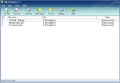
File Defender is powerful and easy-to-use software that comprehensively protects all of your important files. The software creates encrypted executables, thus removing the need for the software to decrypt files on other computers.
Due to the fact that the software is based on a very strong encryption algorithm, it is impossible to gain access to protected files without a password. It has a built-in key generator that creates absolutely unique combinations. File Defender is simple to use due to its seamless and user-friendly interface.
System Requirements:
Microsoft Windows 95, 98, 98SE, ME, NT 4.0 (with SP4), 2000, XP, 2003
Publisher:
Enplase ResearchHomepage:
http://enplase.com/pages/File+Defender+description.htmlFile Size:
2.70 MB
Price:
$34.95
Featured titles by Enplase Research
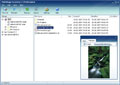
MultiStage Recovery is professional data recovery software for Windows. It can recover files from hard disks, floppy disks, flash drives, digital camera cards, and other digital storage devices. Using MultiStage Recovery, scanning and recovery is very fast and reliable. With comprehensive detection, it finds EVERYTHING that can be restored.
GIVEAWAY download basket




Comments on File Defender 1.1
Please add a comment explaining the reason behind your vote.
iPhone app giveaways »





Android app giveaways »





This application could be used for sending encrypted files as e-mail attachments. File Defender suits this usage scenario quite well. As for editing encrypted files, I think this was not taken into account by design of the application. There are other security solutions that can be used for storing and editing encrypted files 'in place'.
PGP Desktop (quite expensive if you only want to encrypt individual files):
http://www.pgp.com/products/desktop_home/index.html
Aldenate Secure Disk:
http://www.aldenate.com/products/securedisk/
And, of course, so beloved by everyone here TrueCrypt :-)
http://www.truecrypt.org
Save | Cancel
#13. This is a subjective statement, based on your beliefs not facts. Lack of knowledge is a dangerous thing.
Save | Cancel
Self-Decrypting (.exe) files are cool in dozens of circumstances, as long as you remember that you need to be able to run the .exe file. I have a bunch of archives encrypted this way with another app in win98 SE, & no newer versions of Windows will run them, nor was the original app ever updated. An encrypted 7Zip file OTOH can be opened in multiple OSes, including Linux, so something maybe to consider depending on your potential &/or future needs. Far as sending an .exe file as an email attachment, rename or zip it -- you have to contact the recipient anyway to give them the password, so passing along instructions to rename the file, or un-zip then run it is no big deal. In fact, giving the recipient the password in a secure way is often the hardest part -- I mean "A" as in apple, "B" as in boy, "[" as in ?... ;-)
Otherwise File Defender may be exactly what you're looking for if you don't want to bother with alternatives like Axcrypt or even 7Zip. File Defender's weaknesses, like no folder support, have been noted here today & in the past. It's small size & easy interface are noteworthy. Whether it's encryption is strong enough or not depends on both what you're using it for, & your degree of paranoia.
Save | Cancel
@ greenfish
I think that is such a terrible remark to say! Saying that software that is not open source is highly unsafe and dangerous is just too much. You might as well stop using many software that is on your computer as well as Windows itself.
Anyway, go with reputable companies that you trust. Either way, good software is good software.
Save | Cancel
I`ve got A-Lock which can be sent by E.mail ( this can be free but is also available in "pro"). Occasionaly I have to send payment details via E.Mail, not recommended but sometimes neccessary . This needs a free reader to open sent file along with password but is a small download for receivant,compared to the similar "file assurity " reader which is massive! (and not free )
Save | Cancel
@21: That's one of the worst tips I have ever heard. One, your password is not supposed to be in plaintext, which defeats the whole point of encryption; two, manually editing a exe can lead to corruption, as not all text editors retain non-displayed bytes exactly the same. Also, the password added at the end may change internal checksums and for some programs could this could make them say that the file is invalid.
Do you seriously consider that safe and secure?
P. S. To edit a binary file, use a hex editor! Try i.Hex. Tiny and very usable.
Save | Cancel
@#17 Dan,
Sorry I should have been more clear. I understand that by definition an EXE is going to add on file size. However I listed it as a con because 650 KB is larger than what other programs add on while doing the same task.
Hope that clears it up.
Save | Cancel
#19, Greg, you're right, I forgot that AxCrypt can create a self-decrypting executable. However, I don't find that useful for a number of reasons. It encrypts files individually, so they each have the self-decrypting code. It doesn't automatically secure-delete the originals, although that may be OK, as it's assuming you're sending the executables to someone else. They lose all of the best features of AxCrypt (automatic secure conversion between encrypted and decrypted form, automatic encrypted update if they edit a temporary copy opened within AxCrypt) if they have or are willing to install AxCrypt, and they don't really gain anything over using the standalone viewer if they're not willing to install (and the standalone viewer saves space if there are multiple files). If I were sending files and wanted a self-decrypter, I'd probably just use 7-Zip, as it can obviously bundle multiple files, and it can automatically update the encrypted archive (even if self-extracting) if they have 7-Zip installed and open and edit the file(s) (temporary copies) within 7-Zip. However, 7-Zip is less secure than AxCrypt (no automatic secure-erase, etc.)
Save | Cancel
ALL encryption software that are not open-source are highly UNSAFE and thus far not suitable for professional use!
(One cannot be sure which exact algorithm is used - the authors can code anything they want. The encryption program may actually be a malware which steals information, or some coding flaws might result in bugs making encrypted files easy to hack.)
Save | Cancel
This program launches halfway off of the screen, and cannot
be moved to see all the buttons.
Save | Cancel
Question is, what happens with the encrypted executable after a virus infection?
If the exe uses CRC to verify integrity(like some programs do) then it will fail to open. Also, some viruses like Jeefo or Virut tend to leave apps in an unrecoverable state after disinfection.
So yeah, the SFX executable aproach is a bit risky.
Save | Cancel
Thank you Ashraf, as always, for your reviews. Just one thing: 'chose' is past tense. You mean 'choose'.
Save | Cancel
#4: AxCrypt does create self extracting .exe files. I have been using it for a few years, great for needing to send a few files encrypted to someone and file archive. For files used often I just started using TrueCrypt and have been happy with it.
#13: While I understand your concern, many think that because something is open source, the code is there for anyone to go get to figure out how to "decode" your files or find weaknesses to find a way to hack the program, keep in mind, being open source also means that issues like that are generally quickly found and patched very quickly due to the wide audience who look at the code.
Save | Cancel
sorry, that should have read "hit space, then the "less than symbol" type your password, and close with "greater than symbol"
Save | Cancel
Oh duh, addendum.....for anyone who does not know the "trick"...open your exe in a text editor (yea I know, it takes forever in notepad to open some) and at the end of the code...hit space then (just like that)...this won`t effect the exe but will give you a decent spot to store the password.
One question though...does anyone know what the extra 650kb is about? I figure it is the program tag that carries the password interface....
Save | Cancel
There is a really good use for this program: prevent unauthorized access to programs on your computer! Just encrypt the main executable, delete the original and rename the encrypted one back to the original name. When you go to run the program, it prompts you for a password before you can use it.
That function alone makes this a pretty good piece of software.
Save | Cancel
Oh god I remember those manuals..lol...I found they were very good for tilting your monitor stand back so you did`nt get a neck cramp.
This is one of those programs that, although useful, really have no true value to the average home user...and like the "bad" said : most emails won`t send .exe attachments....
If you have a use, great, if not, eh, just another program to fiddle with.
A good point "what if forget the password"....well, say oooppsss and redo the encryption with a copy.
We could really use a de-cryption program...many a rar file and encrypted file could have been saved with a really good de-cryptor.
Save | Cancel
Regarding the last comment, Windows Vista Home editions do not come with encryption, only the Business and Ultimate editions.
Save | Cancel
* Standalone encrypted EXE adds on ~650 KB to the file size.
Ashraf, I don't understand this being a "con" -- it just makes it seem like there are more cons. There's no way to turn any file into an executable without adding to its size, and 650k is quite reasonable and efficient. However, the rest of your cons are quite useful and good to know. :)
"J." (currently comment 14), nope, Win98 has no built-in encryption, not even as an add-on MS PowerToy. Encryption capability is always good to have, but XP & Vista's built-in function is good for trivial stuff. For more advanced needs, TrueCrypt is still the gold standard for the consumer market.
Save | Cancel
100% Freeware Option (for those who miss today's GiveAway) is:
PixelCryptor 1.2 (Download & CNET Editor Review)-for Win Vista/XP/2000 (32-bit & 64-bit)
CNET User Review of PixelCryptor 1.2
Softpedia Review of PixelCryptor 1.2
Save | Cancel
FYI, freeware fSekrit can create standalone encrypted text (secret messages, notes ...) files.
It is a simple text editor which is at save time merged together with a text created and encrypted, resulting into a tiny self-contained program (exe) file used to decrypt (and possibly edit again) the text.
http://www.softpedia.com/get/Security/Encrypting/fSekrit.shtml
Save | Cancel
Keep in mind, if you're running Vista, XP, or 2000, there's at least one "Encrypt" function built into the OS, (and so is "bug-free", as well as "free");
(I haven't fired up my Win98 machine in so long, I don't remember if it's in there as well; I think you need NTFS to really use it with any effectiveness, but check your Windows Help files to be sure, since if you're running a version that supports it, it's a "guaranteed to work" solution, since it's part of the OS, no matter which version you're using);
If you can't find anything in your Windows (built-in) Help files on the subject of encrypting individual files, look for the instructions on making an Encrypted Folder to put your file into, & there's always the Microsoft on-line help system too;
The encrypted folder is usually in a different color & has a different appearance then the default "regular" folder icon, (this is also done by default when a folder is Encrypted).
If you use Windows "built-in" Folder Encryption, you may want to change the icon that the Encrypted folder uses, back to the "standard" folder icon, to "hide it" a little better;
Just use the "Change Icon" button when you right-click the folder & then click "Properties", where you should see the options to change the icon.
Just thought I'd pass that "reminder" along, to those who don't "go digging" into Windows much, (and who never got the 4"-thick Manuals, SDK, & DDK books which those who write the code for drivers & apps for Windows need, for each version of Windows, and that are expensive!)
Have a good morning! :o)
Save | Cancel
Hi,
I am not favouring on placing the valuable file in the hands of open source programs. The primary reason being those programs are open source.
Save | Cancel
This is the same File Defender GOTD offered back in February 17, 2009 I still have the program and I use Vista 64 and 32 and it works on both systems. I have been using this since it was given away in Feb. Thanks GOTD
Save | Cancel
Simple testing:
Created encripted jpg as new exe file (increased by
650KB as Ashraf said).
Clicked exe, typed password.
Only program assotiated with jpg could be started.
jpg was extracted in the same folder with attribute "hidden".
Edited the jpg, saved, closed the program.
Hidden jpg disappeared, encripted exe closed.
Restarted the encripted exe, opened jpg - no change.
So encripted file is non-editable.
Started recycle bin and restored hidden jpg (not changed).
Conclusion: the only difference from RAR, ZIP, 7Z -
File defender deletes (automatically) extracted file after
each use.
You cannot edit it.
Any beginning user can restore your file later.
If you expect to review many encripted files -
you have to type password for each!
If it is what you want - go and buy.
Save | Cancel
I would not consider any program such as this. This is free but is it still free of you have to replace it.
Open source has good programs like this that are fredely updated and replaced.
The only files I need such protection on are connected to my finances and I have a very special program for that. There is nothing else on my computer that is of any importants to any other person so if they want to see it then just ask and you can have it.
Save | Cancel
Folder encryption feature should have been added instead of file encryption--and ofcourse, nothing to beat truecrypt
Save | Cancel
no vista ( 32 bit or 64 bit) support listed !!!
but i am tempted to try it out anyways ( if i do i will be back to write further comments )
thanks anyways
gl and tc
Save | Cancel
Updating my previous comment (in moderation), 7-Zip will automatically re-encrypt if you open an encrypted archive (self-extracting or not) and view within 7-Zip (installed) without extracting (executing self-extracting archives obviously extracts).
Save | Cancel
This is a very useful program, it is very simple to use and protect files. It creates a .exe file which then opens up for a password/ or passcode of your choice wich then opens the file with the appropriate program. Compatible with vista 32 and 64 bit
Save | Cancel
How is this better than an archive program such as 7-Zip?
Save | Cancel
This is a repeat of the April 17, 2007, giveaway, reviewed by BladedThoth. I just don't see the point. You can use the open-source AxCrypt which has much greater security, handles folder as well as file encryption, also automatically re-encrypts, has secure password input, supports key files (and can be combined with password), has automatic secure erase, automatic compression, etc. True, it doesn't generate self-decrypting executables, but there's a standalone viewer (doesn't encrypt) available. If you want something more portable, there's the open-source 7-Zip, although it doesn't have secure-erase or automatic re-encryption.
Save | Cancel
I am still using TrueCrypt,it is free and open-source,really good.
Save | Cancel
And what does happen if the password is lost?
Save | Cancel
The Good
* Nice clean and easy to use interface.
* Creates self executable/standalone encrypted files.
* Encrypted files re-encrypt themselves after use.
* You get to chose if you want to save/delete executables or original files.
* Drag + Drop.
* Can encrypt multiple files at once.
* You can password protect File Defender.
* Uses XTEA encryption - light on resources for slower/older computers.
The Bad
* Not Open Source.
* Uses XTEA encryption - not the most secure out there.
* When encrypting, passwords you enter are not hidden by default.
* The original source file is not deleted by default.
* You can't add a 'protected' suffix.
* When extracting file contents, the passwords you enter are not hidden by default.
* You can't extract file contents via standalone encrypted files.
* Standalone encrypted EXE adds on ~650 KB to the file size.
* The "Comment" box is placed very out of the way.
* If you hit "X" on the window where you enter password the password for encrypting, the file will start encrypting.
* You can't chose where to place file once you encrypt it.
* You can't chose where to place file once you extract contents of encrypted file.
* No context menu entry.
* Self extractor doesn't work well with videos (Vista only?).
* If you try to extract more then one file at once, and the passwords are different of the files, you will get an error.
* Most e-mails will reject sending the standalone EXEs as attachments.
Free Alternatives
TrueCrypt
AxCrypt
Kruptos 2
For final verdict, recommendations, and full review please click here.
Save | Cancel