English
Every day we offer FREE licensed software you’d have to buy otherwise.

$39.00
EXPIRED
Giveaway of the day — WinSysClean X11 PRO
Repair Windows, Clean Registry and Maximize Your PC Performance with 1-Click
$39.00
EXPIRED
User rating:
65
45 comments
WinSysClean X11 PRO was available as a giveaway on November 29, 2023!
Today Giveaway of the Day

Control remote desktop or laptop from any device and anywhere!
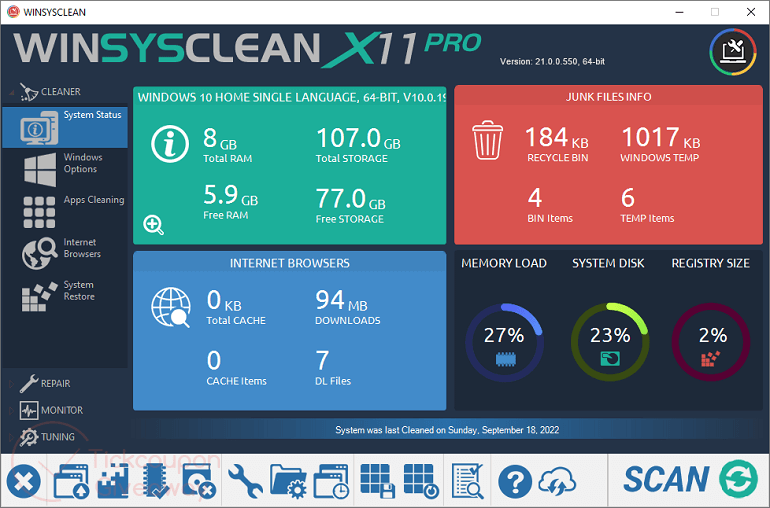
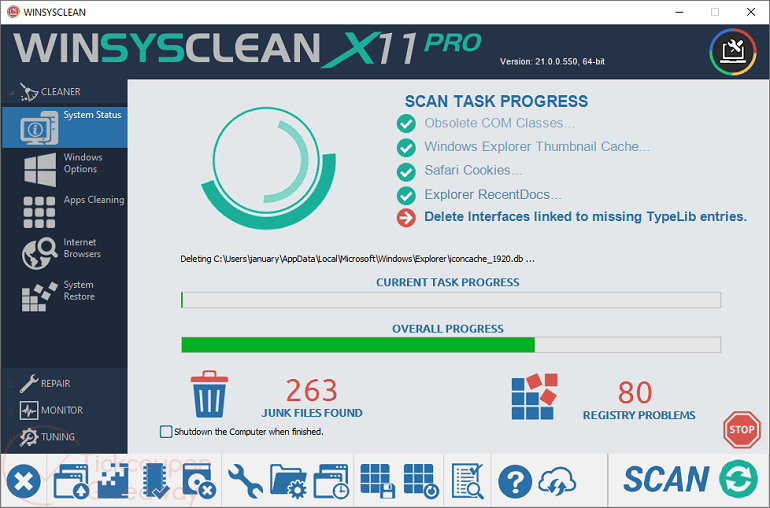
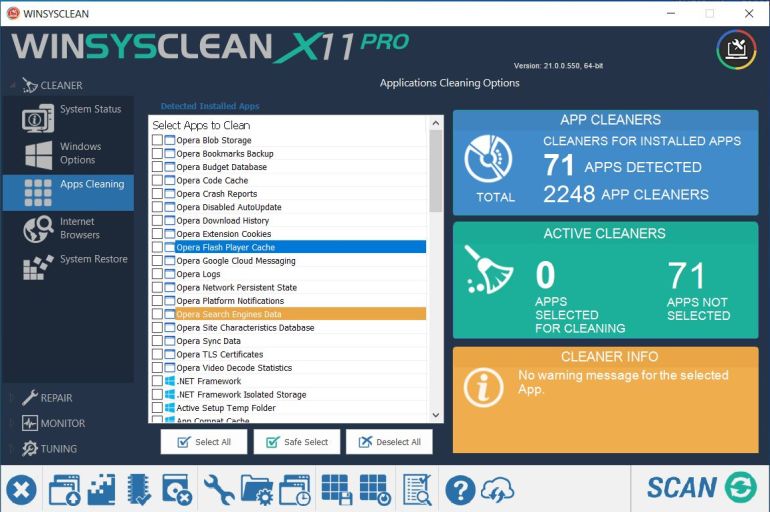
WinSysClean is a all-in-one Windows cleaner and registry repair tool designed to optimize system performance. Sweep away clutter, redundant files, and registry errors with ease, enhancing your PC's speed and stability. WinSysClean ensures a smoother, more efficient computing experience, making your Windows system run like new.
System Requirements:
Windows Server 2012/ Server 2008 R2/ Vista/ 7/ 8/ 8.1/ 10/ 11
Publisher:
Ultimate SystemsHomepage:
https://www.usro.net/products/winsysclean/File Size:
18.3 MB
Licence details:
Lifetime, no updates
Price:
$39.00
GIVEAWAY download basket

Developed by Informer Technologies, Inc.

Developed by IObit

Developed by Garmin Ltd or its subsidiaries

Developed by AOMEI
Comments on WinSysClean X11 PRO
Thank you for voting!
Please add a comment explaining the reason behind your vote.
Please add a comment explaining the reason behind your vote.

You can also add comment viaFacebook
iPhone app giveaways »

$19.95 ➞ free today

$0.99 ➞ free today

Every Day Spirit is a collection of beautiful, original, hand-crafted wallpapers created to make your phone look amazing.
$0.99 ➞ free today

$4.99 ➞ free today

$1.99 ➞ free today
Android app giveaways »

$0.99 ➞ free today

$0.99 ➞ free today

Spelling Right is a new challenging educational spelling game that will test your English spelling skills.
$2.29 ➞ free today

$0.99 ➞ free today

$1.49 ➞ free today
Not sure I'm keeping this, Once installed - Disappears, NO desktop shortcut, not showing in Start/programs/
Not showing in Control Panel -Add/Remove Programs, yet I can find through using Explorer.
After running it, my I-net connection died. Had to restart to get internet back.
Installation & registration was simple.
Save | Cancel
Cannot get Registration Page to work! Will not accept email address,
Save | Cancel
Layout is seriously janky and unintuitive, installer is an XP era Install wizard which does not fill me with confidence. uninstalled.
Save | Cancel
Went through the registration protocol , but key number was not sent as stated in response.
Save | Cancel
While attempting to get the license key at the author's site using my Firefox browser, when clicking the Submit button, all the page appeared to do was open a new blank browser tab. After an hour and still no arrival to my email of the license, the Chrome browser was used to request the license. Chrome worked. Firefox didn't.
Save | Cancel
Tried everything everything everone said to get this software to install with activation code and nothing worked. Software on this site shouldn't be so hard to install. Uninstalled 4 times and rebooted computer and turned off virus program still nothing. Won't try again.
Save | Cancel
Everything went smoothly...registered...shortcut on desktop...clicked the icon...nothing happened...program does not open...now what? It deleted v10...unhappy about that.
Save | Cancel
The registration page keeps telling me it cannot accept temporary email addresses, and to provide a real email address.
My email address is provided by BT. I am sure they will be thrilled to hear they are not real.
Save | Cancel
Derek Clark ..
You are right . . .
My..
10 Minute Mail
Doesn't ..
Work with this product { software }
Save | Cancel
Derek Clark .. .
i better off listen to
Helen
Save | Cancel
Got is downloaded, installed and added the activation key. Do I use the scan button for every action, i.e. clean the apps, clean the browsers etc. I can't seem to figure out how/where to do that if the scan button is not used.
Also, can this be installed on more than one computer?
Save | Cancel
Andrew, where did you add the activation key? I CAN'T FIND WHERE TO ADD IT.
Save | Cancel
Kelly, It was a pop-up window when it was installing.
Save | Cancel
Andrew, I didn't get a popup window when installing
Save | Cancel
Kelly, You might want to try uninstalling it and re-installing it to see if that makes any difference. I would reboot the computer before re-installing...sometimes that clears out some junk and it might work at that point. The pop up window is not one you could miss...
Save | Cancel
where do you enter the registration key?
Save | Cancel
Kelly,
you are supposed to see the registration pop-up window when you start
the program for the first time. If you don't get it, most probably you had the program installed before and
it picked up the old registration.
GOTD team
Save | Cancel
Helen, Thanks
Save | Cancel
Helen,
My installation did not Pop up any screen. I see that the old key it picked up is different from the new key.
How, where do I enter the new registration key?
Save | Cancel
Unzipped package and select Setup.msi The install points to and trying to locate a CD/DVD where it says the execution file is found. Please Help.
Save | Cancel
Easy download and activation, but one thing is confusing me.
It has a usb repair function, but you have to remove all external devices to use it, but all my devices run on usb ports..so how do I use for example my usb mouse or my usb keyboard to use theusb repair function ?
Maybe i'm just a doddering old idiot, but i'm stumped.
Apart from that, its a definite thumbs up.
Save | Cancel
chasamac, No you don't need to remove the usb devices to use the usb cleaner.
Save | Cancel
Am puzzled, will not install for me!
Do not know how to get around not having previous installation of WinSysClean installed?
Save | Cancel
TC, It's looking for a disc to load from....".msi" extension
Save | Cancel
TC, it is possible that another cleaner have removed the WinSysClean msi installer file from Windows. Please try to install the old version then uninstall it correctly.
Save | Cancel
NO EMAIL.
So went back to the readme page and went back to the site to register and this time read ALL of the instructions.Reg key arrived in seconds (yahoo mail).
Ran the program and there are some unique features on here (Sorts out USB issues?) and has many other usable options.
LIFETIME is commendable but a little concerned that under th esettings (cog logo) there is an option (ticked) to receive detaails of update weekly and unticking this option, closing/opening program and the box is ticked again.
I hope this doesn't revert to a trial as a consequence.
Anyway. it has improved my system so its a keeper (hopefuly)
Save | Cancel
Terry E., The PRO version cannot be reverted to the free version.
Save | Cancel
There's nowhere to enter in activation code. Can't find settings or anything.
Save | Cancel
Kathleen Blanchard,
you are supposed to see the registration pop-up window when you start
the program for the first time. If you don't get it, most probably you had the program installed before and it picked up the old registration.
GOTD team
Save | Cancel
Is this 64bit only? I didn't notice system requirements on this page but checking on their website that is the only version that I see.
Save | Cancel
Forget my previous question. It IS 64bit ONLY.
Save | Cancel
The installation and activation processes went smoothly without any issues.
The installation interface is delightful and reminiscent of Windows 98.
Save | Cancel
Thom,
where do you enter the activation key number?
Save | Cancel
kren,
you are supposed to see the registration pop-up window when you start
the program for the first time. If you don't get it, most probably you had the program installed before and it picked up the old registration.
GOTD team
Save | Cancel
Trying to get activation key, entered name and email and captcha - these are the only fields available.
Got message - * To continue you must accept the terms and conditions.
There is no option available to tick and accept. Tried both Chrome and Firefox
Save | Cancel
Henry,
the registration page includes the fields for the name and email and if you scroll the
page a little down, there is Terms and Policy agreement with a checkbox and also captcha.
Chrome and Edge are displaying everything correctly as I can see right now.
GOTD team
Save | Cancel
It's very faint, but there's a checkbox box to the left of line starting "With free activation". I missed it twice.
Save | Cancel
got the key. Whilst hotmail is still blocking these good guys, gmail works fine :-)
Save | Cancel
I am trying to register on (www.usro.net) to obtain the registration key for Giveaway of the day — WinSysClean X11 PRO, but there is a message saying that * To continue you must accept the terms and conditions.,
but there is no field for acceptance.
Save | Cancel
Sam sam,
the registration page includes the fields for the name and email and if you scroll the
page a little down, there is Terms and Policy agreement with a checkbox and also captcha.
Chrome and Edge are displaying everything correctly as I can see right now.
GOTD team
Save | Cancel
Another software promising to turn your computer from a Prius into a Mustang. Starting with Windows 7 there is no need for the software. But; if you just want to clean clutter out, CCleaner and WiseCare 365 are good options and both of them have free versions. WiseCare 365 Pro version comes up on GOTD quite often. IMO; It does the best job and it's worry free, it won't do anything nasty to your machine that you'll regret later.
Save | Cancel
24 min went by already . . .
still waiting for my
'' The activation link will be sent to your e-mail address shortly. ''
Save | Cancel
Boo boo boooo . o .. o ooo ',
please try to use another email as the mailing system might be email sensitive.
Some widely used providers will work for sure - Gmail for example.
GOTD team
Save | Cancel
Helen ..
Ok ...
Save | Cancel
Boo boo boooo . o .. o ooo ', Please try to use gmail or yahoo, some email providers may block temporarily our emails because of higher volume in a short period of time.
Save | Cancel