Every day we offer FREE licensed software you’d have to buy otherwise.
Giveaway of the day — Driver Magician
Driver Magician was available as a giveaway on August 30, 2011!

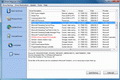
Driver Magician offers a professional solution for device drivers backup, restoration, update and removal in Windows operating system. It identifies all the hardware in the system, extracts their associated drivers from the hard disk and backs them up to a location of your choice. Then when you format and reinstall/upgrade your operating system, you can restore all the "saved" drivers just as if you had the original driver diskettes in your hands.
Key features:
- Back up device drivers of your computer in four modes.
- Restore device drivers from backup in one mouse click.
- Update device drivers of your PC to improve system performance and stability.
- Uninstall device drivers.
- Detect unknown devices.
- Clone all drivers to an auto-setup package (.EXE), so you can restore drivers without installing Driver Magician.
System Requirements:
Windows 98/ ME/ 2000/ XP/ Server 2003/ Vista/ 7
Publisher:
GoldSolution SoftwareHomepage:
http://www.drivermagician.com/File Size:
4.71 MB
Price:
$29.95
Featured titles by GoldSolution Software
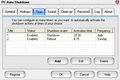
PC Auto Shutdown is a handy software that help you automatically shutdown, power off, reboot, hibernate, suspend or log off computers at schedule time you specifies. It can shut down computers at schedule time when no user is logged on or when computers are in suspended power conservation mode. It gives you different ways to schedule the shutdown event for your needs.
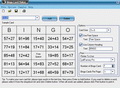
Bingo Card Maker is an easy to use tool for creating and printing custom and random bingo cards. It is especially useful for teachers and parents to make educational bingo cards for students and children.
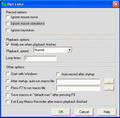
Easy Macro Recorder is a handy utility that makes your computers automatically do tasks for you. It records all operation of mouse and keystrokes and saves them as macros, then Easy Macro Recorder can play back the recorded macros to automate your work any number of times. It works on any Windows applications. Easy Macro Recorder is very easy to use, just three steps: record, save and playback. It doesn't require any programming experience.
GIVEAWAY download basket




Comments on Driver Magician
Please add a comment explaining the reason behind your vote.

iPhone app giveaways »





Android app giveaways »





This is a late comment so for those thinking of down/using this I would down it quickly.
My main comment is that I have used the older version and this is a quality product that I will be using well into the future. All these soft that search for updated drivers will/may find drivers that are the same or sometimes incorrect. Take your chances, you can always revert to the last driver if needed. Creating backups of your drivers is one of the best options soft like this offers. Also the ability to find unknown device drivers is especially convenient at times.
I appreciate this giveaway greatly!
Anyone mentioning DriverMax (Free) as an alternative is actually wasting peoples time because the free one does not offer what this soft does. I have tried it and it wastes time and will end up with the incorrections that this soft sometimes does also.
Thank you Goldsolution Software and GAOTD, this is one of the best in it's category!
Save | Cancel
I don't know about u guys but i installed this today, click update thingeh and it found my USB 2.0 driver outdated.Okayyyyyy i download and install and then reset pc as usually.After that NO USB got recognized again,mouse,wireless,nothing :/ had to restore pc to 2 days ago to get rid of this.Thumb down cause this made me redo everything i did in 2 days, stick with driver genius >.>
Save | Cancel
@Stefan #55 So because a software is free it's allowed to mess up your OS ? And this software or others of GOTD are normally not free. So they're surely not allowed to mess up your OS.
Save | Cancel
I installed this version over the previous version. W7 64 bit.
It was still registered. Interesting!
Save | Cancel
Without reading all the other posts. I offer this. I gave this a thumbs down and then removed it. Any software that does what this does should be better at it's job. It's fast, I'll give it that much but here's my problem.
1. Installed on a Win7/64bit SP1 Intel I-3 processor w/8gb ram (laptop - HP DV4)
2. Scanned machine and listed all drivers that it found.
3. Backed up fine.
4. Downloaded drivers it said that needed to be updated.
Note: Laptop is over a year old and I've only allowed HP Advisor to do updates.
5. Only found 5 drivers that needed updating.
6. Only would install 4 of those drivers. One driver was said not to be for my PC and I needed to contact the motherboard manufacture for the driver. OK then...
7. Re-Ran scan.
8. Same 5 drivers came up as needing replaced.
9. Took the chance and re-installed 4 of 5.
10. After rebooting two times just to be sure (rebooted after each install also), re-ran scan.
11 and final: Reported I needed to update 5 drivers.
I gave up and stopped, removed and moved on. Just hope this software isn't one of those "gotchas"...
Save | Cancel
#54 Helpful post on all the orphans Driver Magician left on uninstall : > (And Registrar Registry Manager is FREE.)
However I went looking for Registry Manager & while you can get a free trial, it's not a free program. Or do you have a site where it is? If so, please do tell.
Save | Cancel
@PhilS #27. You say that DriverMax nowadays only allows you to DL 3 drivers a day ? That's new and a reason never to use it, since it took already an eternity to DL a single driver, like you too seem to confirm.
Save | Cancel
@Terry from #17. I've been using DriverMax (free) for over a year. And it found drivers but if you consider all the trouble b4 a driver was installed on my PC, I wouldn't recommend it at all. Furthermore on many occasions it found two different driver versions for the same hardware and a few times I had to do a rollback of a driver in the Device Manager. I don't trust this one either judging from the comments so far.
Save | Cancel
Installed and activated - had intel inf update older than mine, broadcom adapter only retrieved the basic files <1MB no gui update,
am not bothering any further too many falses to be worth a penny even the free slimdrivers manages better than this and drivermax may have a free limit but once your up to date there will be less need and backup solutions are pretty widely available and if one has a problem as long as you don't uninstall devices and select delete files you can perform a rollback to the previous and remember to restart after each driver change for the full effect.
Save | Cancel
Best idea would be to make the thing work! I tried this before and if not for a safe mode system restore, would have been without a working computer.
Unless you know exactly what each driver does and most of all if it's needed for your system, I'd stay very well away from programs like these.
It's not clever if you get outdated older drivers installed, which may stop some programs working, or perform extremely less well. But if superfluous or incorrect drivers are installed, put simply your computer will highly unlikely fail to boot into Windows at all.
If you are sure you need any driver updates, go to the manufacturer's site!
Save | Cancel
As stated by #6 and #21, the freeware SlimDrivers (available from http://www.slimwareutilities.com/products.php) is the program to get.
It does the job quickly and cleanly.
Save | Cancel
Installed on W7 64bit, did the live update then scanned for driver updates, said my Intel chipset and HD graphics needed updates, which is wrong, I have the latest from Intel installed.
I have yet to find a driver updater that is better than I am.
I have no use for driver backup so I will not comment on that aspect of the software.
Thumbs down.
Save | Cancel
It seems to be just me, but clicking on the desktop icon for this pgm causes a loading sequence titled "pixo" which can't seem to find a needed directory. Several cancels later and the right program loads. Always hangs up during backup at the 7% finished spot. I tried installing other programs with no problems. WinXP sp3 32.
Save | Cancel
Asks you to update after installation, not sure they meant the program
or the drivers. Thought the program would be up to date when offered.
Offers 4 different options to do the backup.
Some of the same drivers are repeated - like USB
Wouldn't trust it to get newer versions, but hopefully will restore
the current drivers if I ever need to.
Save | Cancel
@ Mike. I an so glad you are willing to share your knowledge of how our PC's work at this site. There is one thing I wish you would consider. Could you possibly include a paragraph at the beginning of your posts that says: 1 Recommended only for users who are very knowledgable in PC management. 2 Recommended for those who have a basic knowledge of PC management, and 3 Not recommended for those who know almost nothing about how their PC works.
I read every word of your posts, but I usually don't understand most of it. And that means that I'm never sure if you think I (Number 2) would be able to figure out how to use this software.
Save | Cancel
I like this software! Great feature set, intuitive with a thorough Help File, attractive interace AND it respects my intelligence by providing DETAILED information about what it finds, what it recommends and, uniquely for this type utility, I believe, where to find them. Oh, yeah: And it's f-r-e-e today!
I don't like anything on my computers installing anything completely "automatically", including MS Updates and anti-malware updates. If I don't know what was done and when, then should something go wrong, I'd have no idea where to begin looking for a solution. With this Program, which surprisingly 'found' four out-of-date drivers on my Win7 64-bit system, I was able to individually vett each recommendation, download and evalute it further and, ONLY then make an INFORMED decision whether to proceed with an update.
I did follow each of its recommendations, one-by-one just in case there was a mistake. That way, I could very easily "rollback" to the previous driver using Device Manager. For me, Driver Magician was 100% accurate! This was a happy surprise because I installed Win7 Ultimate 64-bit on a Dell Inspiron 1525 for which Dell offers NO SUPPORT.
I do NOT recommend using their *.exe backup functionality because drivers should be installed in a very specific order. Dell, for example, says this: http://support.dell.com/support/topics/global.aspx/support/kcs/document?c=us&docid=268873&l=en&s=gen
As for those who are concerned about added registry items and system files, you should be using "FullUninstall" or "Revo Uninstaller" anyway, especially if you are a "software junkie", like me.
Thank you, GoldSolution Software and GOTD.
Save | Cancel
Some people are reporting that Driver Magician is reporting updates for drivers when already the latest driver is installed.
I think the confusion may lie in the fact that Driver Magician is finding more recent driver updates than other driver update software. For example it found drivers released just this month for my video card and sound card, whereas other software is finding updates which are over a month old.
You can verify that the updates being found are more recent than the current drivers installed by clicking on any found driver update and taking note of the release date, then going back to the Back Up Drivers screen and you will be able to compare it with the date of the current driver.
Another cause of confusion may be that driver updates available to download from your PC manufacturer's website, are almost always out of date, as providing driver updates is not a priority for your PC manufacturer. Also, after around about 6 months or so after a PC is released (although it will vary between different makes) it is common for a PC manufacturer to stop publishing any updated drivers on their website, choosing to focus only on newer models.
Also, driver updates available from Windows Update are very limited, with many devices not being able to be updated from there, and often the drivers won't be the latest (Although driver support from Microsoft is a lot better in Windows 7 than in previous versions of Windows.)
Save | Cancel
I earlier reported (#37) that Driver Magician showed 7 drivers needing updating on my Win 7/64 Toshiba laptop. I installed all from their own web sites then I uninstalled Driver Magician and installed Driver Max. Not only did Driver Max tell me I still needed 7 drivers, some were the same ones I just installed. The real problem with Driver Max is that it gives a list of drivers that, to most of us, look exactly alike. I am supposed to pick one! How am I supposed to do that? Plus Driver Max lets you click away then a pop-up says, Sorry, you have to by the pro version to do this.
I think, if you are a real computer pro you don't need either of these programs. The rest of us would be better off with Driver Magician. I'm putting it back in!
Save | Cancel
Win7 Ult 64 bit:
Ran setup as Admin, unchecked box to start driver magician at end of setup, ran Activate as Admin, then started program from installed start up icon. Looked in help:about. It registered fine.
Save | Cancel
Nice little program, but
1./ The GUI is rather poor, and needs some time spent improving it
2./ The GUI duplicates the menu bar but not exactly. Choose one or the other
3./ Where is the (obvious) option to compare installed driver vs. possible driver updates? At the moment you have to switch between different views and each view has a forced refresh/reanalysis which takes time and defeats any attempt to compare
4./ I would suggest creating a four step process, UPDATE DRIVER REFERENCE DATABASE, VIEW INSTALLED DRIVERS, COMPARE, and UPDATE.
5./ Some problems with update identification. e.g. I have Intel 9.1 chipset drivers installed but the magician wants me to downgrade to 9.0!
6./ Where are the guarantees that the driver downloads from 3rd party sites I've not heard of before are 100% legit and contain no malware?
7./ My wireless driver backup for Atheros AR9285 Wireless Network Adapter was just 2 files and 4K in total. So why does the "update" offered require a 81.8MB download?
... nearly great but not quite.
Save | Cancel
Will not activate or register on my Vista system. And yes, I am the administrator. And yes I followed the instructions to the letter. It's really frustrating when the activation routine will not work!
Save | Cancel
Ok, so after a little more testing, I have some not so great news. Shortly after writing my previous comment, I decided while it was backing up my drivers to a .exe file, I would check out the duplicate file finder. So after that downloaded, I was waiting for the driver backup to finish. It did, without a problem. Then all of the sudden everything stopped responding. I had access to nothing. I was forced to do a hard-reset.
After booting back up and logging back in, I noticed no programs on my PC could make an outbound connection to the internet. I had a solid connection to my router, and even reset the router thinking that was the problem. Unfortunately it was not, because another computer in the house could connect and access the internet fine, while mine could not. I ran Iobit Uninstaller and removed Driver Magician completely, and to be fair, I did another hard-reset (to make sure conditions were not changed and the os responded the same way) - On reboot everything loaded up quickly, and had no connection problems at all.
Sorry but your program looked very promising, but I do not trust a program that disables my outbound connections. I will probably delete the backup .exe just because at this point, sorry but I do not trust anything that Driver Magician created.
I hope you understand why I feel this way. It's nothing personal or against your company, but when important system resources are blocked or tampered with, I tend to be not a very happy person.
If you can fix the problem then I will gladly try it again. My email is valid if you need it or want more information. I will gladly help in any way I can.
-Robert
Windows 7 Ultimate 64-bit
Intel Celeron 900 @ 2.2GHz
2GB RAM
Save | Cancel
#54 moosish, left over registry entries will not slow down your computer (except in very rare cases), and there should be no need to delete them.
To those complaining about slow download times for downloading the driver updates, it is only a temporary problem. At the moment there are large numbers of people using this software because of today's giveaway, which will be causing the slowdown. In a day or two when there a less people using the software at once, I'm sure the download speeds will be much faster.
Save | Cancel
I was always waiting for a driver updater to come. HERE IT IS THANK-YOU SO MUCH!
Save | Cancel
Thanks GAOTD! Downloaded, installed and registered just fine! Ran Driver Magician and backed up my drivers then updated them. Installed the new drivers and rebooted my netbook. My system tried to boot. No way to recover ANYTHING due to the new driver for the hard drive. Had to wipe the hard drive and reinstall Win7. So now i have a FUN week ahead of me installing everything back to the way i had it.
Thanks Goldsolution Software! Retrieving drivers NOT from the manufactuers website is DANGEROUS! DO NOT USE THIS OR ANY DRIVER UPDATE SOFTWARE. I've been fooled with Driver magician. It won't happen again.
Again thanks Goldsolution Software!!! Rate 10 of 10! NOT!
Save | Cancel
I like that it has options for the .exe auto-setup self extractor, that way instead of trying to figure out where specific drivers go, it can all be done automatically.
Save | Cancel
Windows XP-pro 64-bit SP2
This program is shamefully outdated. Before downloading any of the drivers listed look at the date, there was only 2 for the year 2011!!!!
Even the ATI driver that was listed was not the newest one from ATI website.
Thumbs down on this! download slim driver freeware, and be careful for some of the updates are outdated still.
Hello everyone, it's been awhile since I downloaded anything.
thanks GAOTD for still giving a nice variety. : )
Save | Cancel
The database for DriverMagician is very small - it failed to find updated drivers for a lot of my hardware
I have found that the totally free DriverZone.com has a much wider range of drivers, and does not suffer from any 2-driver-downloads-a-day limitation
Save | Cancel
@ 49, you obviously don't get it. GOTD is not a scheme to get users to buy the software. It's a way to get a full working version of legitimate software at no cost to evaluate. If you use the software and like it, you should support the manufacturer by purchasing a copy. Plus, if your computer crashes, there is almost always a demo version that you can download and use to reinstall your backups...It just irritates me that people complain about things they get for FREE!
Save | Cancel
A word to the wise: I decided to uninstall this program after all. After I uninstalled it just now, I checked for "orphan entries" left in my registry, using Registar Registry Manager (as I always do after uninstalling anything.) Well, Registrar Registry Manager found 72 leftovers in my Registry, which I, of course, then deleted. I think people are absolutely nuts who don't use this program to get rid of all orphan entries, which slow down your computer, after every uninstallation. (And Registrar Registry Manager is FREE.)
Save | Cancel
#49: The old saying, "When all else fails, read the [help file] instructions" applies here.
i.e. save the backup as "DriverAutoSetup.exe" and it will restore the drivers without installing Driver Magician first.
If you do a copy or backup of your hard drive regularly you can just restore the backup into a new HD and every program will work as it did when you made the backup.
Save | Cancel
Installed and registered OK on Win7,32 bit.
Overall the program is easy to use and backs up drivers quite quickly. I have used Software Informer in the past and it also works OK. Both are keepers.
Don't forget to backup the DM backups to another drive etc in case of a HD meltdown.
Save | Cancel
Hello i am really intrigued by this program: and today i backed up my drivers i.e., Display/Audio/ Drivers for Printers/ Drivers for my Graphic card/ and Drivers for Parallel Port etc.
Say next time i want to do a fresh install of Xp on one partition, would this i.e., Driver Magician restore all the drivers: here what i mean is will restoring of Audio /Drivers for Graphic card etc would not require me to install each and every Drivers from the CD, is that what it will do.
If so then this is definitely a good application. If not then i think it is useless, my total drivers backup came to 87 MB.
So has anyone tried restoring their drivers after a fresh installation.
Save | Cancel
Thank you very much GOTD. I was going to reload My OS later today, that usually involves going online and looking for the drivers, not now! Just backed up all my drivers to a disc(yes a disc, more dependable than a stick for this situation)with no issues. perfect. all the comments helped to make the decision of to download or not and I am glad I did.
thanks
Save | Cancel
So what happens when you have to reinstall the backed up drivers on a new Windows installation? The program cannot be installed because it was a GOTD offer which of course expired. So the only route would be to buy the program - otherwise you are sunk!!! This to me is NOT a Giveaway but a scheme to get users to buy the program at a later date!
Save | Cancel
Downloaded, registered then ran UPDATE. Had 4 drivers to update. When I went to update each of these, stated it is unregistered program. Went into Help...registered and said it was already registered !! Ready to delete this program now. Not impressed
Save | Cancel
Fantastic. This fixed a couple of driver issues on some very old laptops, So very pleased, Thank you. I shall be purchasing this :-)
Save | Cancel
* Download time more than 12 hours for 2 drivers.
* Other drivers download within 1 hour, just to show 'file has be deleted'
This software is totally useless. I just uninstalled it.
DriverMax always download within 1 hour, and their drivers actually exist, no empty or deleted drivers there. Go for DriverMax if you need a software who does what it says - and within reasonable time.
Save | Cancel
I think it would be great if the Individual that gets the most Votes on his or hers Feedback, should get a Full copy of that days Software for Free.
Save | Cancel
When you click on "Update drivers" it gives you a list of drivers that need updating but will only let you update one of them.
If you try downloading any of the others it downloads an index link.....click on this and it takes you to the Driver Magician home page where they expect you to download and pay for the program.
I have registered the GOTD version and it shows that it is registered but obviously it is not.
What's the use of giving away something that doesn't work ????????????????????????
Save | Cancel
good & a professional solution for device drivers
Save | Cancel
I agree with all #2 said. I have the paid for version of this programme, and the paid for version of Driver Genius. There is NO comparison, Genius is the Rolls Royce programme for driver updates and installation. I had problems with todays offer in the past when installing some updates that were in a compressed format like zip files, and it need a lot of work by me to sort them out. Anyone with no computer background would have had trouble getting them to expand and find them to open them. There were other issues as well as it screwed up my PC and I needed to backtrack. It was this that persuaded me to look elsewhere.
Genius does everything first time and with no clashes. You see a list of what it finds and your up to date drivers as well. You click on the out of date driver, so it downloads with a graphic, and click install it. First time, every time. Done.
It will backup and check drivers for your version of Windows and save a copy.
As this service is a key service for anyone with a Windows PC, I would go for Driver Genius and pay for it. Free is not always the best bargain!
I have to add that I am NOT connected to Driver Genius in any way.
A massive thanks to GAOTD for their offerings. I have bought several pf their past giveaways having had a good experience trying them for a while. East Tec Eraser, Emsi Anti Malware and their Firewall, Lasso being some of them. Makers of good products have everything to gain from showcasing their products here on GAOTD.
Save | Cancel
If you have Driver Magician Version 3.5 installed, keep it, you don't need Driver Magician Version 3.61 released today to GAOT.
There is no difference in operations and main software, mostly is cosmetics and unimportant update.
Save | Cancel
I agree with #30. DriverMax (free) seems to be a better program by reading the reviews here and using DriveMax for about a year now. DriverMax always has a free version too.
Save | Cancel
Installed and activated fine on Dell 15R laptop with Windows 7 x64, but Driver Update list is blank, with this message at the bottom: "There is no driver update information for your PC in Windows 7 x64, please run it later"
Save | Cancel
Driver Magician showed 7 drivers needing updating on my Win 7/64 Toshiba laptop. Download time, one-at-a-time for the first 2 would take 21+ hours! Intel driver on Driver Magician was 7 minutes while on the Intel site, it took 6 seconds! It seems absurd to use a program to find drivers that need updating but realistically cannot be used to do the updating. I like what I read above about Driver Max.
Save | Cancel
Great TOOL but you can do the same things using these 2 FREE TOOLS:
- DEVICE DOCTOR to automatically update the DRIVERS of your system:
http://www.devicedoctor.com/
- DOUBLE DRIVER to back up & restore all the device drivers of your computer in one mouse click
http://www.softpedia.com/get/System/System-Info/Double-Driver.shtml
So there is no need to pay 30 BUCKS for this...LOL!
Enjoy!!
Save | Cancel
I actually purchased this software about three years ago after accidentally deleting a needed driver for a printer. It was not clear on the company's website exactly which driver I needed to download so I thought I'd leave it to specialty software. Driver Magician was a complete disaster.
1. Replaced perfectly good up to date drivers with older versions.
2. Did not recognise that I had a fairly important driver missing.
3. Installed drivers not related to any software on my system.
4. Ended up totally fritzing my system and I had to do a complete clean reinstall of the operating system and software.
Never again will I use this heap of rubbish!
Of course it may have improved since then, but I doubt it. Use at your peril!
Save | Cancel
I too got the same error message as lea (Comment 5) "Drivers update is disabled in the unregistered version of Driver Magician” and I have registered.Although judging by other comments, it doesn't seem sensible to update from the program.Useful to back up to executable file, though.But it took some time.
Save | Cancel
Nice giveaway. I don't really care about the driver updating function. I prefer to take care of that myself. I just want to backup my drivers so I grabbed this while it's free. I often purchase licenses for software I download from GOTD, but this one is slightly overpriced IMHO, so unless I find it discounted somewhere, that isn't going to happen.
To those of you who are always asking: What happens if my system crashes . . .? If you don't have your system cloned, you will lose your GOTD applications. Install a program that will image your system - They show up on GOTD all the time - and use it. Simple. :)
Save | Cancel