Every day we offer FREE licensed software you’d have to buy otherwise.
Giveaway of the day — BeeConverter 1.4.0
BeeConverter 1.4.0 was available as a giveaway on April 25, 2024!
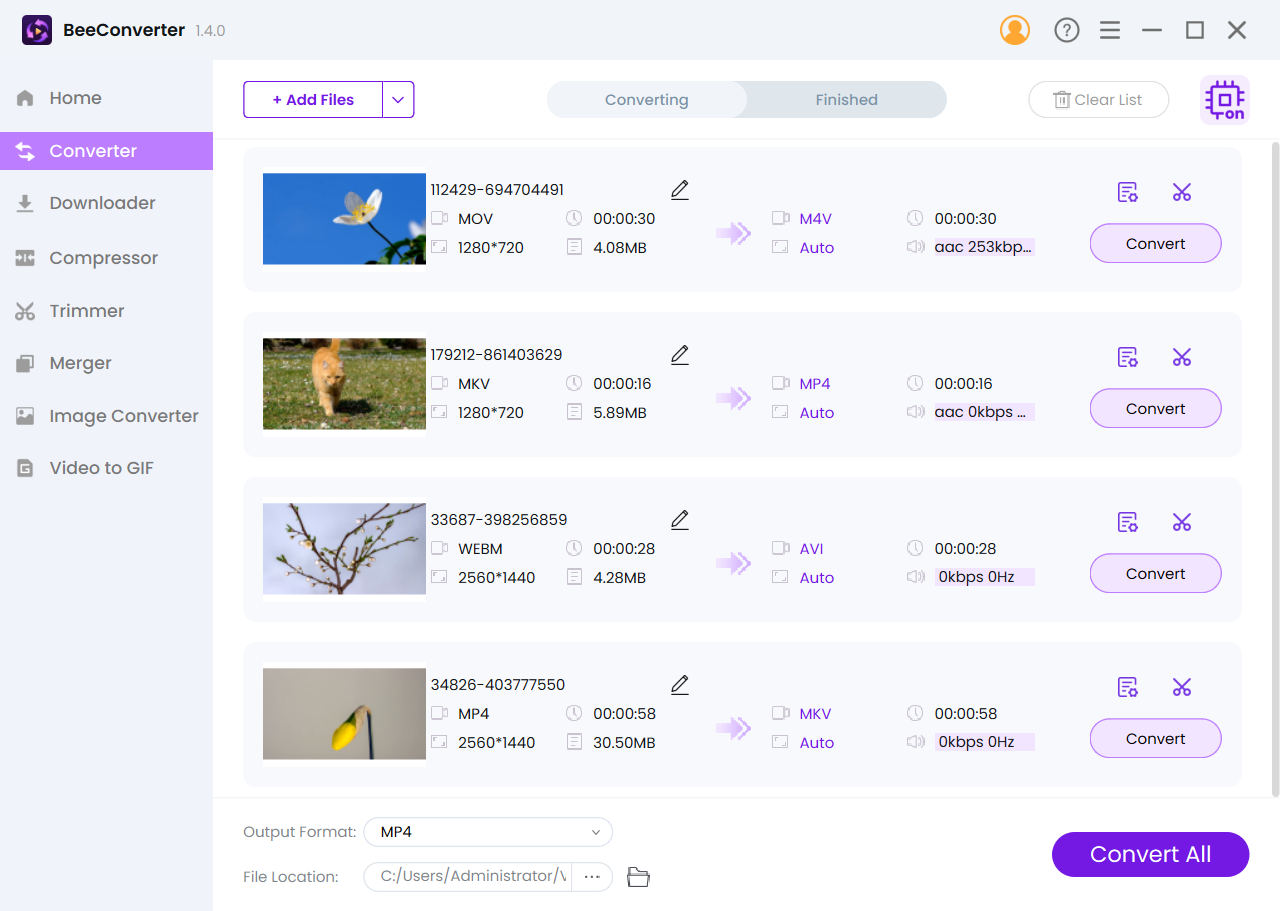
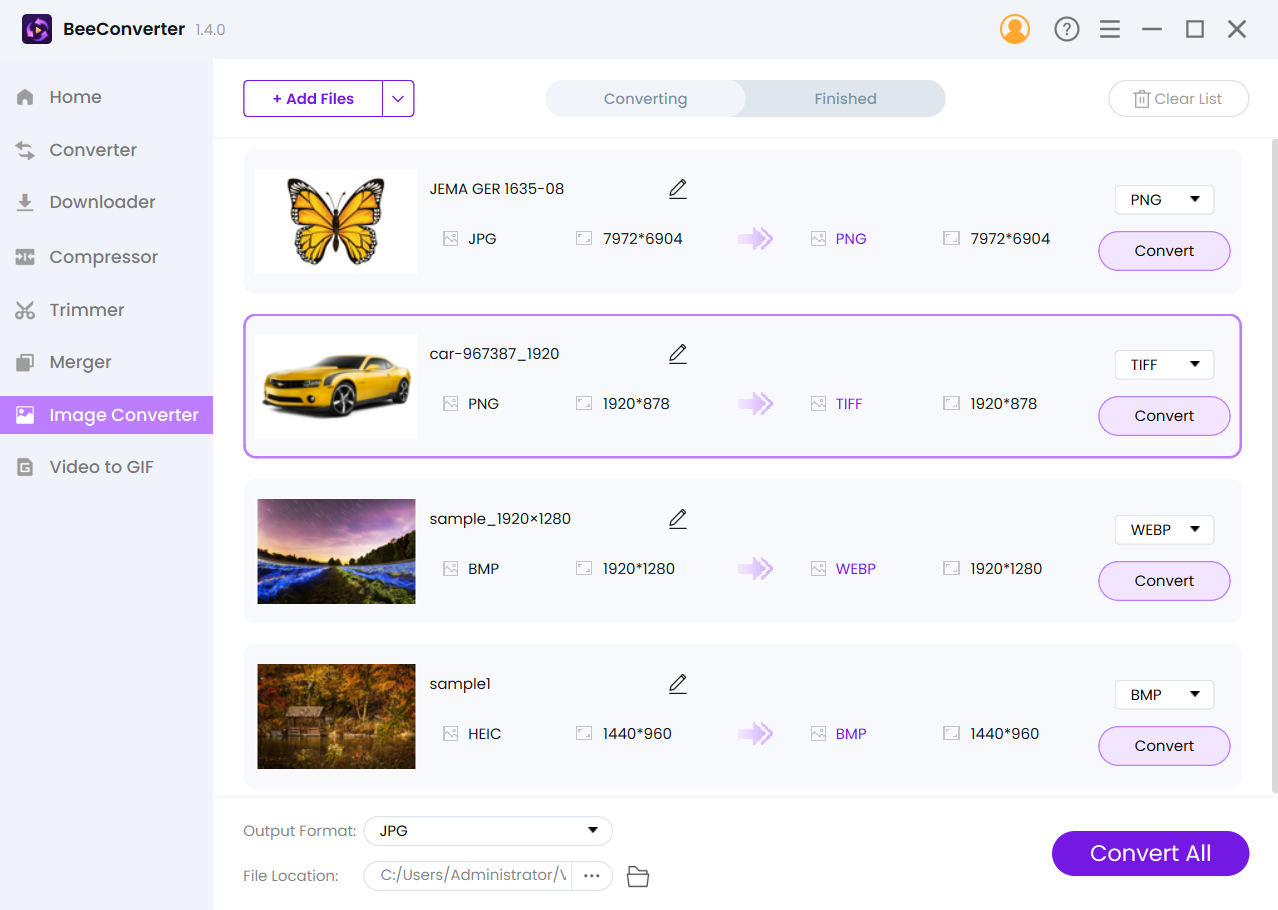
Convert File to 350+ Video/Audio/Image Formats.
BeeConverter supports a wide range of video, audio, and image formats. You can easily convert videos to formats like MP4, AVI, MOV, MKV, WMV, VOB, WebM, and more. For audio, popular formats such as MP3, OGG, WAV, WMA, AAC, and others are supported. Additionally, you can convert images to JPG, PNG, JPEG, SVG, HEIC, WebP, and more. What's more, BeeConverter allows effortless conversion of videos to GIFs. Simply upload MP4, AVI, MOV, WEBM, FLV, or other video formats and instantly create captivating animated GIFs.
Download Music/Videos from 500+ Streaming Sites.
With BeeConverter, you can effortlessly download music and videos from well-known streaming platforms like Facebook, Twitter, TikTok, SoundCloud, Mixcloud, and more. Choose to save music in high-quality MP3 formats at 320kbps or 128kbps, or download videos in MP4 at resolutions up to 1080p, 2K, or even 4K. On top of that, BeeConverter provides a convenient batch download feature. Hence, you can download entire playlists or multiple videos simultaneously.
Compress Video & Audio Files Without Losing Quality.
With BeeConverter, you can efficiently reduce the size of large video and audio files without losing quality. Customize the compressed file size and quality according to your preferences. Plus, you can enjoy a 60X faster compression speed.
Trim & Merge Video Quickly.
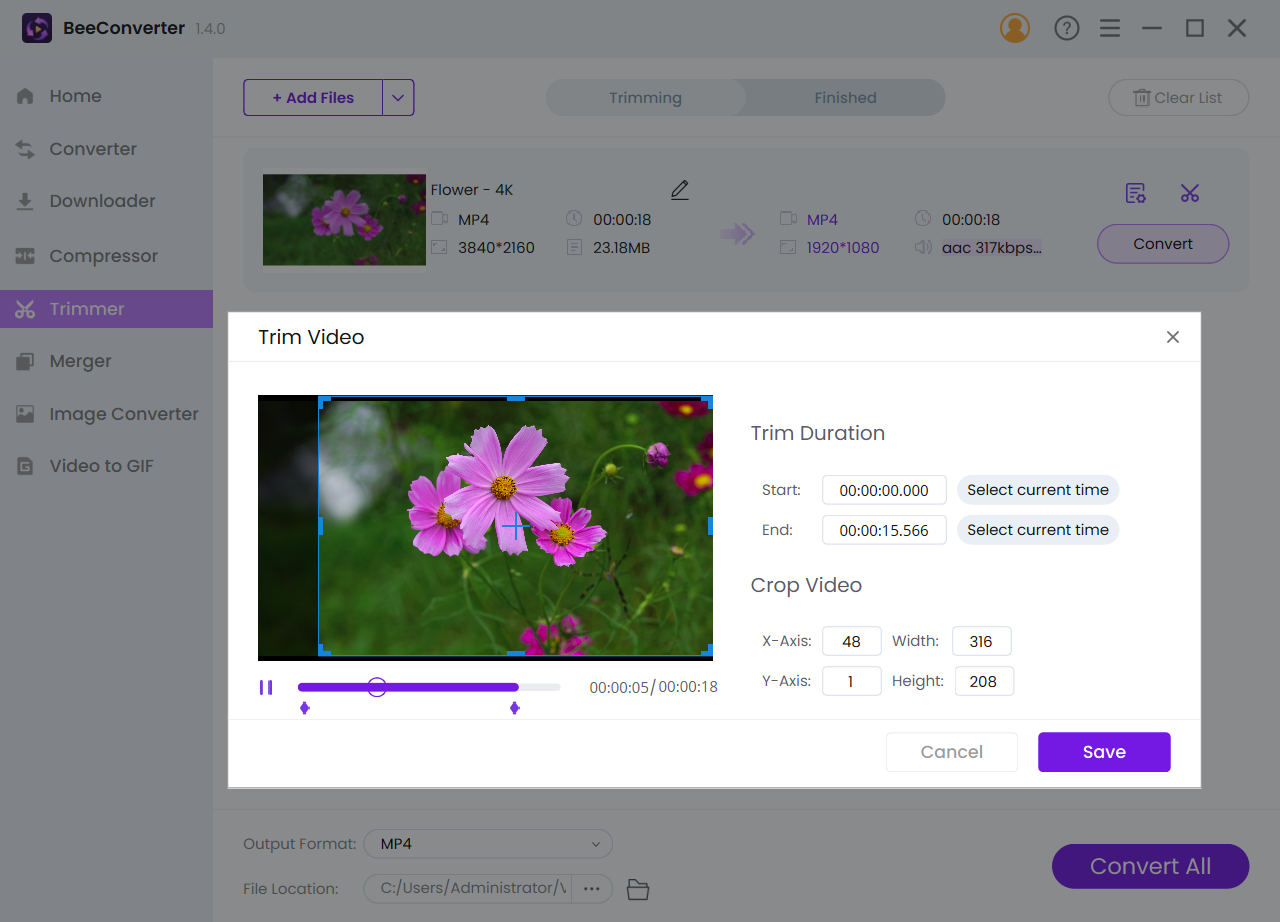
BeeConverter offers convenient trimming and merging tools for quick video editing. Simply upload your video, then you can adjust its length and crop the size effortlessly. The same goes for merging videos. Import multiple clips, arrange them in the desired order, and merge them together seamlessly in no time.
System Requirements:
Windows 7/ 8/ 8.1/ 10/ 11
Publisher:
AmoyShareHomepage:
https://www.amoyshare.com/video-converter/File Size:
101 MB
Licence details:
1 year license
Price:
$35.00
GIVEAWAY download basket




Comments on BeeConverter 1.4.0
Please add a comment explaining the reason behind your vote.

iPhone app giveaways »





Android app giveaways »





Hello Everyone,
Thanks for your interest in BeeConverter for Windows. In order to help you better use this tool, we just placed this post here with useful guides and more.
· Registration Guide:
Step 1: Click on "Get it for free". Make sure the email you entered is correct, because the activation code will be sent via email.
Step 2: After installing and running the program, copy the activation code from the email and enter it on BeeConverter, and then your license will activate. If it still shows Free Trial, try to restart the program or contact support@amoyshare.com.
The 1-year license is applied to all versions of BeeConverter, as well as new versions in the future.
· User Guide:
https://www.amoyshare.com/blog/how-to-convert-mp4-to-mov.html
https://www.amoyshare.com/blog/how-to-convert-mkv-to-mp4.html
https://www.amoyshare.com/blog/how-to-convert-webm-to-mp4.html
If you have any further questions or feedback regarding today's Giveaway, please don't hesitate to contact us right away!
Best wishes,
BeeConverter Team
support@amoyshare.com
Save | Cancel
It is either not converting my file or is taking a very long time to convert a 526mb file as it appears that nothing is happening.
Save | Cancel
It seems to work if I don't do a bulk file conversion but instead convert one file at a time. But converting a 526mb mkv file to mp4 seems slow.
Save | Cancel
Brian,
Thanks for the feedback. We will keep optimizing the converting speed.
Save | Cancel
Just tried this on two BBC Sounds programmes and it worked brilliantly!
Save | Cancel
I tried three times but the program crashes every time. All I get is an error message stating a dump file path. Did anyone get this to install?
Save | Cancel
Casey Van Loo, it runs in my VirtualBox Win11 VM -- since that uses emulated graphics hardware it doesn't require anything special as far as the GPU is concerned. Process Explorer shows it using DX 9 & 11, along with the C/C++ runtimes included in the app's folder, so no special requirements I can see there either.
Save | Cancel
Casey Van Loo, probably not by the replies you got!
TK
Save | Cancel
Casey Van Loo,
Our technician will contact you via Email and help fix the error.
Have a nice day.
Save | Cancel
Or you can contact us via support@amoyshare.com and send us the error.
Save | Cancel
Unless I'm missing something, the converter does not allow you to set the bit rate so the resulting trimmed video is always severely compressed.
Save | Cancel
Dominick Caputo,
Kindly know that the the video won't be compressed if you export it in original format.
Or you can send the original file and the trimmed video to support@amoyshare.com.
Our technician is available to see if anything is wrong.
Save | Cancel
Thanks Team BC for the lifetime upgrade offer on the registration page !! Took advantage of it. This will come in handy.
Save | Cancel
Nice one, quite handy!
Save | Cancel
No Mac version?
Save | Cancel
Hi, Mac,
BeeConverter do have a Mac version. Please get the Mac version via this URL: https://www.amoyshare.com/video-converter/
Save | Cancel