Every day we offer FREE licensed software you’d have to buy otherwise.

AnyEraser 4.1.1 was available as a giveaway on May 17, 2024!

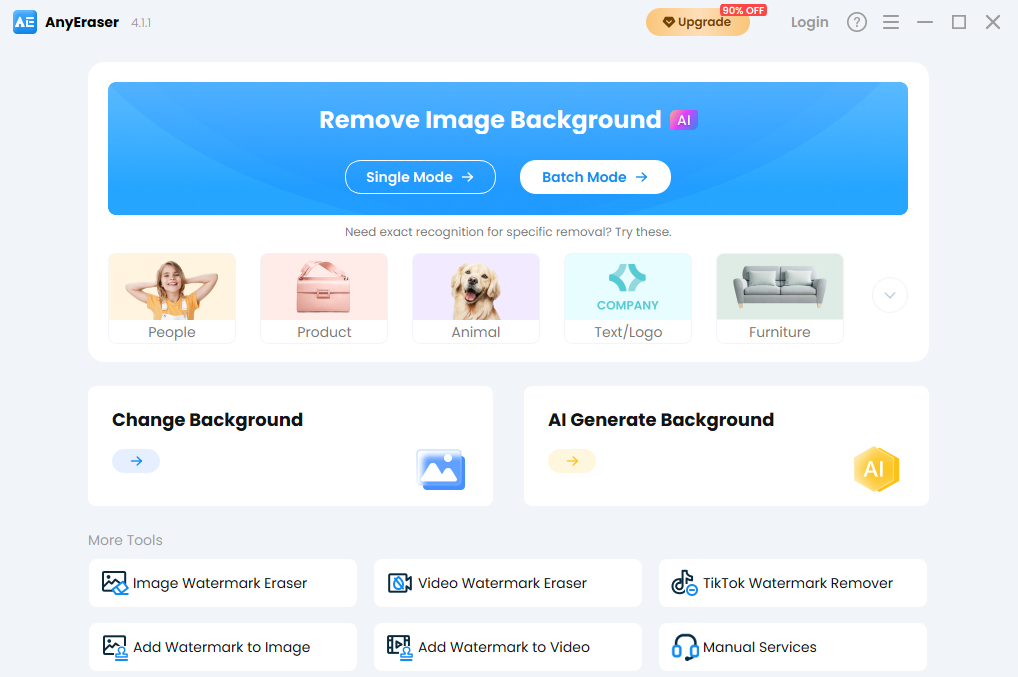

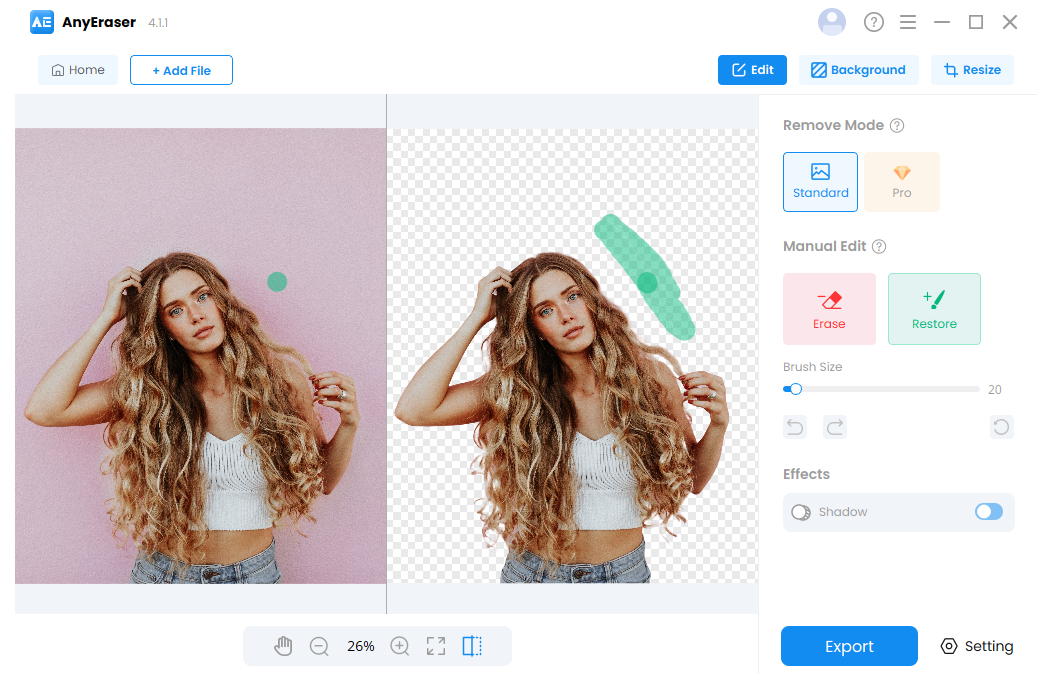

AnyEraser is a professional background remover that also features a comprehensive toolkit for background editing.
Its AI background removal will automatically isolate the background from the image and then remove it without destroying the subject, saving you from the dull painting over the background or precise stroke around the outline. Extending from the background removal need, AnyEraser keeps developing tools for background changing, resizing, and background generation, etc.
Functions:
- AI background remover: Allows users to easily get off photo backgrounds with precision and perfectness.
- Background changer: Allows users to replace the photo background with solid colors or customized image backgrounds.
- Photo resizing: Allow users to change image size to any desired dimensions and provide presets for various platforms.
- Shadow adding: Allow users to add shadow around the cutout, delivering a natural look.
- AI background generator: Allow users to can create realistic, studio-quality images.
- Erase/add watermark: Erase unwanted watermarks from photos, or add your own watermarks to the copyrighted works.
Key features:
- Easy to use: No manual efforts needed. No complicated tutorial to learn. AI tool helps you remove background automatically and quickly. You just need to upload an image.
- Fast speed: AnyEraser wipes out distractions from most images in 5 seconds, speeds up the editing process with a support of advanced algorithm.
- Precise: Account for pesky, feathery hair without making an image jagged and amateurish.
- High quality: No more careful subject tracing, inaccurate cuts, or loss of quality. You can download the results with an original resolutions.
System Requirements:
Windows 7/ 8/ 10/ 11
Publisher:
AnyEraser.comHomepage:
https://anyeraser.com/pro-background-remover/File Size:
142 MB
Licence details:
6 month license/50 Credits
Price:
$14.99
GIVEAWAY download basket




Comments on AnyEraser 4.1.1
Please add a comment explaining the reason behind your vote.

iPhone app giveaways »





Android app giveaways »





Hello Everyone,
Thanks for your interest in AnyEraser for Windows. In order to help you better use this tool, we just place this post here with useful guides and more.
· Activation Guide:
Step 1: Click on "Get Free Licence Now". Make sure the email you entered is correct because the license info will be sent via email.
Step 2: After installing and running the program, log in AnyEraser with your account to use this background remover without limits. If it still shows a Free Trial, try to restart the program or contact support@anyeraser.com.
The 6-month license is applied to the AnyEraser 4.1.1.
You can learn more about AnyEraser here: https://anyeraser.com/pro-background-remover/.
By the way, we also developed a helpful tool for watermark remover. If you are fond of it, please learn more about it here: https://pixeraser.com/pro-watermark-remover/
Suppose you have any further questions or feedback regarding today's Giveaway, please don't hesitate to contact us right away!
Best wishes,
AnyEraser Team
support@anyeraser.com
Save | Cancel
Matt, could you explain what the function of credits are and what are the ramifications of a license restricted to 50 credits, let alone the 6 month expiring license restriction on the "giveaway"?
TK
Save | Cancel
TK,
Credits allow you to unlock all functions in AnyEraser. Some features require credits to use. For example, 1 call for image background remover consumes 1 credit. The giveaway activity send you a free 6-month license with 50 credits. If you don't use up 50 credits during the period, they will expire and be cleared up.
Save | Cancel
In a quick test with a small photo [1059 x 817 (from a 110 negative scan)] it's actually not too bad at all... it's not perfect, but it does a better job than the new Windows Photos app in Win11 [Microsoft has published that the new version Photos is coming to Win10, but I've yet to see it]. The Photos app does offer a brush to add/remove parts of the photo, which you might well need it since it wanted to keep parts of the background along with the main subject, but the edges of the object that you want to keep were both a bit inaccurate and too sharp or harsh -- you want/need a softer edge to blend into whatever new backdrop so it's not so obviously a cut/paste. Editing in Windows new Photos app *may* also require a bit of graphics [GPU] horsepower, not working in my VM at all, whereas AnyEraser 4.1.1 had no problems. That said, AnyEraser 4.1.1 can not cut out an object as well as a photo editing app -- it's just automatic and so faster/easier, working it's magic to select the main object and remove everything else as soon as you import a photo. You can save the result as a .png file with a transparent background.
When I started AnyEraser 4.1.1 it opened 6 http connections, which shortly dropped to two: 44.238.44.255 & 142.250.190.132. Per the Readme.txt file I went to anyeraser.com/promotion/giveaway-for-win/ and filled in the blanks to set up an account -- I received an email confirming the email address and password. Unfortunately trying to log in from AnyEraser 4.1.1 failed repeatedly, and restarting the app did not help. So I tried the option for forgot password, promptly receiving an email with a web site link to reset it, and the new password worked.
Installing AnyEraser 4.1.1 adds the program's folder [335MB with 392 files 8 folders] plus a folder in Users\ [UserName]\ AppData\ Local\. The main changes to the registry appear to be an uninstall key, though it *may* also make several additions to remote networking -- Win11 itself makes lots of registry changes just from running, so while unusual and it's plausible, I'm not sure the new entries were caused by installing AnyEraser 4.1.1 -- HKLM\ SYSTEM\ CurrentControlSet\ Services\ NdisTapi\ Enum]
Save | Cancel
mike, what does the 50 credits mean in reality? 50 image manipulation attempts? Is it a purely offline desktop program with no cloud computing uploading/downloading?
TK
Save | Cancel