Every day we offer FREE licensed software you’d have to buy otherwise.
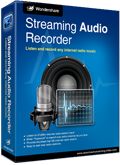
Giveaway of the day — Wondershare Streaming Audio Recorder
Wondershare Streaming Audio Recorder was available as a giveaway on September 19, 2009!

Wondershare Streaming Audio Recorder uses virtual sound card to record any sound played through your sound card, record music from any online music sites and radio stations like MySpace, Napster, Rhapsody, XM radio, AOL radio, etc.
After recording, you can split audio files; edit ID3 tags like title, artist, and genre. Or, you can add recorded file to iTunes, Windows Media Player, or Winamp.
Features:
- Free Download any online music over 2000 online music sites;
- Record any radio show from all online radio stations;
- Save music files as MP3, WMA, WAV, AC3, M4A, AAC, etc.;
- Audio Editing like splitting, adding ID3 tags;
- Automatically split, record songs one by one;
- Many more features on Streaming Audio Recorder…
System Requirements:
2003/XP/Vista 32 bit and Windows 7 Beta; Processor: >1GHz Intel or AMD CPU; Free hard disk space: 30 MB or more; RAM: 256 MB or above
Publisher:
Wondershare SoftwareHomepage:
http://www.download-streaming-video.com/streaming-audio-recorder/File Size:
6.13 MB
Price:
$29.00
Featured titles by Wondershare Software
Only $15(Original $39) for GAOTD users to get Web Video Downloader & Burner which combines web video downloader, video converter and video to DVD burner. It supports download streaming videos, online TVs, live sports, etc. Save 60% now.

Wondershare Video to DVD Burner lets you burn all favorite videos to DVD disc. It supports all popular video formats, AVI, MPG, MP4, WMV, MOV, MP4, DAT and HD videos such as M2TS, TP, TRP, etc. The powerful editing function helps you to make a video slideshow easily with 32 menu templates and 60 transition effects. It also supports adding background music and text to customize the video slideshow.
Wondershare Video to DVD Converter is incredibly easy to use which has all the capabilities to burn DVD movies from all popular video formats, such as AVI, MP4, WMV, FLV, MPEG, MPG, MKV, MOV and HD videos like TS, TP, MTS, M2TS. The video editing function lets you trim videos and then burn video to DVD disc or ISO image files.

Wondershare FLV Downloader Pro is a handle-to-use yet useful tool combining FLV downloader and FLV converter which supports protocol of RTMP and HTTP. It can download online videos from Yahoo (RTMP), YouTube (HTTP), CNN, MySpace, etc, and convert FLV to various formats, such as MP3, MP4, AVI, WMV, MPEG, etc.
Wondershare YouTube Downloader is a custom-built program to let you free download YouTube videos without limitation and convert YouTube FLV to AVI, WMV, MPEG, MOV, etc, which are compatible with iPod, iPhone, PSP, Apple TV, Zune, and other portable devices.
GIVEAWAY download basket




Comments on Wondershare Streaming Audio Recorder
Please add a comment explaining the reason behind your vote.

iPhone app giveaways »





Android app giveaways »





I have actually paid for wondershare audio recorder to work, but now every time I push record this message shows up and I can´t get it to disappear.
Save | Cancel
The program is very good. Please re-publish. Thank you wondershare.
Save | Cancel
#133. After installation of ALL GOTD's I block the new program for outgoing traffic (in ZoneAlarm). This permanently prevents the programs to look for updates, so the registrations are not in jeopardy.
Save | Cancel
Preset is stuck at 10 minutes,
sometimes takes over volume control on toolbar,
tried to record and it just says Ready ,
I wish this worked , I would use it , but so far no go
and I think I am registered , but how do I know ?
oohh its XP SP2
Save | Cancel
god work but why it is making the files each of 24.45 minutes
Save | Cancel
I know it's now beyond the time limit for this giveaway, but due to the time zone this is when I can answer... and I want to express my gratitude to the other commenters who tried to help me (see my original comment at #42 and a reply at #74).
So my thanks go to #46 (Jack), #70 (Werwolfchen), #73 (Mike), and #105 (Urban). I will try your suggestions and hope something will work!
Save | Cancel
I have been very impressed with Wondershare products until now.
To save wasting time, I will not re post many of the negative comments which some are very valid. Instead, all I wish to repeat is what just ONE other poster has mentioned and that is the update tab. It has been purposely disabled so we users are NOT able to use this function to disable updates. All GAOTD users will be very disappointed in the coming days/weeks/months when you find the program has been automatically updated and then reverted to a trial. All will be lost.
If my assumption is correct, Wondershare is bordering on deceiving people now.
Thumbs down big time and reverted to my image backup made just previously.
Save | Cancel
I have found Jet Audio media player to be satisfactory in most fashions right out of the box, including the pretty easy to use recorder on one of its tabs. Another tab converts audio or video. I found the default control settings and short-cuts to be sensible / useful. http://www.cowonamerica.com/download/
Save | Cancel
Unable to register program using Windows 7 Ultimate after attempting two times. Able to register and run program fine with Win XP SP3. Very easy to install (XP) and use.
Save | Cancel
I just installed this on my XP computer and almost instantly got a blue screen error (caused the computer to restart itself). I immediately uninstalled the software.
Obviously that whole "go ahead and install this even though it doesn't have a XP digital signature" thing didn't work out for me. I'm surprised this got such a high rating. I've downloaded from Wondershare before and not had this problem, but then all those apparently did have the XP signature because I've never had that come up in an install of anything before.
Just wanted to let you know.
Save | Cancel
Great program! I've tried every program out there, with every setting there is, and none of them worked with my computer. This one recorded the sound the first time I tried it. A++++++++++++++++++++++++
Save | Cancel
have had so many blank recordings from Audicity (have /\/===\\ so seems to be working....) will be looking forward to try this on next webinair.
Now, if could just figure out how to turn off the windows opening and closing, download finished sounds! (Nasty during playback)
Save | Cancel
Did work well on new Eee.
But think interface and blank folders left needs some work.
I'd probably buy it if could get just a tiny window -- the bars to see that it is doing something, the title of the current selection, and stop / record function.
As #52. John as
2: Creates multiple Sub-Directories in the Output Folder.
3: If I stop the Recording it Deletes the Output File but not the Folders it Created.
Tested this. Terrible for a program to do this. Hard enough to find and be able to keep track of recordings without this sw adding so much garbage and empty files.
Do like that it comes breaks and new files for new songs. (this is adjustable in the settings, default is 300ms -- which created a few new files for the same song.
>4: Doesn’t Seem to Tell you it’s Recording only that it’s ready.
My tests showed as the otherway. When it is recording, will see the bars in the upper right corner going up and down and filename and time in the main window. Thought this was pretty nice.
But when I was at the ready message had not been recording and X to close, got the message, that is was still recording something.
Save | Cancel
Re (IIRC) #18?!
RRIA managed to get the US to redefine their copyright terms on sound recordings (NOT copyrightable until 1972!) to place EVERY sound recording ever "fixed" in the US Of A under protection until (currently, subject to future change...?!) January 1, 2067 (by which we shall all be rather DEAD?!). Here in Canada, we have (so far!) a 50-year copyright term (from the end of the year in which the recording was "fixed" [neutered?!])
I have a personal interest in this, BTW...I own about 57,056 78rpm phonorecords! Here in Canada, I could copy and try to sell these recordings quite legally; back in my home (Waynesville, Ill's.) I can't legally do so for another 58 (?!) years!!
Steven C, Barr
Oshawa, Ont'o., Canada
Save | Cancel
installed like a charm. easier to use than audacity.
Save | Cancel
# 79 Mike i do agree that if a company wants to make adware or even sell adware that is there choice.The chance i will ever buy anything like that depend on the annoyance level of the ad ore if you can disable it same counts for me for free adware.For example i use format factory it is adware but not annoying to me.The reason i say it is wrong and surly not OK is the because of the line you did not copy and passed so here is it again.
Giveaway of the day state this: Giveaway of the day is adware/spyware-free.
Because of this statement of Giveaway of the day i do believe it does not belong here.
If we except this this side will become a adware side and that can not be the idea.
But in all cases enjoy what you think is worth it.
Save | Cancel
THE BAD..Streaming Audio Recorder does not support Vista 64 bit OS.
Save | Cancel
installation went well on XP. started up program, went to yahoo to launch a radio station, & hit the recored button just before a song came on. the program started recording and stopped right after the song ended and started up right before the next song came on. simple, but if you're not sitting right at your computer to capture song id info, then you're just guessing what the song is. kinda tough too when you want to rename the audio file w/ correct info.
Save | Cancel
This is quite a nice program though I do have one question. Isn't there any way to remove the ad for Video Downloader since this is a paid version of the application? This seems a little like Trial or Ad ware though not so if there's a way to turn off the ads. Does anyone know how to do so?
Save | Cancel
To 110 that is the exact problem I am having even when trying to run as administrator, in the compatibility format, uninstalling, reinstalling etc, it's just not registering on my Vista 32.
Donna
Save | Cancel
I've done everything everyone mentioned and still it comes up as a 7 day trial WITH the nag screen to register or buy. I spent this amount of time with their collage program too and never got to try it. I have had no problem with other of their programs so I do not get it and as last time I have received no email after writing them since early today. This is JUST what I was looking for too and I wanted to buy the streaming video program but will not if this will not install.
Donna :(
Save | Cancel
I downloaded this.... it worked once and now doesn't detect anything in the window?!
Save | Cancel
Here is a great online music editor....kind of relevant...no charge of course. Things like this are available on the web if you search. Execellent application for being online... saves room and effort on your computer, especially if you just want the occassional editing capabilities without draining your wallet.
http://aviary.com/tools/myna
Save | Cancel
they make an offer to buy for $15 Wondershare Video to DVD Converter
however,it is missleading, as appears to include, youtube downloader which it does not
where is an easy ,free,youtube downloader ?
Save | Cancel
i can not register the program. I tried everything and it is not registered. Any good suggestions that work? Thanks
Save | Cancel
#89, hawaiianbrat96, there's a couple reasons people mention free alternatives, and rate based on price. For one, yes it's free today, but if someone couldn't log on today they may still want to know if it's worth it. For most programs, if you get a new computer or do a clean install, you lose the GOTD registration. There's also the fact that GOTD is used by companies as a promotion -- if people here say it's too much when they are getting it for free, any smart company may look into their pricing structure or features.
So yeah, price is very relevent. And for me, personally, I like to use freeware when it's available and it's as good as commercial software, because I at least know I'll never lose money, and if I get used to the program I don't have to worry about switching because I lost the registration or whatnot.
Now, back to the program itself, I too got that warning, and from what I could tell based on the install note, whatever it does is the way for the program to bypass DRM (for good, or for bad). One other thing I *did* notice is that i had Winamp open when I installed, and it stopped working (closing and opening Winamp, and possible WSAR fixed it though).
Save | Cancel
If you have read this far in you must be interested in free radio rippers. As an alternative to this try RadioSure, or for ripping Pandora, Jango, Grooveshark, Dizzler etc. try Free Music Zilla. Wondershare is OK and has its uses so give it a try guys.
Save | Cancel
Installed and activated ok on Vista. When clicked on record, displayed "Ready" on in the main window and created folders and a file "Title_001" with 0 size. After "Stop", the file is gone. Tried preset time, same happens. Tried different sources (internet streaming, playing music on the PC), same result. And advice? Thanks!
Save | Cancel
Installed perfectly and working well on first computer. Thank you Wondershare!
Installed on second computer without a hitch, until I attempted to test it. All sound was disabled, but their website instructs how to adjust the Audio Properties by from the little speaker in the Windows XP tasktray, and that re-enabled sound.
Unfortunately, with Wondershare open, I cannot open any streaming audio files without hearing major echo and experiencing buffering problems. I attempted to record anyway, and got the Windows dreaded "blue screen." Yikes.
Uninstalled completely with Revo and tried again. Same result. Can't figure out what the issue is. Both computers are running XP SP3...
Save | Cancel
Hi,
I started to download the Wondershare Streaming Audio Recorder when I got this warning message: The software you are installing for this hardware has not passed Window Logo testing to verify its compatability with Windows XP.
Continuing your installation of this software may impair or destabalize the correct operation of your system either immediately or in the future. Microsoft strongly recommeds that you stop this installation now and contact the hardware vendor for software that has passed Windows Logo testing.
Why this is important: Designed for Microsoft Windows XP LogoHardware and software products displaying the Designed for Microsoft Windows XP logo have been tested for compatibility with Microsoft Windows operating systems through use of Microsoft-provided testing procedures. For the best performance, Microsoft recommends using hardware products that display the Designed for Microsoft Windows XP logo on the external packaging and on the device itself.
Software for hardware products with the Designed for Microsoft Windows XP logo has a digital signature from Microsoft, indicating that the product was tested for compatibility with Windows and has not been altered since testing. For the latest updates, including security fixes, service packs, new Help files, and device drivers, see Windows Update in Help and Support Center. You may also want to contact the hardware vendor directly and ask for a device driver that has met the Designed for Microsoft Windows XP logo requirements. For more information, visit the Microsoft Windows Logo Program (go to http://www.microsoft.com/ and search for "Windows logo program") on the Microsoft Web site.
Warning
Microsoft strongly recommends you only use device drivers with the Designed for Microsoft Windows XP logo. Installing device drivers that have not been digitally-signed by Microsoft may disable the system, allow viruses onto your computer, or otherwise impair the correct operation of your computer either immediately or in the future.
Has anyone else received this warning? I stopped the installation until I can get the okay.
arkay
Save | Cancel
There is not a reg.reg file in my download, I still can't register this and I wanted to buy another one but if I can't install this...they never write back lsast time I had a problem a week later I got a cold email saying they don't save codes or keys from GIVEAWAYS, I hope they write back this time. I'd love to get some of their software!
Save | Cancel
20- To Schedule just about anything to "run in the future" in Windows:
Try using the Windows "Task Scheduler"...
(Look in your Control Panel; if it's not there, search your machine for "scheduler", and you should find it; it's part of every version of windows since at least Windows 3.10, pre-1995),
...to start the program when you want it to...
...(after you either have the Scheduler open your browser to your music source, or you've left it on there from earlier),
and enter any available commands that it needs to get going;
I'd tell you more on how to do it, BUT I'm running a 64-bit OS, and it says it "won't work on 64-bit OS", so this one is a "take a pass" for me...
Too bad, I really like other Wondershare products, got a couple that are my "first-pick" to get something done.
Wish I hadn't missed yesterday's; don't know how I missed it! Oh, well!
Good luck!
Save | Cancel
Not available for 64 bit Windows. :( Oh well. Thanks anyway, GOTD. Keep up the good work!
Save | Cancel
A nicely streamlined interface for this progam. If you have other Wondershare applications on your computer, today's download should interface easily with them.
Save | Cancel
@ #42 JonasToolBarAndGrill.
Try "Total Recorder" if this GiveAwayOf Today does not work.
http://download.cnet.com/Total-Recorder-Standard-Edition/3000-2170_4-10024762.html
The link is to the free version. Since I use a paid version I can not guarantee that it will solve your problem. Please note that the settings can be rather complicated. Use the wizard if there is one in the free version. Good luck!
Save | Cancel
Only downfall is that it does not have a VCR Record/Preset time function. You have to start the Ap and the recorder manually. No autorecord. iRecordMax which was a previous GOTD did have the timer built in. Might be worth bringing that program back for another try?
Save | Cancel
I really like this program. It is very easy to use and intuitive. It will record my streaming audio into separate songs or makes it easy to split up longer files for editing. I am not IT person so I appreciate the simplicity. thanks.
Save | Cancel
I know this is slightly off topic but that's never stopped me before...
If you have any interest in video downloaders/converters/trimmers/combiners/DVD burners gasp, I'm out of breath, the $15 special today from Wondershare may be of interest to you. When you make your purchase, you receive two keys. One is for Streaming Video Recorder, the other is for Video DVD Converter. I downloaded these programs separately instead of the combined installer on the "special offer" page and installed them on two different PC's. My wife needs something less problematic than the Womble "Wizard" for getting recorded TV shows onto DVDs before her hard drive explodes and the Video DVD Converter worked like a champ on my first try (it passed the caveman can do it test), and I'm always looking for the holy grail of never fail web video grabbers (and I'll probably have the same success as other grail seekers) and I'll give the Video Downloader a try later.
We'll be making grape jelly today (my job is to figure out how to pick the grapes growing 6 ft. beyond my reach in an Alder tree using an 18 ft. extension ladder), so I won't be testing the Streaming Audio Recorder until after the Giveaway period- way, way after if I fall off the ladder.
Save | Cancel
My 4th GAOTD from Wondershare... all great. For those who troll and only like Audacity and Format Factory as spoil sports, why do you come to GAOTD?
And as for the ad bar... give me something for a little ad and I don't mind. You'd Really Hate my tried and true stuff from PDF995! HA!
Thank You GAOTD!
Save | Cancel
Thank you GAOTD and Wondershare. Being a computer illiterate, this is the first streaming recorder that I have ever gotten to work. LOL I was wondering if anyone else was having trouble viewing the "Auto Update" tag in the program. I always make sure that feature is not activated so I don't lose the program, but I can't view that tab. Should I redownload or reinstall the program? I have rebooted and it still will not let me view that tab. Any input would be greatly appreciated.
Save | Cancel
I tried various apps on my Windows 7 system and none of them worked. I do however have a custom built machine. Rhis app worked so I give it the thumbs up. The only thing is I cannot get it to register properly and I am on a time limit
Save | Cancel
Wondershare has had many Great products, but it is not Vista 64 Compatable. I would have loved to have tested it. Hope you add this to your to do list.
Much thanks to Wondershare, GOTD and of course all of the great testers for their feedback.
Vidimo se!
Save | Cancel
To Register I did this:
After installing the program;
drag the "activation" supplement onto the desktop and set it to run as administrator (an option you should see by right clicking the icon you just created on the desktop). now run activation and start or restart the program "Wondershare Streaming Audio Recorder"
It worked for me on Vista Home 32. I tried many other ways but this worked.
Save | Cancel
if you are on x64, go get freeware audacity. you can even have simultaneous stable and beta versions installed. this software i cannot even review, as i use primarily x64.
Save | Cancel
Thank you GOTD, Wondershare and Ashraff! I have to run this as admin, but this seems to be working well with Vista Home Premium 32bit. Have been using Audio Recorder Titanium that was a giveaway back in late June, but it tends to be quirky - I get error messages even though the recording is fine and the output settings are all set the way I want them but for some reason, I have to manually reset the output format and speed every time which is a pain and a nuisance! Have tried MANY free alternatives but they won't record properly with Vista and my soundcard. I can use Audacity for editing, but it will not record properly from streaming audio so this is a Wonderful addition to my software.
So to all of you naysayes that think this is a waste of time or there are free alternatives - sorry but just because it isn't your idea of a good giveaway, it may be EXACTLY what someone else has been hunting for and it is FREE today!
Thanks again GOTD, Wondershare and Ashraff!!!
Save | Cancel
thanks GAOTD for the wonderful software. I really liked the software
Save | Cancel
Why do people insist on mentioning Audacity EVERY time any audio-related GOTD is featured? My personal experience of Audacity is that I absolutely loathe it for anything except the most basic record/edit/save jobs and will only use if literally no other alternative exists on that particular PC.
While I own several other programs which can record 'WhatYouHear' or 'Stereo Mix,' I use Audio Recorder Titanium for that, because its GUI is simple and it has half-reasonable peak-hold metering, the latter being something I personally find essential.
My point being: there is usually no such thing as one 'best' program for any given task, there is only the program which you find works best FOR YOU and meets YOUR needs.
Today's GOTD features scheduling of future recordings, splitting files by silence detection (and also manually after the fact), and built-in tag editing of your recorded files. Those aren't features I personally want (and they don't for the most part exist in Audacity either, incidentally), but I bet they are EXACTLY the features that some others here are looking for. In which case, they've just got THEIR 'perfect' recorder.
So why not give the 'Audacity is better' comments a rest, and stick to discussing the pros and cons of the GOTD instead?
Save | Cancel
i installed this on my hp laptop but for some reason the hp quickplay controls for volume were not compatible with this and i had to uninstall the software
Save | Cancel
extremely easy to use software.
i love the simplicity and there`s a almost no learning curves at all.LOL.just install and start recording.
ten thumbs up.
Save | Cancel
Okay, I have to rant here about the comments that are listed about not getting this because there are better alternatives.
Please remember that not everyone is tech-savvy enough to download Audacity and actually use it to its full potential. Many are turned off by the way Audacity looks and offers because it is a lot to look at all at once!
GAOTD is here to share FREE software daily. Don't knock it if you aren't going to give a proper review. If you are going to offer alternatives, great! But don't knock it simply because of the price.
IT IS FREE TODAY! No one cares about the price today if they are downloading it from here!
Personally, I love WonderShare products. I have never had any problems with their products. So, I will give this one a thumbs up, even if I am not downloading today.
Save | Cancel