Every day we offer FREE licensed software you’d have to buy otherwise.
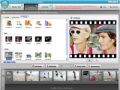
Giveaway of the day — Wondershare Photo Story Gold 3.4
Wondershare Photo Story Gold 3.4 was available as a giveaway on September 21, 2009!
Wondershare Photo Story Gold 3.4 is a powerful yet easy-to-use software to make amazing photo video slideshow for YouTube, iPhone, iPod and other mobile devices. It combined photos and music with engaging movie styles to output various video formats: MP4, AVI, WMV, 3GP, MPEG-2. You can create wonderful video movie for wedding, birthday, family, travel, etc.
- Turn photos and music to video slideshow
- Pre-designed movie styles combined multiple transition & motion effects
- Engaging movie styles for wedding, birthday, travel…
- Decorate text can be added to photos
- Photo retouching and effects
- Various video output formats: MP4, AVI, WMV, 3GP, MPEG-2
- Share memorial slideshows on YouTube, iPhone, iPod and more
- Quick and helpful online support
- More details
System Requirements:
Windows 2000/XP/Vista
Publisher:
Wondershare SoftwareHomepage:
http://www.ourpix.com/photo-story-gold.htmlFile Size:
26.6 MB
Price:
$29.95
Featured titles by Wondershare Software

Best photo to DVD movie making software, Enable you to transform photos and music to dazzling home movies with hundreds of free picture in picture movie styles. Enhance your photo movie with animation captions, theme effects, voiceover and credit. Output as DVD for watching on TV as well as various video formats for YouTube and mobiles. Fit all occasions such as wedding, holiday, etc. Watch photo movie samples and get inspired now!

Easy to use yet powerful flash gallery maker helps you turn still photos into impressive flash movie with music to share memorial moments on website. With 60+ free flash gallery templates, 70+ transition effects and pan/zoom effects, you can create interactive 3D photo gallery, website slideshow, online photo album and flash banner for MySpace, Blog and website without any flash or programming skill. 50% Off only for GAOTD today!
GIVEAWAY download basket




Comments on Wondershare Photo Story Gold 3.4
Please add a comment explaining the reason behind your vote.

iPhone app giveaways »





Android app giveaways »




Gr8 review Ashraf, your a time saver, keep up the good work.
Save | Cancel
Feeling ignorant here. Got the program working with Windows 7 and XP but have not figured out how to watch a playback after it saved and I open again. Should be rather simple, but not seeing where to click 'play'.
Save | Cancel
don't know about anybody else, I can do the pics + add the music but.... when I hit the create tab the program crashes (tried twice) I think it would be a nice program to make Christmas video's +. that is If I could keep the flippin thing from crashing.
Save | Cancel
Was having problems installing (vista 32) from the files unzipped location. Copied both setup and activate files from unzipped location to desktop then ran as administrator and it installed fine??
Save | Cancel
The right installation procedure for Windows 7 users is in post 53 and not in post 1 !
Thank you Karen.
Save | Cancel
Installation Guide XP USERS
1. Unzip the package you’ve downloaded
2. Run (double click) this "Setup.exe"
After #2. --DO NOT--DO NOT--DO NOT-- Actually Start,Open,Run the real (finished) working program that you just installed in step 2.
3. Run (double click) this "Activate.exe"
Easy install! Worked great!
The free program is now yours to use.
Save | Cancel
thanks no 46. you are a star. this really works for vista users.
Save | Cancel
I had no problems loading & registering this on a Vista Ultimate 32 bit machine. However, every time I load it the UAC (User Account Control) pops up asking permission to run it. That's annoying to say the least.
And for those that wanted to know the difference between this give away & the last one it is with the Styles. You have a lot more styles in 3.0 than 3.4.2.0. Other than that I don't see any real difference.
I was able to load the current version without uninstalling the old one. Both seem to work fine.
Save | Cancel
Vista Home Premium SP2: Ran both the Setup.exe (first) then told it NOT to start the program when it was done, then the Activate.exe - ran BOTH as administrator. Flawless install, first attempt.
Nice program. Thanks, Wondershare and GOTD. I've made a routine habit of running these installers/activators as Administrator, and found I have far fewer install problems than I often see mentioned here.
Save | Cancel
Well got it to run by running activation first AS ADMINISTRATOR and then the program AS ADMINISTRATOR. Seemed okay, dumped 135 photos into it and added a song and told it to make a movie. It did it, but every image is upside down!
Save | Cancel
The same thing that happened to comment number 11 happened to me. Will not activate on Vista Premium. I copied his comments below.
"I’m on Windows Vista. I did as I always do; Ran Setup.exe and then Axctivate.exe. No activation. Read above that you need to do it in reverse order for this giveaway. So I uninstalled and tried again with the same result. The program shows registration popup on startup and wants me to give license name and registration key within 30 days. Whats wrong?"
Save | Cancel
tried installing it twice, once activating 2nd as instructed and then running activation first as suggested. Ran the install as administrator. Keeps coming up demo version, but at the top says 50% off for GAOTD users. Not sure what's up. Tried a video with the demo version. Added 135 images, took quite a while to get going. I dont want to add the effects between each photo. I used reveal from www.muvee.com and have used their stuff for quite some time. It is more intuitive and easy. You can add words or voice overs as you make the video etc. Much better application than this one. I will try as is my habit 1 more time to install and then plonk the file.
Save | Cancel
its not working for me. i followed the text note and it said to run the setup.exe first, then activate. The instructions in the GAOTD say different. activate first, then setup. It keeps giving me the nag screen to put in the key or evaluate. it also keeps asking for run after finish, 50% off for GAOTD users. Whats going on??
Save | Cancel
I am running vista and I came up with the same Registration error as a lot of you did. Someone mentioned right-clicking the file and running as an administrator - THIS WORKED FOR ME! RIGHT CLICK ON THE ACTIVATE.EXE and RUN AS ADMINISTRATOR.
Save | Cancel
Nice program, does what it says in the box.
With regards not saving GIFs, digital cameras do not use GIFs, so not a problem and if you are obtaining GIFs (or any other format) from another source it's very easy, using almost any graphics package, to save the files in JPG format after editing. So don't let this minor item stop you downloading this software.
As for Microsoft Photo Story 3, this is an alternative if you don't mind the intrusive nature of Microsoft (and I'm not knocking Microsoft, I think they are an excellent company who have done some great things for the world but they can be a little heavy handed at times in my opinion).
Final verdict, as I had the program doing real work within five minutes of installation, it has to be good.
Save | Cancel
61.I think I may have installed it wrong ( leave it to me) it keeps popping up telling me that it is just the free 30 day trial. and that at the end my movie will be watermarked…..how do I get that fixed>??
thank you
delete that one please
- just read the above - and I to have vista 64 bit boo hoo hope that there is something that can be done to repair this....Looks like a great program!!
Save | Cancel
@25 from what I can see Platinum offers more than the gold. Take a look here... http://www.ourpix.com/photo-story-gold.html
Save | Cancel
I think I may have installed it wrong ( leave it to me) it keeps popping up telling me that it is just the free 30 day trial. and that at the end my movie will be watermarked.....how do I get that fixed>??
thank you
Save | Cancel
Thanks for this product guys.
Save | Cancel
I closed program and ran activate as administrator from extract activate folder one last time and it worked this last time. After many misses.
Save | Cancel
I try it both ways Run the activation program Activate.exe in the package FIRST; THEN run Setup.exe
And run Setup.exe Run in the package AT FIRST; THEN the activation program Activate.exe Only a 30 trial
Save | Cancel
Once again I checked the Wondershare site for new updates following the upgrade install of Wondershare Photo Story Gold 3.4. I had a lessor version. I also have paid for the Photo Story Platinum over a year ago and I love it!
Thank you so much for the continued updated templates you offer for your product! I just love the new wedding pack you offer.Also the new movie pack.
Thanks again Wondershare and GOTD for the chance to try products that we might like and use.
As for those Photo Story from Microsoft lovers ... Wondershare has Microsoft beat hands down... not to mention Adobe and Coreal for the slide shows they offer.
Save | Cancel
TO REMOVE THE REG POP-UP:
1. Run Activate file under "Run as administrator".
2. Run the Setup file under "Run as administrator".
It does work, I just did it. I use Vista 32 bit.
Thanks for another different and decent selection of software today, GAOTD~
Save | Cancel
OK, update...
Thanks to #59 it installed and activated just fine... This is a 64 bit OS also...
Thanks a lot for the tip..
Sonny
Save | Cancel
This really sucks, says it activated and installed but the version says trial version.. I have tried everything and it doesn't give me anything but a trial version... Would really like to have this program..
Thanks,
Sonny
Save | Cancel
Very limited as compared to the "Platinum" version. Too limited IMHO.
I would try the Platinum version if it ever comes around, but not this one.
Thanks anyways GAOTD.
Save | Cancel
Installed without any problems on both Win Vista Home Premium 64 bit AND Win Vista Ultimate 32 bit systems. Following the instructions given. I ran activate first, then setup. After setup was complete I UNCHECKED BOTH BOXES and CLOSED setup...Meaning I DID NOT let the setup program automatically start Wondershare Photo Story Gold 3.4.
No right clicking was needed in my case for either the activation or the setup.
After CLOSING setup, I then clicked on the program myself to run it. Upon running Wondershare Photo Story Gold 3.4 I clicked on the Register button to make sure activation and registration was correct and completed. Program seems to be registered without any problems.
The program has a pleasant look and feel. There are several styles available to add transitional effects. To adjust the audio is a little trial and error to get it just how you want it. There's also several ways to customize the text you add.
Pros:
*Easy to use. Manual is available within the program itself.
*Easy to add the pictures.
*Has several transitional effects freely available to use.
*Ability to add CUSTOMIZABLE text including: Color, size, transparency, and text effects.
*Allows for audio to be added.
*Has different output options when creating.
Cons:
*Should probably read "Purchase Additional Styles" instead of the current "Get More Styles".
*Unable to add 'GIF' images
*A better way of changing duration between photos and segments is needed.
According to the included Help File-"Change duration of segment:
You can double-click the time number under style thumbnail on Storyboard to change it to any value in the arrange of maximum and minimum." ------Anyone able to get this to work...?
------It would be much better and more user friendly to add an edit box similar to the "Edit Photo" option.
All in all, I give the Wondershare Photo Story Gold 3.4 two thumbs up.
Thanks to GOTD and Wondershare for another great program.
Save | Cancel
P.S. Corrections: MovieStory was downloaded on 12/18 not 2/18.
In addition to checking the "properties" info for the PhotoStory version I have installed, I have also opened the program itself and looked, but cannot see any info on the version displayed there either (in a splash screen, header, etc)
Save | Cancel
I downloaded a previous version of Wondershare Photo story. I thought I downloaded it from GAOTD but the "properties" indicate that it was installed on June 26, 2008, which was not the date of a GAOTD for this software. On May 26, 2008 the GAOTD was Wondershare Photo Story (again, no version specified) which allowed for output in Flash. On July 17, 2008, the GAOTD was Wondershare Photo Story Gold, which allowed output in MP4/AVI/WMV/3GP/MPEG2. I don't know if the version I have might be one of these, as I can't imagine where else I would have obtained it.
I also installed the 2/18/08 GAOTD of Wondershare Movie Story GAOTD version, which has additional capabilities.
I have not yet used any of this software, as I am just now getting into making videos. (I knew I would need it this year for several projects I am now beginning.) I do not want to assume that the current giveaway is better than what I have, as sometimes that has been true and sometimes not. I do not like that I cannot use GIF files, and I don't know if that is true for other versions as well.
Also, I am ok with having multiple versions installed if that gives me maximum versatility, provided this is possible. Sometimes new versions overwrite older ones.
The Wondershare site is not helpful in getting answers. The "live chat" link goes to a 404 page, and the inquiry form is not working (plus it says it would take up to a full day to get a response if it was).
I am hoping a more experienced GAOTD member can advise me on how to determine what I have installed, and what actions (if any) I should take to give myself maximum features as I begin working with video and video slideshows.
Thank you -- any help will be much appreciated!
Save | Cancel
Ran as Administrator. Installed correctly.
Save | Cancel
Like Wondershare Products, but their partners way of doing business stinks. Was going to buy a product since they have a good 50% off deal going for GAOTD members, but there is an "Extended Download Service" charge. Starts at $4.95 for the full year. I added the backup CD to the order and that charge went to $6.95. Now, I don't understand why you need an "Extended Download Service" when you are buying the CD.
The biggest beef is that you CAN NOT remove the "Extended Download Service" charge no matter what. I am not going to order then request a refund for the charge as that costs me in the long run and they don't pay for my time.
Here's complaint filed with them:
Save | Cancel
Will download. Sounds a lot like Windows Movie Maker. Not really anything that I would pay for, considering I use Sony Vegas for things like that. But, I'll see.
Save | Cancel
#59 Scott - You are a wizard.
Finally, after following all the other solutions, your directions rock.
Many thanks.
Save | Cancel
My download after activation insisted I PAY. Uninstalled immediately, end of story.
Save | Cancel
Love this!Very easy to use played with it a bit then paid for the Wondershare Photo Story Platinum.I'm waiting for movie story by them,hopefully it will be on here soon :)
Save | Cancel
Installs & Registers fine on Win 7 64bit MAKE USE TO RUN AS ADMIN FOR SETUP/REG!
Save | Cancel
I have Windows 7 Pro RTM and it is wanting the keycode but unlike the other wondershare products I have there doesn't appear to be link to register for GAOTD customers even after I activate and then install. What could be the problem.
Save | Cancel
Works great on Vista. Why some people have a problem installing? Probably, Microsoft should require people to pass a very basic intelligence test before they are allowed to have a Vista computer. Or be at least 12 years old. If you cannot install it, then talk to a 12 year old for advice.
Save | Cancel
Correction to my correction because 'strike' didn't work as it should have according to the preview:
of course, that won’t help unless all the information is there for different Operating Systems.
Save | Cancel
Correction:
of course, that won’t help unless all the information is not there for different Operating Systems.
Save | Cancel
Windows already has a completly free piece of software built in, Windows Movie Maker.
It does more
Costs less (nothing)
So what else can I say except uninstall.
Save | Cancel
I have been comparing the WS story book apps and have come to the definite conclusion that Wondershare Flash Slideshow Builder is much better all around because it does the same thing but goes a lot farther–it has additional functions and you have control over *everything*. In the end you can convert to whatever format you like (?correct me if I'm wrong?) with Format Factory….It seems to have all the same functions PLUS additional ones (like being able to record a narrative from within the program, and it has MANY effects apart from transition effects–something totally missing in this program). Wondershare Flash Slideshow Builder seems like an advanced version of the Storybook apps.
I would call Wondershare’s Photo Story programs ‘Transitions programs’–they offer lots of transition effects and that’s about all (except for music). The concentration on the transitions (only) at the expense of the photo images produces projects which are very unprofessional. We get only a brief glimpse of the actual photos in between the elaborate transitions which take up at least as much time. And even then, the photo is spinning, jumping or sliding and not that clear….
If you want your friends to actually SEE your photos, stick with Wondershare Flash Slideshow Builder if you got it from GOTD, or wait for it to come around again, or get a similar free program….:-)….
Save | Cancel
I was looking for such software, thanks GOTD. Havn't tried Microsoft Photo story, but this one looks very simple to use. Only drawback i could find was it has no option to delete photos after adding, i.e you have to be very much sure on the order and the photos you want to be in the slide show before hand. Also one more thing is the less number of styles, the website offers 50% discount for more styles, that should have been free too, well that too much to ask for i guess:-)
Save | Cancel
I'm using Vista Premium 64 Bit edition and I was able to successfully install it with no pop-up registration/evaluation 30 day window.
Open the folder for it and click on the key symbol to activate registration, it will automatically do it for you.
Save | Cancel
#21: "...I recomend MS PHOTO STORY 3 ... There are plenty of converters to make the photo story3 movie into any format you want."
True, BUT, you cannot convert without losing something. It's like converting AC3 to mp3 compared to converting the original, uncompressed wav file with all data still intact. Unless you use stream processing [use the graphics card to help out], wmv is also one of the slowest to encode.
* * *
#30: "How can I get my copy to work without expiring in 30 days?
(Vista)"
Run activate.exe again -- right click & run it as admin.
Save | Cancel
HUGE WASTE OF TIME:
I just downloaded the wondershare photostory gold from GOTD. I activagted it and got the screen saying the program was activated. But when I open the program it always tells me that I am using the 30 day trial version. i WENT TO THEIR WEBSITE AND FILLED OUT THE FORM. It would not allow me to submit the form because the "required" from fields were not filled in. The one that they were referring to would NOT work (it did drop down but there were no options on it) so it is impossible to select any options. I then clicked on the "live chat" option and it said the link was "dead". What a dipshit company. HUGE WASTE OF TIME. I can only imagine how stable their software is if their website and customer support is that bad.
Save | Cancel
For Vista users who had problems registering .......... I tried every suggested combination possible, but didn't work. Finally I found the solution! I installed it in my both computers. Here it is!
FOLLOW Comment #46 EXACTLY. It works like a charm!
Thank you Turtlerunner!
Save | Cancel
#39: "it is recommended to run the program under administrator account” for Vista users... choose “Run as administrator”.
1) Why can’t Giveaway or Wondershare staff get this right?"
Well... the developer decides how they'll key their app, & how they want GOTD to distribute that key... it's easy to understand why a developer wouldn't want to give away keys 365 days a year, since they'd never sell a copy -- though you could argue that since Gold is the older version, no longer sold that I can tell, why not?
Now today GOTD uses Activate.exe to distribute the key per Wondershare's instructions. The key gets entered in the registry where Vista & 7 Windows can restrict access, so many need to right click Activate.exe & select Run As Admin. Writing software to get around Windows' security is a big NO -- even if it worked I'd guess every A/V package out there would stop it cold.
I don't disagree with you at all -- it's a PITA -- but hopefully explains a bit of the GOTD end of it.
* * *
#40: "Check for registration email sent from us with license name and registration key."
Download the GOTD version (Gold) from this page rather than the Platinum upgrade available at the developers' site. Un zipping the file you get a readme file, setup.exe, & activate.exe. Running activate according to the readme file's direction adds the key.
* * *
#41: "is it possible to burn to DVD with this version ?"
No... that would be the upgrade to the Platinum version.
* * *
#42: "I installed the newer 3.4 version, then used revo uninstalled to remove the prior 3.0 version. Hope I didn’t remove anything important to this one!"
Strongly suggest re-install today's offer while you can. Many of the files & registry entries carry the same name.
Save | Cancel
Thanks GAOTD. I also like Animoto.com Free for first 30 sec clip plus you can add music.
Adriel Yapana
Save | Cancel
#58, delete.
Here's what you do, extract activate to your documents folder, and run as administrator from there, not the zip folder. Finally got it to register on Vista 64. Thanks GAOTD
Save | Cancel