Every day we offer FREE licensed software you’d have to buy otherwise.
Giveaway of the day — WinSnap
WinSnap was available as a giveaway on January 31, 2007!

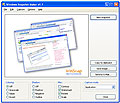
WinSnap is a small enhancement utility for taking and editing screenshots. It can easily capture windows of non-rectangular form with the background of your choice, automatically perform simple canvas transformations and coloring effects, add professional smoothing shadows in Photoshop style and more. Also it supports variety of image formats and provides advanced auto-save features.
WinSnap can help you make small thumbnail previews and full-sized screenshots for your web blog or home page, visualize technical and educational materials, send reduced-size images through email.
WinSnap key features:
- Flexible screen capture capabilities
- Smoothing shadow effect in Photoshop style
- Powerful image processing and basic canvas transformations
- Support of various image formats and advanced auto-save features
- Easy Web publishing and E-Mail sending
- Usual keyboard and mouse control (Print Screen replacement)
- Small and fast for an image editor, smaller than Paint
- Multilingual user interface (24+ languages)
System Requirements:
Windows 2000/XP. If you are running Windows 2000, you need GDI+ installed.
Publisher:
NTWind SoftwareHomepage:
http://www.ntwind.com/software/winsnap.htmlFile Size:
392 KB
Price:
$12.95
Featured titles by NTWind Software
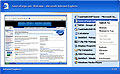
TaskSwitchXP is an advanced replacement for the standard Windows Alt-Tab dialog with previews and powerful task management capabilities. It provides the same functionality, and adds visual styles to the dialog and also enhances it by displaying small thumbnail previews of the application in addition to the associated icon. The dialog can also be customized on a per-user basis with optional font settings, shadow, transparency and more.
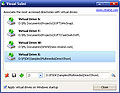
Visual Subst allows you to create virtual drive letters to the most accessed directories in your system. For example, a long path "C:\Documents and Settings\User\My Documents\Projects\" could be easily accessed via the drive letter P: from any application. It may be very useful when working with deep folder hierarchies as well as when working with projects copied from another system.
GIVEAWAY download basket


Comments on WinSnap
Please add a comment explaining the reason behind your vote.

iPhone app giveaways »





Android app giveaways »





Well it was free for personal use. But since v2 has been released, now it is not. So the ones still enjoying this one, count your blessings. ;)
Save | Cancel
Keep up the good work. Very useful application, especially for webmasters.
Save | Cancel
My keyboard isn't working.
Save | Cancel
"Hello guys, we updated the package to simplify the activation process. If you have any problems, just redownload it and use this new package."
Yes I have problems with registration. I cannot get the key to activate. How can I redownload it now time has expired ?? I loaded early from your site.
Hope you can help
John
Save | Cancel
Thanks for the link to the wink software. I tried out this software and thought it was kind of lame (it didn't do as much as I thought it would), but I really like wink.
Save | Cancel
Great Thanks very easy to use.
Save | Cancel
Wow! Just what I was looking for! Small footprint and easy to use.
Save | Cancel
What more could you ask for? It's FREE, it works well and it is so simple to use. Thanks
OFF TOPIC:
#12 John, you can press Alt 39(numeric key pad) to get an apostrophe.
Save | Cancel
Thanks guys, but the software is free for personal, non-commercial use anyways.
"...That means you CAN buy the license if you like WinSnap and want to express your appreciation to the author. And you MUST buy it if you want to use WinSnap in any commercial environment." (WinSnap Homepage)
This software is great - I use it ll the time - so please feel free to honor the author for this excellent tool!
Save | Cancel
I could have used something like this not too long ago. Thanks for the free download. As usual, thanks everybody for the alternatives (I always note them in my clipmarks account)
Save | Cancel
It's much easier to use than my registered version of capture wiz pro. I'm impressed by the clean and simple lines. Great give away.
Save | Cancel
Save | Cancel
Tested and uninstalled , i use sliber : http://www.sliber.com/
Make a snapshot and upload it on the web in one click .
And it's free ...
Peace :-).
Save | Cancel
Did not even try this one. Freestone Capture is easy on resources, can be run off a USB Drive, is easy to use, has a ton of options for compression and other stuff, and is FREE. I love GOTD, but sometimes they offer software that is not as useful as freeware that is great and there for the taking.
Save | Cancel
I've had this utility for a while, and it's really awesome! Much better than any other screen shot utilities that I've used.
One use that I find it handy for is for screen capping an online map (like Google Map) and then printing it without saving. Google maps is nice, but when I display the "printable version" it becomes really SMALL! This utility totally solves that problem. I can print anything on the screen any way I want, and do it really easily.
Save | Cancel
CRAP, CRAP and more CRAP!
First let me say I agree with many of you about this first FACT, this is not shareware but freeware... The CONCEPT of this site is to do such! (turn shareware into freeware) For all of you who are SIMPLE when it comes to computers just remember this ONE little thing???
What will happen to your software stach if a VIRUS or Crash happens to your system??? EVERY program from this site WILL be LOST FOREVER!!! No free upgrades to future versions and YOU CANNOT RE-INSTALL any of the programs from this SITE!!!
IF there is a EQUAL or BETTER FREEWARE, take the time to find it and use it... I SUGGEST ALL OF YOU "USE SYSTEM RESTORE" WHO CAN OR ALL WILL BE LOST... FOR EXAMPLE: NLAUNCHER of yesterday is already on your computer??? Right click on the taskbar, go to tools and check QUICK LAUNCH and you have the same program!!! It will take you to any FILE, FOLDER, or PROGRAM... See what I mean. I call an apple an apple and crap is crap. None of the programs here can be included in your BACKUP, one time use only! THE TRUTH HURTS NOW OR WILL IT HURT LATER!!! All I have to say is this about that... BE CAREFUL AND BE PREPARED... Hope I have helped?
Save | Cancel
This seems fine. Taskswitch however by these developers is a nice addon as well, and it's free too. Forget Vista when you can do all this in XP with all the addons offered for XP.
Star-X
Save | Cancel
This seems fine. Taskswitch is a neat utility though by the developers which is free too. That's a nice addon, gives XP something similar to vista.
Thanks anyways
GOTD
Save | Cancel
Just downloaded and ran WinSnap. Holy handgranade Batman!
less than 2 minutes for the whole process, works seamlessly and intuitively as advertised. WOW! Thanks!
Save | Cancel
it's just ok
not the best program out there
Save | Cancel
This shouldn't be here since it is already available free for non-commercial use. To top that off, there are amny freeware, open source, and GPL programs available that have the same feature set and more. Bad Give Away this time.
Save | Cancel
thank you i like it
Save | Cancel
bladethoth, thanks for the reviews. They're helpful.
From the comments, I think Faststone is a better choice for me. But still, thanks to GOTD!
Save | Cancel
Simply the best for taking screenshots! There are TONS of features! You've gotta see this! This is soooo good I think I'll buy it anyway! Thanks guys!! :-D
Save | Cancel
#69
If you went to their website you'd see why. A lot of s/w is doing this nowadays, but it's good to know now that you don't have to worry if your hd crashes, you can STILL get this s/w free!
"WinSnap may be used free of charge only by a non-commercial entity for personal, educational and non-commercial purposes. Please see the License Agreement for further details.
That means you CAN buy the license if you like WinSnap and want to express your appreciation to the author. And you MUST buy it if you want to use WinSnap in any commercial environment."
Save | Cancel
Why does it state $12.95 here but says it is always free on their web site?
Save | Cancel
As an aside! I love reading the comments here. It is my intertainment for the day LOL. I know I am pretty hard up for intertainment but there is nothing on TV these days!
Save | Cancel
Thank you Thank you GOTD! This little program couldn't have come along at a more oportune time. I didn't even know anything like this existed and I was having a terrible time getting Adobe documents to print. I am not so computer literate as most of you. Now all I have to do is snapshot them crop them in my photo editor and print them when I need them. Who cares if there may be other programs out there, this one does what I need to do and that is good enough for me!
Save | Cancel
Does anyone know how this compares to ScreenshotCaptor from DonationCoder?
http://www.donationcoder.com/Software/Mouser/screenshotcaptor/index.html
Save | Cancel
#30
This is useful for MANY users. I especially like the customizability. I have tried other freeware that are just as good, but the user interface is a lot easier to use with this program. I especially like the watermark feature, I don't remember other freeware having that other than in the form of text only.
Save | Cancel
Is it just me or are the menu options for Snapshot cut off partially at the top for everyone with this?
Save | Cancel
Thanks GOTD! this is a great program, Ill recomend it to my friends.
Save | Cancel
This looks good. Finally GOTD is choosing useful s/w again!
P.S.
Shivi, you might want to stop doing 'first to comment'
It looks assinine when you're not and what's the point of putting that anyways? :P
Save | Cancel
First off, thanks AGAIN to GOTD. And to all the moaners, just thumb through the GOTD archives: for something that's not been going that long, the FREE portfolio of software in total is astonishing.
Secondly: bladetoth. (Posted earlier.) Never encountered your 15-minute reviews before but on the basis of today's, let's have more. The review was as forensic as it was polite. Superb.
As to screenshot software, I'm one of those simple souls who just wants a simple one-click shot, so Screenhunter is fine for me, it just runs quietly on standby and I hit F6 as and when and that's it.
Others will have more comprehensive requirements and it's obviously to them that today's software is more appropriate. Thanks again, then, to both GOTD and the software provider.
Save | Cancel
Yes I agree, Winsnap is free for personal use, but I think that this is one of the very good "free" programs that's worth paying for, just to show your appreciation to the author and help further development of the application. Besides: "All licenses are lifetime with free upgrades to all future versions of WinSnap!". WinSnap fits perfect in the category of other freeware top-programs (of mine) like MediaMonkey, Crimson editor, Launchy, Evernote, Pop peeper, CSVed, Foobar and so on.
Very nice choice this one GOTD!
Save | Cancel
Well I have found some useful pieces of software here. Sure, I deleted many of the downloads but so what? After finding this site I figured even if there were just one or two to keep then it was worth the quick visit each day.
As for the ones ultimately deleted, again so what? I appreciate the ability to try those programs withOUT the annoying "some features disabled", which usually translates to "you can't try the best features, the very ones that made you download & install in the first place ....unless you cough up the cash". I can't even count how many shareware programs fit that category, and were immediately deleted. Or time limits that are getting increasingly short with shareware these days, like 10 days instead of 30 days or even 60 minutes! Didn't even bother downloading to try ones that had such tight time limitations.
When I download from here I can try ALL the features and take as much time as needed, no rush. So even if it's eventually deleted at least I got the luxury of that 'eventually', and got to try every single feature rather than just a few.
#30 Shelz says: "What you guys give me here can easily be coded in a few hours of free time."
OK, so get to coding some similar or better software for yourself and then start a website to give it away completely free to others for whom it may be useful. Like this guy did: http://www.sillysot.com
What, you don't wanna do that? Then that explains to you why a site like this was needed. The site admins behind GOTD had a terrific and original idea with this service. Gotta wonder if some people are just sore they didn't think of it first.
Also, if you want the premium versions of Winamp or Nero then pay for them. Those authors have such popular softwares that they don't have to consider giving them away. But have to admit that your request wasn't as downright hilarious as some. Had a quick look at the forums yesterday and some joker actually requested MS Office 2007 for free. Got quite a laugh from that one!
#17 says: "No it does NOT make sense to present it HERE.
Freeware must be presented in the freeware library."
Wow, who died and left you a site admin? It's their site dude, they can offer whatever they want. Also consider it may be difficult to get enough developers to agree to give away their shareware completely free even for a day, and find one of those for EVERYday including Sundays. For each giveaway that's presented there have probably been at least 5 refusals. If the authors wanted to make their software freeware then they would have done so right from the start.
I use several freeware programs and greatly appreciate every one, but each was found by searching for it myself and then searching again to be sure to find a safe site from which to get the download. By the way, that's the reason I appreciate those who sometimes post freeware alternatives to the current day's offer. Most I knew about already, but not others. So thanks to those who make these efforts. However I also appreciate the ability to try some payware without limitations, couldn't find that by myself until GOTD started.
Save | Cancel
FINALLY. Now I have no reason to install coreldraw simply for having Corel Capture installed.
Save | Cancel
I know its free here today, but otherwise why would anyone pay for a program like this when Faststone Capture is great and is free, and always updated? Thanx, will stick to the great free products that Faststone provides....
Save | Cancel
Great tool, thanks a lot!
Save | Cancel
While I believe that everyone has the right to their opinion, I think we need to understand that not all of us have the time to look for freeware programs. And there are some that have no idea how to look for something, what words to use to find what they are looking for. Not everyone is as computer savy as others. This is like a buffet line, you take what you need and leave the rest. Unless the program has flaws and is absolutely unuseable, accept that and wait until the next day for a different program. I say thank you, I appreciate they are doing cuz they don't have to do it. In this day and age you don't get many freebies and freebies that have been checked out. I know if I download it I won't have to worry about a virus being attached.
Save | Cancel
Very useful program, I take screenshots all the time. Love the zoomed in view during selection.
Save | Cancel
#49 Steve,
FastStone (already spoken about by others) does what you require. Use the option 'Capture Scrolling Window'.
GOTD shld be appreciated not only for providing free softwares but for this comments section too, which tells about so many other free softwares. I came to know of FastStone just today through this section only. Its really good.
~ Vishy
Save | Cancel
Thanks again for a handy utility - not for me but seems some people like it!
I have to say the comment from #30 made me laugh..
'The premium version of Winamp or Nero for that matter. What you guys give me here can easily be coded in a few hours of free time.'
Makes me wonder what kind of a programmer this guy is!
Also don't people understand that a site like this isn't generally going to be able to get such high grade software for free..like nero premium?
Unbelievable! You guys have brought us some really excellent programs for FREE.
I ended up ditching some freeware and the odd paid for shareware programs for converting and dealing with multimedia files, after downloading for FREE, programs here.
It might not be Nero Premium but it is certainly a great service and website you do here and just know, a lot of us ARE thankful!
Save | Cancel
MS Word clipboard is the best! :)
Save | Cancel
At first this looked lame, but I decided to download this and give it a quick over. I was surprised and impressed with the features it has. It takes a few minutes and a little experimenting to get used to how to use it and all of the features (and where to find them all).
Unfortunately I haven't been able to find in winsnap something I have been desiring for a long time, and that is the ability to be able to capture the entire window, if it scrolls off the screen. Meaning that if the data in a window is too big to fit on the screen, and there is a scrollbar, it would automatically capture all of the content all the way to the bottom of the screen. I know other utilities can do this. Can anyone recommend a good free one (do free ones exist to do this, or just pay?) What is this feature generally called? Did I miss it in winsnap?
#6 I tend to disagree with your assessment. I have a lot of knowledge (although not an expert) of both word and paint, and couldn't do all of these things in either Word or Paint.
#10 I also noticed this in the Winsnap help files.
#21 Wink is awesome for making movie-like demonstrations, and in my opinion on a completely different (higher) level than a simple or complex screen capture utility :-)
#45, I tend to agree, as well.
I would give this software an 8.5 out of 10, but not sure that I would ever need to use it very often over printscreen and paint. It would be a nice way to quickly make fancy, professional looking, presentation quality screen captures, though.
Save | Cancel
This is great! The only significant thing it doesn't seem to do is capture scrolling web pages, which FastStone Capture does nicely.
It hardly matters that the software is ordinarily free for personal use (though, in this case, I'm glad I'm able to use it to enhance commercial websites or infoproducts). The truth is, I may never have discovered it if GotD hadn't offered it to me. Ironically, I've even found some wonderful freeware that's been recommended by commenters here.
Thanks, GotD! You are always my first click in the morning, no matter what else is going on. Don't ever stop!
~ Kat
Save | Cancel
Hello all again! I have my 15-Minute Review (15MR) up for today again! Check it out!
http://www.bladedthoth.com/news/2007/01/31/15mr-winsnap/
Thanks! Comment here if you'd like!
Save | Cancel
This is a very useful program. And only small in size. So in a scale from 0-10 I give the program 9 points.
Save | Cancel
Comment to #30 "What you guys give me here can easily be coded in a few hours of free time."
-- BS! With a statement like that, you are only showing your lack of knowledge about the time it takes to program apps like what has been offered at GOTD.
signed,
a programmer for 27 yrs
Save | Cancel
see also http://www.gen.hardcopy.de/
for compatible freeware
Save | Cancel