English
Every day we offer FREE licensed software you’d have to buy otherwise.
$29.95
EXPIRED
Giveaway of the day — Video to Flash Converter
Video to Flash converter quickly and easily converts your digital video to the SWF Flash or FLV format.
$29.95
EXPIRED
User rating:
259
72 comments
Video to Flash Converter was available as a giveaway on February 13, 2009!
Today Giveaway of the Day

Smart Audio & Video Management, Secured by Design.

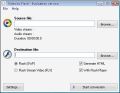
Video to Flash converter quickly and easily converts your digital video to the SWF Flash or FLV format. The program has a simple and intuitive interface and has a built-in Flash player and an HTML generator. You will not need any special software, codecs or knowledge to be able to work with Video to Flash converter. Just drag and drop the file you want to convert onto the program window, select the output format and click Start Conversion.
System Requirements:
MS Windows 9x/Me/NT/2000/XP/2003/Vista
Publisher:
MediaVigor SoftwareHomepage:
http://www.mediavigor.com/video-to-flash.htmFile Size:
4.39 MB
Price:
$29.95
GIVEAWAY download basket

Developed by MPCSTAR

Developed by Adobe Systems Incorporated

Developed by Adobe Systems Incorporated

Transform media files for playback on various devices.
Comments on Video to Flash Converter
Thank you for voting!
Please add a comment explaining the reason behind your vote.
Please add a comment explaining the reason behind your vote.

iPhone app giveaways »

$0.99 ➞ free today

$0.99 ➞ free today

$6.99 ➞ free today

$3.99 ➞ free today

HibiDo is a powerful to-do, task management, calendar and note organizer app.
$2.99 ➞ free today
Android app giveaways »

Prepare for an adrenaline-fueled mobile gun shooting games experience like never before with Strike Royale.
$0.99 ➞ free today

Explore the Fun with new fantastic levels, colorful jewels, and different puzzle types!
$4.99 ➞ free today

$2.99 ➞ free today

Team up and fight for glory in the best free to play PvP online battle royale experience on mobile!
$0.99 ➞ free today

Embark on the ultimate cosmic journey in the premium edition of the hit space idle RPG!
$0.99 ➞ free today
Having no problems with it on Vista 64 bit
Finally a software company thinking of us with top end computers
Thank You
Save | Cancel
Will not run on Vista 64 bit
I wish they would tell you this before installing it.
Save | Cancel
installed ok but didn't convert .mov files I had
Save | Cancel
#58, lostinlodos,
How did you manage to extract the sound at 44KHz 96kbs?
Using the Fortop recommended by Blue Sam, I extracted the file at 22.1KHz 16bits.
You must be using a more sophisticated software to do the extraction.
Save | Cancel
#60, Blue Sam,
Wow!!! You nailed it. I am going to download Fortop!!!
ALL, By the way, do you know if Audacity or any software that can loop an audio file to play a number of times?
Save | Cancel
#58, lostinlodos,
Many thanks!!!!!
Not sure what Sound 1 is as it is much softer than Sound 2.
Sound 2 is loud and sounds like the sound I am after.
Sound 2 (record001.mp3) is 351Kb. Can you help to loop it 50 times for me. Appreciate your effort very much. GAOTD is such a wonderful site that I come to almost everyday for there are so many knowledgeable and nice people here.
Thanks again!!!!!
Save | Cancel
Thanks for this GOATD. It works great on my computer. Thumbs up!
These naysayers who always complain about everything are annoying. Especially those who claim that the giveaways are too expensive. Come on people! It's free for today.
Sometimes it seems like this blog is populated by a bunch of Dwight Schrutes. Get over it! I am glad to be able to get programs here - a highlight of my day.
Save | Cancel
Linda (#39), try DVDFlick for converting videos into DVD. DVDFlick is freeware.
Save | Cancel
Geezz are people still writing new applications with VB6? At least this one isn't yet another wrapper for ffmpeg.exe Looks like its wrapping Turbine Video Engine SDK from Blue Pacific Software
Save | Cancel
Some clarification for Daisy Chain's post in # 25 might be in order. Though it may be free standing in terms of registration, it shouldn't be thought of as a standalone. It places files in different folders on your system and adds registry entries.
One thing I think is cheesy: it adds an internet link to their purchasing page. If I want it, I can find it. Don't clutter my desktop.
Did some rudimentary testing and have to say I'll likely uninstall and give it a thumbs down. Converted a 3 meg avi and a 120K and about 600K wmv to both flv and swf and the conversion's were as expected. Didnt' take too long, quality was not a revelation but was reasonable, size was as expected. Unsurprisingly, no audio sync problems.
However, the deal breaker was 100% usage on my dual core, 2.1 GHZ CPU.
I don't really do conversions, so I understand this isn't unheard of, but if a better alternative can be found.... And I suspect it can. Without hacking down and lowering the process priority, it means I probably couldn't multi-task. It might go into the background automatically didn't try it, but I'd rather use one that didn't put that much strain on my CPU in the first place. And, I'm having a little trouble with the overheat protection in my machine. Another reason to want a lower CPU footprint. I've got to assume that a lower processing load software is out there.
Save | Cancel
#12 (nameless)
What does "Not too slow in converting" mean? Compared to/with ....? Too slow in converting audio..? or video.....? or both.
Why bother? All you do is take up space with empty comment, after boring comment, after worthless comment.......
Save | Cancel
I downloaded, installed it and ran it on my 720p format .mov files. It runs but at the end of conversion crashes. The converted .flv is playable but it is full of jerks and breaks. Looks like it does not support HD. Uninstalled it.
Save | Cancel
Why in the world would someone want to convert any good video file to swf? Converting to FLV: Too many free converters do this. No thanks.
Save | Cancel
.
Lu Hulu and Ashraf --
Yes, I've tried both methods, with no success. Changing to a
gif destroys the subtlety of the colors (among other problems),
and using Windows Movie Maker required too much work. I need
a program that will take a batch file of 100 or more .BMP images
and make them into a video "quickly and easily," because I have
1000's of BMP's I'll be working with.
However, my methods *were* a bit different than the one you
described, so I'll take a 2nd look and see if your idea will
work. I still think it'll be too slow and laborious for my
needs, but if I can make it work, you've got the $100.
(Unless, of course, somebody else comes up with something
even better... LOL)
Thanks to both of you,
Garfey
.
Save | Cancel
I love the simplicity of the software and the "FLV media player" that is supplied with the application which is simple, small footprint and has no embedded advertising or "product promotion"
Sadly, any FLV or SWF files generated with the application failed to play with the inbuilt player or anything external, one file had picture but sound was just "pink noise" like a radio station off tune.
I tried 7 files with 14 runs (SWF and FLV types) and had different results on each from
"unable to convert, no audio/video data" (MOV/MP4 h264)
Generating a 96Kb dead file (MPEG2 DVD)
The video ok but only noise in the sound. (MPEG1)
Like the concept but thumbs down as I simply could not get it to work, maybe I did something wrong but it seems just glitchy. I did get a great Flash media player from it however which will be put to use.
Save | Cancel
I really like Video to Flash's very simple interface! Input file here, output file there. GO! even settings are in an optional box at bottom left. NICE INTERFACE!
Follows KISS principle (Keep It Simple Stupid!)
Save | Cancel
Just over one year ago AVS Video to Flash was given away here. Today I started AVS & found that it had reverted to a demo version, even though I registered it with GAOTD key last year. I guess AVS was only a "one year" trial, so I will download Video to Flash & use it instead now.
AVS was playing tricks with us. So, I appreciate a replacement!! Let's hope it is not another 1 year trial.
Save | Cancel
well this is almost what i needed but not what i was looking for i was looking for a program that can convert jped of gif pictures to flash if you GAOTD can get a software like that i would really appreciate it thanks
Save | Cancel
HOW TO EXTRACT FILES FROM SWF
(Boy, you really made me work on this one.)
Use the freeware program "Fortop SWF Resources Extractor" to extract audio, images (png, jpeg, etc) from SWF fies
1. Install the freeware program
2. Open "Fortop SWF Resources Extractor"
3. Open the SWF file (all internal files revealed)
4. Highlight MP3 file and click "Extract"
I'm glad you asked the question. Now I have a great utility for extracting audio, images, etc form SWF files.
Just Google "Fortop SWF Resources Extractor"
http://www.fortop-digital.com/download/ftswfresextractor.zip
.
.
Save | Cancel
That was for #49 and #50, Not #29 and #30 btw. sorry.
Save | Cancel
#29/#30 Lu Hulu
Here's the raw dump of the audio Fla scripts in MPEG-3 format at 44k 96Kbs.
From the action script, it states that the background audio file is on a continuous loop.
Sound 1 is all sounds in a single file. You can use something like Audacity for cutting out the pieces you want.
http://www.mediafire.com/?sharekey=c60663691566e3dbd9d5c56d04dfa8b0e04e75f6e8ebb871
File 2 is just the background audio you can use for creating a loop. If you want I can set it to loop a set number of times for you to create a full length audio file if you would like that as well.
http://www.mediafire.com/?sharekey=c60663691566e3dbd9d5c56d04dfa8b0e04e75f6e8ebb871
Save | Cancel
#51 Garfey
Easy =)
Use Windows Movie Maker to create your video with your images. Save it and publish it into WMV format (File - Publish Movie -> “Where do you want to publish your movie?” -> “This Computer”). Then use FormatFactory to convert WMV -> SWF or FLV.
Now can I have the $100 bucks you would have spent on buying software to do that? =D
Ashraf
Save | Cancel
#51, have you tried converting BMP to Gif first, then convert it to flv or swf?
Save | Cancel
#51
Easy =)
Use Windows Movie Maker to create your video with your images. Save it and publish it into WMV format (File - Publish Movie -> "Where do you want to publish your movie?" -> "This Computer"). Then use FormatFactory to convert WMV -> SWF or FLV.
Now can I have the $100 bucks you would have spent on buying software to do that? =D
Ashraf
Save | Cancel
Just this morning I looked over this offer and decided I didn't need it. Now I rushed to the computer to download it before I forgot - I just realized that indeed it's going to be super useful. It's simple and easy to use, it'll do a perfect job. Thanks GOTD!
Save | Cancel
mike,
Yes I understand there are many different codecs and types of each video format. I stated that fully when I mentioned the con of the program not being able to convert my videos in the full review =)
As for the flash video player, I agree with you there are many services out there that can take over for that.
But, for both of the things I just mentioned above, this program is supposed to specialize in converting to flash videos. At the very least it can make everything work.
Save | Cancel
Format Factory is better
Save | Cancel
.
#21 asked:
"Hey guys, anyone knows of a SWF to MP3 converter?
Besides MP3, it can also be OGG or other audio formats."
Since "conversion" is the theme of the day, I'd be grateful
beyond words if anyone knew of any way I could convert .BMP
images into an .FLV or .SWF video.
I have been looking for something that will do this for 2
years! (I know it must exist somewhere, aside from my having
to spend $500+ and buy Flash software.)
I don't mind paying up to $100 if I can't find a FREE version.
I've almost exhausted my brain cells trying to find such a
program -- please forgive my intrusion with this question, I
assure you it is borne of desperation.
Thanks for letting me rant, and thank you GAOTD for all of
your fine free software.
Garfey
.
Save | Cancel
Regarding the audio file at http://visualmessenger.com, if anyone can tell me the title and publisher, I will most certainly appreciate it.
I am utterly hitched by the audio. :)
Save | Cancel
#29 Daisy,
Thanks for your response. I had tried without success to convert the SWF file I have using Format Factory.
This is the site where you can hear the audio of the SWF file:
http://visualmessenger.com/
This is the SWF file from the site which I had downloaded and wanted to extract the audio out.
http://www.mediafire.com/?gzyz5zgrdcx
If anyone can recommend me a SWF to any audio format converter, I would be most appreciative.
Better still, if you can convert it for me and upload to a file-share site, I can download from there and most appreciative of your effort.
Thanks.
Save | Cancel
Downloaded and installed:
Windows
x32 works great. Does what it says
IA64 works, with hiccups but output is good. Long delays on IA platform when booting, prior to transcoding, and after transcoding completion. residual service must be manually closed.
x64 USERS MUST NOTE.
This works with the 32-bit codecs and overlays. If you have installed only one of the x64 codec-media packages you won't be able to use this. Not tested past the bootup since I have very few 32-bit codecs on the x64 machines.
Wine
Installs, boots, and runs with little issue. Requires non-standard dependencies. For D based linux add the Debian repository to app-get and let it auto install your dependencies.
You may want to install the Cloud-9 codec package as well. It's old and outdated but works with 100% efficiency.
Does NOT support ESF (Encapsulated Shockwave Flash) in or out.
Save | Cancel
Sorry GAOTD, Super is a more featured converter and free!
Save | Cancel
Gosh!!
Another converter....
Well at least it's not a repeat...LOL!!
BETTER FREEWARE ALTERNATIVES:
- FormatFactory
- Super
Another great and easy way to convert any IMAGE, DOC, MUSIC and VIDEO FORMAT (so not just videos to SWF Flash or FLV format) into whatever else file format you like, without installing any program on your PC, is to use FREE ONLINE FILE COVERTER SERVICES, such as ZAMZAR and MEDIA CONVERT:
http://www.zamzar.com/
Maximum File Size: 100MB
Download Converted Files link sent via email
Output Format: 53
http://media-convert.com/
Maximum File Size: 150MB
Immediate Download Converted Files
Output Format: 179
Finally if you want to convert a VIDEO FLV in POWERPOINT see also:
http://www.sameshow.com/ppt2flash/how-to-insert-flv-to-powerpoint.html#110
And to convert a POWEPOINT FILE into a VIDEO FLV, "iSpring" is definetely the best OPTION for this.
http://www.ispringsolutions.com/
Did I mention that it's FREE?? LOL!!
Enjoy!!
Cheers from Italy!!
Giovanni
Save | Cancel
Too many programs convert anything to flash. Like this one. Where are the programs that convert flash to anything else?!!! Especially to a non-divx DV AVI format that you can edit with?!!! BOO!
Save | Cancel
Why do so many clowns recommend the AWFUL "Super" video converter? There is nothing "super" about "super." It gums up your computer and is a total mess. The only thing you'll enjoy about it is removing it...if you can. When someone recommends "super" it PROVES they don't know what they're talking about!
Save | Cancel
Well, nice idea, but won't work with any of the .mov files I've got. It keeps saying "Error Encoding: Nothing to encode (no video and no audio). I know these files work in quicktime, but no bueno. Is anyone else having the same problem?
Save | Cancel
I am needing a program that will convert MPEG movies to a file type that can be played on a regular DVD recorder.
Does anyone know if this will do that?
Save | Cancel
In case #2 doesn't understand and is, in fact, being serious the program is free for today and does not need to be purchased, the site gives away a piece of software you would ordinarily have to buy for free so long as you download and install it on the day. Today's software does not need to be bought from MediaVigor, it can be downloaded from the GOTD download link which today is http://www.giveawayoftheday.com/download/?id=5007
Save | Cancel
No .m2ts support, so no d/l.
Try Prism from NCH (a previous GAOTD). Way better (faster) than Total.
Thanks anyway GAOTD.
Ric.
Save | Cancel
Agreed -
- for ONLINE conversion - it's ZAMZAR.COM
Also keep in mind that FLASH is 'not' the most
popular format to save for personal videos, unless it's from YouTube
..all of YouTibe's videos to rip are already in flash - regardless
Save | Cancel
I have XP SP 3, installed fine, but converting mp4 movies it crashes at the end and I can only see the htm file. My players can not show the converted movie in flv or swf. Anybody has the same problem? I like the program, because it´s easy to use but it seems still buggy. What is wrong?
Save | Cancel
It crashes on my machine upon completing a conversion. But it does do what it's supposed to do. Nice and easy interface, straight to the point utility. It would be nice if there was a portable version, it's the kind of proggie i would keep in my USB stick for when the need to convert a file arises. Anyhee, aside from the fact that it crashes on me every time it completes a conversion, its a decent little utility.
Save | Cancel
http://www.zamzar.com/ ForTheWin!
Save | Cancel
VIDEO to FLASH converter now is available for purchase
Save | Cancel
Lu Hulu, use the link to the developers site because the download link in the freeware section is dead:
http://www.formatoz.com/
The site is given a green rating by WOT.
Save | Cancel
Lu Hulu, comment #21, if you check out the freeware library you can fine several media converters and audio converters. The following will do the job plus a lot more:
http://www.giveawayoftheday.com/freeware/2008/11/17/formatfactory/
Save | Cancel
Am I missing something here? Super C is not free if you don't want a water mark in your conversion or have I overlooked something.
Save | Cancel
Good program but you can save space by using the freebie http://www.zamzar.com/ online.
Save | Cancel
Simple to install and just as easy to use. It does what it says, so a thumbs up from me. Tested it with a few home videos and it worked a treat. Ideal for popping the finished product onto my site for sharing images and videos of the family.
A bonus includes the fact that the program is free standing. I've copied it to all my computers using the installed file and all are registered. So any comparison with freeware versions is academic ;)
Still I appreciate all the links to those as I'll be checking them out to compare later.
Save | Cancel
I am trying to find one that converts flash to mp4 or video for the Zune. If anyone can help, I'd appreciate it.
Save | Cancel