Every day we offer FREE licensed software you’d have to buy otherwise.
Giveaway of the day — SysResources Manager
SysResources Manager was available as a giveaway on February 14, 2009!

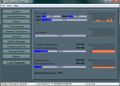
SysResources Manager is a system utility for watching the current state of the system such as CPU usage, RAM and Virtual RAM availability, Disks, Processes, Network Monitoring (Processes accessing Internet, Network Traffic/Speed), Services, StartUp Programs. SysResources Manager can optimize system performance by physical system memory defragmentation.
System Requirements:
Windows XP x32, Windows Server 2003 x32, Windows XP x64, Windows Server 2003 x64, Windows Vista x32, Windows Vista x64
Publisher:
Fotis SoftwareHomepage:
http://www.fotissoftware.com/utilities.htmFile Size:
3.53 MB
Price:
$24.90
Featured titles by Fotis Software
Extract Thousands Pictures, Videos, Music, Sounds hidden inside programs / files on your computer with AllMedia Grabber. AllMedia Grabber searches in files (executables, libraries, custom controls, data files e.t.c.) and extracts multimedia files.
GIVEAWAY download basket




Comments on SysResources Manager
Please add a comment explaining the reason behind your vote.


iPhone app giveaways »





Android app giveaways »





The "crash" is a "Registry cleaner error". I ran Advanced System Care, and it flagged a lot of registry entries as ungood. After they were removed, (and after a trip away from home for a few days), the change in SysResources Manager is seen.
A System Restore fixed the problem.
Save | Cancel
Update, crashing.
I've had SysResources Manager up for over a week. Then it pretty much dies.
I run XP SP2. I got the "CPU Usage Query failed" on startup, like #72 said. Now menu items are in Unicode-Goop.
Worse, the main screen display is all labelled with "1" and showing no data.
Don't know if it is a product bug, windows bug, operator error ... but the program lasted a little over a week.
Oh, well.
Save | Cancel
see i dont know abt all these technical thins and never had i used such things earlier , this is the first time abut i did like it as it just freed some space from my ram,and i cld see sum diff in my comps performance.
Save | Cancel
#75, watcher13, I wasn't criticizing your post or tech writers. I was merely pointing out that Microsoft's documentation isn't written by the programmers, they attempt to communicate what they've done to technical writers, and details get garbled and changes never get communicated. Programs and the OS should never freeze due to a lack of resources (if they do, that's bad coding). Any attempt to acquire resources can fail, and applications and the OS should have code to deal with that. There should always be reserved resources which allow critical errors to be handled and communicated. In a virtual memory environment, memory fragmentation due to other processes shouldn't occur. If a process has problems with memory fragmentation within its own virtual memory space, it needs better memory management algorithms. An OS should keep track of ownership of all resources. If a process loses track of resources which it hasn't passed ownership of to another process, then the OS should free those resources when that process terminates. Windows sometimes doesn't do what it should, but that's bad OS design (or lack of design).
Save | Cancel
Fubar, I wasn't using those quotes to indicate big problems with Windows memory management. I was using it to indicate that it's not 100% perfect. I think it's getting close. I don't understand your point. In the first paragraph of Russinovich's "Physical Memory" article (I think he's a really sharp resource, by the way.) that you quote is this phrase: "and how to diagnose leaks". So he's showing how to diagnose something that's obsolete? But your telling me, and not him? Honestly, your obviously much sharper than I'll ever be. I just think sometimes people get lost in the technical sauce. It helps to backup and see the broader picture. Memory leaks are becoming a thing of the past, but they still exist. Try it with IE7 and you'll see, though it's very gradual, in certain situations it can leak. Been there, done that. And I've seen the explanation of writers who have pointed that Windows frequently keeps in memory the initial start up code of cetain .net framework routines, even though they runs once, period. If Microsoft can't identify this as wasteful use of memory.... I'm closer to a tech writer than anything else, and even I can see that.
Save | Cancel
#70, lostinlodos, see XP Going to "Extended Support" Status and the XP SP3 FAQ.
Save | Cancel
#63: Have you tried Safe Mode (though the installation of such program should not be that troublesome)?
Save | Cancel
CPU usage query failed..
Save | Cancel
#41, mike, I disagree about the usefulness of application/process/memory/disk monitoring applications for the average user. It's true that more advanced features will be beyond the understanding of many users. It's also true that monitors consume some resources. I find AnVir's monitoring to be particularly useful. As I have a quad-core system, CPU is rarely an issue (an individual application can max out, but rarely affects other applications). Also, I find Vista's memory management to be effective, and I never see low values of free physical memory. Therefor, my system is primarily I/O limited. AnVir shows the top consuming processes for each type of resource, as well as aggregate utilization of each resource. Additionally, CPU load is indicated per-core, and disk utilization is indicated per-drive. If there's a performance problem, I just check the indicators in the tray (utilizing the tooltips as appropriate), it's usually a disk utilization issue, and I can see what the offending process is. The Vista Reliability and Performance monitor is better for monitoring page file utilization (it can perform much the same general monitoring, but is very inconvenient compared to AnVir's tray icons and tooltips). Even average users will occasionally find a need to check whether a process is (still) running.
#44, mike, regarding the termination of XP support, I was merely informing users that the prudent thing is to download any desired updates and patches before the termination date, while automatic updates still functions properly. While some articles had concerns about the availability of patches and service packs beyond that date, I suspect that they'll still be available via manual downloads. And yes, security updates will still be available.
#65, watcher13, I found your quotes in Windows Help and Support. The thing to remember about Windows Help and Support is that while it can be quite useful, it's written by tech writers, not programmers. Some of it is flat-out incorrect or obsolete.
#67, lostinlodos, your comments indicate a lack of understanding of how virtual memory works. Yes, RAM is many orders of magnitude faster than hard disks. However, as long as the working set for any given process is in RAM, and doesn't need any portion kicked out for another process, there won't be any paging related to that process. Further, most people incorrectly assume that virtual memory means paging to disk. I'm not going to address whatever Microsoft does, but the general concept of virtual memory allows it to be used entirely in-RAM (and the following also applies to the disk-paging case). Allocating each process its own virtual memory space eliminates issues with memory fragmentation across processes (depending upon how a process manages its own memory space, it can internally fragment its own virtual memory space, but it won't be affected by other processes). You should always leave virtual memory enabled; doing so will generally prevent issues related to the fragmentation of the physical memory.
If you want to read some of the details of how Windows manages memory, see Mark Russinovich's Pushing the Limits of Windows: Physical Memory and Pushing the Limits of Windows: Virtual Memory, although there's some incorrect information about multiple paging files, which you can read here (may not apply to Vista and higher). Also, I've linked a number of other Microsoft articles on virtual memory and page file management, in the past.
Save | Cancel
One more set of notes on Fubar's posts;
I run both x32 and x64 versions of Windows XP Pro and Windows Vista Ultimate on the same system. Another computer has Windows XP Pro IA64, Xandros IA base, and Debian IA64. A third runs Windows Media Center Server, Vista x64 Ultimate, 5 flavours of Linux, Free-BSD, and a modified xxxOSx.x. ;) I've also recently begun testing Windows 7 x32 and x64 as well.
x64 and IA64 architecture allow for recognition of some-odd terabytes of ram; I can't remember the exact number off my head at the moment. Since I do some extensive computer graphics and animation, video conversion and editing, as well as HDCAD modelling it's quite useful to me. And as I stated above, quite a few of my more standard programs can make use of gluttonous amounts of ram too when you offer it up.
Allocation is not the same as use. And while Vista is better at "releasing" allocated memory addresses, both still need work. XP sequentially writes to the end of the group of allocated spots. That is, AFTER the last recorded point.
'Windows XP support ends in April'?; April 2014!
But, since this is about the program at hand, with the exception of the memory release and defrag which I still won't test, it runs stable, I has pretty graphs and bars! It looks all fancy.
It does mostly the same thing that XP does. It put everything into a nice sleek package.
But XP does all of this already.
My score 7-8.
Despite not doing anything that Windows includes already, the somewhat retro style graphics are nice. Beyond that, to see everything this shows for free from within Windows:
hold down ctrl, and shift, and hit escape. then release.
Click on the Performance and Networking tabs to see the same identical graphs in a less pleasing but also less expensive display.
Save | Cancel
"I also wonder why you’re spending so much on RAM." Man. This isn't The early 1980's - For the cost of one of these back-alley freebies, you can MAX out your RAM at www.crucial.com and forget about it forever. Then go here:
http://www.extensoft.com/
and get Free Extented Task Manager.
Yes. Its Free.
HawkPunk . Chicago
Save | Cancel
great! another giveaway of the death. Install this and you can reinstall windows. It;s the kind of useless and unremovable tool that hurts your computer more than it helps.
Save | Cancel
#24 Fubar, once you are past 6 or 8 Gigs of ram, there is really no use for virtual memory. The ram is faster than the hard drive by leaps and bounds.
If you're over that point, you Shouldn't be using HDD based virtual memory/virtual ram.
As for how memory fragments, just google it, it's well known in the industry and was long ago an issue of concern, again mostly for then-"power-users" running workstations. For those old enough to remember Norton tools/Utilities being different and separate from Symantec offerings there was a hot-selling program called Norton Memory Defrag, separate from Norton Disk Defrag, for that very reason. Data in ram does fragment. This supposedly fixes that issue. As do dozens of other FREE tools you can pick up from Sourceforge.net.
Again though, it's an issue of the past when we only had megs of ram, not gigs; one that will probably be an issue again way off in the future when we start dealing with terabytes of ram across Ram Farms.
As I noted; it's risky to do so in this day in age and this program doesn't appear to have an activity fault to safe-guard against active data loss. So I'm not testing it to find out if it works correctly.
Save | Cancel
@#58 - too much money? In case you didn't get it, the software is free today. ;-) Or is 0,00$ too much for you?
OK so SRM is basically simplified access to built-in Windows functions. Definitely wouldn't buy it, but for free... why not? I don't really believe in memory optimization etc., but stuff like the 'google for process' or 'loaded modules and registry keys' is somewhat handy. And the tray control can also be useful sometimes. I know, I know you hate that I say something good about the program, I know that I'll get many thumbs down on this comment for that, because everybody here gets thumbs down if his opinion differs from the of the crowd. I couldn't care less. I suggest you to at least try the app and see if you need it or not.
Oh, one more thing: judging by the thumbs on all software, 95% of all software in the world is cr*p. GOTD should really rework their rating system.
Save | Cancel
I wasn't going to get into memory optimizers, but some people have asked a legitmate question about whether you need a memory defragger and the answer is basically no. Unfortunately, a lot of people much, much smarter than I am have written here, but a lot of them are painting with too broad a brush or are right about their convictions but, unfortunately, are defending them with partly incorrect evidence. But just to show you I'm trying to be objective on this:
1. Last time a memory optimizer was given away I defended it.
2. Some quotes about Windows memory management and whether it's perfected, as some here are saying, right from my Vista help:
"If a software program can't get enough memory from the operating system to complete a task, the program or computer can freeze or stop functioning."
"As you open and close files and programs, memory gets fragmented just like your hard disk drive. Close programs and check whether the memory increases. If the memory does not increase, your computer may have a memory leak that does not give resources back to the operating system."
If my "esteemed colleagues" (I really DO hold these posters in high esteem) here have a problem with these statements, please write MS, not me.
Still, the answer on memory defraggers is no because:
1. One of the reasons virtual memory was developed was to cut down on RAM fragmentation and, if it ain't perfect, it's more than good enough. Even if some of these defraggers are legit., they're likely using pre-virtual memory coding - wrong an ineffective medicine for the patient.
2. Memory optimizers can't practically optimize - at best they can slightly protect against the slow downs and lockups that come from being too close to your RAM's limits. Of the 3 types that I know about - defraggers, purgers, and those that reduce the page set by using a Windows memory function, usually "EmptyWorkingSet", such as "Cleanmem", only the last one uses an approach that's adapted to the way Windows currently works. But, even that can cause problems.
3. Memory optimizers are bandaids. And those that don't use a realistic approach, like the Cleanmem type does, are potentially infected bandaids.
In other words, every other approach to avoid running out of memory is better.
A.I don't like spending other peoples money, but upgrading your memory or computer is better.
B. Preventing unnecessary programs from loading at startup is better.
C. Not trying to get blood out of stone by leaving too many documents open or programs running when they don't need to be is better.
D. Monitoring your memory with a program that will warn you when your reaching your limit so you can close unnecessary documents and close and reopen programs that are holding too many pages im memory (thus purging the no longer necessary pages) is better.
E. Finding applications that have lower memory footprints and leak less (IE7 for example is a slow leaker) is better.
From someone who's used optimizers, the bottom line is:
1. Memory defraggers fall into the category of either being outright frauds or purging memory in a way that doesn't give you a boost.
2. Windows memory management, though not perfect, is quite good. It's not the dog it used to be.
3. All memory optimizers are a dirty, stopgap solution. It's like using a screwdriver as a prybar without safety glasses (or even with them). I've done it and it often works, but I wouldn't want to be there when it doesn't. (I've broken screwdrivers that way, but haven't hurt myself, yet, but I know those who have.)
Get this program because of ease of use or don't because you can find alternatives you like better. Just forget about the memory defrag function.
Save | Cancel
Wow! These reviews are extremely helpful to those of us who are not tech savvy, but still understand a lot about computers.
I think someone on here once commented: "If you don't understand what it does, you don't need it". That was a real wake-up call! Now, I read the reviews and if the program is still questionable as to whether I can use it or not, I choose to pass.
This program sounds that way. I have had a complete system crash recently so I am quite cautious now as to which programs I download.
There are a lot of computer geeks who do not think these "speed up" programs really help much. I think I will pass on this program, but I appreciate the effort the GOATD team makes to offer us expensive software FREE! Maybe tomorrow...
Save | Cancel
It didn't work for me. I'm running Vista Home & it told me that I needed administrator privileges to run it, even though the account I'm logged in with is an admin account.
Save | Cancel
No need to be so critical.
To quote GOTD's description:
"SysResources Manager can optimize system performance by physical system memory defragmentation."
That's only the half of it. I've found when running this kind of app that it defrosts the car's windshield in winter and turns on the aircon in summer.
There's another refinement under development by all memory defrag publishers. Something to do with emperors and new clothes.
Thanks but no thanks, GOTD.
Save | Cancel
As i run a very low-resource setup, every mb of memory use matters.. I have tried and discarded memory defragmenters, they are useless as pointed out by many commenters.
For monitoring resources, the software i use is Desktopinfo
It shows the vital stats directly on the desktop, with no extra bells and whistles guzzling memory itself. Footprint is about 3-5 MB on my setup. And best thing is that it is easily customizable on the go! You can see the changes as you modify & save the .ini file.
Save | Cancel
Hey #15 --- have you really looked at this website?
How can you trust someone who cant pay enough for a simple website that functions correctly -- and your analogy, "A doctor isnt a song-writer... " youre abt as obscure as the website---
Look, i'll say it again ... if the Website is Chinsy as if it were made with 2CENTS effort...then chances are the software that comes from it is also Chinsy! ---- This software does Nothing more than what is already Offered by your OS.
This stuffs lame... i havent seen 1 piece of good someware in Months come for GAOTD. And yet another pile of crAp!
Save | Cancel
to #47
who or what is FOTIS? plese try to be clearn in your speech, not every one knows these teenage slangs.
This is the software company. read the description and you will see it...
Save | Cancel
I uninstalled it. it's good if you like everything in one place. Too much money for what it does.
Save | Cancel
http://www.siteadvisor.com/sites/fotissoftware.com?version=2&core_ver=1.0&pip=true&premium=true&client_ver=2.9.242&client_type=IEPlugin&suite=true&aff_id=0&locale=en-au&os_ver=5.1.3.0
copy paste link to read warning.
Save | Cancel
Hi Folks ,
some really excellent, educational, posts again, and nice one Giovanni.
However, no ones mentioned Process Explorer, a freebie by Mark Russinovich. I've used it for years, its lightweight, and efficient, but a novice like me, can't understand all the funny words.
Regards Bill.
Save | Cancel
Dog, # 47
Fotis is the NAME of the company giving us this software today.
Don't you start at the top and read all?
Save | Cancel
I will pass on this as Anvir Task Manager handles all of these needs very well. They do have a free version you can use. The memory optimizer is a need that died long ago. Even Win95 had a decent memory optimizer. It only got better with XP and Vista. Memory optimizers now are all smoke and mirrors. They may have a flashy interface and look good but they offer little or no improvement. I'm not sure if they save more RAM than they consume. I would advise you to steer away from them. You would be much better off adding more RAM. It's cheap enough. Skip the hokus pokus and improve your system with real world fixes.
Save | Cancel
Its just very helpful as it helps me free my ram memory and make the system more stable and keeps it safe from Hanging and collapsing although it has only 512 mb memory with a lot of programmes to run
Save | Cancel
This is better, does this and more, is always free, and did I say better?
http://www.xymantix.com/sysmetrix/
I hope this post does not get deleted again because its better than the offered software on this site.
Save | Cancel
#4 - thanks: followed your instructions and it works great!!
Save | Cancel
interesting, but I already have anvir task manager.
Save | Cancel
@dog -- FOTIS is the maker of today's software. It helps to read the product info, you know ...
Save | Cancel
who or what is FOTIS? plese try to be clearn in your speech, not every one knows these teenage slangs.
Save | Cancel
I'd have to agree with @32's recommendations on free alternatives. There's also "Desktop Sidebar" which is another one. I prefer Samurize since people post all kinds of configs to make it look however you want.
Save | Cancel
What I've been looking for is a small-footprint program that will wipe RAM after leaky programs close. Since this one defrags, will it also do that? Is there something better to accomplish the task?
I'm running WinXP, SP3, Pentium III, NVidia GeForce4 MX 4000 graphics card, DirectX 9.0c, 756 RAM, 80GB C:drive (14% free) & 500GB D:drive (85% free) for games. Still, Civilization IV has never run right, and frequently more current games either will freeze system or will run in slow motion with periodic catatonic states. Some games won't load at all (probably the old GeForce card). I need a full upgrade, but I can't afford it, and I'll lose a lot of great GOTDware.
So what can I do? Yes, this is more a question for the forum, but when I registered, I never received the confirmation email, despite receiving the daily GOTD notices. So this is my only option, and it IS related to today's giveaway.
Any suggestions, gang? Thanks in advance!
Save | Cancel
#24: Just in case anyone is prone to panic reading: "XP support ends in April, so install whatever service packs and updates you need now."
s'not that bad folks, really... I suspect XP/Server 2003 will be around for years to come, especially given the costs to upgrade hardware, software, users ;-) etc. for corporate, & given these not exactly stellar economic times. I run win98SE in a virtual machine for some irreplaceable hardware/software, & it still runs, plus the occasional security update for apps like Internet Explorer still happen. I haven't seen anything even related to some huge migration to *nix on/for hardware that simply will not run Vista well, like all the Pentium 4 heatpumps still running.
Microsoft is hurting like everyone else -- they're going to open their own stores now -- and needs you to buy something so the folks in Redmond can make more improvements to their waterfront properties this summer. I'm surprised there hasn't been more XP doom & gloom. But they're also sensitive to the image their customers have of Microsoft -- why else run the ads -- and don't want to make enemies of every XP user out there.
Save | Cancel
In case it helps anyone re: optimizers, RAM etc...
Memory optimizers/managers have been around since I used a 286 with DOS, & in my experience they always fell into the same category of product as engine additives for your car/truck, laundry additives, super vitamin drinks, all those sorts of things. Some people will swear by them, there's little if any totally independent evidence they work, and they're usually marketed to folks who don't want to go to the time & expense of repair or buying something better or doing work.
If you have problems in Vista onwards, in my experience it isn't necessarily an underpowered PC, but having a CPU with a single core, &/or less than 2 gig RAM, &/or running (usually XP) software that misbehaves in Vista [ironically the win95 & 98 stuff seems to do just fine]. Simplified, Vista etc just have too much going on at once for even a 3+ gig single core CPU to work as well as the slowest dual core for average tasks. The amount of RAM you have, & it's speed in your system, means more in some activities than others, but if you have enough to satisfy Windows, as long as you're not a hard core gamer, you're pretty much OK if not golden. Just watch your disc access (hard drive) light when your software isn't reading/writing to a large file... If it's constantly on, you might have memory problems -- otherwise you're probably cool. The amount of RAM Task Mgr says a program uses is more or less irrelevant to most users in most circumstances.
Windows optimizers or tweak tools, like those Giovanni pointed out, *may* make a difference, but how much depends on how far your PC & what you do with it vary from the average or norm. Microsoft ships Windows set up for the average user on the average PC, so if you're an average user doing average things on a current system, you don't need or want to change things around too much... With Microsoft collecting data on millions of people using the Win7 Beta for example, it'll likely be hard for the average user/PC to improve on the factory settings. Otherwise any tweaks are more about personal likes/dislikes.
Save | Cancel
OK, most of the discussion so far is about just one function/feature of today GAOTD (memory defragmentation). But first sentence describing it is:
SysResources Manager is a system utility for watching the current state of the system
Any comments about this functions?
Save | Cancel
SysResources Manager might be cool as an all-in-one-place alternative to Windows built-in & 3rd party utilities. OTOH my guess is that folks who don't want to bother with a few utilities, won't be tremendously interested in monitoring their PCs to begin with. Please bear in mind that monitoring your system actually decreases performance, so if that's a concern you normally don't want anything of this sort running continuously while you work/play.
You should not need, & normally should avoid any memory optimizers, or in this case memory defraggers. There are more than enough discussions covering this on-line & in the comments for previous GOTD offers -- just listing links would span pages. Long story short, if something's broken, and usually on a less than optimal PC, using 3rd party software to manage the memory *may* help, but otherwise slows things down. And obviously, it's always better to fix whatever's broken, & when/if needed, bring the PC up to at least the low side of current average spec... RAM's cheap currently [2 gig DDR2 < $20 -- I've seen it for < $5 after MIR!], & the lower end current CPUs can be had for less than $35.
From the developers' site:
"Watch CPU Usage per core and average"
"Watch RAM and Virtual Memory Availability"
"Watch Network Bandwidth Traffic"
Monitoring CPU usage, memory usage, & services/main processes running are all available in Task Mgr. GPUZ monitors your graphics processor. CPUID Hardware Monitor gives you information on temperatures & voltages, which is much more critical than CPU usage when you're pushing your system to it's limits. There are several network monitoring apps, but those aren't a whole lot of help for the average home user, where you have little or no control over anything beyond your PC & router/gateway.
"Watch Active Processes and Programs"
"Manage Windows Services"
"StartUp Manager"
System Internals (part of Microsoft) has free [IMHO better] utilities to monitor processes & things like registry access (writing/reading), but monitoring this sort of thing is only good for more or less heavy duty troubleshooting, often as a last resort... knowing the processes a misbehaving program uses does most people no good at all, & often doesn't help the pros. The Sys Internal's Autoruns OTOH is extremely useful, & lets you turn all sorts of things on/off, from browser helpers to auto-start -- services to context menus. Windows supplies it's own Services applet [Admin Tools -> Services] to start/stop services & control how/if they start, but should always be used with caution... especially from Vista onward there are very few, if any changes you can make that won't wind up hurting your system performance &/or stability, and for little benefit.
In a nutshell, I'm not going to be recommending SysResources Mgr to anyone, but in all fairness, I'm not recommending alternatives either... with the exception of stopping various programs from starting with Windows -- & you can usually do that inside the program's options -- it's just not anything the average user is or should be concerned about.
Save | Cancel
System Resource Manager uses 25Mb on my computer.
I have used the Disabled command on System Tray, but looks like SysResurcesMgr.exe is still running on my computer. How do I de-activate this program without going to the task manager to kill it??
Save | Cancel
Can a system XP Pro SP3 with 2GB Ram, Pentium D, CPU 3GHz has a need for Memory Defrag and optimzation?
Reading from the various comments, I am not sure if such a system configu will require Memory Defrag and optimzation or not, so I deactivated this feature.
Anyone has any opinion on this? Please share.
Save | Cancel
Installed on XP Pro SP3. Works fine.
However, I unchecked these ---> Hotkeys, Start on Windows Startup, Enable Memory Optimization, Lock Computer, Auto Check for updates.
After trying the features, I still do not understand how to interpret the toggle icons "Disable" and "Enable" when I right-click on System Tray. Anyone knows exactly what it does?
Certain icons within the Extra menu are not working, under Extra/Extra/Clean/...
These menus are Mediaplayer Recent list, Typed URLs, Run Menus, FindFile History, Document Menus.
Finally, what is this "Lock Computer" supposed to do? Is it the Windows Login or somwthing else? I did not put in any password for I am not sure what it does?
Save | Cancel
I'm not overly savvy but it appears to me that if you try using this with Vista with Superfetch/Prefetch enabled (which it is by default) then this program is useless. Superfetch fills your unused RAM with info that it thinks you might rapidly need, releases RAM when another program needs it, and is constantly changing what it keeps loaded in your unused RAM based on what you are doing.
Seems to me that if you are trying to defrag the info in your RAM that is constantly changing it will do nothing more than slow your system down. You'll probably get better results by running your built-in disc defrag program on a regular schedule with Vista as recommended than trying to defrag the constantly changing contents of your RAM.
Cheers - Jon651
Save | Cancel
Great program! I love all of the features. Some of the features you can access without the program, but it's easy to access from one simple program! I really like the Lock PC feature. Instead of Hibernating or Shuting down, you can just lock it, and everything is safe and secure!
Thanks GAOTD!
Save | Cancel
I've put together some of the usual links (both technical and otherwise) that talk about why such "defrag" or "optimiser" tools aren't worth the bits they are written with.
Memory Optimizers/Defrag - Gimme a break !!
Feel free to comment in the forums if you have something to add.
Save | Cancel
A nice little program.
I tried it and liked it.
However it runs better on vista if you run it in XP COMPATIBLE MODUS.
WARNING :
My A-squared AntiMalware detected a virus in the .exe file, but i guess and hope that this is just a false alert ?
I have run the file and have seen no problem with it so i guess it is a false alert, but if somebody knows what this is then pls tell us.
This is what the A-squared log said :
-------------
a-squared Anti-Malware - Version 4.0
Last update: 14.02.2009 15:22:30
Scan settings:
Objects: C:\Program Files\SysResources Manager
Scan archives: On
Heuristics: On
ADS Scan: On
Scan start: 14.02.2009 16:20:18
C:\Program Files\SysResources Manager\SysResManager.exe
detected: Win32.SuspectCrc!IK
Save | Cancel
for the most part, these programs are useless as theres no such thing as memory defrag. period. Its fiction! If you really want to attempt a speed up of your system, you might want to try this. Its a tiny free application that really can help by defragmenting your paging files in the hdd proper.
http://www.softpedia.com/get/Tweak/System-Tweak/Pagedefrag.shtml
Dont trip when the nest boot up the system will go into a disk check. Thats normal after using "page defrag.
Save | Cancel
#28 Phil,
I couldn't agree more. RAM defrags are just a gimmick.
Anyway, I just finished writing up a full review for SysRescource Manager that you can access by clicking here.
Some interesting free alternatives/supplements:
CleanMem
HWMonitor
Rainmeter
Samurize
Save | Cancel
Hi all!!
Maybe this kind od software may be useful for old PC, like mine, with low resources running in it...
BETTER FREE ALTERNATIVES to optimize the RAM USAGE:
- FreeRAM XP Pro 1.52
- MZ RAM BOOSTER 2.6
http://www.softpedia.com/get/Tweak/System-Tweak/AutoMz-Ultimate-Tweaker.shtml
RAM BOOSTER has been created to improve the performance of your PC by auto-recovering RAM and tuning some system settings using minimal resources and almost no CPU time.
You will be able to experience a pretty good performance boost, without the need of new hardware, hardware tweak and even without restricting your PC’s stability.
If you visit the developer page there is also a full list of FREE UTILITIES created by himself each of them got pretty good and in some cases even EXCELLENT reviews by SOFTPEDIA and other Website and PC magazines.
Here is the link:
http://www.softpedia.com/developer/Michael-Zacharias-11888.html
And here is the download page of the developers’s website where you can get them altogether for FREE in a zip file of 10 Mb: yes FREE, you got it right guys…LOL!!
http://mztweak.bravehost.com/MzUTools.html
Try all of them: you won’t regret it!!
In particular there is a tool called “AutoMz Ultimate TweakerOne” which is in my view the best freeware and one of the most powerful automatic tweakers available on the market.
In fact with a specially designed algorithm, it scans your HARDWARE (CPU, RAM, Graphic Card, Hard Disk, CD/DVD, Modem ect… so not just the RAM usage) and even your SOFTWARE and then applies the best values for over 50 powerful tweaks!
Here are some key features of “AutoMz Ultimate Tweaker”:
· Scan engine (Software-Hardware)
· Cpu Tweaks
· HDD Tweaks
· Memory Tweaks
· Graphic Card Tweaks
· CD/DVD Tweaks
· Modem Tweaks
· Internet Tweaks
· Windows Tweaks
· Boot Files Optimization
· Registry Optimization
· Temporary Files Clean
· Backup - Restore Service
All-in-one solution performing over 50 powerful tweaks at once, but the best part of it is that…IT’S FREE along with the other 10 little gems inside the same ZIP file…LOL!!
Try also “Mz Cpu Accelerator”, a pretty COOL APPLICATION that automatically changes the priority of the foreground window, by allocating more Cpu power to the currently active application (program-game) and automatically de-allocating cpu priority, when a new active application is used, leading to a terrific performance gain!
HIGHLY RECOMMENDED, especially for those PC USERS like me with an old CPU running in their system.
Finally to watch the current state of the system, the Services and StartUp Programs there is a FREEWARE process management utility called "PROCESS EXPLORER" which can do this job pretty well and maybe even better than the Windows Task Manager itself.
Another excellent FREE TOOL to control the running processes is also PROCESS LASSO.
With this tool you get to name each process and assign it a certain CPU priority, running from Idle to Realtime with the regular intermediate levels (Below normal, Normal, Above normal and High).
Full review here:
http://www.softpedia.com/reviews/windows/Process-Lasso--Review-77164.shtml
Cheers from Italy!
Giovanni
Save | Cancel
Actually there once was a reason to use mem defraggers, but not now. Let this old timer explain to you kids. You see back in the old days of Win2.x and Win3.x and Win9x Windows memory management was frankly terrible. Often it would "forget" that a program had closed and would leave that memory unusable. And in those OSes you usually didn't have much RAM to start with, so unless you wanted to reboot a dozen times a day it was a problem. Which is how we ended up with mem cleaners, which were originally TSRs(terminate/stay resident) that would monitor programs and do cleanup behind them like a garbage collector.
But today and ever since the arrival of WinNT/Win2K or WinXP if you are a home user we simply haven't needed those programs. The Windows memory management has gotten MUCH better at cleaning up after itself and even a crashed program usually is cleaned up after. And if you are using WinXP or WinVista you will actually SLOW DOWN your machine if you use a memory cleaner. That is because both XP and Vista use "prefetch" to load .DLL files to the programs you use most often. By cleaning the mem you dump the prefetch and when you go to launch these most used programs they will be slower to start. WinXP and Vista will AUTOMATICALLY dump the prefetch if you are low on mem, so these programs really haven't been a use since Win9X.
I hope this old timer has helped illuminate you young'uns on the source of mem cleaners. Now get off my lawn!
Save | Cancel
... but yes, I agree with the poster above . .. be certain to go into "options" and turn off what you don't want. Like having it autorun or using its default hotkeys, etc.
Save | Cancel