Every day we offer FREE licensed software you’d have to buy otherwise.
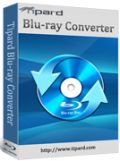
Giveaway of the day — Tipard Blu-ray Converter 6.3.60
Tipard Blu-ray Converter 6.3.60 was available as a giveaway on November 15, 2013!
Tipard Blu-ray Converter is professional Blu-ray Converter to convert Blu-ray disc or Blu-ray m2ts files to DivX, MP4, AVI, 3GP, MPEG, FLV, etc. and HD formats. It also features in converting DVD (Disc/Folder/IFO) and HD/SD video files to mainstream videos as needed. Plus, with newly adopted NVIDIA CUDA technology, AMD APP Acceleration and multi-core CPUs supporting technology, the converting speed is 6X faster now.
Moreover, its rich input and output profile of any videos (HD/SD) and audios makes the converted files compatible with various portable devices, like iPhone 5, iPad 4, Kindle Fire HD, Windows Phone, Samsung Galaxy Note/Tab/S, HTC One Series, even the latest iPhone 5S/5C and iPad Air. Apart from portable devices, this Blu-ray Converter also provides output profile for editing software, including Adobe Premiere Express/Elements/Pro, After Effects, Encore, Pinnacle Studio.
Note:
only for Giveaway of the Day users, Tipard provides a 50% off coupon: TIPAGNP (Nov 15th – Nov 24th, 2013), and users can purchase any Tipard software products at 50% off discount.
System Requirements:
Windows XP (SP2 or later), Vista, 7, 8; CPU: 1.2GHz Intel or AMD CPU or above; RAM: 1G RAM or more
Publisher:
TipardHomepage:
http://www.tipard.com/blu-ray-converter.htmlFile Size:
32 MB
Price:
$55.00
Featured titles by Tipard

 Tipard Blu-ray Toolkit, containing Blu-ray Converter, Blu-ray Player Software and Blu-ray Copy, provides
Tipard Blu-ray Toolkit, containing Blu-ray Converter, Blu-ray Player Software and Blu-ray Copy, provides all-in-one solution for Blu-ray zealots. It does great help for users to rip Blu-ray/dvd/video to various video formats for devices and editing software, to play Blu-ray movie as well as multimedia files with theater effect, and to copy Blu-ray Movie at 1:1 ratio with fast speed. Special 50% OFF coupon code for GOTD users: TIPAGNP
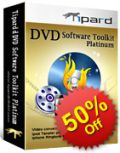
Combining DVD Ripper, Video Converter, DVD Creator, DVD Cloner and iPhone Transfer Platinum, Tipard DVD Software Toolkit Platinum enables users to rip DVD and convert videos to various video/audio formats, burn videos to DVD Disc, DVD Folder and iSO files, copy DVD, and transfer various files between iPhone and computer/iTunes or among any iOS devices. Special 50% OFF coupon code for GOTD users: TIPAGNP

Tipard Total Media Converter Platinum is unparalleled in the aspects of function, coverage and performance. It is capable of ripping any DVD (disc, folder, IFO files) and converting various videos to MP4, AVI, WMV, M4V, MOV, etc 2D (SD/HD) video formats for portable devices and 3D MP4, 3D MKV, 3D AVI, 3D FLV, 3D TS video formats for HDTVs. It is also available to edit 2D/3D video effect and select 3D modes for the output video from anaglyph to Split Screen. Special 50% OFF coupon code for GOTD users: TIPAGNP
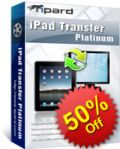
Performing as wonderful transfer application, Tipard iPad Transfer Platinum enables users to transfer various files from computer to iPhone and backup iPhone files to computer or iTunes. To backup files of music/movie/Pictures/TV Shows/Podcast/iTunes U/eBooks/Camera Roll/Ringtone/SMS/Contacts/Voice memos/Camera shot will be easy with this iPad Transfer Platinum. Besides, it enables users to transfer incompatible files of video, DVD, audio to iPhone devices directly. The Key feature is its capability of transferring files between any iOS devices, iPad, iPad 2, the New iPad, iPad 4, iPhone, iPhone 4, iPhone 4S, iPhone 5, iPod Touch 5, iPod Nano 7 and more included. Special 50% OFF coupon code for GOTD users: TIPAGNP
GIVEAWAY download basket




Comments on Tipard Blu-ray Converter 6.3.60
Please add a comment explaining the reason behind your vote.
iPhone app giveaways »





Android app giveaways »





@Giovanni two issues with your recos, which you make every time DVD software is offered.
DVDFab Decrypter puts a watermark on ripped DVDs. Epic fail.
VideoToVideo can't handle 5.1 audio. Beyond an epic fail.
Save | Cancel
This program will not run cause it keeps wanting to connect to my web cam even though I do not have one on this PC. I keep blocking it for wanting to connect to a my webcam and it will not run. I am uninstalling it.
No since of having a DVD converter of any kind to connect to a webcam unless it wants to spy on you. I can see if it wants internet connection for updates, but to want to connect to your webcam?
Save | Cancel
Pros
As you are converting from a very high quality source (blu-ray) then you can compress the file more without losing too much quality.
Cons
Why would you want to view a blu-ray video in lower quality from a video file. People buy blu-ray to experience the higher quality.
Protection on the blu-ray discs keeps changing so the Tipard site would need to provide updates and this might mean a subscription to the site.
Save | Cancel
That had to be the easiest install ever from GOTD. User Name and Password came up automatically in the registration. Thank you.
Save | Cancel
There are two days I tested the "reincubate Recover Files 0.2.5.0 Home" program, which I think is one of the worst restoration products. Today I tested one of the best and yet it is a version 1.0. You can do the same, it's free.
http://www.bitsdujour.com/software/datanumen-data-recovery
To my knowledge, it is now two programs (Lazesoft DataNumen and Data Recovery Professional Data Recovery) that perform in a few minutes, the recovering of large files deleted by mistake. This is proof that some programmers can develop reliable solutions. But, these both utilities aren't multi multilingual.
Save | Cancel
it be nice to have the mac version
Save | Cancel
Crashed every time I was adjusting trim parameters for a wmv file to mp4, using the start and end time boxes (rather than just the sliders).
I tried about 5 times.
Whereas Tipard Total Media Converter Standard 6.1 was fine.
(Win 7 32 bit Ultimate English).
Save | Cancel
This seems a step up in capability in input media from
Giveaway of the Day - Tipard Total Media Converter Standard 6.1.56
June 23, 2013
which I liked, being unicode compatible (accepts foreign language characters in file names and tags).
Would like to see 'keep original' in more parameter settings. Frame rate has this, while Aspect ratio has 'Auto', but the other settings not.
Would like VBR available for mp3 output.
Save | Cancel
I install this program and got a warning from Zemana AntiLogger that it wants to connect to my webcam that I do not have. Why a DVD converter wants to connect to a webcam I do not understand and is a warning I be couscous about.
Save | Cancel
So am I correct that this can do pretty much anything EXCEPT convert Blu-ray TO DVD? That would be useful to me...
Save | Cancel
I have been using version 6.0.38, and it has worked quite well. I believe it will stay up to date because the internet must be active for the program to work - so the program continues to work with newer blu rays. I am torn whether to upgrade, but it is probably a good idea.
I have never activated the Nvidia or AMD drivers, which should speed up converting. It is not currently fast, but it seems to be solid and dependable.
Save | Cancel
Just an addendum. I figured out the merge function. Basically, it's a join or link function. So in the case of my two audio files and a video file, instead of putting them all together, the converter played the two audio files with no video, one after another, then the video with no audio. Ok to make a single large video out of multiple small videos but not what I was looking for personally.
One nice thing I can say about is it had the registration code in the program when I went to register. Perhaps it's because I copied the code to clipboard in advance? A nice way to make registering the program an easy process.
Save | Cancel
I do have a Blu-Ray player both in my home system and my computer so I decided to see how well it worked. I popped in a movie and a message stated it would need to analyze the disc via the cloud. I do not like going to the cloud for anything but decided to indulge the program. It said it would take 30 seconds to 5 minutes (!) to analyze the disc. After 10 minutes it seemed like it was in an infinite loop of doing the same thing over and over to my Blu-Ray so I hit cancel. Then it took another minute or two to close.
So then I loaded a video and separate audio files recorded via a recording program called Playclaw. In spite of attempting to use the "Merge" function to combine the video and audio files into a single output file, I was never able to get it to happen. It would only output the same files I input, which is pretty useless to me. Even though I had both audio and video files selected, it would give me a message saying I couldn't convert because the files didn't contain audio or video. In spite of this, I could still play the files on the Tibard player.
So this program is 0/2 as far as being any use to me.
Save | Cancel
hmmm AdGuard shows me this warning message, once trying to reach their homepage:
" This web page at www.tipard.com has been reported as a malware page and has been blocked based on your security preferences.
Adguard has found that malicious software may be installed onto your computer if you proceed. If you've visited this site in the past or you trust this site, it is possible that it has just recently been compromised by a hacker. We recommend you to not proceed or try again later".
I also noticed that whenever this company releases a GAOTD here it got a ridiculous amount of THUMBS UP in a few minutes time, exactly as Aieesoft products....just a coincidence?
As for this GAOTD it does its job pretty well, so if you are a Blu-ray movies junkie this software is the right tool for you, especially if you are eager to watch them on your portable devices (can also take pictures out of movies).
Editing features are just average in my view, but the conversion speed is pretty good since it supports both NVIDIA CUDA and multi-core CPU technology.
THUMBS UP with some reservations.
BEST FREE ALTERNATIVES
To decrypt and copy almost any protected Blu-ray movie on your blank discs or HD:
http://www.dvdfab.com/hd-decrypter.htm
http://www.softpedia.com/get/CD-DVD-Tools/CD-DVD-Images-Utils/BDlot-DVD-ISO-Master.shtml (damn slow but very effective)
http://www.free-blu-ray-ripper.org
http://www.bluraytoavi.com/blu-ray-decrypter.html
Then to convert it in whatever else format you like:
http://www.videotovideo.org
http://www.cuda-soft.com/video-converter/index.htm
http://www.winxdvd.com/video-converter
There is also a freeware called "BluRip", which can convert BluRay movies to MKV format with a single mouse click (didn't try it yet!!)
http://code.google.com/p/blurip
Enjoy!!
Save | Cancel
Mywot is classifying the publisher's site as spam category.
Save | Cancel
Hmm seems strangely similar to Aiseesoft Blu-ray Ripper which does have 3D support. The UI is uncannyly the same as the for mentioned software. On top of that both have near identical version numbers Aiseesoft Blu-ray Ripper is at version 6.3.62 while this one is at 6.3.60. Not Pointing fingers anywhere but this has to be more then coincidence to be honest
Save | Cancel
Download and install smoothly, successfully register the full version on my old desktop Windows XP 64bit. Do not have a blu-ray drive now and only try DVD movie. Loading my movie successfully and try to convert one chapter for a try. The output MP4 file 20mins and 58MB, the video/audio quality is nice with a English audio track and subtitle. Well I did not use the edit function because I don't need it and also the hardware acceleration, because the movie I converted is not HD.
Generally speaking, it is a nice one for converting DVD(maybe Blu-ray). Thank you very much gotd and the software producer.
Save | Cancel
Pros:
* Up-to-date profile support iPad Air, iPhone 5S/5C,etc
* Decipher Blu-ray disc automatically and convert BD to many video formats
* Convert batch of videos in one time and merge video clips
* Allows user to create personalized video by using watermarking, cropping, trimming, merging, etc. editing functions.
* Preview movies and capture movie pictures
* Easy to use (3 steps only)
Cons:
*For 3D video zealots like me, it would be better is it can support 3D output.
Thank you for GOTD, I will keep it for future use.
Save | Cancel
1. To better use Tipard Blu-ray Converter, please read the simple operation guide displayed below:
Operation Guide:
Step 1: Download the installation Zip package
Step 2: Unzip the package to get Setup.exe and readme.txt files
Step 3: Read “readme” text for installation steps and registration info
Step 4: Follow the instructions to finish installation and registration
For more details or tutorials about Tipard Blu-ray Converter, please visit: http://www.tipard.com/blu-ray-converter.html
Note:
Please finish registration within 24 hours;
For GOTD users, Tipard specially provides a 50% off coupon: TIPAGNP (valid from Nov 15th – Nov 24th), and you can gain any product from Tipard (http://www.tipard.com")
Save | Cancel