Every day we offer FREE licensed software you’d have to buy otherwise.

Giveaway of the day — Recover Keys 2.0.0.25
Recover Keys 2.0.0.25 was available as a giveaway on January 1, 2009!

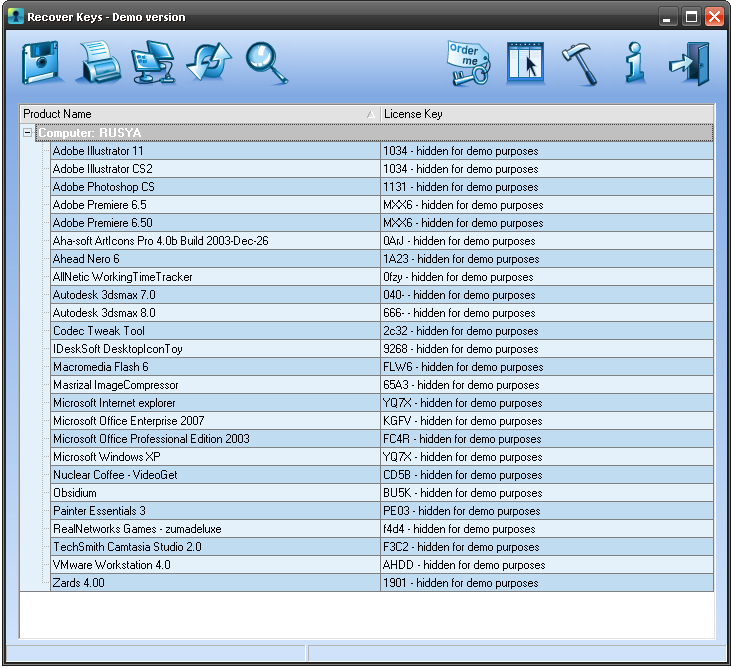
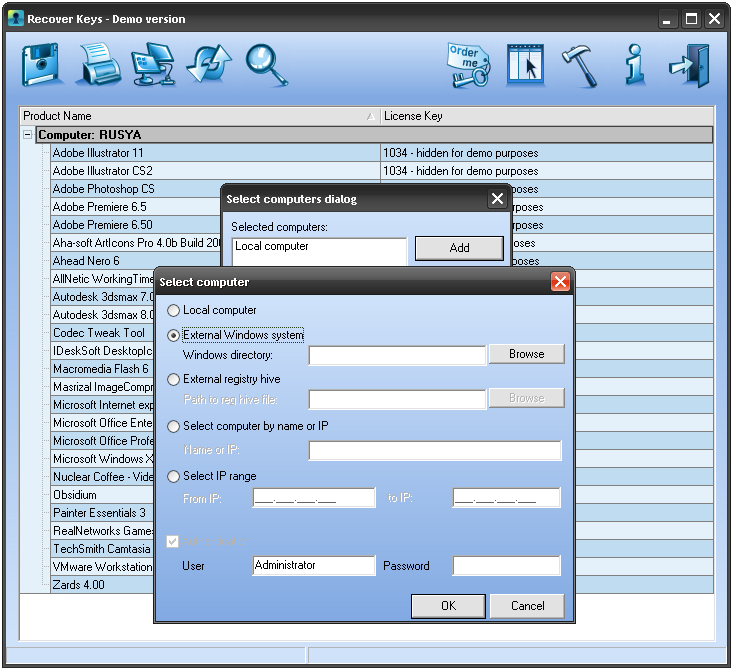
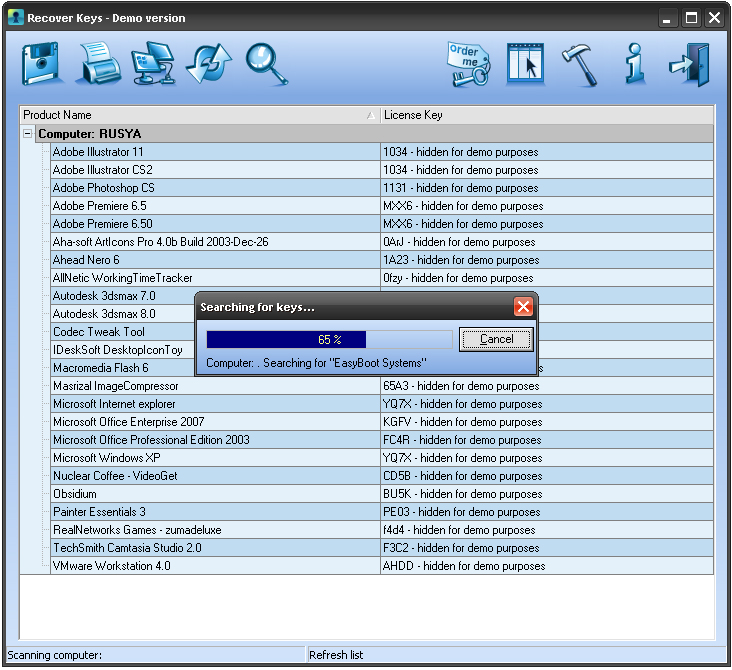
Have you ever lost your keys? Perhaps, yes. In such case you can create duplicate or change the lock. What if you lost your activation keys for Windows operating system or other major software you recently purchased? It may costs you from hundreds to thousands dollars. For this reason we have created this software. With Recover Keys you simply diagnose your system for all installed software and make a backup, print it or save to the text file.
Recover Keys retrieve your lost software activation codes, product ID, show Auth. key, company and user name. "Recover Keys 2.0.0.25 " retrieve activation keys from 783 installed software packages including such major products like Microsoft Windows and Adobe Photoshop. You don't need to pay for lost keys again - we save your money.
System Requirements:
Windows 2000/ME/NT/2003 Server/XP/Vista
Publisher:
Recover KeysHomepage:
http://recover-keys.com/products_cd_key_viewer.phpFile Size:
1.74 MB
Price:
$19.95
GIVEAWAY download basket




Comments on Recover Keys 2.0.0.25
Please add a comment explaining the reason behind your vote.

iPhone app giveaways »





Android app giveaways »





I have over 50 commercial (and legal) programs installed. I ran this just for kicks in the past and was not impressed enough to try it again. It's been about 6 months or so since I tried it before but here's my thoughts from then:
1) It's a registry reader, not a system reader!
This only finds keys from programs that have a a key code or serial number installed in the primary dll/sys/cdc file or in the registry. Programs like Adobe CS3/CS4 software, Quark ReDux, Slysoft software, and most Mac ports (SuperCad/iMax et all) can not be used. This is because codes are stored in a non-standard file elsewhere (in hex or calc code, not text, VB, CX or PAC).
2) it's not detailed enough. Self registering software that stores the serials inside the original executable do not work. SuperVideoConverter, UltraEXE, Compression Pro, Compile That Now ... do not show up
3) Found keys for 14 programs out of 50+
4) Told me my windows key for the original install, the MCE update/upgrade, SP1, SP2, and SP3. Did I really need to know that key 5 times!?!?!
Thoughts: Belarc Advisor is FREE, updated fairly regularly, is far more detailed, and found 47 keys from 46 programs. Still missed a few but it also gave me registration dates (useful for renewing deals/discounts), detailed system information (picked up a custom motherboard, and what's on it), and even revision details. it also links directly to Belarc for "more information" on problems, tells you EXACTLY what updates are missing, informs about patches, new drivers, and security fixes.... It's not perfect, but Belarc Advisor still is the strongest of these programs.
Save | Cancel
Why is there another device that will do this when there are so many already in existence that are free all the time and so much better.
Try Belarc Adviser or aida32 for free and no spyware either.
Save | Cancel
Does not see all the software claimed. I have Registry First Aid amongst many others that was not seen by Recover Keys.
Save | Cancel
Much the same as before, only a few keys, wrong value for some keys, such as CyberLink.
If you know your way around Regedit, you can display all of the columns (although generally unavailable, there's something in every column on my PC). Go to HKEY_CURRENT_USER\Software\Recover Keys\GridSettings\TreeList.TreeList. You'll see a TreeList key for each column, change the value Visible to "True". I haven't checked all of the Internet access, but it appears to just be related to updates.
I keep software keys in Sticky Password, it can fill out application windows. If it can't fill out the fields, I put them in the corresponding Comment field.
Save | Cancel
Looks good, installs fine under Win Vista
Save | Cancel
@8
One can do without it by saving keys and serial numbers to a text file when installing programs. (Exactly right)
@36
2009 looks set to be another bumper year for freeware, abandonware and commercially available software that’s being given away temporarily for free for whatever reason, usually because of some celebration like Christmas, or maybe when a new version has been released. (well, that's perfectly fine with me, I've been looking for these offers and some are extrordinany.). I'm a huge fan of freeware and open source and many of them perform more functions and features than expensive commercial programs. By the way all regular vistors here obviously realize that GOAD is basically giving out-dated or older versions of developers software. Or re-runs as pointed out by @53
@57
AccessdData software does not have any keys, it uses the USB dongle and connects to their site for verification
@70,
“(It was really easy to accomplish as all you had to do is sent him an exported registry hive for the programs section of the HKEY_CURRENT_USER & HKEY_LOCAL_MACHINE; (accessible from the ‘RUN command via the Start menu, when typing in ‘Regedit – that opens up the registry editor).”
Do you have any idea what information is in those keys ( You just sent him your personal information, name ,address, email among hundreds of others detailed imformation. That was a very foolish thing to do
Finally, mine own opinion:
It located only 13 keys, 10 of which were Cyberlink products. It identified Microsft Internet Explorer. I don't recall even having to put in a serial number to install a free browser. The change license key is a joke, when a program starts up, it looks for that key for validation. If you change it, the program will popup a warning or state....Now running in Demo Mode.
As for the keys found, I copied the cell, opened regedit and found each and ever one of them in human readable form, except for Microsoft Works. Most developers now use diffent methods for protecting their keys and will never be discoveable using this program. Why, even I who only had one course in Visual Basic, could simple install hundreds of programs, capture the key by using a registry trace program and build a database much larger than he provides. Again, you'll notice that this is the only product for sale on the entire website, unlike most developers who enjoy creating new programs
There are a few key finder programs on the Internet, I said few because they are relatively useless as is this program.
KISS...just write or copy the serial number into a text editor, and open it up everytime you receive a key, paste it in and save the file.
Save | Cancel
There is better free ware out there. this found only6 programs out of 400
Save | Cancel
As all others have reported, this program only finds a small number of keys. This could be a very useful program if found a fair amount of program keys. Hopefully it is still under development and one day it might be worth keeping.
Save | Cancel
Definitely worth downloading even though it doesn't find all program keys. You can then print everything out and file a hard copy away. It also found several programs (Alawar Games) that I had uninstalled. So I'll be able to use this to clear our items that didn't uninstall nicely.
Also there is a setting to have it check for new scripts ever X number of days (default 3). This DOES work and so there's the chance that programs it picks up now can be picked up later.
I agree, it doesn't pick up Adobe CS4 programs although it did find older, pre-CS ones. It picked up all my EA games, including Sims 2 game and add-ons. It picked up a couple of screensavers, but not the Astro-Gemini ones.
It did not pick up Black Obelisk's Liquid Story Binder XE, Magic Score, Mojosoft's BusinessCardsMX3, and several of the smaller DVD, video programs. Some of these were GGOTD programs, but I don't think that's why they didn't show up. It seems in most of the cases it looks for programs that are most popular (like EA), but misses the smaller, lesser known ones. I don't know if the scan searches out specific programs by name--it seems that may be what it does.
Save | Cancel
You can just download Keyfinderthing 3, it's free and will do everything this does.
Bad grammar in the description.
Save | Cancel
I have over 300 software programs & this software found ONLY 35. Went to save the results in all three formats & text file saved 8 keys, comma delimited saved 0, & html saved all 35!!!!!
You guessed right, I will uninstall this trash for it is worthless to me based upon the results & the bugs it has.
Better luck tomorrow.
Save | Cancel
You can add additional info columns by pressing F9 and then dragging the column names you want into the main window. You can place them wherever you want by dragging them. Although the program is seriously limited, it did find more keys after I explicitly selected my computer to scan.
Save | Cancel
I hate to state the obvious but since the invention of CD keys, everything now reminds you to write down the CD key and keep it in a safe place BEFORE installing the software.
- If you want a hard copy a piece of paper and a pen is extremely effective.
- If you want a soft copy, notepad is for you.
The best part of this method is that it records ALL of your CD keys, not just the ones in the registry.
Sorry GAOTD, but today's offering is like offering a mobile phone to call someone in the same room. Big thumbs down from me today.
Save | Cancel
if you loose the key for this program, because I'm sure there is one, and you need to open this program to find the key to the program, what do you do?
Save | Cancel
No av triggers as in a lot of key finders so that's a big plus. As for results - Recover Keys found 15 keys, while Belarc Advisor found 18, but both programs showed keys the other didn't find. After customizing the display to show all fields, Recover Keys displayed a couple of details Belarc doesn't, but Recover Keys didn't display all necessary information for a reinstall of some products. As freeware in development, Recover Keys would be a useful tool, but I wouldn't be willing to pay for it at this point.
Save | Cancel
Hi Stephan comment # 52,
I’m really sorry about that. I spent so much time trying to make the post look interesting by adding bold and italic coding to the comment that I totally forgot to add the link to the post in the forums where you’ll find all the download links, video’s of game play and other information; though, if you were a regular visitor you’d probably have known to have visited the forums via the link at the top of the page. The post in question is part of week 16 of the free weekday games project.
Anyway, just for completeness here’s the link: (better late than never) I hope you find at least a couple games that you’ll like. Sometimes the links I provide become so oversubscribed that the links are temporarily shut down due to bandwidth limits being exceeded. If this happens you can wait for a while and try again. If you continue to be unsuccessful, just post a request in the appropriate thread and I’ll try and find more links. With the more obscure games this is often impossible as they games tend to be available only from the developers web site.
http://www.giveawayoftheday.com/forums/topic/4536
===========================================================================================
It’s such a shame that so many think this program isn’t up to much as it really does have a lot of potential if only the community were willing to participate. Then we’d be able to make a record of all our serials easily as opposed to having to write them down on a card index as someone suggested – which is a great idea, but in my case, I’m often more bothered about unpacking the shiny new program and trying it out (usually a game) than thinking about recording the serial number, though I do actually record quite a lot in an old ‘black book’ diary that was never used as a diary, and now has all my passwords to sites and other stuff plus and a few hundred serials written in it. (Usually ones that have been sent to me via Email.
I’m surprised that some are only getting a few keys though as there are quite a few giveaway programs coded into the program now. If you joined the giveaway project prior to the last time this was given away (towards the end of June 08 I think), there’s a good chance that some of the serials you see because of this program are because of the registry hives I sent to the developer. I actually didn’t think about the legality of this at the time, so I apologize to the giveaway team if I’ve caused any upsets with respect to having a method of revealing giveaway serials though most of the serials are useless unless you have the correct version of the program, which usually are no longer available. I’ve noticed more often than not that many giveaways are soon updated by their developers, so the programs we get are soon out dated (though this doesn’t mean that they become useless)
Thanks John C comment #50, you at least could see the sense in what I was trying to say – i.e. That this program would be much more useful if the community were willing to participate in it’s development (in a very simple way) instead of calling it rubbish or useless. You’d get a lifetime serial key for your trouble and an excellent program to boot, lol.
By the way Ashraf, the program picked up three Wondershare programs for me, though the computer that I copied the hives from had more Wondershare products so more can be found. I only have those three on this particular computer though.
Also the program has found serial numbers for other giveaway programs such as Bufferzone, Blind Write, Zards Icon MP3, Audiograil, loads of AstroGemini, 3DPlanesoft and Terminal Studios screensavers, Visage Software PDF Printer, TNT Screencapture, Robotask, Prev One, Photo to Film, Morpheus Photo Morpher, Magnifying Glass, HDD Life, Glary Utilities, Keriver Image, EAZ-FIX, Drive Image, Concept Draw IV , Absolute HTTP, Mindmap, AVI toolbox, all of the Alawar games, and several other game giveaways; though quite a few of the games we get have no registration keys because they are free standing. All the above are from my smallest computer. So there’s going to be a lot more serials found on my other computers. I didn’t bother to send the hives for this one, only my two main computers that were filled with hundreds of applications and even more games when you combined both computers installed applications and games. Still, that’s a tiny drop in the ocean as there are millions of programs available.
Save | Cancel
#29--good point if you don't have a router/hardware firewall to keep out intruders (or if they come from within your network?), or if this can be run from a flash drive (it's too big for a floppy, at least)
Save | Cancel
What a total waste of time and space. This brilliant program found 2 keys on my totally loaded Vista box: Microsoft Works and itself. Brilliant it's not. Huge thumbs down.
Save | Cancel
Installed easy and with the exception of a weird error box with a red X and no text on launch(which didn't stop it from working) ir ran okay on Win2K Pro Sp4. In the future this program might be great, but ATM it is a little too hard coded. Like other mentioned some of the keys are useless because of the fact that it doesn't show username or company info, and on this machine with 8 years of running and over 150 programs installed it found 11 keys, 4 of which are useless without the above info and one(Glary Utilities) comes up with ####### for a key. So while it will give you the keys to MS Windows and Office most of the other stuff just isn't functional yet. Thanks anyway GAOTD and keep up the good work. Oh and a repeat of Aston might be nice(hint hint).
Save | Cancel
Did not find all the keys of softwares installed on my computer. Very common software MSOffice did not showed up in the keys list, plus many more softwares which are installed were not found by this software.
Save | Cancel
WOW thanks GAOTD!!!!
I am finally getting rid of my ancient 2003 computer to get a new power computer and didn't want to lose my keys for the valuable programs like AptEdit, Button Shop, etc. I was about to start looking for something like this. THANKS!
Save | Cancel
@ 69 Kickapoodle...Simple:
Right click on the main screen and select "customize columns
Drag the columns you want to the column header.
BTW, if you right click on a key, you can also enter a new key if you wish.
Right click is your friend :)
Hope the above helps out a lot of users here.
Save | Cancel
To use the customize columns feature, drag and drop the names onto the column bar! Not exactly intuitive.
Save | Cancel
Installs on Windows x64 (but as a 32 bit application). Runs properly and does what it says. However, I can not give it a thumbs up because:
1. The program fails to reveal or address critical requirements of Registration Key needs.
2. Although it includes a strong list of applications, it still has not been updated to pull the latest applications (e.g. Adobe Products, DVDFab).
3. The automatic/manual updater is a great idea, but needs to inform you (when clicking manual) if an update is available. It currently downloads a file and says nothing.
4. Several people have mentioned that the Keys found do not include all characters. We could not reproduce this, but it sounds plausible.
5. To many free applications exists that can exceed this programs capabilities. Only mass marketing and limitations on returns will make this program successful at its current design.
6. The ability to view the "User" - "Company" (and a few other colums), can be added to the columns, but it appears not to work correctly. "Name" is still missing. Probably, why it is not listed by default.
On the positive side:
1. The program has a nice clean interface.
2. The program can save the codes as HTML, TXT, or Comma Delimited, making viewing and importing into other apps and databases a breeze.jh
3. It has the ability to scan OTHER computers on the network (not tested).
There are to many other free items that work much better than this Pay program:
http://cakirbey.googlepages.com/softkeyrevealer (Found more items)
http://magicaljellybean.com/keyfinder (Includes other useful details)
This program has great potential. It can still save you lots of time and money. However, if your registration key includes a User/Name, you will be disappointed. I'd like to test the next version when it is out. However, the Functional Specs must include recovery of the user/name and company.
Save | Cancel
I was going to pass on this based on the comments I read. But I decided to download and install to try for myself. First off this program found many more keys on my computer than others claimed it found on theirs. My only question would be if this program finds a key for say "Winprogram 1.0", and you need to reinstall this program. You have the key but you find that the publisher no longer supports "Winprogram 1.0". You just as much SOL without the install program as you would be without the key. Either way I will keep this for now. Thank you GAOTD team and Recover Keys.
Save | Cancel
Nice product! It found 21 keys, including some of programs I thought I had completely uninstalled!
WhiteRabbit (#36) spoke of sending our Registry Hives to the programer:
"(It was really easy to accomplish as all you had to do is sent him an exported registry hive for the programs section of the HKEY_CURRENT_USER & HKEY_LOCAL_MACHINE; (accessible from the ‘RUN command via the Start menu, when typing in ‘Regedit – that opens up the registry editor)."
If we would all do this one simple thing, it would make the program more useful for everyone!
Save | Cancel
It does what it promises. Not something I would pay for, but as a free giveaway, it works.
Comment by Jaime #44
Jaime look at the top of the page, It promises to-"Recover Keys retrieve your lost software activation codes, product ID, show Auth. key, company and user name. most of these have been disabled. If you can get them to work please show us how you did it.
Save | Cancel
Currently I use LicenseCrawler as a free alternative. I'll try this one, too, as it's free today. :-)
Save | Cancel
Good considering it's a "giveaway," but this only shows keys for nine programs, and I have more than 100 programs installed on my Windows Vista. BTW, Vista installation went off without any problems.
Save | Cancel
In All Honesty, if this program "NOW" (OR) "In The Future" Finds just one product key or code that "I NEED" Then it's priceless to me man. And even if it does not , I have had a great time here at GAOTD As Always. Happy Slap Happy New Year Y'ALL!
-=8^)
Save | Cancel
This software just recovered the dvd key to office 2007 the full version, the two dvds are gone .Had to delete the program because it was crashing windows. the key was on the sleves. I thought it was gone forever! Downloaded a copy from Microsoft web sight ,put the key in , IT WORKS! Just saved a $679.95 program. Thank you GAOTD best download I have ever tried. I am buying this program!!!!!
Save | Cancel
No program is going to find everything, & your luck using Recover Keys is going to directly depend on what you have installed.
Programs that use keys, do so for copy/piracy protection. Known good keys are circulated on-line -- there's several sites that specialize only in keys -- & obviously whomever sells a program with keys being distributed illegally would like to stop that. One way to make finding keys harder, is to hide where the key info is stored on your system. It's not fool proof, but it helps keep folks from publishing the key numbers they use at work &/or school etc.
Microsoft usually makes it relatively easy, only mildly changing (encrypting) their easy to find keys in the registry. Other programs make it much, MUCH harder. When whatever you enter as a key during program installation is well hidden, the only way to find out where it's stored is to monitor what exactly happens after the key is entered. In order to list many program keys then, you have to monitor program installs, figure out the encryption, then store that information with your program. That's what the developer(s) of Recover Keys has done.
It's humanly impossible to test/monitor every program in existence, would be prohibitively expensive to try, & because of (C) laws re: reverse engineering, in some cases deciphering stored keys can probably be illegal. Consider all that & Recover Keys does quite well IMHO.
Save | Cancel
Isn't this known in the hacker community as a keygen? How is this different? Can you not simply download unregistered software and then search up a key for it to activate it?
Save | Cancel
The only thing I really worry about is my Windows key. I have lost it before. You can just use Magical Jelly Bean Key Finder. It does exactly what you need and it's free.
Save | Cancel
I donb't understand why people complain that it only finds SOME keys. Any it finds could be useful, and that's better than nothing.
Save | Cancel
Installed fine, but like others, did not find most of my keys.
Also interesting to note that I have Adobe Photoshop CS3 and Adobe Photoshop v 7.0 installed and it only found the key for v 7.0
Save | Cancel
Just like many others, I was not able to get anything useful for this. It found 5 keys, and nothing that I couldn't find with a free solution...
Save | Cancel
I've looked for a good tool that does this and so far all that turned up - for me - is a bunch of apps that trigger spyware alarms and have to be run in the sandbox or ones that phone home, which is an obvious attempt to steal your personal info and keys, or programs which inexplicably need to be resident on your system, crowding your already crowded registry.
My main question is, why would you want this permanently installed? It seems like a prime candidate for a portable app.
Save | Cancel
I have numerous software apps that require Keys, User Name, etc...I downloaded the software, ran the program and it failed to pickup the majority of my keys...including MS Office 2000 Platinum, AcessData's Forensic ToolKit & MacLabs' MacForensicLab 2.x. (Several thousands of dollars in just one App each) Additionally, in the settings you are provided with an opportunity to customize the columns output...however, while presented with the selection window for four columns, the user is limited to two.
Why would I want something that only performs limited results while claiming to handle it all?! No thanks! Off it comes!
Doc
Save | Cancel
Did not detect Symentec products though it claims to do it on their website.
Save | Cancel
Wow, what a bust. Installed and ran fine in Vista64.
Found a grand total of 9 keys.
One was the key to the program itself.
SIX were from the same suite of DVD burner/Label creators from Cyberlink
One was Nero
One was Works.
Save | Cancel
Stephen,(wr), where are the links to these games? I'm just a dumb 'ole telephone man, but i couldn't get anything you posted today to click over to a list or download page. btw, thank you for all the great games (tank evolution in particular) you all have been giving us. I look foreward to firing up this machine every morning and seeing where you'll take me today!
Save | Cancel
Whatever keys you recover, print out the keys and tape them to the bottom of your computer...they will be there when you need a reinstall.
Save | Cancel
# 41 Fred: You still should keep product keys you receive from GAOTD offers, because in some rare cases, you actually get a valid key,which does not expire. I know, my PC crashed twice in the last couple of months and some giveaway product keys are still effective.
As for this "Key Finder", like most people, I find it to be useless. Anyway, most Beta versions are still unstable, No thank you! There are already so many threats to our PC's, I see no point in knowingly installing any unstable stuff that could, in the end cause more problems. There are freeware "key finders" which do the same or better, but I never found one that did recover ALL my keys.
I have listed my keys in an encrypted file. I keep it up to date, add new keys on the spot. I copy my list and e-mail it to myself, then I move it to a mail folder I named "What I keep". I never lost anything this way.
HAPPY NEW YEAR TO ALL
Suzanne
Save | Cancel
Installation and activation was a piece of cake. The concept is good but practically, not a go for me. I have two drives on my computer and the program will NOT scan the drive I use for storage so basically it's worthless. In reality it reminds me of a very limited old DOS program. I removed it and hope to find something that will really work.
Thanks to all those that leave comments here. They're very helpful most of the time.
Save | Cancel
Recovery keys was a good idea, not to hot program. All keys that was found was not need or usefull. The keys that could be used was nver found. unistalled this one. mabey we will get something better it the future.
Save | Cancel
Installed perfect on Windows XP Media Center Pro.
Copy and paste the key , piece of cake.
Program found 4 keys :-) well I formatted my disk and reinstalled Windows a couple days ago (virus) so I've got not much programs installed right now.
Overall good program , I guess.
Save | Cancel
I use a very low tech way of keeping my keys...it's called a file box.
I write all of the pertinent infromation on a card and it is safe from crashes or accidental deletes..
Save | Cancel
I don't usually comment, but this program actually did work quite well for me; it found 15 keys to software that wasn't given away here, and some that was.
It does what it promises. Not something I would pay for, but as a free giveaway, it works.
Save | Cancel
Installed on Vista 64. Works, but only in a limited way. In my case, it did not even show my Windows key. Not worth $20.
Save | Cancel