Every day we offer FREE licensed software you’d have to buy otherwise.
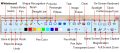
Giveaway of the day — Presentation Marker
Presentation Marker was available as a giveaway on April 4, 2012!

Presentation Marker allows users to mark on screen directly and zoom into certain portions for quick explanation. Moreover, it offers more additional tools – Spotlight, Curtain, Screen Digital Clock, Arrow Point, Magnification, Screen Capture etc.
It could offer a significant help during a product demonstration or presentation when there is a need to make annotation on screen for better illustration.
We offer a 50% discount on lifetime licenses on the giveaway day (free updates/upgrades and support for life). Get it here now!
Note that 3 best improvement ideas will be rewarded with a license for Presentation Marker. Use Idea Informer widget to submit your feedback and do not forget to fill in your name and e-mail – otherwise the Developer will not be able to contact you in case you are the one to win!
System Requirements:
Windows 2000/ Vista/ XP/ 2008/ 7
Publisher:
GoldGingko SoftwareHomepage:
http://www.presentation-assistant.com/pmarker/index.htmFile Size:
4.43 MB
Price:
$19.95
Featured titles by GoldGingko Software
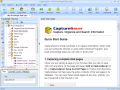
Everyone who surfs the Net comes across information they need to keep. With CaptureSaver you can permanently save selected text, images, and complete Web pages, then edit, mark, organize, and search for information in your offline personal and portable knowledge base. CaptureSaver lets you arrange your data in a free-form hierarchical tree. You can add notes, keywords, even modify the html. When you use CaptureSaver you'll never lose important information, or have to worry about Web sites or pages disappearing never to be found again.
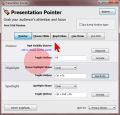
In presentations it's all about to grab and to focus the attention. Presentation Pointer makes it easy for your audience to follow your actions on the screen. It adds cursor highlighting abilities and more visual and audible mouse click effects. It also displays your keystrokes in an overlay at the bottom of the screen and allows you to draw on a video as it was playing.
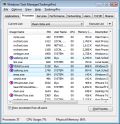
TaskmgrPro enhances Windows Task Manager and provides powerful features. You can batch kill or resurrect processes in the Processes tab, batch stop or start services in the services tab, view all established TCP connections in the additional TCP/IP tab, manage the Windows startup procedure in the additional Startup tab, schedule shutdowns/reboots/... in the additional Shutdown tab and manage shared folders easy in the additional Shares tab.
GIVEAWAY download basket




Comments on Presentation Marker
Please add a comment explaining the reason behind your vote.

iPhone app giveaways »
![Remote Control, Keyboard & Trackpad for Mac [PRO] Giveaway](https://iphone.giveawayoftheday.com/wp-content/plugins/gotd_appstore_plugin/images/100/2026/05/884153085_app_icon_big_1778669783.jpg)




Android app giveaways »





Hi there,
I have been visiting your blog for a long time and I enjoy it. I was wondering if I could share mine, also.
http://www.bigboymoney.com
I am currently doing giveaways of programs and games, and items such as iTunes cards. I will also help and assist people as to how to make money and get rich online!
Please visit the blog for guaranteed success at making a fortune online!
Save | Cancel
I tried it on a movie DVD converting it into iPad 2 HD mode. The result was as good as the original (based on simply looking at the result on my monitor). The downside is that it took 9:42 (that's 9 hours and 42 minutes) on a core 2 duo e7200 (2.53gh) system with 8gb ram and win 7 x64.
Save | Cancel
Still No Registration code 24+ hours later. Interesting program but not very good.
Save | Cancel
Like #66, fully enjoy this program and have recommended it to others!
ZoomIt on the other hand is an annoying little piece of 'software'. It's not as full featured as Presentation Marker, and when installed hid itself quite well ... making uninstallation rather difficult (I did finally find the little f*****r though!)
I plan to keep Presentation Marker, and am quite pleased with GotD for offering it.
Save | Cancel
This is a total waste of time. Registration was cumbersome, and in the end, nearly 24 hours later it still fails. Finally, a serial number appears on the website registration page, but here is the result:
After entering the code, the programme says:
Registering success, thank you to use this software. [sic]
HOWEVER, the programme's window says:
Presentation Marker (Trial Version)
Yes, I tried restarting. Yes, I tried a number of ways of entering the registration information. Nothing works. I think this is a few days late April fool's joke.
My rating for this programme: 0 ... also known as naught.
Thanks for wasting an hour of my life.
Save | Cancel
What screen is marked on? The monitor display that is projected?
Save | Cancel
This program is great for teaching or doing demo. I can write/mark over pdf or Powerpoint files using my mouse or digital pen over my tablet screen. Installation/registration on Windows 7 went smooth. Very easy to use. Thanks.
Save | Cancel
I'm embarrassed to admit that I rarely comment on the offerings here, but I have to agree completely with those who have already commented that this software is almost certainly under-priced.I certainly can't believe that any of those that posted the negative ratings actually tried the product. Presentation Marker is a very nice piece of software that would be useful as a teaching-enhancement tool. If it hasn't yet been mentioned, simply right click the title bar for more options such as a help screen. Thanks to GOTD and GoldGinko Software for a great giveaway!
Save | Cancel
OK. I have visited GOTD for a while now, and have never posted a comment. (I did not realize that I could just post, without having to create yet another account.). But I had to comment today, because I think this is a great idea. The look & feel are very clunky. But it does some great stuff. I love it. Keeper for me.
Save | Cancel
It will not even install! What a pos! Says cannot access file because it is being used by another program.... Then it gives you a pop up that it was "successfully" installed! Cannot even find it in my programs so it did not install. If you are going to sell a software program make sure it works and is not buggy people!
Save | Cancel
I think it's a must have for people who have a lot of presentations like company workers and college students. I loved it.
Save | Cancel
Hi, So it's a Gadget, and we all know nature of Gadgets.. Sometimes small, light, none-obtrusive, "quirky" even, extremely useful and handy(!), a nice desktop Decoration..? - or something we play with for a day or two, forget, don't use any more, uninstall..
I don't know (yet) what "fun" I might have with this one, sure I went for it out of curiosity, I cannot say any more than that at this stage.
The last such little "gem" (and free!) was..DuckCapture.exe(http://www.ducklink.com) I use it every day!!:) and hope Presentation Marker will become such useful Companion too..
Save | Cancel
Installed and registered without any problems. A useful piece of software. Thanks!
Save | Cancel
Nice, seems very useful, lots of options and adjustments. What's with all the negative ratings?
Save | Cancel
Cool little program Installed on my win7 32 good as and registration went smooth.
Save | Cancel
Installed just fine on win7 x64. got code immediately. Program works great. Does everything it states it does. Easy to use, handy. Thanks.
Save | Cancel
Hello All!
I'm not quite sure as to why so many people have given this program such negative ratings, but you're missing out on a neat little add-on. Downloaded and installed quickly for me (Toshiba Notebook Satellite P500 - PSPGSC-12800T, running Win 7 Ultimate) and Presentation Marker seems to be quite fun and useful.
The registration is a bit different, as it's necessary to open the 'readme.txt' file and copy, paste the address to a browser window. After which, you write your name and email, you press the 'Get Code Now' icon, the registration information appears on the same screen, a bit lower. Yup, that's a real tough one to figure out! Come now, show a bit of appreciation to GoldGingko Software for offering a free program.
For what it's worth, I downloaded and installed ZoomIt - http://technet.microsoft.com/en-us/sysinternals/bb897434.It seemed to work okay for a few minutes, then my computer conked out, no warning, no blue-screen-of-death, nada! Just as if you first pulled the battery, then tugged the power cord out of the computer. After restarting, with a scan disc for good measure, ZoomIt had zoomed out of my system. I'll try installing it again and hopefully my computer won't "zoom" off into the ether [archaic].
Save | Cancel
Installed ok on Win 7-32. You can check for registration by right click on the green top area of the open software, then left click on help and left click on about Presentation Marker.
I see the portable version costs more than the install version and also requires a special portable license, so it is unlikely to activate the GOTD
download. But I have not tried this.
Save | Cancel
the product comparison can be found here:
http://www.presentation-assistant.com/compareedtions.htm
presentation assistant gives you a countdown of time and the ability to play background music and the pro adds the pointer. definitely pricey but lifetime portable seems very useful to educators and business people with the need to put special emphasis on their presentations. beats the heck out of the tacky blinking script of powerpoint to highlight a specific point (that can also mean wake up the audience/class) and the need to make a whole duplicate second slide to stop the effect. this one is a keeper for me.
Save | Cancel
EDIT to my previous post about the on-screen keyboard button...
Upon closing Presentation Marker windows popped up reporting the program did not run correctly and Windows had to start Compatability Assistant. Probably, it had to run Presentation Marker in compatability mode for XP. Now the "on-screen keyboard" button is working. But, I must say...
Really?! Vista AND 7 have been out for a lonnng time now & Pres. Assistant hasn't been updated to run properly with those O.S's?! Wow.
Save | Cancel
The portable version is pricey though. But they offer 3 computer licenses with a 50% off purchase - for prices go here
http://www.presentation-assistant.com/pmarker/register-discount.htm
Seems like nice software and a good deal for anyone needing to highlight presentations. Thanks Goldginko and GAOTD!
Save | Cancel
In my rather lengthy experience with GOTD - which spans nearly 5 years now - one common problem seems to plague folks who download and install the daily offerings, namely getting the registration codes! )This is borne out by the number of comments concerning getting the serial number for today's offering.)
When I first visited the website at the address included in the readme file, I entered the requested information, clicked on "submit," and a message popped up saying that the serial number was successfully emailed to the address I provided. That was shortly after midnight, and now - over 12 hours later - I still haven't received the promised email. Returning to the registration page and resubmitting the same information now yield a message on-screen confirming my name, but the serial number field is blank!
It seems that the majority of the time that we're asked to visit the vendor's website to register a particular software, there's a snafu that results in my not being able to register the software during the giveaway period. As a result, I've missed out on some really great software that I would really love to have!
Don't get me wrong - I love GOTD, but regular problems with registration have dampened my enthusiasm somewhat. I find myself crossing my fingers and hoping that the registration process will work. Sadly, all too often it doesn't.
Ultimately, I visited the vendor's website and submitted a support ticket, with the result being that the serial number was promptly emailed to me within minutes.
Gee - why couldn't they have just done that in the first place? If they have difficulty coding a simple autoresponder, it makes one question their ability to create functional software in other areas of expertise.
In regard to the software itself, it seems to be a nice package, although there's definitely a learning curve involved in being able to use it productively. I can't help wondering (along with others) that since "commercial use" of the software is prohibited, there are very few "non-commercial" uses for a software like this one (although I will admit that there are some).
It comes down to the continuing debate about the difference between using the software itself in a commercial environment, and the "end-product" that is generated by the software. Most courts would uphold that since the content created by a software is unique and solely the property of the individual who created it, that individual has full control over whether it can be used commercially or not - independent of any restrictions placed on the user of the software by the vendor.
Example: You may not hire yourself out as someone who conducts live demonstrations using this software, but you aren't prohibited from creating screen recordings of a presentation (via Camtasia or other screen recording software) and then offering the resulting recorded presentation commercially. I hope this clarifies what is considered to be "commercial use" for some of you who have wondered about that.
Mind you, that's just my own opinion and shouldn't be construed as "professional advice" of any kind - I will not be responsible for what you do (or don't do) with this or any other software.
Save | Cancel
XP SP3
v2.2.5
CHM Help file
(i cheated & read some of the reviews here first, & noted the issues
with obtaining the registration information, & also noted the first
post )
(only have a few moments to look at this)
registration data received immediately
program registered simply with the given registration data (though
it took a moment or two before it acknowledged success)
for a beginning user, always on top, & labels, would be greatly
appreciated. i changed the "display mode" (or something) & lost that
main dropdown & not sure how to get it back?
About: is slow to display. is it going out over the Internet to
verify something?
configurable hotkeys
i see Shapes has an alwaysontop (pinned)
presentation marker, that is what i lost. that could use alwaysontop.
was there an undo? redo?
when in full screen, there should still be some method to Minimize.
an alt+Tab should allow you actually alt+Tab to a different application
without Presentation still covering the entire screen.
all the time i have for now. haven't had time to read the help, & with
(at least) some of the items not being able to be pinned, i'm kind of
at a loss as to what to do, how to start, so of yet, i've been unable
to accomplish anything useful, much less get a good feel of the program
Save | Cancel
Well, seems to work fine EXCEPT I cannot get the "on-screen keyboard" to appear. Clicking on the display on-screen keyboard button on the program GUI and in the tray icon menu does nothing. All the other tools like "curtain" and "spotlight" work fine.
Is this as missed bug GoldGinko?
Save | Cancel
Its a keeper for me. Installed on all my 4 computer after play with it for a while. a lots of fun and practical futures like turning the external monitor off while its not beeing used to save energy and prolong its life.
Thanks GOTD.
Save | Cancel
Sorry, no code, not activating.
It says activated, but it's not.I won't be back in time to see if the problem is solved.
What a pity.
Save | Cancel
Oh, yes, I forgot to ask this. When the program first launched, there was a small "rectangle" with choices for all kinds of drawing utensils. However, when I closed the program and opened it again to register, that small item did not reappear. What was that all about?
Save | Cancel
This is a really neat program. I wish I had had it when I was still working. However, my 86 year-old mother lives 1200 miles away. She doesn't own a computer, but my brother does. So, I send pictures to him, and he takes them to Mom. She has so many questions about the pictures, but there's nobody there to answer them.
And now I have a solution. We connect using the same picture on each PC (we're on the phone now) and I can draw circles around any part of the picture I want her to notice, I can draw arrows to show how things in the picture might interact, etc. In short, GoldGingko and GOTD, you have made a lonely old woman very happy. We will have so many quality hours together now.
Thank you very much,
AP
Save | Cancel
Works exactly as advertised for me. I don't get why there are so many negative reviews. Is it because of the registration system SNAFUs earlier? Anyway, I think the features are great. If you do a lot of presentations either in front of people or just create them for later publishing, this is a really neat product. If you present often $19.95 is right-priced. If you don't, then free today is also right-priced.
#43 Howard. I couldn't get it to crash like you did. I tried simplified Chinese using 64bit Win 7 built-in language support. No problem.
Save | Cancel
Program installed OK on Win7, 32 bit. The registration page took a bit to open but it did register OK.
Pro: This is a nice program with many features. It will take a little while to get used to them all.
Con: The arrow object is very large and does not seem to be sizable. I can not get it to place at 45° angles reliably. An easier arrow to control is found in the "lines" icon.
Suggestion for improvement: Have a "Help" icon on the main selection menu. It seems that you have to go into Start/Programs/Presentation Marker and then click on Help. This is way too much clicking when you are learning the program.
Thanks Presentation Marker and GOTD for this handy program.
Save | Cancel
They also have a portable version! :-) http://www.presentation-assistant.com/portable.htm
So how can "make it portable" get so many votes? Are someone voting without knowing what they talking about?
Save | Cancel
I have no clue as to why such a high percentage of thumbs down ratings, but this is a great piece of software if you're doing presentation, training videos or live demos of any kind. It pays for itself in a single use (as someone else mentioned, it is under-priced). BTW, where is the Idea Informer widget? Can't find that anywhere.
Save | Cancel
#38, Joseph Ashe: "I do not have a PayPal account" -- you don't need to have a PayPal account in order to pay via PayPal. If you have a credit card, then you can use that for paying.
Save | Cancel
Play with it for a quick. It works fine for me.
Save | Cancel
Update to my previous post regarding system requirements.
I ran setup anyway on my Win2K Pro laptop. When I went to run the program, it said it was missing a DLL, gdiplus.dll. I searched my disk and found a copy in with my LibreOffice package, so I copied the DLL into the \winnt\system32 subdirectory so the DLL was in the path, and wonder of wonders, the software started without error so I could run the application. So, apparently this software WILL run on a Win2K Pro machine after all, IF you included the DLL in the setup...
So, I used the register code I obtained earlier and it appears the package is running as expected.
I agree with others who said this is a neat program. I can see all kinds of potential here... now that I can use it on my Win2K Pro laptop that is...
Thanks, guys...
Save | Cancel
There are portable versions for Presentation Marker, Presentation Assistant, Presentation Pointer and Presentation Assistant Pro:
http://www.presentation-assistant.com/portable.htm
Here is a comparison of them:
http://www.presentation-assistant.com/compareedtions.htm
and here a comparison with ZoomIt
http://www.presentation-assistant.com/resources/zoomit.htm
Save | Cancel
Win XP XP3
Pretty useless as it disables my "Print screen" program.
Save | Cancel
Installed flawlessly on 7-64 platform.
To reiterate #1: User ID and Serial number will appear on the web page when you hit “Get the Code Now”.
Save | Cancel
This program hangs very often when I tried to input Chinese text. Definitely will not buy this unless this situation is improved.
Save | Cancel
This program looks very nice. I want to add notes to forms, etc. with anything to help my failing memory. Thank you.
Save | Cancel
Requirements above says:
System Requirements: Windows 2000/ Vista/ XP/ 2008/ 7
So, I thought I'd try this software... and saw this...
In the setup it says: Microsoft Windows XP/2003/Vista/Window 7
I cancelled the setup. Apparently it is a waste of my time to try this on a Windoze 2K Pro laptop, yes? Not all of us can keep up with the Jones's you know, so if you SAY it works on win2K, it should at least be consistent in the setup requirements. Experience tells me when it says XP and NOT specifically win2K, installation fails.
At least, I was able to get a serial number at the "getcode" page, unlike many others here, so maybe I can try it later today on my desktop machine which has XP.
I've got my fingers crossed...
Save | Cancel
It finally went through. I don't know why. I registered three times. The last time I made sure there was no space in front of my name but I had done that before without success. That time it worked.
Save | Cancel
Have tried to register multiple time but it keeps saying the serial number is invalid Don't know what else to do. I have been back to the site to re-register and the same thing happens
Save | Cancel
FANTASTIC Program for an instructor like myself, who routinely has to demonstrate techniques on the projected computer screen.
Thank you so much for bringing this program to my attention ! I would have never known such a useful piece of software existed had it not been for GiveAwayOfThe Day. Thank You !!
(It's also nice to see that GiveAwayOfTheDay has been offering something other than just the endless stream of video and photo editors for a change!! Is it just me, or do those video editors ALL appear to be essentially the exact same program with nothing more than a different name and skin applied ??????)
How would I improve today's GiveAway ? Well, I was ready to take advantage of the 1/2 price offer and upgrade to the Pro Version until I seen it required using PayPal. I do not have a PayPal account, nor do I wish to start one. Had it not been for that, I would have upgraded on the spot I was so impressed with this utility.
Save | Cancel
Running Windows Vista Home
Downloaded and installed fine. The tool has an auto hide function that is good. The screen Capture works well with a couple options. The Shapes and drawing function works well. Over all I think its a decent little program and could be quite usefull in making presentations of any kind.
It would be nice if the screen capture would record video instead of snapshots. The only other draw backs is the 50% off Box thats keeps poping up every now again for an advertisement.
Thanks GOTD and Goldginko Software for todays Download.
Save | Cancel
Downloaded and instalkled without problem- just did as I was told. Seems to do a good job and a lot of the bells and whistles would add to a presentation- probably will have a sharp learning curve to look effective. As I suspected it is 'presentation' software, and not particularly geared to 'powerpoint' or its clones in that there appears to be no way to write on the projected view in 'presenter' mode. It works just fine in cloned view.
Save | Cancel
I register wit two email too, but I not get ANY registration information!!! I see in spam folder too, but nothing!
Please check yourmail server for blacklist, because these mail servers no get registration mail:
- freemail.hu
- hotmail.hu (yes, domain is correct!)
I hope will get regisration number soon, or write here this serial number, if your server is down!!!
Save | Cancel
Edit to my earlier comment #30:
Is there a portable version of Presentation Marker and, if so, is it eligible for today's GAOTD licence?
and, Yes, I have visited the website www.presentation-assistant.com where the desktop version of Presentation-Marker (this offer) is featured, along with a confusing array of other Presentation-XXX editions are available. Too confusing. Simple question: is today's GAOTD version portable?
Thanks.
Save | Cancel
For those users wishing for portable versions,the majority of applications (including today's),can be made portable quite easily.
I suggest you take a look at Cameyo which is a free application virtualization utility.
http://cameyo.com/products.aspx
Save | Cancel
Installed and registered flawlessly in less then 60 seconds.
Placed on a 64bit Vista 4core test comp.
No issues whatsoever.
Frankly I found this to be a great piece of software.
Been using "ZoomIt" as mentioned by post 2. . . well this is program by far excels "ZoomIt" and exceeded all my expectations, and I'm very hard to please.
The dock and hide toolbar is a major plus.
Was hoping to make a suggestion for improvement, yet nothing really needs to be added. I suppose if you had to tinker with the software, then add screen recording.
Sincerely,
Heidi-Ann Kennedy
Scientific Frontline
Save | Cancel