Every day we offer FREE licensed software you’d have to buy otherwise.
PDF to HTML was available as a giveaway on September 25, 2008!
PDF to HTML is an easy-to-use software for converting PDF into HTML. The software supports all Adobe PDF modifications. The PDF to HTML converter retains the layout, images, text and formatting of the original PDF file. PDF to HTML is a highly efficient standalone software which doesn’t require Adobe Acrobat or Adobe Acrobat Reader installed.
You do not need any special skills to operate the software. Just drag and drop the document you want to convert to the main PDF to HTML window and click Start Conversion.
System Requirements:
Windows 95/98/Me/NT/2000/XP/2003 Server/Vista
Publisher:
Quick-PDF.comHomepage:
http://www.quick-pdf.com/pdf-to-html.htmFile Size:
3.19 MB
Price:
$49.95
Featured titles by Quick-PDF.com
PDF to Word is an easy-to-use software for converting a PDF document to an MS Word (RTF) document. The software supports all Adobe PDF modifications and it is possible to open the output RTF file with any version of MS Word, WordPad or OpenOffice. The PDF to Word converter retains the layout, images, text and formatting of the original PDF file. PDF to Word is a highly efficient standalone software which doesn't require Microsoft Word, Adobe Acrobat or Adobe Acrobat Reader installed.
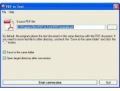
PDF to TEXT – an easy-to-use software for converting PDF into the plain text format. The software supports all Adobe PDF modifications. The PDF to TEXT converter retains the layout and text of the original PDF file. PDF to TEXT is a highly efficient standalone software which doesn’t require Adobe Acrobat or Adobe Acrobat Reader installed.
Comments on PDF to HTML
Please add a comment explaining the reason behind your vote.

iPhone app giveaways »





Android app giveaways »



@AK Word makes a real mess when saving as HTML so converting PDF to Word then to HTML sounds pretty silly, and much better to have a dedicated program that doesn't depend on Word being installed.
Save | Cancel
I would suggest cutepdf, great tool, just like commercial proffesional tools and works like a print queue with any application, just prints to PDF!
Save | Cancel
This does *not* just create HTML pages as images. It does indeed convert text pdfs to text html. Unfortunately they're all absolutely positions with divs and not too editable. But it's far better than nothing and can be used as a first hack at a conversion which you can then tweak manually for better results.
The software is better than most of the comments above would have you believe. (However pay attention to fubar's caveat about how this screws up your VB runtime. I didn't spot this until a couple of days after installing :-( )
Save | Cancel
Works good as long as pdf is not copy protected. If you can't select a line of text and copy/paste it into a document, this tool won't work - output is gibberish.
Save | Cancel
Most people here only want free stuff, but if you're serious about PDF, you might consider Nuance PDF Converter Professional 5. PDF to Word plus PDF to HTML would cost you $100. For that price, you can get PDF Converter Professional 5, or if you're an existing Nuance customer, PDF Converter Professional 5 Enterprise Edition. To see all the features, see the feature comparison matrix. Be sure to click "Next page" at the bottom of each page--it goes on for six pages. It won't convert to HTML, but it supports several other formats, does OCR, etc.
#92, Willem, PDF Converter Professional 5 supports secure PDFs and can speak PDFs or convert them to .wav audio files.
Save | Cancel
Unable to execute file:
C:\ProgramFiles\PDF to HTML\pdf2html.exe
CreateProcessfailed;code 14001.
This application has failed to start because the application configuration is incorrect. Reinstalling the application may fix this problem.
Did anyone else get this error... and something about dll 60 not installing? Needless to say I can't get this one to work. It is a shame, because I would have liked to have it too.
Save | Cancel
On XP system, installed easily. Tried a few conversions incl on a step by step tutorial. Like others said, it got the pictures fine but totally skipped the text explaining the pictures. Nice concept. Poor excution. Gave it a thumbs down but will keep it in my tool box to see further.
Why does it not have a min bar? Wanted to keep it available for the next convert when needed it, but not on top of stuff while I wanted to check and use the conversion.
Save | Cancel
75% of the posts refer to PDF creators. You all do realize this takes a PDF (aready a pdf) and converts it to HTML, so you can post it on a webpage and such?
Save | Cancel
some time very good,test on 7.63 MB pdf and all I got is 40 kb jpeg & not responding CPU 99% Page File 1.02 GB have 3 GB if need 2 GB Ram test on 30.pdf & 20 ok as for some of them cut off down the side.
Save | Cancel
Converting PDF to HTML is a tricky business -- even Google's Gmail, which offers to Display as HTML a .PDF email attachment, gets it garbled as often as not for me. Part of the problem is that what looks to the human reader's eye like text characters may in fact be encoded in the PDF as graphics -- and Gmail's Display as HTML just drops all graphics away.
The software for today treats graphics with greater respect, but the trickiness is still a problem. So clean, "text-only" PDFs may convert well (as several have reported), but PDFs that are a mix of text, graphics, tables with mixed matter, and less-than-standard layout -- well, they might well cause hiccups of the sort other users here have reported.
I vote neither up nor down, as I'm not bothering to open myself up to the disappointment I'm likely to feel after downloading it, sorry.
Anyway, be forgiving of the software if it doesn't meet the highest standards, and give the developers good constructive feedback in exchange for their having donated this software to you.
And cheers,
-- tlvp
Save | Cancel
During installation (Win XP) this message appeared:
E/Windows system32/msvbvm60.dll
Delete File failed: Code 5
Acces is denied.
Click retry to try again etc.
I tried again and it failed so I aborted.
Save | Cancel
I also found that using this prg tried to place the text portions of a PDF file on a JPG of the graphic part. It was a terrible lineup and parts were illegible.
HmS
Save | Cancel
Try www.primopdf.com and you will see a slick deal. I print a Publisher file using PrimoPDF and the result is a very clean PDF file. The output can be set depending on how you want the result viewed. Smaller for online viewing, larger for download/print etc.
HmS
Save | Cancel
Wow. Very impressive. I threw a very tough document at it, and the conversion was nearly perfect. The only thing wrong was a URL that had a funny line through it, but I can easily fix that with an HTML editor. Nice job!
Save | Cancel
read post #52 and fubar's usual good comments.
Will pass on this one.
Save | Cancel
#1, did you get any answers yet? Is anyone will to answer commenter #1's questions please?
Save | Cancel
fully agreed with suggestion # 77 , due to ignorant of me and newbies in computer as result my "expense tracker" is only a trial version and not a fully license software as a give away of the day.
GOTD plese help
with million thanks for the help
Save | Cancel
yessss too hot to handle! ufo ;-)
Save | Cancel
Here is a few of my observations and comments.
It doesn't seem to convert secure pdf files, although it reports a successful conversion. So it is not what I need. My screen reader can’t read secure pdf files.
It also seems to rely heavily on internet explorer, which crashed.
Thumbs down for me.
Save | Cancel
Please excuse the off topic post. It's the only way I can draw attention to the games I'm posting on a daily basis over in the forums.
I've noted that my posts are drawing more negative than positive ratings on this comment section, and apart from a few community members, there's no sign that anyone is interested in downloading them over in the forums. This would lead me to believe that the games are not welcome and therefore I feel like I may be wasting my time posting them? Or; is it that community members don't have the time to respond? - I appreciate that many don't have the luxury of time that I have.
I‘ve spent many hours searching for, testing and then writing up posts for each day’s game. I don't mind doing this, as I do get enjoyment out of it. However; if there's little interest; which so far it seems there is, I might as well drop the idea. (I'll gladly Email all the game download links to anyone whose interested enough to contact the Administrators for my Email if the project is scrapped) As mentioned previously; I have enough games to post one every day (Monday to Friday) until the end of the year and beyond.
With that little rant out of the way, here’s Friday’s free games:
=======================================Fridays Game Posted===================================
For Friday’s game I’ve posted two old Genesis Meg Drive games from the early 90’s, called True Lies (based around the Arnie film of the same name) and Empire of Steel (aka Steel Empire). Both have 8 bit graphics, but are still reasonably good to look at despite the graininess of them. Playing them in windowed mode takes away some of the grittiness if that bothers you, but full screen is much more immersive for me at least. For game play, both offer a good days worth of enjoyment, and for some a trip down memory lane.
The first is a top down shooter, and the second is a side scrolling shooter. The games come with their own emulators, so you’ve nothing else to download. There’s a dizzying array of tools along the top of the screen when playing in windowed mode, but you don’t need to concern yourself with these as they are for emulating the genesis console right down to the TV scanning lines and the little red LED that lit up on the front of the console when the games were playing (strictly for purists, lol).
Follow the link below for details of Fridays games:
http://www.giveawayoftheday.com/forums/topic/3925#post-42190
=======================================Fridays Game Posted===================================
Save | Cancel
Hey guys!
Anybody experiencing the blue XP screen so fast it's not readable with a crash and when rebootet microsoft telling to remove any hard or software, check any viruses etc?
Or is it just me?
Save | Cancel
PDF to HTML works - how well depends on what you feed it... I tried a couple of software manuals which caused the program to crash, while PDF files of web pages *printed* using PDF Creator, tended to come out poor to somewhat good, depending on the layout. PDF files created by major companies, I *think* with Adobe Acrobat, consistently came out good. In all cases when viewed in Firefox, the HTML content appeared slightly shrunken, narrowed to the left-hand side of the page, rather than filling the width of the browser window.
The program itself is relatively small, taking up a little over 8.5 MB with 19 files & 1 folder. A handful of shortcuts also shows up in your Start Menu, & that’s about it. New registry entries are limited to uninstall keys. As posted in an earlier comment, PDF to HTML for some reason includes it’s own copy of COMCTL32.OCX in the program’s folder, and modifies the registry so Windows will use it. In contrast, most programs put this file in Window’s System32 folder, if it isn’t there already, in which case it’ll go on to the next step of the installation.
Where PDF to HTML might cause a problem, insisting on its own copy of comctl32.ocx, is *if* you have other software that uses the file, & *if* you remove PDF to HTML, & *if* the un-install routine doesn’t put things back, & *if* you haven’t already installed another program that set things right again... If all those *if*s are true, and the software you’re starting doesn’t find the existing copy in Window’s System32 folder, it might not run. Personally I always run Erunt to back up the registry before trying new software, so in this case I just restored that backup - it took about a minute plus a restart of XP HP SP1, & if there was a potential problem it’s solved solved.
For alternatives, I’ve never had cause to go from PDF to HTML, so I’ve never looked before, and haven’t personally tried anything. Some of the software I have can open PDF files, and save the document to HTML, and Adobe offers to convert PDF files for you at http://www.adobe.com/products/acrobat/access_onlinetools.html
Save | Cancel
actually #85, the Signal/Noise ratio for this one is quite low (if you exclude the 30 replies to #1 and the 10 comments from people who did not read #1 and were therefore perplexed about all the talk of HTML to PDF conversion)
You should read some of the comment lists for the Sunday "Screensaver" giveaways.... WOW!
Now THEY are fine examples of inane ungrateful comments...
Save | Cancel
Many comments here seem to be getting high marks that are saying simply install a PDF printer. This is not an HTML to PDF program...it's a PDF to HTML program.
Another person recommended using the PDF to Word program and doing a second step of converting that to HTML but not only is that a wasteful step for having not to install a small program as this but many versions of Word don't actually create standardized HTML so that could be a problem for some.
Most people won't likely need a PDF to HTML converter since PDF is a fine storage format even for the Web but if you need to create a web page from a PDF then this is the type of tool that you would use.
I haven't actually used it yet to analyze it on it's own merits but I thought this needed to be cleared up.
Save | Cancel
Woot woot. Another useless program.
Use Acrobat and get on with your lives.
Save | Cancel
I read the reviews if I am undecided about an offer from GAOTD only to find people making stupid remarks. Positive or negative feedback is fine but inane ungrateful comments are annoying. Who cares if you don't want a particular download.
Save | Cancel
I have always wanted a program that would turn a pdf document into HTML because usually Adobe programs tend to use a lot of CPU for me. I found PDF to HTML to be quite easy to install & use. The conversion doesn't take long at all. The software also offers your choice where you would like to store rendered files, which is awesome!
More often than not, I tend to come across PDF file formats in bus transit schedules. I used the PDF to HTML program last night, converting an entire bus schedule, all routes. I used my browser to make alias shortcuts to refer to the converted HTML files.
Definetly a 2 thumbs up from me!
For the software developer: Great program guys! One thing I would like to see though is an improvement on the scaling of the program as some (not all) documents converts to a size hard to read in some fonts.
Save | Cancel
Actually, looking a bit closer at that error message.... Now THAT's funny
The error states : Please purchase PDF to Word :
This download is NOT the PDF to Word program (No, I did not download that one... only the PDF to HTML...
The programmers Obviously left in a bogus error message... With Quality like this.... Thumbs going down from me!
Save | Cancel
Hello.
This does not work. Layout comes out wrong. Pictures is placed on pages where they do not belong etc...
Save | Cancel
Get the program
Install it according to the directions in the readme (Run Setup)
Now, there's a pretty little icon on your desktop
Drag a PDF file over to the desktop icon and drop it.
Read the popup.
Command-line mode is enabled only in licensed version.
Please purchase PDF to Word at http://www.quick-pdf.com/
Someone needs to explain to the people at www.quick-pdf.com how GAOTD works
Save | Cancel
A big thumbs-up from me. This is a very useful program, especially for me as I'm a volunteer webmaster for several non-profits. This program easily lets me convert pdfs into html. I've already tested the program on a few large pdfs, and it converted the files quickly and accurately. This program is definitely a keeper for me. A big thanks to the authors at www.quick-pdf.com and to GAOTD for making this all possible. Very generous of you, kudos.
Save | Cancel
ooh darn i really need the pdf to text convertor! =( dang it...
Save | Cancel
is it possible for the team gaotd to repeat the "expense tracker" software to give away again as the one that you had given away is only a trial version valid for 30 day. I had knew it only 2 days after installing.
thank you in advance for the work well done though along the way there a few hiccup to be solved
Save | Cancel
Pretty useless program. I took a serious pdf file and ran it, and if that is what you really wanted well ok, but this not what I had in mind. No links worked anymore, my pdf form failed. Don't recommend it.
Save | Cancel
I could have used this several weeks ago when a web page designer gave me a pdf file instead of an html file. That is, if it did anything other than create a jpg file which then I would have to cut apart, and hand code myself. I already have a free tool which can do a screen capture of a pdf and save as a jpg, so it seems I don't need this one. Now if I had a true pdf to html converter, I could have fixed the web page myself in under three minutes, instead of dismissing the original web page designer for giving me non-editable copy, and having to redo the whole thing from scratch.
But thank you, GAOTD and Quick-PDF, for offering this. I hope that a future version will work more accurately.
Save | Cancel
For freeware to convert other files to pdf, this may do what you need.
http://www.go2pdf.com/product.html
Go2PDF enables you to convert instantly any document into PDF format with a simple click. Go2PDF contains a Virtual PDF Printer, which is a high-quality PDF converter and generator with passwords protection, PDF access control, PDF scaling, PDF version and compatibility control, font embedding options and more. The generated PDF is small yet clear. Go2PDF is Freeware, offering an effective solution to create PDF documents with ease and joy. Go2PDF itself is only 261KB, very small, easy to use, yet smart and powerful. You may convert Microsoft Word, Excel, PowerPoint, Access documents into PDF formats, convert AutoCAD file into PDF, convert image formats to PDF, convert plain text file to PDF. For more conversion, please visit our FAQ page, http://www.go2pdf.com/faq.html
As for today's Giveaway, it installed and opened smoothly on both my XP and Vista machines
Save | Cancel
Not impressed. Took a fairly simple pdf price list created with Open Office using tab stops. It dropped the tabs in the middle of a line down 1/2 line in the html. Since everything is miss aligned it's pretty useless. Going to uninstall now.
Save | Cancel
Thanks again fubar (#42).
Whiterabbit (#25): You never did name the PDF converter you like so much so I can't google it. What is it? Thanks so much for the game stuff.
Save | Cancel
Thumbs Up Folks! I sincerely cannot understand why so many thumbs down for this excellent software unless for it's the price. I work for a local Brazilian newspaper in the process of publishing in the Internet and there is the need for this type of conversions. This program will definitely be considered for us to purchase.
Save | Cancel
Took the Goatd "read me" document
opened it in word
Converted (printed)to PDF
1) with adobe 7 pro
2) with PDFCreator
then tested both pages
on PDF to HTML
compaired the results
=identical
tried the same process with a music score
result?
Renderds musical partitions to a degree of illegability rarly seen!
conclusion ;
simple for text,
but anything more complex theres a long way to go.
Save | Cancel
#3, I would not recommend the PDF>Word>HTML approach. I've tried out the html generated from Word and, at the time at least, it was not very good code at all. Even worse coming from MS-PowerPoint.
Save | Cancel
Thank you thank you.. works great.. vj
Save | Cancel
Why are there people advertising free "PDF creators" when this does the opposite? Jeez, people looking at this wanna convert FROM PDF, not to PDF.
That being said, I concur with the others, the format won't look too good, though the nice thing is you can open it in several Word programs and convert to Word (including OpenOffice).
Save | Cancel
It does not work for me... Create Process failed: Error code 14001. It said the application failed to start because the application configuration is incorrect, and to try installing it again to fix it. I did, same thing... Oh well..
Save | Cancel
Hi anonymous (#1) and Davette Brown (#48), I'd spent hours browsing for a PDF converter, and tried a few. Some imprinted watermarks, and some produced output with garbled characters--totally unreadable! doPDF ( only 1.4MB--download it from: snurl.com/3tz92 ) has been working flawlessly printing out PDF files, such as this ( snurl.com/3tz8g ) from a Chinese text file without any watermarks!
If you set--1> right click on any PDF files, 2> click "Always use the selected program to open this kind of file," and 3> browse to select
CoolPDF to open PDF files, they will be opened immediately after doPDF has done conversion for you to check if the output is satisfactorily. CoolPDF ( snurl.com/3tz8t ) works as a single executable. Its size is only 626KB!
Using FireFox, I decided to use the addon--SreenGrab ( snurl.com/3tz8o ) to take a screenshot of a WHOLE page. The beauty is that the jpg output can be uploaded automatically into my registered ImageBAM--a free image hosting account. Hence, no real estate of my hard disk is occupied, and the screen shots can be accessed in my ImageBAM account anywhere I go. Links for HTML and others are also generated for web deployment.
In compariosn, output in JPG and PDF are about the same size.
The latest versions are uploaded for download from the links given above. They are all freewares!
Save | Cancel
a) Note: This version is more like demo - when I tried to use command line according to help-instructions - a message appeared telling: Command-line mode is enabled only in licensed version. Please purchase ... etc.
b) I had to print filled form from internet web page but it looked ugly. When I saved it to my disk form was damaged. Then I printed it into PDF file (excellent result) and tried convert it to word document (PDF to Word) and back to HTML (PDF to HTML). The goal was to edit that documents and print them. Result was not good – to edit them would be harder than making new word document from scratch. These programs can be useful in some circumstances but it seems we must wait for really excellent converters from PDF.
Save | Cancel
@#3: never EVER use Word for conversion to HTML - Word is a terrible HTML converter (adds all sorts of MS Rubbish to the HTML file in stead of using straightforward "standard" HTML).
Just my 2c...
Save | Cancel
download and installed fine on win xp sp 3 I would not give 49.95 for it. there are to many free ones out there.
Save | Cancel
Once again, thanks GAOTD for the free software; this time this offering is not for me.
#1 (and others) I use Primo PDF to convert from different file types to PDF. This is free from www.primopdf.com. Has a very small footprint and resides as another printer option. The blurb from Primo PDF is that it will convert 300+ different file types to PDF. Quick and easy to use with great results.
#55 tell it like it is buddy; way to go!!!
Save | Cancel
Ok What is this like the third or forth time time they have offered a PDF converter.I like getting stuff for free and software is a fav,but I think we have seen enough of this software for a little time.
I downloaded and installed software had some trouble installing on Win XP service pack 3.Had some trouble getting it to reg had to try 3 times and it looks like it worked now.It does what it says and some more not stated.I also googled some freeware and found others that did the same without all the hassles.
Save | Cancel