Every day we offer FREE licensed software you’d have to buy otherwise.
Giveaway of the day — Partition Manager 9.5 Personal (English)
Partition Manager 9.5 Personal (English) was available as a giveaway on April 7, 2010!
Get the original! Paragon Software's advanced partitioning tools help you completely control and manage your hard disks.
With growing hard drive capacity, the need to reasonably split up the space is more important than ever. This easy-to-use partitioning tool is ideal for re-structuring your hard disk for optimal and effective data storage.
Complete functionality:
- Full set of partitioning operations
- Latest software & hardware support
- Copy, defragmentation & boot management
- Two-level user interface: Easy & Advanced
- Recovery media on a CD/DVD/USB-Stick
Safety of critical operations:
- The only solution with backup functionality to provide data loss free operation
- Powerful Recovery Media against a hardware malfunction or OS failure; 15 years of expertise
- Paragon Hot Resize TM technology to enlarge partitions without rebooting Windows
- Paragon Smart Partition TM technology to securely perform partitioning operations
- Paragon Power Shield TM technology to provide data consistency
Technical Support:
During the Giveaway period Paragon Software provides technical support at http://twitter.com/paragonsoftware. Please, post your questions if you have any troubles while registering and using the software. Paragon Software’s support team will reply as soon as possible.
System Requirements:
Windows 7/Vista/XP (32/64-bit); 300 MHz or higher; RAM 256 MB; Hard disk drive with 100 MB of available space; Internet Explorer 5.0 or higher; SVGA video adapter and monitor
Publisher:
Paragon SoftwareHomepage:
http://www.paragon-software.com/home/pm-personal/features.htmlFile Size:
128 MB
Price:
$39.95
Featured titles by Paragon Software
NEW 10.1 Edition - Total PC Protection for Serious Users! Take complete control of your PC’s safety. Based on solid commercial backup and recovery software from Paragon, the new Backup & Recovery 10.1 Free Edition will give you a rich set of features that you can trust. Smart people backup; Backup & Recovery is smart backup.
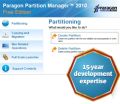
Partitioning is not for amateurs. That is why millions of people have trusted our safe, stable technology and professional software solutions for over 15 years. Our latest Free 2010 Edition easily organizes your hard drive and redistributes free space to enhance system performance.
Don't wait for a disaster to strike – get an instant data and system recovery kit today to ensure your protection! Rescue Kit professionally fixes boot problems as well as retrieves your data when your system fails to boot. It even rescues deleted partitions. All, you need to do to achieve complete control over any situation is burn the software on your CD/DVD!
Comments on Partition Manager 9.5 Personal (English)
Please add a comment explaining the reason behind your vote.
iPhone app giveaways »





Android app giveaways »





"I have to search for the installation file “PM95_Pers_ea.msi” on my hard drive. When I click on that file, I get the “Get Free Serial Number” window."
I also have to search, but clicking on that file gives me the choice of modifying, repairing or removing the program. Proceeding with the installation produces the following:
"Error 1316.A network error occurred while attempting to read from the File C:\PM10_Pers_ea_x32.msi"
What am I doing wrong?
Save | Cancel
getting constant fail to connect messages when trying to activate setup.
Save | Cancel
Good post, Mike. One comment.
"The main advantage is moving a lot of files around is faster than using the *usual* [& free]"the *usual* [& free] Linux boot environ that often comes with disc-related apps."
True, but if there is Free Commander available in the Linux boot environment you can do very nice and visible and quick file moving, backups. That happened to me once, copied over what I wanted to external disk and then went ahead with reformat and re-operating system install.
Shalom,
Steven Avery
Save | Cancel
Is Kiwi really part of the development or sales team? How do we know?
Save | Cancel
I have tried twice to install it. The only thing I got is the following notification:
InstallShield Wizard Completed
The wizard was interrupted before Paragon Partition
Manager™ 9.5 Personal could be completely installed.
Your system has not been modified. To complete installation at another time, please run setup again.
I won't try again. The worst installation procedure I have ever experienced here.
Save | Cancel
Hey I am having a problem getting the serial? it just ends
Save | Cancel
#29 - What are you talking about? You must be confused. This isn't backup software. It's partitioning software. You don't have to repartition drives if Windows crashes, and even if you do for some odd reason, any partition manager can do the same thing. It's not a proprietary operation. You can even create/delete partitions while installing Windows.
Save | Cancel
# 29 No you dont because if you had a back up with it you just restore it back .. thats the whole Idea or is it not !! I have been using paragon for few years now and it did save me from a total disasters more than once.. good give away and an easy to use program ...Thanks .
Save | Cancel
Thanks GOTD for all your wonderful work! Thank you guys for all the useful and informative comments and help, and to the funny ones too..
mike - wow! we're not worthy.. :-)
Save | Cancel
At this time, the main link does not download the complete zip file, so am trying the mirror link.
Save | Cancel
Sorry just to make clear. It is not in my junk folder etc.
Save | Cancel
I filled in the form and it seemed to be accepted but I have not received my activation codes although it was about 3/4 hour ago. I expect they are busy but I don't want to miss out on this. Has anybody else had delay in getting activation codes?
Save | Cancel
I did comment on the software here, WHICH IS THE BEST THIS OR ANY OF THE OTHER PARAGON SOFTWARE YOU HAVE GIVEN AWAY TO US? Why do you send a note and say please only comment on the softwhere here? I DID and I don't need to go to the FORUMS
Save | Cancel
OMG how many of these do we need? I uninstalled a couple the other day because there were so many. Can someone tell me/us which is the best of all that we've been offered?
Thanks!
Donna
Save | Cancel
After having installed this software and running it on a WinXP-SP2 machine suddenly two 40GB partitions on the HD (640 GB RAID-1 array partitioned C-J) had disappeared. PM reported them as having no drive letters assigned and as having 100% free space. My G: and H: logical partitions suddenly just weren't there anymore. Drive management somehow also had 'forgotten' their assigned drive letters and the fact they were full of data.
WTF!?!?! This was something I've never(!!!!!) experienced before so coincidence? I believe not!
I immediately uninstalled the software and with some apprehension rebooted the system. Fortunately everything came back normally again. Phew!!!! I don't know what strange quirk in this software caused this but I'm inclined to be careful with it after this experience. Partition Magic 8 and Easus Partition Master 3.5 that I already have installed will do me just fine for the moment.
And about exFAT? I suggest doing a bit more research. Check out the SDXC spcification for instance. It's the default file system there. You'll be using exFAT before you know it. A lot of people are probably already using it without even knowing it. That new 1TB or bigger USB drive you bought recently is standard formatted with FAT32 which won't allow you to store files larger than 4GB. If you do want to store larger files you'll have to reformat it. As I said Vista-SP1 and W7 are already doing that with exFAT unless you tell it otherwise. And NTFS certainly has its limitations/disadvantages too. Its 2TB volume size limitation for instance where exFAT max volume size is 64ZB.
Save | Cancel
To #24 - http://www.giveawayoftheday.com/partition-manager-9-5-personal-english/#comment-183845
http://download.paragon-software.com/doc/manual_pm10per_eng.pdf
Save | Cancel
Terrible installation/setup and usability. They made it too complex and have to go to https://www.paragon-software.com/registration/pm95pers.html to register. I almost missed it!
Save | Cancel
Wow, Mike! Thanks for the great reviews and all the information & education (I needed the education because I couldn't even begin to understand parts of your first comment above). You're a real asset to this website!
Save | Cancel
Downloaded the 64 bit version and the registration button takes me to:
http://www.paragon-software.com/registration/absent_try_free.html and says at the top of the page that the registration period has expired.
That's funny, GOTD said there was 14 hours left!
So I used the link that was pasted in the comments above, got a code and registration from that page, but it does not work. Yes, I copied and pasted, and no there aren't extra spaces in it.
What gives?
Save | Cancel
Broadly you can copy to another drive (in slave mode ) or DVD Rewritable, if Hard drive is larger it will resize automatically. if needed change the jumper pins to master and switch drives over and you have your system plus settings and programs back!! If paragon don`t supply instructions (rare ) found in Program Files, then download copy from their site I have old version for ME and it`s pretty quick, you have to check other drive to believe it`s all done! Needless to say it`s recommended but large file size can`t be got around I`m afraid
Save | Cancel
Grab it while you can.
After using Paragon products they have me as their customer. Their products are my favorite offerings here, and they are well worth the retail price.
As with any software like this, always back-up your stuff first. Although I have yet to lose anything even when changing the partitions around on my hard drive from within windows. Want to load another OS? No problem! The Boot Management interface is straight forward, making this a complete package that rivals software that sells for $50-$100
Since we really don't have many competant alternatives, I have to give this one my highest recommendation. I'd rather buy this one than the few others that you can buy.
Thanks, GAOTD
Save | Cancel
A decent utility - I prefer Partition Wizard tho.
Have to mention many thanks to Ashraf - your reviews have been invaluable to me and I'm sure many others.
Days like yesterday without his reviews - I'm not usually willing to spend my precious little time to try if I can't read his review 1st.
Speaking for myself and any others that have never said it - thank you!!
.
.
If at 1st you don't succeed - remember it's the 2nd mouse that gets the cheese. :-)
Save | Cancel
I always have a problem installing Paragon Software because I do not get the registration window where it says "Get Free Serial Number" when I first install the program. I have to search for the installation file “PM95_Pers_ea.msi” on my hard drive. When I click on that file, I get the "Get Free Serial Number" window. Before I search for that file, I get the window that says that the program was successfully activated. It would be easy for someone to think the program is activated if they receive the window that says the program is actibated before finding the "Get Free Serial Number" window.
I have emailed Paragon Software from their website and gotten a response.
Save | Cancel
#27
Bravo mike for the information
Save | Cancel
#7 - Janet ?huh? It's THEIR software; they may call it anything they DWP!
More to the point, whenever a tech inquiry is made, or even if the s/w checks for a newer version. it is easier for them to determine just which distribution network was used and how much free support may be offered.
Save | Cancel
if your computer crashes ths wont help because you will have to have it install again on your pc which will cost you.
Save | Cancel
I'm missing exFAT support. Are you people aware that since Vista-SP1 (which means also under W7) exFAT is the default file system used when formatting a removable drive?
When I search the knowledge base at Paragon "exfat" generates zero hits!!!
I find that rather unimpressive.
http://en.wikipedia.org/wiki/ExFAT
Save | Cancel
In case anyone has a problem getting to the registration page, the direct link is https://www.paragon-software.com/registration/pm95pers.html.
Save | Cancel
Thanks very much, looks like a great program.
Made the bootable recovery CD and wanted to print out the user instructions to it from the HELP file (by Select all>PRINT or COPY>PASTE), but could not.
Is there a way to do it, since they obviously will not be available if I cannot boot from the HD?
Thanks again,
Eldad
Save | Cancel
Should I be letting the supposed x64 version install in the x86 directory as it is asking me to by default? (I honestly don't know if it makes a difference.)
Save | Cancel
Paragon's programs are good, I think.
But they're TOO BULKY even if it is offered as free today!
Does it provide funtions equal to its size?
Save | Cancel
64 bit version is located right inder the last part of the description below and much more.....
Save | Cancel
@ #8 Janet
I've always had a reply from Paragon on Twitter, albeit after the offer has closed, but they are probably inundated so fair enough. Just send a direct Tweet.
@ #9 Jimbo
Which part of "If you are x64 OS user follow the link here (file size: 128 MB)." didn't you understand?
@ #7 and #10
It's called marketing.
Save | Cancel
@#9 Jimbo: Presumably you missed the large, bold text link saying If you are x64 OS user … (sic) just ABOVE the box containing the system requirements etc.?
Several GOTDs have separate 64-bit versions with separate download links, which often appear in exactly that way.
If you are (as I assume) a 64-bit OS user, I'm surprised that you haven't seen that before on a GOTD.
Save | Cancel
#10, etc: We ain't really customers, and having a weird version number helps them to know we ain't. So, yes, 9.5 == 10.0, but 9.5 has different support policies.
C'mon, it's FREE
Save | Cancel
#9, there's a download link for the x64 version as well.
Save | Cancel
Quote:
If you are x64 OS user follow the link here:
http://files.giveawayoftheday.com/PartitionManager95_x64.zip
Please, please read product description carefully before posting any questions! This will keep the place clean help other users to find relevant and actual info.
To be able to use Twitter you need to sign up there and have Twitter account. You can also ask questions here.
Save | Cancel
Just a note on the 64BIT -
When you click on "f you are x64 OS user follow the link here (file size: 128 MB)." in FIREFOX, it does NOT move you to a new page, it just starts the download; I grabbed it 3x before realizing the link was not broken, but instead automatic!
Thanks GOTD!
Save | Cancel
Paragon has 64 bit versions of their programs. GOTD has ALWAYS provided a link in the giveaway for the 64 bit version when they are running a Paragon promotion. Please take the time to read the Giveaway page more closely.
Save | Cancel
@9: Jimbo-The 64 bit version is available if you look at the top of the page
See this
"If you are x64 OS user follow the link here (file size: 128 MB)."
It gives a link directly to the 64 bit download.
FYI :)
Save | Cancel
@ Jimbo - try reading the program description properly before commenting negatively - there's a separate link that says "If you are x64 OS user follow the link here (file size: 128 MB)". If you've tried that and it still doesn't work, THEN say so.
Save | Cancel
From now on our promo versions will have version number 0.5 lower than commercial version. So free version 9.5 is a clone of commercial version 10.</i
How to confuse your customer base!
Save | Cancel
This is a 32-bit version of the program that cannot be installed under a 64-bit operating system.
Save | Cancel
It always says that during the Giveaway period, Paragon Software provides technical support at http://twitter.com/paragonsoftware. But I have NEVER been able to get to this support! Can someone walk me thru...? It would be very helpful to get direct answers for technical problems straight from Paragon......
Save | Cancel
Kiwi,
I don't get it---free version 9.5 is actually commercial version 10, but you just call it 9.5...???
Save | Cancel
can this be used to install other operating systems
Save | Cancel
>> On January 11, 2010, we got Partition Manager 10 Personal already. So this is kind of a step backwards… Anyway, fine for new GOTD users.
It was the same build in January. We decided to give a chance to those who missed it to download it now. If you have a version from January, no need to download this one.
From now on our promo versions will have version number 0.5 lower than commercial version. So free version 9.5 is a clone of commercial version 10.
Save | Cancel
Already have pro the version and Paragon, but honestly , i think Easeus is better anyway..I also have the Pro version of Easeus, and its been just fine.. thanks anyway,,
Save | Cancel
Wow! What a gem! This may be the older version (the latest is 10), but don't miss this.
Save | Cancel
The Good
* Fairly easy to use - simple on-screen wizards to guide you through each task.
* Can create, expand, resize, merge, delete, undelete, copy, hide, unhide, rename (label and letter), and defrag partitions.
* Supports Windows, Linux, and Mac file system formats for partitions.
o Allows users to easily redistribute space between Windows and Mac partitions.
* Can copy a whole hard drive to another.
* Has error checking utilities.
* Allows users to perform image backups/restores.
o Can do selective restores and "restore partition with resize".
* Can create recovery media on CD/DVD/USB flash drive.
* Has handy MBR related features.
* Allows users to view partition contents of any file system while in Windows.
The Bad
* Huge download size.
* Doesn't support WinPE bootable media (Linux-based only).
* When formatting a partition, if partition size is small seeing which partition you have selected is difficult.
* Image backup size estimate is inconsistent and inaccurate.
* You can't copy a partition into an existing partition.
Free Alternatives
Paragon Partition Manager Free Edition
Partition Wizard
EASEUS Partition Manager Home Edition
For final verdict, recommendations, and full review please click here.
Save | Cancel