Every day we offer FREE licensed software you’d have to buy otherwise.
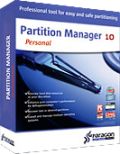
Giveaway of the day — Partition Manager 10.0 Personal (English)
Partition Manager 10.0 Personal (English) was available as a giveaway on September 30, 2009!

Special offer for GAOTD users — Partitioning for Windows 7 and 64-bit version support!
We want to thank you for downloading our software and for giving us your comments and helpful suggestions. Giving feedback is essential for us to provide you with the best software utilities possible. As a result, now Paragon is happy to offer something that you’ve been asking for – our Partition Manager 10.0 Personal with support for the latest Operating Systems.
Your benefits at a glance:
- Fast and easy Partitioning: Perform partitioning operations in only a few clicks. Create, format, delete or undelete partitions, repartition hard disks without data loss, redistribute free space between partitions, merge two partitions to one etc.
- Manage Vista/XP or Vista/Windows 7 on one PC: Run several versions of Windows on your PC and switch between them easily upon startup.
- Resolve all common boot problems: With the Boot Corrector you can eliminate all common boot problems and keep your system stable.
- And much more…
Limitations: no Virtualization Manager 2009 included
If you are 64bit system user follow the link here.
Technical Support:
During the Giveaway period Paragon Software provides technical support at http://twitter.com/paragonsoftware. Please, post your questions if you have any troubles while downloading, registering and using the software. Paragon Software’s support team will reply you as soon as possible.
System Requirements:
Windows 7 (both 32-bit and 64-bit) / Vista (both 32-bit and 64-bit) / 2000 Professional / XP Home Edition / XP Professional / XP Professional SP 2 x64 Edition; CPU: 300 MHz or higher; RAM 256 MB; 100 MB HD space; Internet Explorer 5.0 or higher; SVGA video adapter and monitor
Publisher:
Paragon SoftwareHomepage:
http://www.paragon-software.com/home/pm-personal/index.htmlFile Size:
107 MB
Price:
$39.95
Featured titles by Paragon Software
Don't wait for a disaster to strike – get an instant data and system recovery kit today to ensure your protection! Rescue Kit professionally fixes boot problems as well as retrieves your data when your system fails to boot. It even rescues deleted partitions. All, you need to do to achieve complete control over any situation is burn the software on your CD/DVD!
Simple & Easy Total PC Protection. FREE! Backing up your data is like insurance – you never have to worry when disaster strikes. And now there’s no excuse for lost data – this insurance costs you nothing! Keep your system and files safe now with Drive Backup 9.0 Free Edition. This easy to use application simply backs up your entire system when and where you tell it to, and then allows you to recover your system and all of your files whenever disaster happens.
Now Availible for FREE! A CD-ROM Emulator is a very helpful utility to create and manage virtual CD drives and CD/DVD discs. Run any disk image from your hard drive as if it were real. CD-ROM Emulators are your reliable assistant to run most common cd-image formats.
Paragon ExtBrowser is a Windows based utility that will enable you to work with Ext2FS or Ext3FS partitions from Windows. Utilizing the Windows Name Space Shell Extension mechanism, you simply click to access ExtFS files from a special unmapped folder in My Computer.
All-in-one suite to completely protect, maintain and manage your PC - Hard Disk Manager provides you with all of the tools you need to manage today’s hard drives, including partitioning, backup, cloning, defrag, hard drive disposal, system management and system recovery.
Comments on Partition Manager 10.0 Personal (English)
Please add a comment explaining the reason behind your vote.

iPhone app giveaways »





Android app giveaways »





Partition Wizard is a Windows based server partition manager software. Our server partition software supports both MBR and GUID partition table (GPT) format running on 32/64 bits Operating System including Windows XP, Vista, Windows Server 2000/2003/2008, and Windows 7. And our magic partition software supports all hard disks recognized by Windows such as IDE, SATA, SCSI, USB external disks, Fire wire disks and so on. Partition Wizard also supports RAID devices. All OS-recognized RAID devices can be handled by Partition Wizard. As a Partition Manager Server, Partition Wizard provides powerful and professional functions to manage partition including Move/Resize Partition, Copy Partition, Create Partition, Delete Partition, Format Partition, Convert File System, Hide/Unhide Partition, Explore Partition, Partition Recovery, Convert Dynamic Disk to Basic Disk and much more.
Partition Wizard is a partition magic alternative. It allows home users, business users, and system administrators to easily perform partition operations safely and quickly. The Enhanced Data Protecting technology keeps your data safe even in cases of power outages or hardware failure.
Partition Wizard is absolutely FREE OF CHARGE for home and business users. Partition Wizard is optimized and divided into Home, Business, Server, Enterprise and Technician Edition.
for more ,go :http://www.partitionwizard.com
Save | Cancel
To # 28: Thanks, tried your suggestion with to-day's offering. It worked. Lucky me I had installed "Cookie Editor" since otherwise you can't get at them. And, since some are useful, I do not want to remove them all. Question is, does the french portal ignore these cookies altogether, since I was able to download from there? Still GAOTD should do something about those cookies, don't you think?
Save | Cancel
I'm certainly not impressed with nor do I trust Paragon products. Partition Manager 10 doesn't think that my USB flash drive has a valid file system. It was formatted by Windows, and Windows Disk Management says it's fine, and doesn't have any problems with it. If Paragon can't handle something that simple, I don't trust their utilities.
Today, there was a lot of back-and-forth about Ashraf. There were honest disagreements, some unnecessary name-calling, and some attempted rationalization of meaningless comments in his review.
There are several reasons why many of us frequently object to things which Ashraf says. For one, I think that it's a disservice for GOTD to give Ashraf special treatment. Giving him pre-offering information and posting his reviews first implies that they're more important than the other comments, but the quality of his reviews is generally quite low and he's driving GOTD traffic to his own blog. Ashraf doesn't understand that GOTD isn't a freeware site, and the implication that it is just attracts freeloaders and drives away good developers. People rightly complain that he posts meaningless opinions and lack of his own understanding of the software as cons. "Huge download size!" Well, duh, an ISO for a boot disc is bundled with the application. "Image backup size estimate is inconsistent and inaccurate." Um, that's why it's called an estimate. Based on comment #65, Win7User, it looks like it's assuming some compression and estimating the backup at 80% of the original size. If that's the case, actual compression will depend upon the data. Executables generally don't compress much, text compresses well. "Creating image backups is too basic." Well, this is a partition manager. If you want a backup application, use a backup application. Personally, I don't care what personal opinions Ashraf posts. The problem is that by giving him special treatment, GOTD is leading the uninformed to confuse his opinions with knowledge and facts.
Save | Cancel
would not hook up to the internet for some reason I know my internet is working good and this was just a deterrent to me
Save | Cancel
update, it wasn't the program it was my firewall which was screwing up.
even though I gave the program full permission to run, windows 7 firewall was still blocking it, I guess I should have known it wasn't GAOTD that was the problem, when I tried to install the previous day driver magician and was getting an error and todays ( 10/1/09 ) radio recorder wouldn't install either.
beware of Windows 7 firewall, even shutting it down still it blocks GAOTD.
Save | Cancel
tried it install it with four hours left, but each time I attempted to get key by hitting setup it kept saying cannot connect please try back later.
It did install software informer but I didnt give it permission to do that.
Save | Cancel
#87:
>> poor program- will not installed no my Vista computer
I guess everybody is eager to know more details about this :-) Cause I'm sure, many people downloaded and installed Partition Manager to their Vista system just fine.
The first thing that comes to my mind: you downloaded incorrect "bit" version?
#88:
>> Why does it give me Drive Backup 9 and not actually say Partition Manager 10?
Erm, that weird, the least to say. Do you have any other Paragon products installed? Which link you used to download PM? What was the name of the installation file you downloaded?
Save | Cancel
#84:
>> but may I know if the serial I got is for 32 or 64 bit? Anyone?
It's one serial for both versions.
Save | Cancel
#83:
>> It never installed the partition manager. Any ideas?
Please check comment #45.
Save | Cancel
#80:
>> Clicked on “get free serial”, nothing happened. No browser opened
>> to add email (though the previous step, Google Chrome opened).
>> How could that be?
Dear always, please check comment #21, which explains how to solve this.
Save | Cancel
#53:
>> “Limitations: no Virtualization Manager 2009 included”…
>> Without being able to Virtualize BEFORE “committing”
>> to your changes, you don’t have any way to verify that
>> you set everything the way you actually WANT it!
Virtual operations are available, so you can check what changes you are going to make before applying them. Virtualization Manager 2009 is an add-on that helps to migrate Windows installation to virtual environment like VMware, MS VirtualPC, etc; and this add-on is not included in this GAOTD's package.
Save | Cancel
#87: its not the program thats poor it's either you who installed it wrong or your computer!!!!!!!!!
Save | Cancel
#69: This is free why complain when this program is free to use anyway you've not spent any money on it!!!!!!!!!!!!!
Save | Cancel
Why does it give me Drive Backup 9 and not actually say Partition Manager 10?
Save | Cancel
poor program- will not installed no my Vista computer
Save | Cancel
Cannot install. Got the following message.
Error 1324. The path Paragon Partition Manager?10.0 Personal contains an invalid character.
Save | Cancel
Sorry, I know this has nothing to do with this software but it is very relevant in both home and corporate disk management. If you find this inappropriate, feel free to delete it.
When it comes to Disk Management of any kind, I always trust the most perfectly reliable Acronis products. I've just never found anything more trustworthy. They have a really tight set of utilities. No, I do not have any affiliation with Acronis. I'm just a long time fan of their ever improving products. Although, I have to admit, I have not tried Acronis Disk Director Suite on Win7 yet, but there is a new version which I am going to test very soon. They've never failed me yet. The version of ATIES 9.7 I currently have requires that "Turn off Applications Compatibility Engine" be enabled in the gpedit in order to run under Win7 (If you find a program that won't run under Win7, that's always an option you can try. In this case, it works great!), but there is a new ATIES version, in which I assume they've probably addressed that minor problem. They're really on the ball.
Save | Cancel
#21 links directly to the website for getting the free serial, but may I know if the serial I got is for 32 or 64 bit? Anyone?
Save | Cancel
I tried to install this but it said it had to check with GOTD for key avalibility. It then tried to get me to install a software monitoring and update program. When I stopped it from installing the other program it opened a website that said the partition manager hade been registered. It never installed the partition manager. Any ideas?
Save | Cancel
To # 60 + 61 Ric something, I would like to see once, only once a review made by you. So far you only spewed venom, I don't like it. Very many would be happy without your poison here. Let's put this way, you didn't even take yourself the time to write Ashraf's name properly, that speaks plenty about your competence.
Save | Cancel
@4: Please try to distinguish "file systems" and "operating systems." Their claim is for file systems, which refers to the way files are stored and arranged on a disk. What you think the claim is for operating systems, which supports running programs and managing some data by reading and writing to and from various devices. A different file system for a different operating system can occur on the same disk, e.g. dual-booting Linux and Windows. Windows uses NTFS, while Linux uses ext2fs or ext3fs or still yet others. This program's claim is that it can read the other file systems, not run on their host operating systems.
Please do a bit of research...
Save | Cancel
Download OK; extracted, installed, asked for Product key and serial number.
Clicked on “get free serial”, nothing happened. No browser opened to add email (though the previous step, Google Chrome opened). How could that be?
Delete!
Save | Cancel
I have a WD 80G Ext. HD that XP Pro wouldn't assign a drive letter to.
It show up in DM and on safelyremovehardware with no drive letter.
I had formatted the drive. Don't know what went wrong.
Used this software and all seems to be OK now.
I'm still kindda' afraid to unplug the thing and reboot.
If it doesn't work, I might just go off.
One more thing. If you're in the market for an ext. HD, research their support. WESTERN DIGITAL will cost you.
Save | Cancel
Off Topic
At least Ashraf has to courage to put his name behind his comments, and not change it as others do as todays's Mt Rickarde Hempastampzingzcy tomorrow something else does!!
Leave the guy alone, all you jealous people out there, he gives his opinion of programs, clearly, concisely and freely, Jump on those who who just make stupid comments, or better still, those in here who just use the forum to bitch.
Nuff Said
Save | Cancel
When the serial # is pasted into form message pops up "invalid serial #
Save | Cancel
Excellent software - flawlessly repartioned my 160GB hard drive into two separate drives. The backup was much faster than I could have imagined and a defrag utility with options to rearrange based on folders, file size and date used - awesome! I would have bought this program if I knew it worked so good!
Save | Cancel
I have downloaded the Paragon Partition Manager every time that it has been made available on GAOTD. It downloads with no problem and installs with no problem. When I go to run the program the home page and all other pages are blurry, I can't read the fonts. I have changed the resolution on my computer screen trying to see if that was the problem, but no fix. I emailed Paragon and their support sucks, they may get back or not get back, you never know. No matter what they gave me no answer or fix. I have even copied the screen and sent it to them, but they have no comment back. I will download this one today to find out if it works. I run on 32-bit, Windows Xp
Save | Cancel
@Phoenix, posts 53 &57.
YOU CAN MAKE THE CHANGES VIRTUALLY, THEN APPLY.
The virtualization manager is something completely different.
The Virtualization Manager is a tool to help migrate a Windows-based computer to a virtual environment (P2V)
YOU CAN MAKE A BOOT DISC.
The PM9.5 Pro you already have is exactly the same build number as the PM10 Personal available today.
Despite being called 9.5 it is in no way an older build, or inferior.
Quite the opposite.
Because PM9.5 Pro is the professional edition - it has more functions.
Both the PM9.5 Pro and PM10 Personal have separate installers for 32 and 64 bit windows.
Hope it helps
Save | Cancel
#6 I know that Ashraf and other knowledgable psters here spend many hours on their reviews which you have the benefit of for free. You want to know what the bug is ? Go test it yourself and find out. Then post the information here. Thats what GOTD offerings are all about. They are for all to download and trying for ourselves and form our own opinions. Don't want to test and review ? Cant be bothered ? Dont know how to ? Then thats fine too but dont then go criticising others who do their best to offer their best reviews and comments. Review not good enough for you? You deserve as good a review as you paid for. And thats zilch.
To all those knowledgeable posters who do their honest best to offer their best reviews of the software on offer and opions and advice on the technical aspects for free I offer my grateful thanks. I know that some of them get disheartened by some of the negative posters who do nothing but complain and sometimes make personal comments. I hope you will continue to make your valuable contributions. Which are appreciated by the vast and usually silent majority of visitors to the site. Also my thanks to GOTD for making the software offerings every day and again for free to all who come here and download within the specified time.
Save | Cancel
What's the point of this when there are better free tools like Gparted / PartED Magic
Save | Cancel
Hi,
#67 From a quick read of the above Ubuntu is supported except if the format is ext 4.
Save | Cancel
does anyone know if it will work for ubuntu?
Save | Cancel
I am using Incredimail and so far I have not seen a return E-mail with the free Serial number, etc. Not even in my spam folder. Any ideas??
Save | Cancel
#59 - I guess it is easier to blame the reviewer (Ashraf) than to take time to try the program for yourself and see if the reviewer is actually wrong (which he isn't).
Image backup size estimate is inaccurate: I tried backing up 45 GB of data and was told that it would take ~36 GB of disc space. After the backup was done, the size of the backup was 45 GB and not 36.
Creating image backups is too basic: The image backup function lacks some of the features which can be found in most commercial disc imaging programs. (Set backup priority, change compression level, password protect the backup, etc.)
All the above does not make today's giveaway bad because it is a partition manager software and not a disc imaging program.
Save | Cancel
To everyone who corrected me Thanks! I am a Muppet I did not notice the link for 64-bit it works perfectly now as does all paragon software.
I apologize for being stupid and please ignore my idiotic previous comment, lol
Save | Cancel
just a quick word to all the ashraf.......bemoaners...if you took time to actaully follow ashrafs link and read the full write you would see that ashraf is actually impressed with paragon programmes
if anyone was really interested they actually read the full write up...
thanks again ashraf for your views (and we ecept they are exactly that) and glad you take the time to point out possible problems to us mere mortals who dont have a full understanding of computers
i regularly save your writes ups and then use them at my leisure when i am playing with the applications
i am slowly getting a positive use of the computer
thanks again GAOTD and ashraf
BIG THUMBS UP to both
( i dont care if people want to thumbs down me it is only my opinion)
Save | Cancel
My thanks to Paragon, GAOTD, and all the posters that contribute useful informtion!11 GIOVANNI - PLEASE DO NOT QUIT! The information in your posts is, 8 times out of 10, right on the mark. Perhaps the solution to keep you, and to not have your posts deleted, is - Post your comments, but do not include any negative reference at all to previous posts or posters. Another way of saying it -- review just the GAOTD offering, not another reviewer. PLEASE DO NOT QUIT! {Would it help if I told you you're actually 9 out of 10? No? Howabout - I'm 5"2", 118 lbs, blond, blue eyed, and single? I'm none of those things, but would it help? :>) }
Save | Cancel
#40 (and other non-lemmings)
THANK YOU for calling a spade a spade. Aschrapf is 1) A college kid 2)Trying to drive traffic to his website, where he monetizes the traffic with pay-per-click ads and so forth. Nothing wrong with that, but everyone here is being duped into clicking "for the rest of the story (which doesn't give you any more factual information than the drivel here).. and going to his site.
#26...yeah we get it... click on through to Asschrapf's site. It's not that he's leading a horse to water... it's that he's driving traffic to his site where he makes a couple pennies on it.
If you like the reviews - fine. Fiction of all kinds can make for enjoyable reading. Just don't confuse them with anything factual or journalistic - they're just some kid's unsupported opinion. If you want real software reviews, go to CNET, PCMag, CrankyGeeks, etc. There are a million places to get unbiased objective software reviews online.
Why do I have such a woodie about this? Because it's a disservice to both the software publishers, the users here, and GOTD to present such unchecked, subjective opinions like they are an objective factual review. It drives me crazy .
-Ric
Save | Cancel
#1 - Asscharf -
It would be so nice if you would support some of your assertions with facts.
* Slight interface “flickering” after you click on a drop down menu.
(So? does everyone experience this or is it something peculiar to your computer? )
* Huge download size!
I'll give you this one 100+MB seems nuts for a small utility.
* “Install new OS” seems to be a bit unnecessary.
What do you nmean by "seems to be" ?? What is unnecessary about it?
* Image backup size estimate is inconsistent and inaccurate.
Give some examples.. this doesn't tell us anything. What should it be vs. what it actually is ???
* When expanding/redistributing free space, there is a small bug.
Oh yeah?? Like what? This is the kind of unsupported statement that just drives me absolutely crazy about your "reviews". WHAT IS THE BUG?
* You can’t copy a partition into an existing partition.
You can't do this PERIOD on any Windows computer. It's impossible to have an entry in boot.ini for a partition inside of another one. Blame Bill Gates, not Paragon.
* Creating image backups is too basic.
Oh yeah? Says who? I thought you liked uncomplicated. WHAT is "too basic" about it ??
* The convert file system to another without reformat is sort of a gimick.
Oh yeah??? Says who? If you're looking to wrtie a drive image to an external HDD and it's formatted FAT32, but Vista's backup/restore system will only work on an NTFS volume (true)... this feature would be an absolute lifesaver.. NOT a gimmick.
* So many features in one program… very confusing which one to use first =P
Now you know why it's 100+MB. Feature bloat might e a negative but since it's free and does a lot, why would you complain??
There is so much missing from your reviews. I wish you'd cover less ground but do it with more authority. The only way that happens is with some research and fact-checking. Dude, you have potential to be a good tech writer, why won't you buckle down?
-Ric
Save | Cancel
very nice ..thanks
Save | Cancel
Very useful application. Thanks to the GiveAwayOfTheDay team and to Paragon Software. This is a keeper.
Save | Cancel
I almost forgot to mention that I got both the 32-bit AND 64-bit versions of the previous v.9.5 Pro, and the 32-bit version is supposed to work on both 32-bit AND 64-bit machines, or so they say;
(Since I DID also download the 32-bit version of 9.5 Pro to my 32-bit machine, I looked at filesizes, {I didn't do a "file compare"}, and the files appeared to be identical for both 64-bit and 32-bit v9.5 Pro);
Apparently, based on other comments here, with v.10 Personal, either they're NOT the same, or at least don't have the same download filenames, for 64-bit vs. 32-bit...
...although the prg COULD be the exact same program, like the 9.5 version has to be, since the 32-bit version claims to be able to handle either type of OS, and it'd HAVE to, when using it to make a Multi-Boot drive, since I can boot into either a 32-bit OR 64-bit OS on a 64-bit machine, once the disc has been set up with the proper OS's.
(As long as the hardware will handle 64-bits, you can install a 32-bit OS if you want to; Some machines will have one core of a "Dual-core" CPU "idling", while others will make use of the full resources of the machine, even in 32-bit mode, and some will simply run twice as fast in 32-bit mode).
(Making a Multi-Boot disc is NOT easy without a program like this, to handle all of the "bit-flipping" and "all-day procedures" that need to be done if you "do it by hand");
(Using a program like 9.5 Pro, or v10 Pers. to make a Multi-Boot drive, {IF they say v.10 can do it too}, is MUCH better & faster than trying to manually "Partition, Format, Repeat", then "Install OS1, OS2, OS3," etc., and each time, rebooting the machine and keeping your list of DOS commands by your side).
Another potential downside, which I hadn't noticed in the comments at first, is the program's apparent inability to make an ERD/EBD disc set (Emergency Rescue Disc-Emergency Boot Disc);
That would be "strike two" against if for me, IF I already have 9.5, but again, Paragon's been VERY good to the users of GAOTD, so they may come up with any "bug fixes" and make those available, too...
I'd give Paragon an "8+" on the scale of 1-10, (nobody ever makes a perfect "10", so they're doing pretty good in my book).
:o)
Save | Cancel
Hey #10 look at this ...Limitations: no Virtualization Manager 2009 included
If you are 64bit system user follow the link here.
Technical Support:
It's just above the Technical support !
Save | Cancel
To All the Clueless Haters:
Ashraf's reviews on this site are elegantly concise. Before you start spitting, enlighten yourselves with his in-depth reviews (it only takes one click). Highly informative, they're much too long to be posted on a community-based site such as this.
Save | Cancel
The big "turn off" for me would be Paragon's statement of:
"Limitations: no Virtualization Manager 2009 included"...
Without being able to Virtualize BEFORE "committing" to your changes, you don't have any way to verify that you set everything the way you actually WANT it!
Thanks, but I'll keep using the, (complete, "Pro"-version), 9.5, which was available here around 6 weeks ago or so, and I hope this helps all of the people who are asking "Should I use this instead of the 9.5?"
My answer would be: "If you got the 9.5 Pro version earlier, then keep using that one";
I've had it running all evening & night yesterday, and I used just about every function on it, with NO problems, on a VERY "quirky" XP-SP3 x86 (32-bit) machine;
So far, everything in the 9.5 Pro version hasn't shown up ANY "glitches" in any function, and I've been using it to death lately;
I prefer it, if only for its "Virtualization" functions, and it (9.5-Pro) has been working just fine, on both the 32-bit XP machine, as well as the 64-bit Vista machine,
...and even an Emulated Mac! (the old 16-bit Atari machines could be fitted with a cartridge that allowed full Mac emulation, right down to the disk drive formatting, and mine still works very well; Thank You, Dave Small!)...
If you DIDN'T get Version 9.5 Pro, then I'd say "Get this one", and see if any of the drawbacks are something that causes you enough problems to need to uninstall it & throw it out, but before you do anything, backup, backup, backup!
Also, check & see IF the links on Ashraf's site work for those two alternatives he mentioned, as well as any other alternatives; (I tried a few on his site the other day, but I didn't get anywhere; I don't know if the links were "broken", or if the server was partially down, or what, but I couldn't access some of the stuff that I really wanted to check out from there; I kept getting "server-like" errors, that left me with a blank page).
And don't forget about CNet, Major Geeks, etc. for possible alternatives, too.
I've found the recent stuff from Paragon to work well, but I haven't gotten this "v.10 Personal", since I already have the "v9.5 Pro", and that "Virtualization" feature really helps to make sure I've "got it right", BEFORE I "commit" to changing, + it works pretty fast, esp. with an External USB adaptor that lets me use either e/IDE or SATA drives connected to it.
:o)
Save | Cancel
Oh, by the way system is XP sp2 32 bit if matters to some.
Yepper Depper, Mm Huh!
Save | Cancel
Hmmm - I wonder if I can partition my Primary C drive, without deleting
my Vista program and all other programs?
I got 40 giga space left, that I would like to try out with Windows 7
Anyone knows if it is possible with Partition Manager?
Save | Cancel
My thanks to paragon for their past software and this piece as well. I have not had any problems with any Paragon software.
And my thanks to GAOTD for running this site. It is one of the few things I look forward to in my meager existance.
Why are we assuming that Paragon Partition Manager 10.0 Personal will overwrite or uninstall Partition Manager 9.5 Professional? Why do "ya all" see it as an either or decision?
I have Partition Manager 9.5 Professional and Paragon Partition Manager 2009 special edition coexisting on the same machine. I run either one that I like when I like, although not at the same time. I suppose I should try that for grins and giggles. If I have time tonight I'll slap Partition Manager 10.0 Personal on the machine and see what that one is all about.
Gotta put the nose back to the grind stone.
Yepper Depper, Uh huh!
Save | Cancel
#39. If you don't know which version you've got, you've probably got 32bit.
Save | Cancel
Sorry for the typo, should read "Been USING v9"
Save | Cancel