Every day we offer FREE licensed software you’d have to buy otherwise.
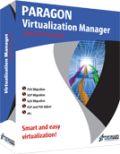
Giveaway of the day — Paragon Virtualization Manager 9.5 Personal (English)
Paragon Virtualization Manager 9.5 Personal (English) was available as a giveaway on March 10, 2010!

Easily migrate a Windows-based computer to a virtual environment (P2V) and vice versa (V2P).
Work with virtual disks from one easy-to-use interface of Virtualization Manager, without starting a virtual machine: migrate from one virtual environment to another (V2V), exchange data between your physical environment and the virtual one, perform any partitioning operations and more.
Recover the OS startup ability after a system migration to a different hardware or unsuccessful virtualization by a 3rd party tool.
Virtualization Manager 9.5 Personal allows you to:
- Migrate a Windows-based computer to a virtual environment (P2V)
- Migrate from a virtual environment to physical (V2P)
- Virtualize system from its backup image (P2V)
- Migrate from one virtual environment to another (V2V)
- Recover the OS startup ability after system migration to a different hardware or unsuccessful virtualization by a 3rd party tool (P2P and P2V Adjust)
- Clone a partition or an entire hard disk
- Exchange data between your physical environment and the virtual one, or between a virtual disk and its snapshots
- Accomplish virtual drive partitioning (create, format, delete, move, resize etc.)
Limitations: No WinPE RCD is included in this download.
Technical Support:
During the Giveaway period Paragon Software provides technical support at http://twitter.com/paragonsoftware. Please, post your questions if you have any troubles while downloading, registering and using the software. Paragon Software’s support team will reply you as soon as possible.
System Requirements:
Windows 7 (x32/x64)/ Vista (x32/x64)/ 2000 Professional/ XP Home Edition/ XP Professional/ XP Professional SP 2 x64 Edition; 300 MHz or higher; RAM 256 MB; Hard disk drive with 100 MB of available space; Internet Explorer 5.0 or higher; SVGA video adapter and monitor
Publisher:
Paragon SoftwareHomepage:
http://www.paragon-software.com/home/vm-personal/File Size:
78.6 MB
Price:
$29.95
Featured titles by Paragon Software
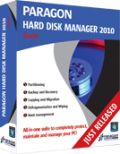
NEW Hard Disk Manager Suite provides you with all of the tools you need to manage today’s hard drives, including partitioning, backup & restore, migration, optimization & defragmentation, hard drive disposal, boot management and system recovery.
NEW 10.1 Edition - Total PC Protection for Serious Users! Take complete control of your PC’s safety. Based on solid commercial backup and recovery software from Paragon, the new Backup & Recovery 10.1 Free Edition will give you a rich set of features that you can trust. Smart people backup; Backup & Recovery is smart backup.
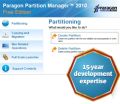
Partitioning is not for amateurs. That is why millions of people have trusted our safe, stable technology and professional software solutions for over 15 years. Our latest Free 2010 Edition easily organizes your hard drive and redistributes free space to enhance system performance.
Comments on Paragon Virtualization Manager 9.5 Personal (English)
Please add a comment explaining the reason behind your vote.

iPhone app giveaways »





Android app giveaways »





In case anyone reads this later, to Jason #3- first, I wrote about the other Paragon software here, because it is available on the right of the page, is free, & people need it. Also,Virtualization Manager, if you only READ the descriptions you'll see!- after putting the backup on say an external harddrive, or a new PC, it can be used as if it is your PC system, can be made self-bootable, all by itself. See this page in the Paragon site-http://www.paragon-software.com/home/vm-personal/scenarios.html for details. You don't need VMWare! AND the reason this is 9.5 instead of 10, is that Paragon just released 10, & they need to be able to make some $ before giving it away too. Paragon gives us here so many of their softwares that they'd go out of business if every 1 was the just released version. Wait a few months & they'll probably give us 10 too. :) 9.5 is pretty perfect anyway.
Save | Cancel
@36 AwfullyQuiet: Thanks! It never crossed my mind to backup into a virtual first and just format the physical. That would have been easier than going through the physical and backing up things before format... because I end up with lots of files in backup that in the end I don't need. I'm gonna use your idea next time I reformat. Cool!
Save | Cancel
# 69
You can contact Paragon Support team using web-form from My Account (https://www.paragon-software.com/my-account/), Support Requests - Send New Support Request. It is free.
Save | Cancel
@#64: For the record: I downloaded, installed, registered and used the 32-bit version here on XP Pro with SP3 at the first time of asking.
I couldn't say whether or not this GOTD will work on so-called 'better' OSs like Vista or Win7, or on 64-bit machines: I don't have those here (and am not planning to have them any time soon).
Save | Cancel
Paragon Virtualization Manager 9.5 is 32x application which works in 64x environment. That's why it is installed in Program Files (x86) folder.
Save | Cancel
"error 1316.A network error occurred while attempting to read from the file ..."
This happens if you try to install new build while previous build is still installed. Install Wizard can't uninstall previous build correctly and gives this error. This may also happen if trial version or free promo-version the product is installed on a computer. The solution is simple:
* uninstall previous build
* reboot the computer
* find the folder where Paragon Virtualization Manager was installed, usually it's "C:\Program Files\Paragon Software\[PRODUCT_NAME]" and delete this folder
* now install newer version
__________________________
Once again about differences between 9 and 9.5:
Virtualization manager 9 - release candidat for 2010
Virtualization manager 9.5 - full CLONE of VM 2010 Personal, but without WinPE CD.
9.5 updates:
+ Partitioning
+ Defragmentation
+ virtualbox format support
+ connect virtual disk function
+ bug fixing
Save | Cancel
Website registration wouldn't process my request for serial no matter how many times I tried.
It kept refusing to accept "United States" & would reload showing the country field still needing to be given again!
Save | Cancel
Just tried this on my system and also got:
Error 1316.A network error occurred while attempting to read from the file H:\DOCUME~1\Bob\LOCALS~1\Temp\RarSFX2\PROGRAM\ENGLISH\win-install\P2V_VManager_Pers_ea_x32.msi
Also tried on a customer's notebook computer here a few minutes ago and it did not work on that either. Same error. Tried two downloads. Does not work.
Based on comments above, it appears no one has this working yet. FRUSTRATING
Computer Helper
Save | Cancel
Error 1316 during install. No email from Paragon. What's up? Maybe offer this another day after they get it working. Another day of disappointment from giveawayoftheday
Save | Cancel
1) This dingus is complicated and I don't even know if I want it yet, nor on which computer(s).
2) It is 1119pm EST and apparently I have 6 hours to download and install it.
No, I will be going to bed now. I have downloaded it but presumably will be screwed when I get around to it in a day or a week and can't register. This "INSTALL NOW!!!1!!!eleven!!" proposition of GOTD's is therefore a bit of a hassle.
Save | Cancel
I DL this and V Box, and am going to play around with it.
for one thing I want to create a virtual copy of my current drive/system, and then I am going to delete a bunch of programs and other stuff, and just have a lean virtual machine and I can try things with it , that I might be afraid to do on my real OS.[like registry cleaning etc]
I just hope I can transfer virtual files to my real drive if I want to.
Save | Cancel
Great software even though it's too big in size to my tastes.
As for freeware alternatives I suggest using this combination of tools:
http://www.returnilvirtualsystem.com (free edition)
http://www.sandboxie.com (free edition)
Regards
Save | Cancel
I don't see much use for this for most people. Virtualization requires a bit of planning which most peo-ple will not have time to do before this expires today. A program this complex should be useable from a CD or DVD but that is not how most of the GAOTD programs work.
If you have a partition or entire drive that you were planning for virtualization this week, then this is a good opportunity for you.
Save | Cancel
Not every CPU is compatible with virtualization. Check out the Intel and AMD sites to verify your CPU first. You may be surprised at how many modern CPU's cannot do it.
Save | Cancel
10.3.10
can this virtual program allow a Wxp pro OS try out W7 or W8 OS and if they are not compatible with existing games that run well in xp, allow one to revert back to the stable and functional OS (Wxp pro [32b])?
I believe W7 requires one abandon xp to access their dx10 or W8's dx11.
plus soon m$ will block people from the initial update patching after one reinstalls xp ("end of life") trying to force people into W7.
I presume the virtual program should be installed on a different hd (harddrive) than where the OS is installed?
Save | Cancel
@#37: During the INSTALL of the program, the InstallShield Wizard will rpompt you for the Product Key and Serial Number.
The first 'install' does not actually install PVM: you need to click the big Virtualization Manager 9.5 'button' at the left of the PVM 9.5 dialog to actually install PVM (and be prompted for the Serial Number etc.).
Hope that helps.
Save | Cancel
Will this software run from a cd or will it only convert to virtual machine the hardware that it is installed on. In other words, say I have 5 machines I want to virtualize. Do I need to install and run this software on all 5, or install it on one and it creates a cd to virtualize the other 4 machines?
tia
Marc
Save | Cancel
When I try to install, I get:
The feature that you are trying to use is on a CD that is not available. I must then browse to try to find this file:
P2V_VManager_Pers_ea_x32.msi
I found the installation files unzipped in the temporary files folder, but there is no file with the above name. I tried changing the name of setup.msi to P2V_VManager_Pers_ea_x32.msi. I was then able to proceed with the installation. I rebooted after the installation was finished.
I previously had Version 2009 installed from the previous Giveaway. It was shown in the list of installed programs in Revo Uninstaller. Now it is no longer listed in Revo, and neither is the new Version 9.5. I searched in program files and found the foler for the Version 2009. It was not deleted during the install of Ver. 9.5. I can find no folder in Program Files for the new Ver. 9.5 installation. Neither the old or the new version is listed in the Start Menu. So it seems that I have partly uninstalled the old version without installing today's version.
I tried starting over from the original downloaded file. This time when I start the install, I get:
Paragon Virtualization Manager™ 9.5 Installer Information
=========================================================
Error 1316.A network error occurred while attempting to read from the file H:\DOCUME~1\Bob\LOCALS~1\Temp\RarSFX2\PROGRAM\ENGLISH\win-install\P2V_VManager_Pers_ea_x32.msi
NewBinary4
The reason that it can't read from this file is because there is no file with this name at this location in the install files. The file at this location is setup.msi.
I previously tried renaming setup.msi to P2V_VManager_Pers_ea_x32.msi as someone else suggested above. This allowed the installation to continue, but it did not give me a completed installation.
Something is very wrong with this installation. Please tell me how to correct it.
Save | Cancel
Has anyone found the V2V feature yet? I want to convert vmware images into Virtual Box or QEmu images but can't find the option.
Save | Cancel
If your system has a Raid disk array installed it might be best to skip this.
Save | Cancel
I recently used the last version of this given away to virtualize my old Dell D600 to run on my new laptop a Dell Studio 1555. It worked great creating a Virtual Box compatible machine. Not everyone needs this but if you do, it's a great deal.
Thanks Paragon.
Save | Cancel
Being a geek who lives near Redmond, I run Windows Virtual Server (free) on my Windows Home Server. I can log into my virtual machines from any machine on the network.
Uses: copies of machines that upgraded with clean installs. (Where this program fits in.) So I have an XP VM and a Vista VM. Gives me live access to installed programs (like GAOTD past giveaways.)
Linux VMs - you can find these pre-built.
Testing VMs (browsers, games, utilities, GAOTD SW for review) - you can copy a VM (it's a file.)
Want to run a LAMP box? VM.
Kids computer likely to get hit with viruses? Let them run a VM copy and throw away the infected VM when they are done.
In one company where I worked, we created a library of VMs - All OSes in all localized versions, preinstalled with certain software, you'd copy the VM you wanted and use it for testing code.
With a machine that has enough juice (CPU primarily) you can run several virtual machines at the same time instead of investing in hardware for each one.
Virtual Server
http://www.microsoft.com/windowsserversystem/virtualserver/downloads.aspx
Save | Cancel
Any idea why the 64 bit version attempts to install to x86 folder in Win 7 which, I assume, is for 32 bit programs?
Save | Cancel
To pull on the innitial comments;
this would be like Deep Freeze Lite!?
In reality it has a lot of useful promise that isn't implemented. Unless you're advanced enough to figure your way through the endless loops of commands you'll not really have a use for this.
This is NOT a true, hardware VM system, like VirtualPC or VMWare.
Nor is it a true ice box setup like I.C.E. or Deep Freeze
It's not an virtual drive like Virtual Clone Drive/Virtual Sheep
In reality, it's a lot of not quites.
Save | Cancel
I have an extensive library of DOS and early Win software. Will this allow me to create a virtual environment where I can install Win 95 and go back and forth with my XP-64 Pro OS?
Save | Cancel
For someone who doesn't know about virtualization, The TV series Dollhouse is good analogy. (Or maybe not.) Your brain can be downloaded from you and use it on any bodies, including your own bodies again. Even your virtual dies (or even you die), you can live on with your virtuals.
Save | Cancel
How does this program compare to "Returnil"?
Save | Cancel
Running Windows 7 32bit, I've just installed Paragon Virtualization Manager 9.5 and have tried to transfer my entire current system to a virtual disk to guest later using Microsoft Virtual PC. The transfer wizard said it's not possible to create an MSV-PC image as the size of my current system exceeds the maximum capacity of the corresponded virtual disks! what does that mean? I have a 500 GB disk so a lot of disk size is available, I don't want to create a VMWare image or Sun VirtualBox image as the first is not free and the second is something I have no idea how it works, Now what's the benefit of this software if I can't use it to create MSV-PC image?! any enlightenment?
Save | Cancel
You can read the previous comments/confusion/misconceptions/praises/rants about this product on the earlier Oct. 2009 GAOTD page:
http://www.giveawayoftheday.com/paragon-virtualization-manager-2009-personal/
...which is more clearly clearly here, at Ashraf's dotTech review pages:
"[Review] Paragon Virtualization Manager 2009 Personal (English) dotTech":
http://dottech.org/gotdreviews/10673
"Pick up and move to another computer easily virtualize your current PC (individual partitions or whole disks) dotTech":
http://dottech.org/freewaresr/10659
For most people this is not something that would be used often, but (again, for most people) at least it should come in very handy for that day when you make the jump to the next machine and wish you could take your older software applications with you that otherwise would not run correctly (if at all) on your newer machine's future operating system environment.
It should save the hassle of finding/reapplying/debugging patches and updates to any of those applications running in the virtual environment on the new machine since all that stuff would be carried over from your prior machine.
For those of you that can remember, this seems to be the next best thing to a "true migration" of installed software, much like the "transport" feature of the old wildly-successful MicroHelp/CyberMedia/McAfee Uninstaller for which I have long yearned for a re-incarnation (since McAfee essentially let it die after they bought out the product). A close contender would be Laplink's PCmover ( http://www.laplink.com/pcmover/index.html ).
But neither of those programs would be able to re-create your existing/old machines OS environment and how you had it customized to work best with your legacy applications as would virtually recreating your old machine on the new one which is what Paragon helps you to do.
Save | Cancel
"Comodo Time Machine. Quick, simple, effective, free. IMHO (and usage) it renders all this stuff pretty much useless."
Blue...have you tryied to uninstall that piece of c..p?If not,you should..and you'll have a little surprise...it will mess up completly the MBR,and your system wouldn't boot anymore...happened to me TWICE,had to reinstall windows..make a google search about it..now i'm very happy with RollBack.
Save | Cancel
All 78.6mb Because 35.9mb x32 & approx 35mb x64 installer files including. so during installation only use one msi either 32 bit or 64 bit.
also 2.32mb manual is help ful to under stand what it will do.if go to web site they have also explanation with screen shot. what i understand that b4 the installation of any new software you can test it by making ur existing os with installed software make virtual hd then use any virtual pc such as vm ware, vir box or ms vir pc. to check any harmfullness,virus or conflict with other softwares without effecting main system. many option u can understand well when do it personnally. thanks for GAOTD & experts opinions
Save | Cancel
Can anybody tell me that How to Activate the Software .....?
I have got the PRODUCT KEY & SERIAL NUMBER thru Email...?
then where & how to activate it...??
Save | Cancel
Obviously there is still some confusion as to what this software is intended for. Here's how I've used the software, which I highly recommend, myself.
After two years with the existing installation of Windows XP, the OS had become slow and bloated, and the drive was getting too full. I had installed many programs that I no longer used, many duplicate files, plus the "bit rot" of many uninstalled programs that left a file here or there behind. So, it was time me to clean up. Rather than slogging through everything now, I used the previous GOTD version, Paragon Virtualization Manager 2009, to make an image of my existing Windows XP installation. I saved that image on my D: drive, then reformatted my C: drive and reinstalled Windows.
Now I have my fresh new installation running clean and solid, and can run my old installation as a virtual computer to transfer all my files later without worrying about possibly forgetting some. Once I'm confident I've removed everything I want from it (which is soon), I can delete the virtual computer and free up that space on my D: drive.
So this program doesn't just backup your drive, it does so in a way that you can later access that backup the way you do now, as a virtual computer, with all the installed programs and stored files still intact.
I also like to use virtual computers for software testing. Sometimes programs come from "questionable" sources, or could conflict with software I already have installed. Trying them on a virtual machine means not having to clean up problems later, just don't save the changes and they never happened!
Save | Cancel
To all that are pondering the use of virtualization, if you're even CONSIDERING using VM software or its benefits, it wouldn't hurt to download this while it's free today. It installs cleanly, takes no resources running in the background and it's Paragon who have yet to put a bad product on here. If you decide later that you don't need it, just uninstall. If you decide to run VM you'll thank yourself,Paragon & GAOTD for this cool program.
Save | Cancel
Like previously asked, what are the differences between the 2009 Personal Edition (which I already have installed) and this 9.5 Personal Edition? If there are no significant differences (or I'll lose some features) then maybe I should stick with the older version.
People have said this 9.5 is the same as 2010 minus a recovery CD, so if anyone has a 9.0 vs. 2010 change list, that would be enough. I couldn't find such a list on Paragon's site, and I don't have the old info for 9.0 to compare, but maybe I didn't look deep enough for their revision history file.
Save | Cancel
Maybe the following description can help people decide whether today's offer is useful -- it seems very useful to me to have for when I eventually switch to another machine, or possibly reinstall a newer version of Windows on this machine, even if I don't get around to using it for a while (description copied from: http://slickdeals.net/forums/showthread.php?sduid=0&t=1595588 ):
A powerful tool for system migration!
Paragon Virtualization Manager is a powerful tool to help you easily migrate a Windows-based computer to a virtual environment (P2V) of a major virtualization software vendor, regardless of how or where the computer is being backed up.
It also makes a crippled system, previously transferred to virtual hardware by a third party tool, 100% bootable.
* Continue using your old PC’s applications. Enjoy your favorite applications in a virtual environment on your new computer.
When it’s time to upgrade to a new PC with a new operating system, you may find that some of your favorite applications haven’t been updated yet to work with your new computer. Using Paragon’s Virtualization Manager 2009, you can migrate to a new computer and make a virtual clone of your old system. Take advantage of an up-to-date powerful computer while still having access to favorite applications from the old computer.
* Safely Evaluate New Software
New software can be unintentionally harmful to your computer. You can easily avoid negative system conflicts by creating a virtual clone of your current physical system using Virtualization Manager 2009. Try new software in a safe environment and decide whether it works and is exactly what you need before making it a permanent addition to your collection.
* Virtualization for Backup Purposes
Creating a virtual clone of your physical system and saving it to the network is a good alternative to traditional disk imaging. In case of hardware failure, you can still work with your applications in a virtual environment from any other computer until your own PC is repaired – a solution that traditional backup software can’t help you with.
* Multiple Operating Systems on One Computer
Virtualization makes it possible to install and run several completely incompatible operating systems on one computer, including Windows, Linux, and Mac OS X (only as host-operating system).
Save | Cancel
~r0lZ this tool does the adjustment to new hardware itself. This is the major benefit of Virtualization Manager we have here today. Imagine you have an assistant who does virtualize your system and takes all necessary steps to make it boot from virtual machine without headaches. This is what Paragon offering today.
No preinstallation of Windows or boot environments are needed. Simply download and install this tool. Run it - select P2V wizard - copy and create the image file for Virtual Box.
When completed run New Machine Wizard in Virtual Box and vualya. Get your OS inside of OS.
Do not connect or disconnect USD drives when you work with this tool (during its operations running). That could cause problems.
Save | Cancel
While this does not include WinPE, this is a free download from Microsoft.
For Vista & XP version see:
http://www.microsoft.com/downloads/details.aspx?FamilyID=C7D4BC6D-15F3-4284-9123-679830D629F2&displaylang=en
For Win7 version (renamed "Automated Installation Kit" (AIK) see:
http://www.microsoft.com/downloads/details.aspx?familyid=696DD665-9F76-4177-A811-39C26D3B3B34&displaylang=en
To understand what WinPE or AIK are or do, see:
http://technet.microsoft.com/en-us/library/cc749538%28WS.10%29.aspx
Save | Cancel
These excerpts are from their website:
"Scenario 1: When it’s time to upgrade to a new PC and operating system, you may find that some of your favorite applications haven’t been updated yet to work with it. ... you can make a virtual clone of your old system before migrating to a new computer.
Scenario 2: ...creating a virtual clone of your current physical system... Try new software in a safe environment and decide whether it works and is exactly what you need before making it a permanent addition to your collection. If changes made on virtual machine were successful you can just migrate your updated system from virtual environment to your PC.
Scenario 3: Create a virtual clone of your physical disk and save it on a network share... In case of a hardware crash, you can work from any computer with your regular applications in a virtual environment.
Scenario 4: You can connect a virtual disk directly to Virtualization Manager as if it’s an ordinary physical disk making all of these operations possible:
- Migrate from one virtual machine to another (e.g. from a Microsoft Virtual PC to VMware Workstation)
- Exchange data between your physical environment and the virtual one
- Import data from a parent virtual disk to one of its snapshots
- Clone a partition or an entire hard disk
- Migrate a Windows 7 Virtual Hard Drive
- Accomplish drive partitioning (create, format, delete, move, resize, etc.), modify partition attributes (Active flag, Hidden flag, Volume Label, etc.), edit/view sectors and much more
Now it's no longer necessary to start a virtual machine and install additional software to do the most of common operations with virtual disks.
Scenario 5: ... allows parallel use of several incompatible operating systems on one computer - Windows®, Linux, Mac® OS X (as a host operating system).
Scenario 6: If you need to migrate to new hardware - Virtualization Manager will make your system bootable. The necessary drivers will be placed automatically within your operating system. If you unsuccessfully virtualized your system with a 3rd party tool and it became unbootable - you have the option to solve this problem as well.
Save | Cancel
The previous Paragon Virtualization manager 9 from GOATD was pre-released version of Paragon Virtualization Manager 9.5. Current version contains following updates:
+ All partitioning functionality available
+ Defragmentation functionality
+ virtualbox format support
+ connect vd function
+ bug fixing
So I would recommend to update to current Virtualization Manager 9.5.
If there are any errors during installation, please try to re-load installation file.
If Virtualization Manager is not installed correctly, please try to re-install it (uninstall, restart your PC, install it again, restart your PC)
For more information about how it works, please refer to User Manual included to installation package.
Virtualization Manager 9.5 allows creating virtual disk from entire original partition, but you can't exclude specific folders/files at this stage. You can delete them later from running Virtual Machine.
Save | Cancel
Paragon Virtualization Manager 9.5 is the best program that the internet has ever offered. Somebody had to build the best one and Paragon did it. I hope you enjoy today's free download and I hope I have helped you make an informed decision to download.
Thank you,
Boingo
Save | Cancel
This program is more useful than it looks.
From what I understand about reading about Microsoft Virtual PC, it is an optional extra of some versions of the latest incarnation of Windows. Microsoft's Virtual PC is like running an XP computer inside the new operating system - Useful for those games and programs like printer drivers, etc. that will not work with Windows 7
http://www.microsoft.com/windows/virtual-pc/support/faq.aspx
The problem seems to be that Windows 7 will start you off with a blank, new version of XP SP3. You will have to install everything all over again to get your new Windows 7's version of XP back to where you are now.
If you install today's Giveaway, you can do a "backup" of your current XP computer just before you get a new computer and then you will be able to load that special "backup" into the XP environment of Windows 7. In effect it will allow you to run your current computer inside your new one, if that helps clear things a little? - It will save you from having to reinstall things into the special XP environment of Windows 7.
Now some people say reinstalling everything from scratch is a good thing anyway, as you get a nice clean install without the clutter. However if you have a computer that is working well and you like some older games, or have older hardware that you are not willing to give up (like my Canon Pixima iP4000R printer, which is much cheaper to run than most printers now as the ink tanks are not "chipped" on it), then you will need to run those programs and drivers in "XP" on Windows 7. Think of it a little like a much more sophisticated version of the "Windows 95 Compatability Mode" that XP has.
Save | Cancel
@ #23 There's a manual ready for download at the link provided in the box at the top. Might help.
Save | Cancel
Can Virtualization Manager make VMs that work on Parallels? And do the VMs work on VMWare Fusion, the Mac edition? Thanks.
Save | Cancel
i installed it, but no icon appeared in the desktop. How do i run the programme?
Save | Cancel
I haven't tried it yet, but I wonder how it works. Say you create a virtual disc for Sun's VirtualBox from your real operating system, and then load it in VirtualBox. Since the virtualized hardware is not at all the same than your real hardware, the virtual disc will have wrong drivers, and many programs relying on a specific hardware will be useless. So, I wonder how they deal with that problem. I guess they leave Windows fix the hardware problems during the first boot of the new VirtualBox machine, and you will have to install manually the VirtualBox additions. IMO, there is no solution for the programs and drivers using specific real hardware when that hardware is not emulated by VirtualBox. So, my question is: how is this program useful? Is it safe to clone your real partition to use it in VirtualBox? I'm really not sure. It might be preferable to install a fresh Windows in the virtual machine, even if you will have to manually install the programs you need.
Save | Cancel
Can anyone from Paragon provide differences/updates in today's GAOTD offering from the previous (Paragon Virtualization Manager ™, version 2009, build 8931 (01.10.09) version which I'm currently using? Love GAOTD, love Paragon software. Thanks!
Save | Cancel
I have already Paragon Virtualization Manager 2009 given before.
Should I upgrade or not?
Save | Cancel
I keep getting an error on trying to install. I downloaded from both the primary download source and the mirror. Can Paragon check this out. I have their other products and they've been great!
Save | Cancel
Sometimes I am a bit perplexed that some people seem to have somehow lost the ability to read more than one and a half lines of text in one go. Please, give it a try - it won't hurt half as much as you might expect. There are a few lines of text at the top of this page that explain in plain English what this program is intended for.
If you don't understand the explanation you might conclude that this program is not for you. You might even ask a question. But please base your question on the explanation. Ask for *further* information if you will. But beforehand: please read the program description. And yes, it's still at the top of the page. This page.
Save | Cancel