Every day we offer FREE licensed software you’d have to buy otherwise.
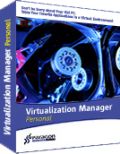
Giveaway of the day — Paragon Virtualization Manager 2009 Personal (English)
Paragon Virtualization Manager 2009 Personal (English) was available as a giveaway on October 9, 2009!

A powerful tool for system migration!
Paragon Virtualization Manager is a powerful tool to help you easily migrate a Windows-based computer to a virtual environment (P2V) of a major virtualization software vendor, regardless of how or where the computer is being backed up.
It also makes a crippled system, previously transferred to virtual hardware by a third party tool, 100% bootable.
- Continue using your old PC’s applications. Enjoy your favorite applications in a virtual environment on your new computer.
When it’s time to upgrade to a new PC with a new operating system, you may find that some of your favorite applications haven’t been updated yet to work with your new computer. Using Paragon’s Virtualization Manager 2009, you can migrate to a new computer and make a virtual clone of your old system. Take advantage of an up-to-date powerful computer while still having access to favorite applications from the old computer. - Safely Evaluate New Software
New software can be unintentionally harmful to your computer. You can easily avoid negative system conflicts by creating a virtual clone of your current physical system using Virtualization Manager 2009. Try new software in a safe environment and decide whether it works and is exactly what you need before making it a permanent addition to your collection. - Virtualization for Backup Purposes
Creating a virtual clone of your physical system and saving it to the network is a good alternative to traditional disk imaging. In case of hardware failure, you can still work with your applications in a virtual environment from any other computer until your own PC is repaired – a solution that traditional backup software can’t help you with. - Multiple Operating Systems on One Computer
Virtualization makes it possible to install and run several completely incompatible operating systems on one computer, including Windows, Linux, and Mac OS X (only as host-operating system).
If you are 64bit system user follow the link here.
Technical Support:
During the Giveaway period Paragon Software provides technical support at http://twitter.com/paragonsoftware. Please, post your questions if you have any troubles while downloading, registering and using the software. Paragon Software’s support team will reply you as soon as possible.
System Requirements:
Windows 2000Pro/XP/Vista/7 (32bit and 64bit editions); Internet Explorer 5.0 or higher; CPU 300 MHz; 128 MB of RAM (256+ recommended); 100 MB HDD; SVGA video adapter and monitor, mouse
Publisher:
Paragon SoftwareHomepage:
http://www.paragon-software.com/home/vm-personal/index.htmlFile Size:
32.8 MB
Price:
$39.95
Featured titles by Paragon Software
Don't wait for a disaster to strike – get an instant data and system recovery kit today to ensure your protection! Rescue Kit professionally fixes boot problems as well as retrieves your data when your system fails to boot. It even rescues deleted partitions. All, you need to do to achieve complete control over any situation is burn the software on your CD/DVD!
Simple & Easy Total PC Protection. FREE! Backing up your data is like insurance – you never have to worry when disaster strikes. And now there’s no excuse for lost data – this insurance costs you nothing! Keep your system and files safe now with Drive Backup 9.0 Free Edition. This easy to use application simply backs up your entire system when and where you tell it to, and then allows you to recover your system and all of your files whenever disaster happens.
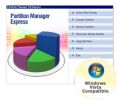
Partitioning is not a child's play - it needs stability and high-level technology, we develop the disk management solutions for over 15 years and offer the most stabile partitioning tool ever! With Express Edition you can easily organize your hard drive and redistribute your free space.
Paragon ExtBrowser is a Windows based utility that will enable you to work with Ext2FS or Ext3FS partitions from Windows. Utilizing the Windows Name Space Shell Extension mechanism, you simply click to access ExtFS files from a special unmapped folder in My Computer.
All-in-one suite to completely protect, maintain and manage your PC - Hard Disk Manager provides you with all of the tools you need to manage today’s hard drives, including partitioning, backup, cloning, defrag, hard drive disposal, system management and system recovery.
Comments on Paragon Virtualization Manager 2009 Personal (English)
Please add a comment explaining the reason behind your vote.

iPhone app giveaways »





Android app giveaways »





to Gnarg
it was a Release Candidate, not the final version. Thanks for giving me the link at VNU site - this download should have been closed
to Rush
Some bugs fixed in this version and some useful features added: new V2V and V2P scenarios, Sun VirtualBox raw support and more
Save | Cancel
Can multiple people use this as remote VMs?
Save | Cancel
would not install on vista 64. tried many times and with many things off in background. bah. what garbage..
Save | Cancel
I find it hilarious that it says this can be used to test software by making a copy of your computer then using it as a virtual machine.
1. Windows bases computers (XP and Vista atleast) will lose their activation when the hardware changes in the virtual machine since the virtual machine does not look exactly the same to windows even though it will be on the same hardware.
2. I am pretty sure it is illegal to use two copies of windows with only one license.
Save | Cancel
Mike, Kiwi,Doug A, cbromley--Thank you all for helping educate me on the virtual pc "thang"...it doesn't sound like this is what I need at this time, but I'm glad to have a better understanding of the concept!
I will definitely look at the Paragon Drive Backup suggestion...
I also heard Acronis is good for the image backup, but that it can be a challenge to set up. Any thoughts?
Thanks again!
Save | Cancel
#96 - cbromley: BRAVO!!! and thanks!
Save | Cancel
I downloaded both the 64-bit and 32-bit versions for my various machines, installed and clicked the "Get Free Serial" button, which took me to th Paragon registration page, which I filled out and submitted. It said that I'd receive the registration codes within 15 minutes; two hours later I'm still waiting, and there's less than an hour to go before the validation period expires. What gives, GAOTD?
Save | Cancel
It actually does SAY it makes it 100% bootable. How I don't know yet, but will find out.
As someone said above, be sure the .msi file you get when you unzip this software today, & save the reg keys, for later installation in case of reformat.
After much learning here & on Paragon site, & VMWare site, I just wanted to say I truly think was the BEST, most useful software both GOTD & Paragon have ever had here! Thank you both! & Thank you commentors who helped us all! :)
Save | Cancel
This time Paragon has issued a serial no. which when used brings up a message "invalid serial number". Not typed incorrectly, details copied and pasted several times before typing attempts - all to no avail.
Save | Cancel
Ok.. to understand this, and virtualization, I will offer the explaination I use with my CEO to explain it to him properly.
Imagine that you have a large whiteboard. Let's now say that you have to write down a grocery list on your whiteboard. You write down your list, but when you look at the whiteboard, you realize that only a small portion of the whiteboard is actually used.
Your computer is the whiteboard, and the grocery list is EVERYTHING that your computer does regularly (surf the internet, read email, etc).
So.. now, with virtualization, imagine you create an enclosed box within your whiteboard. A mini-white board, so to speak. Within this small piece of your entire whiteboard, you write your grocery list. Now, you create another small enclosed box on your gigantic whiteboard and write down your favorite songs. All the while, you can STILL use the main whiteboard to do other things, like writing a to-do list.
In the previous example, the whiteboard is still your computer. The enclosed boxes (or virtual whiteboards) are actually VIRTUAL computers that run within your main computer.
Generally, your computer does not use all of the power it has. Very rarely does it. As such, you can essentially, run complete virtual computers from within your main computer, and not experience a noticable loss of speed. This is MOST useful in the business realm where you can run servers that are dedicated to special purposes within one main computer. But, for home use, it can be useful, too.. as someone above said.. you can surf the internet with one, check your email with another, etc. The most useful thing, though, is that you can run a LINUX computer inside of your Windows computer.
Now.. in order to do this, you need PC Virtualization software. Today's giveaway IS NOT THIS SOFTWARE. VirtualBox, VMWare Workstation or ESX (ESXi), VirtualPC or any number of others are available. If you do not have any of these pieces of software, then today's GAotD is useless to you. You can, however, download some of these for free.
What today's GAotD does is basically takes a picture of the computer you install it on. Then, that 'picture' is able to be run using this virtual environment. So, to explain this using whiteboards again:
You write your to-do list on a clean whiteboard. You run todays giveaway on the whiteboard, and you now have an enclosed box with your to-do list on it. You can now take this to-do list and put it in an enclosed box on your whiteboard and allow the rest of your whiteboard to do other things.
In the end, by running virtualization software, you are able to 'buy' a new computer without actually buying any new hardware. Today's GAotD will allow you to convert your existing PHYSICAL computer to one of these virtual new computers that you can then run from within your real physical computer. Confusing, yes.. but incredibly useful, and fun.
Save | Cancel
Paragon Software has given away many very useful applications through Giveaway of the Day and this is one of them. Thank you!
Save | Cancel
VMware Player is free, which you can use to run your virtual machine after creating it with this. Link- http://www.vmware.com/products/player/overview.html
Save | Cancel
BTW, in case anyone wondered, I have 133 GB d on my PC, & a 300GB Seagate external harddrive, with 1 ISO of my system on it already, recently, so I don't have a lot of room for playing & storing extra stuff I can't use if I have to restore. That explains a lot of my questions. :) Thanks again to all who helped. :)
Save | Cancel
Mike, Doug A, & TMC- THANK YOU! You have saved my brain & educated me on a subject I feel will become extremely important in the internet world! Someday a PC will probably use ALL aps off the net,("the cloud"), except a tiny basic bootup ap, & I assume this virtual machine will be how we do it online. At 1st at least. Understanding it now is great. Thanks so much!
Paragon really should hire some peeps like you to write it's descriptions of software!
2 more questions- 1.-There must be a workaround we can use to still be able to use this software to restore our PCs if we have to reformat. The copy of Paragon Virtualization will be in the virtual image/machine file, so if we had a bootable restoration CD, or used the preloaded Recovery my system has in D:, couldn't we then get a copy of PVM running on it , in order to be able to restore our system like it was before reformat? Because the PVM software IS in that virtual machine file. We could simply download a copy of VMware or Virtual Box or MS virtual & when we then run the virtual machine file using those, using the copy of PVM on it, we can have it restore PC to how it was? Yes??
Paragon- it would be really GREAT if you made a bootable copy of PVM, so we could use PVM in case of system failure/reformat. Why not?? Please make this more simple to understand & to use! :) Thanks! :)I don't comprehend why it's so hard to make recovery aps bootable! And why important aps like this must have us use other programs from a dif source to run their software! ONE ap would be nice. Makes no sense to me! Right when you're majorly stressed out, one has to deal with difficult software that ya can't be sure how to run nor if it will do the trick. Waa! If it has to be hard, most people won't use it anyway.
Could I not put this on a bootable thing like Ceedo or Portable aps? portable aps allows you to put much more on it than just aps Called "portable". I have other aps in mine, normal aps, not supposedly portable.
OK, Mike, Doug A., or TMC, what do ya think?? Please.
Save | Cancel
Sorry, #80 should say "I've been waiting on my registration email for several hours and nothing!!!"
Save | Cancel
hi paragon
I need help I could not install during installation it did not come "Get Free Serial" So no way to get registration for xp and windows7
i have pdb ppm already I know how to install normaly
but it is storenge this time
i even did try disable PFW and browsor works fine
anything eles I can do ?
Save | Cancel
1. WinPE infos here.
2. If I'm right, Disk2vhd is only for Virtual PC, and Virtual PC is only in Windows 7 Ultimate and Entreprise editions...the most expensives...
Save | Cancel
Like #12, after pasting in serial no. from Paragon I also received an 'Invalid Serial Number' message. And I PASTED it in! May I say a rude word?
Save | Cancel
I haven't been able to install on either of 2 computers. On the main computer, I had some trouble getting the serial number - you page wouldn't load until I switched to a dial up connection. Maybe a firewall problem. Then, when I put it in, it keeps saying that I'm using the wrong password (and my computer was still connected to the internet with the dial up).
Then, I tried to install on another computer with same info. It seemed to accept the serial number, and went through a lot of install process, then rolled back, saying something interrupted the install. On that one, I have some problems with Admin, so that could have caused it, but the exact same serial numbers seemed to work. Any ideas? And by the way, tried twitter, but you don't seem to be returning follows, so I don't know how to contact you there.
Thanks.
Save | Cancel
Bummer. Got around to installing it and it looks like the feature I most wanted to try (restoring V2P) requires the PE startup disk...with no way to create one using the installed software. Must assume that it comes with the full version, but not the giveaway. Note- there are a few other features you can't use without the PE media also.
Save | Cancel
Program works great. I created a virtualization of my current system and ran it in Virtualbox. Only issue is that the OS sees it as a change in system and wants to reactivate it. Not going to do so though; I think what I am going to do is recreate my system just prior to installing Win7 and then install Virtualbox on Win7 and then port the VM back into it for reactivation. That way, I will have a way to use programs from GAOTD after Win7 migration. lol
Kudos again GAOTD. :)
Save | Cancel
From time to time is usefull to visit sites in deutch and nederlands.Some guys have a very analitic mind and they can give you a good sugestions.I don't say that all sugestions are good and perfect,but it can resolve your problems.Use Google translator to ~ understand,but i don't think that is good for interaction .
Save | Cancel
@79 gbd: Yes, it will be a live/changing image - the VM engine you use will probably also have a 'reset' if you want to undo changes, and a 'snapshot' to save the newer updated version.
@7 mike: yes if you can get an image of the ME install - this may not run native on ME, but might be possible by attaching that system or the system HD to a running 2000/xp/vista/win7 system, or from a live CD.
---
Your VMs are not 'hostage', you can use them on this or other machines; even if you re-install your system, those VMs should still work (assuming you've put them in a safe location).
BUT if you don't want to lose this app, save the P2V_VManager_Pers_ea_x32.msi that you ran to install it (default location was C:\), and save your keys - if you lose them, they should still be in your email or you can see them in your paragon account.
My 1 quibble would be that I'd want to run this from a live/resq CD and I don't see e.g. a bartPE plugin - but you can request it from Paragon support. (Nice future project.)
Thanks Paragon and GOTD!
Save | Cancel
#78 - Install new software to your vm image. It it runs fine, install it to the real thing. If the software craps out or has a virus, only the virtual image is comprimised, not the real thing. That's how it allows you to safely evaluate new software. I do that quite frequently with GAOTD offers here.
Save | Cancel
Awesome software! Keeping It. It does all it says it does.
Thanks GAOTD!
Save | Cancel
WARNING: I just tried to install this on Windows 2000 Pro and now my system is in an endless Reboot cycle. It shows the logon screen, I enter my password, then the system loads for a few seconds then it reboots, over and over. So, I can't log into the machine at the moment.
Beware installing this. Any tips would be appreciated. I'm going to try to go into safe mode and see if I can uninstall it or revert the changes somehow.
Save | Cancel
This software creates a virtual clone of my physical system. Can I modify that virtual clone while I'm in it (delete programs, add programs, change settings etc and if so, are they saved with/by the virtual manager?)
Save | Cancel
Where's Manual?
1- Safely Evaluate New Software
How does one do that in practice?
Same thing w/
2-Virtualization for Backup Purposes
Creating a virtual clone of your physical system and saving it to the network is a good alternative to traditional disk imaging
Save | Cancel
VMware Converter Standalone (formerly VMware Importer) will do this for VMware for free (http://www.vmware.com/products/converter/).
IIRC, Microsoft and Citrix/Xen have similar free utilities for their products as well.
Save | Cancel
Is it the same registration page for both 32bit and 64bit? Because someone gave a link and that is the only way i am able to access the reg page. thanks for any help.
Save | Cancel
I am not a techie and I appreciate all the comments that explain how the software is used ( what it does, etc). I have gotten many useful programs from this site. Thanks GAOTD.
Save | Cancel
A quick note about security and restoring virtual systems. If you are in an environment where security and security AUDITS are essential, VMs introduce a whole new range of problems. For a quick example, any encryption that depends on the non-repeatability of pseudo-random numbers could theoretically be broken by restoring the previous system state and re-generating exactly the same "random" number. If you're in banking, health, government, defense, or any other area where security gets audited, this could be an issue for passing an audit, even if the chance of it actually happening is small. In these environments, "possible" is enough of a threat. Catbird Networks makes security auditing software for VM environments and I believe they have a free personal version. www.catbird.com. So if you have a fancy virtual environment, adding a free virtual security monitor might be a good idea.
I hope this helps,
August
Save | Cancel
yes it is user frndly
thanks gatd
Save | Cancel
@ DEVLET:
Is there a difference between the version that Paragon links to as the "direct download" and the GOTD version?
If so what are they?
Mods: What is so wrong with attempting to ask this question????
Save | Cancel
Stupid novice here.
1- OK. I made my Virtual Image w/ Paragon Virtualization Manager 2009.
Do I save it on CD or DVD and use Virtual Box to open it?
2- Can I still use Paragon Virtualization Manager 2009 or other Apps downladed from GAOTD that I've saved on that Virtual Image?
Save | Cancel
You have to get both a key and SN by email, and once you get them both, it won't let you copy and paste the key and SN (both somewhat long) into the provided text boxes, you need to manually type each in, kind of a pain.
Save | Cancel
Sorry should been @41 Gnarg
Save | Cancel
Is it possible to do a V2P with this software? I can't figure out how.
Save | Cancel
BTW...for those who don't understand the concept...a virtual machine is a completely encapsulated independent environment consisting of a (user supplied) operating system and applications. It is as if you took a physical pc and converted it to a file. Virtual software, like VMWare Player, provides that hardware level interface necessary to allow you to run that file on your pc as if it were a totally different machine (which, in effect, it is). The Paragon software allows you to create the virtual machine by either cloning your existing pc installation or (I assume) from scratch. The resulting file(s) may then be run on your physical machine using Player (or other virtual software). The net effect is to have a totally independent machine/operating system/application environment running on your pc.
Let your imagination guide you in what use you would have for this-I have pointed to one in the last post...others have suggested alternative uses. If for no other reason, you might just want to play.
There is one problem that I have encountered- if you run the VM on substantially different hardware- you may get the MS Activation crap wanting you to activate Windows. (sigh)
Save | Cancel
@42 kiwi...Just try the download...it doesnt work...no free paragon virtualistion manager 2009.
Save | Cancel
#41 Gnarg. The link you are refering to is to a RC- (Release Candidate) -version of the software. Read the description on that page.
Save | Cancel
The download link above seems to have a 32 bit version only. Install was aborted on my Vista 64
Save | Cancel
#41Gnarg, that is RC (Release Candidate),for testing purposes only,that is free, not the final version.
Save | Cancel
No time to install this now, but definitly plan to download it. I have been working with virtual machines for about 1.5 years now...and when I say working, I mean just that...formerly I had to use a corporate supplied laptop as well as my personal one...had to lug both of them around wherever I went. Finally decided to virtualize the corporate pc..now I run both environments on my personal laptop (Lenovo W500). Works perfectly and saves my back, for sure.
As I am basically too cheap to shell out the bucks, I use VMWare Player (free) to run the virtual machine-but it lacks the ability to create VM's, so I have had to do that in other, tedious ways. This software will, if it works as promised, save me that effort.
I had originally planned to do what a previous user suggested: i.e., minimal install of windows (or maybe small linux or even BartPE) for the main install and then have several specific purpose VM's to load as necessary. Still think it's a good idea, but didn't do it because running VM's IS memory and resource intensive...running one is fine, but 2 or more simultaneously....well...unless you've got 8 gigs RAM, don't think that's really going to make you happy.
What I would really like to see is a hypervisor product that installs to bare metal and that has a builtin management console so the use of another pc to manage it is not necessary.
If you haven't started playing with virtualization, try it. Run Paragon's software to create the VM, then use VMWare Player to run the VM (MS blows and already has too much of the market and VB isn't quite there yet)
My 2 cents anyway.
Save | Cancel
One final comment: Yes, this Virtual Machine creator from Paragon also apparently lets you restore a system. That is, you can create a virtual machine, and then from that virtual machine image, you could restore it to a physical hard drive and even make it bootable. Of course, that hard drive would need to be connected to the system that is already running Paragon VM.
Thus, it allows (amongst other features):
Create VM image from physical PC
Create physical PC setup from VM Image
Perhaps this is the "hostage" situation to which #27 was referring:
That is: I get a new PC. I load Paragon VM on it, and create a Virtual Image (VI) (let's say in VirtualBox) and save that to a backup. Later I add a few other apps later and so forth, and one day my PC dies.
Paragon VM has the ABILITY to take that VI that I created and restore it as a physical drive. I wouldn't have all the new apps and everything created after I made the VI, but sometimes that is a good thing! The problem is, that if my system has died, then I have also lost my registered copy of Paragon VM!
I CAN still get my VI and run a new copy of VirtualBox and have my PC running virtually (though without any changes made since I created the VI), but without Paragon VM I can't restore it to a physical machine.
Thus, the "restoration" capabilities of Paragon VM are a little less useful than the creation capabilities, though there are some ways around this (create an entire image backup of your hard drive NOW using a drive imaging tool).
Save | Cancel
The help file says in order to use the P2P Adjust OS, you need to boot with the supplied WinPE media. So where do I find the (presumably) .iso file to burn a WinPE disk?
Save | Cancel
Does any body know how to install Mac OS X on the PC? I have the Mac OS X CD but don't know how to install it on the existing Windows vista OS PC. With this software, I think it is possible but don't know how.
Thank you for any advice.
Save | Cancel
For those unfamiliar with Virtual Machines:
Your current computer has an operating system and various applications that are stored on your hard drive. When you start up your PC, the OS loads and you can then launch applications into live memory to use them.
A virtual machine provides a copy of an operating system all in a single image file. This image can be launched as an application using virtualization software such as Sun's VirtualBox, VMWare Player, or Microsoft's.
When you run a Virtual Machine, you now have effectually two different computers running on a single computer, though one is a "virtual" computer running on the hardware of your "main" computer.
Why is this useful? You can have a Windows PC running a virtual machine with Linux. This lets you do your Linux work without having to have two PCs. You can switch between your Linux Virtual Machine and your Windows session all on the same PC (though there is, of course, a performance hit).
You can run a virtual machine solely for Internet browsing. All your changes (if you don't save them) are lost when you shut down the virtual machine, so if you accidentally downloaded malicious software, then when you shut down the virtual machine all is back to normal.* This allows you to practice "safe surfing", and is especially handy if all your information is stored in the cloud anyway since you don't have to worry about saving changes to your PC.
*It should be noted that the security of virtual machines is not absolute. A virtual session still has to interact with your base Operating System so there is always potentials for security holes, but it is much safer than not using one!
Save | Cancel
Major issue with Paragon lately; no email regkey. This is the 2nd offer which I would have liked to evaluate and perhaps recommend. Sadly, I can not. Get it right people; this email registration system has NEVER worked from GOTD. No offense to the team GOTD; it's always on their end. Sorry Paragon, I have use for but, cannot use your software.
Save | Cancel
Just an addition - Ashraf did a comparison of the build numbers, and they are truly identical. However, I stand by my original note that they may not be keeping the RC up for long. However, it could very likely be up there after today's GAOTD offering is done, so if you don't manage to get in on today's offering, then give the link a try. With luck, it may still be available.
Save | Cancel