Every day we offer FREE licensed software you’d have to buy otherwise.
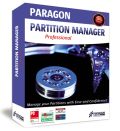
Giveaway of the day — Paragon Partition Manager 9.5 Professional (English Version)
Paragon Partition Manager 9.5 Professional (English Version) was available as a giveaway on August 12, 2009!
With growing hard drive capacity, the need to reasonably split up the space is more important than ever. Paragon Software's easy-to-use partitioning tool is optimal for re-structuring your hard disk for effective data storage.
Improve your PC's performance on-demand without having to re-install your operating system and software applications.
Your benefits at a glance:
- Advanced Partitioning Operations: Enlarge NTFS partitions without rebooting Windows or interrupting your work, repartition hard disks without data loss, redistribute free space between partitions, merge two partitions to one etc.
- Simple System Backups and Restoration: Fast and easy backup creation to CDs, DVDs and even Blu-ray discs with the Simple Backup Wizard. Back up your system and data safely and easily before performing critical partitioning operations.
- Optimization and Defragmentation Paragon Adaptive Restore - A powerful and unique technology which allows restoring Windows Vista on completely different hardware or even on a virtual machine.
- And much more.
Limitations: No winPE CD included in this version.
If you are 64bit system user follow the link here.
Technical Support:
During the Giveaway period Paragon Software provides technical support at http://twitter.com/paragonsoftware. Please, post your questions if you have any troubles while downloading, registering and using the software. Paragon Software’s support team will reply you as soon as possible.
System Requirements:
Windows Vista/XP/2000; 300MHz or higher processor; RAM: 256 MB; Disk space: 100 Mb; Internet Explorer 5.0 or higher, SVGA video adapter and monitor, mouse; Limitations: No winPE CD included in this version.
Publisher:
Paragon SoftwareHomepage:
http://www.paragon-software.com/home/pm-professional/index.htmlFile Size:
115 MB
Price:
$79.95
Featured titles by Paragon Software
Don't wait for a disaster to strike – get an instant data and system recovery kit today to ensure your protection! Rescue Kit professionally fixes boot problems as well as retrieves your data when your system fails to boot. It even rescues deleted partitions. All, you need to do to achieve complete control over any situation is burn the software on your CD/DVD!
Protect your entire PC, undo software malfunctions or crashes, and safeguard your data with our latest Drive Backup 9.0 Personal Edition. Our feature-rich software easily restores your system whenever disaster strikes, and optimizes storage utilization to keep your system running at top speed.
All-in-one suite to completely protect, maintain and manage your PC - Hard Disk Manager provides you with all of the tools you need to manage today’s hard drives, including partitioning, backup, cloning, defrag, hard drive disposal, system management and system recovery.
Comments on Paragon Partition Manager 9.5 Professional (English Version)
Please add a comment explaining the reason behind your vote.

iPhone app giveaways »





Android app giveaways »




Although I don't have CD drive anymore, I like the feature of simple system backups and restoration. Sometimes I used defragmentation when something is wrong with my computer. I hope they will have something similar like this one in the future.
Save | Cancel
a good program that will partition ur hard drive is bit defender its the top of the line antivirus and lets u do that also hides it and to get in it it needs a password that u make well if u want it free hit me up got the serial and the program sorry about the spelling i know computer but suck ass a spelling
Save | Cancel
This is my comment on the software: DON'T USE IT!!!!
I installed this software and thought I'd use it to remove a tiny (~8MB) unused bit of hard drive space from my WD 80-GB IDE (C:) drive. I had an identical, cloned drive as drive D: on my system as backup, so I figured I was safe if anything went wrong.
WRONG!
I let it work overnight and when I came back in the AM the message on the screen was "There was an internal error." My hard drive (C:) was TOTAL GARBAGE!!! I figured, not a big problem, I'll just switch over to drive D: and make it C:.
WRONG!
The D: drive, now the master, would not boot, with a STOP message. The Recovery utility would not work! From King of the Road I was reduced to drooling wreck. I did nothing other than use this program right out of the box to do something it was obviously designed to do, and it shot me down. I'm now in the process of formatting the original C: drive and reinstalling Windows XP Pro, and copying over the data and files from the original D: drive.
Don't do what I did. Before using this software, do a complete backup or image, and *remove the backup or image drive from your computer* before proceeding. This has been a tough lesson for me!
Frank D
Save | Cancel
I posted #117. This worked: I found the Paragon.MSI file in 'My Computer' C drive and ran it. When it asked for the prod key and serial number I used the one they had previously provided. Program installed quickly.
It is is running now and looks very comprehensive.
good luck
Save | Cancel
Cool... this even has an ISO burner built in.
Save | Cancel
Well the 115MB download was a bit awesome, but in the end I rekon it's not that bad. Bits of it, like a lot of these types of software, can be VERY DANGEROUS in the hands of a novice.
It has defrager, backups and many other useful options/tools, and the only real con I have is that there doesn't seem to be a way to schedule or automate the backups. Once or twice a week would do me fine. Maybe I need to set it up in Windows.
In the help I found "timetable" mentioned, but no further comments existed. Now to decide which program does what, so I can try and schedule them in control panel. I'll have to turn off the "last chance" apply option. eeek!
LOL
Another handy option in the ever increasing volumes of useful stuff I have. Interesting that the installer, when extracted, doesn't "call home" again.
Oz Eel
Save | Cancel
to #61
You can do this if you have some free space on D drive. If you do, you should make D partition smaller then you get unallocated space that you can add to C drive.
Save | Cancel
I went to paragons website and they sent me the serial but I guess it's too late now, it won't let me install.
Save | Cancel
To the people who tried to install this and had problems, it's probably not too late. You should have paid attention and told the ultra-suckware WinRAR self-extractor where to put the files. If you didn't, Run regedit, navigate to HKEY_CURRENT_USER\Software\WinRAR SFX and it will list the places where it has put stuff recently. Numerous people have posted how to register directly on Paragon's website. As for the dial-up issue, it turns out most of the US (by area) doesn't have broadband available, but files of this size should easily download within the giveaway time (if you're on dial-up, use a download manager, and consider a second phone line for computer use).
#123, not-so-Über Tech, um, no, Vista and probably XP can do that. Shrinking generally requires that you run a disk defragmenter which consolidates free space at the end of the volume, first.
Save | Cancel
to #117
in the archive with all the installation files you should find the .msi file, and install PM9.5 using that .msi file
its name should be like this:
Paragon-PM95-PRE_WinInstallSNx32_9.0.99.10022_001.msi
Save | Cancel
everybody who has any troubles with that "get serial" - you can simply register this software at their website by this link:
http://www.paragon-software.com/registration/pm95pro
and then, when the installation wizard will ask you about the registration - don't press the get serial button, just type in serial key you've get from the website
Save | Cancel
The suggestion by number 34 to get the registration number directly from the publisher worked; many thanks.
I tried a dozen times and it always aborted when I tried to get the serial number. The suggestion someone made to not click that button fails too, as you just get a message that the number is incorrect and are taken back to the previous page.
As I mentioned, I'm using a 64 bit OS and I downloaded the proper version. Possibly there's a problem with the 64 bit serial number software or with my quad AMD processor.
Regards,
James
Save | Cancel
CompuApps Swiss Knife is a free small program which also will do partitions and formatting quickly and easily.
For those with dial up or don't get this, give it a try. I use Swiss Knife and love it.
Save | Cancel
Getting same/similar error as #120. I can download the software (did it twice), however, I get a connection error when it tries to "checking key availability..." it times out with a "Failed to connect. Please try again later" error. I've tried for the last hour multiple times as error is the same. Will the x64 version (initial test) install as an x86 (32bit) since it installed in the 32 bit area of that machine and I still have the extracted setup program when it was verified earlier on the same network.
Save | Cancel
@115/whoopi: "me too"
no need to press the "get free serial" button.
go to link posted by @34, and others: http://www.paragon-software.com/registration/pm95pro
the email response was "instantaneous". copy product and serial from this email reply.
ctrl+p paste the product and the license serial into each of the two boxes. no need to press the "get free serial" button. instead press "next" (or whatever the actual word).
(me: installed x32 on xp. will try remembering to report results of my "test": hfs+ onto 2 partitions of pata drive)
Save | Cancel
I'm trying to install the 64 bit version. Once I click on "get free serial" the install aborts and I do not get an email with the registration key. I do not have any spam filter that kills any messages.
What now?
Thanks,
James
Save | Cancel
I'm sending a report to Nortons and Windows to check it out, this file was obviously never intended to be installed as a program. The wizard just leads you directly to a interrupted screen everytime without any attempt to install. I just tried extracting without winrar and it completly crashed my computer. People in other forums are reporting the same problem. I'd like a better explanation from the moderator than "uh it works on my computer". Kind of rediculous.
Save | Cancel
Paragon does indeed make some nice stuff. If you need an advanced partition manager then don't hesitate to get this.
In response to comment 10
"since when does Windows include an application that can change a partition size on the fly?"
Windows 7 is the first. You can "extend" or "shrink" volumes in the disk management console.
Save | Cancel
#88 since it is free today, why not try it out, it installed just fine on W7 RC.
Save | Cancel
I'm getting the same problem with the install halting after hitting the button. I'm running out of time as I have to leave shortly. Will the install work tomorrow?
Save | Cancel
@98
what (copies on) disc does MS "give"? I think they charge $10 or so for copies of some things..
circa 2002 MS mailed free the whole set of service packs for the current windows (98, me, 2000, xp), but they soon stopped that.
Save | Cancel
can´t get x64 version to extrakt
Save | Cancel
The program installs OK, and it verifies that it's activated, but the Readme file says I have to ask for an install code by email, and there was no such option during the process.
Save | Cancel
I downloaded Paragon Partition Manager 9.5 Professional from GAOTD. I already had Partition Manager 2009 Special Edition installed. I thought it would be an upgrade.
The download and unzip of 9.5 Professional was ok, no problems. When I ran the exe, the pre-winstall ran first then the install. There was no opportunity to activate the software during or following the install. GAOTD's site said the program was activated and I also registered it through Paragon's site. I got a product key and a serial number from Paragon.
However,
I can not find 9.5 Professional on my computer.There are no shortcuts on the desktop and it does not appear in "all programs' or 'add or remove programs'. Is it there but called something else?
Then I tried to remove 9.5 Professional AND Partition Manager 2009 Special Edition and downloaded 9.5 Professional again.
Same thing happened. Appears to install but then can't be found on the computer.
I put in a trouble ticket with Paragon but no word yet.Any advice about this problem? I see I'm not the only having it.
I really would like to try this software. I even tried to sign up for Twitter so I could get help that way, but was unable to generate an acceptable name after many tries! Still have a couple of hours but I'm out of ideas. Suggestions?
Save | Cancel
me too
"How do you get the serial key. During installation it has a button saying get free serial key. When I press it, all it says is wizard has been interrupted before installation has been completed, blah. Any help?
Save | Cancel
I downloaded the Paragon Partition Manager 9.0 "Special Edition" a while back when it was on GOTD, and it was smaller in file size but also didn't have as many features as this one. This version has a lot of features that a lot of people won't find any use for, but hey, the more features, the better. And 115 MB isn't really all that big anyways, that's nothing compared to things I've downloaded before, but for the average PC user (who probably wouldn't have any use for a partition manager in the first place) I can see how that might be kinda big. You're getting this for free today, which is getting A LOT for free considering everything this software does. If you don't like the file size, get one like EASEUS or GParted that is always free but does a lot less than one like this.
Save | Cancel
To AAAAmerican: I'm so sorry if you are stuck in dialup-land, and your internet connection speeds aren't conducive to downloading today's giveaway.
But making a blanket, categorical statement like "...But with the Worldwide User Average Speed at 28.8 BPS ..the size is way larger than most peoples ability in the time allowed..." is pure nonsense.
Perhaps you could take your thumb drive to your local library or internet cafe and take advantage of their broadband connectivity.
It's just plain silly to condemn a product simply because of your inadequate hardware.
Save | Cancel
Hi cj,
There must be something wrong with your installation if it's saying that. when I pressed key free key a new window opened up that asked for details such as my name, Email and what country I was in. After filling in these details I then went to my Email and found the product and serial numbers.
I hope the above helps resolve your problen.
Regards
Whiterabbit
Save | Cancel
I installed this on Windows 7 RTM and it blue-screened. That's too bad, I've always enjoyed Paragon's software.
Save | Cancel
Get the same message as #18 and #86
When I clicked on “Get Free Serial”, the whole installation ended and I could only click on “Finish”.
And your suggestion #34 doesn't work. It just sends you a product key and password for the trial version which doesn't work with this installation. Thanks anyway though. Any suggestions anyone? TIA :)
Save | Cancel
Same problem as #86. Wizard exits when I try to get serial #. This
same thing happened with one of the previous Paragon products.
Impossible to use. Using vista home premium.
?????
Save | Cancel
I've downloaded it twice but when I try to install it it says it cannot extract Paragon-PM95-PRE_WinInstallSNx32_9.0.99.10022_001.msi. Any idea?
Save | Cancel
For those complaining about the size,
1) I do understand about the limitations of dialup, and know that there are very large sections of the country (and world) that still don't have High speed Internet access, (As of a couple years back, even much of Carmel Valley CA doesn't have it, and that is less than 100 miles from Silicon Valley)
but that doesn't mean that it shouldn't be offered. Many, if not most of the high end software packages are bloated due to graphics and options, etc.
If you are on 28.8 or 56K, that really is your problem. Go to a friend's house, go to a library, copy onto a flash drive and take it home.
If none of these are an option, maybe tomorrow's gift will suit you better.
#81 - Newegg had (2) 1.5TB drives for 150 or 160$ a couple weeks ago. Go lurk on a site like slickdeals.net and another one will show up before too long.
#90 - microsoft charges for their disks, and software. I'm sure paragon will send you a disk if you pay for it too.
And remember, while you usually get what you pay for. . . here you get more.
Save | Cancel
Ok. I am a pest with this, and i get many negative scores ( which tell me I am right ). I tried the link and downloaded the 64 bit version. I get to the part where I click to get a free registration number, and when I click, the installer fails. Specifically says the the installer cannot continue. Its allowed by the firewall, and I am the administrater. Being somewhat of a dummy, but not completely computer illiterate, I have gone through great lengths to try to install this program. Forgive me my impertinence..but an installer should work the first time. For you paragon guys...you will definitely have a hard time convincing me you can support 64 bit computers! Really need to work on this. The truth will out, if you want serious input then here it is. I am not a Yes man and a Yay thanks for the freebee i like it alot guy. This is a serious problem for you Paragon developers.
Save | Cancel
I already have this version installed, probably from GAOTD, but I cant find it mentioned on their site:
Paragon Partition Manager, version 2009., build 5753 (25.06.08 ) Special Edition
Anyone have any idea what the difference is?
I just don't know whether to replace it or not.
Either way, For what it is worth, I use Paragon's software a lot, and it has done very well for me. No complaints at all. If you aren't sure whether to go for it, it is pretty much idiot-proof. . . (I know, some idiot out there will prove me wrong).
Save | Cancel
forgot to leave review, great program use alot on laptop. To bad they dont give you reg liks in folder would like to have registered for 64-bit vers so i can use it one the 64 build thats under construction. Very nice thatnks again Paragon, oh yeh to #63 and others with troubles u have to run Setup.exe and then it will ask you to save the actuall install file to a location on your computer, (read the read me files people!!!)
Save | Cancel
#90 Dial users have to starter earlier and if necessary there are boosters for download speeds out there, i saw one that was supposed to make downloads go like you have a broadband connection.
Save | Cancel
Great software. I just resized my macbook pro boot camp. It handled both partitions correctly.
Save | Cancel
This could not have come at a better time! I upgraded my failing 250GB HD to a 500GB HD yesterday, but restoring the disk image using Seagate DiscWizard (basically Acronis True Image for Seagate drives) left about 250GB of unallocated space. I created a new partition using XP disk management, then ran Paragon Partition Manager to merge the two partitions. Took about ten minutes. Upon reboot, XP then ran a chkdsk, which took another ten minutes. Everything running smoothly now!
Save | Cancel
I could not find Partition Manager Special Edition 2009 (a recent giveaway here) on Paragon's website, to compare with today's Partition Manager 9.5 Professional, to decide if I need both. I'm guessing, the Special Edition 2009 was a build just for GOTD? Does anyone know more on this? Or, comparison of features between the two?
Paragon has professional software, in my opinion, so I will download & install this, regardless. They may coexist, as the Drive Backup 9 Personal & Pro did (two more recent giveaways).
And, thank-you Paragon & GOTD.
Save | Cancel
Works for me on Win 7 64 bit. Easy installation.
Save | Cancel
I currently have the freeware, EASEUS Partition Master Home Edition. How does it compare to today's GOTD? Does anybody have a recommendation that I should replace EASEUS with Paragon? Thanks.
Save | Cancel
Alas, I get an error installing:
Error 1304.Error writing to file
c:\WINDOWS\system32\qtp-mt334.dll Verify that
you have access to that directory.
Am logged in as administrator......
tOM
Save | Cancel
I am not getting the email from Paragon so am unable (after two hours and three attempts) to evaluate that which I can not register. Will try yet again in a bit as this is exactly what I need right now.
Save | Cancel
Hi,
I can't install the oftware. When I click on Get free serial (like here: http://dottech.org/gotdreviews/8139 ), instead of a page opening in my web browser, there's a window saying that the install has been interrupted...
TIA,
mk
Save | Cancel
I have downloaded Paragon Partition Manager, extracted it, hit install, get a notification it is "Activated" but it doesn't show in All Programs, my program folder or if I search for it. I haven't gotten any kind of notice to get a serial via email or anything like that. I have tried IE and FireFox. Paragon is good stuff, I would really like to get this program. I am using Comodo Firewall, which I enter allow as an installer and I am using Antivir. Any suggestions?
Thanks, Newt
Save | Cancel
So far I used Paragon's Hard Disk Manager 2006. I never upgraded because I have it only for my emergency toolbox.
Reading the description of this version, I realized that I could use it also for regular maintenance (for example defragmenting, back up).
IMHO Paragon is a producer of excellent software.
Thank you very much for this fine software.
PS: #63, check for the file "Paragon-PM95-PRE_WinInstallSNx32_9.0.99.10022_001.msi" in the directory C:\; this is the actual installation file!
Save | Cancel
Great Giveaway.
But with the Worldwide User Average Speed at 28.8 BPS ..the size is way larger than most peoples ability in the time allowed.
A great alternative as well what the WEB ( Internet ) was started for and/or is about is to GIVE Hard DISKS/DISCS (Copies) to the audience here.
Even MisFit MSFT :OTC ( Microsoft ) did and does that. AOL and even YAHOO too! Why not you((?))
Have you tried Downloading on DialUP? On a ship and/or plane, either?
A New Jersey word comes to the tounge...
FORGETABOUTIT!
Save | Cancel
Outstanding top notch program. Paragon makes great stuff.
Vista Home Premium 64-bit
Save | Cancel
This is a great program for this give-away price. Most pros will still use another program such as the free gParted but this Paragon product is very good for the home user. Their license for technicians is about $1,500 so that is just crazy. It would be good if the program had an option for a bootable installation on DVD and USB flash drive so that boot (C:) partition could be resized too.
I hear that it is NOT compatible with the new MS Windows 7 operating system that will be out soon.
Thanks GiveAwayOfTheDay !!
Save | Cancel