Every day we offer FREE licensed software you’d have to buy otherwise.
Giveaway of the day — News Screensaver
News Screensaver was available as a giveaway on June 26, 2007!
News Screensaver allows you to always have the most recent news, weather forecasts and stock quotes on your computer screen. The screensaver supports all RSS, RDF and Atom formats.
The primary advantages of the program are: configurable interface, low system requirements, simplicity and convenience of usage. News Screensaver is a real must have for those who want to keep the track of events or just profitably spend a little break during the long work hours.
System Requirements:
Windows 95/98/Me/NT 4.x/2000/XP/2003 Server
Publisher:
ExtraLabs SoftwareHomepage:
http://www.extralabs.net/news-screensaver.htmFile Size:
4.59 MB
Price:
$13.96
Featured titles by ExtraLabs Software
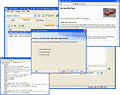
You want to create professional RSS feeds but you don’t want to learn complicated RSS technology? Well, then Feed Editor is a solution for you! You don’t need to be a computer science guru and learn Internet technologies. Our editor makes your work with RSS feeds extremely simple. All you need to know is what RSS feed you need. Rest is Feed Editor`s work.
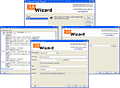
RSS Wizard is an HTML to RSS converter than can generate the RSS feed out of virtually any web page without having to edit it first. RSS Wizard generates RSS 2.0 feeds and allows you to create, edit and publish an unlimited number of RSS channels. The program has a great collection of features such as the built-in scheduler, autodetecting of RSS tags, command line support, XML editor and built-in FTP client.
Feed Mix is an RSS editor, which is powerful enough for RSS gurus yet refreshingly easy for RSS first timers. It lets you create, edit and publish the unlimited number of RSS feeds and podcasts. Unique to Feed Mix is its ability to create a new RSS feed or a podcast from several existing feeds.
Comments on News Screensaver
Please add a comment explaining the reason behind your vote.


iPhone app giveaways »










I have installed the full version of the News Screensaver from GiveoftheDay. I never received the registration key for it. Can you help?
Thank you.
Save | Cancel
After reading the rest of the 102 posts, I have to make a personal note.
BladedThoth has officially reached something of celebrity here. He has his own stalker ("Norwood" or "Kevin" or whoever), his critics, and his own fan club.
I count 13 commenters who just had to say something about BT. (Well, 14 including this one). That means that over ten percent of the comments are about him.
Based on the principle that any publicity is good publicity, BT must be making an impression on someone for so many people to comment specifically about him.
I think it is a fine symbiotic relationship, with GOTD getting some pretty professionally writen reviews while BT gets consultation references from the reviews. This is just what this website is about.
Let's continue to help BT draw publicity. Just as with the software offered, keep all the comments comming, positive or negative. Any publicity is good publicity.
Save | Cancel
#61, in my review I specifically mention that the SS does not play well on a multiple monitor setup, leaving whatever I was working on displayed in the other monitors.
I'd suggest that you think about that, but you should have done that before you posted.
Save | Cancel
First of all, Archangel(#85), this isn't a freeware site. Secondly, if you've never visited Bladed Thoth's site, where do you get off telling us what it/he is all about?
"Hitting GOTD's forum" is an excellent idea. Ask a grown-up to explain the situation to you, because you clearly have no idea what you're talking about.
hehehe.
Save | Cancel
Wow, I have been disappointed whenever there is a screensaver on GOTD until now.
This is fantastic! I had been looking for some sort of non-intrusive RSS reader for a while--and this is perfect. I have a clock, the temperature, the news all on display while my screensaver is active--I don't need to end the screensaver just to check on something.
Stand-alone rss readers are usually worthless--I mean why not just go to the website, but this one is functional and easy on the eyes as well.
note--this doesn't mean I want to see more screensavers on here--this is the first and only screensaver I've ever enjoyed and stuck with.
Save | Cancel
I'm afraid I must weigh in with those who are disapointed to find yet another screensaver. I may be a bit of a dinosaur from the age of DOS and the very beginning of Windows, but I still think of screensavers as something to keep my monitor free from the danger of an image burned into my monitor. I do not use a screensaver to watch (especially the news, which I want quickly from the internet when I an actually using the computer). I usually don't side with the cranks, but something useful would keep my interest. Audio and video manipulation can offer only so much. Something different would be nice. Maybe a cookbook porgram, some language software, or even some decent and interesting clipart!
Sorry, GOTD from a fan.
Save | Cancel
People, relax.
I use my computer for work and I'm not always typing. Sometimes I have to do research or take a break or take a phone or [insert anything else you do while you're at your near the computer]. And for sure, I don't read EVERYTHING on the net. Sometimes I don't have time or the energy to catch up on news or read one of the many interesting feeds that i enjoy. So this is a welcome change in the software selection, one that I heavily enjoy because it briefly lets me catch up with what's going on outside my own little world. Thank you, great software that I will enjoy both at home and work.
Save | Cancel
I find it funny that this has a news feed in it; where you have to read it. Isnt the point of a screensaver for when you are NOT at your computer screen??
Save | Cancel
Some comments are really useful -but- I'm plum tuckered out of hearing all of the griping and moaning; because the giveaway, These people go out of their way and, are offering "us" free items. So what! you dont want it theres always tomorrow? eh??
Save | Cancel
May I recommend http://www.dailyrotation.com if you want up-to-date news? Daily Rotation has 100+ new sites with the top headlines for each, and you can customize which sites it shows you...
And, you can check the news there without having to wait for or preview your screensaver...
Save | Cancel
While I have nothing against screensavers OR news servers, I have to agree with those who think a combination of the two doesn't make much sense. I appreciate the effort, though.
An observation if I may: I think it is fairly obvious that the pathetic "legal" post to Bladed Thoth yesterday from "Norwood Enterprises" was the work of the suddenly ubiquitous Kevin R. Martin. I also think that his motive is simple jealousy.
The "usefulness" ticker in this section can be easily manipulated. It seems strange to me that BT's off-site reviews have nose-dived in popularity recently, yet those defending him get high "plus" ratings.
While I can certainly think for myself and make my own decisions, I always check out BT's reviews because they are consistently the most objective, in-depth, and fairest that I've seen here. With nary a WOOT!, OMG!, or LMFAO in sight. This is very helpful to people like myself who usually don't get a chance to actually download and try a giveaway until late in the day. Roll on, Bladed Thoth. Beat of luck in your endeavours.
And Norwood Enterprises, or Kevin R. Martin, or whatever name you were using before you got this huge Bladed Bug up your butt, grow up. Your complaints are senseless and groundless.
Save | Cancel
I find this spirited discussion a moot point. Screensavers were originally conceived to relieve the condition known as "screen burn-in", a condition inherent in CRT screens caused by the overexposure of phosphorus pixels to electrons from the guns in the rear of the screens. Most people now have flat screens of various configurations that are immune, except for a few isolated "incidents", to burn-in, making screensavers obsolete. I use flat CRT's on my primary systems, but instead of screensavers, I simply went to the power configuration screen and set the monitor to power down after 30 minutes, and the hard drives to spin down after 20 minutes. No screensavers running in the background, sapping system resources, and since the systems are just idling, power consumption is kept to a minimum. Automatic fan controllers reduce fan speeds proportionally as power consumption decreases. One bump of the mouse or keyboard, and the system is up and ready in a fraction of a second. The bottom line, in my case, is this: If enough time has passed without activity to trigger a screensaver, I'm not sitting there looking at the screen anyway. So thanks for the opportunity, but I see no reason to download this app.
I'll check in tomorrow,
Fog
Save | Cancel
#57, Well done BladedThoth! Keep it up the good work and provide useful comments to the beginner computer users that can understands his reviews. That's what I think it is best choice for BladedThoth to continue his review and make better understanding to anyone who wants to know about that particular software.
Save | Cancel
This screensaver is great for those who check the internet(like their homepage for example) for the latest news or the local temperature etc. However, I myself have The Weather Channel's desktop toolbar that always displays the current temperature and has links and also links you can add simply by moving your cursor over the taskbar icon to launch the link for news, without having to first goto my internet homepage or something else that would 1)require more time(say if I was in a hurry just before stepping out of the house to go somewhere) and 2) of course using more CPU usage and memory and power to keep the application running.
However, I DID find it useful as far as it's interface ease and it's simplistic nature regarding the use and manipulation of the feeds.
I personally would give this program a thumbs up, if I were someone who needed constant, continuous news feeds while sitting in front of my computer, which would mean an almost catatonic state. But hey, I'm sure there ARE those who would be into this screensaver. :)
Save | Cancel
I'm afraid to use it because it may get it's information from CNN
Save | Cancel
Good afternoon everyone! ;)
I for one don't even download software here unless I read Bladed Thoth's reviews first!
If you don't like Bladed Thoth's reviews, you certainly don't need to go to the trouble of clicking on his link to go to his website.
One has to wonder if the -original- commenter has some kind of hidden agenda against BT.
#13 Kevin Martin:
The reason I do not care for your reviews is that you sometimes ripoff other people’s comments and pass them as your own. This is an issue because you sell consulting to software developers and publishers.
Prove it.
Bladed Thoth and Bubby - you are both invaluable assets to myself and others. We appreciate all the time you put into providing reviews and assistance.
A lone denigrating comment wafting somewhere out of the darkness means nothing to anyone.
~ Swan
Save | Cancel
I have decided since no-one else will. You only need ONE Screensaver. I use NONE. I don't understand why the GOD Peps rave about every one that shows up here. They're Freakin' Screensavers! Download it, install it, and shut up! You'll be getting rid of it and downloading another two days from now "cause all you want is a nice4 screensaver to impress your guests. It's just another Screensaver that will be free in two or three months. Quit praising what should already be freeware!
Save | Cancel
I noticed that the "News Screensaver" runs with all these:
"Windows 95/98/Me/NT 4.x/2000/XP/2003 Server"
What about the 51% not satisfied ?
Probably there is also the "system brain" to consider !!
Goodnight to everybody, Frank
Save | Cancel
Yes... my life is complete now. Thanks GAOTD!
Save | Cancel
And the streak of lame software continues...
Save | Cancel
i dont want it thanks
Save | Cancel
I have my home page set to a page where I get daily news, weather, and such. A screensaver like this might be helpful to those who are constantly watching the stock market, but just not for me. Thanks, GAOTD but am passing.
LIL
Save | Cancel
This is to post #27/Julian. Since this is a freeware site, why do we need a professional evaluation? I've never visited his site and won't because his bottom line is to create traffic just like this one. In fact if I admin'd this site, I wouldn't allow any links to other sites that did this sort of things. It sounds like he might want another piece of the pie.
The companies are wanting many to download the software, try it and then comment on it so they can see how it goes over with the majority, not just one self proclaimed critic. If he was doing it without any type of motive, he would leave his comment here on this site for you to read (hehehe sorry for the little jab and this is not intended to hurt your feelings).
Since I haven't downloaded this software and in fact not many this month, I won't comment on it.
Now its time to hit GOTD's forum! See all you there. Archangel
Save | Cancel
Actually, this is the only screensaver ever published here that I will definitely try out. I like the idea of screensaver showing latest news.
Save | Cancel
Since I am about to download this item, I feel I have a right to use the feedback site for this comment. Forgive me if I am incorrect.I should like to say that the first item I ever saw on this site was a screensaver, the Castle one, which has afforded me much pleasure. Had I not seen it first, I doubt I should have continued to visit the site as I am not computer software literate.
Screensavers have their uses, you see, and I doubt I am the only one who feels that way. Please consider that we, also, have the use of the site and its giveaways.
Those who defended Bladed Thoth have my thanks. I use him as my first source of information.
Save | Cancel
M$ RSS screensaver beta constantly changes its background
http://screensaver.msn.com/ ...
Save | Cancel
#55 "why not simply display a product offering schedule for the entire month?"
I like your idea, but I doubt the software publishers will. Instead of siphoning off sales for 1 day (the day they're featured on GOTD) this would siphon off sales for a day plus the number of days between when their software is listed and the day it's given away. Not many people would buy software if they knew it would be given away free within the next month :).
Save | Cancel
i agree that paying for something this simple is a thing that i would never do but the idea is good.
Save | Cancel
To all the naysayers out there, I want to thank GAOTD for all the software over the past few months. I cannot imagine the immense pressure to put out new titles EVERY day without a break. I guess the screensavers are a "break". I challenge anyone to come up with new, free software (and go through all the possible legal hassles) that GAOTD comes up with on a consistent basis, without a break/holiday. Thanks again!
Save | Cancel
Kevin (post #70), you really should be careful with your remarks, and aim for precision and accuracy when you seemingly criticize others publicly.
Bladed (post #57) NEVER stated, as you claim, that he is a "great mind," but cited my post (#27) to this effect. "Great minds think alike" is a humorous idiom used jokingly when two or more individuals have the same idea (see http://tinyurl.com/yw4sqf )
Bladed is providing a valuable service for many visitors to this site, and if you don't wish to make use of it, that is your privilege, and is fine. As I was told when I was younger, if you can't say anything nice about a person, then don't say anything at all.
Save | Cancel
Ground Hog day! again and again what's the point of screen savers these days, especially since were being told now to turn our appliances off completely, not even to have them on standby power!
just to combat global warming.
Turning off the power at the wall and then back on again and again creates surges that will damage the goods like your expensive computer.
Mabey they've run out of more interesting programs to give away for free. :)
Save | Cancel
Thank you GOTD.
I appreciate your efforts to find software that someone looking at your site might enjoy. I don't always download them of course. Not everyone needs every program, lol. However I find it very rude of people to complain that you don't always offer the programs THEY want. If you want a program go find it yourself! This a free site so you can't tell them what to offer, lol! And if it is one you don't want then don't download it!
As for screensavers,as a professional I don't always want my pc turned off just because I had to be away from it! There are many reasons for not using the hibernation feature of Windows. For example, I don't know of anyone that sits and watches their antivirus do a scan!
Luckily we can pick and chose our screensavers and delete and add more so that we don't get bored! I like being able to download different ones if I want!
Guess it comes down to this. Quit your griping and just don't download what you don't want! Your supposedly a grownup not a child....hummmm if your a child--get a job and buy your own programs if you don't want these!
Save | Cancel
Just when you thought screensavers were a weekend thing... I thank GAoTD for the free software - a lot of it can find practical uses in my own computing needs, but screensavers are really a bit too much...
Passing on it today, but please keep up the good work.
Save | Cancel
Just so people know: #58 is not my post :) Just someone being ignorant who can not spell my name correctly (or intentionally - Whichever.)
Save | Cancel
#57 The fact that your 15 minute review considers this the most usefull screen saver ever, concludes that I rest my case on my statement. This saver is worthless when used as a saver, unless you're going to wait for it to come on and then wait as it gives you information that you could aquire in a matter of minutes. DUH
Save | Cancel
..."About as usful as an ashtray on a motorbike"...
First you have to wait.....after ten minutes it kicks in
You read half of the lead story when it switches to the next
It says full story on P9...you move the mouse and it all goes OFF!!
This should be GAMEgiveawayoftheday....
Save | Cancel
BladedThoth,
You may be a "great mind" as you say, but, I do not care to read your reviews. I don't travel to your site anymore and it's a simple solution that works great for anyone.
I can see that you are trying to run a business to attract the developers to buy your consulting. Yesterday I wrote defending your right to do that. I may not be a fan, but I still respect what you are doing.
I wish that I did not have to use this forum to reply to you but I have not been able to link to your site yesterday or today. I would rather have not made this a public debating point. Best regards.
Save | Cancel
I actually see a lot of usefulness for this screensaver. Just because I'm at my desk doesn't mean I'm working on the computer. My job requires me to do a large variety of things, and only some of the tasks are electronic. It's nice to still get information without having to actually search for it or stop my other duties.
Save | Cancel
well this site has its highs and its lows. a few eeks ago it was on a huge high, unfortunately right now it is going through a very low patch.
Im looking forward to it picking up again!!
Save | Cancel
My God,
I think some of you people have lost the simple ability to have fun!! So what if a screensaver is not going to make you a million bucks in productivity. Its a neat little thing to play with for a few minutes. I like it.
Save | Cancel
Hum... when I read a comment like #58 by BladedTOTH I really wonder if there is a moderation of the comments over here.
Although I'm curious and would like to know by which means BladedThoth is connected to GOTD, I don't really bother. I find all the comments against him quite disgusting.
His reviews are useful and often interesting (maybe sometimes even too indulgent with the given away softwares). I'm sorry if I don't make myself clear but English is not my native langage : whether his reviews are fair or not, it's a huge work to write a full review daily. I think the time bladedthoth spends to the benefit of the gotd community should grant him a "minimum" respect...
Regarding the soft today, I don't waste my time downloading it, as I find its concept totally weird. I'm gonna read BladedThoth review anyway !
Save | Cancel
Thanks GOTD.
I see limited use for this particular download. However, I am anticipating a tremendously valuable giveaway in the near future - wink, wink.
Save | Cancel
I've already told you: screen savers are BAD for your CPU. Instead of allowing it to rest (using the outstanding technology built into the operating systems I invented), a screen saver causes the CPU to run near 100%. This could shorten the life of your CPU (especially because it wasn't designed by my company), creates more heat in your home (it's summer in the USA, folks), and wastes electrical energy (costing you more carbon credits to neutralize your carbon footprint like I do). Turn off your screen savers, and let my thoughtfully designed operating system turn off your monitor for you when you are too lazy to do it yourself. As always, trust my company to know what is best for you.
Save | Cancel
Here's my take on screen savers: where I work we are required to lock our computers every time we get up from our desk. The stuff on our computers are so sensitive that other employees are not to have access to developmental information. Around here, screen savers are everywhere. Oh sure, there's the default WindowsXP screen saver but that's boring. There's the blank screen for the minimalists. Some are even funny enough to mock a "blue screen of death" and use that for their "My Pictures" screen saver.
But after a while, some of us want flashy. We want to outshine our cubicle neighbors. We want the screen savers that make them stop and watch. I have received the most comments for the 3D mechanical clock and the LoTR savers. I will download and check out every saver GoTD offeres.
Thanks for all the software, GoTD, and ever the screen savers.
Save | Cancel
To #20 (Sheart): For weather, Canada is in there; It is buried quite a ways down. Part of my review mentions this. It is WAY down the list; The software author really should make it alphabetical order. It is awkward at best to find Canada, but it is there.
For #51 (Vella): This does not affect what news sources you choose; As long as they have a feed of some sort, you can add it. For example:
http://rss.cbc.ca/lineup/topstories.xml for all top stories
http://rss.cbc.ca/lineup/canada-saskatchewan.xml for Saskatchewan news
And so forth. For a list of CBC RSS feeds, check here: http://www.cbc.ca/rss/
Hope this helps! :D
Save | Cancel
#11, how are you viewing the CPU load and memory demand of a screensaver? Think about it.
Save | Cancel
You know...the people of GAOTD dont wanna hear it...if you dont have anything good to say then DONT say a word! One day youll come charging back and find out that there wont be any more GAOTD's because they were being put down by other people...remember they dont need it...theyre doing this for free, give them a break would ya?!
Save | Cancel
I agree if you want to see the news try www.cnn.com like i want to see the news when my screensaver turns on
Save | Cancel
DELETED
Save | Cancel
P.S. #13 (Kevin R. Martin): While I do respect your opinion and understand it, as mentioned by #27 Julian, great minds think alike. There is a lot that is said in the comments each day; I actually make a specific point NOT to read the comments each day before I post my review and this is the specific reason why. Yes, I do read the comments after I make my post and will correct something I have erred on if it is something I clearly overlooked - If you have read all my reviews, you will see that I will accredit those who did post them - Generally speaking though I do not adjust my review at all because I know most would read the comments here anyways. It just happens to be that some people think similarly, and when you're dealing with 50 to 100 posts before my review goes up each day, there is bound to be some commonality somewhere.
As to #32 (Phil): Most people don't want to install every single program to bloat their system; Even if you uninstall, there is still the issue of registry bloat and leftover files. If you install every single program every day, even if you uninstall each and every one, your system will experience serious bloat and end up very sluggish. That is why my testing portion of my reviews are generally done either in a Virtual PC instance or a separate computer for this purpose alone unless it requires further testing to ensure the accuracy of my review or it is an application that I do truly plan on keeping.
The only copy and paste I do is of the GotD information on the application (And if you read, I accredit them for this blurb each and every day with a link as well), and I'm proud that I do not rely on others to make my reviews.
Cheers!
Andrew (BladedThoth)
Save | Cancel