Every day we offer FREE licensed software you’d have to buy otherwise.
Giveaway of the day — Movienizer
Movienizer was available as a giveaway on September 7, 2010!

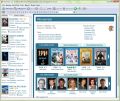
Movienizer is a movie catalogue program with powerful features. Download information about movies of your collection, such as description, shots from the movie, the complete cast/crew list, awards, rating etc. Assign disc numbers and location to know where you keep the corresponding DVDs. Remember whom you give your movies with the built-in loan manager. Print nice reports, create catalogues for Dune players, and much more!
Please note that 3 best ideas will be rewarded with Personal Licenses for Movienizer 3. Use Idea Informer widget to submit your feedback and do not forget to fill in your name and e-mail – otherwise the Developer will not be able to contact you in case you are the one to win!
System Requirements:
Windows 2000/ XP/ Vista/ 7
Publisher:
Maniac ToolsHomepage:
http://www.maniactools.com/soft/movienizer/index.shtmlFile Size:
11 MB
Price:
$39.95
Featured titles by Maniac Tools
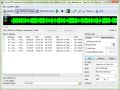
Visual MP3 Splitter & Joiner can split and join MP3 files without converting them to WAV and back to MP3. The program works directly with MP3 frames, which has two important consequences: 1) files are split or joined much faster; 2) no quality is lost, as MP3 streams are copied, not converted. Can create CUE files or use existing CUE sheets to split audio files. Works with other formats: WAV (directly), WMA and APE (converts to WAV).

MIDI Converter Studio will convert MIDI to MP3, WMA, OGG, or WAV. The program supports the SoundFont technology, which means that you can produce high quality converted files even on a computer with a low-cost sound card. Several SoundFonts can be used simultaneously. SoundFonts allow to convert MIDI files much faster, compared to the usual methods, and to get better sound quality at the same time.
GIVEAWAY download basket




Comments on Movienizer
Please add a comment explaining the reason behind your vote.

iPhone app giveaways »





Android app giveaways »





Good tool to organize the movies I have. But I still don't know how I can put "Location" and "Disc #" fields on the General tab page.
I saw those fields in the tutorial video, but not in this one I just installed. Did I miss any step?
Save | Cancel
here's a cheer up to the developer: this program is way better than the ratings indicate. people who dont have a use for it give it an instant thumbs down, but i think they don't have a large enough movie / anime collection to see the usefulness of this software.
thanks for the offer!
Save | Cancel
Windows XP Pro SP2 all hotfixes, Pentium Centrino 1.6, 512MB ram
Upon launch of programme eats 100% cpu and hangs...
Tried 3 times. Guess this is for a more powerful system.
Fortunately I have Process Lasso and was able to end the programme, without it I would have been forced to shut down in a bad way!
Thanks GOTD - Regards, Damian
Save | Cancel
This is great, I finally found something to get the movie information easily, especially the MPAA ratings. I have several collected movies, but every time we need to select one when my kids would also watch, it was a big pain to find the one that is acceptable for them. The similar feature in XBMC wouldn't always work (besides being slow) and wouldn't show the MPAA ratings. Thanks gotd!
Save | Cancel
Great program if your movie files are organized.
This is a great program but it required a lot of work on my part. I picked a folder for it to search for movies and it recognized several but I spent almost 2 hours teaching the program what movies they were. If it doesn't know what movie it is, approximately 70% to 80% of the time it suggests a list of movies it thinks you might have and then you select the right one. The other 30% to 20% it will say something like, 'We don't recognize that movie, click skip or pick another script. (but there is no option on that screen to select another script.)
I had a lot of youtube videos in that folder so I spent a lot of time telling the program to ignore that file so it would be nice if it had the option to 'Ignore .flv Files'
There were some movies that it did not recognize that are very popular so that really puzzled me. Some movies I had ripped and the app that ripped it put something in the file title like 'Cool Hand Luke Title 1' That seemed to confuse the program somewhat.
Once you have finished teaching the program what movies you have, it becomes very cool tool. I recommend it although it could improve. There are music apps that recognize the music by reading it digitally. There are even apps that will tell you the name and artist of a song by holding your iphone up to the speaker. That technology should be created for programs like this.
I recommend prior to using this, making sure your movie files have the exact name and the year in parenthesis with nothing else (like the codecs or anything else your ripping programs put in there. Also, make sure there is nothing in that folder but movies you want it to analyze and put in your database.
Save | Cancel
I've been using this one and it's been great for me. I have more than 5,000 dvd's and this holds them all... just click on this link...
http://griffith.cc/
Save | Cancel
Installed and activated ok on Win XP SP3
Upon loading the 2nd time I kept getting a "database needs to be updated message"
then this error "couldn't prepare the database for the new version of the program", saying yes or no still causes this error popup.
It didn't quit until I loaded the database file I created.
Add a short wait time for the script popup message before the main menu comes up if it's a must that it has to come up at load time.
Add ability for the built in movie player to actually play movies.
I tried several types and none of them worked although the same files work in my flash player, windows media player, etc.
Add ability for DVD lists AND VCR tape list, most people do have a lot of VCR Tapes sitting around
Thanks to Maniac Tools and the GAOTD team for sharing
Save | Cancel
I have just downloaded and started the software with no difficulties on Vista OS. Once a file is added a simple click on the format button opens up options for Blu-ray etc.. I access IMDB a lot and this software will save me a lot of time. I have several hundred movie files on my PC and once loaded into the program I don't have to hunt for the file. Click and play, very useful piece of software.
Save | Cancel
Installed easily on Vista 32. Imported large database from Movie Collector without problem.
No preview when getting information from the internet making it difficult to choose correct movie to download. Once you choose a movie the information is downloaded and if it is for the wrong movie and you press cancel, instead of save, the information is saved any way.
Easy intuitive design. Lots of information. It is similar to, but better than, Movie Collecter 5.6. Harder to customize display, not for the novice.
Save | Cancel
The program installed & activated okay (WinXP). But there is no option for entering "Disc #" and "Location" -- as is shown in the tutorial on the website. In my version, that area is blank. It's nice the way the program sucks all the info off the internet, but my main purpose in having a database is to be able to locate the disc itself. While it's possible to search for disc # and Location, I can't find any way to enter that information in the first place.
Save | Cancel
Excellent software! Having spent a few hours with this software and actually using it and not just a quick evaluation I find the following.... many of the comments that state the program cannot perform a function, actually it can. The custom reporting is flexible and works great for printing.Custom formats can be added along with other areas that can be customized (location,video standard,...look for the three dots !!) The thumbs down rating for this software is likely from people who spent 5 minutes seeing what the software can do and not taking a closer look. Hats off to Maniac Tools and GOTD.
Save | Cancel
I like it. Sorry I can't say anything more specific without more time to play with it.
I do wish this one could mooch pictures of the dvds from amazon, like the other one I have though. But it may just be the few obscure titles I've entered thus far didn't have them, wherever this one is looking.
FYI, If you're like me, and have a fairly sizable collection, and are also pretty lazy, you can cash in on RadioShack's failed marketing campaign from several year's back, and get a barcode scanner on the cheap. Modified Cue Cat's(because unmodified ones speak only a dead radio shack marketing language) can be had for less than 10 bucks on ebay. (in usb or ps/2 passthrough) (just passing along the info, I don't sell them or anything)
Save | Cancel
Just Simply Outstanding. Install a NO Brainer. GAOTD.. you guys just make it happen! If I looked at your site every day of the year and get one hit like this... it is well worth it. I can't thank you enough for the incredible job you do to provide so much for so little. For all you folks who like to bitch, moan, complain, and tell tales of woe... shame on you. Never bite the hand that feeds you. You know who you are... You would complain in Paradise. GAOTD Team.. YOU Guys are off the charts with all you do for the developers and end users. YOU MAKE BOTH ENDS MEET. SIMPLY OUTSTANDING JOB! KUDOS to the entire GAOTD TEAM. WE LOVE YOU!!!!!!!!!!!
J. Mosier, Sr.
Save | Cancel
I use Ant Movie Catalog has been free you years..best program I have ever used !!
http://www.antp.be/software/moviecatalog/
Save | Cancel
Installed and activated fine on Win7x64. Seems to work great and I love the download from IMDB. Didn't run into any limits that I know of when I tried entering about 90 movies. There were a couple movies that it didn't know so I just skipped them and figure I'll go back fix later. I'm pretty pleased so far. Thanks GOTD and Movienizer!
Save | Cancel
After further playing around, I am very impressed with this product. It is very versatile. I was able to customize the standard report and to add a link to www.rottentomatoes.com for a particular movie. This is a great way to mash up all sorts of information on a movie. Thanks!
Save | Cancel
The following installation method worked for me in Vista:
Extract the files from the downloaded file.
From the extracted files, run Setup.exe as an administrator.
At the end of the installation, and before selecting finish, un-check the box that says to start the program.
From the extracted files, run activate.exe as an administrator.
From the icon installed, run the program and check Help, "About...". It should say registered to giveawayoftheday, personal license.
When starting the program, be patient. On my system, I get a "not responding" for a brief time, before the program loads completely.
Save | Cancel
A definite keeper for me. Loaded and registered with no problems..Win 7/64.
Heads above my previous movie program. Since my old program's data was not compatible with this one, just copied and pasted the movie titles. Movienizer found all of them with no problems. Thanks for the great program.
Save | Cancel
After running setup, Shaw Secure blocked the exe file from opening. Deep Gaurd said it blocked it because of information from Real-Time Protection Network. Did anybody else get this or know why I did?
Save | Cancel
I will say that this has a lot of features. It's too bad that this makes it all so unclear and confusing.
1) Tried drag and drop which doesn't work.
2) Tried searching the C:/Program Files/ folder but "Program Files" wasn't displayed as an option. What the...?
3) Tried searching the C: drive for movies but saw no progress or results for the first 5 minutes. Tried stopping the search which seemed to do nothing. Finally gave up and added files manually.
4) Files such as "300 (2007)" gave more results for "2000" than it did for "300" and in fact didn't even find the movie "300" as an option.
5) TV series added with named with the series name, the episode number, and then the episode title failed to find the specific episodes and often failed to even find which show it belonged to.
6) After figuring out how to manually set each of these TV episodes to the proper season and episode numbers, I made the mistake of labeling them as a TV series and now I can't find them in my database listings.
It's simply far too tedious to do some very simple and basic things.
Save | Cancel
I created a new database in my hard drive media partition and the first movie info was saved there. Then added more movies which were saved in the C:\ partition. How do I make them all go to the created database?
Save | Cancel
I've been using DVD Profiler for years now. It will organize your collection any way you want. Handles DVD and Blue Ray. Also has a PocketPC version so your collection can always be with you to prevent buying duplicates. Also stores you collection online for remote access.
It's by Invelos Software. Far too many features to list.
http://www.invelos.com/
Check it out. It's not free but well worth the money.
Save | Cancel
After activation the Movienizer website was loaded in my browser. I noticed there is a portable version. Will the activation work on the portable version? I would much rather have the database be able to travel with me on and my movies a flash drive without this PC and be able to display on the nearest PC.
Save | Cancel
First of all, love the software. Played with it for a while and found out how to customize some fields and manually add a dvd info that includes short features from different films – from Charlie Chaplin.
Since this is not a single movie and cannot be found in internet databases, how do I add a scanned picture of the dvd jacket or any other image that I choose? The help file doesn't cover this question.
Save | Cancel
There is best another free alternative software is: MBase 2 at http://quadware.com/ Check this out. MovieBase was changed the name to MBase few years back.
Save | Cancel
Update. Activated at last, but name of the area under 'Summary' is still half-hidden. Dl-d again (just in case) and installed (without previous uninstall - what if activation fails again), but no joy. Found even 'Disk#', 'Format' and 'Location' - they have migrated from General tab to Editions tab.
There are 4 different user interfaces!
BUT I'd like:
1. Choose what is shown on the movie window. Like, I want to have info about studios or MPAA, but to see it in movie window seems waste of space. Same about the actors. Would be nice to have option to choose in actors tab with checkbox (like genre) and then have 'more' link in main window. Want to see awards, maybe just short '5 wins & 12 nominations' (and 'more'!).
2. Does not remember my window size (Xp sp2). Other settings seem to be ok, but when I open Movienizer, the window is slightly bigger than screen. First click is always 'maximize'.
3. There were several places where I wanted to use right-click menu.
4. General tab, Directors (or Writers) - when I click on the name, it changes to drop-down menu with one(!) name. What's the point?
5. MOST IRRITATING - I am unable to choose poster for showing in the main window. It shows always picture #1, but if I already have like 5 covers, 2-3 circular dvd-labels, few screencaps, several posters - and then download a poster I want to see beside movie name, must I delete everything so that new picture is first? I managed to change one pic (not for what I wanted), but have no idea how.
This is one occasion where right-click menu would be GREAT help.
6. There's no way to add picture types. I may have pictures of production, from award ceremony, dvd-label, vhs-box...
7. Another occasion where I wanted to right-click: Tried to download info, but found nothing. Noticed that I did not search imdb. Had to cancel, open Options, change it to imdb, repeat the search. Or, if I just want to check if another site has better summary or pictures. Would be much easier to change site with right-click menu.
8. What if I have same movie on dvd, .avi and .mkv versions? Drop-down allows only one option.
I'm still learning my way around, but I do love the easy one-click info collecting. MANY THANKS for sharing!
Save | Cancel
I get an error about not having proper rights to install even when running setup as an administer.
I don't feel comfortable installing software having a problem with permissions. Why do I need to check my Data Execution Prevention settings and to make sure that the program isn’t partially blocked by your security software.
This is the first time I've had this problem and will not use software that might weaken system security.
Save | Cancel
This program does more than EMDB and is easier to work with than DVD Profiler.
I have to admit, though, that I was a bit irked when I entered a movie using the barcode and DVD and it put a message just under the picture telling me to buy it online! Like, duh! How do you suppose I was able to use the barcode and disk if I didn't already own it? I did manage to find out how to delete that stupid message, but, still, putting it there in the first place was totally unnecessary.
The barcode feature does need work. Currently, it requires BOTH the barcode and the DVD, which makes no sense.
Also, when you add a movie, the program defaults to 12/20/1899 as the date the movie was added. What's up with that?
All in all, aside from the aforementioned quirks, it's a good program and I will stick with it.
Save | Cancel
I have the same problem as #51: After running activate.exe it said tha activation was a succes, but no sign about that when pulling down help>abou.
I even tried to run activate.exe "as administrator". Same thing!
Movienizer people: PLEASE HELP before the end of day!
Thanxalot!
Knud
Save | Cancel
Another program that lived on my computer for 5 minutes. It's missing the one thing I need - support for the CueCat scanner.
Poof, this one's toast. Another failure. Looks like I need to write my own.
Save | Cancel
My method of storage includes converting all movies I have on my drive to X-vid/MP3-Lame (if they're not already), then burning them to DVDR's. I can normally fit about 6 movies to each DVD, and then my DVD player plays them just as nicely as DVD's and I don't have 3 million movies taking up all my drive space. I just have a bunch of DVD's with labeled covers listing what's on each one. Both drive space problem and indexing problem solved. I don't see the point in saving all my movies on expensive hardware, when DVDR's are so cheap and free up all your drive space, as long as you keep up with it and don't let it get out of control. I don't normally watch movies over and over again, but those I think I must save are perfectly saved forever on DVDR's. All my drives and even my computer could go to hell and I still have all my movies safely stored on my DVDR's!
If you keep them on your drive(s), there are many ways of losing your data. My way, there are maybe two...house fire, or attack by toddler with toys that scratch DVD's. An intelligent person can easily avoid the latter with some common sense.
Save | Cancel
It works, but will the script update function work forever on this giveaway version. I also hope there is no limit to adding number of movies in this giveaway version
I would have loved an export database to PDF function with all the data including photos and information downloaded intact so that it almost reads like a personalized ebook.
Secondly, when I installed the program I had a column view on the extreme left but I couldn't scroll using the arrow keys.
After tickling around, I now have this full screen row view but there seems to be no way to switch to the previous view? Clarify please
Save | Cancel
When you install this, it takes you to a page with a portable version. I'm confused--can I just copy this program folder to a USB drive, or do I need to d/l a separate portable version?
Save | Cancel
It's kind of cool but it has some annoying flaws...
# When downloading actors from a movie, you have to press the refresh button or it will display the people from the previous movie.
# Downloading data is slow
# When downloading movie it displays a list, but no previews - that makes it really annoying when there are several movies with the same name.
# The collection pane does not update automatically after adding movies or actors. To see the new data added you have to close the node then open it again.
Too annoying... uninstalling
Save | Cancel
#32 Yes, you can maintain two (and more) databases. Alternatively, you can simply add your movies to the same database and mark them as VCR or DVD movies. You will be able to filter them by their format, i.e. show all VCR movies or all DVD movies.
#33 The program can't be run on iPhone. You can use it on a PC and then create reports to view them on your iPhone. We are planning to develop a similar application for iPhone.
#38 You can disable showing an import suggestion at every start (there is a checkbox).
#40 Looks like a failed install or (more likely) the software is being blocked by something on your system. Please check your antivirus/firewall.
#44 If you cannot download any information even with the trial version, please consider increasing the timeout value on the "Download options" tab of the "Options" menu (F10).
#48 Yes, the program can scan folders and drives for movies and add them automatically. Detailed information (with screenshots) is available in the help.
#51 You should simply run "Activate.exe", then start Movienizer. It should be registered. If it isn't, check your security software, it may have blocked write attempts to Windows registry (required to register the program).
#52 The program shouldn't ask for any keys if you press F1 to get help. What you describe doesn't look like limitations of the trial version. If the program doesn't save information that you add, it may be because of some interference. Our user has reported that Kaspersky antivirus was causing a similar problem, but this was reported to the antivirus vendor and should be fixed by now. However, please check your antivirus.
#53 Yes, it can print catalogs, see "Reports".
#55 Now location is on the "Editions" tab, as it may be different for different editions.
#57 You can specify format of your movies (DVD, BR etc.) on the "Editions" tab of the "Edit info" dialog. It's not related to limitations of the trial version. If you don't get a registration reminder window every time you start the program, then your copy is properly registered.
Many thanks to everybody who provided positive feedback and improvement ideas!
Save | Cancel
Sounds like an interesting program, but "Eric's Movie Database" (http://www.emdb.tk/) does basically the same thing and is free. Unless you want it personalized, then it's $10 bucks. You can even create web pages for each movie in your collection.
Save | Cancel
I have seen a couple other alternative thrown up on here but no mention of GCstar. Check it out not only will it track your movie collection, but also book, games, software, wines, ect.
http://www.gcstar.org/
It's free open source and i haven't found a better solution yet.
Save | Cancel
I sent an email to Maniac Tools and received a VERY quick response. I decided to copy my reply to them into a comment here (see below). I'll be back to GOTD later, after taking some time to explore the Movienizer software! Thanks, Vladimir Kryshtalov, Maniac Tools, for listening, and for teaming up with GOTD to supply this product and opportunity! May the insight received through the effort improve your products and gain you satisfied customers.
*******
"RE: No activation code to enter to register. How do I activate
this so that my installation won't remain this trial version?"
Dear Mr. Kryshtalov:
After receiving your reply, I closed the Movienizer program I had launched previously from the launch link, and re-ran Activate.exe. The GOTD activation window re-appeared, and the GOTD Internet Explorer link opened again. I re-opened Movienizer.exe directly from my Program Files. The Internet Explorer link to your site went through and it gave a "THANK YOU FOR PURCHASING" message. Not sure what delayed the activation, but everything is ok now. The "About" window shows that the program is registered to giveawayoftheday as a PERSONAL LICENSE, instead of as an unregistered trial version.
I appreciate your quick reply to help me with the activation problem. I especially thank you for the copy of Movienizer you have allowed me to download through GOTD and enjoy without limitations. Your interest in improving your products and the attention your company is giving to queries and concerns from commenters to the Giveaway of the Day offer is very reassuring. I give a thumbs up to investigating your other products. :D
Sincerely pleased,
J. Discerningword
Save | Cancel
I have been using Movie Organize 2.8 by OXD Software for several years now and it is wonderful. It is free and does the same thing as this one, pulling photos and info from IMDB and MOODb. Unlimited entries, printouts, custom printouts, etc.
Save | Cancel
Downloaded and installed with no problems. Entered five movies to try it out and found it was a little time consuming. One of the movies I entered was Spider-Man and it came up with over 50 titles of Spider-Man (including video games) and I had to try and find the right one. They should allow you to enter a year or something before it searches to cut this list down and make it faster. Actor pages are nice, but you have to download each actor file one at a time, again, time consuming. Also, due to all the downloads of movie info, actor info, etc., the file size gets real big, real quick. My file reached 22MB just by adding five movies. Couldn't image how large it would get by adding 100+ movies. I'll just file my DVDs alphabetically, bookmark IMDB in case I need some information, and save the space on my hard drive for something more useful.
Save | Cancel
It's a pretty full-featured, ambitious program. I can't see giving it thumbs down, though it seems to have a few small bugs and usability issues. My main issues:
1. It goes through a hard drive of files quite slowly and asks for input on every one it isn't sure about. I would prefer that it saved all the questions for the end (after it does all its Internet accesses to get movie infos) so the user doesn't have to babysit it for hours.
2. I'd prefer a much more compact listing option for the left column.
It may not be right for my current needs, but it does a lot and I can envision it being of tremendous help in building a full-featured movie database.
Save | Cancel
How do you know what the limitations are, other than 50 titles... etc... I am having the same issue as Joel, post 52, and something up higher. I would like to specify which movies of mine are DVD and BR, etc. I can't figure out how to do it. And I also show that it is asking for registration code still. I installed the exe file, then clicked on the activation file, as per the instructions, is there something else I have to do?
Save | Cancel
I used Movienizer Portable over a year ago and liked it. Simple and powerful. Back then it was free (as was the non-portable version). There were some bad feeling when the author released the new version as 'trial and pay' without making it clear. Those who upgraded ended up with crippled databases and had to jump through a lot of hoops to roll back their databases and use the 'old' free version. Looking back I think it was a poor communication problem with the author and no deceit or trickery was intended.
Many of the criticisms in this thread are baseless and show that the critic hasn't bothered to use the software -- and in some cases, hasn't bothered to read the info on the website! To give a "Thumbs Down" implies that it doesn't perform as promised, not "I can't be bothered spending 10 minutes to learn the basics"!
#1: It does a lot more than "pull from IMDB". It gathers info and graphics from many online databases, all of which are selectable. You can even add your own scripts to pull info from other sites and databases.
#4: You can format the reports any way you choose -- including listing by whatever field you choose. Your "Thumbs down" is 100% unfair!
#7: It won't read the bar code of a ripped DVD for obvious reasons (it's not there!). However it will get the info if you provide the title.
Re EMDB v Movienizer v AllMovies. I've used them all. AllMovies was OK. No great. But OK. EMDB was easy to use and very portable but lacked hte resources of Movienizer. Movienizer was the best movie database program I found FOR ME.
A note re using the portable versions of this or any other similar product -- better to copy the folder to a machine and do the updates and then copy back. I found that building a database and updating it was very slow on a USB stick because of the constant rewrites. -- also a good way to significantly reduce the life of a USB stick.
Save | Cancel
Loaded and runs fine on WinXP, SP3. I have been using this program for several years and its great. I generally don't comment on comments because I feel that others may have had more experience with the program than I. However, many of the comments are off base. It does produce a myriad of reports as long as you remember to filter first using search or quick filter. The "sort title" is a new feature that will allow you to address language issues or simply get rid of having all the movies beginning with "The" together. I'd like to see a global update (see my "add my idea" comment)and return the location field. My earlier database had a location field on the edit page and the new one has retained the field for searches but I can't find where to enter it for new movies.
All in all a great program
Save | Cancel
Using XP SP3 this installed OK but had to restart PC to stop what seemed like it starting twice each time I ran it.
It seems all right but I don't think it's for me because you can't search Amazon and in particular the UK one to get information on Region 2 DVDs.
Free Alternatives
Datacrow
Personal Video Database
Save | Cancel
NOT BAD as with all software it takes a while to get the hang of it.
Can it print a catalog? that would make this good software great.
Save | Cancel
Okay, still trying to play with this and figure it out, can someone help me. I go the page where you can put other information, such as colour, or black and white, there are several other items you can customize, but when I click on the "..." to do so, it doesn't save this info. I want to be able to show which movies are on DVD and which are on Blu-Ray... I even go into tools, and options and custom fields, and try to edit them there but it doesn't save it when i exit there either. I figured the problem was that perhaps this software is limited by trial or something so I tried to confirm that it is activated, and when I go to help, it asks me for registration code that I received in my email... I don't have that... please help...
Save | Cancel
I downloaded Movienizer, ran the Setup file and the Activation.exe file, but there is no activation code to enter to register. How do I activate this so that my installation won't remain this trial version?
Save | Cancel
I have been using Movie Collector for several years now. So, I didn't download Movienizer. When I was looking for a cataloger, Collectorz was the best one out there for the price. From what I read this program does most of what Collectorz can do.
#24 Collectorz.com Movie Collector does support barcode scanning.
The important thing for me when I was looking, was the ability to download the information from the internet, because I didn't want to have to put it in manually. Before that I was using an access database and putting in the minimal information.
Save | Cancel
I'm very happy with this software. With over 100 movies you may loose your overwiev. It may happen that you get movies twice. I think this software can help to avoid this.
Save | Cancel