Every day we offer FREE licensed software you’d have to buy otherwise.

Giveaway of the day — Image Mender 1.1
Image Mender 1.1 was available as a giveaway on December 22, 2008!

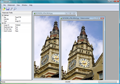
Image Mender - the program allows you to remove any lines or blemishes on your images and it also helps you to remove larger marks, logos or any other undesirable elements. Image Mender is easy to use.
The clear and user-friendly interface of the program enables you to work. You just need to highlight the part of the image you would like to correct, and then Image Mender will do the rest. After editing, you can save it in the desired format.
Major functions:
- Intellectual reconstruction – the program reconstructs the image under the cleared spot so fine that the traces are hardly noticeable even after the removal of large fragments;
- Ease of use - operating Image Mender is a lot simpler than operating Photoshop Clone Tool. You only need to select the fragment to be removed from the image;
- Supporting various formats – the program supports the following formats: JPEG, TIFF, BMP, PNG, TGA, MNG, RAS, RAW, JP2, JPC, PCX;
- High performance – the program is written completely in the C++ language, which ensures its high performance.
System Requirements:
Windows 98/2000/2003/XP/ME/Vista
Publisher:
Phibit SoftwareHomepage:
http://phibit.com/imender/File Size:
1.73 MB
Price:
$19.95
Featured titles by Phibit Software
Using Icemark you can effortlessly identify your images from many others. Just add your personal watermark to the image, so you always know which images are yours. The added watermark is invisible and its detection is possible only by having the key, which only you have. Icemark is necessary for everyone, who works with graphics images and wants to protect their copyright.
GIVEAWAY download basket




Comments on Image Mender 1.1
Please add a comment explaining the reason behind your vote.

iPhone app giveaways »





Android app giveaways »




I own this program and have been amazed with how well it works--on relatively small photos. However, any time I've tried it on large photos (more than about 800X600), it takes a long time and does not succeed in getting rid of the part I was trying to make disappear. So I VERY HIGHLY RECOMMEND it, but not for large photos.
Save | Cancel
Ciao, ragazzi! After having trouble registering the program, I just kept running the activation program -- with the program running, without the program running -- well, somehow, one of the activations stuck, and now I can save the fixed images. Hope this helps.
Save | Cancel
To those of you that also asked the question about whether the program was registered or not since the registration fields were still open.....this might help. I wish someone at GOTD would have answered the question early on, but to confirm registration is recorded and correctly changed the settings so it is no longer on trial, if you click on "help" and then click on "about" you will see the product as being registered to GOTD there. Good luck with this neat utility.
Save | Cancel
Downloaded, unzipped, activated (as Admin, on Vista Home Premium), without a hitch.
Installing proved a bit awkward: I always have sysinternals' Process Explorer (PE) running, and the installer here wouldn't begin, even though run as Admin -- made PE freeze, in fact -- so I shut down PE, upon which the installer's first "I agree" window finally appeared.
I decided to back out for the nonce, and to run the installer (as Admin) afresh. Very quick install. Opted not to let it start Image Mender immediately, but found it myself in ProgramFiles and ran it as Administrator. Started right up. Checking Help | About showed Image Mender correctly registered to GaOTD. Tried it on a smallish jpg -- a cartoon, actually, with a tiny blob of speck on a bedroom wall -- xartoonist's blunder, I suspect. Removed that speck quite effortlessly, very quickly (three seconds, tops), and with very good approximation of the existing wall background.
Verdict (based on one very simple test, admittedly): a keeper.
But: don't have sysinternals' Process Explorer running during install.
Save | Cancel
Works well for removing small blemishes. Not so great for removing large areas or items on complex backgrounds - in those cases it looks more like the result of using the smudge tool in Photoshop. It may be possible to get better results when removing large objects by removing them in sections.
One concern: after activation, there remains a "enter registration key" item in the Help menu, which makes me think this is going to expire.
Save | Cancel
I do not understand why so many think this is a great program.It is good at what it does while only doing one thing.
Very old tech and should be updated.
Good at one thing is not the way to go
Save | Cancel
An excellent program. I downloaded it on the previous hosting which was the same version and it is great if you want to remove watermarks o black dots due to dirt on your cameras cmos sensor and if basically have something not too big to get rid off.....a building on the horizon no prob a building being the only thing in the photo may be a prob.... though i suggest you select small areas at a time or it was lag like crazy but it does a great job.....double thumbs up on here and one on the prev upload
Save | Cancel
My friend Billie Jean takes a lot of pics and is learning how to compose them. I use a good bit of "fix-it" software to edit unwanted parts of otherwise good shots. Image Mender is one of those I downloaded from here to her PC and she found it both easy to use and instructive, as she is becoming more aware of the initial image composition process. It works fine on XP and Vista. The "repair process take a while on large areas but, it can be easily manipulated into doing what you need done. It's not yet perfect. Anybody know of a software offering that is? All are works in progress. Thanks Phibit and Team GOTD!
Save | Cancel
#14 Portable HDD installs. Having an external HDD attached by USB to your full laptop will allow a registered GAOT program to run just as if it was on the internal drive. The same could be said for a dedicated flash drive. It may not be "portable" as the registry entries will be for the laptop to which the download is registered but, the local machine will always have the correct values.
Save | Cancel
I try to edit a single jpeg (1900 * 1200) to remove a few words in the corner, and it take 3 minutes, for to not even get it right. leaving bits of words in place of others (it now had 4 (tm) icons). A second attempt, took only two minutes, but was still messy. Photoshop 7.0, 30 seconds with the clone stamp, cleaner.
xp pro sp3, 1gb ram, dual 1.66 ghz processor. time taken for this program = insane.
Save | Cancel
Works very good.
When removing objects which have more than one background, try removing in patches by background.
Save | Cancel
x DixiePenguin
“Will not save unless you buy” This means you did not follow the right steps in installing. Activate FIRST, then setup.
Unfortunately I’m not able to register the GAOTD because every time I apply on the Activate.exe file I get a message telling me that the activation of the program is not possible at the moment!
Is anybody here experiencing the same problem?
If so how can I solve it?
Could somebody please check if they can install the GAOTD Key Activation code??
If so could you please send me the serial number?
It would be a pity if I couldn’t install it before the end of the offer!!
Hope to hear from you soon.
Cheers
Save | Cancel
I tried the program. What a mess! A mix color blob instead of the removed object. The part of the image I wanted remove is removed, but I still need to clone something in there. I could do a better job with the clone tool!
Save | Cancel
Activated and set up OK. Nothing happens when I click on Help - contents. When I select a marker, I can't see it -- the cursor doesn't change, and I don't see any red marks when I drag it on an object in the picture. But when I press 'mend', it does start to blend the object I was trying to mark. I think it would work a lot better if I could see what I'm marking.
--using Windows ME
Save | Cancel
Heh. Used it on a portrait of an older co-worker to remove a vertical wrinkle and bags under his eyes. It worked amazingly well and intuitively. He was delighted with the results and published it on the company intranet :-)
This program is great for photo-editing dilletantes. Sure, you can zoom in and see imperfections at the pixel level, but Great Aunt Mary Jane won't ever notice that the beer bottle was edited out!
Philbo
Save | Cancel
Yes I just also tested this on my wife's P4/2GHZ Intel Compaq 6000 Desktop Machine, and it works flawless;y, indeed one of the most powerful pic tools i have ever used, great results, now what about VISTA compatibility mode??? Thanks All Peace, Love and Joyous Holdays Season, and man is it winter here we got 15 inches of snow this week wahhoooo! Chains on car indeed!!! Cya
Save | Cancel
Excellent! Yes, it may not work on some specific objects, such as people. But it does work well on many things. I gave it a some various tests, in fact, a ball in the middle of gravel. Result? You cannot see where it was, PERIOD. People, no go, you get some very odd looking results but you can see something was there. A window on a house, very nicely removed, only remnants look like some normal weathering on the siding.
This will be a very handy little tool.
"Will not save unless you buy" This means you did not follow the right steps in installing. Activate FIRST, then setup.
PLEASE READ THE GUIDELINES FOR POSTING COMMENTS. THIS IS THE AREA FOR COMMENTS ON THE SOFTWARE, FOR PROBLEMS OR QUESTIONS ON WHAT SOFTWARE YOU MIGHT USE FOR OTHER PROJECTS, PLEASE USE THE FORUM AS INSTRUCTED.
Save | Cancel
I got this last time it was offered, it's a keeper, works nicely on things like removing watermarks ect...
Save | Cancel
Thanks, Thanks and Ever Thanks GOTD for your site and the free programs that you provide! Please continue this site! It is one of the few sites that I almost always check everytime I get on the computer. Thanks again GOTD Team!
Save | Cancel
Is there a help file available? When I click on Help, Contents, nothing happens. Do you see any help info?
Save | Cancel
@121 - 122 (Cheryl)
Unzip the package you've downloaded, and carefully read the instructions which you can find in the readme.txt file. This readme.txt file is included with all our downloads. Follow the instructions carefully to install and activate the software.
-------------
As explained above - there are instructions with all downloads on this site. Did you run Activate.exe from the download archive? If extracting from zip files is something new for you - please visit our forums to ask for assistance.
Save | Cancel
NO IT WONT LET ME Save it at all??????? in any format
tells me I have to buy the version???? Gesssss/
Save | Cancel
This is a trail version??? When I downloaded works fine but wont let me save the fixed picture. Says I have to buy it. I want to save the fixed image and it wont let me how does this trail thing work Do I have to BUY IT????thanks Cheryl
Save | Cancel
This is very similar to the recently given away Inpaint. Having said that it is slower, slightly more basic, not quite as easy to use and doesn't give quite as good a result.
Having said that if you missed Inpaint this is still worth downloading as, despite my critical comparisons with Inpaint, it is a fairly good program as it stands and produces a passable result in most cases.
Save | Cancel
Eldad (#68): Once you've chosen the section you want to remove, you can fill it in with a sample from anywhere in the picture that you want to. If you hold the "shift" key down, you can use your cursor to shrink, enlarge, and/or move the outer perimeter to wherever you want to take your sample from.
Save | Cancel
No problem installing on XP Home SP3.
Tool for marking the area is a poor choice - it needs a polygon drawing tool.
Crashed after marking and mending about 8 times on one image. I will mark out more of the areas to fix next time, before I do a mend.
Resulting image was surprisingly good - definitely a keeper!
Save | Cancel
Definately a keeper. Simple but surprisingly effective. I am very pleased to give a positive report for a GOTD offer. Thumbs up from me too.
Save | Cancel
OMG
Thank the GOTD GODS...
I have been nagging you guys for this and finally it is available...
If you like this giveaway as much as I do please click yes.
Save | Cancel
Christmas Wishes have been answered. I lost this liitle gem and also Inpaint both cracking little bits of software, requested it from GOTD on a few occasions of late and GOTD has definatley deleivered an early xmas pressie for me.
Alhough I use various PhotoShops with cloneing this little GEM makes the job a lot quicker, don't even care it's a little bit slow on larger area it works devinley.
Thank You GOTD
Merry crimbo to you all :-)
Save | Cancel
GOOD PROGRAM for what it does!!
Very EASY to use and perfect for those newbies who can instead find difficult to use Photoshop Clone Tools because they only need to select the fragment to be removed from the image!!
It's a good tool to remove watermarks despite removing them could be unethical and put you in danger.
Here a full review with screenshots of the program:
http://www.softpedia.com/get/Multimedia/Graphic/Graphic-Editors/Image-Mender.shtml
As you can see it got a Good User Rating from its users (3.7/5).
To remove WATERMARKS from pics see also:
h ttp://www.softpedia.com/get/Multimedia/Graphic/Graphic-Others/Watermarks-removal-tool.shtml
(remove space at beginning)
Another nice, little and, unlike this one, FREE application for newbies designed to remove unwanted elements from their pics is PHOTOWIPE 1.0 (but this GOTD is in my view a little bit better...LOL!):
h ttp://www.hanovsolutions.com/?prod=PhotoWipe
(remove space at beginning)
To remove unwanted objects from your pics and improve their display with dozenz of special filters I suggest that you should also try these FREE stunning APPLICATIONS:
* PHOTOFILTRE FREE 6.3.2
Full REVIEW here:
h ttp://www.online-tech-tips.com/free-software-downloads/free-retouching-photo-software/
(remove space at beginning)
* RETOUCH PILOT LITE:
h ttp://www.softpedia.com/get/Multimedia/Graphic/Graphic-Editors/Retouch-Pilot-Lite.shtml
(remove space at beginning)
* WIRE PILOT LITE 3.0.3 (Smart Patch tool is not available in the FREE VERSION).
h ttp://www.colorpilot.com/wire.html
(remove space at beginning)
*ART WEAVER
h ttp://www.online-tech-tips.com/free-software-downloads/artweaver-alternative-to-photoshop/
(remove space at beginning)
Probably the BEST FREE ALTERNATIVE to PHOTOSHOP!!
Other FREE and more complete (and famous) PHOTO EDITORS ALTERNATIVES are, as everybody should know, the following ones:
- GIMP:
http://www.gimp.org/tutorials/
- IRFANVIEW plus extension Virtual Photographer+Plug-ins http://www.optikvervelabs.com/
- GOOGLE PICASA
- FASTSTONE
- PAINT NET:
---------------------------------------------------------------------
Finally you can also remove any lines or blemishes or even larger marks, logos or any other undesirable elements on your photos simply by using FREE ONLINE poweful standalone IMAGE EDITING APPLICATIONS such as PICNIK or FOTOFLEXER for instance:
h ttp://www.picnik.com/
h ttp://fotoflexer.com/
(remove space at beginning)
PICNIK is in my view definetely the BEST FREE online PHOTO EDITOR because it performs 95% of the stuff you'd usually do in PHOTOSHOP with just 2 or 3 clicks. With PICNIK you can grab pics from your PC, from the WEB or even from FLICKR and then replace them with the edited ones or send them to your blog, via email or on photo sharing sites making professional slideshows with the ability to even have them printed.
A complete LIST of powerful ONLINE PHOTO EDITORS can also be found here:
h ttp://ntt.cc/2008/04/01/the-list-of-really-powerful-online-image-editing-apps-or-tools-over-14.html
(remove space at beginning)
Cheers from Italy!!
Giovanni
Save | Cancel
#18:
"All it does for a photo is make red marks. If I wanted to cover things with red marks I would just open the photo in paint. This program seems so simple yet stupid. What is the allure of red marks? It’s like hiding a fat person behind a lamp. You KNOW there is something there."
"This program seems so simple yet stupid."
??? LOL. It's another case of the pot calling the kettle black.
TO GET RID OF THOSE RED MARKS, ya need to press the little button --
then they disappear and so does the part of the image you wanted
removed.
Good grief, if people would just read the instructions...
Save | Cancel
Great Program, but I have two questions and hope I will get some ansers. I have this program since the first time it was offered and it seems to be the same version. Here my questions: Is it really the exactly version? Or is the today version better than the first one? What would be the right thing to do, download and install the today version or is the older version more stabele? I read an answer who said that the today version has some bugs and another anwer that there are some things different from both versions. I am bit of confused now, so please help me out if you can! I guess more people think the same way. Have a great christmas all of you! And thanks in adwanced for your answers.
Save | Cancel
I did all that read me said to do. erased some things and all was great until i clicked save! then it said I must be registered user and did I want to buy program now. Can anyone advise, please. thanks in advance.
KBOO
Save | Cancel
I can never find the readme.txt file, sometimes I'm luck and other times I'm not so lucky - whats my problem???? *aob*
Save | Cancel
Installed and activated fine on XP SP2
It opened up ok and functions operated. However it didn't do anything. I
circled the blemish I wanted removed and hit mend. Progress bar moved for a bit then was done.Nothing happened. No fix. No error messages. Oh well gave it a try.
Oh the software tried to install a global hook. Glad my firewall catches those things.
I never care too much for software that tries to do that.
Save | Cancel
So glad I got this when it was offered here some months ago. I have used it many times and have always been happy with it. Besides, the price is right today for anyone who either missed it last time or are just plain ole new to this site.
So what that the app works a little slow on a big area that needs removing of whatever. It's free, it's free. What more do yous expect ? Stop complaining.
I was surprised to even see this offered up again. Thanks GAOTD. Thumbs up from me.
Save | Cancel
I agree that the claims stating this is for those lacking skills to use something like Photo Shop is dead wrong.
As a forced to retire (due to health) Architectural Project manager & Cad draftsman whose responsibilities included presentation work with Paint Shop (back when Jasc paint Shop was the best there was). I guarantee this app has it's place in the useful tools department.
This is a useful give away. Even though I use the other, similar program I got here, "Inpaint" more often, this is a keeper that I use often for small touch up jobs. Like removing facial blemishes and such from photos. Moles would be a good example of what I remove with this.
This is a keeper, regardless of it's inabilities and quirks. It's not perfect by a long shot but a useful download just the same.
Save | Cancel
Does NOT work with/in WindowsME (no red painting), and else, it is VERY VERY slow. Thumbs down.
Save | Cancel
Installed fine on Vista Business
Runs fast. But it runs totally wild. I'm working on a simple picture (portrait type), a person in front of a white background with the photographer's script logo running thru the background and body. I've used gimp to successfully fix similar photos, but 9 times out of 10 mender makes things worse! It invariably clones from the wrong area, picking up parts of the stuff I want to get rid of. Doesn't matter if I'm zoomed in our out, selecting large areas or small, it almost always picks the wrong area to work from.
#35, I agree, same problems as you had
#62, I didn't believe the photos on their site, so given my experience I'm pleasantly surprised to see you could get it to work.
#68 Yes, I agree, it would help if i could help tell it where to clone from
It really does need an "undo mend" option. And since there is a Help menu option, it really should include help files!
If someone who gets it to work could post hints, I'd appreciate it.
I found the reason people are complaining about running out of memory. Take a look in your "Window" menu option after you've been using it for a while. It appears to open a new window every time you do a Mend. So in a way, that become the UNDO mend function. But you have to make sure you close these windows periodically or else you are sure to run out of memory. I've found it best to close all of these exra windows after saving the final version of the changes. At that point I no longer care about "undo".
I tried it on a few more photos with mixed results. It seems the more complex the background the better it works, sometimes. But simple, solid backgrounds it seems to mess up almost every time.
When it works, it works surprisingly well, but when it decides to screw up, it is persistent, I just can't seem to get it to work in certain places.
Save | Cancel
Great little program, does just what I needed it to do. Works well with VISTA.
Save | Cancel
Program is well meant but very slow and produces bad results on anything but the simplest picture. Much better to use a cloning tool on a digital photo editor. 2 good freewares are Paint.Net athttp://www.getpaint.net/index.html and Photofiltre at http://www.photofiltre.com/
Save | Cancel
I couldn't do anything except draw a red line... why would I need to do that???
Save | Cancel
If it helps as to when/where/why...
Digital artists touching up a cover girl's face probably wouldn't use something like Image Mender. OTOH the Liquid Resize approach could probably be used to say thin a person's figure while minimizing background distortion that could give away the illusion.
My limited understanding is that *carving* up the image [please see urls in prior comment] is a method of analysis that can be used both to resize portions or all of a picture, &/or to fill in the blanks -- making up the missing data where you've deleted a part of the image. The latter is what Image Mender focusses on. But it takes time, because you are doing a more advanced analysis instead of just applying a bunch of colored pixels.
For covering something up, if you've got a pretty much solid color background, just layering on a bunch of pixels (Clone Tool) would obviously be the way to go. If you've got a really varied background, Image Mender or a similar program would be worth a try. If the background has a repetitive nature, like the waves this sort of program always uses for examples, I would lean toward Image Mender or similar. If you have a softer, more irregular background, like someone's cheek, I'd lean more towards something like P/Shop's Healing Brush.
That doesn't take into account the time to learn plus the initial cost of image editing software, & it doesn't figure in whether or not you want to bother -- if it's worth it or not. IOW, even when it's not the best tool for a particular job, Image Mender can be the best tool for you at the time -- if it takes a while doing it's thing, you can be doing something else instead of playing around looking for perfection in P/Shop.
That said, the average family car doesn't do well on the dunes, & a dune buggy may not be the best choice for getting the kids to school in a snowstorm. I don't know how fair, or how well it applies to fault Image Mender for being what it is, or to criticize what it's not.
Save | Cancel
Great product, definitely worth the penny to buy it, love it & thanks!
Save | Cancel
This is the first program I heard about offered here on GAOTD the last time it was offered, but sadly I was too late to get it then. I'm so glad it's back. It did a very good and surprising job on my first test image.. removing my head from my body :o).. AND with a complex background of leaves and tree branches. Not perfect.. I can do better with clone tools, but certainly not as quickly nor as easily. My one major complaint is a matter of personal preference. I'm addicted to Drag&Drop image editing.. and neither Image Mender (nor InPaint, for that matter) allow that. That missing feature alone keeps these from being my first click of choice for minor touch-ups. Improve the user interface and I would give this program the highest marks possible. BTW, I downloaded a few minutes after it became available (on dialup) and while the help shows it properly registered to "Giveawayoftheday".. the GAOTD webpage to confirm activation didn't open. It said the requested address was unavailable. This worries me, as I want to keep the program for as long as I can. After reading all the other positive comments, I think I'll remove and re-install it.. just to be sure.
Register this a big thumbs up from me! :o)
Save | Cancel
When I saw this notice in my e-mail, I thought "That could be handy", I do a LOT of image manipulation/repair. Just after the D/L finished, and before the install, I was reading the reviews and noticed a couple of comments above about a previous offering of this software. So I checked the folder: Graphics_Tools, and I already had it on the machine ...it must've really impressed me, I had forgotten I had installed it. I thought that I was just showing further evidence of absentmindedness, after all, this program performed a useful function. So I brought it up and opened what I thought would be a simple re-test ... a telephone pole. (Admittedly in a large image) I got about one-quarter of the pole "painted" and it stopped ...dead... all the controls still worked, zoom, and so forth, but it wouldn't "paint" anymore. I waited ...and waited ..and waited. Nothing. So I figured it wasn't going to work on a 2736X3648PX image. I closed that image and resized the it to 800X600PX. A reasonable size, I thought. Tried it again. This "mender" tool 15 minutes to remove the pole and wire ... not wires ...wire, as in ONE. Tried a second go on the result, it started at 10:05, it's now 10:37 and I'm still waiting for something to happen. Task Manager says it's still running but I see no movement of the progress bar from the zero point at all.
I think I found why I had forgotten it was on this machine, it is so totally UN-impressive in it's results.
Honestly, an 800X600 is not a huge image, and this is a 2.8Ghz, 3gb RAM machine with a 128MB video card.
I suppose if you are working with ONE mole on a 640X480 or smaller, it might be passable. But in this day of large pixel images in even cheap digital cameras is that realistic?
For my money, it effectively useless. Sorry, Phibit, this software needs a LOT more work. As for me; I'm going to correct my forgetfulness and dump it.
Free crap is still crap
Save | Cancel
This works really well, and very easily.
Save | Cancel
FWIW there are a couple of approaches to making things in a digital image disappear, & they do matter IMHO, even when all you're concerned about is the final results. The traditional method is to cover them up, an adoption of the same painting techniques used with film (stills or motion pictures). What's called the Clone tool in most image painting programs does just that -- it takes part of the picture from someplace else and covers up whatever you want to get rid of. It takes some skill -- no tips/tricks really -- and doesn't always, absolutely work... that's where the skill comes in: retouching, or painting really. Results depend on how good an artist you are.
The newer approach basically considers digital imaging something more than just trying to imitate stuff you can do already in the physical world. It looks for/to technology to do things you can't do otherwise. Some of that is for the CSI type applications, particularly facial recognition, but there's stuff you & I can use as well. While there's nothing on the Phibit site saying yes or no, it looks like it tries to take advantage of digital image analysis.
Bottom line, P/Shop pros tend to collect plugins -- not because they need them on every job, but because sometimes they work... sometimes tools beyond the usual brushes -- or clone stamp -- achieve the best results. I put Image Mender into the same category. If you get it today, the most it'll cost to find out if it'll do a job tomorrow or the next day is your time, & you have to get up from your desk some time. ;?P
For a couple of better known examples of software using new analytical techniques, check out Greystoration [http://cimg.sourceforge.net/greycstoration/] including the forum for a P/Shop plugin, & along the lines of Image Mender, Liquid Rescale [http://liquidrescale.wikidot.com/]. There was another app developed, based on the same work, & you can still find it on-line. It was/is called Retarget -- the authors sold their work to a P/Shop plugin company that has since released a commercial product [http://www.thegedanken.com/retarget/] Google on "retarget-win" for download, or simply "retarget" for info, or "liquid resize retarget" etc.
Save | Cancel
With uniforme coloured images, I can't do mending as I can with simple Paint software. Tumbs down
Save | Cancel
#75 Sometimes it would make things worse and there is no undo for corrections
Actually you can undo your corrections - but (if you've been maximizing images in your workspace) it's maybe not very intuitive as to how. Every time you make a correction, a further revised image is added to your workspace. All you need to do is to close the current image (by clicking the X in the top-right) to revert back to (an image of) how things were, prior to your last correction. Alternatively, If you 'restore-down' your current image, then the entire history of corrected images will probably be visible (in a cascaded layout) for you to select from.
Save | Cancel