Every day we offer FREE licensed software you’d have to buy otherwise.
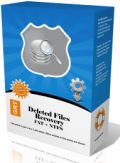
Giveaway of the day — GRT Deleted Files Recovery
GRT Deleted Files Recovery was available as a giveaway on October 6, 2009!

GRT Deleted Files Recovery is fast and easy-to-use data recovery solution. No technical or data recovery skills are required to undelete your files. Download GRT Data Recovery now to perform deleted files recovery, or if you are trying to unformat and recover data from floppy disk, zip drive, smart media, compact flash or other removable media. GRT Deleted Files Recovery tool helps you to recover lost files from FAT16, FAT32 and NTFS partitions.
Features:
- Supports FAT12, FAT16, FAT32, NTFS file systems.
- Recover deleted files and folders even after recycle bin has been emptied or use of Shift+Del key.
- Provides easy-to-use graphical user interface.
- No technical or data recovery software skills are required.
- File recovery from Missing or Lost folders.
- Multi-Disk Drive Support - Supports IDE, ATA, USB and SCSI hard drives.
System Requirements:
Windows 2000, XP, 2003, Vista and Windows 7
Publisher:
GRTSoftHomepage:
http://www.grtsoft.com/recover-deleted-files/File Size:
2.03 MB
Price:
$49.95
Featured titles by GRTSoft

Batch Picture Resizer is software specifically designed for fast and simple automation of such tasks as picture resizing, conversion and watermarking.
Advanced Woman Calendar is a precise and user-friendly personal ovulation calendar that monitors the menstrual cycle. It calculates safe days for sexual intercourse, and helps you to achieve or avoid pregnancy, or even predict a baby's gender.
GRT Data Recovery helps you to recover lost data from FAT16, FAT32 and NTFS Partitions.
Batch Picture Protector is a powerful and easy-to-use batch image watermarking tool. It protects your digital images and artwork by adding professional transparent watermarks that combine text, illustrations and graphics.

Private Photo Album is a private photo album you can take on the go. It’s perfect for loving couples or teens who want to keep their private photos on the computer private. The application includes a built-in image viewer and slideshow capabilities.
Comments on GRT Deleted Files Recovery
Please add a comment explaining the reason behind your vote.

iPhone app giveaways »





Android app giveaways »





I love what you guys are up too. Such clever work and exposure! Keep up the terrific works guys I've added you guys to blogroll.
Save | Cancel
get the best recovery available on the pc, get EASUS Recovery Wizard Professional and get serious about data recovery for once.
Save | Cancel
#19, #22, mike, all good recovery utilities, like Recuva, estimate file recoverability. The only files which might be able to be completely restored are those given the top rating, which most apps list as "Excellent". Any rating less than that and parts of the file have been overwritten (some people want any file fragments, I'm generally only interested in fully recoverable files). Note that an estimate of "Excellent" doesn't mean that the file is recoverable, it merely means that there're no obvious overwrites based on entries in the file tables. In particular, one needs to be careful when using only thumbnail views. Just as a test, I was using thumbnails to spot probably recoverable graphics files. Recuva's UI popped up the recoverability estimate for what appeared to be a recoverable file, and indicated that it was poor. Checking the Advanced interface, all or most clusters had been overwritten, so I was actually looking at another file, the original was gone, exactly as one would expect. Many people wrongly assume that recovery utilities which don't estimate per-file recoverability and supposedly find all sorts of stuff, that those are actually recoverable files. Some people also wrongly assume that recovery utilities which estimate per-file recoverability and find files estimated as "Excellent", that those files can actually be recovered.
I never said that other apps couldn't outperform Recuva in some situations. For John's situation, recovering from the file tables alone should be sufficient, and I'm not aware of any bugs in Recuva's ability to do that. Now, if the disk has been defragmented since losing the files, you would have to do a sector scan, but your chances of finding anything useful would generally be very low (slightly improved if the drive has a lot of free space). Recuva isn't the app to use for serious cases, like damaged partition tables and cases where the OS doesn't assign a drive letter. There are a number of other apps for those cases, such as Active Boot Disk, as I mentioned previously. As for GRT Deleted Files Recovery, we just had GRT Data Recovery, and it was a disaster. I'm not going to test or install this offer, there's no chance that it will outperform any decent recovery utility, there's no point to install it "just in case".
System Restore isn't magic or random. It restores the OS files, files in Program Files, and executables. It restores some corresponding registry entries. Shadow Explorer is a better option for other files.
#23, bob, that's curious that the drive could be read for scanning but not recovering. Are you recovering to another drive, as you must? If so, try another recovery utility.
Save | Cancel
I like MultiStage Recovery (also a previous GOTD giveaway), but my favorite is probably Power Data Recovery. Out of the three, I'd have to say Power Data Recovery is the most efficient and effective. It has Undelete Recovery, Advanced Recovery, Deep Scan Recovery, and Resume Recovery. (which loads previous recovery searches and continues) When/if I reach for a data recovery program, that's the first one I go for. No, it's not free, but if I were to buy one, this would be the one I'd pay for.
http://www.powerdatarecovery.com/
Save | Cancel
I installed the previous version of this, entiteled "GRT DATA Revovery" that looks like the one in the second image in post #2. It seemed to work ok.
Save | Cancel
Slapdash app that's seemingly been thrown together: what on earth is the point of recovery software whose results include files that were never lost in the first place? As a commercial software, it's a non-starter; as a download, pointless.
Seems not to be much point to the new ratings system, either: no less than SEVEN different categories to scroll through but with no aggregation at the end and no revelation by any specific 'result' of any specific 'finding' (so why the link???)
It's as meaningful as the daft thumbs up / thumbs down 'system' it replaced, though GOTD is to be congratulated on its honesty in showing user review numbers, pathetically small though they are.
Better all round to scrap any ratings system and let GOTD users make up their own minds based on the comments penned by other GOTDers.
Save | Cancel
@#16 Antonio Saverio – “It does not work with XP SP3. I pass.”
It may not have worked for you because of your PC’s third-party security settings. “Undelete” programs deep scan a HD in their quest for lost data, so check those settings since they may be preventing you from installing today’s GOTD. However, keep in mind that every action you do (even moving the mouse) lowers the odds of successfully retrieving your data because of being overwritten. Incidentally, one of my PC’s OS is XP SP3, and I didn’t experience any installation problems. As for how well the program performed recovering lost data…....
Save | Cancel
#15: "John, when people claim that some other recovery software works better than Recuva, I’m always strongly inclined to suspect that the wrong options were used with Recuva."
Totally FWIW, & while Recuva is quite good, I don't know that there's anything to gain by assuming if Recuva can't find it, it's gone. On the thankfully few occasions I've gone after missing / damaged / deleted files, I've sometimes experienced quite a bit of variability between different apps that can work with the partition tables, file tables, and usually when using deep scans to piece files together, recovery software. After using one app & before the next, I always ask: "What can it hurt"?
As long as I've got the current state backed up, using more than one app &/or method only takes time. It's well worth it if I get something after however many tries, & if I'm doing it for someone else, & if I don't get everything, it's guaranteed they want to hear I tried this, & this, & this etc... It's not like I've got to sit there staring at the screen during any long scans, & if I'm working off an image, the original drive (if it still works) is doing it's thing in the original PC so no more down time for anyone else either. ;-)
Save | Cancel
I have a recovery job coming up so I will give this one a real test. Thanks GOATD
Save | Cancel
Running GRT Deleted Files Recovery & Recuva 64 in win7 64 RC, scanned a 1 TB drive I use exclusively for temporary data storage (drive backups, movies, VMs etc), which at the moment is about 1/3 full. To make things easier I selected 7 text files (logs) that Recuva 64 showed as Orange (maybe iffy) & recovered them in both apps. The results were identical with 2 of the 7 files containing parts of other files, & a 3rd containing none of the original log. GRT Deleted Files Recovery had none of the options in Recuva 64 -- no ratings, no choice of views, no deep scan, & wouldn't even minimize -- but in this case the results were the same. As #13 pointed out, mileage with this sort of app varies, so with the app taking up less than 2 MB I'll use PortableAppCreator [from the forums @ portableapps.com], & stick it on a rescue USB stick (just in case)... hopefully I'll never have reason to fire it up again. :-) [BTW, if you use/have USB sticks for rescue, with apps, whatever, Odin seems to work nicely to create a backup image -- Paragon & most others won't work for USB stick images]
Otherwise, it can help to store anything that changes often -- say any new docs or video or images you're working on -- on another drive/partition... Windows writes to the system drive constantly, so you've got a much greater chance of any deleted files on that drive being overwritten, making them unrecoverable. If you do need to recover a file or files, act quickly to make sure nothing else is written to that drive, even if it means powering off your system, but after that it usually pays to be a bit patient. By 1st creating an *exact* image of the drive with the lost data, then restoring that image to another drive or partition, you have something to work with, even if the original drive is failing, & you don't have to worry about data being overwritten -- worst case just restore the image again.
To help out, Easeus free Disc Copy is an iso file you burn to CD, creating a bootable disc with image backup/restore -- handy if you don't have or can't access earlier backup GOTDs from Paragon. And DrDD- DataRescue's DD freeware has options to help get that data off of problem drives.
Once you have an exact image of the drive with the lost files, don't forget Windows' System Restore -- ya never know when you'll get lucky. Of course it will write to the drive with the files you're hoping to recover, so the image comes 1st. If you're in Vista or 7, the free Shadow Explorer might help out -- it lets you look for & restore individual files rather than having to restore everything.
Save | Cancel
It does not work with XP SP3.
I pass. Thanks GAOTD.
Save | Cancel
#13, John, when people claim that some other recovery software works better than Recuva, I'm always strongly inclined to suspect that the wrong options were used with Recuva. First of all, make sure that you're using the latest version, as it's updated frequently (I always let it check for updates). If you're using the wizard, don't restrict it. For File type, always select Other (Show all files). For File location, let it search everywhere ("I'm not sure"), or an entire logical drive ("In a specific location", specifying the entire drive). Do not Enable Deep Scan for normal cases, that's for cases where the drive has been quick-formatted or the partition or file tables have been damaged. If you use the wizard, after the scan completes, you can switch to Advanced mode, where you can set the Options (of course, you need to do a new scan if you change Scanning options).
Do not use the (logical) drive which has the data that you want to recover, and do not recover to that drive.
Save | Cancel
Another free program is PC Inspector File Recovery that I have used many times over several years with good results. This includes deleted files and reformatted drives.
http://www.pcinspector.de/Sites/file_recovery/info.htm?Language=1
They also have a free specialized recovery program for memory cards.
Save | Cancel
When recovering it's best to recover to a different disk so you're not accidentally overwriting what you want to recover. With that in mind just browsing the web and reading this runs the risk of overwriting with new data what you want to recover if it's your C: drive you need to recover files from.
These types of recovery programs are hit and miss, sometimes you'll be very lucky getting a needed file back however it will often detail having to restore it from the backup you made (you did make a backup didn't you? Probably not!).
Save | Cancel
Thanks #4 and #6 I'll give Recuva a spin as I've used CCleaner for years and find it invaluable and reliable.
Save | Cancel
HEAVY LIMITATIONS! No doubt the free Recuva is much better...
Save | Cancel
Why offer it, if its so terrible? surely, there must have been some better sofware available than this garbage pack.
Save | Cancel
My early experience of computing involved saving data to domestic cassette tapes, and learning the necessity of backups. Today I have my recycle bin disabled; when I delete something it is deleted and I have yet to delete something in error. Yet, being paranoid (or sensible?) I have checked out several file recovery programs. Today’s GOTD would definitely NOT be the one I choose to have installed for that inevitable day. By the way, it is worth having one installed as accidentally deleting something then installing a recovery program on the same drive is likely to overwrite what you are trying to recover!
Save | Cancel
This Software is published several times on this Site. But "EASEUS Data Recovery Wizard Professional" is much advanced then this. So I advice every body not to download this. PC becomes much slower than normal. So ne'er install this.
If you have any queries regarding this, please feel free to contact me at "sukha.sukhjinder@gmail.com".
Thanks!
Save | Cancel
I'll agree with @#4 .......... Recuva's the bees knees of file recovery
Save | Cancel
Thanks for this program. To be honest, I have never heard about it. As for me, I use different software to recover deleted files. On the market, there are many programs that recover photos, videos, documents, and other important files deleted by mistake or intentionally, you can give some of them a try. For example, Advanced File Recovery, Recover My Files, Quick Recovery, R-Studio. I prefer the first one, because it unerases mistakenly deleted files from any media. It restored and gave back me about 3GB of data after Windows had deleted partitions, i had formatted them and even installed new Windows. It restored all my data that I had lost.
Save | Cancel
Thanks, but I think I'll just stick with the free Recuva.
Also, I'd like to warn inexperienced users that attempting to recover files (no matter what software you use) might make matters worse, so if the files are really important, you should consider taking your disk to a professional restoration company.
Regards,
escanive
Save | Cancel
It doesn't work on my XP sp3: it does an error when I click Scan, and it stops itself...
Save | Cancel
The Good
* Scans quickly.
* Supports scanning of internal hard drive and external media (USB/flash drives and external hard drives).
The Bad
* Horrible recovery rate (only reads from MFT?).
* Shows all non-deleted files; no way to turn this off either.
* No way to go back to step 1 after you get to step 2 (bar closing and reopening program).
* "Preview" of files does not work.
* Does not specify the "recoverability" of files.
* No help file or proper documentation.
Free Alternatives
DiskDigger
For final verdict, recommendations, and full review please click here.
Save | Cancel