Every day we offer FREE licensed software you’d have to buy otherwise.
Giveaway of the day — eCover Engineer
eCover Engineer was available as a giveaway on November 28, 2008!
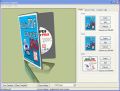
Design ebook covers, CD covers, DVD covers and software box covers with minimum costs. Use our free templates to create amazing covers for your products.
Features:
- Real time 3D preview;
- Possibility to rotate your ecover on all axes;
- Export your work as PNG, GIF and BMP;
- Change light colors and shadow effects;
- Save your work as templates for later usage;
- Use over 100 royalty free templates available online;
- Use your favorite image editor to edit templates;
- Multi language support: English, French, Deutsch, Spanish, Polish, Hungarian and Croatian.
System Requirements:
Pentium III 900 MHz; 512 MB RAM; 50 Mb HDD Space; 3D capable video card; Windows 98/ME/XP/2000/2003/Vista
Publisher:
AdolixHomepage:
http://www.adolix.com/ecover-engineer/File Size:
5.58 MB
Price:
$38
Featured titles by Adolix
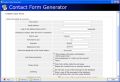
Create HTML forms for your website. Use our powerful anti spam protection. Free and premium service plans available. Features include: - Real time form preview; - Custom thank you page; - Send copy to your visitors; - Receive attachments; - Multiple recipients; - Field validation; - Custom recipients; - Message archive; - Export to CSS / Excel.
Adolix Email Backup will backup your emails if you are using one of the following email clients: Outlook Express, Microsoft Outlook, Incredimail or Eudora. Our product will backup accounts settings, mail folders, signatures, message rules, address book and stationary. Adolix Email Backup’s built in scheduler allows you to select what email client to backup and for each of them what data to save. Your backup file can be uploaded on a FTP server.
Professional PDF converter software. Create PDF files from any application. Convert PDF to image. Features include: - Preview PDF; - Change page order; - Merge multiple documents into a single PDF; - Split PDF into smaller files; - Protect PDF with 128 bits encryption; - Change images and text compression settings; - Rotate pages; - Online tutorials.
GIVEAWAY download basket


Comments on eCover Engineer
Please add a comment explaining the reason behind your vote.

iPhone app giveaways »





Android app giveaways »





I would like the Queen to mention British troops serving overseas, and the service personnel have lost their lives in the last twelve months.
Save | Cancel
Directed to post number 3, possibly 4 when i hit post.
Ashraf, designing a cover for a DVD etc is hard to do in your normal graphics editor unless they have templates for DVD's etc.
This is because what you see on your screen isn't what comes out of your printer.
There are size dimensions, shapes and other things to take into account.
You can't just open photoshop, draw a circle and paste an image, it needs to be the correct size, with the hole in the middle the correct size, also, you can just get a glue stick and paper and glue it on.
Yes, this software is a resource hog. This may only be because its a graphics editor with a poorly coded GUI and structure, but this program will be very useful for people.
Also, in regards to other people who come to this site, vote negatives on comments and software.
I would really like to see you try and get a website like this running, with constant new, unrepeated software for FREE. Thats the main idea here, it's free. Please get some maturity and think that each bit of software is chosen specifically for your needs.
I know, this post will get like -90 on it, and you are the people this is aimed at...
Cheers,
Rio
Save | Cancel
I like this kind of software... It is very to use, and I hope you'll come with an updates very soon!
Save | Cancel
the purpose of the software is for someone that sells virtual products, like e-books or audio or video downloads, to have a
picture of a product on their website to sell. It looks more
'real' and adds to the perceived value.
it does not make covers or labels for CDs that you may make or burn.
wish I had seen this before the time had expired; it looks more
professional than the site I had been using.
Save | Cancel
Some people are missing the point of this program. This isn't for creating covers for ACTUAL products, it's for creating graphical representations of DIGITAL products. So if you create a software program that is only for download, you can create a 3D box to represent it on the website. If you write a book that is only available to download in PDF format, you can create a 3D book that represents this book for visual appeal.
It is NOT for creating covers for physical items!
Save | Cancel
The Name ISN'T misleading!
"e" refers to "electronic".
If we talk about "e"mail we all know it isn't actual physical mail.
An eCover is an electronic representation of a cover and they are used all over the internet.
Save | Cancel
Offer down loaded, installed, register without a problem. Downloaded because, I volunteer for several non-profit organizations, I may have a need for this sometime. Don't have the time to work with it to really evaluate the application at this time
Save | Cancel
I don't see a point in it. I have all kinds of graphics software, and this does a whole lot less than a lot of freeware plug-ins. I tried making it do something useful, and it locked up.
Somebody else already remarked, it's a resource hog. It isn't even a good deal for free.
Two thumbs down.
Save | Cancel
"access violation" and crashed. This program won't run on my XP machine. SP3 installed. Paint.net already installed. .net framework up to date. I wanted to give this program a fair try, I tried to install 3 times, with reboots, but it was fruitless. Same error each time. Maybe its just my machine, but I don't have problems running any other programs. Makes you think??
Save | Cancel
I didn't mention the Paint.NET issue because I already had Paint.NET, so the installer only installed eCover Engineer. The GOTD forum topic mentions that people encountered problems with the eCover Engineer installer installing a second copy of Paint.NET if the existing one was on a different drive. That's an extremely serious problem, and could be very difficult to straighten out. If you haven't installed eCover Engineer yet and want to, but know that situation applies to you, I would uninstall your copy of Paint.NET first, then run the eCover Engineer installer, then uninstall its version of Paint.NET, then reinstall the latest version of Paint.NET to where you had it before.
As #69, TK, mentioned, Paint.NET has absolutely nothing to do with Windows Paint, and doesn't replace it.
Paint.NET is fully Vista compatible. It makes extensive use of .NET, so the installation is large, complex, and slow. If you're interested in eCover Engineer, you should definitely download and install the latest version of Paint.NET first. I strongly recommend doing those types of installations from an administrator account. To those who said Paint.NET messed up their systems, there are a number of issues. Your .NET installation could be damaged. The Paint.NET version which you tried previously could have been old. I recommend reading the Paint.NET forum installation and FAQ stickies, they mention other Vista settings which may be incorrect.
#59, Ariana, yes, it does the 3D perspective and lighting. You can use mouse dragging to tilt and rotate the image in realtime, and there are controls for reflection (spelled incorrectly) and lighting, etc. It's not really appropriate for creating your CD/DVD labels. A better approach would be to create the physical labels first with your current software, then import those images into eCover Engineer (you may want/need to resize them first).
Save | Cancel
# Ashraf
Just for once I don't agree with you at all!!
This program is very useful for those people whi are keen to write and sell eBooks or whatever Digital products the want to sell!!
So pretty useful for writers, publishers,webmasters, marketeers and whoever else is engaged in the e-commerce sector to sell digital products (DVD, CD, eBOOKS etc...).
Why do you think that all GAOTD visitors cannot find this SW useful?
Personally I know 2 of them having a website designed to sell e-Books and other digital products.
You know I'm quite flabbergasted that an American geek like you has found this SW pretty useless because as far as I know the webmarketing was born in US and almost all the webmarketeers I know or I came across come from US.
Have you ever heard about the BLOGGING and FREELANCE COPYWRITING BUSINESS?
Many people make a living with it (not in Italy though)!!!
Actually creating personalized eCover on demand could be even a BUSINESS because you can create eCovers for your clients and then charge them $20.00 or $ 30 per Ecover designed.
Why not?
Most of people surfing on the web, like the undersigned for example, don't have the foggiest clue about how to design professional membership cards, 3D eCovers for their eBooks or other digital products they want to sell online.
Which one is more expensive?
Buying expensive e-Covers software and then spend days or even weeks to learn how they work??
Hiring a graphic designer to do 10 eCovers at $60.00 each and wait for at least a week?
Or have everything done in minutes?
Moreover, as for as I know, there are not FREEWARE eCovers applications on the web as good as eCover Engineer, unlike the previous GAOTD offered in the past: ALL THE MORE REASON TO DOWNLOAD IT!!
In fact the only FREE ALTERNATIVES I'm aware of are the following ones:
3D Box ShotMaker 1.0
Vossfeld Virtual Hardbox Designer 1.0
Bobyte Boxmaker Classic 1.0
But, as I already said before (see my previous post set out above), none of them bear comparison with eCover Engineer and SOFTPEDIA and
SOFTWARE PICKS NETWORK both agree with me (in the first case 25 users rated it as GOOD = 3.1 /5 and as VERY GOOD in the latter: see my post set oit above for more information).
Of course,it's also possible to draw our own images with graphics editing programs and then publish nice eCover eBooks online following a step by step eCover wizard path such as the one shown here:
http://www.nick-james.com/public/32.cfm
Have you ever used DAZ STUDIO?
Simply amazing!!
But how many people know that?
And what if one cannot get access on the WEB?
These are the main reasons why I strongly believe that eCover Engineer is not an useless program at all.
Cheers from Italy!!
Giovanni
Save | Cancel
#71 - Nobody should be using adhesive labels on CD/DVD discs anymore. They make perfectly good blank printable CD and DVD media. Printing directly on the disc saves you the cost of the labels. It also ensures that you don't have a slightly off-center label (even the labeller alignment tools will sometimes get them a bit off center - the faster the drive spins, the worse it is.
Plus, heat WILL cause those labels to dry out and delaminate. When that happens (and it does) and it's in a drive spinning, it will take the top surface (the FRAGILE, SCRATCH SENSITIVE side) and rip it apart - and there goes your data.
Continuous Ink Supply systems rock out loud. So do printers that use separate larger ink tanks, rather than tri-color ink printhead carts, or, *shudder* $29 Lexmark "Training Wheel" inkjets with $85 color and $55 black print carts.
#41 - You can use legal size paper and a color inkjet or laser and make some pretty decent looking covers, no special paper needed...
Save | Cancel
Man, I am disappointed with this program. My machine keeps freezing up whenever I want to visit the webpage. the tuturials etc. What gives? I am running on Windows XP, Service Pack 3 and lots of RAM. I have read the comments about this program using alot of computer memory, well I have 14Gigs free, this just does not figure. This is not Give Away of The Day's problem they are great. Anyone out there, can you give me suggestions regarding my problem ??? Also, I have completely deleted the program twice from my computer and reinstalled without any happier results. Help.....
Save | Cancel
#59 Ariana ... Have just got back to the computer here in the am (Melbourne, Australia) so I hope you will see this message in time, as the download time for eCover Engineer is running out. :-)
Yes, these programs do produce 'photographed perspective angle' for the resulting images.
If you look at the examples (from the templates) on the eCover Engineer site, you'll see the different options available. The 'flat' images you insert or create within the program are then manipulated into the perspective (3D) image at the end of the process - when you save the result - complete with shadows, reflections etc depending on the options you choose.
I'm afraid it's too long since I did the full test with eCover Engineer to remember whether it allows a preview before you hit finish and get the program to render the final result - I know Box Shot 3D (the one we finally picked) does so.
We have not only used these 3D images for the smaller pics used in our online shop, but also for one larger pic on our website, in relation to someone else's book ... with permission. :-) If you're curious, the image is on this page.
I'm assuming that, like ourselves, you'll be using the program commercially - so the free download is really only to allow you to trial the program. If you miss the GAOTD offer though, all the programs I mentioned above do have trials available, including eCover Engineer (though only 15 days for this one, from my notes).
Good luck with finding the best one for your purpose!
Hope this helps!
Cheers, Sue
Save | Cancel
Great tool. I can use this to create 125x125 ads for my blog. Thank you so much.
Save | Cancel
Thanks for the free ware list
i run a program helping creative individuals who are currently unemployed Start a business. I troll this primarily as a source for software for my project. I would love more info as to free ware for entrepreneurs.
It is the poor craftsman that blames his tools, I used Paint.net rather than adobe, It works better for my needs.
Save | Cancel
Hey Number 12, where can you find it cheaper, when it's free???
It's certainly something I wouldn't pay $38 for, could be maybe 19 or 25 dollars,
but it does really help me create covers for my CDs. :)
Guess it's pretty good, thumbs up.
Save | Cancel
#50 If you're using ink refills then I hope you don't encounter the problems others do like failure of the ink cartridge and the mess that follows. The reason one uses special paper for cd's is because they have asdhesive backings. What do you do, use Elmers glue and risk damaging your CR-ROM drive?
Save | Cancel
I recently finished producing 10 ebooks for a non-profit organization. This software comes in very handy and at a very good timing. I been looking for such software for a very long time. Sure I can do this 3d effect using Photoshop CS2 but this software will help me save heaps of time as I could simply create 1 template and reuse it over and over again. So to me, this software come in very practical and handy.
I am using Vista and I have no problem using the Paint.net and the software. The installation went very smoothly. Thanks for sharing this software with GAOTD!
Save | Cancel
GREAT PROGRAM!
The capabilities of this application are AMAZING for its price:
- real time 3D image editing and rendering with 100 free templates
- ability to import BMP, JPG, GIF, PSD and other file formats as well as resize the width, height, and depth of the cover box, and rotate, roll and resize the eCover
- high image quality with Shadow effects and a feature which allows users to show or even hide the shadow and the light source and to choose the light color of the eCover
- ability to send by email the saved eCovers, templates and output images
A FULL REVIEW of this program, made by SOFTPEDIA, can be found here (User rating: GOOD = 3.1 /5 rated by 25 users):
h ttp://www.softpedia.com/get/Authoring-tools/Authoring-Related/eCover-Engineer.shtml
(remove space at beginning)
You can also see the screenshots of eCover Engineer here:
h ttp://www.softpedia.com/progScreenshots/eCover-Engineer-Screenshot-14406.html
(remove space at beginning)
SOFTWARE PICKS NETWORK has also eCover Engineer giving it a 4 out of 5 star rating:
h ttp://www.softpicks.net/software/eCover-Engineer-11633.htm
(remove space at beginning)
What can I say?
GAOTD team has finally released a SW which cannot be replaced by any other FREE ALTERNATIVES available on the WEB, as instead usually occurs with regard to other programs, doesn't it?
ALL THE MORE REASON TO DOWNLOAD IT!!
Who knows, maybe GAOTD team has finally accepted my past advice to give priority to SW like this which cannot be found as Free Downloadable softwares on the web (only joking!!).
Of course the task manager shows a quite high RAM and CPU usage but for those people like me keen to write and publish eBooks on the web eCover Engineer is definetely a keeper not only because it can be exceptionally got for free as GAOTD but also because it produces nice and very professional indeed 3D eCover images and, as everybody knows, the first thing potential customers may be impressed by, when they come accross to a digital product like an eBook, is its eCover!!
The only FREE ALTERNATIVE I know about eCover SW is 3D BOX SHOT MAKER 1.0 (but eCover Engineer has more features than this):
h ttp://3d-box-shot-maker.bosseye-inc.qarchive.org/
(remove space at beginning)
Finally, for those who won't be able to download this GEM before the end of GAOTD deadline or just don't want to take up their HD space, there are services on the WEB allowing users to create FREE eCovers using an eCover script through an eCover Wizard.
One of them can be found here:
h ttp://www.nick-james.com/public/32.cfm
(remove space at beginning)
With this service it's also possible to design and personalize unique professional EBOOK ECOVERS starting from scratch, because users can draw their own images on their PC, using graphics editing programs such as Adobe PhotoShop, and then create a professional eCover following the eCover Wizard steps mentioned above.
If you don't have Photoshop, don't worry!!
You can replace it with other astounishing FREE or CHEAPER ARTWORK ALTERNATIVES such as:
GIMP (see this nice and easy tutorial to get to know how to use it properly: http://www.gimp.org/tutorials/)
GOOGLE SKETCHUP
h ttp://sketchup.google.com/index.html
(remove space at beginning)
PD PRO DIGITAL PAINTER 3
h ttp://www.thebest3d.com/dogwaffle/(there are also a FREE starter version and fantastic tutorials on making eye-popping art)
(remove space at beginning)
COREL PAINTER
h ttp://www.freedownloadscenter.com/Multimedia_and_Graphics/Graphics_Editors/Corel_Painter_IX_5_for_Windows_Download.html
(remove space at beginning)
DAZ STUDIO
h ttp://www.download.com/DAZ-Studio/3000-6677_4-10717523.html?cdlPid=10900816
(remove space at beginning)
DAZ STUDIO is a fabulous FREE 3D figure posing and animation tool enabling users to easily create stunning digital imagery and 3D images:perfect for eBook designers to design and create vivid cover images. Caution, it requires at least 1GB RAM to work smoothly even though 512 RAM can be enough if you are not too much demanding.
Hope you found this information and suggestions helpful.
Cheers from Italy!!
Giovanni
Save | Cancel
Help!!! It won't install! I want this program but it won't install. Explorer crashes on it. This bugs me, a lot!
Save | Cancel
Your going to want to get this one guys, even if you think you'll never need it.
Its amazing
Save | Cancel
Whatever happened to the artists who designed with paints & brushes?
I guess this dates me, but I prefer to manually do many things still and am confused as to why one would want a machine to robotically do those things.
I guess for the non-artistic who doesn't know any artists this would be a great program.
So I say to keep up the good work searching for programs, GOTD.
Save | Cancel
Paint.net & my Vista Ultimate system don't get along as well. It took be several months of trial & error to finally figure that it was Paint.net that was causing me display issues on a Dell XPS 420 desktop.
This program would come in handy for me but it really should have the ability to recognize other installed paint programs & upon doing so, not install paint.net!
maybe I'll try it on my XP system later. I already have paint.net installed there.
Save | Cancel
#12
"thanks but no thanks there are plenty of these software program available and cheaper"
Cheaper?????
You mean they pay you to try their programs. LMAO
Save | Cancel
Clean interface. Not clogged like others. Easy to use. Love the box templates. Great for software developers. Installed easy WinXP Pro SP3.
This is a keeper. Thumbs up.
Save | Cancel
...some FREEWARE alternatives:
Bosseye 3D Box Shot Maker 1.0
FREEWARE
http://www.bosseye.com/boxshot/index.htm
Vossfeld Virtual Hardbox Designer 1.0
FREEWARE
http://freeware.vossfeldt-media.de/virtual-hardbox-designer.php
Bobyte Boxmaker Classic 1.0
FREEWARE
http://www.bobyte.com/BoxMaker/index.asp
:)
Save | Cancel
For those of you concerned with the issue of this program having Paint.net bundled into it, Lee has started a topic about this over in the forums.
http://www.giveawayoftheday.com/forums/topic/4331
The main reason I mentioned it is because Bubby posted there that this is not the most up to date version of Paint.net and Lee pointed that you can uninstall Paint.net and eCover Engineer still works.
#55 gmon - you asked a great question about the ethics of this, so I checked Paint.net's website. In their FAQ, they encourage you to use their software for any purpose, including commerical. Paint.net say they feel the only time there's a legal concern is if you're going to modify the source code. If I read that correctly, they wouldn't accuse Adolix of crossing the line.
Save | Cancel
#51...Sue, can you tell me if the image this produces can be tilted to look like it is at a "photographed perspective angle" of an actual physical product (*for realism)? Also can these flat/straight on images be exported to my files and used for templates to design my Lulu CD's (*or is this not good for that at all)? ThanX.
I just started marketing my writing and graphics on cd's, so having a well executed cover for either a book, software or cd on my website is something I have just begun to use. I look forward to your feedback.
Ariana
Save | Cancel
I hate to dampen the happiness of all those who are intending to use this software for commercial ebook cover creation because it's written in the terms and conditions in the readme file that the software is for "Strictly non-commercial usage". So guys take note!
Save | Cancel
This has improved a lot since i used it a year or so ago.
Installed fine and registered no problem on XP sp3.
One question:
When i ran it it came up with a small window in the program asking if i wanted to get the latest update. I click yes and it took me to a screen with a 15 day trial to download. If i download this version and install will it then revert my previous install to a 15 day trial only...
Save | Cancel
I tried it on an older laptop with a 1.8 GHZ cpu and 768 mb RAM. It installed and runs perfectly. Paint.net (which is also installed) is very nice freeware that I have used frequently for other projects. For free this is a very nice product. I recommend downloading it, you never know when you might need something like this. I rarely download anything from this website, but I will definitely keep this software.
Save | Cancel
Paint.net is free and in constant development. I don't like the concept of freeware bundled with shareware.
Save | Cancel
I know a lot of you here are familiar with the rules, but a well known internet marketer did a blast to his list today letting them know that the normally commercial program is free today on GAOTD.
NOTE TO TURBO MEMBERS: You CANNOT use this for any commercial purposes. As most, if not all of you are internet marketers, the use of this program is likely going to be commercial. Be sure to register an unrestricted version if you do need to go commercial with it.
Save | Cancel
installed on xp3 fine. My use is for cd covers to print. This seems to be web based only. Not for me. thank you GAOTD I'll be back to check out your next great giveaway
Save | Cancel
@42/ Jeff: "If you have a downloadable ebook or software product that you want to sell or give away then you should include a picture of it to improve conversion."
FWIW I disagree on this being any sort of ironclad rule, but rather something that depends entirely on your market. By tomorrow Ton's of people will have downloaded eCover Engineer, yet you won't find a picture of a fake box on this GOTD page. ;?P
Years ago I would have said it couldn't hurt, but with today's emphasis on *Green* issues, & with so many people upset about wasteful packaging, I'd strongly suggest closely monitoring actual results of a trial. I mean look at the uproar Microsoft caused with it's packaging, & the lengths they went to trying to stop it.
Save | Cancel
I was wondering if a little clarification may be helpful for some people ...
This type of software doesn't produce the actual COVER OF the book or CD itself - ie the physical cover you print for the book, or the CD label or insert. It helps you to create an IMAGE OF the book or CD, usually in jpg, png or gif format, that you can upload as a product image for your website or online store. So 'cover' software, although that's the word used to describe this type of software, is actually a bit misleading. :-)
As might be expected, businesses have found that having pictures of their products (books, ebooks, CDs or DVDs) on a website are a good way to help increase sales.
Of course the other option, apart from 'cover' software like this, would be (as some businesses also do) to take a photograph of the physical product and upload that.
However to get a really good-quality picture of each separate product isn't always possible unless you have access to a) a good camera and b) a pretty good 'studio' environment to take your pictures ... so you have strong but not harsh lighting, effective shadows, a clear image of the product with no flash reflections from the camera etc. And if you have a large number of products, that would usually mean a VERY long photo session - and probably photo-editing session as well - to get all the pics you want looking just how you want them. Also, with e-books or Print On Demand (POD) books for example, you may not necessarily have a physical product available to take a photo of it. :-)
So having this type of software to put together an image that's a kind of 'prototype' of the product itself is a great help. It also means you can have one basic template for all your books (or CDs or ebooks etc), and drop the appropriate front cover image or text into it for each one. Presto, a much faster and more efficient process for creating a number of product images for your online shop. :-)
Sorry to be 'off topic' in relation to eCover Engineer itself - but I thought the explanation might be useful for those (like some of other commenters so far here) who were a bit confused about the purpose of this kind of software.
Cheers, Sue
Save | Cancel
#41/ Phil: "...we all know to print any type of cover (DVD’s) requires special paper and use of ink which for one or two covers may be cost effective but more than that and there goes another $35-$45."
Actually that's incorrect... The only reason for *special* papers is if you want them perforated so you don't have to use a simple paper trimmer [~$8 - $30]. For (semi) pro use to cut costs & production delays folks use a continuous ink feed set-up with a normal inkjet printer [a kit includes large (replaceable/refillable) bottles of ink with tubing & such] -- you don't bother with the expense & hassles of replacing ink cartridges. Kits are readily available on-line -- Google.
That said, again this software is for producing images of *fake* packaging. If you want to do the real thing, for either sales or as a mock-up to photograph, there are other programs that are better suited to that sort of work. The same for books -- check out most any publishing program... they're available either free or very cheap.
Save | Cancel
Nice program, installed on vista ultimate easily, however, a lot of CPU and Memory hogging.
Save | Cancel
SO HANDY!
Wow, just give it images and foodle with the settings until it looks the way you want it. Perfect! These images look great on websites especially if you have a digital book or package that you want to promote.
I'm using Windows 2000 SP4 and it works great, Thank You much, GOTD!
Save | Cancel
You've no doubt noticed that if you go to the developers' site for an offer on GOTD, they often show a picture of a software box. Very often this is just marketing -- the software might never, ever actually be boxed [for relatively few MB why bother with packaging & distribution?], but supposedly it makes a prospective buyer feel better, &/or more inclined to buy. That's what eCover Engineer is for.
Would you use a program like this to actually print your boxes? No. Would you use it to print your discs? Probably not.
There are markings for color and placement, not to mention ink numbers etc. that a printing shop needs to actually produce boxes. And if you do limited production runs yourself, you'll probably either use illustration software (free Inkscape?), &/or utilities that came with your printer or were included in a burning software suite like Nero or Roxio. Someone producing small amounts of DVDs or audio CDs (a few to several hundred) might then use a duplicating (replicating) machine that also printed the burned, printable discs. They'd then print out the cover (& optionally things like liner notes) which would be trimmed & inserted on/in the plastic DVD case [or CD jewel case]. If 3D software is used at all, it's to design your graphics.
So, do you need a program like eCover Engineer to design these fake product images for a web site? No. You can use any graphics software -- even Paint built into Windows. eCover Engineer simply makes it easier -- because it's 3D software, you might also find things like perspective & lighting easier. Because it's 3D software, your PC might be more challenged running it...
Why Paint .Net? 3D software might easily design boxes and such in 3D space, but you still have to cover it with text & graphics. eCover Engineer could include it's own graphics software for this, but the developer chose to use something off-the-shelf: the free Paint .NET, which isn't a bad program to have by-the-way.
Do you need to create fake packaging in the 1st place? No. Obviously if it increases sales, it's worthwhile & a cheap investment, but, whether it increases sales depends on your market... You'll find an awful lot of software & content sold on-line without such things. Try it & if sales go up, buy the product so you can legally use it commercially.
***
@ Ashraf... I'd guess your PC might be using more resources because it's using software built into Windows to emulate 3D functions ideally found in your graphics card hardware. If that's the case it could be that your graphics hardware just doesn't have needed capabilities, or there might be software problems preventing your card from handling the DX &/or OpenGL needed.
Save | Cancel
Love to have this program but not with paint.net as part of the bundle. I use Corel programs for my image manipulation software.
Paint.net goes great on my XP system. In fact, it's been installed on it for months. But, Paint.net doesn't play nice on my Vista system at all.
If anyone else is using Vista & it doesn't work for you either, don't install todays give away. The publishers website clearly states that Paint.net is part of this package!
Save | Cancel
my interest is for printing a few cd covers but as stated by #25 it does not print well. ???? why would you NOT want to PRINT a cd cover? Ebooks and Emagazines I understand. Am I missing something here? I'll report back after a try
Save | Cancel
Wonderful introductory program. easy to install and produces quick results. Thumbs up for sure.
Save | Cancel
From their website: "Use our product in a lot of languages. Multi language support: ...Brazilian..."
Interesting, I was thoroughly convinced that Brasilians spoke Portuguese!
Hopefully the software is more intelligent than the description...
Save | Cancel
Comment response for Ashraf
If you have a downloadable ebook or software product that you want to sell or give away then you should include a picture of it to improve conversion. Even though your product is digital it still helps the customer to visualize as real. You could also send this digital file to kunaki and they will mass produce your product and send it for you for $6.75 on a per order basis.
Save | Cancel
This program claims "With minimum costs" though we all know to print any type of cover (DVD’s) requires special paper and use of ink which for one or two covers may be cost effective but more than that and there goes another $35-$45. Why would anyone want a special program to create a cover for an e-book? If you create your own E-book cover all you need is to use existing programs you have and imbed your image into the word document before you convert it to PDF.
The same pretty much applies to DVD cover templates (Which can be found online for free) because you create the size of the image along with text leaving a margin for the binder edge (Just use minimal words to get the right size before printing the cover as a test). If I create a book (Which I have several) I want a solid copy for my library and to give to friends. I find that sites like “Lulu.com” (Without the marks) allows me to create my own solid book for about $6-$10.00 (And you can order just one or two copies) which I can autograph and give to friends or use for copyright protection. Most online printers demand that you use their templates for a 6x9 or what ever size book you’re creating, and these are free. This comment is related to this company’s web site and their claims in here as well.
Save | Cancel
Nice, but i suppose BoxShot3D is much better since it has quality raytrace rendireing comparing to this one. Anyway, that's good fo free, thanks GAOTD
Save | Cancel
I have been monitoring GAOTD for over a month, and this is the first item I've downloaded.
I produce and sell software to other webmasters, and I frequently produce virtual "eCovers" for my sales pages. I have been using the rather expensive "Ecover Generator" for a few years, but on first sight, Ecover Engineer is far better.
As previous people have pointed out, this software is purely for producing graphics for websites, and there are many people who do this for a living.
I can see ECover Engineer being kept on my system for a long time.#
Oh, and paint.net is far better than the old Windows Paint program.
A BIG thumbs up from me :-)
Ian T
Save | Cancel
A couple of things I forgot to mention in my previous post (#35) ...
That shortlist of 8 programs I tested was filtered from a much longer list. I rejected any where the website hadn't been updated in a very long time (not a good sign), where the marketing copy and the website didn't look very professional, or where the sample/example images on the website didn't look as good as those appearing on the above company sites. So, in my opinion anyway, any of these programs would be worth a look for someone in the market for such software.
Also, there are a number of similar programs available that are actually add-ins for Adobe Photoshop. As I don't have that program, I didn't look at those. However if you're a Photoshop user, you might like to do a web search for those too. Two examples I found:
eCover Tools ($67.95)
CoverAction Pro ($97)
Cheers, Sue
Save | Cancel