Every day we offer FREE licensed software you’d have to buy otherwise.
Giveaway of the day — Easy Macro Recorder 3.65
Easy Macro Recorder 3.65 was available as a giveaway on September 15, 2007!

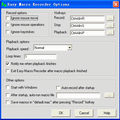
Easy Macro Recorder is a handy utility that automates repetitive and tedious tasks on computers. It records all operation of mouse and keystrokes, and saves them as macros, then Easy Macro Recorder can play back the recorded macros to automate tasks any number of times. What's more, there is an easy-to-use macro editor which can help you create new macros or edit an already created macros. Easy Macro Recorder works on any Windows applications.
Easy Macro Recorder is very easy to use, just two steps: record and playback. It doesn't require any programming experience.
Key features:
- Record all events of mouse and keystrokes of any Windows applications;
- Repeat playing back macros for any number of times;
- Allow you to do things that are tedious or time-consuming without actually doing them yourself;
- Play back macros at schedule time;
- Easy to use macro editor with several commands;
- Easy to use and don't need any programming knowledge;
System Requirements:
Windows 98/SE/ME/NT/2000/XP/2003 Server/Vista, Pentium 166MHz or higher, 32 MB of available RAM (64 MB recommended) plus 1 MB of available disk space for installation
Publisher:
GoldSolution SoftwareHomepage:
http://www.flashplayerpro.com/MacroRecorder/File Size:
1.72 MB
Price:
$29.95
Featured titles by GoldSolution Software
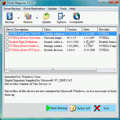
Driver Magician offers a professional solution for device drivers backup, restoration, update and removal in Windows operating system. It identifies all the hardware in the system, extracts their associated drivers from the hard disk and backs them up to a location of your choice
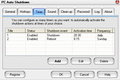
PC Auto Shutdown is a handy software that helps you automatically shutdown, power off, reboot, hibernate, suspend or log off computers at schedule time you specifies. It can shut down computers at schedule time when no user is logged in or when computers are in suspended power conservation mode. It gives you different ways to schedule the shutdown event for your needs, such as daily, weekly and only once.
GIVEAWAY download basket




Comments on Easy Macro Recorder 3.65
Please add a comment explaining the reason behind your vote.

iPhone app giveaways »





Android app giveaways »





will it work on internet games like runescape
Save | Cancel
The ONE Time I forget to check my E-mail.. figures thats just my luck. I really wanted it too... I have been using it forever and since I missed the giveaway I have too keep saving up to buy it.
REALLY GOOD PROGRAM (EVEN THE TRIAL) I SUGGEST IT FIRST TO ANYONE THAT HAS TO REPEAT TASKS MORE THAN ONCE WHEN THEY CANT BE AT THE COMPUTER SCREEN.
Save | Cancel
Oh man, I really would like to get my hands on this one. Can anyone of you guys send it to me since I missed the giveaway?? pls??
Save | Cancel
This one was a pain to register,but once I found out how then it was a piece of cake! This program does exactly what it says. This will save me so much time. I love it! This giveaway is one of my favorites yet. I rate it 10 out of 10. PERFECT!
Save | Cancel
Its a bit more than just a key logger or macro program. With in minutes I had it mail merging from Excel into Word docs, copying the merged name out of the Word doc, going to the specified folder, creating a new folder and renaming it the name that it copied out of the word doc. Must say its a nice one. Great product and I will buy the updated version.
Save | Cancel
Just did not be able to register it, so sorry for myself I cannot use it anymore. Wow, seemed a very usefull program for me though. No solution did work for me yesterday
Greetz, marit.
Save | Cancel
Hi. Ooh, you people at EASY MICROCEPHALIC RECORDER almost duped me. But I'm not gonna be that dumb this time to download a KEY LOGGER! This happened to me before when I downloaded a "screen capture" program. All I wanted was to take a pic of my screen, but THEY CAPTURED IT! And they held my screen captive until I paid them ransom of 20 pounds and 1 small sheep which I dont have.
They said it was to take a pic of my screen, but when I emailed them they said they would have my Screen SHOT too! If I didn't do what they said. And in order to SAVE my screen, I had to open a folder and put something inside for them. And if I didn't follow those instructions my screen would be shot! It was someone who would only identify themselves with the code name of "Support". He had some foreign accent too, so you know you cant trust them. How do I know that pics of my screen aren't sent back to the company! I think they also put a trojan in my underpants.
So WATCH OUT! Next time you see anybody try to tell you to download a MACRO program that will playback your key strokes after recording them, DONT LISTEN TO THEM! Or a ScreenCapture program, BE CAREFUL, you could end up with a SCREEN SHOT!
Also you just to be safe, you should probably spray something around your room too, to kill any viruses or bacteria that might be on your fingers from clicking on the LINK to it.
WHEW! boy am I glad you guys in the comments warned me about this thing recording your key strokes! HAH! Thanks guys! Now I won't get fooled a 2nd time, I'm not that dumb to download this thing like I downloaded that Screen Capture program!
Save | Cancel
Hi. My name is Bonehead. I cant seem to register this program. I saw there's a file named READ ME, but I didn't read it.
And so what I did is I keep clicking and clicking the .reg file and it gives me an error. That means everyone else including whoever made this program is stupid, not me. No matter what I do, I keep clicking that .reg file. And since I'm not going to read the instructions, because instructions are for dumb people to bother reading, not me, I'm just going to keep doing it my own way, which is the wrong way, but when it doesnt' work, I'm just going to write that its the program, and then de-install it and then come here and type that it sucks.
Oh, and next time, maybe you should call your site Giveaway of the Day Only for those who Follow the Directions dot com, or something, because when I dont read the instructions, and just keep clicking stuff without knowing what I am doing, then mine says TRIAL PERIOD and then for me it's not Free!
This is all your fault. So you are liars! It's not fair for those of us who feel we dont want to read directions, and at the same time think that we are entitled to have a lot of stuff. So you need to do better next time!
Save | Cancel
Another install, then uninstall. I don't need to learn some obscure registration dance, thank you. The prize is not worth the trouble.
Save | Cancel
If some user has a different ized windows then Macro playing don't work correctly.
It will be can better If programmers fix mouse clicks at single button. (sorry, my english is poor!)
Save | Cancel
Earlier I criticized it (##24, 26) but, to be fair, I have used the older version and was at the time very happy with that replacement of Smart Macro by mr. Schierl (free, but not working for XP). This version will probably prove even better (I saw no difference yet). I probably made a mistake while trying to install. It works fine!
Save | Cancel
BTW, GOTD really should remove all posts stating that this program is malicious. They really detract from the site and do the software developer great harm where no harm is due.
Save | Cancel
ATTENTION!!!!!!!!!!!!!!!!!
For all you guys posting about what to do with this program, how to use it, explain what it is, don't download it, it's a keylogger or spyware or whatever. Just get a clue. This program is NOT for you. Do not download it.
Please remember that just because you visit the site every day because you have no life or because you are a cheapskate, it does not mean that every single program offered has to be to your liking.
Some days you will want a program offered, some days you will not. Some days you will have a use for the program offered, some days you will not. Get a life and get a clue, for GOD'S SAKE PEOPLE! The world or GOTD does not revolve solely around one person nor is it intended for cheapskates, even though it apparently does a great job at being a cheapskate magnet, apparently. This site would be 1,000X greater if all these idiots and teenagers wouldn't come around complaining and giving false knee-jerk reactions to every little thing.
Anyhow, this program is OK. But as others have stated, not the best of it's kind. But definitely OK for the price (free) and good for light-duty jobs.
Save | Cancel
Hey All!!! This one was a B**ch to Register. Copying the zc file to my desktop and then opening it in notepad was the trick. I feel for all you w prbms getting this up and running. The trick is to open the file then copy/paste into the register boxes.
Save | Cancel
Hmmm....it could be a good program...but found it a pain to tryand register...so after few minutes i stoped trying, I was hoping that it would help with my gaming, for the many macros that I use
so not very impressed:(
Save | Cancel
for people confuzed about how to activate, just copy it into your application data folder.. no need to run or merge, just start then program, right click in system tray and select about, registered to giveawayoftheday.
ive always wanted one of these programs, your the best GAOTD!!
Save | Cancel
Not registering in Vista. There's no application data folder, and the only folder called "easy macro recorder" is under Documents folder, which I don't believe is the one I'm supposed to paste the zc file.
I've tried pasting it on this folder anyway, without success.
Save | Cancel
Installed, runs great. Must reboot before it works properly. To register it, change the zc.reg file to zx.txt, and open it up. There's the Name=GiveawayOfTheDay and Code=blahblahblah Then go to it's own register area, and put the name and code in there, will register just fine. It works great, made a multitask macro to open up 5 different webpages successfully and check for unread posts automatically on 3 different forums, and it worked fine.
As to people screaming it's a keylogger. Duh. How else do you expect it to repeat what you did? It does not ask for any internet access and the scan from Norton is fine.
Thanks GOTD!
Save | Cancel
I wish people who don't know or understand what a "macro recorder" is would keep from posting "Keylogger Warning" messages. Each time they do, they are just revealing their true ignorance.
Now, an example of what a macro recorder can do (for those who asked):
Suppose each day you open a webpage, navigate to your financial institutions website, log in, perform a few clicks to get to my checking account summary, another click to export it to an Excel spreadsheet, save it to a particular location, then you have to open your personal finance software and import the file. This process may take 5-10 minutes or more depending on the website response time. With a good macro, you can (spolier alert) "record your keystrokes" just once and each day rerun these commands/actions with a single keystroke. Imagine the time you will save when you can be in the kitchen toasting your pop-tarts while all this activity is going on.
The examples are endless, it just depends on your typical computer use and/or how creative you are. Many people only use their computer to send email, instant messages, and surf the web...perhaps they dont need any type of automation. (Just a guess, but these are most likely the same people complaining about this being a keylogger.) But for those who frequently perform a repetative task, a good macro recorder can save minutes or hours of work each day. This post in no way endorses this particular product as I have not tried it yet. But I just couldn't sit here any longer watching people make fools of themself. :-)
Just my 2 cents.
Save | Cancel
Hello all! Today's 15-Minute Review is up! Check it out!
http://www.bladedthoth.com/reviews/15mrs/easy-macro-recorder-v3-65-update/
Save | Cancel
This softer has already been offered as a giveaway.
http://www.giveawayoftheday.com/easy-macro-recorder/#more-857
Save | Cancel
I've downloaded and installed the program. It works great, but how do I register it? It's asking for a registration code. Did I miss something? Help!
Thanks!
Save | Cancel
i am not getting paranoid, but i never like a program that records my keystrokes.
To all those who are very less concerned, answer my simple question, what guarantee do you have that this program will not send the recorded macros to the publisher?
The macros recorded are not encrypted, ie any one can use them if they get hold of it. That means if some one develops some sort of javascript to steal macros, all your valuable passwords will be in the hands of some one else! Its very much probable.
And thanks for the chill pill i appreciate it.
Save | Cancel
Hey Heidi; Are you the Heidi from Manchester England???? Just interested as I used to hang around with an Heidi. Used to be in the British Bike Club, University of Salford, UK
Save | Cancel
IT'S NOT MALWARE.
Before you make comments, PLEASE read the other comments. You'll feel enlightened and will learn something and not feel so stupid when you claim it's a dangerous program.
It only stores what you want it to store. It's an AID. A utility.
Save | Cancel
Another "Thank You!" to Ross for explaining how to register the program.
(What? The included instructions should have been correct? What a concept! :P)
BTW, with all of the comments about keyloggers . . . can anyone recommend a good keylogger which is NOT spyware? The reason I ask is that once upon a time (back in the days of Win 95, iirc) I had one had one which was called "Last Chance" or "Last Resort" or something like that which saved me a few times when I was doing something and the program or the entire system crashed before I was finished or for some reason refused to save what I had entered. At some point, however, it turned out to be incompatible with newer software (trying to use it would itself cause a crash), so I had to quit using it, and I've never found a decent and presumably safe replacement. Anyone have any suggestions? Obviously it would be nice if it were freeware or at worst really-cheap-ware . . .
TIA.
Save | Cancel
After very brief trial run: Macro playback is very slow (maybe because I recorded it that way)but otherwise this app is GREAT.
Save | Cancel
You guys all need to take a chill pill and relax...
Your anti-viruses pick this up because it records movement and keystrokes (DUH).
Also, if your not able to register, your doing it wrong. You DON'T double click the .reg file. You just copy it to the location it tells you in the readme.txt. After doing so, run the program and your done.
Save | Cancel
I have installed the software here and is running fine.
I think some users are missing some additional instructions to copy/paste the zc.reg file...
"This file should be copied into the folder "{userappdata}\Easy Macro Recorder",
{userappdata} means the path to the Application Data folder of current
user, such as "C:\Documents and Settings\Michael\Application Data"."
In XP, Application data is a "hidden" folder, so in Explorer go to tools/folder options, then View...check the box show hidden files and folders, Apply & Ok
Funny no one mentioned this before...
and #75, what cookie and where does it store anything? There are 2 cookies I found, one for this site and one for the download site.
So, delete the cookies if you are paranoid. If you can't, then maybe
you installed this some strange way? I don't understand.
I'll test this for awhile, so far so good, but speeding up the macro has sometimes made the macro fail and not run correctly.
Thx gaotd :)
Save | Cancel
Well of course it's a key logger, and a mouse movement logger, too. How is it going to play back your keystrokes and mouse movements if it doesn't intercept and record them? It's not the recording of keystrokes that makes something malware, it's what the program does with the keystrokes it records. That said, it certainly is possible that GoldSolution Software is untrustworthy; I just haven't seen any evidence of that. I can't find a home site for them, or any info about the person(s) behind it or where they are located.
At publisher.brothersoft.com/g/goldsolution_software_inc._1.html I read "We are a professional and innovative software developing team. Our goal is to provide high-quality, easy-to-use and feature-rich solution. We sincerely hope that with our small and powerful software, our customer will improve their working efficiency and the computer operation becomes more enjoyable." Another of their products is offered at http://www.drivermagician.com/. Their sites show endorsements from Tucows, Brothersoft plus some other entities I've never heard of. Turn off automatic updates, tell your firewall to deny it access to internet, then proceed with caution; terminate it before doing your online banking, etc. Frankly I'd be much more cautious about a program that stores all my passwords.
Save | Cancel
I followed the instructions carefully - something I wouldn't have done, let's face it, if I hadn't read the comments above - and it works a treat. Thanks!
Save | Cancel
ok. to all you convinced this is a keylogger.... it's not. please look up what a Keylogger IS.
calling this a keylogger is like calling Notepad a keylogger - they both record your keystrokes...
a Keylogger records your keystrokes for a third party.
this simply makes a small textfile that the program can then playback for you on demand. you can do the same thing manually with notepad or use Word to record a macro.
Save | Cancel
Er? #81. Perhaps because it CANNOT be used for this!!!
Installed and works great. Very useful for showing children (Or OH's) what needs to be done in order to carry out a task, so that they can learn from it. Shows the mouse movements, where to click and the following results.
Great being able to lazily make the 'puter do all the work while you just sit back and watch.
I'm sure I will find MANY good uses for this as time goes on so THANKS once again GAOTD for this fine offering.
Save | Cancel
I asked once before, but GAOTD decided to removed my comment, so I will ask again (and will continue to ask until GAOTD responds):
WHY is GAOTD offering a keyword logger (trojan) that can be used to steal other peoples passwords and possibly credit card numbers?
Save | Cancel
I like when programs are offered again. You will too when your hard drive crashes. Notice I said WHEN. **it does happen. Gives me the chance to get some programs back that I like!
Save | Cancel
This is good if you have a few simple things you want to do, but it really can't touch AutoIt and AutoHotKey for making truly timesaving and reliable macros.
Save | Cancel
"Unfortunately the reg file included isn’t a reg file!
Open it with Notepad and copy and paste the
Name and Password and it will register OK.
Comment by Ross — September 15th, 2007 at 5:29 am "
Thank you Ross! That worked perfectly!
Save | Cancel
I've been using MacroMaker for a long time. It's free and does a great job. I've never had a problem with it. You can even backup your macros.
Save | Cancel
Of course it's storing your passwords. It just doesn't send them anywhere.
Goatd is on a cycle. Ive only been coming here three months or so and I already recognise half this weeks stuff. Now, I go for open source! So much better, always free, no registration bugging, etc.
Save | Cancel
DANGER - DO NOT DOWNLOAD!!!!!
KEYLOGGER ACTIVITY REPORTED BY THREE DIFFERENT AV PROGRAMS.
In order for this program to function, you MUST allow it to phone home on a regular basis. I have not bothered to trap the data stream (neither to nor from), but the cookie it stores (which you MUST allow for it to work) contains information that identifies exactly what computer the program is loaded on.
BEWARE!!!
I was particularly worried when I read post #3 from Sam - "Just download it"
What part of "do not get all confused by the 'free' thing. Junk is still junk" is hard to understand??
GOTD, this offering is as bad as the junk that installed the spyware toolbar a couple of months back.
BEWARE - THIS PROGRAM IS VERY DANGEROUS!!!
Save | Cancel
"Easy Macro Recorder" records easily, but editing the recorded macro is difficult. For example, there needs to be a "Run to here" command so you can find the place you need to edit among so many mouse movements. Also, the different mouse commands like "Key Down" etc. should be highlighted in different colors or something so they aren't so hard to find. And I noticed that I couldn't stop the macro once it was started from within the editor. I did like the fact that it had a dialog to help you find mouse location points on the screen.
Very annoying....Double-clicking a ".mac" file only starts the macro if the program is not already running. You have to go through the Windows file dialogs to start it otherwise.
It does work, although it seems to need a lot of tweaking. Like all these kinds of programs I've tried before, it's best used with keyboard-operated programs. For example, if you have a Sokoban-type game which uses the keyboard for movement, you can record your movements within the game to make a "video" solution of the level. Recorded mouse movements get thrown off-track if anything on the screen comes up in a different place than when recorded.
Save | Cancel
Another excellent freeware alternative is AutoHotkey http://www.autohotkey.com/
I've been using it for several years and it is very powerful and well supported.
But I appreciate GAOTD for continuing to put up free programs.
Save | Cancel
I'm using v3.61 of this program EVERYDAY and it runs beautifully! No probelms whatsoever. I liked it so much that I'll upgrade to this version too (if it has any significant new features).
Save | Cancel
Oh Gawd.
Another offering of the amazing CSDHEERAJ software on GAOTD.
We had several examples of it last week and this, and now it's here AGAIN at #6.
Is CSDHEERAJ a macro routine? Or still a standard copy and paste? I don't know. I do know though that GAOTD would do us all a favour if it stopped any further offerings of CSDHEERAJ because the irritation factor's getting way too high.
As for this macro: thanks to all those who helped out with the registration / activation process (though TBH, I did go through the "readme" file but still found the process awkward.) I'm now playing with Easy Macro and so far, so good -- it's definitely a bit easier than AutoIt for a first-time user (though with a bit of practice, AutoIt will work for pretty much anyone -- the user forum is helpful.)
Special thanks to KAS at #37, by the way.
Just a quickie for the more paranoid who've posted here: today's software is not spyware. OK?
Save | Cancel
I've tried copying the zc.reg file to a directory called "Easy Macro Recorder" in the "C:\Documents and Settings\All Users\Application Data" directory, the "C:\Documents and Settings\Default User\Application Data" directory, and the "C:\Documents and Settings\Owner\Application Data" directory, and in all three cases when I run the program and select "About" it reports "Unregistered Version" and then nags for a registration before exiting. Any suggestions?
Save | Cancel
Took forever to figure out to register, (a real pain in the !) unless you have a real need for something like this, like if you are disabled, I would not bother with it. I installed then removed, pretty sure there are easier to use similar programs out there. If I had paid 40 bucks for this, I would demand a refund.
Save | Cancel
In french... SEE...
http://adam.denadai.free.fr/index.php
Au revoir.
Save | Cancel
Some of u ppl are really that stupid eh? A macro program is not the same as a keylogger. Just cause ur anti virus says something is a virus doesnt always mean it is. Tried installing a graphics program 2 weeks ago and it tried to tell me it was a virus...i know better. If u dont know what a macro is you prolly dont need it.
I say thanks. I need it for my league. Hopefully it will work better than keytext.
Save | Cancel
Used it for a few hours and it DID save me a lot of time.
Only: what is that '15-days trial stuff and then show the money' when you want to register???
Save | Cancel
Very very handy! East Macro Recorder is an extremely useful time and brain saver. East to use, too. It even makes Windows almost as flexible and powerful an environment as UNIX. Kudos to GAOTD and FlashPlayerPro.
NOD32, TrojanHunter, and SpySweeper all report the "Macro Recorder.exe" file as clean, too.
Save | Cancel