Every day we offer FREE licensed software you’d have to buy otherwise.

Giveaway of the day — DropBox Image Processor
DropBox Image Processor was available as a giveaway on September 4, 2007!

Save your valuable time with DropBox Image Processor where you can easily edit your photos by dragging your photos from File Explorer or Image Browser and dropping it into DropBox.
DropBox Image Processor performs various image editing processes such as rotate; flip; resize; adjust color; adding watermark, text, frame, or shadow; red-eye fixer; etc. You can also combine multiple processes to achieve more complex process, and the good thing is you only need to drag-and-drop !
System Requirements:
Windows 95/98/ME/NT/2000/XP
Publisher:
NufsoftHomepage:
http://www.nufsoft.com/image_processor.phpFile Size:
3.27 MB
Price:
$19.95
Featured titles by Nufsoft

With Ace Pro Screensaver Creator you can create professional screensavers for yourself, your friends, company, or commercial distribution. You can make animated screensavers or slide-show screensavers from your own pictures easily in just a few steps.
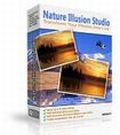
Nature Illusion Studio lets you transform your digital photos into live by adding water effects, weather effects, and animated objects to your photos in less than 5 minutes.
GIVEAWAY download basket




Comments on DropBox Image Processor
Please add a comment explaining the reason behind your vote.

iPhone app giveaways »





Android app giveaways »





When I downloaded this software, F-PROT Antivirus for Windows quarantined it as having a trojan. Tried scanning it with CA eTrust antivirus and it didn't trigger an alarm. Anyone else have this problem?
Save | Cancel
Hempman, are you kidding? You've spent the bucks for a 13 MP camera and you're complaining that $20 DropBox Image Processing isn't designed for professionals? You should be using something like Adobe Photoshop CS3 Extended + Adobe Photoshop Lightroom, along with other software, such as that from DxO Labs, NaturalGrafiX, Neat Image, etc.
I certainly won't argue that DropBox needs considerable code improvement, as I mentioned in comment #17. If artifacts are present in any output format, then there must be a problem with the way DropBox renders the original image. Huffman compression is lossless; I assume you meant JPEG. Compression involves modeling and coding; it's JPEG's modeling which is lossy and introduces artifacts, its Huffman encoding is lossless.
Save | Cancel
Betty (#51) - No offers have to be completed to get this software.
Downside Up (#52) - You don't have to keep it resident - it's just an option to.
Hempman (#53) - Sadly, most of your post is nulled by the fact that digital watermarking is not promised. Watermarking is promised, not specifically digital; Therefore, there is no false advertising or anything of the sort.
Sure, what they provide is pretty basic "watermarking", but it's still valid enough for it to be considered that. Sorry.
Anyway, digital watermarking lasts a lot less than visual watermarking as one regular processing is all it takes: most programs don't even keep EXIF tags, nevermind watermarking information (Well, depending on the nature of the watermark - for some that doesn't matter, but resaving usually does remove it).
And slightly off-topic: Wow, 13 MP... that must have cost a pretty penny.
Save | Cancel
I got a virus from this - it was in the setup.exe file.
don't know how that happened but, first time for everything i guess.
unless somehow i got a virus that just attacked this file? but once i deleted the thing my system says it's clean....
Save | Cancel
The "preview" mangles very large pics (13 megapixel pics are about half a gigabyte) and fails to show artifacts being introduced. Perhaps if the programmers had high-res photo edit monitors instead of an off the shelf consumer products they might see that they are programming for low level hobbyists and that Dropbox is unsuitable for professional photography?
Undo is absolutely necessary for real photo editing. Only a fool would edit thier photos without an undo option. An undo feature would automatically save a temporary version of the altered pic which, when used with a full sized (not thumbnail) preview, can then simply be undone if the results are unacceptable. It is the antithesis of "easy" and "simple" if one has to argue with a file system that wants to avoid overwriting the original (that is what it is, overwritng, when you redo an action and save the file to the same location as last time, even if that location is different than the actual original). Perhaps if the programmers spoke with actual photographers to know how they want these things to work? Something clearly not done here with Dropbox.
Huffman compression is very lossy and introduces unacceptable color mangling. Changing compression level does nothing to eliminate poorly constructed programming. The artifacts are still there for any file format.
I repeat, Nufsoft is a screensaver company (no surprise there) and they should stick to what they know. Photography is not one of thier better points.
As a gimick toy, Dropbox should be on a CD with a dozen other widgets for $10.00 (after the problems are fixed), not offered as a standalone for just about $20. As it stands, it is not much more than an interesting gadget toy, nothing a serious photographer would even download for free.
Save | Cancel
Regarding the output quality issues, I haven't had time to test this, but you can configure the compression level for most of the output formats. I noticed JPEG quality is set to 80%, which may be low for photographs. You can also change the Smoothness. I presume Huffman Optimization slightly improves compression without affecting quality.
Save | Cancel
Updating my comment #17, it's the large "Custom Processing" dropbox that I was referring to which has the preview windows (with optional floating preview windows) and destination selection features. I only had time for a quick look and didn't realize that there's a separate "Custom" dropbox (the "Custom Processing" dropbox can create them, but you don't have to create one).
Hempman, since DropBox has the ability to preview results and save them to other locations without overwriting the originals, there's not much need for an "undo" feature.
To those complaining about DropBox being resident, simply uncheck "Run on Startup" in the File menu, and run it when you need it (Start, All Programs, DropBox Image Processor).
~ Swan, I sent an e-mail to your contact address. The listed e-mail address may have a typo, so if I don't receive an acknowledgment, I'll send one to what I think may be the correct address.
Save | Cancel
Don't be fooled, it's not that difficult to remove a watermark. Good program though.
Save | Cancel
if you're using dual screens, like I am, it might be worth noting that the auto-hide feature only moves the little box to the right screen, which is a bit funny. However, you can disable the auto-hide and just minimise it when you're not using it.
Save | Cancel
Good software that does what it says but it deletes the source (ARGH)
Microsoft also offer a Free XP powertoy "imagesizer" for image resizing which uses no system resources while it's running.
Great for free, I wouldn't buy it for $20 though.
Also, This is a "keeper" you can run the activate (today though!) and just save the serial number it generates and the program Setup.exe together if you ever need to install it later. ;-)
Save | Cancel
Digital watermarking, referred to as simply watermarking, is aprocess whereby a pattern of bits inserted into a digital image, audio or video file that identifies the file's copyright information (author, rights, etc.). The name comes from the faintly visible watermarks imprinted on stationery that identify the manufacturer of the stationery. The purpose of watermarks is to provide copyright protection for intellectual property that's in digital format. Watermarking is also called data embedding and information hiding.
Plunking text or another image on the face of a photo is NOT watermarking, except to the illiterate.
BTW, #43 Keileron - You are correct on one thing - There is no contract when one downloads software through GOTD. As required by contract law (US and International), there must be a literal "meeting of the minds", where a tangible, material exchange is made, like paying for software.
GOTD does NOT represent my legal rights, so they can not make any contract in my name. I am buying nothing from them. There is no contract. Therefore, they can NOT tell me how to use something they have freely given away. The disclaimers "no commercial use" or "don't redistribute" have nothing to do with copyright, and everything to do with contract. Since there is no contract, I am not even required to read the meaningless disclaimers. The only enforceable part is the "no tech support".
However, false advertising has nothing to do with contracts or copyrights, but a legal concept called "Fitness for service". Try this example of false advertising and fitness for service: I put up a flyer on the company bulletin board offering free car repair of the day. Today, I am fixing brakes. I tell people that if they let me repair thier brakes, not only will I repair them, but they will be able to stop in half the distance that the car could when it came out of the manufacturer. Also, I make no claim, but generally one expects brake repairs to last.
Instead, the stop distances are either very similar, or even a little longer. But, no one knows this. After all, I promised that the car would stop faster.
There are a series of fender benders, and one person actually dies from miscalculating stopping distances based on my promise. On top of this, the brake repairs I made are failing in half the time such a repair should fail.
Even though there was no contract, I would be completely responsible for FALSE ADVERTISING, and I would have to pay for the damages created by my false claim. Under certain circumstances, I could even go to prison. I could also be held responsible for the failing repairs, as they were clearly not done correctly, thus directly affecting the safety of the car (an example of pure "fitness for service" failure.).
Now, let's say I download a program from GOTD. They promise NO SPYWARE, but the software comes packaged with a spyware toolbar. GOTD is responsible for any damage, included costs of removing the spyware. That's the law. It has nothing to do with copyrights or contracts, but a legal concept of responsibility called "fitness for service".
You can whine all you want, but thes are the facts. Perhaps the gross misunderstanding of these basic legal concepts explains why the offerings here seems to be getting worse every day.
Now, as for saving scripts for batch processes - almost every graphics editor package does it, and most do it better than Dropbox.
For $69.95, Corel Paintshop Pro has a built in script editor, and one can make desktop drag and drop targets. No need to kludge up my system with a clunky, half-functional program staying resident. Drag the pic (or stack of pics) to the target, it starts the program in about ten seconds, finishes the conversion and I even have UNDO available.
I wonder, #43, do you understand the concept of totally unnecesarily complicated processes needing to be created to cover for a poorly designed program?
In my studio, I download the pics ONE TIME (copying to a second file/folder is retarded and an ridiculous demand on my valuable time.). The camera is temporary backup (you see, my graphics program is not an overpriced two-bit hack job. It has an actual undo function that automatically backs up the picture every time I work on it. No complicated, redundant steps that unnecesarily use up hard drive space just to cover for a poorly designed program.).
Once I am satisfied with the aesthetic qualities of each photo, they get burned to three duplicate DVD's and are removed from the hard drive. All printing/emailing/web posting can then be done from the DVD without wasting hard drive space (I need that for video editing, anyway).
Now why would I want to change that just to use a poorly executed program that is actually slower, and produces a product less aesthically pleasing than what I already use?
Nope, even for free Dropbox is not worth downloading, except by online auction fanatics, snapshot fans with antique computers, and very stupid, very poor amateur photogs. Real photogs are, in all likelihood, not going to give this program a second look because it has no built-in undo feature, and it seems to introduce artifacts frequently enough to be undependable.
Nufsoft is a Screensaver company. They should stay away from photography and stick to what they know.
For those who say "its free, don't complain" - don't be such Pollyannas. Free does not relieve anyone of thier responsibilities. And that does not address that GOTD seems to be fading fast because they just can't seem to be able to get it right.
Save | Cancel
I won't even bother to download this. Got enough programs loading resident already for security, don't need another one to slow down my comp.
And err...... ~Swan: "The day will come.....
We're already there! The only thing is, is that nobody has noticed it yet!!
Save | Cancel
Why do you say it is a giveaway and then when you try to get it you have eto complete offers that you have to pay something for in order to get the "FREE" item. That is just wrong wrong wrong. I will not suggest this site to anyone I know for any reasson because this site is big on false advertisement!!!!!
Save | Cancel
Great for editing on the fly. A steep learning curve but typical with so many features packed into a small interface. I suggest reading the help section first to avoid frustration (we should always do that anyway!). This is not a tool for major image editing but very handy for those times when want to tweak an image real fast. As a supplement to PSP, Xara, etc...I say "Go for it"!
GAP
ShapeShifterStudio.com
Save | Cancel
From my short tests it seemed to do much of what it claimed.
DropBox Image Processor is not something special.
Everything it does can be done by other programs.Some are free some i
have purchased.
a
Anyway, i did decide to put it in program file on my other hard drive,which will be cloned to a backup for safe keeping.
it may be useful,even though the interface is "CLUNKY".(hillsay)
I have lost only the programs that would not register.
Hey, i like reading ALL the comments, the good and bad,
even if they post before the download becomes available.
Better is out there for free.
The Grouser
Save | Cancel
I cannot install it. My virus protection (F-Prot) says that the setup.exe contains the W32/Trojan.BQLI
When I extract the file from the ZIP, it gets detected as a trojan and is then deleted.
I almost think this is a false positive since no one els has reported it.
Save | Cancel
This program is useful enough and simple enough. It doesn't use much CPU power and does watermarks (which is why I needed it!)
Save | Cancel
Thanks #4! Good to know that it runs in the background. I am sooo tired of these programs. As convenient as these may be, my old dog of a computer just can't handle all that stuff running! LOL!!
Save | Cancel
Hey Fubar,
I've been meaning to ask you for ages - what is the URL to your web site please?
Thanks a million!
~ Swan
Save | Cancel
Hello everyone!
I’ve posted today’s review - I hope you all enjoy it!
Swan Reviews (Almost!) Everything
~ Swan
“The day will come when machines and software will tell us whom to know; what to eat; what to wear; when to go to work and what profession to pursue; when to sleep; what entertainments to enjoy and with whom to have any kind of relationship. It can’t be avoided and you will succumb.”
Save | Cancel
There's a few people mistakenly saying that you can't watermark using this program; If you create a custom dropbox, you can use the watermark feature which DOES accept images.
Sadly, it doesn't modify the watermark image and assumes that it is already usable as a watermark: It just plops it onto the dropped image at the location you specify. In other words, your watermark image must already be transparent (if you want it to be) and such before you use it.
Also, for a memory resident program, 14 MB is not a nice footprint (though it could be worse).
However, there's one very nice saving grace to this program: As much as other big image editing program can do batch processes... how many of them do you know that allow you to save those batch processes for later use? This one does it in the form of a convenient dropbox.
Just run it, drop your new images in, close it, remove your sources files (if you didn't overwrite them and don't want to keep them), and that's it. Wondering how this could be useful? Well, any use where you repeatedly have new pictures to process... say, when you take pictures with your digital camera!
Hempman (#30) - Nufsoft, not Nullsoft :>
Also, even if the 'advertisement' was incorrect, no law was violated by GaotD as no money is being paid here. Also see my comment above.
And finally, it has little or nothing to do with your clock :>
(#39) You're really disappointing me today... Seems to me you're usually more thorough.
I haven't tried anything versus quality, but if your argument about undo is having to "go back to the camera to redownload the pictures", I'm wondering if you understand the concept of copying the files once they're on the computer, not twice from the camera.
You can modify the built-in presets by clicking the wrench icon or right-clicking and selecting "Settings". It's not that hard to do!
Again, as for undo, the benefit of this program obviously isn't for doing tailored adjustments for each photo, but rather batch processing.
Save | Cancel
HMMM Paint Shop Pro $99.00, this free, I say you get your money back.
Save | Cancel
I do graphics and animations in a pro photoshop, and even I like and can use this little proggie! LOL... the price was excellent (read: free, so don't whine), and it d/l'd and set up perfectly.
I have only used it so far to see how well it works, and it works great. I have thousands of graphics, adding more all the time, and instead of waiting until I'm in photoshop to resize, crop, etc. I can do it very quickly with this... and not have a bunch of stuff to fix later... which is a terrific time-saver!
Thumbs up from me, and thanks so much GOTD!!
;-)
Save | Cancel
Some people are going to like it and some people aren't. I don't think I will just because a program came with my computer that does all that. But thanks for offering it anyways. People you can't complain about something free. If you don't like then state your reasons and move on. Don't say you hate it and you want something else to be offered. IT'S FREE. You don't have to like or take something just because it's free but you just can't complain about it and demand something else. If someone is giving you free stuff you don't really get the right to make make requests. Just take it or don't.
Save | Cancel
#33, Moizelle - For the sake of discussion, I just copied all 300 13 MEGAPIXEL photos from the camera's hard drive to my main photo editing drive. Each picture is just about a half a gigabyte. It takes quite some time just to download the photos.
I used Dropbox to "correct" the sharpness and saturation (the built-in option has no way yo change the save directory - if it is going to work from the primary interface, creating a "custom" fix to do the same thing one already built in has makes this NOT an easy program to use), it took nearly 15 minutes to process ONE SINGLE PHOTO.
I did not like the way it looked. It was way too grainy looking. No undo.
Back to the camera hard drive to re-download the photo (which is stupid - I am not certain what kind of idiot would program something like this program with no ability to undo) which takes another five minutes.
With my normal editing process, after I download the photos I put the camera away. Only a poorly written program would demand that I create a complicated process (like making multiple copies of folders to make up for the fact that the program has no undo feature, or keeping my camera at hand in case the program blows an edit, as a real photo program would) to make up for crappy programming.
Also, the time it takes to execute the corrections is WAY too long. Making the same corrections with Paintshop Pro took a whopping 10 seconds, and introduced NO artifacts. When the first try was too dark, I hit undo and in two seconds I have the original back - no going back to the camera or taking way too long making folder duplicates as Dropbox demands.
Nope, this program needs a LOT of fixing before anyone should waste time for free. It certainly is NOT worth $19.95.
To Moizelle, who claims that there are settings for the built in presets - exactly where?? Does NOT exist.
BTW. Corel Photoshop XI loaded just as fast as this did, and every feature availabble in Dropbox simply works better and produces better results in Photoshop. I have absolutely no interest in keeping soething like this resident.
Save | Cancel
Once again another program I've been looking for. I take TONS of pictures each week and I've been looking for a good photo editing program. I've tried many different ones & so far this looks the best.
This is a great program for those of us who don't always take perfect pictures and want to "fix" them before printing. I especially like the resizing feature since my digital camera makes such big pictures. Too big to upload to most websites. Now I don't have to worry about them being too large of a file to upload.
Thanks again for offering us great programs every day. Not every program is a perfect fit for everyone who visits your site but at least we all have the option of downloading a new program every day. No one else can say that.
Save | Cancel
I didn't want to post any comments, because it is quite an effort for me to write in a proper English (or at least to try).
But for the first time, as I read the comments here, I felt a sentiment of injustice. There are a lot a bad comments today : why ? This software is original, handy, easy to use and it does what it claims. As it is still not perfectly mature (I would like to see more formats, the hability of working with pdf to extract images or to convert easily a pdf to images...), maybe the price is a little high : I think 14/15$ would be a good bargain.
All those whining about the no-undo wherwithal, just configure it properly. In each box, you have a setting window which allows you to auto-rename produced files (and leave the original untouched).
I already use snagIt which offers good capabilities in batching pictures, so maybe this one will not remain on my computer.
But it is definetely a good program, worth keeping and using if you have the need of it.
I think it was fair for me to say my good opinion over this product.
Save | Cancel
@ 33 responding to 30:
You may-be in a hurry man, like i am now, so during the times you can't think at every angle and do work, u may edit the file.... thinking you don't need the other copy. And later u realize u need it, but now u v edited it....but if there was separate save, it will be easy, u will think "huh, one more copy coudn't hurt" that way u will have backup.
Sorry 4 double Post
Save | Cancel
What the hack r u guys doin? GAoTD, i used to come here everyday, before and be suprised, amazed, excited,
but now:
I havn't downloaded anything frm here for more than a week, come here every other-day, and in conclusion: looosing interest.
Not that i don't appreciate ur work, but i think u better do better to attract better and more visitors.
I m telling u, thank you for all ur free proggys but pls, i wanna make a request, give away something interesting, if i had to make a suggestion, i would suggest u giving away kaspersky, or some kinda portable anti-virus or something, i m telling u to giveaway something of quality, something usable by everyday users.....
====================================
Sorry for the mistakes in spelling, i m in a hurry.
Save | Cancel
Btw, I checked in in the settings you can specify an output folder so nothing needs be overwritten.
Save | Cancel
@ 30, now how hard is it to copy an image folder and edit that? To me seems good policy to always first backup what you are about to work on.
Save | Cancel
At first was going to skip on this little gem because at first sight it seemed to have nothing much more to offer as the many image editing programs I have already. After reading BladedThoth's review however decided to give it a go anyways. Excellent. Maybe can do with some further improvement but I like DropBox a great deal. Time will tell but it does pretty much all basic editing I need so it may well become my standard editor.
Save | Cancel
This program is worse than yesterdays. The main problem is there is
no preview, and no undo so your images are ruined without remedy.
Save | Cancel
I did not notice a learning curve. I guess that explains some things. This program seems most appropriate to the eBay crowd who obsess over thier product photos.
Things I noticed within five minutes -
Good:
Small
Turn Resident Feature off and on easily
Does many common pic tasks
Bad:
Overwrites original file
(enough right there for anyone serious about
thier pics to pass on this one. At least it asks first.)
No Undo
(That pretty much renders this useless when combined with
overwriting the original file. How, exactly, can
one adjust the contrast/brightness or other important aspects
with no trial and error? Creating extra steps is ridiculous -
that makes the program NOT easy to use!)
Weird artifacts on some processing of some images.
(Loss of resolution, strange JPG moire effects, salt and pepper noise, screwed up the transparent level on several gifs, and etc.)
To top it off, GOTD has broken US and International laws by permitting false advertising in the claim that this does watermarking (it does not - simply putting psuedo-transparent text on a pic is NOT watermarking).
Despite these MAJOR flaws, I'm certain that some fawning sycophant will whine that this is still worth downloading while rubbing themselves on the idiotic "important limitations" included in the readme file. I find myself in the odd position of recommending that one does not waste time on a Nullsoft download (usually thier stuff is pretty good - what happened here, people?).
This seems to be an uncompleted program that needs lots of work. Recommending that one waste thier time to download this because it is free on GOTD today is like insisting that I take that bag of dog droppings because the bag is nice, and well, they are free and how dare you exercise critical thinking - just take the free bag of dog poo and shut up.
My grandfather once told me - Of course you have to look the gift horse in the mouth. If you do not, you are the one who will be paying the vet bills for all those rotten teeth. He never had to pay the bills for someone else's failure to take care of thier horse the right way.
If you are smart, pass on this one until it is fixed to add appropriate control over file saves, does not add artifacts, and actually does the things claimed in its advertising.
For those who are wondering about reinstalling (though why anyone would actually _want_ to reinstall this one is mind boggling, but this tech hint worked on every one of the programs for which I have a registration code.) - I saved the registration codes, and moved my system clock up one day. Using the registration code provided, I registered the program. (I already posted this hint on my website two weeks ago, but just now got around to posting it here.)
Save | Cancel
Nice photo editor, but I'd prefer Photo Story Platinum. It's a more powerful photo editor, you can edit or create animations with your favorite photos, you also can build flash photo album and burn it to DVDs, iPod, iPhone, etc. So you can eajoy your happy time with your family, That's really cool.
Save | Cancel
How amazing. I'll save a whole -2 seconds by having to spend the time to drag-n-drop when I could just double-click to open.
Save | Cancel
there are a lot of softwares out there....corel, microsoft picture it, ms paint (lol)
and to resize u can use microsoft power toy image resizer...its the best!
Save | Cancel
Microsoft Image Resizer PowerToy is great to resize bulk pics at various levels, You can find it by querying: Windows XP PowerToys in your browser, or clicking this link: http://www.microsoft.com/windowsxp/downloads/powertoys/xppowertoys.mspx (Its on the >>===> Right side down the list and its tiny and attaches to the RIGHT CLICK Context Menu, enjoy, its the only resizer I ever use to resize (PERIOD)...
~c(__)~StanP.
Save | Cancel
Hello all! Today's 15-Minute Review is up! Check it out!
http://www.bladedthoth.com/reviews/15mrs/dropbox-image-processor-v1-00/
Save | Cancel
It's ok, HOWEVER having tried all the top pic utilities I found CompuPicPro to do everything and to do it faster than even the highly touted Irfanview does, CompuPicPro ranks by far the highest in all categories bar none so there You have it. Great input today by most everyone nice to see...~c(__)~StanP
Save | Cancel
Hi Guys
I read all the comments. I was wondering among all the software you suggest, which is the best one for resizing photos. I have a few software but they all resize in steps. I want one that gives me the freedom to resize to any file size I want(not "for email", for "view", for "storage", etc)
Also, is the resize option in this software the way I want the resize to work or does it work in stages also.
Save | Cancel
I'll avoid this because of the fact of it being memory resident. I have enough stuff slowing down my pc.
Also check out the free & terrific "Photofiltre"! Google for it.
Save | Cancel
A good and handy free alternative is Photo Toolkit:
http://www.photo-toolkit.com/
Save | Cancel
I sort of like XNView, it has all this except for the watermark
XNView specs
Free (except for commercial use), one up from Dropbox.
Save | Cancel
Thought I would add my 2¢ worth here. Agree with #9 as I have been using the totally free program Irfanview for over 5 years and with its along side thumbnails, dragging and dropping is easy especially since you can view the pictures. #10 thought you should know, you can undo in Irfanview. Faststone is also good. But I won't agree with any one here who has to say "why buy this when there are free ones?" Come on this program offered today is free; and if you don't have experience in any program, why not try this one....it is free too. But for myself, I will stick with Irfanview as it does offer so much and not so much space on hard drive either. Keep up the good work with these offers! and Thanks
Save | Cancel
Never found "Batch" processors any good because most pictures don't need "Red Eye" fixing. If resizing a batch is the problem, then "Easy Thumbnails" is a fast free propgram for this. Also a drag and drop is a pain with digital cameras numbering each picture. You actually have to rename them all before drag and dropping them, or you're not sure what you're dragging. I have about 12 free photo editors, and 5 "Had to buy" editors. Compared to them this program is about a 4/10.
Save | Cancel
DropBox has basic photo operations, options for each output format. Apparently, it overwrites the source file unless you use the custom drop box, which has options to output to subfolders, a specific folder, rename files, etc. My main concern is that the code quality is very low. There are various bugs in the pop-up preview window related to resizing and control (button) display. The Text filter is so buggy as to be almost useless--it doesn't handle font size correctly (apparently limited to around 20-point), it doesn't handle long lines or multiple lines, even though the input box allows them. There may be other problems, I only tried a few filters. Software which hasn't gone through testing (in this case, even basic testing) shouldn't be released to the public.
#3, you can add text and watermarks; use the Custom dropbox.
#4, on my computer, Process Explorer indicates very low CPU utilization when DropBox is running but not being used, and memory utilization is OK.
#10, use the Custom dropbox to preview before output and/or to save to a different file.
Save | Cancel
User 13 - you need to add "giveaway of the day" as the username.
Save | Cancel
L - When you activate a little box opens that tells you what the User Name and Registration Code are.
Save | Cancel
Its cute...
But there is a stupid bug when working with multiple monitors. the auto hide just moves it from my left (main) monitor to the right (secondery) monitor... :)
Save | Cancel