Every day we offer FREE licensed software you’d have to buy otherwise.
Giveaway of the day — Driver Magician 3.26
Driver Magician 3.26 was available as a giveaway on September 19, 2007!

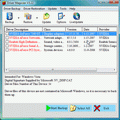
Driver Magician offers a professional solution for device drivers backup, restoration, update and removal in Windows operating system. It identifies all the hardware in the system, extracts their associated drivers from the hard disk and backs them up to a location of your choice. Then when you format and reinstall/upgrade your operating system, you can restore all the "saved" drivers just as if you had the original driver diskettes in your hands. After one system reboot, your PC will be loaded and running with the required hardware drivers.
Key features:
- Back up device drivers of your computer in four modes;
- Restore device drivers from backup in one mouse click;
- Update device drivers of your PC to improve system performance and stability;
- Uninstall device drivers;
- Live Update device identifier database and driver update database;
- Detect unknown devices;
- Get detailed information of the hardware drivers;
- Clone all drivers to an auto-setup package (.EXE), so you can restore drivers without installing Driver Magician.
System Requirements:
Windows 98/SE/ME/2000/XP/2003/Vista, Pentium 166MHz,32 MB RAM (64 MB recommended)
Publisher:
GoldSolution SoftwareHomepage:
http://www.drivermagician.comFile Size:
3.44 MB
Price:
$29.95
Featured titles by GoldSolution Software
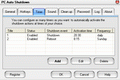
PC Auto Shutdown is a handy software that helps you automatically shutdown, power off, reboot, hibernate, suspend or log off computers at schedule time you specifies. It can shut down computers at schedule time when no user is logged on or when computers are in suspended power conservation mode. It gives you different ways to schedule the shutdown event to meet your needs.
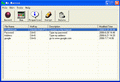
My Macros helps you automate all of the repetitive tasks you face each day on computers. It records all operation of mouse and keystrokes and saves them as macros. You can also create macros manually with macro editor. Then My Macros can play back the recorded macros to automate recorded tasks any number of times.
GIVEAWAY download basket




Comments on Driver Magician 3.26
Please add a comment explaining the reason behind your vote.

iPhone app giveaways »










Again, this was only a trial version with limited function. Yes it scans, yes it lists, but no downloading capability. Dump it.
Save | Cancel
I think this is mostly useful as a reminder to update your drivers (and I do recommend keeping your drivers updated, however, you must be very careful to read and follow the update instructions for each driver). In some respects, this is a solution in search of a problem. It does conveniently identify all of your drivers, including those for unattached or turned off external devices, which the Windows Device Manager only shows if you select View, Show hidden devices. As a means to backup and restore your drivers, update them, or obtain detailed information about them, I find this lacking. To bring up the Windows Device Manager, bring up System Properties by using the Windows key + the Break key, select the Hardware tab, and click on the Device Manager button. For each device, find the manufacturer's website and driver downloads page, and put those in your browser Favorites/Bookmarks. Download driver updates to a folder. That way, you'll know what drivers you have, and can easily back them up yourself. Windows/Microsoft Update doesn't supply updates for hardly any of my devices, nor does it generally provide them in a timely fashion. The problem with Driver Magician is that it failed to find all of the updates to my drivers (failed to find an update for an unattached USB device), and said that I needed to update two drivers for which I already had the latest drivers. It also said that my battery backup drivers should be backed up, but Windows reports that my battery backup does not have and does not need drivers. Part of the problem is that drivers and UI support are two separate but related things. The USB device had the latest drivers, but there was a newer UI application. Also, the USB model identification does not match the identifiers in the driver description (the driver uses chipset IDs, not device model numbers). The battery backup uses its own application, not the Windows drivers. I assume that Driver Magician only backs up drivers, and not support and UI applications, and I would never trust a third-party application such as this to backup all of the registry entries associated with particular driver versions (assuming it even attempts to). Also, driver Magician wanted to install some drivers from its own website, rather than the manufacturers'. Further, many devices have additional support and/or utility routines, such as additional codecs and applications for my video and audio cards. As a Windows reinstall helper, I also find this questionable. The whole point of an elected reinstall is to have a clean, undamaged version of Windows. You don't want to use potentially damaged files and registry entries; you want to use a clean installation. As for general backup, if you use other software to backup your entire computer, the drivers will already be included in that backup. Further, there is more to keeping devices functioning than drivers and support routines. Many hardware devices have upgradeable firmware. Sometimes, new firmware is bundled with new drivers, but sometimes it's a separate download. For all of these reasons, I strongly recommend the do-it-yourself approach.
Save | Cancel
I downloaded from Mirror site. Thanks!
Save | Cancel
FWIW, #1 is correct, at least as I experienced it.
# 5 said:
"#1 You failed to read the last line of the Key Features which says: “Clone all drivers to an auto-setup package (.EXE), so you can restore drivers without installing Driver Magician.”
Well I did just that and tried to restore the drivers without installing Driver Magician and no go, all it would do is install the video and 1 other driver. It acted as a trial version. Once I installed the full program, it worked. So, I'm afraid those that have backed up their drivers and think they are going to be able to use this to easily reinstall them with this program are going to be in for a surprise. That is unless you do so in the next 3 hrs.
I do like the idea of this program, and am not complaining because due to the nature of the give aways here and the nature of this program, I suppose that's just the way it has to be.
Thanks to the recommendations for alternative programs. Drivers are a PITA and any program that can make their installation easier is worth a try IMO.
Save | Cancel
So, this "key feature" is of no use for GAOTD users since if #64 is right, we need the name AND registration number (not shown on "Help/About screen") to let the auto-setup proceed?
"Clone all drivers to an auto-setup package (.EXE), so you can restore drivers without installing Driver Magician".
I think the developer should comment on this, and if correct, should provide a registration number for GAOTD users who register!
Save | Cancel
As I mentioned before (post #64 and #82), here are two winks (flash movies) that demonstrate what the auto installation exe from driver magician 3.26 backup looks like when it is registered and restoring drivers (to a laptop in this case).
I had a problem installing the video driver first time around, but in wink 2, you can see the solution I discovered. Hopefully these winks are straight forward and to the point, yet still detailed enough to be understandable.
I was impressed with Driver Magician as it was restoring drivers, and all of my devices suddenly began working again. But if it regularly produces errors for others like I experienced with the video driver path, it may confuse some folks. Furthermore, regular GOTD users will not be able to use the functionality of the automatic exe installer (because it requires registration code at the time of restoration), but will have to manually install drivers from one of the other three backup methods.
Your mileage may vary (YMMV).
Save | Cancel
This is a good program, very useful. However, it wasn't able to find all of the drivers on my computer for some reason.... Other than that, it works great.
Save | Cancel
Excellent! I was looking for something sort-of like this. I was hoping for it to be freeware, but this compiles it into ONE self extracting .exe! (You remember multiple reboots when installing drivers? That's done with, the created .exe installs all selected drivers!)
The driver compression (On the best compression option) is absolutely amazing in it's self. It compressed ALL of my installed drivers to just 33 megabytes! The X-Fi driver alone uncompressed was larger than that - and this .exe includes modem drivers, display drivers (for two video cards, mind you!), and drivers for other things. Space-saver! When you use a small flash drive, you need high-compression technology to save space. (I have a 1GB flash drive, so space on it isn't much of a problem.)
All in all, this is great software! I end up formatting ALOT, due to Windows fragmenting and the fact that it takes longer to defragment than to reinstall it.
This is a keeper!
Save | Cancel
Sounds like a nice program, although I have no intension of re-formatting any time soon... Still, after "Easy Macro Recorder" passed by the one day I didn't check my E-Mail, I'm installing all the stuff GOTD has. ... I really wish I checked my E-Mail that day ...
Save | Cancel
Sorry to be a bit OT, but I just wonder how many other people come to GOTD to see what FREE ALTERNATIVES are posted to the forum? ;-)
Save | Cancel
#87 got it right. Allot of drivers that have not paid Microsoft for their certification worked perfectly. The 15 minute Thoth guy is whacko and totally wrong. This thing is great. #1 is dead wrong, I don't know he is talking about.
Save | Cancel
This program rocks. I just used it on my notebook when I reinstalled XP. Saved me a TON of time with drivers.
Save | Cancel
Like #19 said. It installs a registry key titled "endtrialtime" with a date set to "10-1-2007". Maybe it's for the "unregistered" version, but that is what the Activate.exe program writes. If it will work past that date, and if you need registration information, maybe a look in the registry would be a good thing for everyone to check out. ;)
Save | Cancel
How do I register this software. I can not use the update driver if I don't register.
Save | Cancel
According to the product home page this version (3.26) also supports x64.
Save | Cancel
I can't download it with DAP (Download Asselarator Plus) why?
Save | Cancel
I had the opportunity at lunch to wipe and reinstall Windows on a machine that I captured the drivers from with today's giveaway. Using fully automatic mode, all drivers except the video card went fine. I was still able to get the video card driver installed in fully automatic mode as I discovered driver magician (or windows) was confused about the installation path. Hopefully this evening, I will post some winks I recorded for those who are interested. I was only able to test the fully automatic mode because I could still re-register during the gotd 24 hour offering period.
#73 (Sabre316), check my post #64 (was probably not up yet being moderated when you wrote in?). The folder, compressed, and compressed exe will allow you to manually reinstall the drivers without registration. The fully automatic exe mode will require registration to install more than basic drivers.
I haven't tried similar freeware offerings being mentioned here (and won't have time to), but they might be better if you don't want to try to reinstall the drivers manually (something I also haven't tested with driver magician).
#74 in general, if you can get the driver files in a usable format back to your machine (cd, jump drive, whatever) after reinstalling windows, you should be able to use them to manually reinstall your drivers. I would recommend using folder mode, unless you are familiar with unzipping. fully automatic exe mode will not work because you will not have the capability to reregister after today (unless you purchase or gotd offers it again).
Save | Cancel
Hi all, what a brill bit of kit this is. It actually found a driver on my hard disc that I thought I had lost. The program works great. I would go as far as to say that I would even pay for this! Thanks a lot GOTD!!!
Save | Cancel
I will definately use this program because I reinstall windows Vista every week because I use iRam as my hard drive. (If power is off for more than 16 hours, I have to reformat the drive and reinstall Windows.) Once I backup and reinstall my OS with this program installed I wont have to go and find every cd or download every driver update there is. Ill just run an .exe and reboot. Wonderful. Also I love GOTD because I backup often and can still use their software after reinstalled. Smart thinking eh?
Save | Cancel
hi first timer here, after trying out the software which installed and ran with no problems at all, i have proceeded to update at least 6 divers which make my pc go like a dream. im not technically minded at all and this program made (what would otherwise have scared the pants off me) it so easy. many thanx.
Save | Cancel
I dunno, maybe this prog should be installable onto a flash drive for easier and multiple uses?
Save | Cancel
Finally, a program that I can use!
The only problem I had (admittedly without thoroughly testing this) is that the suggested driver upgrade for my network adapter was a version from 2001...almost 5 full versions older than the driver installed. Besides that, everything else that I tested worked great.
This one is a keeper. Thanks GOTD.
Save | Cancel
WHY BUY THIS WHEN YOU CAN GET A FREEWARE PROGRAM FOR FREE - AND, THE SOFTWARE IS PORTABLE! (no installation required!!!!!)
http://sourceforge.net/project/showfiles.php?group_id=176359
This is the only thing I use to back up my PC drivers. IT DOES NOT NEED TO BE INSTALLED. Unzip it to a USB (thumb drive) folder, and run the .EXE file.
"Simple tool for backing up hardware drivers' files. DriverBackup!1.2 preserves drivers of your hardware peripherals from injury of time,saving important files into a specified directory.So you can use these files to reinstall your perip. without CDs or Floppys"
Save | Cancel
Excellent utility.
I make a real effort to update drivers, etc., regularly, and this program found six hardware drivers that needed to be updated. While the driver updates have to be done one-by-one, it was completely painless. Note that even after I had updated some drivers, it would identify them as needing to be updated, and would allow you to update again, I presume perpetually.
Backing up the drivers was equally painless. I created a subfile for hardware drivers in my backups folder, copied the files to that location, then burned a CD of the folder. Note that the program will let you save the drivers as a self-executing .exe file. Look under the "Options" tab.
All in all, a terrific utility, and even better free! Thanks, GAOTD!
Save | Cancel
This is for #59, I was #54.
I am asking , I don't know if what I wrote is correct and saw no answer here. If I copy to disc, will it work in the future?
Anybody Help?
Save | Cancel
Just to reiterate what a couple of people have said:
*****You need the registration information in order to restore from a .exe file if you don't have driver Magician installed on your computer. So in the event of a system crash/reinstall...the .exe file will be worthless. You have to type in your registered name, and ID#, which you only get to SEE if you buy driver magician. *****
Save | Cancel
I have W98SE and also a Transcend Jet Flash USB memory stick and I would appreciate help with two questions.
(1) My W98SE Transcend driver (installed and working well) is not recognised by this program and, as I would like to temporarily uninstall it, I wonder if it should be recognised.
(2) After what seemed to be a good activation and setup I could only restart in Safe Mode and as my knowledge was not sufficient to fix the problem any advice would be useful [as I had to clone back my C:\ drive from a recent copy].
Save | Cancel
Props to GAOTD for reminding me I need to back up my system drivers.
A freeware program that does the same thing as Driver Magician is WinDriversBackup Personal Edition.
http://windriversbackup-personal-edition.jermar-software-corp.qarchive.org/
Save | Cancel
Oops, two more major driver update errors - My printer is a brand new HP Deskjet. Just installed it a few weeks ago. There are no driver updates from HP for it, it is so new.
First, Driver Magician says for two of the device drivers that the provider is AVID (!!! WTF ?????): the ECP Printer Driver (just updated a few weeks back by the brand new HP printer), and the Com port drivers (also updated by the HP installer). In both cases, in addition to incorrectly identifying the driver provider as AVID, it says that they are from 7-1-2001.
Second, despite being so new, Driver Magician says I need updates. (Huh????)
One last problem, and I'll give up on this kludge. I use a biometric device to restrict system access. Only the device manufacturer can update the drivers. I know, because I foolishly manually updated the drivers once and it stopped working. When I called the manufacturer to troubleshoot, they explained that they use a proprietary driver that _looks like_ the stock Security Token, but has proprietary info in it that matches this specific device for added security.
Worse than crap, Driver Magic is dangerous to anyone with a modern system.
Save | Cancel
I installed drivers magician and installed it and did a backup of the drivers that showed up in the programs window and tried doing the backup to a c.d , but when I checked the c.d there was'nt anything on it, so I tried the backup to a folder which I put on my desktop named
drivers backup and had it to saved to an auto setup package, then I was able to send it to the c.d, and it worked.
Now if my hard drive were to crash, I have the drivers on a c.d
Of course if you were to back up drivers totaling more than 700 megabytes, you probably should only backup enough to put on one c.d and keep on until you have all of the drivers on as many c.d's as you need and label them according to which drivers you have on them. I don't have a flash drive, but if you have one you could probably do this with a usb flash drive.
Save | Cancel
My opinion,
Ehhhhhhh, OK.
This might be OK if you lost your original install CD's. I personally like to save all CD's in a safe place, some of them are in a fireproof lock box along with the registration keys. I would rather just back up important files and do a fresh install of everything in the event of a catastrophic failure. That way you have a freshly installed OS without all the clutter and bugs that have accumulated.
See, not everything is crapware after all.
Save | Cancel
First, about updating drivers. Unless you buy a new device, and drivers are required to be updated, or unless you talk to (or are) a pro, DO NOT DO IT. Updating drivers is one of the fastest ways to a race condition (I spoke to that briefly in another post), and the blue screen of death. Many times, even system restore can not undo improper driver updates.
Let me repeat that for the hard of hearing - Unless you have a really, really good reason to update drivers, DO NOT.
So, really, the only people the driver update junk is for are either real pros (I think I see three or four in here), or those who were advised by a pro to update thier drivers. If you update without seeing any problems, then you are asking for more trouble than such updates are worth. In fact, most device manufacturers and even MS will tell you never to update your drivers unless you are having obvious problems, or a pro recommends it.
To those claiming system speedup or other benefits - That is because your system was kludged up. If you did regular maintenance and did not just install any piece of free junk that came down the road, that would not happen.
Also, the update service is highly flawed. For this test, first I ran Driver Magic, and checked for updated drivers. I wrote them all down (it recommended quite a few). I then hand checked every driver recommended. Most were already the latest available version, and a few actually were newer than the updates that Driver Magician was recommending.
The greatest flaw I noticed was that several of the recommended driver updates are for devices that must be updated by the manufacturers own API, including the AMD Athalon CPU, the ethernet controllers, the motherboard nVidia and nForce drivers, and the video capture device drivers. All driver updates from those devices also require registry and other updates that Driver Magician does not include but would be updated by the manufacturer's installer.
Also, several driver updates were recommended that Windows Update DOES update automatically (if I allow it), like the ATI video card drivers.
As I prefer NOT to let an unknown program update drivers, I also wanted to use the copy the URL feature, download, inspect and install the drivers myself. BIG problem. Despite having the latest drivers for the AMD CPU, it recommended an update. BUT - NO URL!!???
AMD themselves say I have the latest drivers (in fact, newer than the recommended update!!!). I have no way to otherwise inspect the recommended driver, as Driver Magician did not provide information to download it. Exactly where are they getting this driver from, and why recommend installing an older version than the one installed?
Too chancy. How many people might install such a driver just to find a deep system virus, or simply a non-functional system?
Driver Magician is worse than useless to me. Good thing it uninstalled better than in Bladed Thoth's review of an earlier version.
Save | Cancel
The program does have the ability to backup ie favorites and registry. Look in the options tab. It can also backup my documents. This is not intended to be a regular backup program. This will help me backup my system as I need to do a wipe next week or so. The driver issues are always a pain when reinstalling.
Rob
Save | Cancel
Can you save the backup drivers to a flash drive or a c.d?
Save | Cancel
Did a very simple, quick test of the software, and thought I would share the results...
* could not resize the interface. have to scroll to see more instead (poor design).
* IMO the "select all" button should be positioned before the "start backup" button (seems more logical)
* while driver magician is backing up drivers, every time it finishes backing up a driver, Driver Magician keeps taking focus away from other apps you are working in (very annoying). If you are typing, you may inadvertenly select or de-select drivers when it does so affecting your desired results (annoying design oversight?).
* folder backup method is the default option. it allows you to pick the folder, but what you may not be expecting is that its going to create a bunch of folders with the driver names right there (unexpected). Maybe a confirmation box would help with this?
* compressed, self extracting and self installing modes uses your system's temp folder to store the files uncompressed (so it can compress them), but then does not remove them (sloppy).
* compressed, self extracting and self installing files can also be extracted as a zip file (handy, but obscure). Hint: rename to .zip extension.
* when using the self installing mode exe to restore drivers, it does not give you a progress box before the first dialogue screen comes up. On a slow machine, when you double click the exe to begin the restore, you might have to wait a couple of minutes before you see the first prompt (and in the meantime wonder if you really clicked on it or if it is doing anything). (design oversight)
I used a simple testing method to see if it would indeed prompt for registration number as others mentioned. I made the driver backup on one machine, and tried accessing the drivers on a different machine.
* Folder method, compressed bck (renamed to zip) method with an unzipping utility installed, and self extracting method allows access to the drivers, and I am assuming should be adequate for manual reinstallation (I didn't actually try manually installing any).
* Of all backup methods, only the self installing mode required a name and registration number to automatically restore the drivers (as others mentioned). Which is of course not possible with the gotd system.
overall thoughts:
Nice little program. The aspect of being able to extract and later reuse drivers looks very promising, but I would completely test it first before relying upon it (something that may be difficult for most to do). Interface and some other aspects need a little work and polishing, IMO. Also, I didn't test (and usually don't trust) automatic driver updating features.
Save | Cancel
#1 et. all,
The principal of this site is that software developers give their software away for a day with the intention that, if you like it, you may take out money and buy it in the future if that time comes. They're just capitalizing on the fact that people will need to reinstall Windows every now and again.
Save | Cancel
Nice little program that undoubtedly will save the bacon for those of us who actually read the description of the program, follow the installation/activation instructions and do something other than simply click on buttons and then ask "where the heck is my newly created .exe file?" (Hint: It's right where you told the program to save it! Oops, just clicked the button? That was truly dumb!
C'mon you whiners, if you're going to look a gift horse in the mouth and complain, you could at least open your eyes! READ about the program then try it, THEN tell everyone it doesn't work. Please?
Save | Cancel
I have used HunterSoft's WinDriver Ghost for years and believe me, for the $25 they charge, it is the best bargain on earth.
I use it at least once a month when formatting drives for people and it has paid for itself many times over in time savings alone.
One questionable or wrong driver can take a long time to fix - WinDriver Ghost will eliminate that...
Save | Cancel
#54: So does that make you a "driving instructor"? Thanks. You really helped.
Save | Cancel
Hello All! Today's 15-Minute Review is up! Check it out!
http://www.bladedthoth.com/reviews/15mrs/driver-magician-v3-26-update/
Save | Cancel
#39 - no. "Drivers" and "GOTD free software" are not the same thing. This program backs up your HARDWARE drivers only (the software that tells your hardware how to work (printer, keyboard, mouse, DVD drive, etc)). It does not backup your software programs that you've installed, nor does it backup your registry.
Save | Cancel
I dont see the need for something like this. Most hardware devices like printers and that cool POD XT Live I got require their own software APPs to be installed also.
where are the games? gosh guys. also really need html to exe convertor.
Save | Cancel
Well, that was fun.
This program does a decent job (for free today, anyway) of finding driver updates. It found some for my old 3Com Nic, my Saitek j-stick, and reminded me I hadn't updated my nForce drivers from the major crash a couple weeks ago.
A couple of possible glitches using this program to update your drivers is that it listed them twice, the old drivers and new ones afterwards.
I tried using the program's uninstall drivers feature and that failed totally, so I used Winders to do the uninstalls and updates.
At least it informed me of the available (and obscure on two of them) updates and found them to download.
I then saved the backups in both the self-extractor and the auto-setup.exe files to see what that was about. The self-exctractor simply unzips each driver in a separate folder, but doesn't install them.
The auto-setup file is about a meg or so larger, and it includes an install file that will install the drivers, I assume, I didn't run it.
For free it ain't a bad little piece of code, but I'd not be totally satisfied if I'd had to pay and had to experience the two above 'glitches'.
Save | Cancel
Lets see, if My computer crashes , I put my os disc in to re-establish windows xp, then I put a disc that has a copy of what drivers this program gave me. Then I have everything as I have now in the way of programs, except for "my documents", is that right?
Or is there more to it?
Is it a trial version and can I use it more than once?
Save | Cancel
Downloaded and installed with no problems. It updated 8 Drivers with no problems. I saved backup and new drivers to external hard drive to use if system crashes. I also create system restore point before installing any software in case anything goes wrong. For anyone who doesn't know how to do this, click on start, click on all programs, then accessories, then system tools, then system restore. Click on create a restore point and name it something you will recognize, I always use the word Good. If anything goes wrong after installing a program, repeat the process, but click on restore my computer to an earlier time, Then click on the word you put in earlier.
International ۞
Save | Cancel
* Easy to use (assuming the ability to read as mentioned above).
* Open the program and it is already listing what needs to be backed up.
* Options easy to locate and understand.
* Fast making the back up
This is one of those programs I hope I never need - but got to have just in case. It's also programs like this that keep me coming back every day.
Thanks!
Save | Cancel
Worked fine for me. Updated 2 drivers with no setbacks at all. Thank you.
Save | Cancel
Ahhhhhh, just what the doctor ordered. Thank you GOTD.
Save | Cancel
Sounds like usual suspects; that cannot read...
if you need translations I can do it for you in
Spanish, German or French; but you do need to read
in those languages.
rd
Save | Cancel
Hello Everyone,
Product installed and registered just fine.
When I opened the program, it had already pulled up the Non-Microsft drivers on my system.
In the little File draws icon at the top you can have it search for all drivers.
It listed 100 drivers both Microsoft & Non-Microsoft.
When building the Auto setup file make sure you give it a place on your hard drive that you can find easy.
With my drivers it created a 46.5 MB compressed file.
I used Nero to burn it to cd.
All good to this point. Chicken to go on.
Thanks GAOTD
Save | Cancel