Every day we offer FREE licensed software you’d have to buy otherwise.
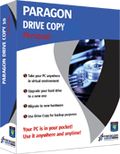
Giveaway of the day — Drive Copy 10 Personal Special Edition (English Version)
Drive Copy 10 Personal Special Edition (English Version) was available as a giveaway on September 16, 2010!

Drive Copy 10 Personal is a perfect tool for creating a virtual clone of your PC, including operating system, drivers and settings, all your applications and files. Save it to the USB hard drive and use it on another computer, just as if you're working from your own PC!
Paragon Drive Copy 10 Personal is the latest version that contains all updates and bug fixes! All operations are performed with increased speed and stability.
Key features:
- Windows 7 Support (32/64-bit). Accomplish any operation under Windows 7
- Copy Features. Copy a full hard disk or a separate partition, and resize a partition while copying
- Scheduling for copy operations. Set up a timetable for copy operations with new flexibility.
- Refined User Interface. Improved two-level user interface (Easy/Advanced) to satisfy the needs of every customer.
- Support for major virtual machines. MS Virtual PC, VMware Workstation, VMware Fusion.
- Now support for Linux ExtFS, Apple HFS+.
- Wide migration options. Migrate to another hard drive, migrate to different hardware, migrate to virtual machine, migrate your Apple hard drive.
- P2V Copy. Migrate a Win2K+ physical system to a virtual environment.
- P2P Adjust OS. Make OS start up after unsuccessful migration with 3rd party tools.
- Simple Backup and Restore Wizard. Make the process of adding new drivers even more smooth and easy.
3 steps to make your system mobile with Drive Copy 10 Personal Special Edition:
1. Create a virtual clone on your PC. Including operating system, drivers and settings, all your applications and files.
2. You can choose the format of your virtual environment. Choose format you prefer –VMWARE or MS Virtual PC. New users can download a virtual player from the official site of preferred vendor for free.
3. Save a virtual clone of your PC to a USB hard drive. Save a virtual player on the same disk as well and use your PC anywhere.
Your PC is in your pocket now! Use Drive Copy 10 Personal Special Edition and easily migrate to new hard drive or even different hardware without reinstalling, create backup images of your hard drive, and perform basic partitioning operations and even more!
Detailed Product information is available at Paragon Drive Copy 10 Personal Edition website
Limitations: No WinPE included in this download
Technical Support: During the Giveaway period Paragon Software provides technical support at http://twitter.com/paragonsoftware. Please, post your questions if you have any troubles while downloading, registering and using the software. Paragon Software’s support team will reply you as soon as possible.
If you are x64 OS user please follow the link here (file size: 101 MB)
System Requirements:
Windows XP Home Edition, XP Professional SP1/SP2 (x32/x64), 2000 Professional SP4, Vista (x32/x64), 7 (x32/x64); CPU Intel Pentium or compatible/ 300MHz or higher processor; RAM 128 MB; Disk space 40 MB; Limitations: No WinPE included in this download
Publisher:
Paragon SoftwareHomepage:
http://www.paragon-software.com/home/dc-personal/index.htmlFile Size:
101 MB
Price:
$29.95
Featured titles by Paragon Software
The safest tool for hard drive partitioning! Partitioning is not for amateurs. That is why millions of people have trusted our safe, stable technology and professional software solutions for over 15 years. Our latest Free 11 Edition easily organizes your hard drive and redistributes free space to enhance system performance.
NEW 2010 Advanced Edition - Total PC Protection for Serious Users! Take complete control of your PC’s safety. Based on solid commercial backup and recovery software from Paragon, the new Backup & Recovery 2010 Free Advanced Edition will give you a rich set of features that you can trust. Smart people backup; Backup & Recovery is smart backup.
Don't wait for a disaster to strike - get an instant data and system recovery kit today to ensure your protection! Rescue Kit professionally fixes boot problems as well as retrieves your data when your system fails to boot. It even rescues deleted partitions. All, you need to do to achieve complete control over any situation is burn the software on your CD/DVD!
Comments on Drive Copy 10 Personal Special Edition (English Version)
Please add a comment explaining the reason behind your vote.

iPhone app giveaways »





Android app giveaways »



@70, looks like you are using OS which was upgraded from NT or you are using Windows 2K Server. Pro version is supported.
Save | Cancel
@32 computerUser: yes, you can. Simply use Copy Partition tool that will move partitions one by one to bigger drive and thus combine two drives to large one.
Save | Cancel
@88, I am curious to know how did you manage to get that problem? or is this just an attempt to advertise the "great" features of copied product such as Aeseus Data Recovery?
Can you give more solid proves by describing your steps that you lost your data on C: (copying to it?) using such a simple tool like Drive Copy?
Save | Cancel
I used paragon drive copy and it destroyed my c drive, my computer and now I purchased Aeseus Data Recovery to "try" and find files on my mass storage I was backing up too. 18 Years of files GONE. I thought I was just backing up, but during the process (13hours) the computer crashed and now even with recovery software there is NOTHING on C Drive. 18 Years of genealogy lost.
Save | Cancel
Download Drive Copy 10 Personal Special Edition and installed with no problem. After filling out the details on Paragon's website received message saying that reg code will be emailed in 15 minutes. Still waiting and now offer is finished. Was really looking forward to using this product. Is there anyway i'd still be able to obtain the code? Thanks!
Save | Cancel
To amozai
What is the difference between this and Paragon Go virtual?
Go Virtual does only "physical to virtual" convertion to convert the real Windows into virtual machine. Drive Copy can do this too plus it has common copy tool to copy real hard disks and partitions.
To Aaron
Maybe this is not the appropriate time/place for this question, but what is the difference between a “clone” and an “image”? From their description they seem synonymous to me, but I just wanted to be sure.
http://kb.paragon-software.com/paragon/include/templ/object2.jsp?objId=2605
To Ian
I downloaded the 64-bit version, ran it from C:\ and got the error: “Error 1316. A network error occurred while attempting to read from the file C:\dc95_pers_x64.msi”, as the program attempted to install Paragon Drive Copy 9.5 Personal. I had been asked if I wanted to modify, repair or remove the product. Nothing anywhere about the Version 10 edition, even though the file I am running is DC10_Pers_x64.msi! Any takers?
http://kb.paragon-software.com/paragon/include/templ/object2.jsp?objId=6678
To Sup
I connected my Win 98 hard drive to my XP machine via usb adapter, and then ran the ‘Migrate to Virtual Machine’ wizard.
It ran surprisingly quick (under 20 minutes) to convert my 4GB drive to a .vhd. I got the following log message (not an error message) when it was finished:
“4.2GB volume 0 has been successfully transferred to a Virtual PC Disk.” “No supported Windows OSes found.”
The timing is okay for 4GB drive - it's not that big after all. As was mentioned before, Windows 98 is not supported. Yes, you can copy it if connected as secondary disk, but to migrate Windows to virtual machine Drive Copy needs to update Windows registry and add specific drivers. Drive Copy can't do this for Windows 98. Only copying is possible but without adjusting OS to new or virtual hardware.
Save | Cancel
I was able to download the zip file, but cannot extract it. A pop-up says that to unzip the file, I need to put something in it first. In properties, it shows the file to be 5.86 megabites in size. Can you assist?
Save | Cancel
Just a thank you --- to Paragon, and to GOTD.
And thanks to mike, #37, 42, 43 - your input is good enough to copy to a text file and kept with the DC10 install for reference. I think you included enough detail to make it all work for many users!
And for users who don't get answers here at GOTD, the Paragon /support/ page has links to a FAQ, KB and Forum where you can search for what you need.
So a HUGE THANKS for spelling all that out, mike - great job.
Save | Cancel
PS. @#56 I am running windows 7 Home Premium 64 Bit.
Save | Cancel
@#56 The Zip file is sent to C drive,Program Files(86),NUSOFT. Nature Illusions Studio is there also. I kept wandering why Paragon was trying to install as NUSOFT. so I checked to see if there was a NUSOFT program and sure enough. The ParagonDC10_x64.zip was also there. Restart is required at end of installation.
Save | Cancel
This is probably too late to help anyone, but I just found this on the Paragon site:
"Q: When I try to install an update for Drive Backup/Partition Manager/other Paragon product I get an error:
"error 1316.A network error occured while attempting to read from the file ..."
A: This happens if you try to install new build while previous build is still installed. Install Wizard can't uninstall previous build correctly and gives this error. This may also happen if trial version or free promo-version of the product is installed on a computer. The solution is simple:
uninstall previous build
reboot the computer
find the folder where Drive Backup/Partition Manager was installed, usually it's "C:\Program Files\Paragon Software\[PRODUCT_NAME]" and delete this folder
now install newer version
This occurs only for products that come as MSI package (installation file with ".msi" extension)."
Save | Cancel
I have the same problems as #56. Any help before time runs out?
Save | Cancel
For the record the conversion of my Win 98 drive to Virtual PC worked, OS and all! It booted up, found and installed a bunch of new hardware, and now it seems to be working like a champ. I need to find drivers for my video and network adapters, but otherwise, so far so good.
Thanks Paragon and GAOTD!
Sup
Save | Cancel
OK, it took a while for the reboot message to show up. After reboot the shortcut worked fine.
Save | Cancel
to #63:
I have tried a few things and found the problem is that I must have had a previous version of the program installed. That's why the options given were only repair / modify / remove. So I selected remove and it removed the previous copy from my computer. took a few mionutes is all. Then I installed again and it did not show the repair / modify / remove options, rather it just installed.
Hope that helps.
Save | Cancel
Re: http://www.giveawayoftheday.com/drive-copy-10-personal-special-edition-english-version/#comment-201987
So this SE cannot create even a Linux-based recovery CD/fash drive?
Save | Cancel
Installed flawlessly; Win7HP(32).
The first thing I did was create a bootable usb from within the program. I tested it to see if it would boot. Success. So I made an image of my system drive while I was in the linux boot. Quickly done.
I wish there was an obvious way to 'validate' the image; that is my only suggestion. I download the pdf instructions for 'virtualization with VMplayer' from the Paragon website; Drive Copy 10 SE is now creating the virtual file on my 16 gig flash drive. Then I will install the VMware and build the virtual machine. So far this looks very good. I'm impressed it went so easily for a beginner to virtualization like me. Thank you GOTD and Paragon. :-)
Save | Cancel
same error here: Error 1316 etc.
I have Windows 7 on relatively new computer. Install lots from GOTD but never ran into this problem. I amagine it's too late to get an answer on this question so likely will not be able to activate the program by deadline tonight. but am posting just in case anybody can help.
Thanks
Save | Cancel
Followed directions in text file. Downloaded, registered and installed with no issues. Thanks very much Paragon and GOTD!
Save | Cancel
I downloaded and installed the 32-bit Drive Copy 10, but when the install finished, I had a program called "Software Informer" on my system and drive Copy 10 is nowhere to be found!
Am I missing something here?
Save | Cancel
Thanks to both Kiwi and Mike for your previous help! I downloaded and installed the software without a hitch. I connected my Win 98 hard drive to my XP machine via usb adapter, and then ran the 'Migrate to Virtual Machine' wizard.
It ran surprisingly quick (under 20 minutes) to convert my 4GB drive to a .vhd. I got the following log message (not an error message) when it was finished:
"4.2GB volume 0 has been successfully transferred to a Virtual PC Disk." "No supported Windows OSes found."
I haven't tested it yet because it's taking forever to transfer the vhd to the machine I will be using virtual pc on. Does "No supported Windows OSes found." mean that Win 98 is not recognized as a 'supported' Windows OS, or does it mean that it can't find the Win 98 OS on the drive? (I can see the Windows directory on the drive I copied from.)
Thanks, Sup
P.S. I appologize for posting the question before I could test myself, but I wanted to get it out there before everyone moved on to the next offer.
Save | Cancel
On my Windows 2000 Professional, SP4, executing DC10_Pers_x32.msi
gives "Paragon Drive Copy(TM) 10 Personal SE does not work
under this OS!"
Save | Cancel
Update on my #58 post.. I had to uninstall V9 and V9.5 and then the installation worked perfectly. Got my registration email back very quickly, so now all is well!
Save | Cancel
I have tried several times to install it on Windows Vista Ultimate 32bit. I read the readme file first, but none of the things it refers to happened as it installed, so I couldn't fill out the registration form. It never appeared. However, it indicated that it automatically installed, but I can't find it anywhere on my computer. I have NEVER had this problem with installing software before, and I've had over 20 years experience on the computer. I think Paragon needs to do some work on this program.
Save | Cancel
Here's a success story: I downloaded the 32bit version 5 hours ago, installed without a hitch. Brought it up on my WinXP laptop and burned the Recovery CD image to a CD, then booted off it and cloned my laptop's 100GB hard drive to a new 320GB notebook drive connected via a USB connection (took 3.5 hours). Booted the old hard drive back to Windows one last time to use Easeus partition manager to enlarge the C: partition on the new drive to use all remaining space, then booted the CD again to use the included tools to "adjust" the new hard drive's boot parms. Swapped the drives in the laptop and poof! Now I have a faster laptop and tons of free space, too.
Thanks, GOTD and Paragon!
Save | Cancel
This is the only zip file I have ever downloaded which just disappears into the ether. ALL previous files land (by arrangement with the Options file in Firefox 3.6.10) on my desktop where I can use 7Zip to unpack and open for use. BUT this one shows nowt so i cannot use it???
Why??
Save | Cancel
is this capable of being installed remotely without heavy (or any) reliance on the registry? in other words, can i install it on my seagate usb hard drive and use it from there on any machine? or am i tethered to my registry and thereafter subject to the "no crash" rule?
Save | Cancel
I downloaded the 64-bit version, ran it from C:\ and got the error: "Error 1316. A network error occurred while attempting to read from the file C:\dc95_pers_x64.msi", as the program attempted to install Paragon Drive Copy 9.5 Personal. I had been asked if I wanted to modify, repair or remove the product. Nothing anywhere about the Version 10 edition, even though the file I am running is DC10_Pers_x64.msi! Any takers?
Save | Cancel
Maybe this is not the appropriate time/place for this question, but what is the difference between a "clone" and an "image"? From their description they seem synonymous to me, but I just wanted to be sure.
Save | Cancel
Finally was able to get in the site.
Save | Cancel
What is the difference between this and Paragon Go virtual?
Save | Cancel
Thanks to number 56-you solved the problem I had!
Save | Cancel
I followed all the instructions, installed, and it keeps showing v9.5 instead of 10, what am I doing wrong?
Save | Cancel
It would have been nice if they had explained something.... for 64-bit XP... the download was ONLY for extraction of the installer... you can make a folder on your desktop and point the FIRST one at that... you will THEN see.. in the folder.. an installer package.. THAT will install... requires a system restart on completion.
This looks quite good... especially after the 32 bit only. Lou.
Save | Cancel
Need help if anyone has any suggestions....I am downloading 64 bit ..correct link..lol ;)...but when I install, there is not a window or anything that pops up to register. I did see the link to the website to register, and received the email from them with my product key and serial number, but if I have no pop up window to plug them in to, then I am unsure of what to do next. I also do not see anything installed after I hit the install button. Any one having the same problem or know a solution? Thank you!! :) :)
Save | Cancel
Finally installed and activated.
Download and extract all files. Open the ReadMe and run Setup. After Setup has finished go to C:/ and find the Install package, probably at the bottom of your C folder. Open it and click run. This was a strange little journey for me to figure it out but finally a half hour later all is installed and activated properly.
Just remember, the install package you extract in the .zip file CONTAINS the Drive Copy 10 from Paragon but does not install it. It will put the Installer package directly into your C folder.
Other than that, no problems with installation and activation. Thank you GAOTD and Paragon.
Save | Cancel
I am Using Windows 7, Home Edition, 32 bit Version. When downloading the File and saving it to Powerdesk 7, as with all Previous GAOTD's, then when trying to unzip the file I get: "Error during Archive Operation." Can any one tell me what is wrong. The Zip folder is there, but it does not show the read or the Exe file. All previous downloads show the Folders and Files in them.
Save | Cancel
I've spent 2 hours trying to get this to work. I've turned off programs and virus protection. Read all the comments here and restarted multiple times before and after installing program. It finishes installing and gives me the Giveaway page that says activated but I never get the registration screen. Finally used URL in this chat to get the registration key but now I have no place to enter it and I can't find anything named Drive Copy 10 in my programs. Can anyone give me any help?
Save | Cancel
As with a number of other comments today I am unable to get .msi to run. My machine runs XP Pro SP2. Has anyone overcome this problem, if so please post, thanks in advance.
Save | Cancel
@windowsexplorer Glad it wasn't just me! I couldn't even get the features link that #6 mentioned.
Save | Cancel
Does this one work with RAID 10 in Vista 64bit and RAID 0 in Windows 7 64bit? Thanks.
Save | Cancel
I have the same question someone else asked. If I copy the drive from my x32 laptop will I be able to run it on my x64 laptop?
Save | Cancel
SUCCESS! Drive Copy is now installed and registered and I didn't even have to change the folder it wanted to go to. I will say, though, that it took several tries to finally get through to the registration page on Paragon's server, probably due to heavy volume of GAOTD users taking advantage of this great offer. Oh, and you might want to revise those installation instructions. FWIW, I'm running win xp pro sp3 32 bit. Lest I forget, "thanks" to Paragon and GAOTD.
Save | Cancel
I'm not that computer-savvy. Is it possible to download the hard drive to a flash drive using this program. I want something that will let me do this easily as security in case my hard drive crashes again. I have Windows XP Home Edition with Celeron processor. TYVM.
Save | Cancel
Well, I got the registration page to load on my desktop, clicked submit and was told the page wasn't available. But it came through on my email anyhow.
Save | Cancel
Anyone else having issues with connecting to the site to get registration? They must be hammered.
Save | Cancel
OK..Downloaded on a Dell Win 7 64 bit, but needed to restart in order to install the program. After that I got it up and runnning, BUT...I'm now as we speak copying my OS to a virtual disk, and it's taking an ungodly amount of time to complete the task (over an hour is what the program is projecting). I wonder if it's supposed to take that amount of time? Anybody?....?
Save | Cancel
RE: licensing...
Paragon has said several times that migrating a copy of Windows to a VM as part of the process of moving that copy to new hardware is legit, legal etc., which while I'm no lawyer I agree with 100%. That said, if you search on-line you'll find Microsoft's terms when it comes to virtualization [as an end state] have been both murky & subject to change. Very recently Microsoft released basically a set of scripts to aid automated installation, creating a VM out of the old OS & including that in the new 7 install for Windows VPC. [P2V Migration for Software Assurance Beta] The Release Notes include this: "P2V hard disk migration of a Windows installation is a valid function for customers with Software Assurance and full retail copies of the Windows 7, Windows Vista®, and Windows XP operating systems. ... Windows 7, Windows Vista, and Windows XP versions installed using original equipment manufacturer (OEM) product media cannot be transferred to a virtual hard disk (VHD) in accordance with Microsoft licensing terms. ..."
Again, I'm no lawyer. I'm sure not everyone cares about Windows licensing specifics, & I'm sure Microsoft doesn't go after everyone that bends the rules a bit. But for those interested this is pretty recent.
Save | Cancel
#2: "I would like to ask one question: how this software compares to VMWare Player? I think it is pretty simmilar? Greetings from Poland :)"
Actually comparing the 2 is like comparing apples & apple pie. :-)
A virtual machine or PC is an OS installed to a virtual disk that can be run by a virtual machine host -- that's what the VMWare player is, the host. Using Drive Copy you're getting the main, basic ingredient for a Virtual Machine -> the OS copied to a virtual disc that the host can run. Once you have that, you can set up the virtual machine & hopefully get things running wonderfully, though in VMWare you'll likely want/need a more full featured host app like Workstation that can really do that [turn your apple into apple pie] since every attempt I've made going directly to the player failed to boot [but converted to VPC & VBox just fine so the image was OK].
* * *
#29: "I have been looking (unsuccessfully) for a way to convert the Win 98 hard drive to a virtual machine. I see that Win 98 is not a “supported” OS. Will it work on Win 98? Or, can I attach the hard drive via usb adapter to an XP machine and (successfully) create a virtual machine using this software?"
The problems I had setting up a win98 SE VM was that there's little or no support from the VM hosts -- the host software uses OS specific additions or add-ons to better integrate the guest Windows. From that perspective I'd suggest starting there, researching 98 on the 3 brands & see what's the best fit for you -- with VPC for example it's not bad but setup can get involved. The 2nd step IMHO would be to search & see if anyone's successfully used either the SysInternals app or Paragon software to virtualize 98 &/or ME. If you don't see anything saying it definitely won't work, try Drive Copy -- you've got nothing to lose [but time], & with 98 it shouldn't take too long to find out. If you can't convert your install to a VM, you can always do it the old fashioned way & just install everything from scratch. Or with 98 you could boot into Safe Mode, delete the devices/drivers in Device Mgr, & 98 would automatically start installing what it needed on restart -- I kept one install going for 8 years that way, over quite a range of hardware ;-). TO pull that off today I'd try just copying the partition or restoring from backup to a .vhd [Microsoft's Virtual Hard Drive format], load that in a new VM in Virtual PC, & try starting in safe mode. You could try the same thing for VBox or VMWare but it might be easiest if you have a running VM in 1 or the other so you could transfer/copy the partition to a virtual disk in their format.
Far as the USB drive goes, you don't have to run the conversion software from the OS you're converting -- it works better if you're not. You just need to access the partition it's on to copy it. BTW, if you're in XP you can add .vhd support or you can add alternative virtual disk formats -- that's handy not just for VMs but also managing disks/data. It's not as efficient as .vhd in 7, but you might want to give the free virtual disk setup from Dell KACE a look -- it's extremely easy to use, & faster/easier than setting up partitions or using USB drives. I've used it in XP VMs, 7 ult 64, XP Pro SP3 32.
Save | Cancel
MYSTERY SOLVED! All Setup does is extract the .msi installer package to the location you tell it (or C root if you don't). So even though I found two files called Drive Copy in my program folders, they won't run. BTW taking a clue from one of the other commenters, I am going to reboot after actually running the .msi package, just in case. Wish me luck. Wanted to give an interim report that may help others out too.
Save | Cancel