Every day we offer FREE licensed software you’d have to buy otherwise.
Giveaway of the day — Clone Terminator 2.5
Clone Terminator 2.5 was available as a giveaway on July 21, 2009!

Clone Terminator is an easy-to-use program designed to clean your computer from duplicate files. With the help of Clone Terminator, you can easily scan your drives for identical files and delete those of them that you never use. It will increase space on your drives and improve total system performance.
The application only searches for TRUE duplicate files by comparing the actual file data itself. Clone Terminator uses an innovative algorithm that makes scanning extremely fast and reliable, ensuring 100% accuracy.
System Requirements:
Windows 95, 98, 98SE, ME, NT 4.0 (with SP4), 2000, XP, 2003, Vista
Publisher:
Enplase ResearchHomepage:
http://enplase.com/pages/Clone+Terminator+description.htmlFile Size:
1.18 MB
Price:
$24.95
Featured titles by Enplase Research
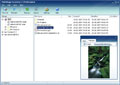
MultiStage Recovery is professional data recovery software for Windows. It can recover files from hard disks, floppy disks, flash drives, digital camera cards, and other digital storage devices. Using MultiStage Recovery, scanning and recovery is very fast and reliable. With comprehensive detection, it finds EVERYTHING that can be restored.
GIVEAWAY download basket




Comments on Clone Terminator 2.5
Please add a comment explaining the reason behind your vote.


iPhone app giveaways »









Ran software...found it removed TWAIN drivers and killed my scanner. Having a heck of a time getting it working again. Not good in my book.
Save | Cancel
Software I could have and would have used EXCEPT I did not install it while the GOTD was active. I can not only use the evaluation version, something worthless to me.
My bad for not knowing that I needed to install this the same day as I downloaded it.
Save | Cancel
It slowed up my PC while it was running. Seems to be pretty memory intensive. However, I was pleased that it allowed me to free up a lot of space on my hard drive. The interface was easy to navigate.
Save | Cancel
There are faster programs. This one took 29 hours to process 1tb HD of which only 250 gb was used. I topped it and still wasn't finished. Thinking it would of offered me what it already found. No luck. Trash it dump it don't use it unless you have a 20 mb drive for which I assume it was created for.
Save | Cancel
After the first scan, I deleted clone files then had the program scan a second set of folders. But on this second job, the program would not let me checkmark the boxes of the clones to mark them for deletion!
Save | Cancel
WIN XP PRO SP3
Installed easily and activated and worked perfectly.
Found duplicates in a test folder with 300 files many of which were duplicates with different names. Highlighted and sorted and grouped duplicates which made it easy to decide which to delete.
Thank you GOTD and Clone Terminator! This was just the program I was looking for.
Save | Cancel
#53 - John
For those of u who try 8start and say there's a dead link..try the download button to the right under ur graphics..not the download logo u see on ur left when u open the page...to see if its not a dead link..hover ur mouse over the download button i just mentioned and on ur status bar u will see the link come up..download from here..as for this program on gotd, its like any other program..user is at his own risk...if the file extension could be singled out..lets say media files ony when looking for duplicates..than have the option to check each duplicate..i like coming here just to see what the feedback is from people and while some may like the programs offered..many don't..its just a user preference thing and how experienced an individual is on installing programs..
Save | Cancel
#76 I'm a tech guru. Of course I tried what you suggested, but it was still not successful.
Save | Cancel
This program is great for cleaning up duplicate music or documents. For example, over the years I have copied and moved folders, not realizing how many duplicates were created. This program found all the duplicates. The only problem was that once duplicates were found, you had to manually select (check) each file to delete.
Suggestion to developers: Have a way to select (check) all duplicates but one, so that if the user wants, the user can delete all but one copy of each file.
Save | Cancel
pros: easy step-by-step guidance, simple and light, delivers what it is supposed to.
cons: no filters, doesn't show foreign characters, cannot stop scan and view results so far found, no extra functions.
Save | Cancel
Everything downloaded and installed just fine. I ran the program, found a 'gazillion' duplicate files BUT in order to delete them to my Recycle Bin I have to 'register' the software ... which requires PAYMENT!?! What is this all about? How do I register without paying for the FREE software? Did I 'miss' something??? HELP!!!
Save | Cancel
#2 - You can set the priority of any running process using task manager so that other things will run better. (start->Run->taskmgr) Switch to the Processes tab, r-click on the offending process and set its priority to BelowNormal. It will run only a bit slower, but will allow anything you try to do to take precedence and work smoothly.
Save | Cancel
@40 Bobbimo
One thing I remember about installation is that if you use Vista you need to install it in C and not in the programs folder and it should be written in the installation dialog.
So maybe reading it instead of clicking next, next, next, might be a good habit ;)
I guess if you are on Vista that's also the reason why it didn't uninstall properly.
Anyway I went on the site and they have a set up video as well now.
@ 53 John
It's not like I own the software and it's site and I downloaded the software about 2 year ago, but I assume they might have their servers down?
It happens to big companies so maybe retrying later or try filehippo, softpedia, cnet and similar? :)
I just checked and it works fine for me now.
Hey it was just a suggestion I wished to share.
I use it and it goes well. :)
Save | Cancel
#2 - you can lower the priority of any running process using the task manager. Under the Processes tab, right click on the offending process, and set its priority to BelowNormal. It will run only a bit slower, but will allow anything you try to do to take precedence!
The disclaimer, however, is that the cpu hog is running while you're trying to perform these steps, so it can take a minute or so to do it.
Save | Cancel
If you insist on running this, I'd strongly recommend excluding the \Windows and \Program Files folder structures from the scan. That should keep you from messing yourself up too bad.
Save | Cancel
Clone Terminator needs a few more features to make it more useful. This version of Clone Terminator, unfortunately, has almost nothing by way of helpful tools once file duplicates have been identified.
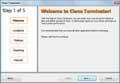
In the "Quick Intro" screen the following statement appears, "Please note, that Clone Terminator doesn't know where is the file you need and where are its unnecessary copies. Clone Terminator just finds identical files and puts them in groups, providing a simple interface to delete digital garbage."
This makes me wonder if the developer(s)have much experience with the software in the real world?
In my case, I have a lot of duplicated files, some of which are scattered across different folders.
After working with this software more, I note that it needs a way of sorting files by name as well as the pairing of files as shown in the final list output.
Here is why.
If one could sort files by the complete filename, then with a duplicated group identified in a specific folder, a re-sort would put all of the duplicated file paths together. This would enable one to delete all of the files that are shown within a single folder, without fear of deleting other non-duplicated files in that folder.
This is superior to just deleting the whole folder by far.
Alternatively, a "Find and Mark" function would do much the same thing, if one could specify part of a filepath down to the folder level and have the software then mark the associated file check box.
Then the marked files in the duplicated output list could be deleted en mass, without fear of deleting non-duplicated files within a given folder.
Either way, this ability would raise the usefulness of this software by a lot.
Does anyone know of software which can find duplicates and then provides tools such as what I have described to help with the culling?
Save | Cancel
hello,
well i was in hopes this one would be decently accessible, and the first couple of screens were, but the settings screen, a truly important one was not, no matter what i tried i ccould not check any of the boxes, like the don't include systems files one nor the temp files skip one, so i exited the program and uninstalled it
to the manufactures, please pay attension to this, your product is almost useable by the blind and visually impaired, please strive in your next version to make it compleatly so, MSAA is a must, or its replacement syntax.
BCU
Save | Cancel
I found this software great for finding duplicate and zero files but when it's completed, you've got one heck of alot of work to do.
I scanned a 250 gig drive and the total time was 3 hours and 11 minutes which is a long time but I am convinced that it really does a thorough job. The problem rests with when it's done all you have is a list of files and unless your a fool there is no way you should just delete them all. It would bee nice to do some sorting and filtering of these files but the software doesn't provide any help there so you're stuck going through every file in the list which in my cas was over 4k of files. I don't have the time or the patience to do this, so for this reason I gave it a thumbs down. If the developer were to build in some sorting and filtering options in the results screen I would give it a thumbs up.
On a positive note you can export your results to a .crv file so if you're a wizard at excel you could import the file and do your filtering and sorting there. Too much work for me but thanks GAOTD it was fun trying. Tomorrows another day.
Save | Cancel
If I copy the important system files and then run this program, will it delete the copies or the originals?
What if it deletes the original files and makes the operating system unusable?
Save | Cancel
#24...
Actually, most registry cleaners are quite a bit safer. It's easy to tell if a path to a file is bad if the file simply does not exist, but it's never easy to tell whether a duplicate file is used by some other program. You'd literally have to go through the registry for every duplicate file to find out. Once again, it's usually not in your best interest to delete duplicate files, when you're only saving a few KB per file, and possibly hosing your programs, or even worse, your OS. This is something that can really only be used safely on folders and files you created yourself.
Save | Cancel
This has enabled me to make my higgledy-piggledy photo directories navigable for the first time ever. A very handy application.
Save | Cancel
Since I have a large collection of files on a recently installed internal 1TB HD, I decided to give this program a try to see what I could cull from it.
It ran for a couple of hours, but I did have access to the computer (Vista-32, dual processors)in the meantime. The program came up with 142,029 duplicates (which would mean 71,014.5 (???) files are potentially deletable.)
Not to put too fine a point on it, I selected one (1) file from the list, placed a check mark by it, and clicked on delete.
The program promptly hung up for about 5 minutes (program not responding message.) Not good.
So perhaps the developers can tell us why it took so long to delete 1 of 142,029? (Now there are 142,027 files left in the comparison.) Is it because the software had to check through all files to find the one deletion?
If so, this is a drawback, since one would have to mark all files to delete, delete, wait, wait, wait, wait...etc. Now I don't know about anyone else, but I find that when working on a big job such as this, I need to do it in small actionable steps to make it more manageable.
Also there is no way that I see to save the results in an actionable file following such a long calculation. I suppose that this is necessary as presumably, disks and their files are highly mutable.
My mistake was using the program on the root directory of a large HD. It found all of the duplicates, alright, but it is very hard to work with something as large as this set of results.
It will be necessary to do the comparisons on smaller segments of the HD, but that brings up a problem in that many of the duplications are located in different folders. As far as I know the software does not allow one to compare individual folders and subfolders, or does it?
In the meantime, I saved the list to a CSV file and will work with that to eliminate whole folders before rescanning with Clone Terminator. It works, but when you have massive duplication, you have to work as well!
Thumbs Up.
Save | Cancel
It's usually not worth the hassle of deleting duplicate system files that actually may need to be in more than one place. One program may use the one in the system folder, while another one might use the one located in its install directory. If you delete the wrong files, you may find that your programs won't work anymore...or the version it uses may not be specifically matched anymore. My advice...buy a new drive, if you really are that hard up for space. Deleting duplicate files is always a risky thing. The space you save is rarely worth the potential problems you might create.
Save | Cancel
#54, G, there are lots of similar-file finders. In addition to what others have mentioned, Phonome Labs Phelix was a previous giveaway. There was another giveaway that I don't recall the name of right off. There's the open-source DuMP3, which can compare all sorts of stuff. There's MusicBrainz. MediaMonkey has some similar-file matching--might be a good choice after first using MusicBrainz. There's other software for finding similar images. As for your comment #56, there are numerous other strategies (applied per-case) for high-speed exact (guaranteed) duplicate file detection.
Save | Cancel
To the people giving my comment #31 a thumbs-down, I can always back up what I post. Here's the result of Clone Terminator's scan of the root of my D drive, which is blank because it doesn't actually scan it. This isn't a new problem, all Enplase Research products have always had all sorts of problems with handling entire logical drives--they may or may not work on any given drive. Also note the dialog box split across monitors. The non-maximized application window is split across monitors. (Images are 1920x1440, 4:3, so view them actual size.) Here's the partial result of Duplicate Files Finder's scan of the root of my D drive. All duplicate file finders other than Clone Terminator scan entire drives successfully. Here's Clone Terminator's scan of two folders, finding only 19 of 20 duplicate groups. Here's Duplicate Files Finder's scan of the same two folders, showing all 20 duplicate groups, as all decent duplicate file finders do.
Save | Cancel
For those of you who say people shouldn't ever use software like this - except for you, of course, because of your experience:
Yes, I suppose you could lock all users inside a plastic bubble. Then they couldn't get into trouble, could they? But then, think of all the business some of you would lose out on.
Unfortunately, some of the need for this software is because MS has the bad habit of creating all sorts of UNNECESSARY duplications. I've deleted dozens and dozens of OS generated duplicates without ever having problems, but I knew what I was deleting beforehand. The real advice for newbies is: if you don't know what you're deleting, don't delete it. If you do experiment with deleting, back it up. After all, I think any newbie - anybody - can at least be trusted to delete duplicate files that they themselves put there by mistake!
That runs in to the real problem of this type of software: how to keep from screening thousands of files two at a time. That's why you need to consider features like excluding system files - as Clone Terminator supposedly does - being able to select or exclude certain folders either/or from the search or from the files list - in other words, you might be able to get away with just automatically deleting every duplicate from your music folder if you trust the programs detection method - or a deletion priority selection option like G suggests, or a link backup option like Paisley suggests.
That's the bottom line when evaluating this type of software, can you delete duplicates in a careful manner without it taking FOREVER to screen them. I doesn't look like today's software is ideal in that regard.
mike - I'm afraid have to disagree. Software doesn't kill computers. People kill computers by, obviously, not knowing what their doing. Of the two approaches, I prefer educating people over just telling them to not do things - as I believe you do. Like I say, we could lock Junior in a bubble, but how is he going to learn?
I prefer to tell them, again, if you don't know what you're deleting, don't delete it. If you do experiment with deleting, back it up.
Save | Cancel
#11: "Like you, my desktop was overflowing with icons... I found I could hide all the icons"
So maybe delete the icons, & when you want to start a seldom used app use the start menu? Also Don't store actual files, like set-up files you download, on the Desktop. At the very least use one folder, learn how to use Windows Explorer to browse that folder, & clear the contents out once in a while.
* * *
#13: "I’ve always been a bit wary of these sorts of programs. Are they safe to use?"
Only if you have a full backup you can restore.
"According to the website, it says it is 100% accurate."
If you want to double check, Microsoft has a free app called Windiff -- it will compare files individually or all files in 2 folders.
* * *
#14: "this program is very useful and, with careful and cautious execution by the user, is most definitely a keeper."
Respectfully disagree... Potential Rewards = *maybe* several MB of disk space. Potential Risk = *probably* breaking something.
If a file's registered with Windows [an ActiveX or Direct Show filter for example], duplicate *un-registered* files can be removed because software should only use the file in the registered location. If 2 programs in separate folders each include the same, non-registered file, you can only safely delete one or both of those *IF* a 3rd identical copy resides in the Windows folder (or the System folder), because outside it's program folder, that's the only place the program will look. And even that is not risk free -- copying a common file to the system folder where it will be shared effects software that needs newer, older, or special versions... Windows doesn't compare files, but uses their names.
* * *
#22: "I’ve used previous incarnations of Clone Terminator and especially recommend it if your hard drives are getting full."
You're very right when you say: "...proceed with caution...", Stephen. Usually the 3 causes of drives filling up are 1) left over temporary stuff, including set-up program files, logs etc. 2) Remnants of software (including drivers) that have been uninstalled. 3) The most obvious -- Installing a lot of software. Unfortunately cleaning up Afterward can be a pretty big, drawn out chore. I try to do a load of clothes a day, so I don't have to spend a day a week doing laundry. The same strategy applies to your PC(s).
Windows includes it's own Disc Cleanup program, which alone can get rid of un-needed restore points. Firefox can be set to delete all it's temp files when closed -- ie can delete most. Monitoring software installs makes it possible to remove an app almost completely. When a portable version of an app's offered, or when an app can be easily made portable, I do that. I use a storage folder for everything downloaded & everything saved -- it's divided up into sub-folders by category. Stuff I find I use (or plan on using soon) go into 1 set of folders -- everything else get's burned to DVD, as soon as there's enough to fill a DVD. Bunch of simple stuff really, that goes a very long way preventing disc clutter from becoming unmanageable... just simple stuff to make housekeeping easier -- the digital equivalent of putting a dirty plate in the dishwasher after lunch instead of stacking plates in the sink. ;-)
* * *
#32: "The problem with a “backup” function for this program is simple: if you “back up” files before removing them, you’ve just made yet another copy of the same files"
???????
Guiseppe, the reason for a backup in this case is to allow you to put things back, in case you screw up. Normally it should be very easy to delete the backup if/when you find it's not needed... much easier than re-installing programs that don't work anymore.
Save | Cancel
If not already mentioned I would look at Glary Utilities and iObits Advanced System Care which have similar utilities included.
Save | Cancel
Here's what it said in today's e-mail announcement: “Clone Terminator is an easy-to-use program designed to clean your computer from duplicate files” I don't install anything that fails the grammar test.
Save | Cancel
To #54 (G) - To answer your question, a freeware MP3 duplicate file remover is Duplicate Music Files Finder 1.6. I hope this helps.
Save | Cancel
The options to select are really not great with Clone Terminator and if you come up with a bunch of duplicate files it will drive you crazy.
You can either "select copies of the file" or "Select all files in the group", which leaves you with no copy of the file after deleting.
In my sample of a folder with lots of duplicate icon files neither is a good option.
Glary Utilities offers the same thing and whilst it comes up with significant less duplicates, it let's you choose "Check one in each group" and then "invert the selection"
Since the recent Giveaway WinUtilities is pretty similar, it might have the same options as Glary.
Clone Terminator did find a lot of files that are the same image, but with different name. However, going through all the groups one by one, forget it.
Pura vida, AlexSJ
Save | Cancel
Clone Terminator & apps that do the same thing are solutions in search of a problem. And they break things.
A Windows PC/Laptop is not All-Knowing -- it has little idea of what files are where on your hard drive(s). When you start a program it looks in the Windows folder & in it's own program folder for any needed files. If it doesn't find a file it needs -- say because you deleted it -- that program won't work properly, *IF* it starts/runs at all. There are exceptions -- files that have their location listed in the registry... Delete one of those, & software might not find a copy of that file, *even* if it's in the Windows or program folders that programs most always search normally! All so that you *might* save a relative few MB, when a Terabyte costs ~$70, & in a desktop PC can be installed in the time it takes to just do a scan!
Save | Cancel
Warning. I just wasted 2 hours of running this program.
The activation program doesn't register the program until after you restart the program, but the program is launched after the installation.
The obvious work around is to NOT run the program directly after the install. Run the activation program. Then run the program, but confirm that it's registered with giveawayoftheday.
Unfortunately, you cannot open the exported csv file of listed duplicate files to resume the manual selection and deletion process, which can be time consuming.
Save | Cancel
The most efficient way is to first sort by file size (which you get from the directory, and is therefore effectively free information);
then for each group of files of the same size, open as many as the filesystem allows to be opened simultaneously, and calculate a block-based hash on 512 bytes, 1024 bytes, etc, in parallel, so that you stop as soon as you see differences. You shouldn't need to read the whole file. (doing it efficiently, you need to know the size of block that your OS reads at a time, so if it always fetches 4K then don't waste time doing 512 byte reads, for example). The only trickiness comes when you have multiple large files which all start with the same data. Worst possible case is when you have more files than your library will allow to be opened at once, and the only differences are at the last few bytes of each of the files.
All file comparison tools use some variant of this algorithm - or they read the whole file and are therefore very slow!
Save | Cancel
I have been a beta tester of Clonespy and the program is good.
However there is IMHO an even better free utility called Duplicate Cleaner, which has more solid hard linking capability. Incidentally DC was just released yesterday in 1.4beta. More information at the developers site here:
http://www.digitalvolcano.co.uk/content/latest-news
I prefer to use duplicate cleaning utilities that can replace the physical duplicate file on the NTFS file system with a hard link, which is kind of a virtual identical link to the same file which has to exist just once on the hard drive, thus not taking any additional space.
In this way your programs will continue to work if they need that file to exist in a certain location.
This functionality is difficult to code, that is why most duplicate cleaners can only delete but not hard link dupes.
Save | Cancel
Any recommendations for a near-duplicate finder? Specifically something to find duplicate mp3 tracks where the files are not byte-identical?
Also does today's program give you the option of specifying the preferred order of deletion by directory, drive etc, or does it make that decision for you? I don't want to specify every single deletion but I do want to say "delete any versions in \junk in preference to a version in \backup" for example. My experience so far with dup cleaners has been either too little ability to specify order of preference, or too much (ie you have to choose file by file, which with thousands of files is not practical)
I apologise for asking first, rather than just trying it myself, but I'm doing so primarily because I don't want to take the risk of finding out only after I've run it, that it's already deleted copies that I wanted preserved.
G
Save | Cancel
Comparing MD5 hashes, I'd bet. Drives me crazy when developers say things like "innovative algorithm." IMHO, sounds a bit dodgy.
CloneSpy is a nice freeware which can do about the same thing. Use it myself without any problems.
http://www.clonespy.com/
Save | Cancel
I don't have any cloned files on my computer but I'll recommend.
Save | Cancel
For A/V files I recommend D'peg. It can find dups that have been resized, cropped, flipped, ect...
http://www.gotdupes.com/index.cfm?page=3495
Save | Cancel
Thrill @ comment 29.
Your suggestions are supposed to link to free files. Not a $40 shareware program that does nothing more than this one.
Makes me think that you are the coder spamming your own program.
I also see comments like "I found the previous version in my backlog of 1000 files" (sarcasm)
It's no wonder your system is slow. Microsoft's first suggestion in speeding up your computer is, "delete and don't load your computer with unwanted or unused programs"
Thats why if you get warnings of unused icons in your desktop.
It doesn't mean sweep the icons off your desktop and keep collecting useless programs. It means evaluate what crap you are using or wont use. And clean out those programs you used once and will probably never use again.
That's why sites like GAOTD, Softpedia, Bestfreeware.... and the 100's of other software sites should put a warning like...
"DO NOT GRAB EVERY FILE AND DOWNLOAD IT BECAUSE IT'S HERE AND FREE. USE AT RISK OF DAMAGING OR SLOWING YOUR COMPUTER COMPLETELY"
Clogging up your program file list, to where it takes you to adjusting your computer to read the whole list. Is not a good idea.
Seriously, they should make a program that weeds out the useless files that haven't been used in months or years and make up a list of programs clogging up your System Resources.
Do yourselves a favor, use this once. If you don't think you'll use it again like the guy with the previous version. Uninstall it
Save | Cancel
I agree with #8 and the old saying. if it's not broke why try to fix it Especially when you are dealing with Software with no Backup Options or System Restore Point Options. It's always better to be safe than sorry. I've seen Applications like these in the past and many of these Files they pulled up has turned out to been "System Files". There have been some that have stated that they have used this Product and it worked great for them without Problems. Many Problems don't show up until after you try starting your System up again. That's when they attack. And I've seen in cases like this where System Restore didn't even work to correct the Problem because a "System File" was missing. So I'll have to go with that old saying on this one but Thanks anyway.
Save | Cancel
WinUtils, given here a few days ago does the same thing.. and a whole lot more.
Save | Cancel
#35 The ratings vote is negative because people think there are a lot of freeware alternatives and/or they don't have any use for this software. I and other GOTD gurus have constantly emphasized on this in the comments and the forum, but it seems that the GOTD team thinks conversely. Well, if they don't change the rating system, then don't rely on it.
#39 Yes, there is a setting in which you can choose whether to delete to REcycle Bin or permanent delete. Even if you permanent deleted those files, you could recover them using some free programs like Recuva.
Save | Cancel
When it comes to duplicate files I prefer to be able to see what I am getting rid of. I can't tell whether this program does that or simply runs what it feels is a good algorithm from the web site since no screen shots are provided. I would need to see those from the vendor before I would even consider the product.
With the way the companies current website is formed I wouldn't buy from them because having faith solely on a computation rather than human interface devices such as my eyes and ears for comparison may make me end up deleting things close to the same such as a RAW and a JPEG image of the same image because the algorithm in the program sees them as the same picture.
Save | Cancel
#32 - FYI, your backup should be to an external medium (CD, DVD, HDD, etc.). If someone wants to backup files this program will delete and they do it to the HDD that is being cleaned, they deserve to have gig's worth of wasted space due to file duplication.
Save | Cancel
Now here is something you don’t run into everyday. Should a user have any questions about the program or needs tech support as in “Help” you have to access the programs “About” where you’ll see “Support: [ CLICK HERE ]” that opens your browser and takes you to their web site. But this gets even better because you have to either fill out a web form or send an email to them.
“You can contact us via our e-mail support@enplase.com, but we recommend you to use the contact form, because in this case you can be sure that your message will be delivered to our support team (if you contact us directly via e-mail, your message can be blocked by our antispam filters).”
“We will answer all your questions within 48 hours (but usually, within several hours”
http://enplase.com/pages/Support.html
Anyone still brave enough to use it, in the settings a user has the option to exclude specific folders, files, and directories prior to scanning. They recommend excluding the system files where you would do well to heed their advice because if you’re going to get in trouble, this is where it will most likely happen.
As others have pointed out this program has been offered before (version 1.8). Since then there hasn’t been any significant changes that I can see. I installed, tried it, then Revo’ed it away.
@#14 MichaelMooreFan - I’m surprised you missed that one. I guess you must have been in a hurry since from the time it became available today, it took you all of 9 minutes to “review” it...lol
Save | Cancel
#1 - I feel exactly the same, and I keep several copies of the same file, same folder, same application, etc.
I will try this to see if it is a solution or just more an icon to my desktop.
Thanks GAOTD.
Save | Cancel
Re:8Start mentioned by @10.
Note that the program does not have an uninstaller file and that the uninstall link provided within the program shows it is uninstalled,
but, upon checking my program files, the program is still there. I
deleted it manually. For me, it was far too complicated to set up and I could see no use for it.
Save | Cancel
Regarding the comments on the lack of a back-up,can anyone verify if this utility will delete the duplicates to the recycle bin? If it doesn't,I see the concern.#25's comment wasn't really clear to me on this.
Save | Cancel
@30 "I have not able able to activate any program for over 2 weeks, I keep on getting the message “Unable to connect to activate”
Check your firewall and/or anti-virus suite, it sounds like you are being blocked from connecting to their server.
About this proggie: It is fast, accurate, and pretty low on resources. It appears that some of these comments are being made about a previous version...because I scanned to HDDs one being 160GB and the other a 250GB HDD. The scan was completed in under 5 minutes and found many duplicate files. For those that are worried about removing System Files...this option is excluded by default, so unless you manually include system files you should be fine.
A "Select All" feature would be nice. I know you can click the delete button to remove all but some times I may want to select all, and then deselect a few.
Conclusion: This software does EXACTLY what is says (not much more)and contrary to other posts, it is fast and NOT a resource hog. It should have a backup option; however all files are deleted to the Recyle Bin (Not Permently) and can be restored from there. Final Rating: 3/5
Save | Cancel