Every day we offer FREE licensed software you’d have to buy otherwise.
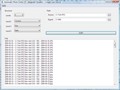
Automatic Photo Sorter 2.0 was available as a giveaway on July 23, 2008!

Have you already made thousands of photos? Then every time you upload new photos from your camera to the computer, you think: "I wish I could sort all these photos", but once you imagine how much effort and time this routine work will take, you give it up. And the story repeats itself each time, while the number of photos keeps increasing all the time...
Familiar thoughts? And now the important thing - you can make this task much easier if you automate it. "How to do it automatically?" - you will ask. Piece of cake, just follow the instructions:
- install Automatic Photo Sorter;
- specify the path to the photos source;
- specify the path to the folder where the sorted collection will be stored;
- click the Sort button.
That's all! All main routine work will be done for you! You will get a set of folders sorted chronologically. Each folder will contain photos made during one day. For instance, you may have such folders as:
- 2004-07-15
- 2005-12-25
- 2007-03-11
- 2008-06-29
System Requirements:
Windows XP/Vista
Publisher:
Styopkin SoftwareHomepage:
http://www.styopkin.com/automatic_photo_sorter.htmlFile Size:
776 KB
Price:
$19.95
Featured titles by Styopkin Software
It has all the Font Manager features and also: - has the Doctor tab that will detect and fix any discrepancy between files in the Windows folder with system fonts and entries in the registry; - can detect font duplicates, including in the fully automatic mode; - has a unique automatic font organizer - the first one on the market of font management software.
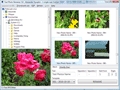
If you are not happy about such names of your photo files as 'Img_0275.jpg', 'Dsc00403.jpg', you need a tool to solve this problem. It is Fast Photo Renamer. You can rename either each photo separately or all photos in a folder at once.
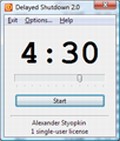
Do you want your computer to be turned off automatically? This program will allow you to fall asleep when you are just listening to your favourite music or viewing evening television shows on your computer.
GIVEAWAY download basket


Comments on Automatic Photo Sorter 2.0
Please add a comment explaining the reason behind your vote.

iPhone app giveaways »





Android app giveaways »





this is very handy
Save | Cancel
Agree with #2.
I can live without this utility. In fact, I am better of without this utility. Sometimes I need photos of different dates to belong together in one folder.
Utility has to do better than that, else it just introduces Meta-Work.
Save | Cancel
Apparently I did not get a registration code for this yesterday. Anyone know how I can get it now? Thanks!
Save | Cancel
Oh! here is the Macrium Reflect free download link:
http://www.macrium.com/ReflectFree.asp
Save | Cancel
Tried it but I don't see much use for it. Sorry.
Let's see if it uninstalls completely.
Save | Cancel
Hernon @#97 wrote
"#80: Your correct! Happened to me this morning, and had to format my C: drive to get rid of it (the ” - ” dir from the recycle bin)and then install from xp disk, and reinstall my drive from a backup. Someone could sew this author for damages maybe from this kind of bad programming."
Whenever I try one of these giveaways, I first make a image of my C: drive to D: drive using the Macrium Reflect giveaway that I got here. So I can easily boot up my system (XP Pro) with the Linux recovery boot CD that Reflect made and restore my C: drive from the image on D: drive within minutes if I want to. (Macrium Reflect have a free version for download too.)
Macrium Reflect is the best software I got here. It's faster and easier to use than the Acronis TrueImage 8 and North Ghost 12 that I have.
Save | Cancel
This program looks nice, but a lot of commotion. I am VERY handy with a camera and a computer, but I still am a little lazy, so this program might help me some. but not as much as In woould like. but still, Thanks, GAOTD!
P.S. I agree that this proggram shouldn't have been sold since it's so simple, but, I didn't make it. ;)
Save | Cancel
@funkster I don't have a brain you big dummy I drank too much and killed it like the coders for this software. If this software thrills you I have some property under a bridge to sell you. Har Har Har.
Save | Cancel
Deleted. I just looked at FastStone (does not need to be installed) and cam2pc Free and I must say they are better and have more options. Giveaway I will say thank you for the sofware and allowing people to give sites to other software. I was looking for something like the giveaway of the day and was going to keep it but changed my mind because of the comments of others. One comment saying that it would not copy avi files. The other comment giving me the web sites for FastStone and cam2pc.
Save | Cancel
Thanks GAOTD for continuing to offer us great FREE programs!! This particular software I don't need but I'm amazed & amused at the comments. Who would think that this tiny little software would create such a commotion???? Hey people can we all get along??? Vista vs XP - mine's bigger than yours.....it's like a pissing match in here. I'm old - started with computers before windows was sand....you knew dos or you didn't 'play'.....have had every version of windows and a couple of computers/OS made by that fruit company. Each OS has/had its +&- .... Some of the posts made me laugh, some made me want to tell your mothers how you act in public (at least behind the privacy of your monitor...) and some were actually informative; thanks to those reviewers!!!!! Thanks again GAOTD & I'll be back tomorrow to see what's being offered for FREE (get it peeps? It's always FREE) and I'll be sure to read the editorials too - oh, I mean the reviews...
Save | Cancel
@ Funkster:
Blablabla.
If you bothered to actually try to read the rest of my comment, you'd know why your comment doesn't make any difference to my opinion on this GAOTD.
Save | Cancel
#92, Funkster, see #81, DuckPuppy's comment about why descriptive keywords (tags) are useful. EXIF data and date taken tell you absolutely nothing about the contents of a picture. Descriptive keywords do, which allows you to search, sort, group, or filter to find exactly which pictures you want, and which you want to exclude. You have the full power of Windows Search 4 (if installed)--comparisons, ranges, logical expressions, etc., to get exactly what you want (using all available information, including EXIF data, user tags, filenames, various timestamps, etc.) In Vista, this ability is also available on a per-folder basis, as well as globally (of course, you can also limit a global search to particular folders). Assigning multiple tags per picture gives you flexibility which file and folder names don't (you can include multiple keywords in a filename, but you're more likely to pick up extraneous hits when searching, and you lose out on Vista's built-in tag-filtering ability).
If anyone thought the large image in my comment #38 was illegible, it needs to be viewed actual-size. Just click on the image in Firefox and IE7; IE6 users should right-click and select Zoom, if I remember correctly. By the way, for IE7 users, something I hadn't paid much attention to is the fact that the zoom toggle zooms around where you click, which is often faster than scrolling the zoomed image.
Save | Cancel
After reading the negative opinions, I was cautious about trying this program. But, I tried it anyways and I'm really glad I did. It quickly organized my photos into dated folders, which is something I'd been meaning to do for several months, but didn't have time time; the program file named the pictures by date, too! So, I recommend giving it a shot. The way I view the software here, I try it and if it's not for me, I remove it. And if it is something I can use, I keep it. Either way, I learn and no harm done :)
Take care!
Save | Cancel
Seems that many fail to see one advantage of the program:
My wife consistently forgets to delete the pictures on the cameras memory card after she uploads the to the computer. For that reason and that she uses various program to upload, she gets multiples all over and not even with the same filename. The EXIF is the safest way to find duplicates, and this program helps to make that happen.
Save | Cancel
@92 Funkster:
Yes, I got the point of the software. But I could easily create something that this does. Also, people should check out the s/w that comes with their camera, it may do what this does already!
I'm sure there are many freeware programs that can do this, it's not that hard.
As other people pointed out, what use is it after you've sorted your 1,000+ photos. By then you should come to your senses and realize the importance of organizing your photos. So next time you import them you will create a folder with the date to import them to! :P
P.S. I would think someone who has the time to read AND respond to so many comments would have the time to manually sort 10,000+ photos or so :P...
Save | Cancel
#80: Your correct! Happened to me this morning, and had to format my C: drive to get rid of it (the " - " dir from the recycle bin)and then install from xp disk, and reinstall my drive from a backup. Someone could sew this author for damages maybe from this kind of bad programming.
Save | Cancel
@92, Funkster:
You are correct in that it is EXIF data, not file creation date or last modifyed date. However, right-clicking on the heading of windows explorer (in windows XP SP2 at least), selecting "More...", lets you choose which columns to display, among others "date picture taken", "camera model", and more, but these are relevant to pictures.
@nr. 47, bob aka goodgotd:
No, of course windows explorer don't sort this automatically into different folders for you, but if one wants that, it's basically a one-time thing. If you have very many pictures, then yes, this program is useful. That one time.
Save | Cancel
#2 said: "Is that all there is, my friends, is that all there is?"
Well. not quite. To quote from the Web site, " The dates when photos were made are extracted from EXIF data, which allows the program to detect the actual date when the photo was taken, instead of the date when it was saved to the computer. If this data cannot be retrieved, the file creation date is used."
Save | Cancel
You could try this one: "SetNameToTime" ( http://www.storcksoftware.com/setnametotime ) It's a really simple program that renames photos using the EXIF data. For example, if you took a picture on 1st July 2008, at 10:32am (and 16 seconds!), this program could be set to rename the file from "DSC0001.jpg" to "2008-07-01 (10.32.16).jpg"
Obviously this is just an example - there's loads of renaming posibilities. The program is free for 30 days, then it's just $15 - far better value than the $19.95 that today's giveaway should cost!
(And in case you're interested, I don't have anything to do with "SetNameToTime" - I just think it's a good program!)
Any chance of getting "SetNameToTime" as a giveaway?
Save | Cancel
OH MY GOD, NO WAY! Not a program that will make folders of files made during one day!
So take one picture a day, for a year, and get 365 folders! That sounds exciting. Not only that, Windows XP media center does this pretty thing where it imports photos from a SDcard/Other Digital anything, and it automagically makes a folder dated the day i imported them. if that's all it does, Sounds useless, If it does more, why isn't that said?
Save | Cancel
So many low quality comments today. Many people don't know what they are talking
about:
@Hendrick #2 & Tony #6 & free-teenz.com #10 & raron #41:
No, it is not sorting on collumndata. It is sorting on EXIF-data.
Pictures taken with digital camera's have invisible data in the picture. Data like
date, time, shutterspeed, flash used, camera type etc. So called Exif data.
This programm reads the data from within the picture.
@Kyle Thomas #4:
It is not to rename pictures but to sort copies of your pictures. You have a
3-level option to sort by camera, date and size in whatever order and in 1, 2 or 3
levels.
But #11 'Dan' is right about that specific situation which indeed is nice.
@Peter Holgate #18:
Well you really helped a lot of people with your comment, really classy. ;-(
@Paul Grenfell #19:
Not evryone has vista, but I know there is a new (beta) out that works on XP too.
However this programm does that too (your own comment).
@AchimvonGut #20:
It's better trying to comment in English. But in reaction to your comment, don't
fear to try, The originals will stay, copies will be sorted. No risk at all.
@Fred #21:
I'm so very happy for you. Thanks for sharing.
@gms9810 #22:
There are almost always alternatives. Pointless telling that. But it would be
helpfull if you could share some URL's to these wonderfull alternatives.
@Damian #23:
The programm is unusefull if you have no digital pictures too. It's by axioma you
can never get something out of something that isn't there.
@Phil #25:
This programm does what it does. If that is not what you can use, then it is not
what you can use. You are your own boss regarding the way you like to sort your
pictures. If you choose to to it different then this programm can do, don't use it.
@Fubar #27, 38:
I don't use vista, but the things you show look very good. The thing is, does it
use ordinary file information like creation-date or does it look into the picture
to read the EXIF-data.
http://en.wikipedia.org/wiki/Exchangeable_image_file_format
It's just a question I wouldn't know.
For XP using photographers this programm can come in very handy, though I'm sure
there will be alternatives and perhapse it is build in into vista.
@Anish #31:
Ofcourse this would be nice for every software. But why exactly do you mean so?
@Ter #32:
What option do you miss. Share it with us. Your comment is like: "I like blue
shoes"
@poppaspank #34:
My native tongue is not English. I'm sure you will have a good laugh reading my
comment too. Enjoy !
@Belgian Dude #39:
Yes I heart of it. And now ...?
@Tricky Laughter #40:
You tell us that they (company) should do what you say. Why can't they do what they
want and when you don't like it don't use it.
Please tell us why they should do what you want and use an overwelming
argumentation.
@hobo sam #42:
Your not only homeless, but also brainless.
It is no problem you cannot see the use for this programm but after that that would
be all for you to comment.
As soon you discover you have a brain afterall, the question might pop up why do
people other than me, think thihs is usefull and you might actually learn
something.
@ww2vet56 #43:
Where is this companies greed if they are giving away this software. You might not
like it or have no use for it or don't undsertsand it,but thatb has nothing to o
with greed.
@Me 49:
Not very convincing. And I think your comment is *very* USELESS, which must be very
convincing for your way of thinking.
@Respondeer #59:
I'm sure I made you happy. Could you recomment a good publisher?
@Chewie42 #60:
and why do you think so, I am interested.
@Fubar #61:
Why tag manually, when the tags are already there: EXIF-data.
But ofcourse everyone is free to find a way that is pleasing to him/her.
@Duh #64:
Not everybody has your camera and sorting manualy from EXIF-data is ridiculous when
you have lots of pictures. I don't think you realy got the point. Duh..
@eeZee #70:
That is actually a good idea having somthing that sorts automatically. Today you
can with this GAotD.
@71 warm:
Please tell me
@Iggy #72:
Okay your allowed too, no problem for me.
@Anne Ambrose #73:
This is a really good question. Pictures from internet can have EXIF-data but this
will not always be the case. You can use this GAotD only if the pictures have
EXIF-data. This you will not know by only looking at it. so it will be on trial
base.
@BrianZachary #77:
You're missing the point. When going through a dictionary it really helps that
there is an order, rather then looking something up in a book with all the words at
random. When you know a certain period that a picture has to be made, you can
manually look through very less amount of pictures than unsorted.
@smartguy #88 & Giovi 69 #84:
The serial also works with the setupfile from the homesite. This means it can be
installed whenever you want.
I'm very glad with the ability to sort pictures by size which enables me to sort by
portrait and landscape format.
I have many tools, tools for reading and manipulating EXIF-data, renaming pictures
bases on EXIF-data, viewing and adjusting pictures, sorting them in virtual
categories and so on.
But a tool for convenient sorting on portraits and landscapes was missing, though I
had some workarounds. This is a small little programm, but I like it. I'm not going
to comment on the price or on vista versus XP. This GAotD is a keper for me.
Save | Cancel
So you have a memory card that holds what? 1000 photos and you don't empty it everytime you use it then what? Well that is what I was thinking, then I looked at what happened after I ran their sort on my photos and My Computer has a new column, that isn't on the MS column list, That says "Date Picture taken". Then when I look at some files that were all titled March 5 upload with sequential numbers. there are different dates so the file itself must hold a date within it. The MS create date however generally agrees with it, so in one upload on March 3, the create dates range from 1/16-3/5 in both columns. So you don't need this program, all you need is My computer and tell it to include the date created column, you can also have the type of camera, author and more. Just right click on the Column heading area. You don't necessarily need them in separate folders, but that can be done with a simple drag and drop operation. By date stinks for me anyway, because I don't remember dates...
Save | Cancel
Thanks # 821 Finally someone who can understand why I prefer Vista to XP!
Tharts exactly what I'm talking about!!!!!!
Save | Cancel
If you have vista this product is utterly useless, Vista Premium at least comes with a window photo gallery which is much more powerful than this program.
Save | Cancel
#84 - won't work. If you reformat and want to get a GOTD program back, you either need to buy the program, or wait for it (or a similar one) to come up on GOTD again. Even if you do use the keys from the past, they won't work because they are outdated after the 24 download window.
Save | Cancel
I was going to add this earlier so, I just want to add that -
As others have pointed out - FastStone Image Viewer - Is an excellent program.
It has a small learning curve or takes a bit to get used to but it is a powerful and amazing program that is well worth the weight on any hard drive.
I use it all the time and it had been useful over and over again.
It renames files and resizes images as well as everything else.
It is a swiss army knife.
So if you have never tried it - give it a shot.
Why am I pointing it out?? Besides it's great - and It's Freeware.
The other point I wanted to make.
FastStone ImageViewer renames FILES and resizes them.
THIS program renames FOLDERS and sorts them.
Totally different but...
The two may make a good combo.
Footnote: Comparing Picassa to a program like this is like comparing an RV to a gas leaf blower. Besides, Picassa is great, but it is bloated and it catalogs all your files, you gotta jump through hoops, it runs slow and is a system hog.
Again this program is certainly not for everyone. As pointed out, a portable version of this is a good idea.
But if you know someone that has a computer with thousands of unlabeled photos and you don't mind simple - date, camera or size - organizing, then it could be a little utility.
Save | Cancel
#84, you can download and run the free Belarc Advisor, and print its output, to recover your serial numbers and other info.
But most GOTD programs require online activation the day they were offered. A few might work by entering the serial numbers, but I expect that most won't.
To really move a lot of active working programs from an old machine or hard drive to a new machine or new hard drive with fresh OS, the best program is PCMover from Laplink. It's primarily designed to move working programs from old machine to new machine, but there is a way to use a third drive, so you can install a fresh OS on a new drive, use PCMover to move working programs from the old drive to the third drive, then install the hard drive with fresh OS and move things back from the third drive. The only other way is to individually make a "Transport" file of each working program, using System Suite, but this way also may not work with most GOTD programs. PCMover should work.
Save | Cancel
"It’s still amazing to me that those that bash Vista don’t even use it."
*SIGH*
It’s still amazing to me that those that bash Vista are generally techs.
But thank you to those people who come onto this forum to stick up for a piece of very flawed software.
After reading these opinions I now know that if I want a pretty PC I should get Vista.
After all, who wants a PC that does what you want and actually RUNS programs?
How about a few more reviews about the software offered instead of fanboy bashing?
Save | Cancel
Well it seems that it the rating of this sw is very poor, isn't it?
I profit by occasion to ask you a question, given that here is full of geeks.
Do you know how I can retrieve keys of past GAOTD programs in case of PC crash and whether or not I can shift them on another PC?
Is ACRONIS fit for purpose?
Please answer me asap because need to format my PC soon!!
Cheers
Joe
Save | Cancel
a bit good for lazy people..but pretty much its like windows search with "*.jpg" kind of search word..anyway want to use it for a day..
Save | Cancel
@69: Since we're tossing out Vista scores, mine's a 5.6 :P
Save | Cancel
OK, yes, sorting into date folders isn't the best sorting if it's the ONLY sorting, but it can get you most of the way (I do a lot of convention shots, so I can easily find my photos of Convention X by just selecting photos from the dates of the convention if I need to do some bulk filesystem operations). As even some of the naysayers have stated, keywording is the best way to categorize your photos - and that has nothing to do whatsoever with what they're named or where they're kept on the disk. Renaming photos and folders with the subject of the photos is a losing proposition once you start to care about too many subjects. A photo may contain both your dog and your niece, so does it go in the "My Nieces" folder, the "My Dogs" folder, some arbitrary "Day my Niece visited and played with my dog" folder? There was no real party that day so there's no other subject for a new folder, and do I call the photo "My dog and my niece 237.jpg"? Using keywords in Picasa or Lightroom or whatever is the much better solution. Now it doesn't matter what the file is named OR where it's located, because you'll search via Picasa/Lightroom/etc anyway for pictures of your dog - if you like EXIF/XMP data, you're even storing those keywords in the metadata of the picture rather than a sidecar file so they won't be lost if the Picasa database is FUBARed. In the end, folder structure and file name are irrelevant. That said, why not limit the number of files in a single folder by providing some sorting? Date is a good choice there - you'll probably remember that those photos of your Mom's birthday that she wants was last Saturday, so just zip that folder and send it. Otherwise, use your software to find all the photos to send and you never have to see the filesystem ever again.
If this doesn't fit into your workflow, fine. I won't use this - I have a self-written sorter that does what I want. Those looking for freeware, check out AmoK EXIF Sorter which I used to use. The next version will support manufacturer RAW formats that have EXIF info (but not DNG, unfortunately, which is the only RAW format I would put EXIF info in). It's NOT duplicating Vista Photo Gallery/Picasa/sorting in Explorer/whatever, because those tools are TOTALLY different views on the same data. This just breaks that 10,000 file folder into manageable chunks if you have to play in the filesystem, which shouldn't be too often anyway if you ARE using another tool.
Save | Cancel
Take care with this program.
Just tried it out with the 3 levels of sorting, then decided to delete the folders it created.
Vista (as administrator!) couldn't delete all the files/folders as some were renamed as "-" and explorer returns a 'cannot find item' error.
Very annoying, however, to delete these folders try opening a dos box and using rd /s.
I may have just been unlucky or not particularly tech savvy, but this shouldn't really have happened with a simple sorting program.
Save | Cancel
It is a nice program for managing photos and it is outstanding tool for photographers especially.
welll yes...it does say it deals with photographs. Is the information you are providing a revelation? Did you think perhaps it was concerned with plumbing supplies?
Save | Cancel
Re 39 I also use Picasa and i agree with you, it automaticaly sorts your Photos in date order and you can e-mail them to friends and family very simply.Plus it has its own editing and redeye removal tools.
Pat
Save | Cancel
Another useless program. Yes, I do have tons of photos that I have to sort through and organize, but there is no program that can do that for you. All this program does is creates new folders and puts whatever photos you want into them, which can already be done in Windows. I mean, you still have to manually go through each picture to see what they are to know where you want them to go, and creating new folders and naming them whatever you want is not that difficult a task.
Save | Cancel
It's still amazing to me that those that bash Vista don't even use it.
Now I don't take 12,000+ pictures in 4 months but anyone that can remember what date they took a specific picture and then find it by sorting in the manner needs to be applauded. You can clone your memory skills and then you will be able to afford Vista for your computer and see that it far exceeds what XP can do.
Save | Cancel
downloaded, unzipped, and installed.
a window popped up with the giveawayoftheday add to favorites menu which had the registration code, highlighted it then hit ctrl c to copy.
program launched and went to help in the program which is located in the upper left corner where file is at in most all windows.
scanned down to register program clicked on it. a window opened up and clicked inside the window, hit ctrl v to paste registration code, then hit enter.
it said to close window and restart the program, so I did.
reopened the program and there is no more register in the help area.
hope this helps anyone who says they have trouble registering the program
Save | Cancel
@56....thanks I feel much better now!!
Save | Cancel
It doesn't sound very useful for what I'm looking for. When I think sort I think categorical words. Sure it may "sort" pictures that came off my digital camera but what about the pictures that I got off the internet.
Save | Cancel
I would use this if they paid me $19.99 otherwise a big Noooooo thanks,its not worth a light.
Save | Cancel
Anyone heard of Picasa from Google?
Save | Cancel
Installed and activated fine.
Tested it and it works like advertised.
I'll guess it's useful if you have made a real mess of your photo-collection and want/need to sort things out. After that, I presume this little program is of no use anymore...? (Because you now know how to sort your pics the right way, right?)
For me, it's of no use. I already made use of this naming/dating directory sorting, manually. Ever since I had my first digital camera (let's see, that'll be like since 2003) and put my first digital photo's on my PC.
And with the freeware version of cam2pc, I can now do this automatically with my Canon IXUS 75 (which recognizes the camera and removes the pictures and vid's from the cam as well).
So, if you've found the current program useful and don't want to make a mess of it again and want to stay sorted from now on, get something like cam2pc and let things sort automatically from now on.
As for today's giveaway:
1. The pricing, $19.95 is just plain ridiculous (no matter that it's free for today). It's a simple, yet very limited program made for just one task.
2. Although it works like advertised, IMHO it's longevity in use is highly questionable/very unlikely. Once sorted, it's done. After that, there's no need for this program anymore.
Combining those two points (price & features vs. repeated use), I'll have to give it a thumbs down.
Thanks for the offer, though.
Save | Cancel
Get a grip or get a life # 47! You like to type useless garbage? Well, I'm not impressed. Another idiot, Vista hater who never sat in front of a good Vista machine!
What I mean by that is: One that scores above 5.0 out of a possible 5.9 & runs vista Ultimate!
Until you have a clue what your running your mouth about, close it please!
i run vista Ultimate & XP Pro on the same desktop & Vista smokes my XP! Get it? Same hardware, same PC!
My Vista scores 5.3. Imagine that!!!!!!!!
Save | Cancel
@52; Thanks for the post! You are describing my Uncle Joe. He has been missing for months and it looks like you have found him.
Please answer the secret identification question. Does the man in question have an intestinal parasite? You would know the answer if it is really Uncle Joe. If it isn't Uncle Joe, shame on you for getting our hopes up.
While I am here (I think that I am here - please tell me if I am not) I would like to make a short announcement (please excuse me from butting in line in front of you lady but I am a very important person). "Uncle Joe please come home. We love you - intestinal parasite and all. The room down by the crick is still yours - if you want it. But don't bring that filthy girl friend with you. If you do, all is lost. Those penicillin shots were for naught.
Save | Cancel
I'll check out the faststone imageviewer; didn't know it had file functions in that class. and I'll check the site. thanks HBE!
ron, did you restart the program after entering the key?
certainly I could have found a novel but where's the fun in that? at least I wasn't bored while typing it- and I only use one hand to type, can't feel 'em and can only watch one at a time.
No tinfoil cap, I live in a tinfoil mobile home. never had air conditioning and I dislike pepsi- coffee, that's my tipple. handwritten x, ha. bullet holes.
as for vista (and xp) I certainly have had to deal with it/them as tech support on other people's computers- and I'll go xp when I have to, but vista my hardware would not like.
IIRC there isn't exif data in videos, but vids are a lot easier to check and move if the jpgs are out of the way.
I use old (1999, this one) laptops as they're cheap to replace on ebay when the things get trashed out in the wilds- pull the hd and toss the rest- p3, 10 gig drive and win2k are good enough and it's easier to pony up (or beg- hey, I'm disabled) a c-note for a computer that's going to bounce off rocks sooner or later (just like I do) than 5 times that or more.
back up to an external drive when I get back to the car and hook into the LAN when home.
Save | Cancel
@ hobo sam; I've been there. Go to my blog and leave a comment with your blog URL.
Save | Cancel
I'd simply recomment Faststone Image Viewer 3.1 - done me excellent service!!! I could see each photo in each folder just by simply scrolling up or down. Plus, it doesn't change anything unless you tell it to. You even have an option to completely delete a single photo from your hard disk instead of just sending it to your Recycle Bin. http://www.faststone.org/
Oh...btw, it's free - 24/7 ;)
Save | Cancel
My camera software does this automatically. When I import it creates a folder with the date of the pics.
Even if it didn't I wouldn't PAY for this s/w. I could create a small script wit Autoit or some other program and do it myself. If I didn't do that, I could just browse the EXIF data myself and move it manually!
For those who have hundreds or thousands of pics and no programming experience, then this program is useful, though grossly overpriced.
Save | Cancel
I pretty much have to agree with goodgotd (No47).
While this isn't the program for those who take a couple of snapshots with their instamatics (Are they still called that?) for anybody serious with their photography it comes in might handy.
If you imagine having two or three cameras out in the field and having to dump all of your photographs onto a laptop as goodgotd does or even a Vosonic accessory as I do without the time to sort them you'd understand the use for this.
To everybody talking about "Oh it can rename pictures" and "It doesn't sort by name"
If you have already named your pictures aren't they already sorted?
As for drawbacks, personally I'd like to have seen a feature to sort by Focal range so sort between landscapes and telephoto work and type would be nice, I really get annoyed having my jpegs and cr2 files mixed in a folder.
I would like something like this to be more portable too, so I could keep it on one of my flash cards and use it on whatever PC I'm near when I have my camera.
Other than that, as already stated, it's a good start.
With a few extra sorting features it could become a must for all digital photographers
Save | Cancel