Every day we offer FREE licensed software you’d have to buy otherwise.
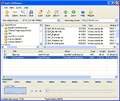
Giveaway of the day — Audio CD Burner
Audio CD Burner was available as a giveaway on March 9, 2007!
Using Audio CD Burner you can create your own custom music CDs that can be played in any standard home or car stereo. With Audio CD Burner, you can choose to burn 74 or 80-minute audio CDs on either 74 or 80-minute CD-R/RW discs. Just drag and drop the songs you want onto the main screen, hit the record button, and in a short time you will have a custom CD!
Audio CD Burner work with most popular audio formats: MPEG Layer 3 (MP3), Windows Media 9 (WMA), Ogg Vorbis (OGG) and WAV. There is no need to convert to WAV! Your CD is burned directly saving your hard drive space. Audio CD Burner supports majority of IDE CD-RW drives assembled in 2001 year or later, if its burn speed is more than 8x.
Audio CD Burner Key features:
- Auto-Detect optimum write speed for used disc.
- Auto-Detect low-quality audio files.
- Writes MP3, OGG and other audio files On-the-Fly as an audio disc.
- Supports BURN-PROOF for error free recording.
- Supports use of high write speeds and HSCD-RW(10x-12x).
- Multithread buffering system.
- Auto-Detection of not tested drives (from 16x speed recorders).
- Native Window XP Support. ASPI not required for NT/2000/XP.
- Creates detailed logs of the burning process in the system directory.
- USB Drives are supported.
- Write Audio CDs, which can be played in all CD players - at home or in the car.
- Write Audio CDs on the highest speed supported by you recorder - Audio CD Burner compatible with CAV, Zone-CLV recorders.
- 100% Windows XP compatible.
System Requirements:
Windows 98/ME/2000/XP
Publisher:
Abyss Media CompanyHomepage:
http://www.abyssmedia.com/cdburner/File Size:
1.61 MB
Price:
$29.95
Featured titles by Abyss Media Company
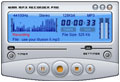
i-Sound WMA MP3 Recorder turn your computer into complete audio recording studio. You can record sound from internal or external source into MP3, OGG, WMA, APE, WAV format sound file directly without costing any other disk space. With VOX feature program can become ideal solution for automatical digitizing LPs and Cassettes. Using "Stereo Mix" input you can record Skype conversations, record streaming audio and convert protected WMA and M4P files into MP3 format.
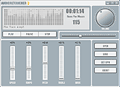
AudioRetoucher is an audio effect processor that changes the pitch and tempo of an audio composition. With AudioRetoucher the sound of an instrument or voice might be modified slightly, to make a vocalist or instrumentalist's job easier in dealing with difficult keys, and usually involves no more than a half-step (semitone) or possibly whole step (whole tone) change. Vocal pitch may also be speeded up to "smooth out" a performance, or to make the singer sound younger. It may be used for special effects like famous Chipmunks recordings were created by recording vocal tracks at a slow speed, then boosting them to normal at playback.
Abyssmedia Audio Converter Plus is a powerful, professional solution designed for converting the most popular audio formats and Audio CD tracks directly into MP3, WMA, OGG or WAV formats. High quality 32-bit converter engine allows you to convert to any sampling rate and can create 24-bit and 32-bit WAV files for DVD Audio mastering. Intergration with Windows Explorer enables one-click conversion for any audio file or folder.
GIVEAWAY download basket




Comments on Audio CD Burner
Please add a comment explaining the reason behind your vote.


iPhone app giveaways »





Android app giveaways »





Software seems easier to use than most audio software I have experienced.
Save | Cancel
To Maged #83 and to Daniel #88
Audio CD Burner was developed 5 years ago!!! Any more stupid questions?
Save | Cancel
good for audio
Save | Cancel
Thanks to those that provided insight with comments.
Techie Teri and Sergio are people I look for to provide not only information pertaining to questions I might have about a program, but also their directed questions will ALWAYS provide enlightenment.
I was #13 above, with a question about functionality. My hopes were high, and this software might have done the trick, but after burning a coaster with ten songs hoping for a cda, I decided to continue reading.
Complainers can add value to a discussion. At times, they provide insight to a negative experience that might prove a timesaving bit of information.
Again, great site, good info, and the ability to share what one knows from experience creates a good feeding ground for those with questions like me. (michael from kansas)
Save | Cancel
Thanks! You're right it isn't .wma I don't know what I was thinking.. maybe not enough coffee. :)
I am having a brain freeze as to the correct format... maybe .wav?
Anyway, it could also be that the car player doesn't even play a cd-r or cd-rw :)
Techie Teri
Save | Cancel
some people complain that other free software does what the day's offer does, other praise the software, while other complain about the complainers that say there is other free software that already does what the current offer does.
well, my opinion is that we should have:
1-the comments of the "there is already freeware that does this" as i have found out lots of free stuff i didnt know about from the comments section.
2-i have nothing against the praising of the current days offer, whatever it is and how much it costs.
3-i do have something against the complainers of the complainers (lol...weird sentence), just let them be. i like to find out what other free software other people think does the same this.
basicly, i find that complaints and praises are good for me in the comments section, that is why i read it.
what i dont find of ANY use is the complaints about the complainters because its a free giveaway.
everyone knows and gives merit to having the chance to get some software for free for 1 day, so dont keep saying "dont complain has you're lucky to get this for free".
if someone doesnt like it because they think there is an equivalent free software, let them make their statement. i appreciate that feedback, especialy finding out what the commentaters think is equivalent software that is free.
and we all know that if this is not your day, tomorrow might be, so those comments are also in my opinion of no use to any reader of the comments section.
so to abreviate my comment to one sentence:
make comments that will be of value to other readers of the comments sections, or the comments section would not be read.
Save | Cancel
dont understand why, but....audio, video, reg cleaner...anything else useful?
there are ton of good softwares they sell out there, why gotd always choose these 'most useless'to offer?
Save | Cancel
I dowmloaded this as instructed in the readme file and when I tried to burn a cd it stated I could only add 6 entries in the trial version.What did I do wrong I thought this was a full version.Did I not see the reg. code in the read me file.Now I guess it is too late to do anything about it with time running out. Oh well
Save | Cancel
Yes, it's free but with this 'free' burner, only six tracks
can be burn at once !! NO MORE THAN SIX SONGS !!
Save | Cancel
Great software for recording my violin. I love it and will cherish it tomorrow all day long. It bery very gud software for eating chikin ...
Save | Cancel
To 'Face' - Activate.exe included in the downloadable Zip file.
I also had problems with the installation and in the running of the program. I re-installed the program straight over the top of the first install and Wella! - it now works without errors.
Save | Cancel
Thanks GOTD
I am in agreement with 48.
I will try this one and if it is better than many of the already popular softwares, it would be better for everybody and an encouragement to the software developers.
Thanks
Save | Cancel
I too use CDex, and a fine job it does. In fact, I can think of around ten progs that I have used in the past to burn audio CDs. All freeware. Deepburner works fairly well, as does CD Burner XP Pro. The latter is actually better than today's offering. Both are freeware. To quote a $29.95 price tag for this is quite frankly bizarre when there are so many other, better, freeware alternatives **confused**
Nah, i'll award this offering with the 'GOTD Lemon of The Month' prize and wait for tomorrow's offering methinks.
Save | Cancel
I am extremely intrested in audio (and video) software and apps and therefor extremely happy to check out new stuff and very grateful to GAOTD for their commendable work.
This particular dl however really is totally useless. If you own a cd/dvd burner you surely have the necessary software to use it too, if you don´t Then you are not gonna need the program .
In case you would wish to try other burning software the choice of free programs is astonishing: WinMP or RealPlayer or Nero or PowerCinema,or Audiograbber or many other ones, besides burning CDs from digital files will also allow you o digitalize and burn old vinyles, cassettes, streams, microphone inputs, etc. etc. And they are all more tested and known than today´s offer.
Anyway I have appreciated quite a few other GAOTDs and I´m not the kind of guy who spits in the plate he eats from; so thanx anyway fellas.
I´ll be back tomorrow hoping that the fare will be more tempting.
So long.
Save | Cancel
Why???
To waste time and money to develop a shareware whose function is offered by lots of freeware out there? Even Windows Media can beat you, OEM Nero comes with CD-RW can do better.
Noone pays for a problem which already solved.
Save | Cancel
Please help, somebody take a minute - Where is the registration code?
Save | Cancel
#46 M8ty, any kind of polling or voting by users BEFORE offers are posted is not a good idea at all. It would only serve to defeat exactly what you say you want, better software. The more hits the site gets every day the more developers are willing to work with the site to offer better software. If people only showed up when they already knew the software they wanted would be here and stayed away otherwise then the site gets less hits.
Less daily hits = less leverage for the GOTD admins in their negotiations for better software.
Save | Cancel
Maybe someone can post where the other good freeware that does this is located?
I haven't been able to get this one to work, see error I mentioned #33.
There is a reason for GAOTD to post stuff that other people give free because all programs have features that other programs don't have.
I tried Nero and it just burned a duplicate copy. I want something that can convert to mp3.
Save | Cancel
Already does what tons of other software. Only fair for a giveaway; I DEFINITELY wouldn't pay $30 for this, no matter how many features it had! CD burning simply doesn't need an extra program to do it when there are other solutions that are cheaper or even free, and possibly better.
Save | Cancel
#30 had some great questions that I can easily answer.
"It’s more a simple two-fold question:
(a) why bother to produce this type of software commercially?"
Answer: To get it placed on GotD and also to gain programing experience.
"(b) why bother to offer it as a GOTD?"
Answer: Read the "for developers" section.
"First and foremost, you have an absolute guarantee that you will be paid for your software, even when the software is distributed within a special Giveaway of the day offer. Our company will pay you for your software, thus protecting you from software piracy."
In short: They get money that they wouldn't have otherwise gotten if it was freeware.
Save | Cancel
I'll try anything once. sometimes you'll find a great program that does exactly what you want.
I'M LOOKING FOR SOMETHING TO MAKE DVD'S FROM MY DIGICAM, I CAN MAKE EM AND EDIT EM BUT NEED TO BE ABLE TO DSAVE THEM AS DVD'S ANY IDEAS?
Save | Cancel
The nicest thing about this site is the free, high quality software. The second nicest thing is all the comments about OTHER free, high quality software. Thank you GOTD!
Save | Cancel
Hello there! I just do not understand some people's mentality. Just becuase something is expensive it does not necessarily mean it is Gold ! and just because something is free or cheap it is garbage.
Some shrewd but crooked businessmen exploit this mentality and sell garbage worth nothing at very exorbitant price so people rush to get it costing them an arm and a leg! Some freeware are the best freeware there is! Besides one man's garbage is another man's treasure! Surely we should appreciate the sentiments and gesture behind such free offers. Please keep up the goodwork GOTD!
Save | Cancel
Like several have said before me this is a pointless download. There is no point to this software when you can download just about any other software for free from many places. I think giveawayoftheday.com needs to review their picks alittle better before posting things like this!
"There is no knowledge that is not power."
"Power corrupts, and absolute power corrupts absolutely."
Save | Cancel
@73
Don't think most cd players play .WMA....
Save | Cancel
it was written to install before deadline
that means it will self terminate after deadline
but it doesn't matter as long as it works
i'll try it today
thanks
Save | Cancel
I installed it as instructed, made a playlist, inserted the CD and hit "Burn". I got a pop-up window telling me to insert a disc. I can't see any way to tell it what drive to use. I like the interface, yes it's easy, but it doesn't work for me. :(
Save | Cancel
It amazes me that there are companies out there who have the balls to charge for something like this.
But I guess every day can't be a great GOTD.
Save | Cancel
Hi,
Thanks for another free program GAotD :)
Tip: Those who asked about playing CDs in your car... if this program saves to .wma file format you can usually play the cd in your car. However, this is really only good if you are copying from a tape or record, making a compilation CD (favorites), or making a 2nd copy of an existing CD to play in your car.
Why?
The files size is exactly the same as your original store bought CD! Think of it as a "straight copy".
Of course, newer car CD players will usually play .MP3s (Even my Ex's cd player in his 7 yr. old Ford Escape will play MP3s)
Just check your book that came with your car or aftermarket CD player.
Oh, and yes Windows Media Player will burn CDs in the file format for cars. When going through the burn CD wizard if I remember correctly, it even asks if music CD is for car or computer. If not just select the .WMA file format and you should be good to go.
Thanks again for all of the free software.. I'm off to play the air hockey Game Giveaway of the Day! :)
Techie Teri
Save | Cancel
Maybe it will burn MP3 to play on a standard audio CD Deck, as in CDA format, but it will do it by converting the MP3 to cda, and therefore you will only be able to burn 13-20 tracks to a CD - its time, not data file size, that will determine it.
As to an MP3 data disc,you could burn 100 tracks, but no standard CD deck playback....
bb
Save | Cancel
Well, do you really think eg Photoshop would be Giveaway of the day someday? No. There's only garbage here. If you would actually have something worth downloading. Like sound editing software or something...
Save | Cancel
If you want to let everyone know you are happy to get the program and enjoy the site ... that's always good to read. If you have TRIED it and have issues, then I would definately be interested in hearing about that. If you just want to whine about what the product is and how you know a million others that can do the same thing ... why bother? It's getting harder to read the valuable comments for the "Daddy, why can't I have the bigger toy" ones. I love seeing what's up for the day here. If I don't like it then so be it. If I do, then so much the better for me :) Keep up the great work!!!!
Save | Cancel
To bad... There's always tomarrow.
Save | Cancel
How sad. I'd rather bay $80 for NERO, a professional burner. Or shell out nothing and get freeware that works better then this. Just sad.
Save | Cancel
Wow, did some of your visitors not read, or not understand, the product description. While there are many apps that do this, this app does it in a way thay doesnt need 1.4Gb or more of hard drive space to burn a 700MB audio cd. This Is a better way to do the task people. You may not care, or know, about the abismyl inefficiency in most of the cd burning apps you mentioned. I do. I run Windows for compatability, and for when I break linux (which is too often). Windows only has 2Gb free, so 1.4 to burn a cd is wayyy too much!
Good choice GAOTD!
Save | Cancel
for one of your other coments on here people are not complaining their just letting them know so they can see what might be wrong and fix it that os what the forms for thanks
Save | Cancel
doesn't work like it suposed to only want to burn a 74 min not a 80 min cd thats not good nero does it thanks again though
Save | Cancel
Microsoft Media Player already does this sorta thing. Why download another app that does the same thing? Maybe this is good for some people that don't know or want to use Media Player (?).
Anyway, I do appreciate the fact that this site gives stuff away!
Keep it up!! (I put your promo-box link on my website)
Save | Cancel
I can not understand how people can complain about the free stuff gotd offers. I agree with #s 31, 35, 39, 57. For you people who don't like what is offered, stop complaining and don't download, it's not like you have to. There are a lot of programs gotd offered that I am not interested in, but so what? I still come back every day and check it out. Thanks gotd team for a great service.
Save | Cancel
a very poor give away of the day, realy you will have to do better, there are programs that dose the the job for free.
Save | Cancel
Ummm... Nero? Alcohol? WHatever is bundled with your CD Burner? The Built in XP Burner? Don't they pretty much all do this (I know XP can't burn direct from OGG/MP3 -> CD, but you can use the disk writer plugin in Winamp to write as a WAV.
Save | Cancel
Well, I really like this I can access files that Windows media, musicmatch, and itunes can't access. To me this is great! Thank You GOTD, Thank You.
Save | Cancel
I've been reading the comments on this site since it started. I also occasionally download the offers. I love this site. I'm a busy person that doesn't have a lot of time to search for free programs. I appreciate being able to come to this site and see a description of a piece of free software that has been tested and confirmed safe by the GOTD staff and also by other users. I'm fairly computer savvy and I've never had a problem installing an offer from this site. To all those who complain about similar free offers all I can say is I disagree. I've been burned with some of those free apps. I will say that the posts that offer alternatives can come in handy for those of us that miss the GOTD download window. If I miss something I can come back to the thread and people will have described free alternatives. So those sometimes annoying posts do serve a purpose.
I've been looking for something simple just like this to burn CDs for my old CD player. Thanks GOTD. Keep up the good work.
Save | Cancel
this would clutter my prog file nothing morethen that. why u put such...?
Save | Cancel
As a comment; I do appreciate what GotD does for all of us. I use quite a few of their applications from prior which I may do a full review of down the road. This is a business for them, and they accept all sorts of applications to offer you. It's like a digital free garage sale; Stuff that'd would pay for is free for a day, and like the famous quote goes, 'One person's junk is another person's treasure' -- This is so fitting, because you will never be able to make everyone happy with what is available today, but someone -- SOMEONE -- will love your giveaway each day, so long as it functions and runs well. That's the glory of GotD -- SOMEONE will love it out here. Another famous quote that I think should be GotD's motto 'I can only please ONE person each day. Today's not your day. Tomorrow does not look good either' and add 'but we will get you something you love, just be patient' :) (Please, don't flame me, trying to be funny :) )
Anyways, I will never complain about GotD's selections, unless we get a virus, trojan, spyware or BSOD/etc. I do appreciate what they do and understand that they only can do 365 applications a year; There's gonna be heartbreak waiting for the perfect one. Besides, if it were giveawayofthehour.com, I don't think I'd be reviewing them. :D
Save | Cancel
I have to agree with Bobby comment #24 that it is nice, clean and simple to use. Also TallRed, comment #39 makes a salient point about the vagaries of downloading freeware. Although I realise going to places such as Download.com is good, (also they notify you of updates if you wish)a lot of freeware sites are plagued with malware, hackers and other beasties. At least the GAotD team check out what they put on offer as well as building a great library of freeware, that is growing steadily.
I think it's fantastic that we get to try a whole range of software, and also to compare similar software so that when the time comes to actually purchase it, because either it's been updated and improved or that it's been lost due to a format I'll have a much better idea as to which suits me best.
I think the poll someone suggestion would be a very bad idea for several reasons. Firstly it would exclude the minority users who find the very occassional and role specific software that may not be of use to the majority, it would take away the suprise if we knew what to expect (unless the poll was kept secret from us the consumer), and the most importantly; it's free in the first place, so who are you kidding. It's like my kids, family and friends or more so, complete strangers demanding that I buy them something specific for a surprise birthday present. Or buying a present that you've but a great deal of effort and/or thought into, only to be told I don't want, this, it's no good, it's the wrong color, etc etc..... Where has the decency gone out of such simple pleasures. The world is getting to be such a greedy place. I'm so thankful that I get to really evaluate this software and compare it as in the past I've bought so much software without this benefit and regretted it mant times over. I've already discovered several packages that I have found marvellous and will certainly not mind paying for them once an update is available.
Thank you Abyss Media Company and the GAotD team for this software. :D
Save | Cancel
That's it? Almost every burning program can do the same for me... But thanks, I'm sure the software quality's excelent.
Save | Cancel
The team at Giveawayoftheday should be applauded. I came upon this site a couple of weeks ago, and have downloaded one program - the rest I didn't need, care for, or my older computer couldn't handle them... BUT I certainly wouldn't ever have the balls to write in and complain about what is being offered for FREE! Some of you users should be ashamed.
Save | Cancel
Ditto #30
Highly recommend freeware: C-Dex(cdex) as a ripper/converter and Exact Audio Copy(EAC).
Thx but I'll pass today. :)
Save | Cancel
Hello all! My 15-minute review of the day is up! Check it out!
http://www.bladedthoth.com/news/2007/03/09/15mr-audio-cd-burner-v4-0-0-0/
Enjoy!
Save | Cancel