English
Every day we offer FREE licensed software you’d have to buy otherwise.
$29.90
EXPIRED
Giveaway of the day — Aoao Watermark for Photo 8.7
Aoao Watermark for Photo is an easy-to-use Windows program which protects your digital photos.
$29.90
EXPIRED
User rating:
135
19 comments
Aoao Watermark for Photo 8.7 was available as a giveaway on July 5, 2015!
Today Giveaway of the Day

Enlarge photos and upscale image resolution by AI.
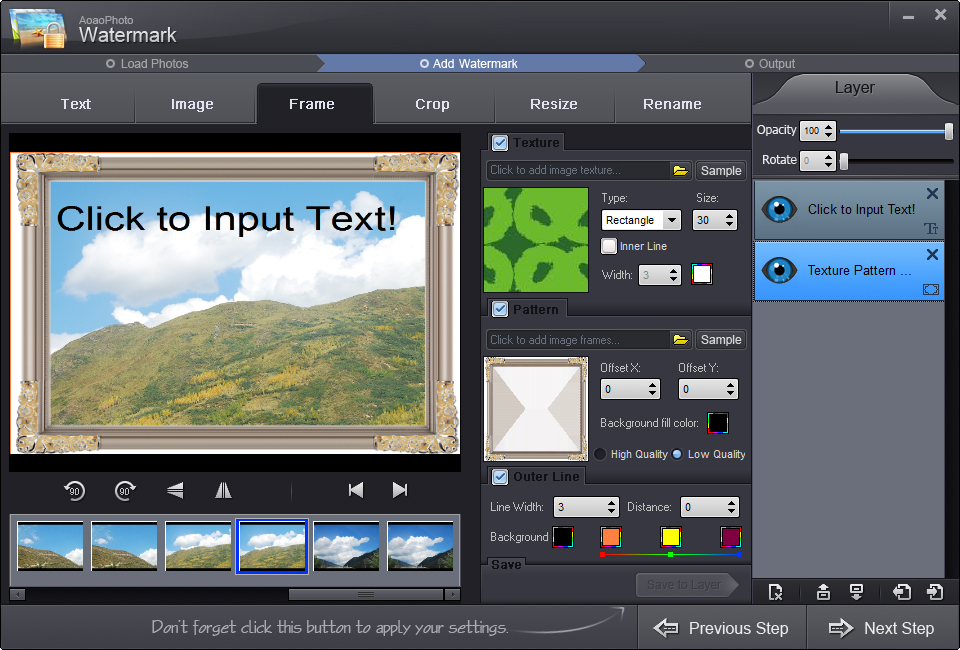
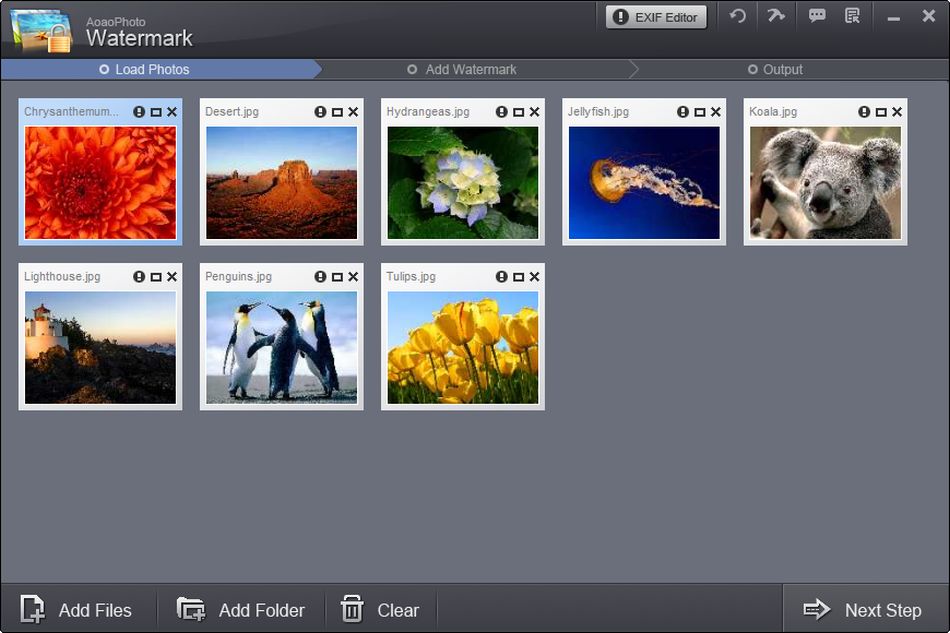
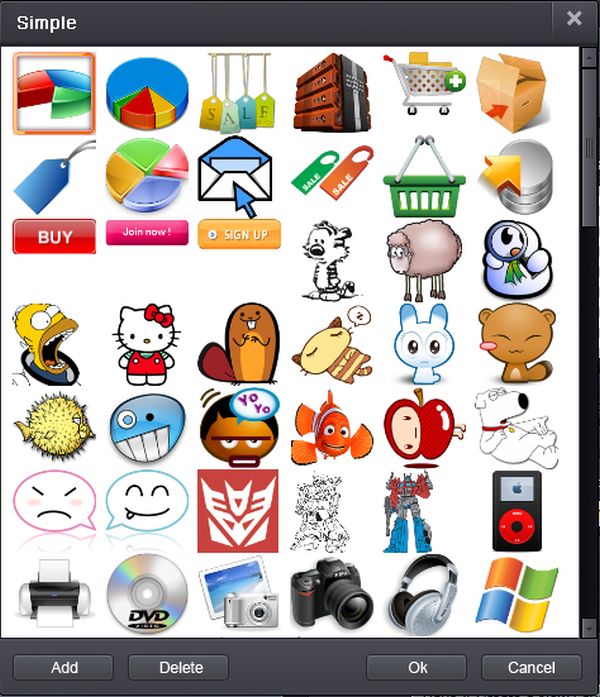
Aoao Watermark for Photo is an easy-to-use Windows program which protects your digital photos. It’s the most effective way to protect the copyright of your photos and avoid unauthorized using.
The key functions:
- Customizes visible or transparent watermarks (text, image and frame);
- Batch watermarking (watermarking 300 photos for less than 1 minute);
- Full control over the placement and size of your photo watermark;
- Awesome watermark library (150+free watermark materials);
- Convert images to popular image formats like JPG, BMP, GIF, TGA, etc.
Please note: The giveaway version does not support free upgrades. GOTD users can get lifetime upgrades with 50% OFF price (for only $14.95).
System Requirements:
Windows 2K/ XP/ Vista/ 7/ 8; CPU: 1GB or higher; RAM: 512MB or higher; Hard Disk: 1GB or higher
Publisher:
AoaoPhotoHomepage:
http://www.aoaophoto.com/watermark/Details.htmFile Size:
16.6 MB
Price:
$29.90
How would you improve Aoao Watermark for Photo 8.7?
No similar feedback found. Feel free to add yours!
GIVEAWAY download basket

Developed by Hewlett-Packard

Developed by Kaspersky Lab

The standard anti-malware solution for Windows.

Recover lost or forgotten passwords for RAR files.
Comments on Aoao Watermark for Photo 8.7
Thank you for voting!
Please add a comment explaining the reason behind your vote.
Please add a comment explaining the reason behind your vote.
iPhone app giveaways »

Flawlessly record your iOS 11 screen and save it locally on the device at full HD and 60 FPS.
$1.99 ➞ free today

$0.99 ➞ free today

$0.99 ➞ free today

Too many channels and streaming services. Too easy to lose track of what you're watching.
$2.99 ➞ free today

Our on-device AI analyzes your logged moods alongside your cycle data to forecast emotional patterns.
$0.99 ➞ free today
Android app giveaways »

This calculator solves long division, long multiplication, addition and subtraction.
$0.99 ➞ free today

One of the best game to play in a groups of couples, friends, families and lovers.
$0.99 ➞ free today

The perfect way to customize your Android device with trendy and unique flat square icon pack!
$1.99 ➞ free today

Word mania is a game of words. It contains seven mini word games and over 7000 word puzzles to boost up your brain.
$6.49 ➞ free today

You are a slime survivor preparing to step on the path to becoming a monster slayer.
$0.49 ➞ free today
Love the refund policy
Save | Cancel
Take note that a certain Auction site sees no wrong in giving away your hard earned efforts by making photographs that you use on their site, available to others, without warning you and even whilst your items and photographs are still current and being used by you.
Seeing all the negs (Currently 40 up to 135 (77%) down) I was reluctant to try this but decided to check out all of my other watermarking software for ease of use and efficiency before considering this. What a damn good job I did.
Downloaded and registered with great ease on my 64bit Win7 Ultimate system
Without exception this offering is nothing short of BRILLIANT!
Excellent, efficient and VERY easy to use.
Many different ways that text can be applied. VERY fast. Attractive end results. Very clear, simple to follow. and fully idiot(me) proof.
And did I say its is Brilliant.
Try it. You have a LOT to gain if you are ever likely to need such software. (read 1st Para)
Thank you VERY much GAOTD and to AOaoPhoto for this offering that few will get to try (because they are too lazy to see for themselves or read further than the 1st 3 comments)
Save | Cancel
I was expecting Cute Reminder, don't require this.
I can't use it anywhere.
Save | Cancel
I have tried this Aoao watermark for photo Version 8.7 software recently but found it has shortcomings.
Feedback to software developer:
You must allow users to customise the EXIF date + time stamp of photo taken.
Right it is FIXED as YYYY:MM:DD HH:MM:SS
You CANNOT change it. That is bad.
a. They must be able to choose only to stamp the date only.
b. They must be able to choose only to stamp the time only.
c. They must be able to format the date + time stamp. i.e. choose YYYY-MM-DD or DD-MM-YY
choose separator as "-" instead of ":".
choose HH-MM instead of HH-MM-SS
choose the insert users' own words e.g. On YYYY-MM-DD at HH-MM
Have tried several of such genre of software for purpose of stamping EXIF photo taken date time.
So far the best 3 are:
FastStone Image Viewer portable freeware (this is best)
Easy Watermark Studio Pro by Refero
BatchMarker Ver3.5.1
Save | Cancel
People,
Please be advised that if someone wants to steal your photo and use it as their own or for commercial purposes then they are going to do it - watermark or no watermark. Programs like the one being offered are developed to make the photographer feel better about posting his/her photos but in reality it doesn't matter.
GTOD has given us access to 100's of programs that remove watermarks and stamps, and objects in our photos that we want to remove. Do you think that ALL members of this site are honest and would never think of using this app to remove your watermark and use your photo? Think again.
Usually, when we post photos on the web we do it for viewers to recognize the WOW! factor in our photos or to see the funny expression on the subjects face or the beauty in our children or grandchildren. Why would you then want to screw them up by covering the face or what ever with a watermark?
I've downloaded and will use this program because the vast majority of the people DON'T steal the photos and when I'm proud enough of a photo to post it for the whole world to see I want them to know who took the photo so I watermark them with my name.
Also, if you do happen to find that someone stole one of your photos (highly unlikely) you can contact the website owner and as that the photo be removed (explain that you are the owner of the photo) 99% of the time they will take it down and replace it with another photo (that they probably stole). If they don't then there is not much you can do because it will cost you an arm and a leg to litigate.
So, download the application, have fun with it, thank GTOD for the gift, and don't waste time worrying about things you can't control - life's too short.
Thank you GTOD for what you do and thank you GTOD members for taking time to read this statement.
Marty
Save | Cancel
Sorry, I have to disagree with most of your comments. I have had a very reputable newspaper steal one of my images, use it in a national publication and online, then tell me to "bugger off" when I approached them.
So any sort of software that "might" help eliminate your images being stolen is helpful, if not foolproof
Save | Cancel
Installed and had a try. A simple watermarker, intuitive ui, easy to use and support batch processing, despite the ugly watermark templates. But the window is a small and non resizable, and when you finish one processing and want to continue, you will find you have to restart the program to import new images, that's very stupid.
Save | Cancel
On its website, this program is advertised as : "4.5 Star Rated by CNET Editor".
However, when went I went over to CNET for a look, there was no rating by the Editor and only 7 votes by users. Out of the 7, only one left a review saying "Glitches when trying to batch rename photos" and his note was 3 stars. The other votes were anonymous, where 4 gave the maximal note possible, so probably by the author to himself. 2 other votes gave the minimum note possible.
Not impressed with false claims, especially when good freewares exist that are without glitches. Just google for "batch watermark freeware" (about 338,000 results).
Save | Cancel
Mike, as the total note on the CNET website that I consulted was by coincidence exactly 4.5 stars, it fits well enough.
Save | Cancel
Another programme that Norton reacts very badly to and blocks. Only able to install by disabling Norton Sonar for 15 minutes and then re-enabling. Scan afterwards shows no problems though, so I can only assume it is something in the coding. This is a very common response to programmes from GAOD and I wonder if it is something that can be resolved? In the meantime, I am getting into the habit of suspending Norton routinely, which is NOT a good strategy.
Once installed, this is a super programme that is going to be of great use as I work a lot with graphics and, particularly, photographs. It seems easier to use than some of the many others I have tried, and the ability to edit/add EXIF is a definite bonus. Many thanks.
Save | Cancel
If you download this program thinking it will protect your entry from being used by others then forget it. There are other uses for this mad you might like them.
Save | Cancel
A great photography tool for protecting photographs from use and abuse by individuals who use the efforts of other people for their own monetary or promotional gain.
Save | Cancel
It works quirky. Smart Fit does the opposite: with "Smart-fit" off watermark is far to small in bigger pictures, and with "smart-fit" on it adapts when dragging it near a corner. When clicking on a sample of image watermarks, and chosen a sample, it still opens the "load watermark" window.
What is more than quirky is that the order the buttons, text, image, frame, crop are arranged is not the way you should add layers. After setting a frame, there is the crop option: cropping the frame... Same problem, after placing a watermark in a corner, you must avoid cropping the watermark. The order of the layers displayed right in the programwindow seems not to affect this; placing a frame (pattern)layer after a crop layer, displays no frame at all. If you place a watermark layer after a crop layer, the watermark is still cropped... the layers are not applied in the order of the stack of layers that is displayed.
Lots of bells and whistles, lots of options, but the programming is not up to par: not usable.
Save | Cancel
"placing a frame (pattern)layer after a crop layer, displays no frame at all" should be "placing a frame (pattern)layer after a crop layer, still crops the frame."
Save | Cancel
Installed and registered without problems on a Win 8.1.3 Pro 64 bit system. A clean install.
A (Chinese Shenzen) company without name and address. Digitally signed as E-Mig Technology, Inc. - like Wonderfox Soft, watermark-software.com...
Read the "refund policy", if you think you'll get your money back:
http://www.aoaophoto.com/refund-policy.htm
This would be simply illegal in German law...
A small non resizable window opens, you add files or folder, define a watermark in different ways. Under options you can enter the text for an "invisible watermark", which is an entry in the EXIF data in the field image description, where it does NOT belong. Copyright information should be entered in the IPCT info: copyright field.
http://i.imgur.com/oyxKkjp.png
The unregistered free version will place a "demo" on the photo, this is the only difference to the paid version. I wanted to see, how this demo looked like.
http://i.imgur.com/xfl8wp0.png
If you want to "protect" your photo, then make the watermark as big as possible, covering most of the picture. And increase opacity.
http://i.imgur.com/QjBYNOw.png
Does what it claims, one of the many watermarker - has some useful simple additions.
Uninstalled via reboot - my Pizza photos can be freely distributed...
Have a nice Sunday!
Save | Cancel
How are we supposed to distribute this awesome pizza photo that has a watermark covering it? I guess the program works as designed. :) Enjoy you posts, Karl. Thanks for contributing to this site's success.
Save | Cancel
Installed on Window 7 64 bit in Program Files (x86). No entries found elsewhere.
Treating this as freeware as got as a Giveaway of the Day offer.
Easy to use, flexible and first rate results, better than I have found on any other freeware and some paid for I tried.
The program crashed once but that may be my fault, pushing the program to fast. Restarted fine.
Save | Cancel
Requirements: my CPU does no have 1 GB, and my "C:" has only 600 MB free space left.
Save | Cancel
You could perhaps acquire a new hard-drive, attach it and name it D:.
Then you could put all of your program's, picture's, movie's, etc. on this drive and have C: for your operating system.
Windows needs space to work properly.
You could install Spacesniffer, which is Freeware. It shows a clear picture of what is taking up room on your hard-drive.
http://www.uderzo.it/main_products/space_sniffer/index.html
If Hibernate is enabled, turn it off, it takes up a monster amount of space.
I hope this was helpful.
'Nuff said
Save | Cancel