Every day we offer FREE licensed software you’d have to buy otherwise.
Giveaway of the day — AnVir Task Manager 5.4.1
AnVir Task Manager 5.4.1 was available as a giveaway on December 5, 2008!

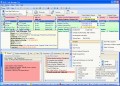
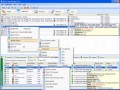
AnVir Task Manager gives full information about process, services, TCP/UPD connections, drivers, DLLs. It has descriptions for 70 000+ startup programs and services. It detects new and unknown Trojans using security analysis and alerts on new startups. It can speed up boot time (Delayed Startup), balance CPU usage, optimize memory. Tray icons shows status of disk, network, memory, CPU. Tray menu keeps last launched programs and folders. Also users can hide windows to system tray, set windows 'always on top', and change windows transparency.
Monitor your system and replace Windows Task Manager
- Information about processes, startup programs, services, internet connections, drivers
- Integrated database with Descriptions for 70 000+ startup programs, Internet Explorer toolbars and services
- Icons in the tray that indicate CPU, disk, network, memory and battery
Get rid of viruses, Trojans and spyware that your antivirus missed
- Security risk rating for each active process and startup program
- Get notification when any program tries to add itself to startup
Enhance and tune up XP or Vista
- Tweaker that gives access to hundreds of XP / Vista settings
- Click on the title of any application to minimize window to system tray
- List of recently used folders in Open / Save dialogs
- Drive's free space as a colored horizontal bar in Windows 'My Computer'
Speed up your PC and Windows startup
- "Delayed Startup" lets you set up any startup program to run few minutes later after Windows startup
- Run startup programs minimized to system tray, or as a floating icon
- Balance CPU usage
System Requirements:
Minimum Requirements: Intel Pentium 3 500MHz or Equivalent processor; 128 MB RAM; 1 MB free hard disk space; Graphics mode 800x600; Windows 98/ME/2000/XP/2003/Vista; Internet Explorer 6.0
Publisher:
AnVir SoftwareHomepage:
http://www.anvir.com/taskmanager/File Size:
2.70 MB
Price:
$31.95
Featured titles by AnVir Software
Task Manager Pro is utility software that gives users a comprehensive set of tools to put them in full control of their computer. It gives you full detailed information about every process that is running, and about applications running automatically on Windows startup including all hidden applications. It provides you with the tools to block any process, or to change the priority of any process. Task Manager Pro is the choice of advanced users and IT professionals.

Security Suite is utility software that gives users a comprehensive set of tools to put them in full control of their computer. It gives you full detailed information about every process that is running, and about applications running automatically on Windows startup including all hidden applications. It has all the features of Task Manager Pro with the additional benefits of Virus Destroyer features.
GIVEAWAY download basket




Comments on AnVir Task Manager 5.4.1
Please add a comment explaining the reason behind your vote.

iPhone app giveaways »





Android app giveaways »





I have discovered that AnVir Task Manager has somehow changed the GAotD of December 5, 2008 into a "Trial Version! (0 days left)." God knows how this happened. I recently installed a newly partitioned hard-drive. I'm testing "Windows 7 Ultimate" beta for Microsoft; but, I did completely copy to one partition the original hard drive onto which AnVir was installed as a "boot drive" - the motherboard is the same. This gives me the ability to selectively choose which OS I want to work with. AnVir was NOT installed in "Windows 7 Ultimate." This happens when I am running XP: Should it? I don't think so. AnVir says: "Installed version: 5.4.1, 2008/11/11" which was the version offered through GAotD; it has NOT been updated, either. No problems with other GAotD installations...
FWJ
Save | Cancel
Installed fine on xpsp3.
Like the interface and information it provides, but it constantly chews up CPU cycles slowing things down (dual AMD dual core opterons) while it does whatever it's doing.
Combined the four tray icons into one saving tray space.
Thanks GOTD, I even appreciate the reposting of previous software. It helps new friends and keeps my new machines up to date.
Save | Cancel
Seems my post from yesterday disappeared into the ether.
When AnVir started up yesterday morning, I got a message saying that the GAOTD key had expired. I may as well have downloaded the trial, it would have lasted longer in full mode. Uninstalling took me to the AnVir website with the option to leave feedback. I won't hold my breath waiting for a reply.
Good program, but at the present dollar/UKP rate, not worth $39.95 in the UK.
Save | Cancel
I already had the free version of this. Downloaded & installed this one. Registered correctly.
However the next day on rebooting it reverted back to the free version!
What gives?
Am really pissed at this now.
Save | Cancel
First the bad news. Looks like I got the 20 day trial instead of the free Pro version. Not sure why it didn't activate me for the free GAOTD, but too late now.
OTOH I'm just scratching the surface of the program and it looks like a pretty nice tool to have. I saw that my RAM was 48% in use which would account for some minor problems I have been having. And this program even tells me at a glance which programs are the memory hogs!
Thumbs up! I only wish it would have given me the free giveaway version since I'm cash strapped big time.
Save | Cancel
Running great on 4 core Visa X64.
Such a great tool!
Save | Cancel
@132
Because there's also an app called AnVir Task Manager Free
Freeware version of AnVir Task Manager with limited list of features
Save | Cancel
@support (#89)
*** Quote*** We are having problems with our web-site due to huge number of visitors. Here is direct link to order page of AnVir Task Manager Pro *** end of Quote***
Aha! before my post (if that will go through) there was only one occurrence of word "order" on this page... and it was in your message
:-) LOL!
Save | Cancel
Softpedia's (http://www.softpedia.com/get/Security/Security-Related/AnVir-Task-Manager-Free.shtml) site says this program is spyware-free and that it is FREE. How come here it says it costs $31.95?
Save | Cancel
I installed it on Vista Ultimate with zero problems.
Don't miss out on this, Even if you do it is worth buying!
*From what I have experienced*
Pros:
---Installs quickly and easily.
---Puts you in control of your programs.
---Allows you to control what programs start with Windows and even ---gives you the option to quarantine the files if necessary.
---Beautiful interface.
---Easy to understand and use.
---Is using virtually none of my system resources.
---Tells you what your CPU temperature is.
Cons:
---Well honestly there are none.
It is well worth the price.
A special note to the whiners:
Stop your belly aching please.
Stop wasting board space.
Yes there is free alternatives out there, but I bet no where near as
productive as this one.
Also, just because you have been getting *FREE software here over a year or so, So what? Others of us have not and like me may have not gotten it the first go around. GAOTD owes us nothing at all, and asks us nothing more than to rate the software which is what? Oh yea free.
Special note to quick poster, and you know who you are:
Wasteful posting sucks.
Examples of wasteful posting are:
*I don't need this.- So?
*A simple thanks- where is the review?
*An I already have this with no input on the software included.- If you have it review it.
Enough venting. I have just had it with seeing useless posts on here.
GAOTD I love your site and have it set as one of my tabs when I start my browser.
Thanks so much for offering software to us to try out and keep if we like. Maybe there can be a rule instated where you have to actually write something useful before it is posted?
Save | Cancel
disc temp work ok 33c reg ok very nice got last time,very good for finding spyware that spyware scaner can not find ok this time as went to new, I get the help Doc it word 97 doc XP say conversion & no go Open office is the fix,one PC 256 ram now goes loot better may be I not need win patrol all so good on PC with 2000 MB ram
Save | Cancel
A question from the developer:
will the programme and serial provided as Giveaway be expired one day or it is limitless? and can i use the provided serial with the same setup downloaded from the ANvir Websie?
Eagerlly looking for an answer
thank you fo your nice and powerfull programme
Save | Cancel
Got this last time and I love it. Very much appreciate this upgrade. 2 thumbs up!
Save | Cancel
Very nice
I use Process Explorer almost exclusively, but this is a nice addition to the tool set. I especially like how it lets me kill ctfmon ... that freak simply won't go away, and ZIS claims it's a critical system utility and will not let me deny run. It's essentially an event tracker for Office that has no business running 24x7, even without Office loaded.
Will this replace PE as my process viewer of choice? (shrug) Who knows, but it's the first I've found that even comes close. Nicely flexible *and* it runs perfectly as a normal user, ie, without Admin rights.
Kudos to AnVir and GOATD for this gem!
Save | Cancel
Thanks for this.
Save | Cancel
Tried twice to intall on 64 bit Vista and got the following error:
"Activation module failed tro connect to giveawayoftehday.com
Software activation is not possible at the moment. Please try again later or check your firewall settings"
No problems with firewall about anything else.
Guess I'll pass on this!
Save | Cancel
I am just amazed that prople do not realize that any application developed for MS windows is not going to do anything more than what the container app (windows) will allow. Unless you have windows source code in that case you could make the container app do something it could not do before. (in short any app that requires windows to run is no more than a subrutine being run and controlled by its container app)
best of luck.
Have Great Day!
Save | Cancel
Really nice now my computer starts up faster and I detected two viruses nod32 couldnt detect!!!
Save | Cancel
Very compressive, at your beckon call system information thats not all available in the WinTskMgr. it will not delete or disable the WinTskMgr.Thats what I love about AnVir Task Manager.
Adds 4 additional icons to my taskbar. starts with windows even disabling auto start at install. Uses about 20% additional processor power with, then without it. adds it's icons to the desktop even after you select no at install. However, I use ESET Smart Security & got no such warnings about it whatsoever. I'm quite certain this program is 100% clean & the warnings some others received were false. Those are the things I hate about it! That coupled with comment #1 that states "great news"! Theres a 30% discount today for GOTD visitors. Yeah right! That same comment fails to make clear that the price has increased by approximately 28%. Please, spare me the 2% savings & the snow job!
Thank you but I get most of what this offers free with Win Patrol. It's tiny & so light you don't even realize it's there. And, a one time purchase of it's pro version is a lifetime buy!
Save | Cancel
AnVir 5.4.1 does still interfere with IE 7 at times on my system.
Save | Cancel
Norton was, years ago, the swiss knife that everybody would use. Now, it is a pain in the back. But thankfully, there are some new alternatives...
WinPatrol is mainly for controlling startup applications. When I call it, I hear the bark of a puppy and the application shows and never fails. It works great controlling new startups, and services.
Anvir is also a taskmanager replacement. It can even judge what applications are slowing your system and deactivate them if you allow it...
It can also optimize Windows memory administration. And is good for learning how is Windows working. Something that Linux users do know and that make their OSs more user friendly, and less error prone...
If you want to have the feeling that you know what is Windows doing all the time, you'll find this application very useful. It lets you mature as a Windows user :).
Save | Cancel
As an informative tool, this would be one of the best tools a user would desire. The new feature ( I like ) that others have mentioned, is the "Tweaker for Windows" found under the "Tools" tab at the top. There is a vast number of tweaks listed which one could find and set manually without this program, but this is a nice touch.
No doubt about it, a fantastic program, BUT.
Most developers insist that we need these programs and running all the time to be fully effective, constantly monitoring our computer. These programs are just using up valuable resources which is overkill. The scare tactic approach is the way for developers to earn their money from us users. A good antivirus, firewall, sandboxing ( or similar ), regular backups, is all one needs to be fully protected if you are on a low to mid spec computer. I have proved this time and time again and have never had a major problem due to sensible internet use.
Thanks AnVir & Gotd
Save | Cancel
I found this to be a very helpful utility. Thank you!
Re: comment #44: Go to your control panel, click system, then Hardware tab, then Device Manager, and under floppy disk controllers, simply disable the operation by the system. As the system no longer see it, it won't access it.
Save | Cancel
I got turned on to GOTD by an old friend (thanks Michael, AKA Rover) several weeks ago. I must admit, I've been a little put off on many offerings because of these comments (i.e. "this or that does it for free anyway"), and for the most part I have had to agree.
This one is a notable exception, though. I would have paid the price for this program years ago had I known it existed.
TYVM GOTD!
Save | Cancel
I don't see much point in it if you already use Process Explorer. I don't like anything replacing Task Manager that's not just as easy to unreplace. I already have a good AV. I don't want this program detecting trojans too.
Save | Cancel
I don't care how often they offer it, as long as it is an updated version. It's one of the best things here.
Save | Cancel
@#47
The read me file says you don't need to uninstall,
"Users who have installed AnVir Task Manager given on GAOTD before
1. Exit AnVir Task Manager. Right-click on the tray icon and click Exit in the tray menu.
2. Run setup of AnVir Task Manager. Previous registration data is valid."
Hope this helps,
:)
Save | Cancel
I should just ignore the stupidity, but AnVir is a good product line, so I'm going to address some of the comments.
Same as every giveaway, people who have crappy security software always try to blame their false positives on the product being offered. Do not post security alerts which you haven't verified via VirusTotal.
#30, Steve, it's not a false positive. Entry #1 is the correct, full entry for AntiVir. Entry #2 is a meaningless partial match, which I addressed back in comment #13.
#33, davidk21770, "Yes all of what it does can be done with various freeware programs (that I have)...." Yeah, right. AnVir has numerous features which you won't find elsewhere, just one of which I mentioned back in comment #13.
#34, Ashraf, yes, like all software which does anything useful, it actually requires CPU when run maximized. If it takes time to change tabs, that's because it's scanning a lot of information. You should read the tips rather than turning them off. They're also available on the website, as are hidden settings. What you say about how the UI works has some errors, and depends upon what display settings are in effect. The AnVir anti-virus scanner is lightweight and doesn't interfere with other scanners, but it is useless and should be turned off (use real security software). As for "most of what this program does can be done manually in Windows", see the previous paragraph.
As for the various comments about CPU and memory usage and system stability, again refer to my comment #13. Turn off the garbage, turn off the garbage, turn off the garbage. AnVir puts that crap in to be competitive with the other so-called optimizers. Just like the History Channel has serious programs, but also garbage like UFOs, Bigfoot, and Pyramid Power for the 2-year-olds who aren't interested in facts. It's also possible that some security programs may need an exception for AnVir. CPU usage will vary depending upon your hardware and the options you select, but on my system AnVir generally takes less CPU and memory than Microsoft Sysinternals Process Explorer does, although Process Explorer takes less CPU when minimized to the tray (it also doesn't track as much as AnVir, and it's not updating four icons). You can test AnVir's performance impact by running or exiting it, it doesn't need to be uninstalled, and it has numerous options for its own startup, icon display, etc. The only compatibility issue I've encountered is AnVir rarely interfering with IE 7, which can be resolved by simply closing AnVir and restarting it. It may be an interaction with my security software; I don't know if the last update or two of AnVir has fixed this rare problem.
#47, Peter, updates to AnVir can be installed without uninstalling the previous version.
#49, davidrs, did you try rebooting? AnVir is Vista-64 compatible, are you using security software which gets a false positive?
#52, #54, reghack(e)r, Vista still has Send To. Shift-Right-Click will generally display more options than right-click. By default, Vista Explorer doesn't display a menu, but Alt will display it. Copy to Folder and Move to Folder are available on the Edit menu.
#72, Dae Powell, Windows Task Manager replacement is an option, not default. AnVir will have to address the rest of your question (they answer emails, and they have a forum).
Regarding other utilities, Microsoft Sysinternals Process Explorer and Process Monitor have different feature sets. While AnVir's startup control is occasionally useful for browsing, and lists new entries, I use Microsoft Sysinternals AutoRuns. I won't use AnVir's Tweaker. It's based on other code (they give credit), which, like many tweakers, is based on some guy's misguided idea of what settings Microsoft should have applied. If it listed the actual settings and let you change them, it would be OK, but its defaults are the "optimized" settings, which I strongly disagree with, so I won't use it. Besides, I have XQDC X-Setup Pro, which, like AutoRuns, makes AnVir's Tweaker look pathetic.
Save | Cancel
Has anyone else noticed that "AnVir Software support" hasn't been back in more than 12 hours to address any of the questions or concerns posted here? That's more than half the day gone with no word from them. This offer is only good for less than 12 more hours. You would think that if they wanted to get you to try their product, they would continue to help people, at least to make it look like they care.
Plus, most company representatives that actually do post here will give their real name. It gives a friendly impression that they want to be your friend because they want to help you and that helps you feel better about talking to them and trying their product. But the one who left the first post here simply addressed him/her/itself as "support"...not even capitalized. To me that's not very professional of someone that wants you to use their product. If we wanted to talk to "support" and get NO help, we'd just talk to Microsoft.
I'm sure this product might be ok, but I already have enough security and utility programs on my computer, I don't want to weigh it down with more. That and for the reasons in this comment.
Save | Cancel
I have used this software since it was last offered and I think it's excellent. Thumbs up.
Save | Cancel
Yea! I lost AnVir (from GAOTD) when I updated to Vista, a month ago, now I can get it back.
Save | Cancel
#12, I recently lost my C: drive due to a buggy motherboard. This was one of the programs I miss the most, so I'm delighted they offer stuff more than once!
My only comment other than that is: Yayyyy!!!
Save | Cancel
I installed this last time and I've found it VERY useful whenever weirdness is occurring on my laptop. It's very useful!
Save | Cancel
Anvir Support:
I am attempting to purchase the Pro version. I click on "buy now", which takes me to the next page, which says I don't have anything in my cart! What do I do now?!
Thank you for this program!
Save | Cancel
No problems updating the previous GOTD version of Anvir taskmanager 5.2.0 ,if you make sure the old version isn't running.
Hint:Unchecking some tray icons to run at start up will decrease memory usage to an acceptable 12MB.
The run as service feature allows start up programs to run as service thus consuming less memory.
This new version adds a XP/Vista tweaker too.
Thumbs up for the folks at Anvir.com!
Save | Cancel
I've been toying with the idea of writing a replacement for task manager for ages... happy to have found this instead.
I only wish that when I look at the process list I could sort by memory use which is the way I usually sort my processes when I'm looking at them in task manager. This program only seems to sort by disk swap.
Save | Cancel
Man this program works great. Thanks GAOTD
Save | Cancel
Once I have found a bad file how do I get rid of it?
Save | Cancel
Does not run on Win 98se correctly.
Save | Cancel
i got the last gotd for AnVir Task Manager and i had problems with it, so did a friend that turned me onto gotd. we both ended up having to uninstall the program, we both use Windows XP. it was long enough ago that i cannot remember what the problems were. i am not very computer/program savy, so perhaps where were settings in AnVir Task Manager i could have tweaked to see if the program ran better, i don`t know. the program installed ok, but there were side effects (for lack of a better term) that eventually caused me to uninstall the program. so i am leary about getting this one too. it looked like an awesome program and seemed ok the first day, but after a day and a reboot is when the problems started. i wish i could remember what they were so i could tell y`all. perhaps someone here can offer some advice that would help.
Save | Cancel
Anvir if you are monitoring this post, the link you posted to purchase TaskManager Pro produces an empty cart.
Save | Cancel
Thanks GOTD! Replaced my XP desktop with a VISTA laptop, so needed this one again! This is probably one of my most favorite apps that you folks have given away here! And now I get to have the new and improved version! :-)
Save | Cancel
Just looked at Security Task Manager the other day, but this program appears to have a superior interface. Lots of useful info and well worth checking out... particularly for free.
Save | Cancel
Thanks all for your input. I downloaded and installed and it looks impressive, BUT, what am I supposed to do now? I know enough about this to be dangerous and I don't know what things I should stop and what I should keep going. Any type of list out there to help me decide if something is necessary or not?
Thanks
Save | Cancel
Anyone else not able to goto their website?
http://www.anvir.com
Below is the error I receive from their site.
Forbidden
You don't have permission to access / on this server.
Additionally, a 403 Forbidden error was encountered while trying to use an ErrorDocument to handle the request.
--------------------------------------------------------------------
Apache/1.3.41 Server at anvir.com Port 80
Save | Cancel
#51
I'm getting the same message, starting yesterday. I couldn't install yesterday's givaway and I can't install today's, and I REALLY WANT TO! Can anyone help us? Here is the message again:
“Activation module failed to connect to giveawayoftheday.com. Software activation is not possible at the moment. Please try again later or check your firewall settings’.
Yesterday, I tried off and on all day. It never got better. Can someone help? Thank you very much!
Save | Cancel
Useful prog, malware etc free!! however im gettin a 20 day trial!! not exactly a giveaway!!!!!!!!!!!
Save | Cancel
#51 You wrote the following:
"Can not install I get the same dialog when I attempt to install.
“Activation module failed to connect to giveawayoftheday.com. Software activation is not possible at the moment. Please try again later or check your firewall settings’.
My XP firewall is not active. I keep getting this dialog.
Any help would be appreciated."
MY REPLY:
This happened to me yesterday. I use Zone Alarm, and somehow it was turned off (yes, this concerns me greatly), and I kept getting the same message you received. So I decided to see what my firewall was doing which is when I found out it wasn't on. When it wasn't active, I received the same message you received. When I activated the firewall, it asked me for permission, I accepted and everything worked fine after that. Apparently the firewall must be active or the connection cannot be made.
Save | Cancel
Installed fine on Vista but the only thing it won't display is disc temp even though I have that box checked.
Save | Cancel
I downloaded and installed this the last time it was offered here, in July 2008, and I ended up purchasing the Pro version so I could update it and also install it on my notebook as well.
Really an excellent utility!
Jim
Save | Cancel