English
Every day we offer FREE licensed software you’d have to buy otherwise.
$24.95
EXPIRED
Giveaway of the day — Adolix PDF to Image 1.2
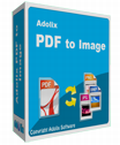
Adolix PDF to Image converts pages from PDF files to images.
$24.95
EXPIRED
User rating:
239
63 comments
Adolix PDF to Image 1.2 was available as a giveaway on July 16, 2009!
Today Giveaway of the Day
Flexibly back up and restore Android files so as to avoid data loss issue.
Adolix PDF to Image converts pages from PDF files to images. Adolix PDF to Image supports JPEG, BMP, TIFF and PNG.
Features include:
- convert PDF to BMP, PDF to JPEG, PDF to TIFF and PDF to PNG;
- works with encrypted and password protected PDF files;
- choose what pages to convert: all of them or a customized pattern similar to Word printing;
- change DPI settings and JPEG output quality.
System Requirements:
Pentium III 900 MHz; 512 MB RAM; 50 Mb HDD Space; Windows XP/ 2000/ ME/ 98/ NT4/ 95
Publisher:
AdolixHomepage:
http://www.adolix.com/pdf-to-image/File Size:
2.77 MB
Price:
$24.95
Featured titles by Adolix
Convert your files to PDF with Adolix PDF Converter.
Features include:
- Works from any application using a virtual printer
- Supports output file preview without Adobe Acrobat
- Rotate pages
- Send resulting files as attachments.
Backup and restore Windows Mail data with Adolix Windows Mail Backup.
Features include:
- Save and restore mails, folders, Windows contacts, signatures, rules and even multiple profiles
- Backup Internet Explorer and Firefox favorites
- Use a built in scheduler to make backups periodically
- Password protect your saved emails
GIVEAWAY download basket

Developed by Microsoft
Developed by ES-Computing

Open, modify, convert, sign, and secure your PDFs.
Developed by WordWeb Software
Comments on Adolix PDF to Image 1.2
Thank you for voting!
Please add a comment explaining the reason behind your vote.
Please add a comment explaining the reason behind your vote.

iPhone app giveaways »

$0.99 ➞ free today

Turn your iPhone into a living color light that reacts to music beats and your hand waving.
$0.99 ➞ free today

Tap a group of two or more touching spheres of one colour to select it, tap again to clear it.
$0.99 ➞ free today

$0.99 ➞ free today

$0.99 ➞ free today
Android app giveaways »

$19.99 ➞ free today

Step into the medieval kingdom of Maryland, ruled by King Henry, and prove your strength in Sword Fight!
$0.99 ➞ free today

A stunning action RPG filled with heroics, adventure, and a diverse assortment of creatures and fiends.
$0.99 ➞ free today

$0.99 ➞ free today

Simple clock widget is widget app for adding beautiful word clock on home screen.
$0.99 ➞ free today
Thanks giveaway of the day. Downloaded even though I don't need it now.
Save | Cancel
For those who are looking for a good reason to have this program - look no further. At least in my case, I have a very good use for it. I do a lot of WORD documents and often have to copy and paste images that are in PDF format into WORD documents. Unfortunately, one cannot just paste a PDF page or document into a WORD document - I need to 'copy' the page I want from within PDF and then paste it into WORD. Unfortunately, if the PDF document was originally made from a smudged or dirty document or had coffee stains or ugly black lines from the copy machine, I cannot fix these from PDF but I can fix it if it is an image file. I have not tried this program yet but if it does as it claims it do, this will be an excellent tool for me as it will take a 5 page PDF document and convert it into 5 separate image documents which I can then easily fix up if I need to and then paste into the WORD document. Thanks GOTD for the opportunity of getting such a program to use.
Save | Cancel
Update...interesting in that, in order to get this software to run, I had to uninstall "Customer Backup" which was recently offered by GAOTD. The install process for the Adolix PDF converter tried to reinstall "Customer Backup", and in doing that (since that offering is no longer available) my files I had generated with "CB" were rendered useless. Oh well...but seems like this should not have happened.
Save | Cancel
Good program, it does what it claims to do.
For those who wonder about its use:
Sometimes you have a pdf file, say a book, which you love to read while you are travelling. But you need a laptop or notebook computer to do so, or, at least, a new high tech mobile telephone.
If you have only an MP4 player or PSP, you can still read your PDF based ebook by converting it into jpeg files and copying the files to your device. Also, this technique will allow you to read the ebook by copying the files to a cd/dvd and using your VCD or DVD player.
Hope this answers your question regarding the use.
Bachupan
Save | Cancel
Hmmm...Downloaded and installed, but keeps trying to run and says the network resource I'm looking for isn't available...keeps trying to install "Customer Backup" and is looking for Setup.msi. The program says it installed correctly, and is activated...so what gives???
Save | Cancel
I already have a program that does the above listed conversions (albeit much larger) or I might have downloaded this one. I don't use it that often but when needed, I sure appreciate the convenience.
Save | Cancel
I needed to convert my bands flyers made in word to jpeg so I could email smaller files to clubs. I published as PDF and didn't know where to go from there, low and behold I looked here and seen this proggy. Weird how some things happen. Thanks GOTD.
Save | Cancel
This is a nice program to batch convert pdfs to jpeg for use in on-line flash page flip programs.
Save | Cancel
PDFill PDF Editor 6.0 can do the conversion with setting of DPI from 6 to 600 DPI
http://my.jetscreenshot.com/552/20090716-wtik-98kb.png
It can also handle password encrpted PDF files.
Save | Cancel
What's the point of this? Seems to me that ANY screen capturing
program can convert a PDF into an image simply by capturing it.
Save | Cancel
PDF-XCHANGE is both a reader and PDF-->Photo converter.
No thanks for this one.
Save | Cancel
I also tried PDFZilla as given away a couple of weeks ago, but the output from that failed miserably on every single file I threw at it.
This seems to do a far better job, and resolves another major criticism I had of PDFZilla - this allows you to set a resolution for the exported images, which means the output is far FAR superior.
Save | Cancel
Before I give this a try, can someone tell me how it's any different from opening a PDF in Irfanview and saving it as another file type there?
Save | Cancel
Save | Cancel
it crashed on me three times in vista biz... three installs, three failures...
come on guys vet your software before releasing it to the wild!!
Save | Cancel
Why even offer this when it does not even work on the latest windows version (and I am not even referring to windows 7, only to vista!!!)
What a joke!
Save | Cancel
@ #28, #8 and #19.
The software Installed and runs perfectly on Vista x86 and on Windows 7 x64, i am using it as we speak.
Thumbs up from me
Save | Cancel
Does what it says on the tin, so nothing more should be expected.
Even though it supports only a few formats, they will probably be quite enough for most people straight out of the box.
Every giveaway is a thumbs up because it's free.
Save | Cancel
Several individuals have been rather dismissive of this software, but I'm delighted -- I've already put it to good use in grabbing an image from Google Reader, and saving it as a high-quality jpeg, with no effort whatsoever. Here's to simple software that foes exactly what it promises, simply and well. Three thumbs up!
Save | Cancel
Musicians should welcome this software. There are a lot of PDF sheet music available that can now be converted to image tif or jpeg and run thru software Sharpeye or Smartmusic and produce a 99 pct accurate midi file that can be used for practice with a full orchestra or string qtet for backup.
Save | Cancel
I have Pentium 4 processor, 2000MB RAM, Windows xp sp2. I dont understand why the program is not running on my pc. I am getting the same error "DISK ERROR, file not found".This is the 1 st time when GOTD download is giving me trouble. Still thanks GOTD for all those wonderful downloads.
Save | Cancel
Not a "Swiss Army Knife" but works quickly and does what it claims to do on XP SP2 machine for most PDF files I tried.
Cons:
1. Image quality inadequate at 72 dpi for boldface small text for JPG output-- and even TIF and BMP. Letters tend to run together -especially "m" and "n"-- making it almost impossible to read.
Increasing dpi to 150 does not seem to help. Trying 300 dpi for TIF
results in "Error 380. Invalid Property Value" message.
Sharpening image with Ifranview improves quality somewhat.
2. Lack of minimize function a major flaw--you have to reopen program for repeated conversions.
Save | Cancel
Sorry for the previous comment, but this software is not useful for Adobe Digital Editions ebooks. Apparently, the password for the ebook is stored within the Digital Edition, and the software requires you to enter it manually. It doesn't look like this will be useful for this type of ebook.
Save | Cancel
In case you are wondering what use this software might have, think ebooks. Many ebooks don't allow printing (for obvious reasons). Ebooks can be downloaded from many libraries, but have an expiration date.
This would allow you to convert the pdf to tiff and read the ebook at your leisure with a multipage tiff reader. However, if this software can't produce multipage tiff images, then its utility is limited.
Save | Cancel
It's a shame so many people rate this software thumbs down. It does exactly what it claims - seems to work fairly well for me. Having said that, there are just too many other titles out there. Seems to me Adolix have a range of fairly limited feature software. I'm looking forward to the Adolix JPEG Converter, allowing you to save your images as JPGs! Nothing would surprise me. Thanks GOTD.
Save | Cancel
It is standard industry practice to convert documents to TIFF for long-term storage. As some of you have commented, TIFF is a very dependable format. The format will not change any time soon, or be subject to proprietary whims (ooXML, anyone?) Having a database of TIFF images makes them easily searchable and retrievable.
Save | Cancel
I just downloaded, installed, and tried this program using Vista Home Premium. Went absolutely smoothly. The pdf page converted easily to BMP and JPEG. I give it a big thumbs up. It does what it claims to do, and that should rate it a thumbs up. If you don't need it, don't want it - that should not detract from your rating - especially as it is free.
Yes, it has very limited function, and the manufacturer may never sell a single piece, but it works, and does what it claims.
Save | Cancel
Awesome! We now have a program that does what Alt + Print Screen does.
Save | Cancel
I've tried using this program before and have found PDFZilla, a previous giveaway, to work a lot better. This particular programs can handle simple images, but once you go into the more intricate PDFs, it begins to work in different items that are not on the original PDF, like symbols and offhand characters.
Save | Cancel
PDFill PDF Tools performs 12 functions on PDF files, including image conversion, and is always free.
Save | Cancel
I am not saying thee is no use for a program like this, because there sure is.
Not a bad program. Most people do not understand why you would need it. But usefull for older OS's. With Vista or WIn 7 you can snatch any part of the screen with the built in snipit utility then save it in ANY format that your normal graphics program that you use will do. I use infranview with snipit. But even so, the print screen button and your favorite graphics program will do it too.
even though I have Acrobat 8 now, I NEVER had any problems with any OS or any computer using Acrobat reader. It was never slow on any of my machnes and I cut and save pdf technical pages all the time. I normall re-save them as a PDF using cute pdf writer, which is also free.
So now I am saying there is no use for this particular program.
At $25 it is a thumbs down for me when print screen or snipit free infranview would probably not only work faster and as easy, but it is free.
Save | Cancel
I want/need this program. I do some websites where the owners want documents put up often. I really do not like the way they look through Word (xml). I think/hope this program will allow me to update their websites in very little time by converting their docs to PDFs' with some of the awesome programs we've gotten here and then turn into an image.
Here's hoping.....
Otieatkins
Save | Cancel
Just because you don't have a use for the application doesn't mean that it is pointless or that there is no need. I have applications that render documents/quotes and now can have this application convert them to .tiff files for my document imaging application, now if this application would do batch processing, or if the developers could program an input folder that once a file hit that folder it would automatically convert it and write it to another directory, that would be awesome and would make the application much more valuable.
Save | Cancel
I have an XP Pentium 4 with 40gig HD
Pros:
--Very fast download
--Upon opening the file and clicking on Run, it automatically connected briefly with GOTD and obtained the necessary keys. I did not have to enter anything anywhere! The readme file contains no key info as it doesn't have to; everything is done automatically. Wish there were more software that did this!
--Very intuitive to use and operate
--Conversion was done without any missing info.
--The pdf I chose was a very difficult pdf that other conversions to word or images were done poorly as the pdf pages run together, there are not clear breaks. However, this software formatted the pages nicely and gave me 51 pages of clear professional jpeg pages that can easily be read and used by others.
Thank you!! I am very impressed and pleased!
Cons:
After selecting a pdf to convert the progress bar is short and blue for about a minute. Then it turns to green and covers the entire area. This is the sign that the conversion is complete, but nothing tells you that. How about a Done! sign or even having the green disappear with a Done sign?? The only way I knew it was done was to take a peak into the folder I had designated as the Destination folder.
Save | Cancel
I have freeware alternatives taht I have found and like, but for those who say, use FS Capture or other screen capture software, you are wrong.
All screen capture software is limited to the colours and resolution of your screen, and it is usually of much more poor quality than is PDF rendering. Adolix PDF to Image should be have the resulting images compared to the PDF resolution. Therefore #24's comment is relevant, the screen capture comment of #2 is not.
Save | Cancel
The only real use I see for this is to be able to print secured PDFs. It does what it is supposed to, but I would not pay $24.95 for this.
Save | Cancel
#8 and #19:
If software isn't branded with Vista compatability I wont touch it, Vista has been around for how long, Windows 7 goes gold when? Get with the times software developers it's not that hard to get your software to work with Vista... from one programmer to another...
Although I can see this application may have certain needs, it is very limited in what it really does
Thumbs down x2 for the software and thumbs down x4 for some of the less then intelligent comments.
Save | Cancel
Good grief such negativity. I have been using a screen capture programme for years and as stated by John you can only capture what is seen on screen - this can be time consuming for me as a lot of my customers send me stuff in pdf and I spend yonks screen capturing the images to put on their website. This little 'no frills' programme saves the lot.
Personally I think this 'no frills' programme will be an asset in my work and I thank GAOTD and Adolix for the opportunity of trying and using this programme.
Congratulations from a grateful new user.
Save | Cancel
The image processing capability given with the TIFF format is very interesting. With TIFF, we can use any of the best photo editors out there to work with images that are created. TIFF is one of the best photo formats available in that it doesn't degrade the image each time it is saved, as JPG does, for example. Yes, TIFF does take more space, but so much more can be done to a TIFF image.
Save | Cancel
The GIMP can do this... I know because I've already done it... and yes, the GIMP is freeware... and yes, the GIMP is multiplatform... so thanks for the offer, GAOTD, but I'm going to pass on this one.
Save | Cancel
I can't go above 300 DPI . If you do it gives an error and blows you out of the program. There should be a drop down menu showing the available DPI for conversion.
Save | Cancel
Thanks for all your comments. I can see it has more nice and useful features than the not so good ones, so I'll download this free offering today. Thanks Adolix and GAOTD!
Save | Cancel
Earlier today, I've converted a 1-page PDF file to image (JPG) using PDFZilla 1.2 (GAOTD earlier giveaway, thanks). The image was fine and looks exactly as the PDF file.
I've installed Adolix PDF to Image 1.2. I just tested to convert the same PDF file using Adolix PDF. Unfortunately, the output image failed to capture/convert everything, some text labels are missing and there's also a big black stripe on the image.
But what I like about Adolix PDF is that there are many settings especially you can set the JPG resolution and compression quality, which PDFZIlla does not have.
Save | Cancel
Does what it says, which isn't much. Doesn't support multi-page TIFFs. Requires a DEP exception if you have DEP enabled for everything. Like most VB app installs, upgrades some things and downgrades some things in the registry. Like other VB app installs, deletes a bunch of stuff from the registry which was added by the awful Reohix Platinum Guard giveaway--Reohix is on my permanent do-not-install list. Leaves some temp files lying around. I routinely block some of the potential security issues which many apps including this one have, including direct disk access and code injection into the Desktop Window Manager API (the injection alert might possibly be due to a conflict, but most apps don't cause it, so it's probably just bad coding, like requiring a DEP exception).
Neither yesterday's giveaway nor yesterday's comments were worth commenting on. GOTD has been down a lot lately, at least from my location. I wasn't able to post a late comment on "Advanced URL Catalog" the other day. The issue is that anytime someone reports a supposed security issue with a product, everyone automatically believes them. Someone reported all sorts of alerts from their Kaspersky security software. I have excellent security software, I run full before and after traces of all registry keys and all files on my machine, and I examine logs of what things actually executed, including what command-line parameters were passed. Other than the attempted IE homepage hijack, I didn't report anything else because it didn't do anything else. Advanced URL Catalog sucks because it doesn't do much and fails to import Firefox bookmarks correctly, not because it's dangerous. It's a disservice to GOTD visitors to report security alerts without understanding and verifying them.
Save | Cancel
Downloaded and tried it. Simple enough interface. I exported two .pdf files to .jpg, both password protected. It could not decrypt the first one at all; the second seemed to work well enough, but two images were incomplete when I checked the conversion.
Uninstalled. Thanks all the same, GAOTD.
Save | Cancel
Hi all,
To Com.8#
Clive mate you did not red the Sys. Req. did you see wit says which I have cut & pasted here
Pentium III 900 MHz; 512 MB RAM; 50 Mb HDD Space; Windows XP/ 2000/ ME/ 98/ NT4/ 95
Matte not to be rude, do you see Vista here I don't? so it's not for Vista then is it so this is the reason you are having problems downloading it
Michelle
Save | Cancel
THE GOOD:
*** Smooth downloaded, installation, and automatic registration on Vista x32 OS.
*** Easy Program Access without needing to use the Vista Run As Administrator Rights feature.
*** Simple, clean, easy-to-understand, easy-to-navigate user interface.
*** Allows for DPI (Resolution) image output selections.
*** Allows for Quality image output selections (for JPEG images).
*** Actual Usage - Conversion of two PDF files (one was 703KB & the second was 3.70MB) were both very quick (10 seconds max).
*** Supports 4 image output formats, as mentioned in the GiveAway description.
*** Allows for choice of exporting all PDF pages or only limited number of user-selected PDF pages.
*** Allows for user to choose output file name.
*** Allows for user to choose whether or not to overwrite existing identical files.
*** Allows for user to choose image-output folder location.
*** Allows for entry of password for selected PDF file.
THE NOT SO GOOD:
*** Program is limited in its conversion capabilities.
*** No Help File contained within program. Also, the developer's online guidance, via website, is extremely limited - it covers only two very specific issues and nothing more - not very helpful . That said, the program is very straightforward and easy to use, so this is a minor issue (in the big scheme of things) - but nonetheless, it's always good to include helpful instructions with any software program.
*** Only one file at a time may be exported to image format. It would be much more efficient if multiple files can be exported.
*** Does not allow for choice of file-output size configuration. In other words, my 3.70MB PDF file was exported into several, separate JPEG images, instead of one, single, consolidated image (which some users may prefer to do).
For what it's worth, I mention the below items (which may be unique to my particular PC situation) in case others may encounter similar issues, and so the developer and GOTD have the benefit of knowing what happened, in case these issues stem from the developer's or GOTD's end.
*** During download process (using my AOL program) my screen froze up and would not allow the installation process to continue. However, the download and installation process, for the most part, worked via Internet Explorer (outside of AOL) - this never happened before with any other GiveAway program - go figure.
*** Upon completion of installation, I got a windows error message indicating that I was missing a specific DLL file and that registration therefore was not complete. However, when I accessed the program soon afterwards, all seemed okay. The program was registered to GiveAwayOfTheDay and it is running smoothly.
SUMMARY:
The program does what it says it will do, and it will definitely be useful for many people who want to efficiently convert PDF files to image output formats, for sure. With a little tweaking, refinement, and improvement, the program can be much richer in future iterations.
All in all, I give today's GiveAway a thumbs up. Thanks much, GOTD and Adolix, for sharing this wonderful software program with us.
Save | Cancel
@ PESfan:
Adolix PDF to Image 1.2 is therefore not at all "Virtually Feature-less" - when you do a "test", you have to know, what you are talking about.
Score: 10/10.
Save | Cancel
Thanks GAOTD & Adolix but how can use this software to convert pdf file on server which was only opened with web browser (like IE..)?
Save | Cancel
Overall, designers on a budget will rarely shun unusual conversion tools since transferring files between incompatible programs becomes an indispensable need on occasion. A few years back, such tools were rare and artists had to waste precious time grappling with the unsatisfactory export options of their production software.
Bottom line, I'm giving today's GOTD offering a try.
Save | Cancel