Every day we offer FREE licensed software you’d have to buy otherwise.
Giveaway of the day — TuneMobie Apple Music Converter 2.2.7
TuneMobie Apple Music Converter 2.2.7 was available as a giveaway on November 8, 2017!

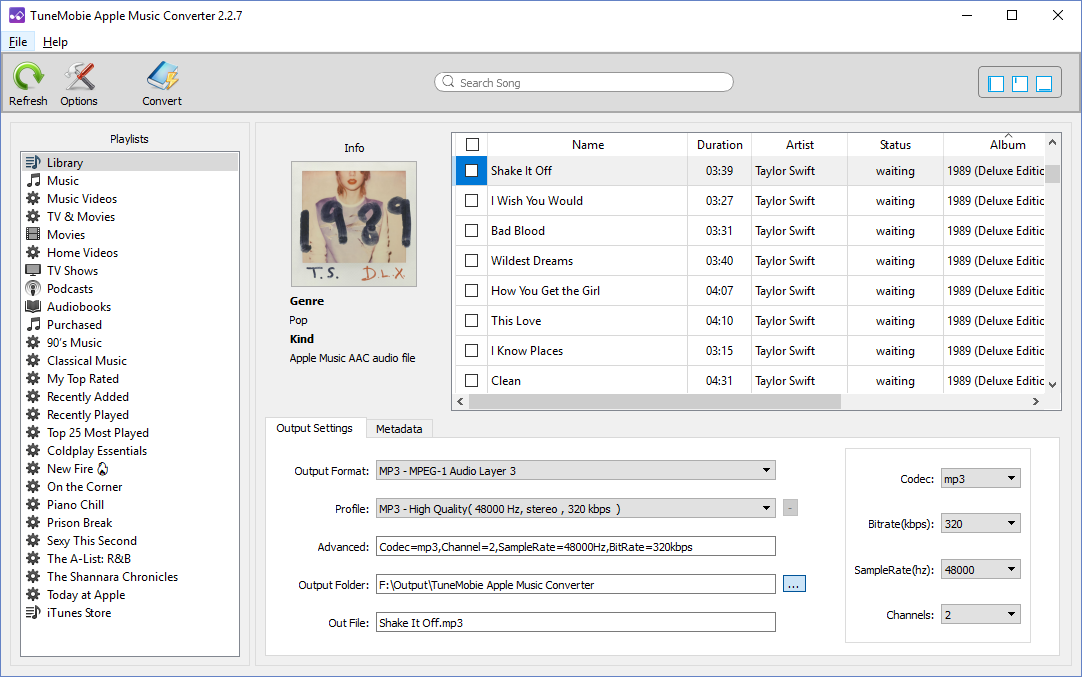
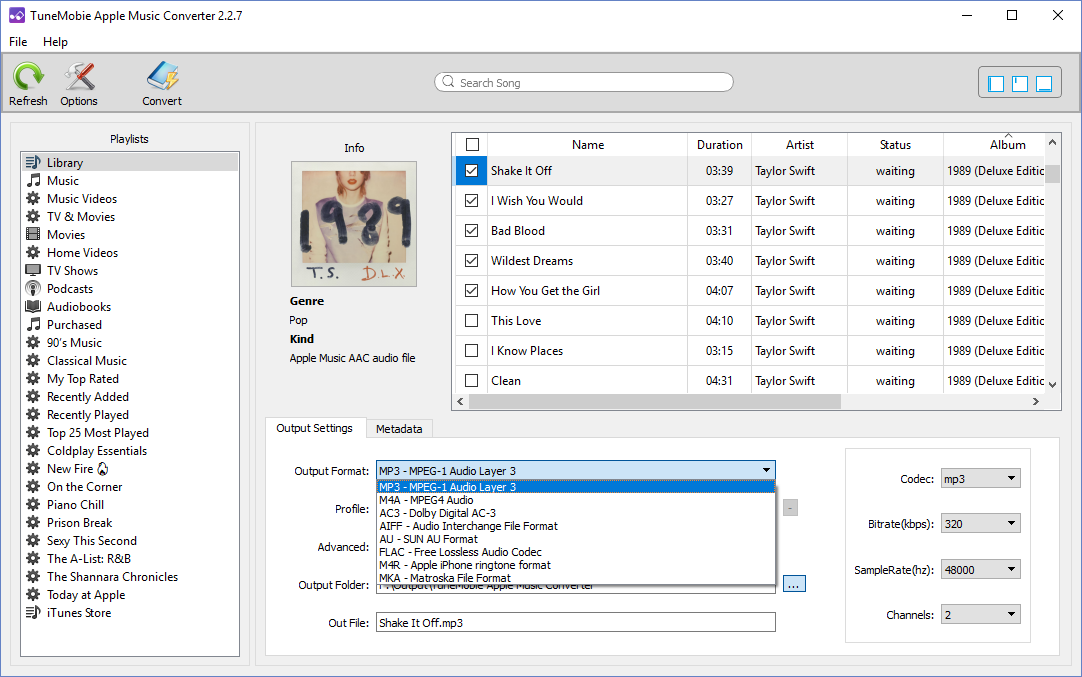
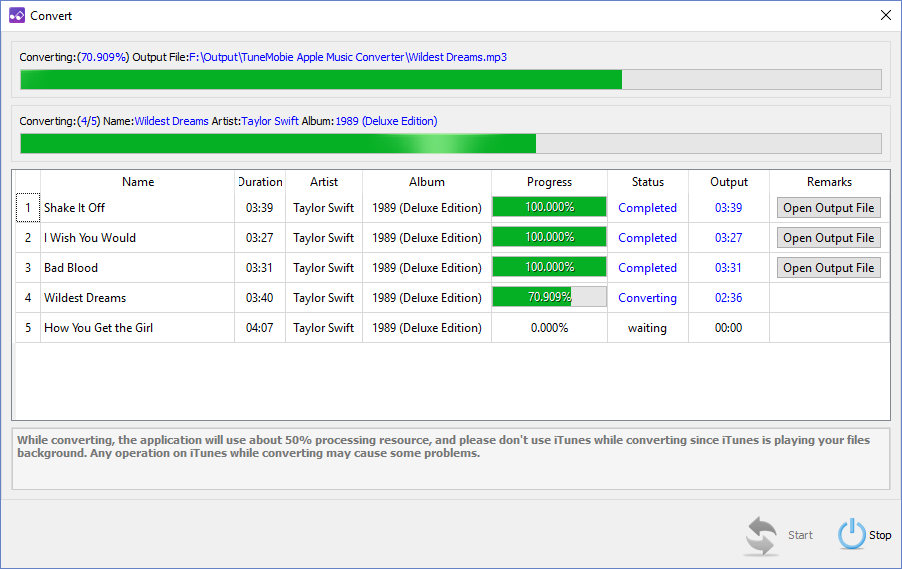
TuneMobie Apple Music Converter can convert Apple Music tracks, iTunes M4B audiobook, Audible AA/AAX audiobook and other iTunes supported audio formats to MP3, M4A, M4R, WAV, FLAC, AC3, AU and MKA as well as extract audio from iTunes M4V movies, TV shows, music videos and MP4 home videos. Ouput MP3/M4A files will preserve all ID3 tags like song title, album, artist, genre, artwork, track number, etc. The program performs at 16X faster conversion speed and allows you to rename and sort output files by ID3 tags.
NB: 1 year license, supports updates.
System Requirements:
Windows 7/ 8/ 8.1/ 10 (32-bit & 64-bit); CPU: 1G Hz processor, or above; Monitor: Monitor with 1024x768 pixels or higher resolution; RAM: 512MB or higher of RAM; Required: iTunes 12.2 or later installed (Latest version of iTunes is recommended); Supported Languages: English, French, Japanese, Simplified Chinese & Traditional Chinese
Publisher:
TuneMobie SoftwareHomepage:
http://www.tunemobie.com/File Size:
21.6 MB
Price:
$19.95
Featured titles by TuneMobie Software
Discount: 30% at Coupon Code: gotd30off (valid until December 31, 2017; applied to any lifetime or family license)
Convert Apple Music tracks, M4B/AA/AAX audiobook, M4P, M4A, etc. to MP3 or M4A playable on iPod Shuffle, iPod Nano, PSP, Sony Walkman and various MP3 players, preserve ID3 tags, metadata and 100% original quality. Fully compatible with Windows 10 and latest iTunes 12.7.
Discount: 30% at Coupon Code: gotd30off (valid until December 31, 2017; applied to any lifetime or family license)
Losslessly convert Apple Music tracks, M4B/AA/AAX audiobook, M4P, M4A, etc. to MP3 or M4A on Mac with all ID3 tags and metadata retained. Enjoy Apple Music song on any devices without limitation. Fully compatible with latest iTunes 12.7 and support Mac 10.9.5 – 10.12. Mac 10.13 will be supported soon.
Discount: 30% at Coupon Code: gotd30off (valid until December 31, 2017; applied to any lifetime or family license)
Convert purchased or rental iTunes M4V movies, TV shows and music videos to unprotected MP4 with all multilingual subtitles and audio tracks, Dolby 5.1, audio description and closed captions retained, keep 100% original quality and same resolution. Fully compatible with Windows 10 and latest iTunes 12.7.
Discount: 30% at Coupon Code: gotd30off (valid until December 31, 2017; applied to any lifetime or family license)
Losslessly convert iTunes M4V videos to unprotected MP4 on Mac, preserve all multilingual subtitles, audio tracks, Dolby 5.1, audio descriptions and closed captions. Convert a 2-hour full HD 1080P movies in no more than 20 minutes. Support iTunes 12.7 and Mac 10.9.5 – 10.12. Mac 10.13 will be supported soon.GIVEAWAY download basket




Comments on TuneMobie Apple Music Converter 2.2.7
Please add a comment explaining the reason behind your vote.

iPhone app giveaways »





Android app giveaways »





Aha, now you can download the program, thanks.
Save | Cancel
Excellent program for converting my audible audiobooks to m4a format so I can keep the chapters intact. The conversion is very fast as well and the output quality is excellent - Highly recommended.
Save | Cancel
Excellent program for converting my audible audiobooks to m4a format so I can keep the chapters intact. The conversion is very fast as well and the output quality is excellent - Highly recommended.
One tip is I first converted to mp3 then when I selected the same audiobooks and chose m4a - it must be using the raw converted file because it only took second for the m4a file rather than reconverting it.
Save | Cancel
Please note that this is a one-year license, not yours to use forever. To continue using after that you will have to purchase a license. I don't see anywhere it states whether of not the purchase price, $19.95, buys you a one-year subscription or a full license.
Save | Cancel
kalmly, are you sure that "1 year license, supports updates." means it wont work after a year or maybe it won't update after a year.
Save | Cancel
can i convert to wav for emails can't see how
Save | Cancel
Thank you very much for such a good and "trouble-free" program.
I will purchase that program.
Save | Cancel
How do you activate this? What is the activation code?
Save | Cancel
Drstew, in the readme file in the unziped download folder as usual
Save | Cancel
I have been wanting something like this for a long time. I have a bunch of M4A files from back when I used I-Tunes that I would like to convert to MP3. I hate I-Tunes, and have since moved on to Media Monkey, which will also sync with my Apple I-Pod. However, this program requires I-Tunes to run; it won't work without it. As a side note, the installation procedure, while allowing me to place the executable files in an alternate location, ignored where I asked it to put the Icon in the start menu - but that's a nit. Requiring I-Tunes to work makes it unacceptable to me. Uninstalled.
Win 10/64 Pro. Media Monkey 4.1.19.1859
Save | Cancel
Got the link and downloaded the software but Unlock did'not work (unknown error)!
Also note the licence is given for 1 year only!
Save | Cancel
Pretty good. Work on my Windows 10 desktop. I have an iPod Nano 6th, I tried several songs and import the output files to iTunes and synced to my Nano, no playback problem.
I suggest you delete original Apple Music tracks in library, otherwise the output songs you imported will look almost same as the original tracks.
I give 4.5 of 5.
CD ripping function is expected in future version.
Save | Cancel
Hi GOTD please add new Apple (iTunes) tab on top site and realize this kind of app under it to find easy others thanks
Save | Cancel
Found installation very easy. Never knew I needed this as I can play all types of files without converting them but gave it a try anyway. It opened iTunes and added all my iTunes files to its library and I think it also added all the relevant files from my PC which left me with a problem. The name field in the library list is so small that I can't tell which file is which or where it is located; because quite a number of my files start with the same words and are only distinguish by the latter part (hard to explain but blablablaetc disc 1 of 5 and blablablaetc disc 2 of 5 look identical because the only bit of the name I can see for both is blablablaetc dis). In my humble opinion this requires some work on the user interface (if that's the right expression when talking about software) same as I have always thought about iTunes.
I set it running on one of my files before starting to type this and its still going so its one of those let it run in the background cause it will take a while.
Save | Cancel