Every day we offer FREE licensed software you’d have to buy otherwise.

Giveaway of the day — novaPDF Lite 8.8
novaPDF Lite 8.8 was available as a giveaway on March 22, 2017!
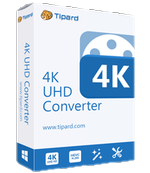
novaPDF Lite allows you to create PDF files from any printable document, including emails, Microsoft Office documents, web pages, text. It works as a printer driver and you can print from any Windows application that supports printing - just set novaPDF Lite as the default printer and the document will be converted and saved as PDF file. Features include: customizable resolution, document information, predefined page size, quality settings and much more.
System Requirements:
Windows XP/ Vista/ 7/ 8/ 8.1/ 10 (x32/x64); Windows Server 2003/ 2008/ 2012
Publisher:
SoftlandHomepage:
http://www.novapdf.com/novapdf-lite-desktop.htmlFile Size:
55.9 MB
Price:
$29.99
Featured titles by Softland

novaPDF is a PDF converter for Windows that allows you to easily create professional quality documents in industry-standard PDF file format. novaPDF Pro gives you the ability to fully make use of all its advanced features: PDF bookmarks, PDF links, shared network printing, public profiles, PDF resolution, PDF information, compression, security, private profiles and more. View more on http://www.novapdf.com/

FBackup is a configurable backup program with an easy to use interface. Performs mirror backups. Has wizards for backup & restore, file filters and internal scheduler. Creates standard zip files or exact copies of files, backs up open files and lets you protect your backed up files using zip passwords. FBackup is free for both personal and commercial use.
Comments on novaPDF Lite 8.8
Please add a comment explaining the reason behind your vote.

iPhone app giveaways »




Android app giveaways »




hmm I'll pass last time atleast they gave the pro version which was worth it.
this seems to only be a paid freeware like offering which is highly overpriced.
thanks but No
Save | Cancel
In case there is some confusion.
DoPDF and NovaPDF are both from the developer Softland.
I have been using DoPDF Ver8.3 for a long time and it is excellent.
DoPDF is freeware. It is not portable.
After installing, you may be trying to find the file "Dopdf.exe" in your PC.
If I am not mistaken, it is reflected as novapdf8.exe
DoPDF is a simplified form of NovaPDF
NovaPDF is not freeware.
NovaPDF has more features, all of which I do not need:
Advanced Encryption Standard
password protection
digital signing
URL links support
text/images watermark
Save | Cancel
reCAPTCHA verification is irritating.. For me it tools much more time to complete verification.
Cute PDF and PDF Creator are the best free alternative for this paid software.
If your are using chrome browser, you can save any webpages as PDF file without any software and add-on.
In Google chrome, Just press Ctrl+P to go print option, under change change printer option you can see "save as PDF".
Select "save as PDF" option.
Now you can save website pages as a PDF file without quality loss.
You can also customize your PDF file.
Save | Cancel
The best option is to do away with both Adobe Reader and a separate PDF printer/creator and get an application that does both.
Foxit Reader is one that does this and its free and very highly rated too!
http://download.cnet.com/Foxit-Reader/3000-18497_4-10313206.html
Save | Cancel
Hey GAOTD Guys & Gals:
Your "i'm not robot" reCaptcha seems to be going a bit overboard these days for reasons unknown.
By this I mean: screen after screen of "match this" questions.
Kinda way too many.
At first I thought I wasn't being careful enough. That's not it.
Perhaps you can look into this ?
Thanks !
Save | Cancel
I prefer CutePDF and PrimoPDF.
Save | Cancel
I have a couple of other pieces that offer to do this, but they do a pretty poor job on websites.
Does anyone know how the novaPDF Lite does on websites?
Save | Cancel
I install in windows 10 32bit with installation errors. I installed again and again without success with error code 0x800D0705. I cannot use it, cannot uninstall it nor can I delete it (i.e. delete the installed folder). Please help! Thanks.
Save | Cancel
REF: #10 I do not understand people who make comments like there are other apps that are free so why download this one......
IMHO:
In as much as developers of programs like this, look for our feedback on their new program or upgrades, everyone benefits from mentioning other similar programs.
A developer may not have been aware of this or that particular program.
It presents the opportunity to add features to their own offering making it the one to beat on the "next rev".
The benefit of mentioning other programs to GAOTD users is clear.
Sure, being diplomatic when referring to these other programs is always the best way to proceed.
Having said that, over these many years I have followed GAOTD & these other alternate program references have saved me countless hours of trial and error with otherwise lackluster, ineffective or malware ridden offerings found "out in the wild".
Save | Cancel
In case it helps...
Printing to PDF often -- not always -- works the same as taking a screenshot of a web page, only it's more convenient... you can select what you want to print, so cutting off ads along the margin &/or comments; you don't have to have another app running for the screenshot; you need to worry less about which app is going to open your *copy* when you double click it; near everyone can view PDFs; text normally stays text, rather than an image, that you can select & copy.
Printing email receipts for rebates is another useful reason I've found for printing to PDF -- printing to PDF 1st using legal paper page size, then printing the PDF, can usually shrink the email so it takes up a single page.
Windows 10 can view PDF files in Edge, so you *might* not need Adobe's reader -- you'll still need it if you regularly handle things like some PDF forms where you fill in the blanks & submit the result. It can also print to PDF without needing added software.
Some graphics & office-type software can also work with PDFs, but using them as the source for all created PDF files involves more work, not to mention it's usually less secure to open a web page in one of those apps, if/when it's possible.
Microsoft created its own alternative to PDF -- XPS -- that works the same way as a PDF printer, using Microsoft's XPS viewer utility to read/see them. Neither XPS nor 3rd party PDF software approaches the capabilities of Adobe's software. That only matters of course if you need those capabilities, or want/need the latest versions of PDF for compatibility, But, 3rd party PDF software will often vary in capabilities, compatibility of the created PDFs, and in the case of printers, accuracy [with some PDF printers the printed web pages look more like the source than others].
[I wish I could say whether novaPDF did better or worse in that respect, but it would take using it for a few days on loads of web sites to be able to compare its results with PDF Creator.]
There's "Devices and Printers" in Windows [that name may vary with version], which I usually get to via Control Panel. It lists PDF & XPS printers etc. alongside real ones, & from there any printer can be removed... that does not necessarily remove all associated software -- only the printer.
Save | Cancel
Interesting, Mike.
You reminded us of the existence of that stupid, obsolete Microsoft format named xps. Incidentally, there's a third way to save web files which is often better, and it's... a web format.
So it did a little test. I saved this GOTD webpage in different formats.
First, I printed to pdf with my pdf virtual printer, which is Tracker Software PDF X-Change Lite. The results were bad. The page is noticeably different. The ads don't render well at all. There are superimposed bits of text. The colour background is gone. The file is 756 KB.
Then I printed to Microsoft xps. The rendering is as bad, but the file is way bigger : 1 319 KB. How can you edit an xps file, anyway ?
Then I saved to html / webpage only, with Firefox. This is very small : 149 KB, but the ads mangle the page. Still, the rendering is better than with pdf.
The I saved to mhtml, with Firefox and Save Page WE add-on : now the rendering is perfect, but the file is very big at 1 771 KB.
Finally I saved to maff, with Firefox and MAFF extension. The rendering is still perfect, and the file is very tight at 552 KB. Unfortunately, we don't know whether the maff format will survive, when Firefox switches its add-on system to the Web Extension standard next November.
Pdf files can be edited. Web files cannot (not in a easy way, at least).
When I want to keep a Web page on file, most of the time I save it in html / web page only format. Most of the time nothing is lost and the rendering is good, contrary to this example.
When the results are bad, I save to maff. Or maybe to mht in the future, if maff disappears. One interesting feature of archive formats such as maff and mhtml is you get the URL and date of retrieval appended to the file. This is very useful for future reference.
Save | Cancel
On the top of Windows and Office - most free PDF readers such as Foxit Reader include a PDF printer driver too. And while not everyone has Win 10, *every* PC user has a PDF reader software.
Save | Cancel
Have dopdf 8, and working fine.
But, just in case something go wrong, 2 is always better than 1.
A trillion thanks.
Save | Cancel
Lite version is so weak, you can give it for free all the time. This is nothing what you gave now.
Save | Cancel
I can't really understand WHY you would need this?
Print to pdf is in printer options AND OFFICE.
Save | Cancel
license key never arrived
Save | Cancel
I do not understand people who make comments like there are other apps that are free so why download this one.
This application is offered "FREE" to all who chose to download it and install and try it out. It will not cost you anything other than your time to check it out. It may be just what you were looking for and you can have it for FREE...sigh
If a person found something wrong(glitches etc) with the giveawayoftheday offered then, yes please share it with all of us, But please don't put a program down because you like another.
I would like to personally thank this site for offering apps that many of us find useful. Heck I even upgraded to better versions of some to get more features.
cheers
Save | Cancel
TheRock, You may ask why people don't put garbage in their garage sale. Free doesn't mean being useless. Don't get further to "it can't be useful to everyone", just look at a majority of comments. I agree with you that some of the giveawayoftheday are good.
Save | Cancel
TheRock: over the years, there've been a number of comments like yours, though not always accompanied by theatrical sighing.
Unfortunately, their superficial perceptiveness has always been and always will be demolished by the reality that free, where software is concerned, is anything but.
An individual's time is valuable. A download is an overhead expense.
I, for one, have been repeatedly grateful to posters here who have expended their own time on comparing and contrasting offered software so as to spare me from needless impositions on my own time and my own wallet. There are developers out there, too, who've been similarly grateful for such feedback.
GOTD facilitates free software and free speech. I see no cause to lament either.
Save | Cancel
TheRock, here's one reason why I, for one, really appreciate comments suggesting other (free) apps to the one on offer: I may not be able to download/install the giveaway within the 24-hour time-frame required. And when I miss that opportunity, I really appreciate seeing other (free) software that is similar to the giveaway that I can try instead.
Save | Cancel
Hard to see what target audience today's developer is trying to address with a $30 'Lite' version of its pdf printer software when this version is well-nigh indistinguishable from long established freeware and, in at least one respect, is actually inferior.
As with all giveaway promotions, re-install price needs to be factored in. In light of that, $30 versus nothing-at-all makes no kind of sense, and especially as this stripped-out version doesn't even offer elementary encryption:
http://www.novapdf.com/compare-products.html
Nova PDFLite's $30 product brings this feature set to the user:
http://www.novapdf.com/novapdf-lite-desktop.html
whilst Bullzip's $0 offering brings this:
http://www.bullzip.com/products/pdf/info.php
True, NovaPDF Lite incorporates 'personal profiles' applicable where multiple users of the same computer are all seeking to work in individual ways with the same document, yet such circumstance is more likely to be of (possible) relevance in a business / office than ever it is in a home environment.
I've used Bullzip at home for years and never experienced a problem with it. 'Personal profiles' for multiple users is not a feature I need nor would ever use, whereas occasional encryption (of a work-related document) most certainly has been.
Thanks, then, GOTD, and thanks, too, to novapdf, but really, the developer is on a hiding to nothing here. As freeware, this 'Lite' version could serve as a taster for possible up-sells to the company's paid-for range but as $30 commercialware, not a chance. Finally . . .
GOTD wrapper aside, what on earth is a "Lite" version doing with an astonishing 60Mb download size when Bullzip's freeware is less than 8Mb??
Save | Cancel
MikeR, thank you for your comment. It describes exactly how I'm feeling about this application.
Save | Cancel
MikeR, don't forget that Bullzip PDF printer requires 4 additional programs that it downloads, adding another 18 MB. Bullzip does look impressive, I always thought it was a .zip file creator. Will try both Bullzip and Nova PDF light to see if they work, which uses less resources, which is faster, which has better output (sharper, most like original, smaller size, etc.).
Save | Cancel
How do you uninstall this? Uninstall file seems to be missing?
Not Good!
Save | Cancel
tom, Nova Support have provided an Uninstall tool on request - that removed everything OK.
Save | Cancel
tom,
You have to "request" an uninstall tool?
Are you kidding me?
Save | Cancel
Hi Tom,
You can always use windows built-in uninstall, can't you.
My win 8.1 call it "Program and Features".
I saw this sw listed there after I installed it, but did not try to uninstall it though.
Save | Cancel
tom, -- No, not kidding - Uninstall didn't work on my machine (win 10)
Save | Cancel
Print to PDF is such a basic thing that just about every Print option will have it either native or through a free add-on.
I will pass on novaPDF Lite 8.8 and its ridiculously high $29.99 price.
Save | Cancel
I was more than happy to try NovaPDF Lite 8.8 on my old my machine but it doesn't seem to like my Office 2003...
Doesn't preserve hyperlinks either.
Not ready for awesome...yet.
Save | Cancel
Why bother? Bullzip PDF Printer does much more than this gaotd for free:
http://www.bullzip.com/products/pdf/info.php
Save | Cancel
Mario, +1. Moreover, bullzip allows password protection and many more.
Save | Cancel
About 56MB for a PDF "printing" utility!? There must be slimmer beauty!
One can upload to Google Drive or Zoho Doc, or email it to Gmail or Zoho mail, and save as PDF.
Open Office, WPS, Libre Office, etc free word procesors have PDF conversion.
Save | Cancel
But what if I'm using Super Whizzy Pet Calendar 2015? This does all I need, but only prints out a calendar to screen or printer. I want a PDF of this. There is nothing to send to Google Drive, Zoho Doc, etc, so a PDF printer is the only way of printing a PDF.
Many applications don't natively have PDF printing capability.
Save | Cancel
King Kong, Although the download file is 56 mb, the total space on your hard drive is 230+ MB. Excessive.
Save | Cancel
There is no decent pdf convertor in MS office tools. So your comment is odd.
cheers
Save | Cancel
Windows can print to pdf though
Save | Cancel
Teo,
Martin didn't state MS Office tools, he said Windows/Office.
Windows includes Microsoft Print to PDF, which is perfectly capable of doing the job, and having used Nova, there is no difference to the output.
Save | Cancel
Teo, But there is Plenty of FREE pdf converters out there. You would be foolish to pay for one.
Save | Cancel
Microsoft Office allows you to 'Save As' a PDF document. However, not all applications have this capability.
Save | Cancel
Not all Windows versions. Not everyone is on Windows 10 (yet...)
Save | Cancel
But it is free !
Save | Cancel
Installing Foxit Reader's MS Office extension adds a 'Save as PDF' option to its 'Save as...' dialogue.
Save | Cancel
Why would I install a new app for things that Windows/Office can do on their own?
Save | Cancel
Martin , ....a new app.....a old new app.
Save | Cancel
The PDF printer which comes with Windows 10 is very limited with options. Also, not everyone has Windows 10...
Save | Cancel