Every day we offer FREE licensed software you’d have to buy otherwise.
Giveaway of the day — BeeConverter 1.3.0
BeeConverter 1.3.0 was available as a giveaway on August 15, 2023!
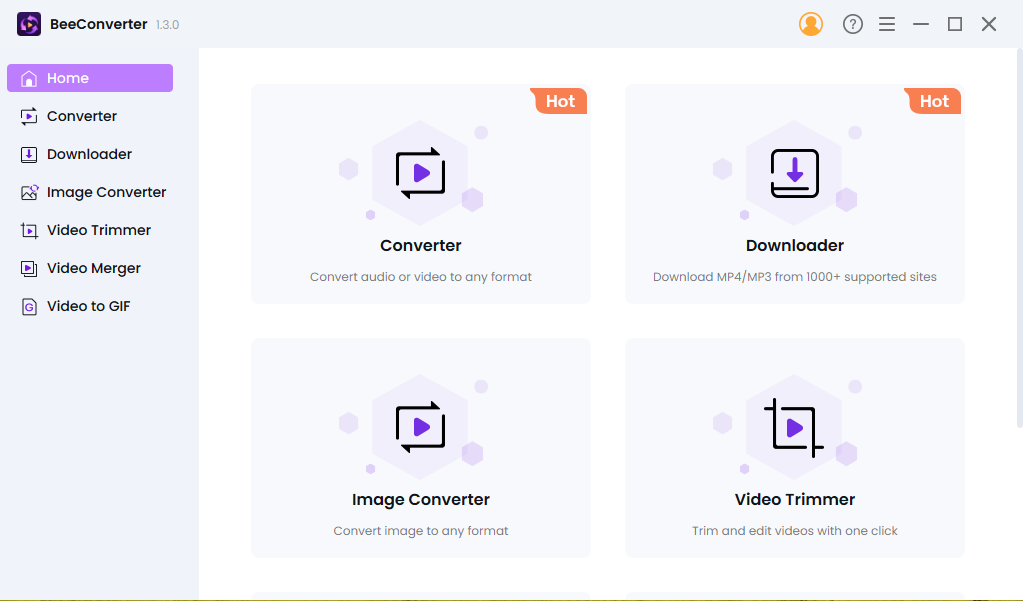
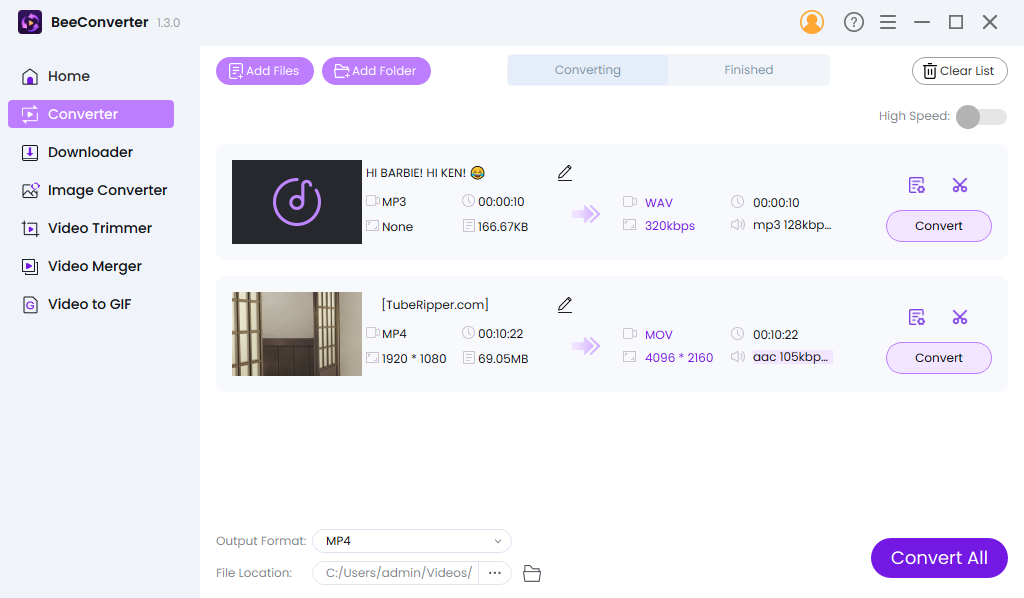
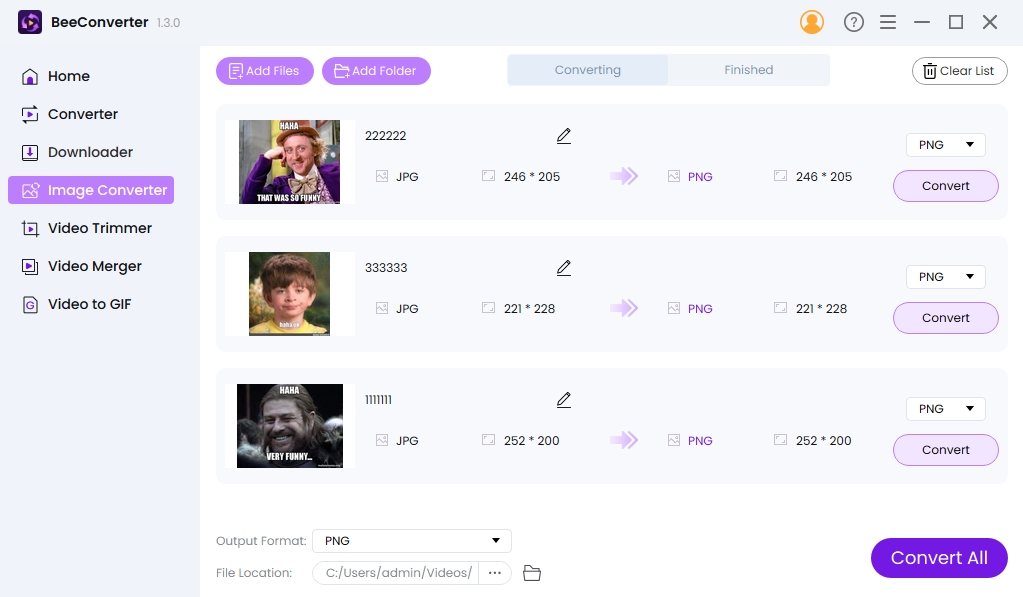
Convert File Between Key Formats
All popular video/audio formats are supported, including HD video (H.265/HEVC, H.264/AVC). You can convert your videos with ease into MP4, AVI, MOV, MKV, MPG, and over 350 other optimized presets, ensuring compatibility with a wide range of devices at your disposal!
Convert Video to GIF
Utilize the integrated free video to GIF converter. Upload MP4, AVI, MOV, WEBM, FLV, or other video formats to generate captivating animated GIF images.
Batch Download Music/Videos from Streaming Sites
The download feature makes it more charming as you can download music or videos from any website. Moreover, it enables you to download videos with the best quality at ultra fast speed.
Trim & Merge Video Quickly
Instead of downloading a heavy professional video editor, The built-in video trimmer and video merger of BeeConverter can help you trim videos in a simple way, and enables you to merge all video clips into one as quick as a flash.
60X Faster Conversion Speed
Equipped with advanced acceleration technology, you’re able to experience the ultrafast conversion speed. The problem of slow conversion of large files hardly occurs, because BeeConverter enables you to convert video at 60X faster speed.
Advanced Export Presets
BeeConverter's export preset covers almost all formats and devices. By using this feature, you can choose the quality and format of the desired video more expediently. After setting it once, it will automatically save your options unless you set it once again.
System Requirements:
Windows 7/ 8/ 8.1/ 10/ 11
Publisher:
AmoyShareHomepage:
https://www.amoyshare.com/video-converter/File Size:
127 MB
Licence details:
1 year license
Price:
$35.00
GIVEAWAY download basket




Comments on BeeConverter 1.3.0
Please add a comment explaining the reason behind your vote.

iPhone app giveaways »










Hello Everyone,
Thanks for your interest in BeeConverter for Windows. In order to help you better use this tool, we just place this post here with useful guides and more.
· Registration Guide:
Step 1: Click on "Get it for free". Make sure the email you entered is correct because the activation code will be sent via email.
Step 2: After installing and running the program, copy the activation code from the email and enter it on BeeConverter, then your license will activate. If it still shows Free Trial, try to restart the program or contact support@amoyshare.com.
The 1-year license is applied to all versions of BeeConverter, as well as new versions in the future.
· User Guide:
https://www.amoyshare.com/blog/how-to-convert-mp4-to-mov.html
https://www.amoyshare.com/blog/how-to-convert-mkv-to-mp4.html
https://www.amoyshare.com/blog/how-to-convert-webm-to-mp4.html
If you have any further questions or feedback regarding today's Giveaway, please don't hesitate to contact us right away!
Best wishes,
BeeConverter Team
support@amoyshare.com
Save | Cancel
BeeConverter Team, HI. When you download a video from YouTube, you can tick a box to also download subtitles, but this doesn't seem to be working for me. Has this option not been included with the giveaway?
Save | Cancel
@Mellisa Gibson,
Even though the question was about AV1 (not AVI), I do understand your question, however, it is a question that can be answered only on an individual basis. AVI is still in use in a lot of situations on older equipment that does not handle more modern formats, such as mp4.
I recently was asked if I could convert a large batch of mp4 video files to AVI so they could be loaded onto a USB stick for a very decent high-quality video projector that could support AVI but not mp4. The projector was battery/solar powered and taken on camping trips. With their collection of media in mp4 format converted to AVI, their excursions were a lot more enjoyable.
You never can tell what another person's logic is as to why they might be using an older format of media, audio, document formats, or even the hardware they are using it on. I know because I have a lot of older equipment making money doing what they were designed for. Best of luck to you.
Save | Cancel
Why isn't it downloading Twitter videos?
Save | Cancel
Lech, Thank you for reaching out. We'd be happy to help you troubleshoot the issue with downloading Twitter videos. Please send us the video link at [support@amoyshare.com], and we will test it on our end to identify any potential problems.
Best regards,
BeeConverter Team
Save | Cancel
Hi. It looks good, but I selected to download subtitles with the video (from YouTube - the vieo has subtitles). It downloaded the video but no subtitles. Can you suggest what I can do to get the subtitles
Save | Cancel
Joel, good day, I am a user like you.
You can delete subtitles. Watch, please, the file into downloading file and delete everything and stay only video-file. It helped me. Hope'll help to you and everybody who reads. Good luck.
Save | Cancel
Hi. Thanks for your help, but I want to download the subtitles. I clicked the option to download subtitles, but only the video downloaded without downloading any subtitles. I was expecting an SRT or VVT or TXT file to download as well
Save | Cancel
Joel, Movies are always offered without subtitles. I download the movies without subtitles. I'm looking for subtitles (srt) and put them in the movie with the free VideoToVideo Converter (also in color). Problem solved! Yesterday:The Little Mermaid (2023) 1918x802 avc acc nl.
Save | Cancel
Thanks Melissa, but the program does give an option to download subtitles (a Checkbox). However, it doesn't download them - just the video
Save | Cancel
"Can you suggest what I can do to get the subtitles"
One site says to start the video playing 1st, then click the CC button to start subs, then download. Might also check here:
videoconverter.wondershare.com/subtitle/download-youtube-subtitles.html
Save | Cancel
Joel, thank you for reaching out. We'd be pleased to help you troubleshoot the issue with downloading subtitles with the video. Please send us the video link at [support@amoyshare.com], and we will test it on our end to identify any potential problems.
Save | Cancel
Does BeeConverter do AV1 encoding.
Save | Cancel
Damo, Why would you use AVI (Audio Video Interleave)?
Audio Video Interleave was developed by Microsoft in November 1992 as part of his video for Windows software. In other words, very old! Now people use MP4 or MKV predominantly.
Save | Cancel
Mellisa Gibson,
AVI != AV1
https://aomedia.org/av1-features/
Save | Cancel
Mellisa Gibson, that´s exactly why all those converters are made - for all the people that have no deeper insights in the materias....
MP4 and MKV are "containers" not video-codecs... btw.
Save | Cancel
Tell Gibson, I use Advanced Audio Coding and X264 (AVC) in my movies! (X265) I don't use hevc!
Save | Cancel