Every day we offer FREE licensed software you’d have to buy otherwise.
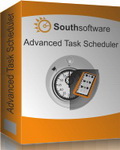
Giveaway of the day — Advanced Task Scheduler
Advanced Task Scheduler was available as a giveaway on August 22, 2011!

Advanced Task Scheduler is a multifunctional task scheduler, which allows you to automate all your day-to-day tasks. Launch programs, shut down your system, establish network connections: everything you could want to automate. It allows you to schedule a whole range of standard tasks, send network and e-mail messages, initiate HTTP and FTP transfers, and much more.
System Requirements:
Windows 9x/ NT/ 2000/ Me/ XP/ Vista/ 7 (x32/ x64)
Publisher:
SouthsoftwareHomepage:
http://www.advscheduler.com/File Size:
6.75 MB
Price:
$ 39.95
Featured titles by Southsoftware
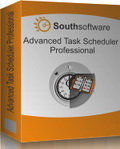
Advanced Task Scheduler Professional is a multifunctional task scheduler, which allows you to automate all your day-to-day tasks. Launch programs, shut down your system, establish network connections: everything you could want to automate. In addition to all the basic capabilities, Professional Edition allows you to encrypt your settings and task list, assign multiple schedules for each task, use the run-on-holiday feature and much more.
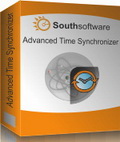
Advanced Time Synchronizer is a powerful and easy-to-use PC clock synchronizer. It works with time servers on the Internet. Advanced Time Synchronizer can update the system time at certain intervals from one second to few months, supports three time synchronization protocols, proxy servers, and auto-dialing. Advanced Time Synchronizer can also work as a local time server and can be launched as a Windows Service.
GIVEAWAY download basket




Comments on Advanced Task Scheduler
Please add a comment explaining the reason behind your vote.

iPhone app giveaways »





Android app giveaways »





a note: just like anything that has the potential to screw stuff up, create a restore point. save yourself some grief if this offer isn't for you. I haven't installed it yet, this is only advice.
a point in its favor, a two way firewall is what you want, gives control over anything that likes to phone home. also stops keyloggers etc in their tracks(once you know what process they use simply block it). this alone is worth the price, which I would pay a year from now if the product holds up.
I'm hesitant to get rid of avast, for me it's worked wonders, no infections of any type for over three years.
and while I have your ear, stay away from comodo. while it seems like a decent enough product it can cause problems that require a reinstallation of your system. ESPECIALLY comodo time machine. it installs itself in the MBR(master boot record)and is impossible to fix if anything goes wrong. it requires not only a reinstallation, but to fully remove it you have to reset your partitions, reformat and do it again. horrible experience.
Save | Cancel
Hi Folks,
Schedulers - Automatize, JIT, Smooth Program, Advanced, Hi-Base
http://www.donationcoder.com/forum/index.php?topic=13240.msg111886#msg111886
A little self-moderation to the above comment. SouthSoftwares program today may be a notch above the other programs (even more so in advanced mode) in elegance, sophistication, features, such as logging, messages, etc. They mention features like FTP that may have some internal heft (as compared to scheduling the call of an FTP program). So it can be a fun try even just to see how it works.
So I emphasize the 3 programs above as available, friendly, excellent, however that is not at all a knock on this program, which looks, on appearances, to be an excellent GAOTD.
Shalom,
Steven Avery
Save | Cancel
Hi Folks,
Even on XP, the problem is that there are very capable free schedulers. So why spend the learning curve on a similar product, even if you get it free for now.
A couple that stood out:
System Scheduler - Splinterware (good free .. also Pro version)
http://www.splinterware.com/products/wincron.htm
KA Firetask
http://www.nirmaltv.com/2008/10/12/schedule-tasks-and-startups-in-windows-using-firetask/
PC Inspector Task Manager
http://www.pcinspector.de/TaskManager/info.htm?language=1
Caution on one called JIT Scheduler by Gibon Software. Web of Trust reports problems.
Shalom,
Steven Avery
Save | Cancel
First, I do like the Win 7 scheduler. I have used this offer when given away a year or so ago and it worked very well. I had Vista at the time.
Second, Pet Peeves, why is "make it portable" always wanted (by same xxx)? Give it up, wise ass, and buy the offer if you must also have it portable. That is not a very constructive suggestion for the developer - only for you. And, if you are the same one who rants about "using proper English" you are too good for this site. Please go away.
Save | Cancel
For task scheduling I use Clockwise, by RJ Software.
Task scheduling is just one of many functions Clockwise has. It will set your computer's clock automatically and make sure it stays accurate daily, it can be used as an appointment calendar, a stopwatch, countdown clock, it can show the time at once in several time zones of your choosing, it gives sunrise & sunset times and the phase of the moon, keeps track of holidays and other special days such as when daylight savings time starts. It even tells you what day of the year it is, in terms of: well, for example,. today is the 234th day of 2011.
Of course, it will also start and stop tasks at preselected times.
--H
Save | Cancel
#9 Thanks for pointing that out, I might look at the scheduler one day. Windows 7 is the best windows since XP. I agree people should have it.
Save | Cancel
Wow, I just saw the price of the pro version. $60 bucks to buy a piece of software that's already built into windows. The pro version does about the same as many freeware versions of a task manager. Price is far too high. Most people, I think, would balk at paying $60 bucks for the pro version and even $40 bucks for the basic version, especially when the basic version does little more than the "Windows built in version." Thanks GOTD and vendor for the offer, but I'll wait to find something better. I'll stick with what I already have, built in Windows 7 Pro, for now.
Save | Cancel
This giveaway registration key is only valid for Advanced Task Scheduler / Win32 downloaded from giveawayoftheday.com. Please enter both registration key and name into the registration dialog exactly as they appear in the readme file. Please note that this key will not work for any version of Advanced Task Scheduler downloaded from any site other than giveawayoftheday.com.
Save | Cancel
#14: "I’m certain there are people out there that would find this a handy program but just wondering how many day to day home users would find it very useful."
If you don't need to run something on a schedule/timer, you can do stuff like set a task to run when a window or process opens/closes, starts stops -- see the on-line help for details & version limitations. That'll let you do things like turn a seldom used service off when the app that starts it closes, or maybe run a virus scan once Windows or your AV software updates. Another possibility, you can use it as a sleep timer, leaving your PC on for instance in case of emails, using an audio alarm you'll hear in the next room, shutting the PC down at a set time so you don't have to bother -- or listen to music with your laptop as you go to sleep.
One thing I did using Windows' Task Scheduler: the speed setting for my Logitech mouse is stored in the registry -- I exported that key with speed set higher & lower, set up tasks to merge each of those .reg files, set up a couple of shortcuts for those tasks, assigning hot key combos, then assigned 2 buttons on the mouse to those hot keys. A bit of a round-a-bout way to get there, but that's how I got around win7's UAC prompt. The result was/is I have one setting that's handy for web browsing, another for when I need finer control, & switching between them is almost instantaneous.
Save | Cancel
Advanced Task Scheduler Basic, today's GOTD, looks like a decent app, but it seems written for XP & Vista rather than as a replacement for win7's Task Scheduler -- I didn't see any way around win7's UAC prompt for example. That said, win7's Task Scheduler can be harder to use, & might require on-line research along with a bit of trial & error to get it to do exactly what you want. With the potential exception of the UAC prompt [which you can get around with win7's Task Scheduler], either app will let you execute a task via hot key, making them useful even if you never need to run anything on a schedule or event. I think maybe the best way to see what Advanced Task Scheduler can do is to check out the on-line help file at http://goo.gl/Nge9B , which is laid out pretty well.
Tested in XP & win7 32, setup is nicely done with options for desktop & quick launch shortcuts etc., adding the "Advanced Task Scheduler Basic" program folder with 22 files, 1 folder, ~12 MB. I recorded 136 new registry entries, & the Start Menu shortcuts include "Advanced Task Scheduler Service Control" -- click it & a small window opens where you can install/uninstall the app's service, basically adding/deleting service entries in the registry... by default it's uninstalled, but easily lets you run Advanced Task Scheduler Basic as a service if you want/need to. Probably not a big deal on a current desktop PC, running in the XP Mode VM with restricted resources, at idle CPU usage ranged up to 12%, meaning it might be a drag on slower systems, netbooks etc. The program window or GUI itself is a bit old school, if that matters to you, though everything seems to be where it should be when it comes to function.
Save | Cancel
I like the modern GUI look of Windows 7, so I must pass on this one, it doesn't have the cool Windows 7 look!
Save | Cancel
At first I was excited about this giveaway until I realized it won't do all of my work for me. I will still have to respond to emails, take pictures & write descriptions of items for sale, post said items, package and ship stuff and take out the trash when the wife tells me to. Adding "automate all my day-to-day tasks" would just be adding to the pile of tasks I already have to do.
I'm certain there are people out there that would find this a handy program but just wondering how many day to day home users would find it very useful. Seems it would have a very limited market. Or am I missing something here? Perhaps I have no imagination or something. Why would I need a program to launch automatically when I'm not at my computer to use it?
Save | Cancel
#11 Thanks for pointing that out because I don't see how anyone could be confused. Not only is there the price difference but if you scroll down this page to Featured Titles, you will see that the Professional version is listed. If this were the product offered then it would not be listed and further, the giveaway would have listed it as professional.
The only time a version question should arise is when there is conflicting information in the giveaway description. Sometimes the wrong version or price is indicated when what is offered is a lite version but that is not the case today.
Save | Cancel
This is the Basic edition of the program, for all who's asking.
BTW, the program will show the registration key in the about box after you've registered. It's different from a lot of the other programs that came with keys.
Save | Cancel
#10- Arnie Anvir is a Task Manager, the GAOTD is a Task Scheduler, completely different functionality.
BTW since GAOTD says price is normally $39.95, it would be the Basic version offered here, as Pro version is $59.95. The developer website indicates they have 64 bit version too, don't know if that is available as a GAOTD today.
Save | Cancel
Tried this program but much prefer AdVir Task Manager. There is a free version at http://www.anvir.com/
Save | Cancel
If you have Win 7, you already have a much more powerful -- and not at all difficult to use --alternative. If you do not have Win 7, you should.
IF this were not the crippled basic version THEN it MIGHT be worthwhile to install anyway. It is and it isn't.
Save | Cancel
Was curious if the was the basic or pro edition so I downloaded the GOTD link and the Pro from the publishers home page. The GOTD file size is zipped and 6.917KB in size and the publishers file is a .exe and 6.157KB in size. Interesting.
Haven't installed either based on comment number 2's post. Can someone who's installed this tell us if this offer is Pro or basic?
Save | Cancel
I certainly like the idea of macros with this program It would be great to automate the moving of all files from a website folder to my computer.
Save | Cancel
Is this only tha basic version or the profesional one? I hope it´s the profesional version, because the basic one is to limited. I just had a look of the comparing dates. Sorry for this short comment and I understand that I will get negative punktuation here, but I prefer to know more details before I install something which offers less functionality. I don´t like to play with the "life" of my pc. Great day to all.
Save | Cancel
Cool - now I can automate the process of coming here every day, 30 seconds after the giveaway starts, and writing "Make it portable" in the suggestions box (even when there is a portable version on offer)!
Sorry, it's not even funny anymore - get over it.
Save | Cancel
1st let me say this: it's the best schedular i've ever used. The proxy server support in the advance time schedular makes this stand-out. Good interface. For me, it's a must download! Thanks.
Save | Cancel
Installed easily on Vista 64-bit.
I only wanted a popup reminder, so this review is limited to that.
This program is easier to use than Windows Task Scheduler. The new task wizard is very helpful and clear and it was easy to get started right away.
There are many date intervals to choose for a task to run (minutely, hourly, weekly, etc), but I didn't see an option to have it run several days in a month, every month (ex. every 26th-30th). As far as I could find, it would only run on one day in a month. A workaround for that would be to schedule a new task for every day. Windows Task Manager will let you check days on a calendar and batch days together.
The GUI is simple but looks low quality. I don't need Win7 gloss on everything (though for $40, it would be nice), but anti-aliasing on the images and tab text would improve the appearance a lot. It's functional, but ugly.
Overall, at least for scheduling popup reminders, it's pretty good, especially for people like me (I'm not good with computers). Probably not worth $40, but I didn't really put it through its paces.
If I wasn't familiar with Windows Task Scheduler (which is tricky to use for first-timers but a good program that comes with the computer) I'd say this program is great. As it is, I'd rate it "good enough".
Uninstalled easily.
Save | Cancel
It seems as though the Basic Version does less than windows Task Manager that is Installed with Windows.
The Basic Version doesn't include these.
According to http://www.advscheduler.com/compare.html
Run tasks without user password entry
Run Tasks on Holidays (when did a computer care if it was a holiday?)
Several Schedules for each task
Several Shortcuts for a task
Start task if user is logged on
This is only some of the things the Basic Version doesn't have that the PRO version does.
Save | Cancel
Thank for share!
Save | Cancel