Every day we offer FREE licensed software you’d have to buy otherwise.
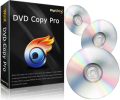
Giveaway of the day — WinX DVD Copy Pro 3.0.0
WinX DVD Copy Pro 3.0.0 was available as a giveaway on October 29, 2011!

Besides performance enhancement, two new features are added to the latest version of WinX DVD Copy Pro 3.0.0. Now, it not only works as DVD to DVD Cloner, DVD to ISO Copier, but also ISO Mounter and DVD Burner.
What’s more, it is updated to support copying the latest encrypted DVDs such as Thor and Transformers 3.
Key features:
- Clone DVD to another blank DVD disc for better protection and longer storage
- Copy DVD to ISO image or VIDEO TS folder for later burning, playing or ripping
- Backup DVD to a single MPEG2 file with intact content for further usage in media center, building DVD library and playback DVD in PS3, TV
- Mount DVD ISO image. Burn ISO image or VIDEO TS folder to DVD disc without third-party tool
- Support DVD title/DVD chapter backup. Extract video/audio for particular use
- Support Disney’s Fake, severely scratched DVDs and Sony ARccOS bad sector
Note that 10 best improvement ideas will be rewarded. Use Idea Informer widget to submit your feedback and do not forget to fill in your name and e-mail – otherwise the Developer will not be able to contact you in case you are the one to win!
System Requirements:
Windows 98/ NT/ 2000/ 2003/ XP/ Vista (x32/x64)/ Windows 7 (x32/x64)
Publisher:
Digiarty SoftwareHomepage:
http://www.winxdvd.com/dvd-copy-pro/File Size:
12.0 MB
Price:
$35.95
Featured titles by Digiarty Software
Rip homemade and commercial DVD to AVI, MP4, H.264, WMV, MOV, FLV, iPhone, iPad, iPod, Apple TV, Android phone & Pad, PSP and mobile phone. Copy full title/main content of DVD to MPEG2 within 5 minutes. 1:1 clone full DVD disc to ISO image. Continuously update to support the latest DVD copy protections.
Totally free DVD creator and burner - make real DVD with DVD chapter menu and subtitle (*.srt). WinX DVD Author helps you convert and burn AVI, MP4, MPEG, WMV, FLV, MKV, M4V, M2TS, etc, to DVD. Create a full 4.3 GB high quality DVD with less than one hour. Grab it now!
Decrypt any Blu-ray video disc, even encrypted with the very recent AACS MKB v25, BD+ and BD-Live, etc., and transform 3D Blu-ray to 2D video. With this program, you can effortlessly protect your beloved Blu-ray disc from scratch or loss. It comes with two Blu-ray copy methods - Full Disc Backup and Main Title copy modes.

Free video streaming software designed to stream videos audios to iPhone, iPad, iTouch and Android mobile. Air Playit is capable of streaming 320 different video & audio formats to your devices via WiFi and 3G/4G network. It acts as your personal audio video cloud server and lets you watch videos on the go.

A half-month Halloween giveaway launched by Digiarty Software is available from Oct.27 to Nov.6, 2011. $49.95 WinX HD Video Converter Deluxe is given away as a free gift. Besides, other three award-winning Blu-ray DVD backup software for iPhone/4S, iPad and Android are all ready for discount.
GIVEAWAY download basket




Comments on WinX DVD Copy Pro 3.0.0
Please add a comment explaining the reason behind your vote.

iPhone app giveaways »





Android app giveaways »





#91 max: Similar behavior here. Installed and activated on Win7Pro x64. I tried to backup a movie in Clone DVD to DVD. It signaled that it made an ISO, though no activity indicator on the Copy-to-ISO phase, then asked for a DL disc. I put in a blank DL-DVD and clicked BURN. It said it was writing but again no activity indicator, nothing happened. Won't allow STOP; need to kill process. Tried this twice. Saved the ISO & checked to find temp.iso of 0-bytes.
Then as suggested by 'max', tried Clone DVD to ISO which produced a 7.8GB ISO. Used Imgburn to write a disc and all is now well.
Save | Cancel
Hey I downloaded this deal on the correct day, but did not notice the activation code necessary to run the program and now this deal has closed? Anyone able to help out? Thanks!
Save | Cancel
Windows 98/ NT/ 2000/ 2003/ XP/ Vista (x32/x64)/ Windows 7 (x32/x64) 2.Works well on Windows 8 x64, their other 2 free programs work great as well. However the HD converter installed in Program Files(x86).
Save | Cancel
WinX DVD Copy Pro 3.0.0 is great for me,thanks share!
Save | Cancel
Seems to install properly, but splash screen stays, blocking registration screen, and Win (Vista Prof) popup appears, saying "WinX DVD Copy Pro has stopped working - A problem caused the program to stop working correctly. Windows will close the program and notify you if a solution is available." Program closes. Tried relaunching: Seems to take reg code, but "WinX DVD Copy Pro has stopped working" pops up every time before program can be used, making it totally useless. Have not had this problem with other titles DLed here in the past. Has anyone had this problem? Code only valid for only another 2 hours, and cannot stay up much longer. Please help. Thanks!
Save | Cancel
This program installed fine on 2 PCs. I tried to backup Thor movie in Clone DVD to DVD (DVD9 to DVD9). It makes the ISO then asks for disc. I put in DL-DVD and start the process. It says it is writing but nothing happens. Tried this twice on XP PC. On the other Win7 PC it stops after it makes the ISO.
But I did copy the movie by using Clone DVD to ISO. Then using Imgburn (latest version) to write the disc. I haven't tried other functions but had Version 2 and was happy with it.
Save | Cancel
The first launh of the program seems to work but then you can't close it.
Then after a hard kill, the programk never launches again.
Uninstalled, reboot of computer locked up - hard reboot, reinstalled, same problem.
Installed as admin. Win 7 64bit. I can't remember the las time I hard stopped this machine - very frustrating.
Save | Cancel
I've seen one person compliment the "simple" UI. It is too simple for me. Please add "tool tips" to the "About" , "Email" and "Help" buttons. I was looking at an earlier version and had a heck of a time figuring out that the little half person was the Help/About command with version information.
It would also be nice if you displayed the license key.
Save | Cancel
I can't get this program to run no matter WHAT I do. It started up after installation, asked for the registration key, I brought up the "successfully activated" window to get the code for it, and the program disappeared...POOF! I go back and run it, run as admin, it asks me for permission to run, I hit "Continue," and I get NADA. EVERY TIME.
PLEASE approve this comment...yesterday my comment disappeared like running this program disappeared today. Yesterday, I asked why, after running the "activate" file both before AND after installing the animator program, I didn't know if it was activated, because there was a BLANK SPOT for the registration code, and I am concerned the program will refuse to work after X number of weeks.
PLEASE DO NOT DELETE MY COMMENT AGAIN! PLEASE someone answer my question from yesterday as well as my question for today. I don't understand why my comment was deleted yesterday...and this is NOT the first time this has happened. What does it take to get a comment with not a SINGLE four letter word or flame APPROVED? I've always been VERY supportive of GAOTD, telling people to stop giving thumbs down just because they don't like a certain type of software...and the thanks I get for it is my comment just gets deleted because nobody wants to answer my question?!
Save | Cancel
Maybe I'm missing something... I've installed this and used it backup up a couple of my DVDs that were giving me trouble (Thor & Transformers 3) and have 6- and 7-gig files respectively. This program won't make this smaller, and when I try using a video converter, it doesn't see the entire movie. Are there settings I've overlooked?
Save | Cancel
To Joe mason, currently @51, and to others who are experiencing the same problem.
Look at your antivirus application. In my case, the same problem was being caused by Outpost Security. As soon as I temporarily suspended Outpost, GAOTD installations proceeded immediately, without any issues. Sure, it is not a good idea to halt antivirus protection when you download stuff, so, consequently, I got tired of Outpost and replaced it with Microsoft Security Essentials. As soon as I did that, all downloads of GAOTDs are now as smooth as a baby butt. LOL.
Hope it helps some of you.
Have a great day everyone.
Save | Cancel
good software but i would suggest a video converter built in so that it could convert videos from Mpeg to .Wmv or .Avi..
Save | Cancel
Beware if you run Windows 2000! Product installs and registers but doesn't work with Win 2k (fully up-to-date, all Service Packs and fixes loaded). Gives message "The ordinal 727 could not be located in the dynamic link library SHELL32.DLL". Shell version loaded is 5.00.3900.7155 and I can't find an update on MSDN. A great pity as most comments about this product are positive. I wanted to try it before buying it -- at least I've saved some money.
Save | Cancel
I have the same problem as #16:
"On trying to install kept on getting pop-up message saying “the process could not be accessed because the process was being used by another process”"
I tried several times with the same message, did a re-boot and the
same thing still happens, I do not have the previous version installed.
shut down as many processes as I could and still got that message, too bad.
Save | Cancel
I installed this program the last time GOTD had it and it did'nt work on my Win 7 64bit,( the 3d thing came up.) Installed it over the old one today and it works fine. Glad I did. Installed on XP last time also and it worked fine then. Just updated it on XP again, works fine.
Not sure it registered though, got no reply after applying the code. Thanks
Save | Cancel
Just an FYI:
I had version 2 installed on my pc and decided to see what would happen if I installed this updated version. During the installation process, I noticed that the it was set to install to my programs folder instead of the (x86) programs folder. For those who don't already know, if you have a 64 bit operating system (my pc has 64 bit Windows 7), there are two programs folders. 32 bit software that can run on a 64 bit system will install in the (x86) programs folder.
Anyway, I entered the new registration code. The prior version still showed as registered. Since I have no reason to keep both versions on my pc, I removed the older one. I noticed a comment about removing the license. I am not sure why anyone would choose to remove the license unless they were simply replacing a free license with a paid one.
You can probably have different versions of this software on the same computer as long as they are installed in separate folders. My experience is that the last registration code that you enter will replace the previous license. Since I did not find any change log that indicates what upgrades were made and there doesn't appear to be any difference in the GUI, I can only assume that it has to do with the 64 bit change.
Save | Cancel
I have the first version and liked it, so I decided to update to this new version being offered.
I wish I hadn't!
Old version worked wonderfully, this new version CRASHES every time I click something in the "Choose Effects" menu and the "Add Animation" menu.
Also, the old version had no ads, this new one has a banner add urging us to pay for more things. What's up with THAT? That makes this more 'adware' than a 'free giveaway of the day' IMO.
I'm pretty sad about the crashing, of this new version and wish I had simply kept the old fully functioning version, now this is useless to me.
BTW I'm using this with Windows XP SP2.
Save | Cancel
#75, Brillie, and others marking my comment down, read my comment #67 again. Try installing that particular patch, it works for some XP users according to one thread near the top of the results. If you've tried it and it didn't work for you, some of the other suggestions were onerous. On an XP system, references to DWMAPI.DLL are a symptom, not the problem.
Save | Cancel
@OldScotty, #60: Thanks, I think you're right there must be some flaws in inquiring the type of OS used by the host.
@Fubar, #67: The C++ redistributble is already in place, so that won't solve the problem (I thought I mentioned something like that already in #33).
I did much more then a quick google, you would be able to see there are more suggestions than just installing the C++ redistributable.
None of them (I tried several) gave me a solution. I wish things were so easy as you write them down.
I personnaly don't care to load dwmapi.dll, I even don't have one, so I do agree that is irrelavant. What is relevant however that WinXdvd on my machine insists on loading it or just wants to see it and because it doesn't the program doesn't start. Quite relevant and difficult to ignore.
Thanks for not ranting XP. Don't worry about the forums, I will leave it at this.
Save | Cancel
Personally, I prefer WinX DVDripper -which is great- and let other software take care of matters like burning to disk. I installed DVDcopy several times in the last years, but always ended up with removing it again.
Save | Cancel
Just to add to my comment above, I have seen a few post here that stated mounting an iso to the virtual drive did not work. I tried it with MS Office 2010 Pro Plus iso and it mounted fine within seconds. If you mess around at all with dvd's you need this software.
Save | Cancel
As usual WinX Products by Digiarty live up to Expections, i like this
program, but yes would be good if it had an extra option for compressing dvd 9 to dvd 4.5. I agree with #43 and #44 aslo #58.
Dvd Shrink is Still the best out there for 9 to 4.3 compression, but because it not developed anymore needs a little help with newer Movies
like WinX Dvd Copy, Dvd43,Anydvd etc.
Anyway once you have the unprotected copied Movie file on your Hard Disk FROM WinX or other program, you can Basically do what you want with it (with any other software) Edit, compress, But Movie Only is the easy way to go for quality.
But a Different ball game if you want the menus and or the extra Special features. This is where i use VobBlanker version 2.1.3.0 to get rid of eveything out of a movie like dvd copy warnings extra features etc if you still want a working Dvd Menu, oh and Vob Blanker is free.
Oh and #31 and #56 Anydvd version 6.8.7.0 or above will do Pirates (On Stranger Tides) and Transformers (Dark Side Of The Moon) with ease but scanning takes a couple of Minutes and its NOT a Free Program. WinX Protection updates are a few weeks behind than others
i have mostly noticed.
Hope This Helps
Mark
Save | Cancel
I know not everyone can be as on top of computer software as others and I fault you not for that. But, I believe the majority of those here are COMPLETELY blind to what this software is most popular for. Google how to copy copyright protected DVD's and this software will be listed on each and every help topic your search results list. I am not saying the intentions of the software creators are to help you bypass copyright or to assist you in breaking the law. I am simply saying NOTHING works better at copying ANY dvd than this software. Hands down this is the chit for that!!
Save | Cancel
Needs a Dvd copy for OSX Lion, any help?
Save | Cancel
Installed and activated fine on WinXP, SP3. Created an ISO clone file (7.17 GB) and an .mp4 file(6.79 GB). Both were created quickly *about 32 minutes) on an older HP pavilion 3.0 GHz, 3.5 GB ram. Great product.
Save | Cancel
Will not overwrite a DVD-RW disk
Save | Cancel
#35, Brillie, the Forum is the proper place for such discussions. A quick Google search indicates that installing the Microsoft Visual C++ 2005 Service Pack 1 Redistributable Package ATL Security Update fixes the problem for some people. DWMAPI.DLL is never actually loaded, so the fact that it doesn't exist on your XP system is irrelevant.
Save | Cancel
Installed easy like all GOTD stuff. Win XPSP3. Will not mount Transformers 3.
Save | Cancel
Installed and registered seamlessly on my Win7 x64 machine. Nice interface, too. Thank you, GAOTD and Digiarty!
Save | Cancel
Will this open BBC DVD's to back them up?
Save | Cancel
Brillie #55
It looks like it believes it’s on a Vista machine, mine was until I upgraded, in my opinion, to XP and I wonder if yours was the same and some remnants were causing this problem. There are some striking differences in the way XP behaves on this new machine compared to the old.
However, on further investigation I found deciding version type is not as straightforward as I had expected. The full horror can be explored here:-
http://msdn.microsoft.com/en-us/library/windows/desktop/ms724429%28v=vs.85%29.aspx
To get around these type of problems in Windows I use hard drive caddies and swap around in the hope something works when I have a problem!
Save | Cancel
Downloaded, Installed and reegistered within minutes. What more can you ask for?
Save | Cancel
Can anyone advise what this does that VSO's "ConvertXtoDVD" doesn't?
Save | Cancel
Installed despite Kasperky AV not liking the set up file.
Tried to do a DVD clone of a MusicVideo that usually is tricky.
Gets to add disc phase, insert DVD and then Nothing happens.
Tried twice; NO progress with 6x write speed after 30 minutes.
Then it won't let me stop the process when its running (?), and
it will not let me shut down the program.
Save | Cancel
While it would be great if the capacity to compress were integrated (like DVDFab), after decryption, the free program DVD shrink can be used with the output file from this program to create DVD5 file to burn to inexpensive, standard DVD-Rs .
Save | Cancel
@OldScotty, #45: Yes, I already looked with Dependency Walker and Yes it shows a call for DWMAPI.DLL which is marked missing (ofcourse missing a vista-dll is expected in XP) I also did a search for that very dll and ofcourse it is not there. Downloading that dll does not help, because it will ask for another vista-dll and so on.
So the problem is that the WinXdvd is thinking it is installed on vista. Is this a Winxdvd problem or a config problem on XP?
Because many people with XP have no problems at all, I think the reason will be not in XP or WinXdvd but in my particular config.
I do not nescessarily mean a bad config due to me, but perhapse something wrong in one of the installed apps, something to do with "dll-hell" or a bug in one of the many office dll's because this first happened after updating a while ago to office 2007.
This is in line with many internet-posts. Mosly they talk about a M$ bug in IE7 in combination with XP, but still many people don not have this problem using IE7 and XP.
An old post but demonstrating some of my findings http://www.ureader.com/msg/14751177.aspx
I do not use IE7.
Thanks for yor respons.
Save | Cancel
Unable to handle Pirates of the Caribbean just as their dvd ripper
Save | Cancel
Also got the “the process could not be accessed because the process was being used by another process” error. Gave up and d/l'd the trial from digiarty's site and inserted key from readme. Seems to be a glitch with the GAOTD wrapper as this error only occurs with GiveAways with the wrapper. And, no, #41 Joel0613, no Mumutu (whatever that is) installed here
Save | Cancel
When you put an audio cd into the machine instead of a dvd to be copied you need to present a clear message to the user that this is an audio cd, please check and remove audio cd and replace with dvd to be copied. Instead of just hanging up in my system so that I have to go to task manager to close it.
Save | Cancel
Can't activate due to "failed to connect" to gotd server. I'm in the US. Any chance Homeland Security is blocking this in the US? Anyone else able to activate it here? Never had any other problems on gotd. Thanks.
Save | Cancel
@DWMAPI.DLL, #39: Thanks for responding. It's quite frustrating to suffer from such a rare and mysterious problem.
dot.NET 3.5 is alreaddy installed
http://my.jetscreenshot.com/demo/20111028-xmat-47kb.jpg
I guess dot.NET 4.0 will not solve the probelm.
Save | Cancel
Brillie #35
On rare occasions when I write a program it is necessary to know which version, i.e. 95, 98, XP etc.
If for any reason it was doing this and reporting back incorrectly, it could lead to this problem.
To test this, look for depends.exe on the Internet, this will tell you the files the WinX program believes it requires. If is the missing file is listed it looks like it thinks it's Vista.
http://www.dependencywalker.com/
Quite frankly this is a long shot, but it may give you an indication of the type of area to look for to repair it, best of luck.
Save | Cancel
my mistake...I was clicking the download arrow next to the information.
That is a different vendor...sheesh..LOL As in Rosanna Dana words, "never mind"...
Save | Cancel
Suggestion:
It would be nice to have an "interrupt" or "pause" feature, as well as an in-process spot monitor.
Many times when you are converting video files something goes wrong and you can only spot the problem after hours of waiting for the program to finish. Perhaps during the hour you are waiting for the conversion something comes up and you need to free up machine resources for another task. It would be great to be able to pause the task, then start up where you left off.
Also, if you could "check in" to view bits of the video as it was being written in the new format you could check for many of the problems that would otherwise require an entire new conversion. That is, if some setting is wrong you would be able to see the result partway through the process, then change the setting and start again, rather than waiting to complete the entire process before discovering that somehow you managed to copy the French and not the English audio.
This would also protect you from the embarrassment of discovering your mistake as you are showing off your cool new program to your friends. . .
Another use is with a known bad spot on a disk. If you could check the conversion of a known dicey spot on your source disk without waiting for the entire job to finish it might save you a lot of time. . . especially if you are trying several settings to see which might get you through the problem spot.
Save | Cancel
Installed fine and activated on Win 7 64 bit.
My question is...it looks like to copy a DVD you have to insert the original in one drive and a blank disc in another? What do you do if you only have one DVD/CD drive? Or am I misunderstanding how it works?
TIA!
Save | Cancel
Can anyone help, this is my 4th posting since no on seems to be reading mine.
I download, but cannot find the read me text file? where is it. I keep donwloading the one program to install it and searched and searched. Please someone reply and tell me where the help me file is?
Save | Cancel
Brillie #35
I am using XP. No problem at all installing this software.
Save | Cancel
Questioner #38 (sometimes the number shifts if GOTD inserts/deletes any comment)
It is a People's Republic of China company.
Hence the imperfect English in the EULA (only at this stage - by 2020 the English will be perfect). Well Japan was like that too in the early 1960s when their product user manuals had cartoon-like English.
As far as I am concerned - no problem that it is a PRC company.
After all, Apple iPhones are all manufactured by Apple's subcontractor FoxConn in PRC.
In the software user interface, click on the question mark [?] in top right hand corner.
It gives you a choice of English or Chinese. Big hint.
Go to Digiarty website. Go to the [Company] tab. Scroll down to [Contact us]. This is displayed:
"You may also contact our sales team by phone: +86-28-8513-4884 (Mon-Fri, 9am to 5pm GMT+8)."
IDD Country Code for PRC is +86
Save | Cancel
This is a pretty decent tool to create ISO images on your HD so as to view your favourite movies as if you watched the original DVD....sweet!!
Full tutorial to get the most out of it can be read here:
h t t p :/ /w w w. winxdvd.c o m/help/how-to-use-dvd-copy-pro .h t m
As best FREEWARE alternative I recommend "BDlot DVD ISO Master", which, like today's giveaway, copies regular and protected DVDs to ISO files, burning them to DVDs afterwards, without video or audio quality loss!
Besides that, to copy any DVD protected files on your HD for FREE you may also use award-winning DVD SHRINK with DVD43 plugin running in the background, so as to allow DVD SHRINK to read from any protected DVD you want to backup.
Both are FREE and works GREAT for me!
Alternatively, to adjust your DVD files into better DVD compliance, so that they can be opened by backup software like DVD SHRINK, you can also use a tiny but extremely powerful free tool called "FixVTS"!!
And for blu-ray movies fans.... DVDFab HD Decrypter is the way to go (of course combine this with DVD SHRINK to compress the burned DVD file).
So dudes you can take your pick...LOL!
Hope this helps!!
Enjoy!
Save | Cancel
For those of you who Don't like the fact that you can't compress to the DVD 5 format, once you ripped an ISO file that contains the complete DVD Image, I fed the unprotected ISO through DVD Shrink and recreated a DVD5 version of the movie. I hope this makes sense to some people Its an extra step I know, but less frustrating then some may think it is.
Save | Cancel