Every day we offer FREE licensed software you’d have to buy otherwise.

Giveaway of the day — Tidy Favorites Pro
Tidy Favorites Pro was available as a giveaway on April 27, 2009!

Tidy up your favorite bookmarks! Organize your favorite links as live thumbnails instead of trying to work through plain-text links. Open, delete, move, resize and update bookmarks in a single click. Conveniently use the same set of favorites and the same convenient user interface in all of your browsers - IE, Firefox, and Opera!
Key features:
- Synchronize Bookmarks
- Cut part of the site for Live Thumbnail
- Choose from eleven cool skins
- Use tabs to logically divide your bookmarks
- Add or remove user defined search buttons
See also a related video.
Only for GivewayOfTheDay users: 20% discount for Tidy Favorites Pro!
System Requirements:
Windows 2000/2003/XP/Vista
Publisher:
OrdinarySoftHomepage:
http://www.tidyfavorites.com/index.htmlFile Size:
5.48 MB
Price:
$19.99
Featured titles by OrdinarySoft
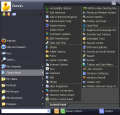
Do you have hundreds of programs in your Start menu? Do you waste time looking for the program you need? Try Vista Start Menu to instantly find what you need among the large amounts of information. Vista Start Menu is effective for advanced users and easy to use for beginners. Start working with pleasure!
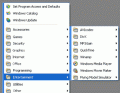
Are you tired of searching for programs in a long "Start Menu" list? If so, this program is for you. It allows you to arrange all the shortcuts in the Start Menu. Your Start Menu looks neat, and you can easily and quickly find any program you want. For example, you can create a special "Games" category, and when opening the Start Menu you will see a "Games" section (instead of a list of the games) in which you will find the game you need.
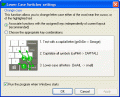
Lower Case Switcher is a simple, but very useful utility that allows you to correct UPPER and lower case typos, that can occur if you accidentally left the Caps Lock button turned on. All you have to do is press a keyboard hotkey and the selected text, or last typed word will be converted to upper and/or lower case.
GIVEAWAY download basket




Comments on Tidy Favorites Pro
Please add a comment explaining the reason behind your vote.

iPhone app giveaways »





Android app giveaways »





My favourite part of the programme...
http://www.tidyfavorites.com/uninstall.php?ver=retail&appver=3.91
Save | Cancel
Works with Chrome, IE, Firefox. If you have alot of bookmarks, it will take a while to download the images (thanks to your ISP's download speed). Wow. Stop being prentious wanna be techies. Dont like it ininstall it.
Save | Cancel
I was having the same problem as Karl (#17) - I tried running Setup and I kept getting a failed to connect error message. After reading Fubar's review (#20), I'm glad I didn't install it.
Save | Cancel
I would like to see this program be able to manage bookmarks as text instead of images too, similar to the way I manage them myself in "my documents." I have thousands of bookmarks, organized into folders and subfolders in my Favorites folder and I'm used to having to go through them manually through Windows Explorer showing me the "details" view. This is faster although when encountering bookmarks that I don't recall the sites for or that have such vague names they don't remind me what the site is about, then is when having the thumbnail view too, is a nice touch.
Also unclear is whether or not this app is able to check for broken or dead links.
Save | Cancel
So far I haven't been hit with any popups yet and I hope I am not disappointed because nothing will make me dump a program faster than getting such annoyances as popup ads with it. popup ads are malware behaviors and first and foremost requirement for an app worth having is that the app be clean.
Save | Cancel
Nice to have a GAOTD that can be installed portable on USB stick so that it can be used on my laptop without having to further cram my laptop's pathetically small 120 GB hard drive thats already crammed to bursting!
Thanks GAOTD
Save | Cancel
I'd grab it right away if it would support Safari, I need an app to sync my Safari and Fx. Sorry, pass today.
Save | Cancel
This program gets a thumbs up because it does not neglect Opera.
To #1..
I tried installing that firefox add-on in opera and it didn't work. What am I doing wrong? You said it did everything this progam does.
Save | Cancel
Hmmmmmm... I like the idea of this program, but all of the negative comments about resource hogging has me scared to even try this program. I do have a need for something like this, as I have not got a full sync between my IE and FF, which I use about equally. (I'm weird like that, I guess) I recently had to install a program to free up RAM, because of what I've got installed on my machine. I'm afraid I'm going to have to pass despite my temptation to install. Thanks everyone!
Save | Cancel
After my comment in #14, I decided that maybe I was being too hasty, and perhaps I should download and install it after all because those tabs sounded good and how can I complain if I haven't even tried it.
And so I did. I launched Tidy Favorites and told it to go ahead and organize my Favorites. It was immediately apparent that it was going to take quite a bit of time, so I went to bed.
In the morning I found my computer completely frozen. There was a C+++ message saying that Firefox had asked to be terminated prematurely. That was a new one on me: something is so bad that Firefox is begging to be put out of its misery?
I used Task Manager to get out of the Firefox windows, which took about 15 minutes, and then I had to start on the eight (!) IE windows that had been opened by casalmedia, each was a page to the same porn site. That was lovely, and freaked me out completely because "Giveaway of the day is adware/spyware-free," right?
I immediately used my anti-virus/anti-spyware program to do a complete sweep of the system, and it reported nothing other than about 20 level-one ad cookies, about four times more than it might otherwise find. That was a relief.
I have found that the trouble and effort that something requires is usually inversely proportional to the value of the outcome, and this experience was no exception.
I launched Tidy Favorites, which opened a Firefox window on which I saw almost an entire page jammed full of reddish tab-shaped objects. The tabs ended at the letter "I," and I could see a scroll bar, but it was about 2 pixels wide and I couldn't grab it without the cursor turning into the "widen the column" cursor, so it was impossible to scroll down below the "I" tabs.
I tried clicking on one, thinking that the window might open up to something resembling the window shown in the video on the Tidy Favorite website, but no. At the top of the page with the tabs on it, there was a tiny little viewing area, about half-an-inch high with a tiny little scroll bar next to it, that I could use to scroll down the tiny little thumbnails. Even though they were tiny, the entire thumbnail was not visible in the tiny little viewing window.
I only have one thing to say, without addressing the waste of my time: "beyond useless."
P.S. I appreciate the suggestions that others have made about alternate programs, but none of them do what I'm looking for.
Save | Cancel
nice application and installed fine on win xp pro sp3 and vista home premium sp1. I would love to see their Tidy Start Menu offered here too myself. I think that SSM is an essential app that everyone needs. Thanks GAOTD and ordinarysoft
Save | Cancel
Not a bad program, but is not compatible with 3 out of the 6 internet browsers.
Works:
Internet Explorer
Opera
Firefox
Don't:
Google Chrome
Netscape
Safari (according to "Jamestp19"[<-You tube], it is built in to safari)
=samous
Save | Cancel
One thing I noticed right from the start is that when opening the program, you are not presented with any sort of GUI. The only thing that showed up was an icon in my task bar. When opening the actual favorites page, it does not automatically recognize what bookmarks you have, you must import them. The thumbnails can be of some use depending on if you like using visual, but I find it would have been much better had it not been a completely separate program and more something like Xmarks (formaly Foxmarks). Overall, I do not like this program.
Save | Cancel
I'm surprised no one is mentioning the pop-up ads that fill your screen after installing the program. I left the program running, and when I got back I had over 12 pop-up ads all over my desktop. This is total BS and I've removed it. I liked the program, but the ads where way over the top.
Save | Cancel
From all the comments, I won't be trying it due to the amount of memory it eats up. But, I'm making a comment because I'd really like to see a Bookmarks program that can deal with AOL. I've got thousands of Favorites and would love to be able to weed out dead links and then import them--with my subfolders intact--to other browsers or also, weed out dead links and then be able to import them back into AOL.
Save | Cancel
Nice GoTd, useful for users of Opera, Safari or any other common Webbrowser.
For Firefox users theres one better alternative in my opinion:
http://www.pcfreunde.de/download/d16249/speed-dial/43638-xXiC7436Kt/
Its an Add-On for Firefox, its slim and don't has to be installed like a software.
Chears and keep on going! =)
Save | Cancel
I have long sought a free or very low cost web link/bookmark manager. From all the reading here and at the developer site , this is not it.
The free version of this product does not import or export bookmarks. The Pro version page states that it will (good), though it also sounds like if you allow the product to update itself from GOTD version to the latest/newer, you get downgraded to free (no import or export). Confusing.
Also very confusing to have a GOTD free version, with an on-page ad link to Pro version for 20% off $20 price. So is it really free for latest pro version, or is it bait-n-switch $16?
The comments here about how it is visual only, lots of resource usage and lack of security are enough to keep it off my machine. (esp. with the reports of hours to update, hundreds of MB for its db, etc...)
So to Giveaway Staff (and the reason I post my comment):
I would love if one of the GOTD products was a bookmark manager that allows simple, reliable import, export, synchronizing among browsers, and also allowed text-based access (title:description), and was light and lean on resource usage (cpu, memory, inet time).
One I looked up today that might fit my list is Linkman Lite, . I have not tried it yet, but after today's postings, its going on my Try-Next list. So the Limkman Pro is probably on my GOTD Wish list.
Thank you to the folks who provide detailed replies with their pro and con experiences -- your reports are very helpful. And thx to posters with links to possible alternatives. (since I have not installed, I am not giving a thumb down or up.)
Save | Cancel
Makes me wish I had gotten Linkman Pro when it was offered by GOTD on 11-26-08. I'm afraid this one does not rise to the same standards, so I'm going to pass on it and hope Linkman Pro comes up again or another one of its caliber or else someone comes out with a good freeware one.
Save | Cancel
I use Google Bookmarks on my iGoogle page. The home page displays my most frequently used links (home label) and I can just click once and search to get to anything else. Add Bookmark is right there on the homepage where you can add and label quickly. The only thing it (and this program) doesn't do is delete outdated (404) links.
Save | Cancel
#41 No I'm not new here, but when I see adults using improper grammar and spelling to criticize a moderator or explain their likes or dislikes it makes me wonder. Your statement "Who cares" says enough about the inner concerns of some adults today. Yes we all occasionally make an error due to haste in our posts, but it gets hard to understand what some people are trying to say when their English is so bad a fourth grader can't understand it. By the way the word is "You're” not "Your" when used as you did. Yes I did misspell "Comment" intentionally. The moderators here do an excellent job, and the last thing they need is those with less schooling or care to get in their cases.
Save | Cancel
Sounded interesting and useful but based on the comments, would be too resource intensive for dial up so I will pass.
Since access from various public computers, App is not listed as being portable. So wonder how it would "Synchronize Bookmarks"
But, having come to GAOTD for several months now -- my start up menu is much too long. Might we see Tidy Start as a future give away please.
Save | Cancel
Agreed with #20 Fubar. At first I was very happy with this programme and the possibilities it gives in the a nice interface. After running if for some hours though I am very sceptical. I have a rather fast broad band, still the programme has only updated/confirmed links from A to H! Updating seems to take a very long time indeed and meanwhile slows down my Internet connection. It's also very heavy on memory resources. Worst however is that suddenly now I get popups offering poker games and a lot of other rubbish. A good idea but too much trouble and risks for a rather small gain.
Save | Cancel
No thank you. This looks like something thats going to open/expose every possible security hole in every browser it integrates into. It opens popup after popup when it tries to validate bookmarks, even those that you have been using for years! Inexcusably heavy for a program of this type even if you have plenty of resources. Why slow down your browsing? Lastly, both IE & FF add little icons to the text for every link you open the first time you open it. Sorry, the risks outweigh the rewards by far with this offer. I fed this to Revo!
Phil, #34, why all of the sudden are you starting to give a darn about spelling or grammar in others posts? Your not new here & you should be used to it by now! Who cares?
Save | Cancel
All good browsers do this anyway.
Save | Cancel
Still no chrome support - I wonder why?
Save | Cancel
To: Linda #14: I agree totally - that the current offers of all flavours for managing bookmarks/favourites are prehistoric. Firefox's scroll out-of-sight and left drag-drop is laughable. And essentially one marker per URL. IE is worse.
I'm shocked that developers haven't yet seen that marks/faves management is a gaping hole. Lotus Agenda invented the intelligent parsing of text and with tagging now common we should have a super-sophisticated management system - but [...] ! Where is Total Commander's two-panel method for bookmarks?!?
X-Marks (Agenda's inventor's service) is the best I've seen so far (going multi-browser soon) but it's a long wait.
Save | Cancel
Not impresses at all.. Installed on Vista, It opens up popups galore, and attempts to validates all bookmarks,. Ties up resources and slows active web pages..
I dont trust it al all. it opens all the flood gates to the browser..
Save | Cancel
Well, I was excited about the idea and the features. It's great unless you go IE8 (which I won't because... well, it's not Opera or Firefox).
However, I must say that the technical implementation of the ideas are just not up to par. The way it uses service (several copies too, what happened to threading?), background IE (use Gecko or something), etc. Well, looks like they had a good function/concept designer with lousy technical designers. Haven't crashed yet so maybe the programmers aren't so bad.
Here's a new suggestion to the developers: Re-think the technical design/implementation because right now, it sucks.
Like Fubar said: this is too dangerous to let it run in the background at startup - even if you vet all you bookmarks, what happened if the address of one old bookmark is now replaced by a malicious site and you just turned off your antivirus for a second to install something? Hell... take Fubar's advice - with the services running, this is too dangerous to even have installed!
But I still like the concept/idea... just not the way it was technically implemented. If it's my company, I'd fire the tech designer and the security QA right on the spot.
Warning: If you want to try it out, don't import your bookmarks into it unless you're sure about all your bookmarks! And don't do it in the office, man...
Save | Cancel
Definitely not the 'pro' version. One line of the pop up from the tray asks if you want to go get the pro version. Eats a lot of memory, Using Vista ultimate, it installs, but I got a security/error violation error when I didn't permit it through the firewall fast enough. The version on Firefox is 5.9, (latest update for pro is 5.91) on IE 8, it shows version 1.00. Opinion: looks good, but not ready for prime time.
Save | Cancel
#17, The moderator is a pro and suffers no cranial deficiencies like some who post comments or random thoughts without using spell check or complete sentences. Sometimes a question someone asks has already been addressed so read all coments carefully.
Save | Cancel
Sorry made at mistake there, Fubar is comment #19 not #20..
Save | Cancel
Thanks # 20 Fubar .. Your comments are almost always a notch above...
Save | Cancel
I have downloaded and am now trying the software out, I have got Windows XP Pro, and it works great on my machine, #17 it does have the ability to Import your Bookmarks from IE and or Firefox, Opera, and Chrome, you just have to Left Click on the Settings Tab which looks like a Cogged Wheel, on my Firefox Browser it is in the Upper Right Corner, then choose the word Import and then choose where you want to import from, that's it, very simple and easy to do..It does take a lot of room on a person PC, that is where I would not be happy with it, but other than that it looks good and I think I will keep it for a while, just remember to back up your Bookmarks once and a while because if your pc ever fails you and you need to reinstall Windows then this Freebie is gone and so are your Bookmarks,..
Save | Cancel
Another good free on-line alternative is Home Page startup
See
http://www.homepagestartup.com
Save | Cancel
Regarding my comment #20, I did uninstall this, it does appear to have done a pretty good job of uninstalling. The database, which can be massive (I stopped it after several hours and 441 MB), will be placed in the Recycle Bin when you uninstall. Running IE in the background to generate thumbnails just isn't practical; you get pop-ups, media players of all types run, Acrobat runs, etc. It also crashed repeatedly while building thumbnails.
This is an interesting idea which wasn't well thought-out. If you have only a few Favorites, do you really need it? If you have a lot, it quickly becomes impractical. I find the Favorites/Bookmarks/History, and sometimes content (Opera), text searches which many browsers do, to be quick and efficient.
Save | Cancel
Wow!!! Great idea! This is the type of application I've been looking for all these years. First, it's like an enhanced Speed Dial on steroid. Sure, you can get extensions in FF but then you'll be looking at different speed dials on Opera, FF, and IE (using IE7pro). And since the speed dial in Tidy is a web page running in a mini webserver, it will work the same and opens the same database even in Chrome.
Second, ever since Firefox changed the bookmark format in FF3, I've been hunting for a replacement to BookmarkBridge to sync FF, IE, and Opera. Now I can have it in Chrome too - just set my homepage.
Third, the visual rep makes it easier to classify bookmarks - one look and you can guess they're from the same site and not necessarily duplicates. I can also guess if a site still exist looking at the thumbnails. However, it does take a long time to load the thumbnails for the first time. I hope it won't load it everyday, though... Suggestions to developers: please let us decide the update frequency from default, folder, as well as per thumbnail level.
Fourth, finding the bookmark just by looking and navigating through tabs makes a lot of sense. It's like browsing through my picture collections. However, I would rather have a sidebar that list a tree structure of the current tab - only first level (in root) folders become tabs. That's a suggestion to the developers. Or allow users to set how many levels (combination of tabs, sub-tabs, and tree). And don't call the root folder "All favorites" because that's confusing.
Fifth, there's a top link lists - recently visited links I suppose. Works almost like Google Chrome. Now I can have it in all browsers. But I would like to suggest to allow users to select if they want another folder shown - so you can have sort of like speed dial replacement AND can still look at your latest visits (like IE8) or most visited (like Chrome).
Sixth, the price is just right. Even if it's not free, that's good pricing you get there.
On the flip side, I must say that the memory management need A LOT of improvements! It's eating up in total of around 185MB... but I don't know.. maybe it's based on how much RAM you got (I have 4GB so 185MB is okay, I guess). But since it's going to be "on" all the time, maybe the developers can work on not loading everything. It also uses some CPU all the time (1% to 2.5% but that's a lot considering that even an antivirus don't do that ALL the time). Maybe reduce checking the pages a bit?
I also have other suggestions that will make this a killer bookmark app. (1) online sync - so now not only one PC, but all 4 browsers on each of my 3 PCs (even remote) will be synched no matter which browser I use on any PC. (2) Have options to maybe not use thumbnails for some folders - for example, bookmarks on text-only news. So, we can have thumbnail view, icon view, list view, and detail view like in Explorer and it can remember which folder uses which view. (3) Open up the skinning!
Wow. This is the kind of software that makes you excited once you tried it a bit...
Save | Cancel
#24, I cannot read or understand the website or program.
Save | Cancel
I have at least 300 bookmarks that I've collected over the years, If todays offer doesn't have the ability to import/export existing bookmarks, or categorize my existing bookmarks, what good is it to me? I have to pass because it lacks the options I'd need to make it a worthy give away.
Just a note: Firefox has an add-on that stores your bookmarks on line & gives you access to them from any computer + one thats very similar to this offer.
Save | Cancel
@linda, #14.
try symbaloo, you can fill as many desktops if you need with yr bookmarks. you can sort them, by category YOU prefer, and you will have all bookmarkdesktops tabbed for easy acces.
visual here as an example: http://www.marketingland.nl/handig/symbaloo-startpagina/
Save | Cancel
I prefere Linkshelf.
Linkshelf is an online site to manage your favourite links. Easy to reach from any browser or computer. Sign in with username/pw and accummulate links that will be there when you need it.
That it is so intuitive to use that everybody can use it is also a selling point. It`s free though... ;-)
Used it for many years. Still haven`t found anything better.
Save | Cancel
I use http://www.diigo.com for all my bookmarking. There's Firefox/IE plug-ins, since it's web-based it can sync between all your computers (just install the plug-in and you're up to date!), you can do things like automatically send bookmarks to friends & family, automatically post your new favorites to Delicious, Facebook or your blog, annotate websites between other Diigo users, etc.
Save | Cancel
I've been using the free version for a while now with Vista Home Premium 32. You can change the settings on the bookmarks so that they don't update, but you have to do it with each one - if the pro version offered a way to do this for all bookmarks as a default, I'd probably be willing to pay for the upgrade.
I do like it a lot, but I use it primarily for bookmarks I access frequently, not for all my bookmarks. I especially like the ease of adding bookmarks (and deleting them) for things I want to save for later, but don't want to keep as bookmarks.
It does seem to be a quicker way to find the bookmark I want - even though I set them to never update, I've got the initial snapshot of the webpage, and it's easier to find that at a glance than a line of text in a long list of text.
Save | Cancel
Where to begin? First, some people here comment without even looking at the product's website; Tidy Favorites isn't anything like some of the products/sites mentioned. Based on features, this does appear to be some form of the Pro version. If you install, I recommend copying and saving the license agreement, it contains information about disabling linked ads. You should reboot after installing.
Lots of integration issues. Doesn't integrate properly with IE8 or the Google Toolbar beta. There's an Open Tidy Favorites button in IE8, but not a button to Add to Tidy Favorites. The buttons are only available in the Google Toolbar beta (for IE8) if you're not logged in. Selecting a Tidy Favorite in IE8 with the Google Toolbar beta causes it to open a new tab using Google Toolbar beta, which is ultra-slow, prior to displaying the webpage. It said it integrated with Firefox, Opera, and Chrome, but not Safari. I did check Firefox and Opera, it did appear to work OK.
Problems, problems. Very resource and Internet-intensive. Three processes, one of which I have trouble displaying information about, except via my security software. Sets itself up to punch through the useless Windows Firewall, which I don't use. Extremely dangerous. For one, there's no way to guarantee Internet safety; the very first access was something related to PayPal. It's effectively running IE in the background, so browser windows can and do pop-up, and all sorts of crap can run (fortunately, I have security software). Picks up local content, perhaps from IE8's History.
It generates a massive thumbnail database; even with fast broadband, I have lots of Favorites and it's been running continuously for a very long time (an hour so far). Doesn't appear to have settings for how often to update, would be completely useless if it does this even daily.
Utility. I have lots of questions as to the value, even without all of the safety and performance issues. Thumbnails are highly dependent upon browser window size. Defaults are upper-left corners of pages, so many have to be customized. Limited text display, although tooltips work. IE8 already has excellent Favorites and History integrated searching with Windows Search 4. You can open a Favorites folder as a tab group and use IE8's thumbnails view, which I prefer over Tidy Favorite's. More integration issues. I have a single-click interface, but Favorites sub-folders are displayed as folders in Tidy Favorites, not tabs. The folders have to be double-clicked.
There are far too many security (I keep getting security alerts even while writing this), performance, UI, pop-up, etc., issues with this, and too little utility, so I'll definitely be uninstalling this. Actually, it's rare for me to uninstall GOTD offerings, I usually just disable them, but this is too dangerous.
Save | Cancel
Just yesterday I organized all of my bookmarks / favorites into specific catagorys. I prefer text over thumbnails so I doubt I'll use this program. Nothing I saw in their demo at the web site gave any suggestion that you get text and image together so trying to reconize a link by image seems confusing if you have over ten bookmarks/ favorites.
Save | Cancel
We need a new moderator! Comment & ask for clarification on just whet were getting in this offer. Why the 20% discount if this offer is the pro version & the comment doesn't get posted. Something needs to be done with this moderator! Like, get a new one! I for one, am throughly disguste as this happens more & more every day..
Save | Cancel
I find it hard to understand how I can use my Opera browser and connect to the GAOTD website, but when I try to install this prog, the "Setup" link gives me a "Failure To Connect To GAOTD" (or words to that effect). Is a server down? This program will, for me, not be installable if it persists in giving this error, so what use is it?
Save | Cancel
Pros: Displays thumbnails of favorite sites; links are shared between browsers
Cons: Cannot import existing favorites; no export options; favorites cannot be categorized as they are added
Save | Cancel
If it does not support Chrome, then what is it for.
Save | Cancel
Does not work with Vista Home Prem. Creats access violations and sharing violations with Opera Browser.
Save | Cancel
When I first saw this giveaway, I was very excited, because I have been looking for something that will easily allow me to organize and find my hundreds and hundreds of bookmarks. I have so many bookmarks that the default bookmark utility in Firefox won't alphabetize them any more, and once something is bookmarked I can't find it again. Plus, I want something that will replace the endless scrolling I have to do through the list of bookmarks when I want to find something.
At first it sounded like being able to organize by tab would be the perfect solution, but it sounds like this giveaway isn't it, however. What I want seems perfectly logical and reasonable, but if it exists, I haven't been able to find it. Perhaps something like that could be a future giveaway?
Save | Cancel