Every day we offer FREE licensed software you’d have to buy otherwise.
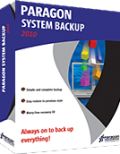
Giveaway of the day — Paragon System Backup 2010 Special Edition (English Version)
Paragon System Backup 2010 Special Edition (English Version) was available as a giveaway on February 17, 2010!

Simple, automatic and reliable backup solution for complete PC protection!
System Backup is based on simplicity and minimal user participation… as easy as 1-2-3:
- Download and install the software.
- Follow the recommendations of the software - decide, where and when to back up.
- Relax! Complete PC backups will run automatically.
Key Features and Benefits of System Backup:
- Intuitive user interface. System Backup is based on simplicity and minimal user participation.
- Advanced notification system. Color indicators in the system tray inform you about the level of danger your system and data are in and prompt you with ways to fix it.
- Set-and-forget backup strategy. Cyclic Backup establishes a self-running data protection system, providing a “set-and-forget” backup strategy.
- Please see more features, usage scenarios and detailed product information at System Backup 2010 website
If you are x64 OS system user, follow the link here
Technical Support:
During the Giveaway period Paragon Software provides technical support at http://twitter.com/paragonsoftware. Please, post your questions if you have any troubles while downloading, registering and using the software. Paragon Software’s support team will reply you as soon as possible.
System Requirements:
CPU: 300 MHz or higher; RAM: 128 MB; Disk space: 40 Mb; Internet Explorer 5.0 or higher
Publisher:
Paragon SoftwareHomepage:
http://www.paragon-software.com/home/systembackup/File Size:
140 MB
Price:
$29.95
Featured titles by Paragon Software

Partitioning is not for amateurs. That is why millions of people have trusted our safe, stable technology and professional software solutions for over 15 years. Our latest Free 2010 Edition easily organizes your hard drive and redistributes free space to enhance system performance.
Don't wait for a disaster to strike – get an instant data and system recovery kit today to ensure your protection! Rescue Kit professionally fixes boot problems as well as retrieves your data when your system fails to boot. It even rescues deleted partitions. All, you need to do to achieve complete control over any situation is burn the software on your CD/DVD!
All-in-one suite to completely protect, maintain and manage your PC - Hard Disk Manager provides you with all of the tools you need to manage today’s hard drives, including partitioning, backup, cloning, defrag, hard drive disposal, system management and system recovery.
Comments on Paragon System Backup 2010 Special Edition (English Version)
Please add a comment explaining the reason behind your vote.

iPhone app giveaways »




Android app giveaways »





#67 and #69 When the snapshot wizard begins there is a hyperlink to select what exactly you want to backup (partition. file, drive etc) you will find that everything that is spinning (in my case 2 500gb drives) has been selected by default and will account for the large space needed to perform a backup ... it probably should have had nothing selected by default. In any case it seems to be assuming that you are backing to an external drive ... but once you make the source and output location selections it will get the numbers right. I started with the dialog that popped up on my next reboot .. and once I was rejected for not having enough space I went and restarted the program from the icon/.exe file and wrangled my way into the selection area.
I'm not exactly sure what this program does but it apparently copies and compresses everything into some sort of image for a full "system" restore sort of like a restore point on steroids ?? but not the same as an image like a clone for burning or for reimaging a hard drive. But I may be wrong ... I backed up up my active partition ...perhaps if I did the whole drive it could be used to reimage a drive.
Save | Cancel
Well, I managed to get this installed on all four PCs before the time ran out...
Now... where can we get 1TB USB drives to hold the backup data on a "giveaway of the day"? ;))
Save | Cancel
I tried to install it on both XP x86 and Win7 x64. On XP, it did install, but refused to back up to a network drive on another machine. It kept telling me that there isn't enough space, when there is 50 times the space it needs, if not more.
On the Win7 x64 machine, it would not even install! It tries to install the supposed x64 version into the x86 Program Files folder for some stupid reason, and after it went through its install process, there was nothing there! It was as if I never installed anything at all! I tried it twice and nothing!
This program is complete rubbish, IMO!!!
Save | Cancel
Here's comparison table that explains the difference between Drive Backup, Backup & Recovery and System Backup:
http://www.paragon-software.com/home/db-professional/comparison.html
Save | Cancel
I tried to install it on both XP x86 and Win7 x64, and neither worked. The one on XP launched, but will not allow me to back up to a network drive on another machine on my LAN. It insists that there is not enough space, when there is tons of space on that drive! On the Win7 machine, it went through the install procedure, but when I checked for the program, it's nowhere to be found! I tried it a few times, and it's as if I never even installed it. This is garbage, IMO.
Save | Cancel
@45 and others who are using 64 bit Windows.
You need to get the zipped [Setup+Readme] download from the special link at the top of this page...the link after the exact phrase "If you are x64 OS system user, follow the link"
Save | Cancel
about ashrafs reviews:
if you dont like his reviews just dont read them or even better do your own review.
it is just a review the way he see's it, it isnt perfect, and may not always be accurate.
he never says that the software is bad or good, and what he lists as bad isnt really bad to everyone.same for the good.
and as for the voting, who cares about that? it doesnt mean anything.
I read ashraf, then all the comments, then make up my own mind about each giveaway.
Save | Cancel
I was having the same problem getting the product key/serial number. I've done this with Paragon products in the past with no problems.
I temporarily disabled AdBlock Plus (even though there were no ads currently being blocked on that page) and the registration worked correctly. Maybe a coincidence, maybe not.
Save | Cancel
I should have added to my comment to #19 about how to create the default Recovery CD, that I went to the Paragon site, and did as it said in the FAQ: Go to the My Downloads section of My Account. But it shows nothing to download there. So I try to register the product, even though it says that's only necessary for boxed products, and it naturally says that product is already registered.
Without a recovery CD, well, I guess it serves some of its purposes until you have a hard drive crash.
Save | Cancel
#19 kiwi,
"Special Edition doesn’t have WinPE CD, only deafult Recovery CD based on Linux/DOS"
How does one find out how to create the "default Recovery CD based on Linux/DOS?"
Save | Cancel
Not installing?? No button to access to get code sent to me.
Save | Cancel
Several months ago, there were several "anti-Ashraf"-posts here, (which were "censored" by the Moderators, since most people never got to see them), and they all were saying the same thing, which was simply that he seems to get the software downloaded, installed, registered, "FULLY tested", and then writes his "review", (I'd call it a short "report" on "first-glance-appearances", but that's just me), and all that only takes him from 1 to 3 minutes, (which isn't technically possible, no matter HOW fast his connection is);
The only other thing that was pointed out, (and also "censored" so it never got seen by anyone who wasn't on the same LAN as the posters were), was that in 36 out of 36 days, his "reviews" had at least 5 errors in every one, but he never posted his corrections here, only on his own site, (and even the "corrections" were wrong!)
It's long been obvious that he's trying way too hard; (I'd originally thought it was in order to get into that "first-posted"-slot, since that would explain the errors in his reports, based on his own "corrections" that appeared only on his site later that morning).
(Then again, he's already got that slot pretty-much "guaranteed", and I'll let it go at that).
I still think he's TRYING very hard, and that's almost always a very commendable thing;
The thing that everyone needs to remember, especially the Users, as well as Ashraf himself, and the Moderators, is that the guy DOES make a LOT of mistakes, yet since the people who aren't "Computer-Techs" on this site, and are "just" average users, tend to treat his reports as a sort of "Gospel", and they don't download a lot of very good software, because of some mistakes in a post written by someone who may not have taken the couple of hours it takes to fully check out a new piece of s/w;
Like a couple of days ago, when I'd decided that, (for my own reasons, which had nothing to do with anything posted by anyone here), I wasn't going to download the "Animated Wallpaper Maker", and I posted an alternate way to make wallpapers & screensavers, etc., for those users who didn't know how and who'd reported that they'd had problems with the program offered;
But a short time later, I got a call from a friend who HAD downloaded the program offered, and was having problems figuring out how to get it to DO what it was apparently supposed to, so I downloaded it too, and after I spent about 3 HOURS "playing" with it, I'd found that it was simply the lack of any "up-front", "how to get started" instructions, which made most people feel that it didn't really let the user "do" much of anything that was promised, and was therefore a waste of time in their opinion,
...But once I'd learned what I did, I DID come back here to post what I'd found,
...Which was a glowing report of the s/w, and how to get it to do some of the things I'd managed to make it do, (with my friend's help, of course),
...And so the "sixty-second report" was again proved "worse than useless", altho it seems that "The Powers That Be" here haven't "picked up on that", since so many users still feel that Ashraf is "golden", deespite the errors and even when he offers "free alternatives" and then there are a dozen or more posts that point out those "alternatives" aren't what they appear to be, or aren't free at all, etc., over and over and over.
When "the stuff hits the fan", is when an old friend gets a call, and is asked to arrange to offer some of their well-written software, (and have them read the details in the Developer's Agreement-part of the sites' "devil in the details" arrangements),
And after they've done that, they compare what they get from this site, with what they pull up in articles from well-respected PC-Mags, to their previous employers, (one individual used to write Operating Systems for Lucent Technologies, and wrote "other stuff" "for fun"), to compare with what they've been told by this or other sites, about the site's users' feelings about the software...
Most often, they feel like yelling "foul", (one DID, and the "legal fallout" is STILL "falling"),
...due to obvious discrepancies they found, and when they look at what is said on the site, (logging in as a "user"), they immediately see "where things went wrong" with what they already knew, & the professional reviewers (and employers, etc.), had already brought up as "real" issues vs. "perceived"-issues from a "giveaway-site" report, vs. what the site's users had actually said, and WHY they'd said it.
Don't forget that "a certain someone" also apparently has "more than casual" connections here, (they must, in order to get the s/w, and do everything with it & post a report, all in 60 seconds);
{Although lately, I noticed he's slowed down to 3 minutes, but that just may be a fluke};
I DO know that if he can change out 4 tires as fast as he apparently does everything needed to write a report on a piece of s/w, I can and will gladly call some NHRA-NASCAR crews, car-owners & drivers, and recommend him, since they'd all be happy to give him a shot as an intern,
...(if for no other reason than being able to watch him try to run 120-mph alongside the car while starting to loosen the wheel-lugs while it's coming to a stop in the pits, to get that "neat feat" done, lol!)
I'm NOT knocking the guy OR the site(s), I'm just trying, (one more time), to get things posted, which have routinely been "censored" before, since it seems that there have been others that have finally gotten their views posted here today, and didn't get their posts "sent to the bit-bucket";
It's more important for the "average user" to know what's going on, and for them to decide for themselves if something's worth it or not, in order to provide the Developers with the info they're looking for, than for one person to cook up a "review", (and depending on which way the average 5 mistakes per review go, ends up determining whether the Developer gets an honest input from an honest sample of average users or not),
...Which is what keeps the software coming in TO the site, so it can be made available for users OF the site to try, & give their OWN "reports" and concerns, etc., about, for the Developers to review and work on, so they can improve their products;
That's what the Developers are promised, yet they'll only GET that, if or when the users STOP using one or two people's opinions to make their own, which gives the Developers a completely "skewed" view of just how the user community at-large feels or thinks about their software;
If you know how to write code, come up with something, and present it to the folks that run this site, and see what you're promised you'll get, in return for "giving away" a day's worth of freebies of your work, and you'll start to see just how complicated this kind of thing REALLY is...
(If this gets posted, I may just have a heart-attack, since nothing like it ever has been before!)
Save | Cancel
I have Paragon Backup and Recovery™ 10 Compact Edition. How is this different? should i get this software instead?
Save | Cancel
This was already offered here 6 weeks ago. So how exactly does this 2010 Special Edition compare with that Paragon 2010 Backup Special edition. For that matter, how does this compare with the Professional Edition offered here last July? Thanks. (Also, 140 MB is a big deal for me to download.)
Save | Cancel
REALLY BAD NEWS on this one.
1. On my Vista machine it found no drives with Space (I have 3 USBs with Hubdreds of GB FREE on each)
2. Install fine on XP, Found my one USB 1TB with space and I did a successful backup.
3, Not sure why but I rebooted my laptop (XP) and it will not boot.
All I get is a black screen with a blinking cursor in the top left and a . or period under it. MY system is now hosed and I do NOT have a bootable CD build to restore from the V10 backups.
The Paragon site implies there is an ISO folder in the installed directory but it is not present on my vista system
4. Downloaded the tull trial version with the hopes of building a restore cd.
Downloaded twice br_suite_trial.msi 142,383,616 and start the install but get an error that says the msi file can not be read...
Have posted a sev 1 support request since my laptop is now not usable
I have had this type of problem in the past and been forced to switch vendors, Last time was Acronis then I had an issue with Paragon and the USB devices which was somehow resolved. Now I have lost my laptop due to something.....
If I can build a cd to restore all will be OK.
HAS ANYONE tried any restore testing or has it all been backup?
Backup normally tests ok, but restore? How many try it?
Boblevy@storageman.com
Save | Cancel
I have downloaded the zip file three times. Each time I got this message:
! C:\WINDOWS\Temp\ParagonSystemBackup_x32-3.zip: CRC failed in Setup.exe. The file is corrupt
Any suggestions?
Save | Cancel
@no46 and 52
there are a few people on here thatgive their commendations and reviews
and to be fair mike, fubar ,ashraf and others do this free on charge
and in their own time
i for one respect their comments and i am sure others do also
iy you have anything costructive i am sure we will listen but 46 if you have freedomof speech and the courage of yourconviction why havent you given your name as opposed to just annoyed
thanks to mike,ashraf,fubar and the rest for your comments
keep it up
peopleless informed as myself do need your comments
Save | Cancel
#50 john: At the very least, Ashraf shows, step-by-step and with screenshots, how to use whatever software he's reviewing. I happen find that very helpful, as it saves me the time I'd need to download, install, and play around with the product.
And if I do decide to install, I have a preview of what to expect, along with some how-tos, since he's also quite detailed in his explanations. Some of the comments that follow his reviews are helpful as well (of course, some aren't).
If the criticisms toward Ashraf's reviews are constructive (key word), that's useful to all of us. Otherwise, it's just like those folks who do nothing but click 'no' on every single comment - that's not helpful at all, and I think folks here are quick to comment on the nasty criticisms. Ashraf no doubt spends a fair amount of time learning the product, and then writing his review, in a very short span, providing a (objective) service that one can use, or not.
As for the voting being manipulated -- lately that seems to happen to a lot of posts, and not just Ashraf's.
Save | Cancel
Mehhhh... I hope there are better ones ttmr.
I just use "Seagate Backup"... the free program that came with my 600GB Portable Hard Drive. :D
~Joji~
Save | Cancel
One more thing, I tried to install on both my 32 and 64 bit computers, neither one worked for me.
Save | Cancel
I tried several times to install, I can't get to the serial number either. This is the first time I have had a problem with installing Giveaway of the Day software. This would have come in handy too.
Too bad :(
Save | Cancel
Ashraf has a comparison review and table of several backup apps including several mentioned here, at http://dottech.org/featured/11628
Save | Cancel
@46 Other than his alternate software recommendation, what is crappy with Ashraf's review? I depend on his reviews a lot to decide if I want the software or not, so I'd like to know where you think he's off in his review. thanks.
Save | Cancel
=43 You, or anyone who can supply me with information on how to create a VIRTUAL MACHINE will most certainly have made my day as you suggested. Thanks to anyone who can help me with this informatiom.
Save | Cancel
@40 I agree with you except ... I will mention ashraf's poor reviews in a negative way. I find it appalling that someone writes crappy reviews and gets away with it. I will exercise my rights to freedom of speech and say that I do not like or agree with Ashraf's comments or reviews.
Save | Cancel
I downloaded, tried to install, but couldn't, so went straight to the msi file and tried that way. Got a msg that what I was installing was hte 32 bit version and I have a 64bit system. How do I fix this?
Save | Cancel
A better option is to use a virtual machine for your whole hard drive. Take snapshots of the VM on regular occasions and if you become infected, simply restore your snapshot. In 2 minutes you can solve what software like this takes you hours to do.
Hopefully I have helped someone today. Thanks,
Boingo
Save | Cancel
Any reason I should ditch my XP install of Paragon Drive Backup 9 Professional for this? I didn't think so. Thanks but no thanks.
Save | Cancel
Fubar, my good man, thanks for answering my previous question on hiding desktop icons, so the wall paper will not be 'moon-pocked'.
Vajra
Save | Cancel
Whenever I try to get the Registration information sent to me, I enter my first & last names, email address and then when I select United States from the pull-down for country, I get a script error. Anyone else having this problem? Anyone know why I would be getting a script error? Thanks in advance for any assistance!
Save | Cancel
This is the right moment to remind you and address again some issues on backup alltogether.
* The adavantage of incremental backups: it saves space and time
* The DISadvantage incremental backups: you must consider the daily backup chunks as a dependent row... Now, let´s assume 1 element in this row is broken - nevertheless what reason for (just 1 faulty bit could be enough!!!) What do you think will happen with ALL increments AFTER the faulty one?! Yes, you might not (and mostly ever will not!) be able to use the later backups to restore your system.
That´s at least unbearable on professional used systems.
* The DISadavantage of differential backups: it costs space and time
* The advantage differential backups: if yesterday´s backup is faulty or lost, you can at least use the backup of the day before or after (assuming, there´s no general issue with the choosenr media). Of couse at least the basis-backup must be tested to be safe and reliable.
Conclusion:
* VERY HIGH PRIORITY should be set on data_integrity_checks (ALLWAYS!)
* Don´t trust imaging and neither backup programs that don´t check data integrity or where its easy to forget to set this feature (it´s a pity: most programs don´t test!!! And with former Paragon products you had to activate this checking by yourself!!! that was really BAD!)
* Better loose same time but not your data
* Better stategy is to have 2 backups on 2 places!
* Better, and time saving is, to image a system only time by time (AND CHECKING IT!) and do daily backups on data basis (perhaps versioning backup...?!; don´t forget inegrity checks, too...!) AND to backup the registry daily (and keep ONE week´s registry backup for at least 2 weeks - you never know!)
But of course: everybody has different needs...
Take this: think a small moment about how much YOU were struck and what it would mean to YOU if your system and/or your data were lost.
Than decide (or look for consulting etc.)
Save | Cancel
#10 (pipi) I don't know if your desire to use this in an educational environment is within the license rules, but on Easeus' home page (yesterday's giveaway) they have an ad for their free Todo backup system which I downloaded and looked at while waiting for my new extra hard disk to arrive and it may suit your needs. From reading about it and looking at the menu options it seems like it might be suitable.
Save | Cancel
#27
you must read while running the program.
it says it will show only those devices who have enough free space to create atleast 1 complete system restore point.
oh, and this is a great download. its worth 140MB when its free :)
thanks GOTD.
this one ran without a glitch.
Save | Cancel
Should I replace the GAOTD 98MB Paragon Drive Backup 9?
Should I use Macrium Reflect instead?
Thanks.
Save | Cancel
I was part of the Beta testing on this product. I have been using the release version for over a month and have had zero problems. It is one of Paragons many great products.
I've got multiple drives, so I backup mine manually, not using the automatic feature, it worked flawlessly every time. It will back up the multiple drives automatically, but for the way I use my data, I back up each drive to a different external drive.
Great Software!
Save | Cancel
As Richard pointed out, the "free version of Macrium Reflect" has been my fav.since quite some time and has saved my skin many a times.The beauty of the product is 1)You can easily create a "rescue disk based on Linux( no fears there) and backing up to a external hard disk would be ideal. How to back up and "MORE IMPORTANTLY RESTORE" is available as a step by step manual in the Mac.Ref. blog site.I will provide the blog site url and please take a print out and that helps a lot when the need arises!
http://www.macrium.com/blog/2008/06/30/HowToRecoverYourPCUsingTheLinuxRescueCDPartII.aspx. Hope it helps!
Save | Cancel
To all those who can't get into Ashraf's review site.
It appears that his server is overloaded with hits. Try again in a few hours. It's often easier to get in some hours after his review is published.
As the number of visitors to GOTD grows, so do the hits on Ashraf's site. Similar problems affect both sites at times.
Save | Cancel
System backup 2010 edition, I will never say no to a free system backup!
Ashraf sums this software up well however I will play about with the software if and when I get round to downloading it as I have not done so yet and then I will review it on my site ;-)
Save | Cancel
I have been waiting hours for the key from Paragon.
My mail is open and messenger chimes on all incoming.
Still have window open waiting for key.
Save | Cancel
I installed and registered, but NONE of my 3 USB Drives were detected (2TB, and 2 1TB) AND there was no technique to tell it to use the e:drive (600GB Free)
Sad.
Save | Cancel
Ashraf it seems your site www.dottech.org is down. BTW www.downforeveryoneorjustme.com in fact says your site is down. So not just me but others too are facing the difficulty
Save | Cancel
Does anyone else find it strange that a company would use Twitter, with a 140 character limit, as their avenue for tech support?
Save | Cancel
#23, actually the comparison for Time Machine IS valid for some uses. For instance, I *used* to use Acronis True Image (essentially this offering on steroids) as a rescue device to fix what (frequently) gets broken in the system registry (etc.). Now, I use Time Machine because it offers the same protection but fixes things almost instantly. I still have Acronis but I don't use it all the time.
As for THIS offering, I think the major drawback here is that it doesn't do incremental backups (I believe). If you've ever used an imaging product like this, that's a deal-breaker. (They have so many different products with similar names that I'm not sure of this omission, but I believe such is true).
Save | Cancel
In my book nothing is up to nero back it up. this offer is close but
Save | Cancel
#1, Ashraf, while your website is down, I can only refer to your comments here. Comparing Paragon System Backup 2010 and Comodo Time Machine is worse than comparing apples and oranges. They're very different products, with very different purposes, protection, functionality, and requirements. Paragon truly backs up, it's not designed or intended for continuous protection. Time Machine is like a very stripped-down version of GoBack, it provides near-continuous protection but doesn't back up, and it has all of the restrictions of GoBack. If you want both backup and near-continuous protection, there's Rebit SaveMe and SaveMe Express (both are currently on sale), Acronis True Image Home 2010 (also has an offer) with Acronis Nonstop Backup, and StorageCraft ShadowProtect. Rebit is automatic, few (if any) options, requires external drive, and protects user data much more than the OS. Acronis requires occasional manual intervention, and is highly configurable. ShadowProtect is capable of largely automatic operation, not as configurable as Acronis or quite as frequent (minimum 15 minute intervals vs. 5 minutes for Acronis), but is by far the most robust, reliable (can take cold snapshots), capable, restore-versatile solution, and the only one which supports all configurations, including RAID. I'm not going to say more about each option as there's plenty of documentation available on each vendor's website.
Regarding the comments the other day about showing the desktop background, doesn't anyone know anything about Windows? You can show the desktop via hotkey, right-clicking the Taskbar, or (on Vista) by clicking a button on the Taskbar. You can also right-click the desktop and turn off the desktop icons (not the same as Show Desktop). I always leave desktop icons turned off, Windows has horrible desktop refresh performance under the best of circumstances. You can display the Desktop Toolbar on the Taskbar (right-click), and if you put folders/subfolders on the desktop (while icons are displayed) you can sort the icons into them and the Desktop Toolbar will show cascading menus.
Save | Cancel
#15 - if I understand what you mean, the 3 gigs refers to RAM, not hard drive space. That's plenty. If the problem is wanting to install this on a hard drive to copy it to her machine later, there is a good possibility that won't work. See #12 for a solution to that problem.
There are 2 other good, free alternatives that I have used:
* Macrium Reflect Free http://www.macrium.com/download.asp
* DriveImage XML http://runtime.org/driveimage-xml.htm
I prefer Macrium Reflect because it gets done in about 1/3 less time and compresses data better. Reflect also has a built-in scheduler, but you can easily automate DriveImage XML using Windows Task Scheduler.
Save | Cancel
#15 3 G of RAM is more than enough to run this software. Put it on every machine.
Recovery software usually prompts you, or at least has the ability, to create a startup/revcovery disk. If it goes south, just plug in the external w/ the backup, toss the recovery disk in the boinked machine and let 'er rip. On your gk's new machine, check the BIOS to make sure the startup order is USB/FLOPPY>CD/DVD>HD/LOCAL DISK. No better feeling in the world than knowing the worst that could happen while you play "what if...?" w/ the registry or new software or hardware, that you're OS will be back in under an hour.
Save | Cancel
But how does it compare with the previous giveaway of the Paragon Backup software??
Save | Cancel
#1 Ashraf wrote
>>>* Automatic snapshots can only backup the whole hard drive; user is unable to exclude/include-only specific partitions.
Why is it listed as BAD? It's ust the way how this program works. If a user needs selective backup, he can use other Paragon products, Backup & Recovery or Drive Backup
#6 ReViZoRo wrote
>>>What is the difference between this “2010 Special Edition”, and the current version on the official site?
Special Edition doesn't have WinPE CD, only deafult Recovery CD based on Linux/DOS
# 10 pipi wrote
>>>I have a question, is it o.k. to use the software for backup few computers in an Elementary school (it’s a free state school not private)? Computers are used for education purposes only.
Yes, that's okay. But it's better to register each copy for each computer separately. You can register several copies to one e-mail, that's okay.
#13 Jesper wrote
>>>How many services/processes does this install?
It installs two drivers (hotcore.sys and uim.sys) and one process "dbhagent"
Save | Cancel
This is completely automated backup tool that saves all your data and system to external USB drive or backup capsule zone which is secure place on internal drive.
As far as I could see the backup strategy is taken by tool itself. What image to take - full or differential.
So I would call it Set & Forget.
And Recovery CD is to help restore from backup when needed.
Thanks GAOTD! Thumbs up.
13@ This tool is more powerful than Macrium Free Edition.
Save | Cancel