English
Every day we offer FREE licensed software you’d have to buy otherwise.
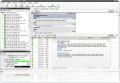
Sax2 was available as a giveaway on October 29, 2008!
Today Giveaway of the Day

Download Deezer music, playlists, albums, podcasts to MP3, FLAC, WAV!
Ax3soft Sax2 is a professional intrusion detection and prevention software (NIDS) which excels at real-time packet capture, 24/7 network monitor, advanced protocol analysis and automatic expert detection.
With the insights into all operations in your network, Sax2 makes it easy to isolate and solve network problems, identify network bottleneck and bandwidth use, detect network vulnerabilities, find reach of security strategy and signs of being attacked in the network of hazard, and then intercept and stop these connections.
System Requirements:
Windows 2000/XP/2003 Server/Vista
Publisher:
Ax3soft CorporateHomepage:
http://www.ids-sax2.com/File Size:
6.92 MB
Price:
$69
Comments on Sax2
Thank you for voting!
Please add a comment explaining the reason behind your vote.
Please add a comment explaining the reason behind your vote.

iPhone app giveaways »

$39.99 ➞ free today

Photos Search app takes image searching to a whole new level by allowing you to search for text within photos.
$0.99 ➞ free today

The app allows you to quickly read files in various formats - documents, receipts, photos, business cards and notes.
$1.99 ➞ free today

This puzzle game has a goal, this is to clear a set of specified, flashing blocks off the screen.
$0.99 ➞ free today

$0.99 ➞ free today
Android app giveaways »

$0.99 ➞ free today

$1.49 ➞ free today
![[365fun] Running Man Giveaway](https://android.giveawayoftheday.com/wp-content/plugins/gotd_googleplay_plugin/images/100/2026/06/com.whitewind.runningman_app_icon_1780400784.png)
$1.10 ➞ free today

This is a unique circle icon pack with Squid's tentacles inspired design on the bottom.
$1.49 ➞ free today

Backroom is a place under the world, there will be no clipping place that will make you fall into the backroom.
$0.49 ➞ free today
And I thought sax2 was the X Windows Config Tool for SuSE? Oh well, missed it this time...
May be some people have large, eh, personal networks. Hmmm
Save | Cancel
Installed it according to directions. Seems to be working. Not sure how long it will continue to work as the Help Menu says it requires activation and asks for a Registration Code #.
Save | Cancel
For those who want to uninstall it and can't find it, in your program list it is called: Intrusion Detection System Sax-2.0. It doesn't start with the name, so beware!
Save | Cancel
It shocked me with the message that backdoor Gray Pigeon would be on my computer, until I recognized Kaspersky's update was misunderstood as that evil.
Save | Cancel
I really was looking forward to useing this software, but I had the same .dll issue as others. i even downloaded the .dll file and thought that i put i in the corect folder, still it wont work...I hope some one can help me, I have activation for the product,but there is only one more hour incase I need to try again...I hope someone can help!
Save | Cancel
I don't think changing the voting system will change anything.
I've noticed a lot of people here click on Thumbs down and No to good comments simply because they don't like the software being given.
As the comments get higher, people vote more on No or Yes (Depending) as other folks don't go so far and hope they're say will be seen.
It's human nature to be awkward but Freedom of Speech is even better!
There are a lot of good comments today specifically been clicked *No* simply because the thumbs down voters did'nt like the software.
I ddoubt a multi-voting system would change that!
Fact is this software is only useful IF it finds all computers/connections on your network and of course can find a users wireless adaptor.
Save | Cancel
MFC71U.dll is available here: http://www.portablefreeware.com/downloads/mfc71u.zip
unzip it into the Sax2 directory, problem goes away.
Save | Cancel
http://www.dll-files.com/dllindex/dll-files.shtml?mfc71u
solves vista issue, put in sax2 folder
Save | Cancel
The program didn't want to work with XP SP3. After a little while I realized that it does, however, work by setting it to run in any compatibility mode (I don't know if this will have any effect on performance...).
Looks like an interesting program, hard to say more than that atm.
PS. On a really weird side note, try entering random numbers/letters into the registration key box. The message it returns is "you enter the activation of the information is incorrect, please re-enter after make sure that!". Bad grammar scares me. Especially in a program that oversees internet connections.
Save | Cancel
When you get the error "The application has failed to start because MFC71U.DLL was not found. Re-installing the application may fix this problem." It is because Windows Vista is putting the .dll file in the windows folder instead of the windows/system folder. Just copy or cut the .dll file from the windows folder and paste it into the windows/system folder. To find this file in the windows folder. Press the start button and go to "Computer". Scroll down untill you get to the "Windows" folder. In the upper right hand corner where it says "search" type "MFC71U.DLL". Right click the file, click copy. Then click on the windows folder, right click on the system/windows folder and press paste. This works I promise!!
Save | Cancel
Installed and ran with no problem on XP SP2.
Looks like a serious software. I'll keep it for troubleshooting when the need arises.
Save | Cancel
Hi everyone, we are Ax3 Software, We are ready to answer you any questions.
To #76:
1.You are using the full version of the Sax2,It does not require registration. You can use indefinitely.
2.About Single User License 30 Day Subscription $69
We do not have an accurate description of this,It should be Single User License with 30 Day Subscription
Save | Cancel
I have no idea whether the company exploit or exhibit some user info but one thing is sure they need a better marketing plan.Because the nature of the application it is on the bleeding edge of the security and needs build much more user trust than any other type of software.
Save | Cancel
Like #11, same error.. svc pak 3 here. Thumbs down. Should be able to install easily on one of the most popular O.S.'s out there!
Save | Cancel
...hmm...I am new at this type of tool ...so how do I know if it is working properly or working at all?..
Save | Cancel
Unable to run the program as it's requesting a registration code. 77 comments with many requesting an answer to the same problem, but no responses with a solution as yet! I thought this forum was for discussion about the program itself ~ pros, cons and solutions so that everyone can benefit?
Save | Cancel
Be very very scared when removing this program. When running Revo uninstaller WILL ask you to remove necessary DLL files from your computer!
Save | Cancel
In my experience, nothing network-related works in Vista Home or Home Premium, and for the same reason.
They're useless operating systems.
I work for a software vendor and we won't even program for Home.
We've already moved on to Windows 7 and only support Vista Business, Vista Enterprise and unofficially, Vista Ultimate.
Why bring this up? Because this application ROCKS and I'd hate to see it spoiled in the process of making it work on what will soon be an orphaned operating system.
I agree that Wireshark is excellent, too, though buggy. It has enormous potential.
Save | Cancel
#18
If you are a single computer user, you don’t need this… (from the FAQs):
What can I do through Sax2?
You are quite wrong about there being no use for this program if one has a single computer.
This is a packet sniffer. It captures and records the data streams on a network. When a single computer user connects to the "World Wide Web" his computer joins a network. His computer connects with other computers using the Internet. Note the last three letters in "InterNET. Sax2 captures all packets of information and instruction and presents the packets for interpretation.
http://www.securityfocus.com/
If a person does not have the slightest knowledge of interpretation of packets a start might be an illustration of two computers (the web page shows how to determine the "address" of computers in communication with one another and a data packet. http://www.securityfocus.com/infocus/1822 .
Save | Cancel
WISHLIST: What would be great is this App was or if it has a way to be Portable. That would be Great. Or at least a way to config as a portable app. Any insight?
Save | Cancel
Was missing MFC71U.dll on XP. Added it and was working. Looked pretty nice but some silly typos in the menus etc. Uninstalled due to security concerns and lack of license. Not recommended.
Save | Cancel
Open source Freeware alternatives:
Untangle
Snort
-Luke
Save | Cancel
Interesting software. Installs fine Xp Sp3, no issue or conflicts
with Avast or Comodo.
I really like the fact that it does not put any extra services running
in the background on startup. I think it's great that you can simply turn it off and exit it when you don't need it. So many of these types
of software leave bits and pieces running in the background after you
have shut it down. This does not.
Excellent tool for those wanting to see what is happening under the
hood of their network.
Save | Cancel
Great for my personal FTP server. Allows me to keep tabs on what's happening as far as network traffic.
Save | Cancel
Downloaded fine, but crashed twice within ten minutes so to be safe I have uninstalled it again.
Save | Cancel
365 free software in one year.How much software does a person need on a personal computer? Ultimately after a registry cleanup you find that your System has crashed.
Save | Cancel
DO not download this product. You cannot remove it simply by uninstalling it. Also, When I closed it and tried using the program again it stated that a previous version is installed and it will restore now.
I will not download this to try the product again. And I WILL NOT be purchasing this garbage product. Wireshark works great and is still the best protocol analyzer/sniffer out there.
Save | Cancel
I just want to give compliments to all the users who have posted a comment here. You are all much more polite and give more serious comment than the user at the german Site. There a large amount ot "users" just mock and curse the programms they are offering here at Gotd. Wonder why they are looking at the site then....
Save | Cancel
even without any license yet, the software works very well, providing a lot of useful information on what's going on. One feature it appears to NOT have though, but that would have been extremely useful, would have been WHOIS lookup capabilities so that you could look up information on suspicious ip addresses.
I do hope GAOTD is able to provide license before the giveaway expires, coz this is a cool prog and works well on my xp machine and worked well on the vista machine when I had it connected and was testing the program on it.
Virus total report for this showed all clean except Panda which said "suspicious file". However, Panda is the one engine in Virus Totals group of engines that is almost always giving false positives.
http://www.virustotal.com/analisis/f57f39ed5be78aeee1eea361d04405cd
Save | Cancel
Two more notes:
this was installed on XP Professional SP2
and
I agree with everyone else on the lack of license information.
Save | Cancel
I had the same mfc71u.dll error, but I downloaded it & put it in \windows\system, and it works now. I noticed an odd issue; when I maximize the application, it oddly enough puts the top of the window about an inch lower than the top, and the bottom an inch lower than the bottom of the screen. So instead, I just resized the window to about full screen, since the maximize command for that program isn't working.
I guess this program could be helpful, even on single-computer networks, for those who go online, as it shows what is coming in and going out of your computer.
Save | Cancel
Installed and ran first time no problem on XP SP2.
Found all computers on network, So far so good.
Save | Cancel
Software isn't activated (as others have said). This is nothing more then a 30 day trial. The price tag used with the web site shows:
Single User License 30 Day Subscription $69
So after 30 days, the software will most likely no longer function.
For those interested, a tracker was used here (as I was confused when the software still wanted an activation key) to see if the GAOTD install even used the registry or placed any files on the system to signify a registration. No action was done by the installer from GAOTD. Based on this, we only received a 30 day (licensed) version of the software, and not the normal licensed version usually provided.
Save | Cancel
Actually I think that the FREEWARE WIRESHARK can do a better job than this:
http://www.wireshark.org/
What do you make of it guys??
Anyway I was wondering who can use these kinds of SW apart from NETWORK and SECURITY MANAGERS.
Cheers from ITALY!!
Save | Cancel
Thanks Fubar! (comment #21) I was thinking I'd install this, but it looks like I don't need it after all, having both of the other items you mentioned installed already. In particular I don't like it running as admin and connecting to the 'net while monitoring - seems untenable for a product touted as security software. Wireshark does this without either of those requirements, or I should say the precursor, Ethereal, works that way. The advantage I see to Sax2 is it monitors continually where I don't have Ethereal loaded until I need it.
Since I'm not installing this a vote would be pretty irrelevant. Just because it doesn't fit my needs doesn't mean it's bad - or good. (grin)
Excellent offering though, GOATD! Keep up the good work!
Save | Cancel
65 Pete, I also live in Asia. I do use Chinese sites often because they provide a lot of usefull surces at little or no cost. I know very well that my activity is monitered by the government computers. I am not concerned though because I am not using the sites for any harm to anyone.
China is becoming the place to pay attention to. I enjoy going to China more than any other nation in Asia. If a person shows a little respect for them and their ways then there is no problem at all. The Chinese value education very highly and many are in the top ranks. Too many people is their real problem and they are trying to do something about that.
Save | Cancel
#55: *Excellent* idea. That voting system would be so much more useful than the present binary yes/no that we have now.
Save | Cancel
Yeah, I'm working on my CCNA right now. I will be DLn and passing this allong to my classmates.
If you dont understand packets and what this would be used for, go to "You Tube" and search for networking videos or security.
I'm using wireshark to track my kids browser, there are three and six.
Although I have their browser pointed at noggin and disney. everynow and then they get pop ups they should not be getting. As I detect them, I will be notifing my Internet provider and adding the source into my firewall.
I hope this program is as good or better then what I have now.
Great that you got it on here GTGO
One luv
Save | Cancel
It seems to be a good software, but looking on their website I am in doubts about the future of it. It will expiere between 3 and 12 months? Check it out if you don´t believe it. Giveaway normally gives us free software. Ok, it seems this one is free, but what will happen if the time limit is over? We need to pay for continue using it? Maybe I am wrong and it´s free forever? I don´t know. So, the reason I write all this is: Please somebody who knows more of thies program please answer my doubts. It also would be great if somebody of the companies who are giving us away thier pieces reads our comments and answer our questions. Most of us aren´t professionals and it´s very easy to download everything but later our pc´s are full of software which maybe only the half of us understand to use it. If my post get many "yes"-cicks, maybe the owners of Giveaway will read it too and working on giving us all a better service. Anyway if some worker of the software companies will show up here and help us out would be even good for them because they could sell more because of a good service. What do you think? Have a great day all of you and sorry of my English, because English isn´t my mother language.
Save | Cancel
Thing I like about commentators are those of you that suggest alternative programmes that have same (better?) functionality etc.
That's my comment. Don't need this one, but I'll be back.
Thanks 4 all!
Save | Cancel
What a great site! Most of the downloads I can't use, but a lot I wish I could! Although a lot of the reviews tend to be negative, I've found these to be from ungrateful, Iwantitnow,IwantitthewayIwantit, & Iwantitfree-type people. Posts from people who've taken the time to actually explore the programs are most helpful in deciding if I want this download. W/O these informative posts I'd have a lot of junk on my computer. Thanks GAOTD and the posters who aren't snide.
Save | Cancel
#28 said, "so no one spies on u." I ask, "What about the company that wrote this software?"
#32 said, "Looks like an interesting product, but my big concern is that the origin of this software is China…" I say, "Me too!"
The insecurity I feel towards this product up to this point is keeping me from downloading it. Will one be giving control of their computer to an unknown entity in China? I will check back later to see if anyone cares to alleviate my fears.
Save | Cancel
I'm new to this kind of software, but it seems pretty full-featured. Installed without problems on XP SP3 and Vista 64. Thank you!
Save | Cancel
My concern is the one raised by #21:
"There are security issues with installing a product like Sax2. It monitors your network traffic, and it maintains an HTTP connection with an Internet site (necalli.lunarmania.com). It’s from a Chinese company, but they don’t try to hide their location or contact information."
This reminds me of Skype's recent problem where the secure chatting service was compromised by giving a backdoor to the Chinese government who had data available on a server that others could access. I work in Central Asia, and government information monitoring is better than their handling of information. I'd like to use this product, but I'd also like to know what information the program communicates to the Chinese internet site named above. Any thoughts?
Save | Cancel
Ashraf,thanks,after your help(2),works properly.
Save | Cancel
I'd recommend browsing sourceforge.net or checking out ossec if you're interested in something like this. I personally won't be installing some nameless software from:
18 Xiwang Road (1 Duan), YangGuangCheng, LongQuan, Chengdu, Sichuan Prov., China
On my system
Save | Cancel
I'd like to have tried this but on installing it did'nt detect my wireless adaptor and when running, I switched on my wireless laptop and connected to my network...Again the program did'nt detect any computer coming onto my network :-(
I can't really see the point of keeping this installed if it's going to detect nothing.
It would have been great if it COULD detect someone trying to connect to your wireless network.
I thought this would have been the reason to have something like this installed?
Save | Cancel
It looks like a great software for Network Admin's but very little use for "strictly private" like the agreement says. I don't see why a private person would have a large enough network to take full advantage of this software. I'm not going to give this one a try.
Save | Cancel
shouldn't need a registration key, this appears to be one of those companies that the trial package and the full version are totally separate, like InsideCat- no way to 'activate' a trial copy, they give you download access to the full version when you register.
the gaotd version probably is modified to not work with update- but I could be wrong.
Save | Cancel
Many thanks to Ashraf (2). I downloaded the dll file and installed this program (XP with SP 2 or 3). It is now working fine.
Save | Cancel