Every day we offer FREE licensed software you’d have to buy otherwise.
Giveaway of the day — RQ Search and Replace
RQ Search and Replace was available as a giveaway on January 29, 2008!

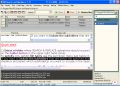
RQ Search and Replace is the text replacement software utility for Windows.
You can find and replace (multi-line) text bloks, whole words, "enclosed blocks" in text files, in MS Word documents, delete tags and/or text in tags, add, delete or change tag attributes in HTML files.
The search and replacement patterns are stored in the special string table, so you can replace many patterns in numbers of files by "one click". You can drag-n-drop patterns from the built-in editor to the string grid. The string grid can store multiline patterns. Powerful backup manager provides safety of all replacement operations.
System Requirements:
Windows 98/XP
Publisher:
MiraSoftwareHomepage:
http://mira.xeno.ru/rqsr.htmFile Size:
0.98 MB
Price:
$21
Featured titles by MiraSoftware
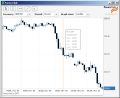
Forex monitor-calculator is used to monitor real-time quotes, calculate a current profit/loss of open positions. and calculate prospective profit/loss after "partial closing" or "reversing" positions. Also the economical calendar alert give warnings about inportant news in real time.

RQ Apache Log Viewer allows you comfortably to view apache log files, downloaded on your PC. RQ Apache Log Viewer parses Apache log file, loads it into the table and hilite the specific information. You can use filtering to include or exclude data to view.
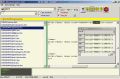
RQ Search and View is a simple utility used to search and view text in files for Microsoft Windows 98/XP. File formats supported are text files with Windows, Rich Text Format (RTF), HTML (web pages). You shouldn't create index files before searching and waiting search finishing to view found files. When first file found - you can view and edit it in build-in editor.
GIVEAWAY download basket




Comments on RQ Search and Replace
Please add a comment explaining the reason behind your vote.


iPhone app giveaways »





Android app giveaways »





Browsers already have one built in (Ctrl+F) and MS Word does as well, so I really don't see a point in this.
Save | Cancel
#17
>Gotta love the trend on the FOREX screenshot thumbnail- I have to >wonder if that’s realtime or ‘delayed 20 minutes’?
Yes, it realtime charts and quotes.
Save | Cancel
Hi, All!
At first I would like to thank GAOTD for this nice service!
(at secondary - my apologies for my poor English ;-( )
I received many helpful comments and 1300 visitior on the program home page.
It's very impressive!
Some words about RQ Search and Replace software.
Some years ago I had need to delet some lines in a text file that containes specific word.
Thare are many files and many lines that contain various words.
I need run this task periodically.
I try some utilites, but they don't meet all demands simultaneously:
1. Replace in many files
2. Replace many strings
3. Save search\replace "filters" to run it in the next time.
I write myself utilite that store search and replace filters in the special table and save this table in a hard disk. Next time I can load this table and run my tipical tasks again by one click!
I have not found any utilites on comparable terms.
But of course, there are maybe one hundred utilites for Search and Replace operations in many files!
Next feature that I need is open and viev requared file to get a searched word.
I add buil-in editor for this and now can select requared text and fill in table cell "Findwhat.."
and "replace with.." by mouse right click from popup menu.
That’s all! Thus features defines user interface and I was happy how I contrived that simple and intuitive interface. Later I understand that I was not completely right.. ;)))
Next improvements were - more file types for operating, more text objects (text blocks, whole words etc), more operations (replace, delete etc)
RQ Search and Replace is not perfect software. I have to work to improve it, fix bugs etc
I would like to thank all users who sent feedbacks to this forum! In the main, comments are very useful for me.
I create 45% discout coupon and users who wants to update RQ Search and Replace to full version (tech support, next free updates, etc..) can request it by e-mail mira@miraxem.com .
Thanks again!
Andrew.
Save | Cancel
It only works with hard drives and CD/DVD drives you can't work
with files on keys.
No helpfile.
Save | Cancel
Thanks for the suggestions, all. No complaint about this product, but with all the solid free Search & Replace mentioned.
ReplaceEm
ReplaceEm fitsoftware Search Replace Freeware
InfoRapid Search & Replace
http://www.inforapid.com/html/searchreplace.htm
Texrep
http://www.no-nonsense-software.com/freeware/
A.F.9
http://www.fauland.com/af9.htm
Well-respected shareware Fundoc for some folks
http://www.funduc.com/search_replace.htm
It is hard to figure out what will make RQ unique to
take the time and effort.
Nonetheless, thanks, Bits, its a decent GAOTD.
Shalom,
Steven
Save | Cancel
Thank you GAOTD. it works as advertised. Keep em coming. I enjoy this software so much I installed it on both computers.
I don't understand all the complaints with this software. Thanks again.
Save | Cancel
#51--appreciate the education--didn't know all that existed. Guess that's why they picked that name. My bad.
Save | Cancel
#46--Thanks, I think? You lost me with the Ctrl+F=This software. It would be much more persuasive if you gave a clearly convincing reason not to download; facts and logic are rather important to most people.
Save | Cancel
I find the comments here very interesting in regards to trying out similar programs. Feel Funtec search & replace should be mentioned here, and it might be something to consider for GAOTD at a later point. I do not mind to see specialized programs here, as I might get lucky one day and get just what I have been looking for. Todays offering is outside my scope though.
Save | Cancel
#50 i consider your message bloatware as i have both windows xp and vista installed and both work fine yet i much prefer vista ultimate to xp its all in what you do with your system as system management is key.
Save | Cancel
To poster #49, I believe its because A LOT of people wish they could do this but don't know the shortcut (Ctrl->F).
Very unfortunate if anyone paid for this software.
Save | Cancel
handy tool! wish regular expression was there.
#34(windowsexplorer):
do a google search for Forex and see what you've ignored.
Save | Cancel
Just a couple thoughts,
I use a find and replace program that is included with HotDog Pro, granted it doesn't do regular expressions, nor brainy files, it is still nice and easy.
What if you don't use a program like Micro$oft Word, and you only use windoze grudingly? And can M$ Word do a search and replace in files that is not currently open?
Vista? You must be joking? M$ agreed to continue offering XP to manufactures even after it was to be discontinued. Why? Customers and manufactures knew then, and still know now, that Vista is bloat ware, will slow things down, is more of a headache than a help, and so much more. Heck, I think XP still outsells Vista. Me, if I have to use windoze I prefer 98 - it can be stripped down, secured, and it just runs faster than later offerings, even on an 486 (you do NOT need anything faster for typing, unless you get M$ Word for bloat).
Let me put things in prospective - I have a couple computers that I purchased four years ago. One is a dedicated firewall, a second is a dedicated server (web, database, file, etc), the third is for testing, and the forth is my main work computer. I can do everything from playing games, surfing the web, checking emial, chat online, create and edit photos, videos, dvds, play music, and more. I use everything from LAMPP to IPCop to Windoze 98/XP Pro Security Patch 2, and different flavors of Linux. My main computer, 4 yrs old, is still better than most Wintel Vista Dual. And before you say I don't know what I am talking about, I have used my friend's computer, purchased the middle of last year, and the problems are just mind boggling - no current drivers for current printers, protecting you from itself (thinks it knows what it is doing, and messing itself up more LOL), and so much more.
Lets get down to basics, grep is more powerful than most people realize, just that people have forgotten the command line. I do still remember M$-DO$ 6.22/PC-DOS 7.xx, and so I prefer the keyboard to the mouse - don't have to move my hand that much ;)Can I have my Linux with Wine? :D
Save | Cancel
Is it just me, or are we seeing more and more clones of programs that are already microsoft functions, why would I pay money for something that is already part of MS Word using the "replace" function.
Save | Cancel
pspad is another editor (free, of course) that allows s/r within folders with preview. It does reg exp too but only for one file per time.
serp looks nice but it should provide preview and help for making the regexp line.
Save | Cancel
Ctrl+F=This software. Don't download it.
Save | Cancel
"You can hardly fault GAOTD and the vendors whose software is featured here for being incompatible with Vista. More drivers, applications, hardware, and systems are incompatible with Vista than are compatible with it. It’s a sad sad fact that if Vista is your OS by choice, you’ve chosen a horribly flawed, poorly planned and implemented, and rather blatant display of shoddy programming for an OS."
Oh, come on, Vista isn't that bad at all. Almost every program that I've used in Vista works perfectly, file operations have been streamlined, you can do anything in a save/open menu that you can in Explorer(actually, I think that it is Explorer), searches can be done from literally anywhere(even the Start menu) security is better, it has the .NET 3.0 framework, and it's easier to navigate in. Oh, did I mention that it looks ten times better than XP?
Also, to your comment that "more applications are incompatible with Vista than are compatible with it" can be answered with two words: Compatibility Mode.
I don't mean this as spam, but I'm sick of seeing XP/2000/98 users who probably haven't even used Vista bash it for no good reason, when it's actually a very good OS.
Save | Cancel
Thank you all for great links: I visited the sites and read or tried out the tools... BUT:
The best tool for all purposes (if you don´t still use DOS filters as I do) is without any doubt “Search und Replace”: http://www.searchandreplace.com/
It is available in many languages an ist Vista compatible.
Its shareware, not free, but the shareware version can do a full job in (only) one single pass; to run another job, you will have to rerun the program.
Best of all: it replaces every char, even 0-31(dec) and such will run on binaries, too (Be careful: you should KNOW what you do!)
___________________
(german)werwölfchen
Save | Cancel
Comodo reports a virus in this software
Save | Cancel
The bladed Thoth review is quite enlightening. I use tools like this fairly frequently, but the intricacies of using them is always the bug. I usually go back to a 1988 Dos utility, Replace.Com, by Gene Garapic (whom I've wanted to find since '88 to credit him properly). It doesn't do regular expressions, but It does do column cutting, recognizes control codes (carriage returns and line feeds), which is often a MUST, and if I have to repeat it, I toss the commands in a batch file.
Because I have 2 decades of using it, it is really hard to move on, but kudos to those who try.
Save | Cancel
Oh well, another freebie thats not really of much use, basic,poor interface,not really that different to inbuilt gizmos but none the less, it is freeware.might be of use to someone somewhere in a far off distant galaxy....
Save | Cancel
:1,$s/wrongtext/righttext/g
Word? What's that?
Save | Cancel
While there are free alternatives out there this application does do basically what it advertises. I've played with it for about 30 minutes now and I've found it to be fairly responsive (I had it changing a certain HTML tag's misspelled text in some 300 HTML files (macro copy & data entry with a typo in the HTML portion... oops) and it handled it fairly well. It took a little time, but a lot less than if I'd done it by hand!).
Not the greatest of these kinds of applications I suppose, but certainly not the worst. In a 1-10 scale (higher being better), I'd give this a 6.5-7. Not great, but not awful.
Save | Cancel
hi all, I'm looking for something to work in excel. I copy a link from a website and paste into a cell, but it is still displayed as something other than a real http link. I'm left with a rt-click, hyperlink, copy solution that causes much pain with many to do. will this work since I'm looking for the .html address or is there something better/simpler to use out there? tyia -max
Save | Cancel
To #10 (and others with Vista compatibility complaints/remarks): You can hardly fault GAOTD and the vendors whose software is featured here for being incompatible with Vista. More drivers, applications, hardware, and systems are incompatible with Vista than are compatible with it. It's a sad sad fact that if Vista is your OS by choice, you've chosen a horribly flawed, poorly planned and implemented, and rather blatant display of shoddy programming for an OS. It's a known fact that Vista is the problem, not everything and everyone else. While the vendors try to make their software work with/in Vista, you can't blame them if it's not 100% stable and compatible on it either; heck, there are some estimates that claim as many people going to Vista are leaving back to XP from Vista.
Save | Cancel
Try Serp. It's free and supports regular expressions and multi-line replacements.
Save | Cancel
Hi all!
I had no trouble downloading and installing. Note: Use the Help -> Registration Code menu item to add reg code NOT the Help - > Registration menu item. :)
I used the program to replace all of the instances of "website" with "web site" (The correct spelling, though most don't use) in a folder that also has sub-folders of articles in text format.
It is not apparent that when you check "subfolders" in the far right column where you select which files / folders are to be searched that you can just close it if you want to check all the files inside of all the subfolders. Select all is the default, and even though all of the files were selected, I was looking for an "OK" button.
Also, it is a bit tricky to remove the existing contents of the "Find" and "Replace" parameters if there is already text in the box, it kept wanting to append the existing text with my new terms / words instead of replacing them. I did finally realize that selecting all and deleting would work, where backspacing to delete made a "cell is not empty" box appear over and over even after answering yes to replacing content.
It would be better to be able to backspace or delete all since you may just want to correct a typo and not replace all the existing text.
Overall, it worked well, replacing the text in over 100 articles in less than 20 seconds or so. I opened a few of the files to make sure, and all I checked were correct.
The ease of use could be a bit better and more intuitive though, but I still give it an 8 out of 10.
Now, a couple of comment entries don't seem to really realize what the program does, as they state that word or notepad would do the same thing.
Not so. To do a find and replace in a text or Word document you have to open each individual file and make the changes individually.
This program allows you to find and replace words, blocks of text (like paragraphs, ad codes etc.) in any number of files, even a folder at a time, without even opening each individual file!
I can't imagine how long it would have taken me to change the number of files individually that this program changed - correctly too - in 20 seconds!
There are also a lot of other features I didn't get a chance to test, but just the batch changing feature even on Word and HTML files - not just text files - is worth it to me!
Even though there may be free programs available that may do the same thing, this program is very quick and accurate and also will edit Word files and that makes it well worth the $21 asking price. I am not sure the free versions mentioned will find and replace text (And more) in Word docs. (I didn't check them all, and if so my bad and I apologize. It seems to me it would be an advanced feature that free programs probably would not have.)
Ok, I guess that this is long enough, so I will just let my rating and comments stop here - I do recommend the program and I think if you stick with it and figure out the menus, etc. you will be happy you downloaded it today for free.
"Techie" Teri
Save | Cancel
Forex trade calculator? I guess they don't know Fourex is a famous brand name for condoms! RQ would be a better choice for that too.
Save | Cancel
If you have Cygwin installed, you could just do:
find / -type f -iname '*.txt' -print0 | xargs -0 sed -i -r -e 's/search_string/replace_string/g'
where s/search_string/replace_string/g is a regular expression.
Save | Cancel
Sorry. Word has all the capability I need for documents, and eclipse does all the s/r stuff necessary for my java stuff. Thanks anyhow.
Save | Cancel
Been waiting for something like this as I use it a lot in web development. But some negative feedback makes me wonder if the download is worth it.
Here is what I currently use and they works well:
http://astrogrep.sourceforge.net/
http://www.no-nonsense-software.com/freeware/ - TexRep 2.0
Save | Cancel
Hello all! Today's 15-Minute Review is up! Check it out!
http://www.bladedthoth.com/reviews/15mrs/rq-search-and-replace-v1-82/
Save | Cancel
perhaps #2 was thinking of the following:
http://www.orbit.org/replace/
Which is listed on Agent Ransack site & looks interesting.
Save | Cancel
I do a lot of programming and sometimes I need to replace all occourances of a certain word, so this is very useful.
I used to do this with Word but this seems to be a better choice.
Thank you GAoTD!
Save | Cancel
No reason to add this to what Word (or other WP) already does, IMHO.
Save | Cancel
The only good news is it FREE...
But i have bad news, Definitely a waste of time and bandwidth,
Since i have to bee thankful ,,,
THANKS GAoTD anyways
Save | Cancel
Seems interesting in concept, and it does have some nice features, but from the documentation it looks like there is no support for regular expressions. That's a huge limitation for a search and replace tool.
Save | Cancel
#22, I have installed it, there is no need for registration
Save | Cancel
How about Office 2007? Or Communication Server? Or Adobe CS3? or AVG subscription?
-yeah I know. But thank you GAOTD people!
Save | Cancel
Mike,
Are you sure that it is free ?
There are a few sites selling version 1.21
The home site lists version 1.00 for download.
However your link does point to their site, and downloads 1.21
I have installed it, and I am still unsure ?
Thanks for the 'heads up'
Rob
Save | Cancel
#19
$19 isn't free.
Save | Cancel
This has one use and one use only and if you need that then use this one. For those that do a lot of tapping the keyboard this can be a help.
Save | Cancel
There is a free alternative http://valixsoft.com/download/replaceassistant.zip user interface is more easy and program works faster.
Save | Cancel
BTW, the online help at the site is easy to copy to your machine, save the framed body, then the index. pretty complete.
Save | Cancel
Well, Word docs being mighty scarce around here, that doesn't appeal-
But complex multistage HTML S&R, now that could be handy indeed for my ebook conversions. So I'll try it.
Gotta love the trend on the FOREX screenshot thumbnail- I have to wonder if that's realtime or 'delayed 20 minutes'?
Save | Cancel
Seems to require that the entire source file be copied to RAM; hence unable to carry out ops on multi-gigabyte files. Will stick to sar, ta.
Save | Cancel
I've had to use a modifying program for changing a bunch of tags on html pages. I use the replace feature of the free util, "Batch File Modifier" available here:
http://pmcchp.com/bfm/index.html
Save | Cancel
@7 ...
Some people don´t even know what they are talking about... it is absolutly SILLY to compare the search/replace tool to notpads s/r !
Those people drive me crazy by their comments: absolutly childish.
...and for the giveaway:
I agree to others: it´s hard to stand the gui of this application. - The prg. indeed is powerful but it is hard to work with; even the program folder lacks some structure: you 1st have to find out how much can be deleted...
Today I am curious for other suggestions: since now I am using old DOS tools for filtering/replacing - but I am not sure wether I will replace them by today´s giveaway.
___________________
(german)werwölfchen
Save | Cancel
Looking for a free alternative?
Many programs have a search and replace function that allows you to replace text in the file you are currently editing. However search and replace utilities allow you to replace text across multiple files or folders.The most powerful free program in this class is BK ReplaceEm [1]. It will carry out replacements in individual files, in a group of selected files, in a set of files determined by a file mask or indeed every file in a folder. Replacement can be by text string or by using regular expressions. You can even replace text within a nominated range such as html tags. The interface is both logical and powerful but it does take a little getting used so read the Help file before using. Power users need look no further than this product.
A little less powerful but a tad easier for normal users is A.F.9 from Fauland [2]. It allows multiple search and replace operations in the one pass, can save search and replace operations for later re-use and has full drag and drop support.
Note that these programs are designed for use on text based files such as .txt and .html and must not be used on binary files or proprietary formats such as Microsoft Word. If you want to search and replace these kind of files then check out InfoRapid Search and Replace [3]. It's not as powerful as the best binary editors but with suitable add-ins it can handle certain Microsoft Office file types plus .rtf and .pdf
[1] http://www.orbit.org/replace/ Freeware, all Windows versions, 572KB
[2] http://www.fauland.com/af9.htm Freeware, all Windows versions, 992KB
[3] http://www.inforapid.de/html/searchreplace.htm Free for private use, 1.03MB
.
.
(Quoted from one of the best sites for finding good/tested freeware: http://techsupportalert.com/best_46_free_utilities.htm)
Save | Cancel
Many people don't appear to read the description- search/replace through Word files (as well as multiple replaces at once) is not common functionality; no freeware exists AFAIK, definately not Agent Ransack (which I enjoy for its search-through-plaintext) and definitely not Notepad- come on...
No problems with installing at all. Interface is not very intuitive though, and too bad there's no search-only functionality, giving an overview of where a text occurs.
Save | Cancel