Every day we offer FREE licensed software you’d have to buy otherwise.

Giveaway of the day — PhotoStitcher 3.0
PhotoStitcher 3.0 was available as a giveaway on February 14, 2024!



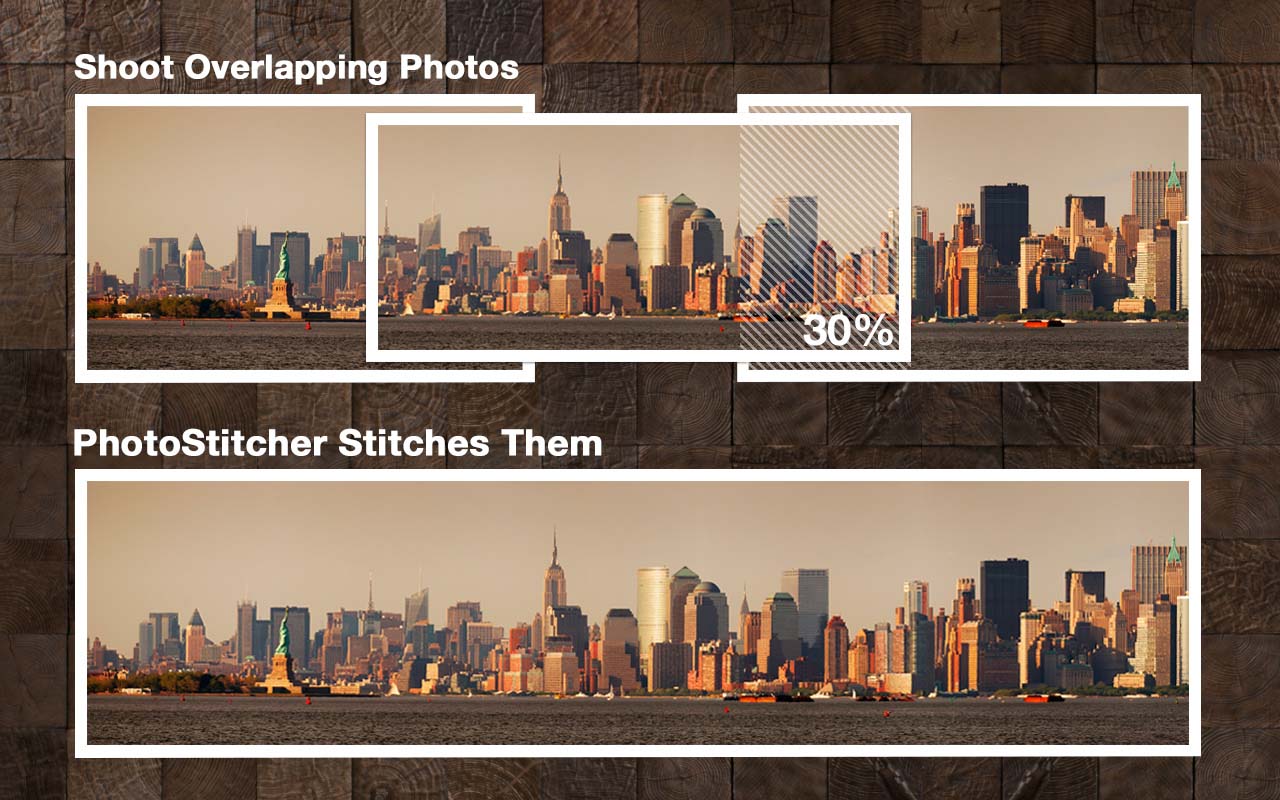
With PhotoStitcher you can stitch multiple photos into a picturesque panoramic image. The program smoothly combines photos of different resolutions, shooting angles and even different perspectives into one perfect panorama, imaging breath-taking landscapes, monumental churches or skyscraping mountains that are so hard to fit into one frame.
PhotoStitcher is capable of stitching full view panoramas without any user input. It is a solution to stitch any panorama completely automatically, whether 1D (horizontal OR vertical) or 2D (horizontal AND vertical).
System Requirements:
Windows 8/ 10; 1000 MHz processor; 256 MB RAM
Publisher:
TeoreXHomepage:
https://www.photostitcher.com/File Size:
1.07 MB
Licence details:
6 month license
Price:
$19.99
Featured titles by TeoreX


Automatically remove a background and replace it with a transparency, solid color, or background image with just a few clicks!


Intelligent Resizer enables new smart ways of resizing images without deforming or cropping the content.

GIVEAWAY download basket




Comments on PhotoStitcher 3.0
Please add a comment explaining the reason behind your vote.
iPhone app giveaways »





Android app giveaways »





Use ICE free software instead, it is the best one been using it for years.
Save | Cancel
It's got a bug in the license checking routine where if it cannot get internet access either due to firewall or being offline it can get STUCK in the checking license animation popup that has no user interface to cancel the attempt and it apparently never times out. i will have to task manager End Task it! Insert a cancel button or at least a standard windows "X" button to get out of it in next build.
Save | Cancel
If I purchase the program for $19.99, which is $10 less than the regular price, what are the license terms (especially if it's time-limited)? Also, will this work on Windows 11? The latest version mentioned in the description is Windows 10.
Thanks!!!
Save | Cancel
Donald, seems to install & run OK in Win11. Note that the app installs to the User folders by default -- you can change that but need to run setup as admin if you want to put it in the traditional Program Files (x86).
Save | Cancel
It is odd that it wants to install to the APPDATA path vs. program path:
C:\Users\USERNAME\AppData\Local\Programs\PhotoStitcher
Ideally would be placed in the programs path:
C:\Program Files (x86)\PhotoStitcher
Save | Cancel
My PC is Win 7 64 bit Pro when I try to install PhotoStitcher 3.0 I am being told that it isn't supported?
Save | Cancel
FWIW I tried in the only copy of Win7 I have running but it was a 32-bit VM & it turns out PhotoStitcher is 64-bit only. Did not see any reason it wouldn't run using Process Explorer to list all the resources the app uses -- maybe it's a hard lock the dev stuck in to prevent having to address any customer support issues?
Save | Cancel
Mike, Same here. Using 64 bit Win 7 I get an error message saying it does not run on my version of Windows.
Save | Cancel
Mike, Windows 7 64 bit, the same result: This program does not support the version of Windows your computer is running.
I think it is actually the installer that is to blame. Possibly the author used the latest model of the installer, which only works on Windows 10. MSI would have been better.
Save | Cancel
Mike, the installed executable which is only a single file plus an uninstaller and a copy of the downloader require 64bit Windows NT 6.0 or above so could easily function under 64bit Vista and 64bit Windows 7 the downloader itself (setup.exe) requires Windows NT 6.1 or above 32 or 64 bit but only downloads a zip containing the 64bit Windows Vista or above executable. Try downloading the zipped main executable manually and running it under 64bit Windows 7 manually. Let us know how it goes?
TK
Save | Cancel
Only way to stitch properly, is to take the pictures one after the other within few moments or minute, otherwise the sun shadows will move and the picture will look like a collage of different angles and shadows (not realistic).
Save | Cancel
You're correct -- I think you should make the shots as fast as possible/practical. Also lock the exposure beforehand for the brightest portion -- if it's blown out you won't have Any detail or data to work with -- shoot holding the camera vertically if possible, and overlap your shots by 1/3 - 1/2. Software can compensate for some of the differences in lighting you talk about, depending on the software, and you just have to correct the rest in editing.
Save | Cancel