Every day we offer FREE licensed software you’d have to buy otherwise.

Giveaway of the day — Pazu Video Cutter 1.0.1
Pazu Video Cutter 1.0.1 was available as a giveaway on October 4, 2021!
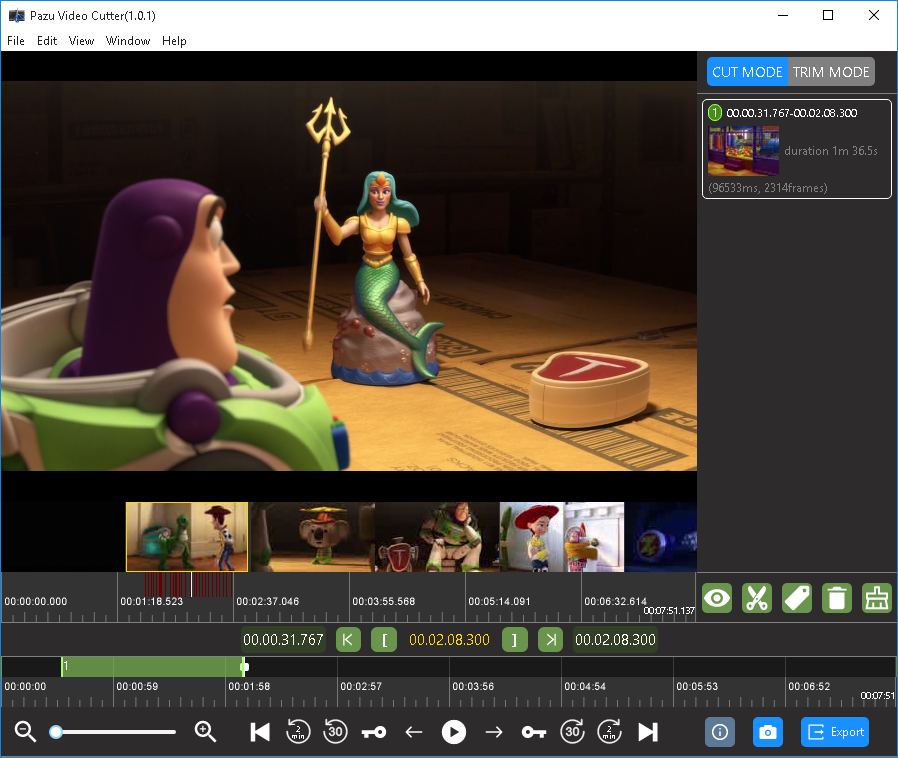
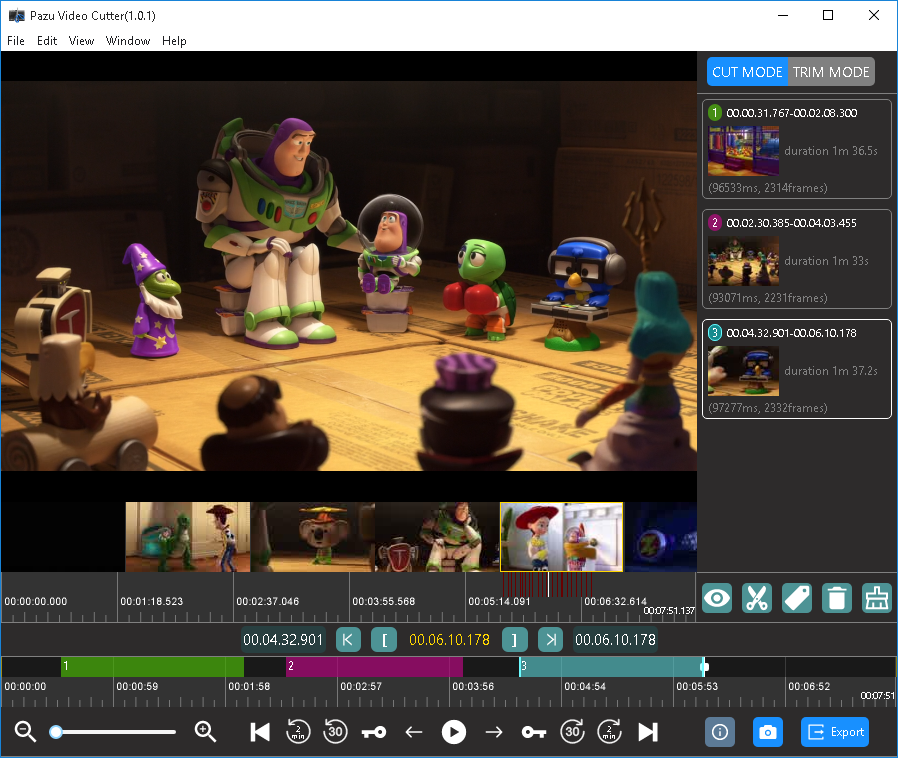
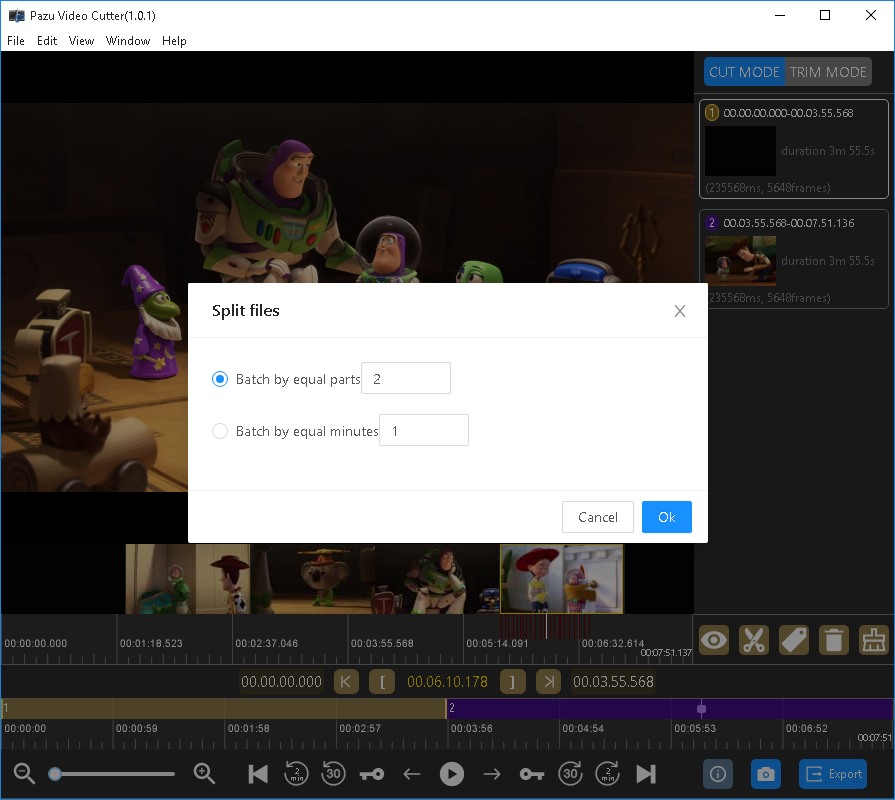
Losslessly split any video files into multiple segments by time, length or keyframe with Pazu Video Cutter. The trim mode allows you to remove unwanted parts of a video. This video splitting tool supports almost all popular video formats such as AVI, MP4, MOV, M4V, MKV, MPEG, MPG, DAT, VOB, FLV, WMV, etc.
Pazu Video Cutter is super-fast video cutting/trimming software with an easy-to-use interface. It allows users to split large video file into multiple segments or trim unwanted part from any video without any quality loss, which is great for saving space by rough-cutting your large video files taken from a video camera, GoPro, drone, etc.
Split video files along keyframes without re-encoding, so there will be no quality loss. H.264 video encoders are supported, so you can cut or trim videos at high speed with excellent quality.
System Requirements:
Windows 7/ 8/ 10
Publisher:
PazusoftHomepage:
https://www.pazusoft.com/video-cutter-for-windows/File Size:
252 MB
Licence details:
1 year license
Price:
$49.95
Featured titles by Pazusoft

Convert Audible AA&AAX to MP3, M4A, M4B, AC3, AAC, FLAC, OGG, AIFF and WAV. With Pazusoft Audiobook Converter, you can convert Audible audiobooks at 700 times faster while keeping the chapter and ID3 tags, and then you can play the converted audiobooks on any device without any limitation. Split any Audible audiobook file into small segments by a time frame or by chapters.
GIVEAWAY download basket




Comments on Pazu Video Cutter 1.0.1
Please add a comment explaining the reason behind your vote.
iPhone app giveaways »





Android app giveaways »





Thanks! :)
But the licensekey from last time, isn't valid.
Did try the same web address, goes to this webpage.
?
PS: Have a happy work week, weekend and stay healthy! :)
Save | Cancel
What a failure. I mistyped my email address first time. When I typed it correctly the second time I got "Too many requests from your ip." I guess you don't want me to try this after all.
Save | Cancel
I already have a lossless video editor, but I was going to try this one to see if I like it better. However, I also (as others have mentioned) won't download this to try unless they offer the ability to install to a custom location in the future.
Save | Cancel
Many thanks for all the suggestions. But, I want NOTHING WHATSOEVER new installed in my C: drive. And, I certainly do not want to tamper with the registry! Preferably, I would like to see this as a portable app. I would really have liked to try this program and, if it worked as advertised, I would gladly have purchased any upgrade. But, as was wisely mentioned by senzai: ''In 2021, not being able to change where to install to is kinda off.''
Save | Cancel
I downloaded it and followed the installation instruction. Registered it, opened an AVI file to test. The application appeared to accept the file, BUT showed no indication that it had opened it. None of the controls, except open and clip or cut, responded to anything.
I'm running Win 7 Ultimate 32 bit. Any suggestions would be appreciated.
Save | Cancel
Is it reliable? video cutting is hard, it's easy to get the audio out of sync etc.
Save | Cancel
It is not recommended moving programs from C drive to another. Registry keys, and what not (not a computer guy, but I know this much).
Save | Cancel
Justin, it depends how the program is coded. you're often right, but sometimes it works.
Save | Cancel
Justin,
Did many years now, install and/or move programs/games to another drive/path.
It all keeps mostly working, some CAN NOT be installed on the C: drive at Program Files/- - (x86) and some just C: (whatever).
It all depence!
Kopie it and give it a try if you like. Use a self installed software (ofcourse) where you can use the licensekey again.
GL&HLF! :)
Save | Cancel
Does not provide an option as to where the program is to be installed. It automatically installed on my C: drive. My C: is an SSD and I want ONLY the OS and antivirus on it. SO, I uninstalled Pazu Video Cutter. A shame.
Save | Cancel
Alexander Priest, Did you try moving the program files? Once installed (so files are registered) you could possibly just pick the program directory and move it where required.
Save | Cancel
Chris, that may work for some programs but usually when it comes to uninstalling the program later on, it probably creates a problem when the original path was not found.
So then it may be important to copy the folder back to it's original and initial location, so the uninstall routine works properly.
If one has hundreds of programs installed, i can imagine that it's kinda hard to remember all the original locations later. Then the only thing that makes sense is writing them down.
In 2021, not being able to change where to install to is kinda off.
Save | Cancel
Alexander Priest,
Please use a program called "FolderMove™ Symbolic Link Creator" (absolutely free) to move the installation folder of a program or game to another drive without breaking it or re-installing.
Save | Cancel
TJ, Thanks so much for telling us about "FolderMove." It sounds like just what we need. I especially like that it leaves "a symbolic link" at a program's origin location. Again, thanks!
Save | Cancel