Every day we offer FREE licensed software you’d have to buy otherwise.
Giveaway of the day — Leawo DVD Copy 11.0.0.1
Leawo DVD Copy 11.0.0.1 was available as a giveaway on November 22, 2021!
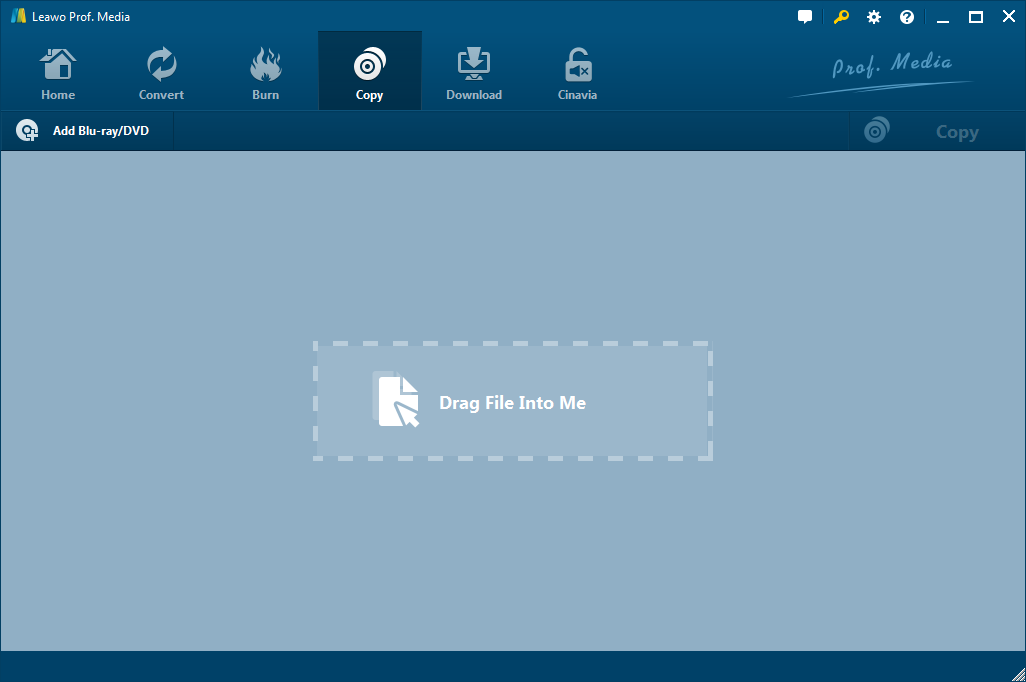
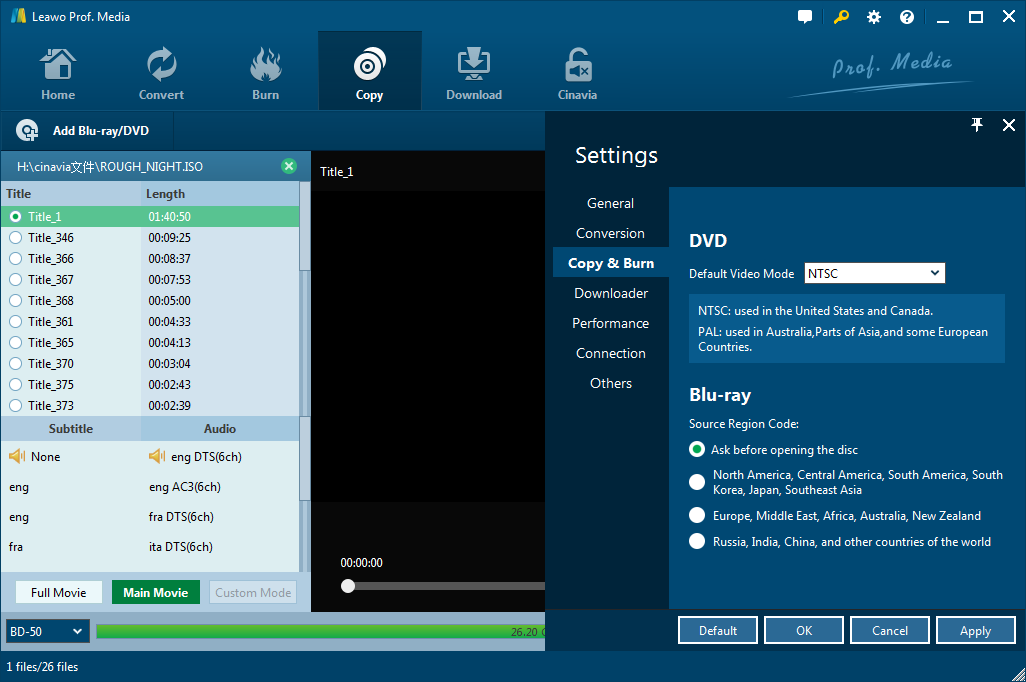
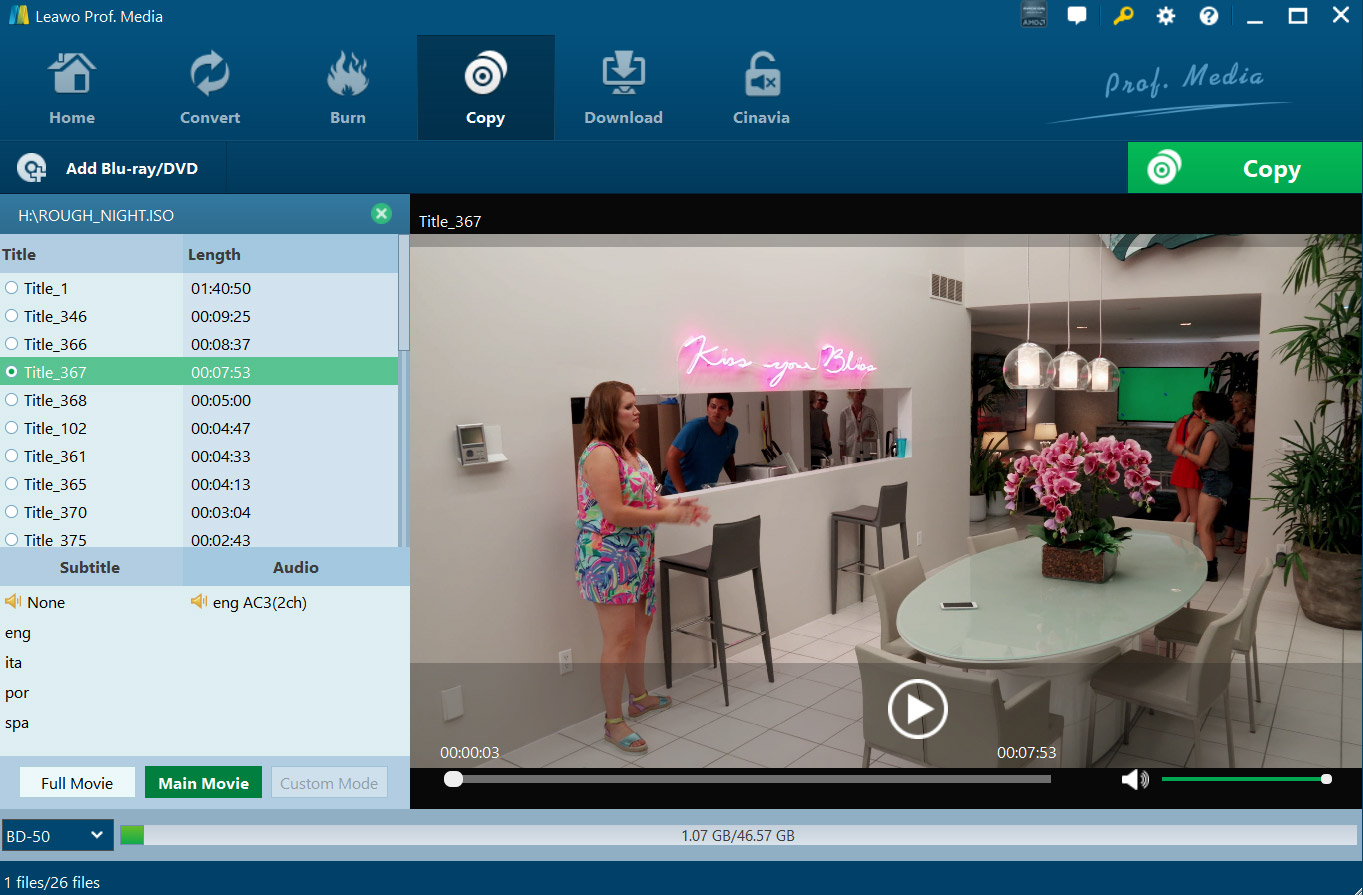
Please note: Leawo DVD Copy works as a module of Leawo Prof. Media suite!
Leawo DVD Copy enables you to copy DVD to hard drive in DVD folder or ISO image and backup DVD to a blank DVD disc for playback on home DVD players or sharing. It can copy DVD disc, folder and ISO Image File. With advanced DVD copy and backup technology, it supports 1:1 disc to disc duplication without quality loss, and compresses DVD-9 to DVD-5 with high quality.
- Copy DVD to DVD disc, file folder and ISO Image File with no quality loss;
- 1:1 disc to disc duplication while retaining the original disc quality;
- Copy DVD-9 to DVD-9, DVD-5 to DVD-5, and even compress DVD-9 to DVD-5 with high quality;
- Copy DVD contents in different copy modes: Full Movie, Main Movie and Custom Mode;
- Copy and backup CSS-DVD discs and common DVD discs easily.
System Requirements:
Windows XP/ Vista/ 7/ 8/ 8.1/ 10; Processor: 1GHz Intel or AMD CPU; RAM: 512MB RAM (1024MB or above recommended); Free Hard Disk: 5GB+ (DVD) / 25GB+ (Blu-ray Disc) hard disk space; Graphic Card: NVIDIA GeForce GTX 260 and above; Others: Recordable Blu-ray drive, Internet Connection
Publisher:
Leawo SoftwareHomepage:
http://www.leawo.org/dvd-copy/File Size:
126 MB
Licence details:
1 year license
Price:
$29.95
Featured titles by Leawo Software
10-in-1 Media Solution to Download, Convert, Copy, Burn, Play, Edit, and More in 6X Faster Speed. An ultimate media solution to download online videos and audios; convert videos, DVDs, and Blu-rays; copy DVDs and Blu-rays; burn videos to DVD and Blu-ray; edit videos, DVDs, and Blu-rays; play videos, DVDs, and Blu-rays, and so on. Special 40% OFF Sale for GOTD users!
Leawo Prof. DRM is an all-in-one iTunes DRM removal suite, which integrates DRM video converter, DRM music converter and DRM audiobook converter into the program suite. Special 40% OFF Sale for GOTD users!
Leawo Blu-ray Copy is one the best Blu-ray copy programs to copy and shrink Blu-ray/DVD disc, folder and/or ISO image file to computer or blank disc. It could copy and backup Blu-ray/DVD disc to computer in folder and/or ISO file, or backup Blu-ray/DVD disc to blank disc in 1:1 rate. Special 40% OFF Sale for GOTD users!
Rip Blu-ray DVD to 180+ video/ audio with 100% original quality and 6X faster speed. Leawo Blu-ray Ripper can rip and convert Blu-ray to video and extract audio from Blu-ray to save in all formats for any media player and device. Special 40% OFF Sale for GOTD users!
GIVEAWAY download basket




Comments on Leawo DVD Copy 11.0.0.1
Please add a comment explaining the reason behind your vote.
iPhone app giveaways »




Android app giveaways »





Amazing how so may people could be helped if they would simply read other comments. Just no patience I guess.
Save | Cancel
Wouldn't run in my VMs -- just splash screen with ~5% CPU -- but would install & run in the Win10 Sandbox. 1st try activating I got the timeout as already reported, but 2nd try worked -- just keep trying I guess, as their servers could be getting pounded.
Copying video DVDs is preferred vs. ripping [re-encoding] -- I believe the video quality is purposely reduced to discourage ripping -- & most devices will play DVD's mpg2 using VLC. An old, free app, DVD Shrink [same as older versions of Nero Recode] will let you trim the video without re-encoding, e.g. to cut off end credits, which can save enough space you may find it worthwhile. Another old, free app called PGCDemux will give you the individual audio, video, & sub files, which can be handy if you do decide to re-encode but want to keep the original audio, or work with it separately, e.g. turn 5.1 AC3 into stereo, which again saves space. The downside is that you'll have to recreate the DVD layout -- put the content into VOB files using the DVD format.
videohelp[.]com/software/DVD-Shrink
videohelp[.]com/software/PgcDemux
As stated in the info for today's GOTD offer, Leawo DVD Copy 11.0.0.1 is one module of a multi-function app. [I'm not a fan of this arrangement, but whatever.] Installation isn't too bad, but it does add the old Toshiba Blu-ray driver, thdudf.sys, which can *sometimes* cause problems. [It was used back when Blu-rays were a new thing, but on current systems, not necessary.] Otherwise it adds the program's folder, along with folders & files in (My) Documents, Users\ [UserName]\ AppData\ Roaming\, Users\ [UserName]\ AppData\ Local\, & ProgramData, with a folder named cdagtsvc in Program Files [32-bit Windows] or Program Files (x86)\ Common Files\. A partial install of the Xvid codec is also included.
Save | Cancel
mike, ...The XVID codec or DivX is outdated, you will come to A(udio) V(ideo) I(nterleave). Some smart flats screens do not work with it.
Save | Cancel
Downloaded and extracted installation file. Ran Setup.exe. Added email address to website registration and immediately got registration key, no need to wait for email. Cut and pasted the registration key into program: Error message = "Time out in requesting background data (-100)"
Reinstalled with the emailed download link and serial: Same results.
Maybe their registration server is down? I'll try later and update the post.
Save | Cancel
Jakalackwa Malonocovitz, Just put same code back in & click enter. It worked that way on the second try for me. When I clicked the arow for register it gave me the same message, but when I clicked enter it worked.
Save | Cancel
Jakalackwa Malonocovitz, It took me a few tries after seeing teh same error as you reported until it finally showed as registered.
Save | Cancel
Does it allow you to copy to USB.
Save | Cancel
King, It allows you to copy to a file, so I would think you can just select or create a folder on your USB drive to copy to.
Save | Cancel
I don't know what I am doing wrong but I cannot register the program.
The interface is less than ideal as the tabs are very small on my laptop screen. I found the Register area in one of the drop downs and when I entered the information in the Readme file I received an error message.
Save | Cancel
Marty Toomajian, Just put same code back in & click enter. It worked that way on the second try for me. When I clicked the arow for register it gave me the same message, but when I clicked enter it worked. DVD Copy was the only thing that shows full program.
Save | Cancel