Every day we offer FREE licensed software you’d have to buy otherwise.
Giveaway of the day — Inpaint 10.2
Inpaint 10.2 was available as a giveaway on March 4, 2024!

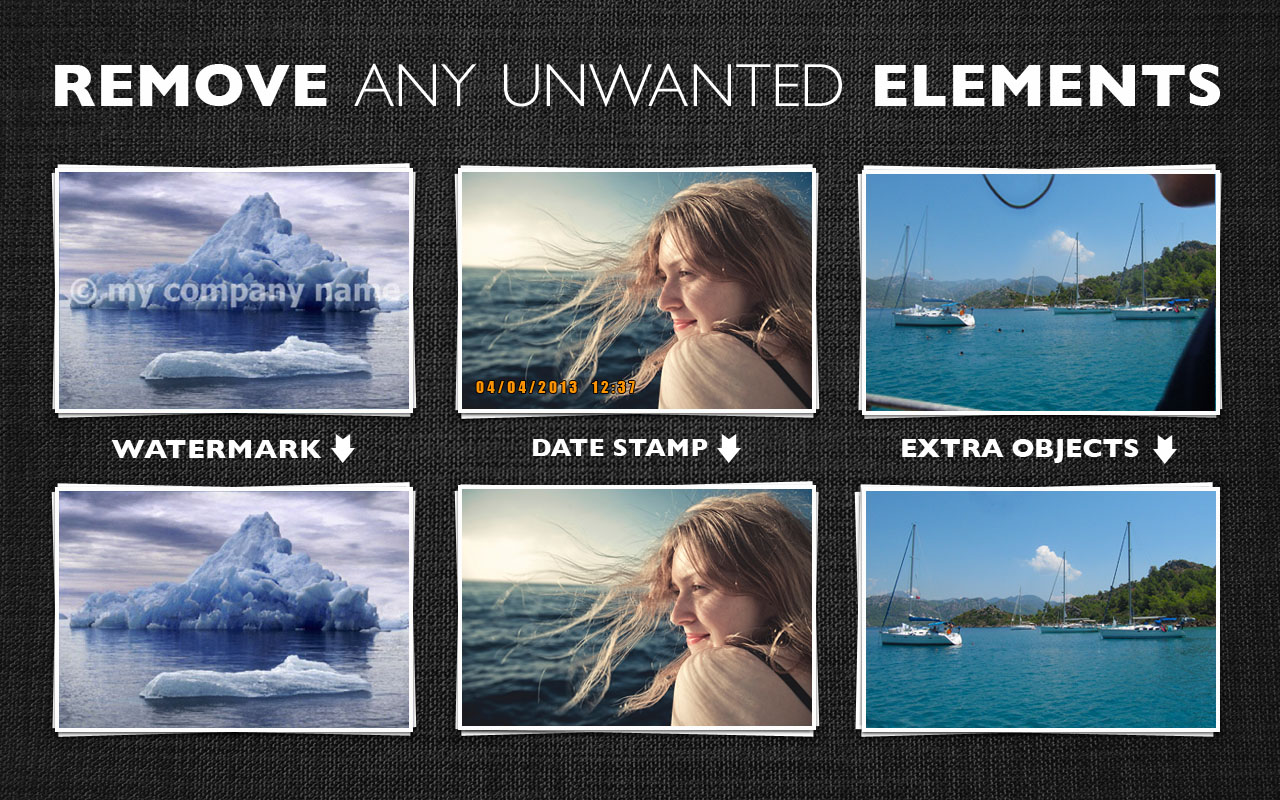
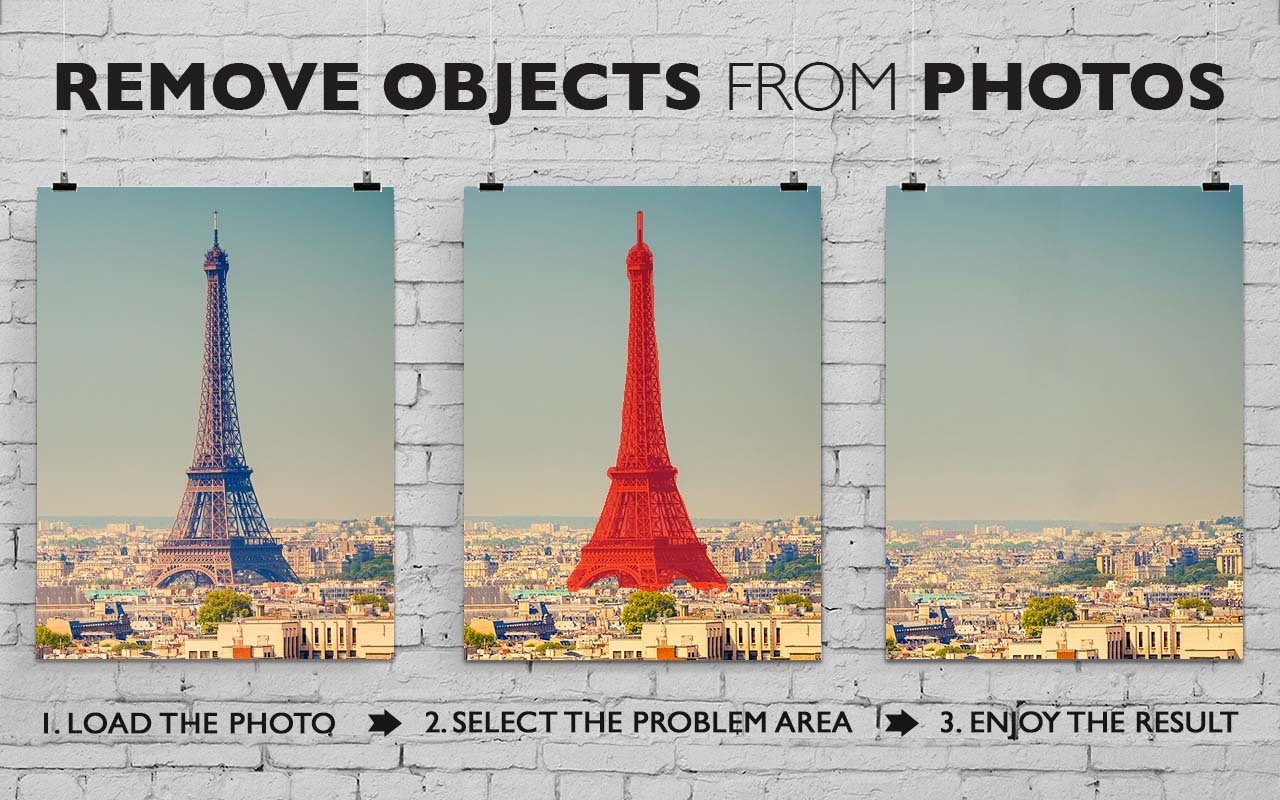
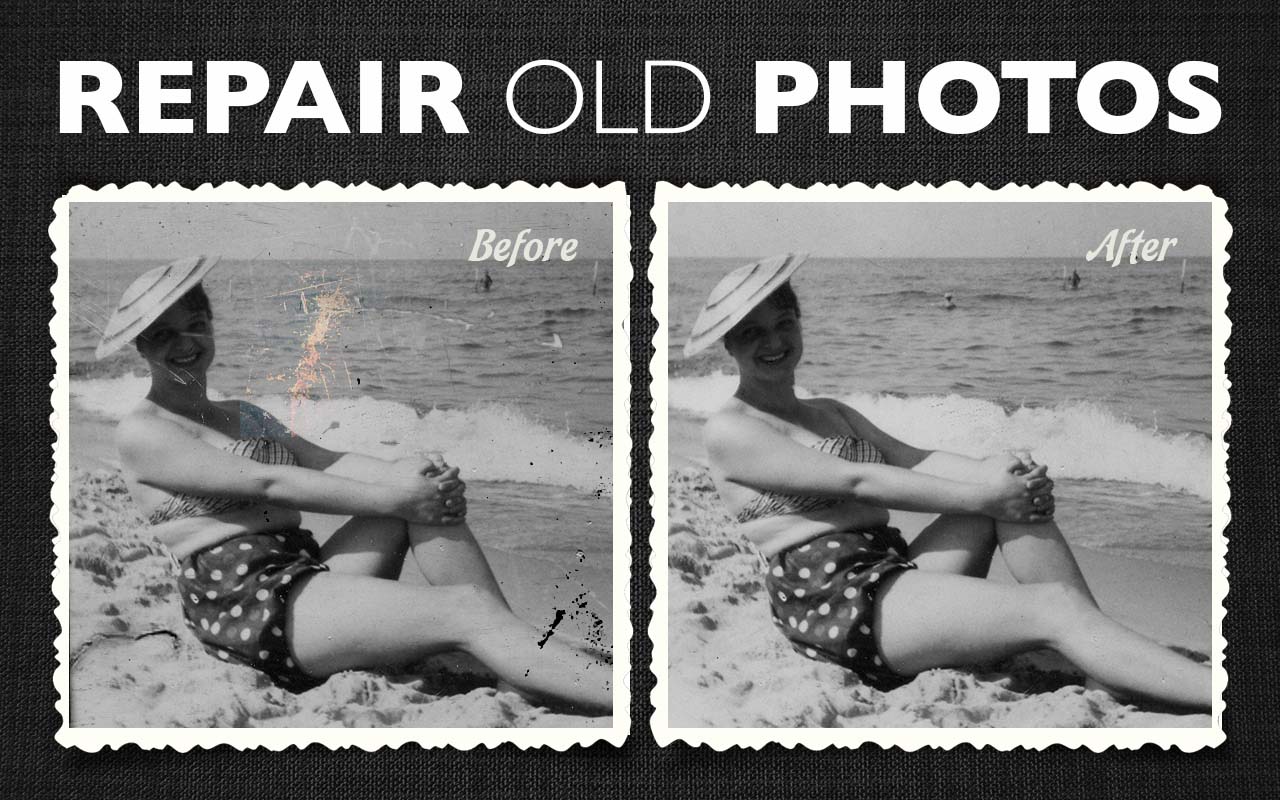
Inpaint reconstructs a selected image area from the pixels near the area boundary. It may be used to delete unwanted objects from your photos, such as extra power-line, people and text. The program will automatically paint out the selected area to erase it. If some unexpected objects spoil an otherwise good photograph, you can esily remove them - just select the object. No need to fiddly mess with the clone tool. It is simple to use - just draw a selection around the object you want to remove from the picture and run Smart remove feature.
System Requirements:
Windows 8/ 10/ 11; 1000 MHz processor; 256 MB RAM
Publisher:
TeoreXHomepage:
https://theinpaint.com/File Size:
1.10 MB
Licence details:
6 month license
Price:
$29.99
Featured titles by TeoreX

Automatically remove a background and replace it with a transparency, solid color, or background image with just a few clicks!


PhotoStitcher will automatically combine overlapping photos to produce a perfect panoramic image.

Intelligent Resizer enables new smart ways of resizing images without deforming or cropping the content.

GIVEAWAY download basket




Comments on Inpaint 10.2
Please add a comment explaining the reason behind your vote.
iPhone app giveaways »





Android app giveaways »



![[365fun] Running Man Giveaway](https://android.giveawayoftheday.com/wp-content/plugins/gotd_googleplay_plugin/images/100/2026/06/com.whitewind.runningman_app_icon_1780400784.png)

Has anyone compared to earlier versions (e.g., especially 9.2)? What has changed, improved? Is there a page/site with release notes?
Save | Cancel
With these types of programs sometimes removing a big object gives poor results. If so try removing the object a small part at a time. That often works better.
Save | Cancel
rww ..
You're the man . . .
Save | Cancel
This is a useful program. It used to be the standard for these type of programs but now I find Photo Stamp Remover to be better and and Photoshop Elements 2023 to be even better yet. But this is worth trying out while it is free.
Save | Cancel
One of the best programs for retouch, though my favorite version is the first version. Very accurate touchups.
Save | Cancel
Cathy Butler, I prefer the older versions too - they did seem to work better, and were easier to use. (And also they used to give away a lifetime license on GOTD, not just 6 months.)
Save | Cancel
CheeseBag, I always go back to the original. This one however would not load on my 64bit pc claiming I have a 32bit . Say whaaatttt?? So I am awaiting response from the company. LOL I likely would have used the old version just for as you said, the simplicity itself and how it integrates the surrounding area to fill the removed spot. I can see the use for upgrade in order to beckon new clients, but the original was the best still.
Save | Cancel
Samara G, sadly but true. I resort to Inpaint however as a necessity since I do photo restoration. The newer versions need to be tweaked to shorten complications and streamline its use. The quality of repair I have not found in other programs at this time with the original programs of Inpaint. Simplicity is often better than complexity, where hopefully the same results are found. Be happy today, it irritates your enemies. *Smile*.
Save | Cancel
Requested feature: I would like guide arch, curve or circle examples: a head a bridge a plate or ball
Inpaint has guide lines for straight lines (good for the Eiffel tower example above in the middle) sometimes the horizon will dip or arch drawing a line will make it go straight
Reasoning for request: (the lady in the third picture above) If an object were blocking the hat or shoulder removing that object would be blocky instead of the desired arch, curve or circle
Thank You for your consideration and yes I assume the math~programming must be Herculean for this request
Save | Cancel
I will give it a try, looks interesting. Thank you GOTD.
Save | Cancel
A useful and simple program.
Save | Cancel
Windows 10 and 11 of course, have new update Windows Photo app with object removal as well, including new AI module. Free always.
Save | Cancel
Nek4d, I would be very grateful to anyone who compared this program to the windows photo app and reported back. I would do it myself if only I weren't already overbooked today.
Save | Cancel
Nek4d, what's the app called? And where is it available? I'd like to do a comparison.
Save | Cancel
Redphantom,
Look under All apps - Photos in the Start Menu
Save | Cancel
JerryWithaJ , just tried them both and not impressed with either. they seem okay for solid backgrounds but don't handle if there's any kind of pattern
Save | Cancel
rww, thanks. I had actually removed it but was able to find it again in the store.
Save | Cancel
Nek4d, Thanks for this, I didn't know about it and had never used the Windows Photo app.
I tested it with a photo that had a white pole in the foreground and fields and hedges in the background.
The results were impressive.
Thanks again!
Save | Cancel
This is one of the best of object removal software. Try it, you will like it. Enough to buy it after the six month expiration? Very possible.
Save | Cancel
dave,
I agree with your assessment including the idea that it is an excellent program and might be worth buying. But you can't buy it, you can only rent it for a year before you must pay again. see the right panel at https://theinpaint.com/order.
Since I don't need this more than 3-4 times a year, I'll just have to make do with an "almost as good" program for this infrequent need.
Does anyone have suggestions for other "almost as good" programs for this use?
Save | Cancel