Every day we offer FREE licensed software you’d have to buy otherwise.

Giveaway of the day — GridinSoft Anti-Malware 4.1.67
GridinSoft Anti-Malware 4.1.67 was available as a giveaway on November 2, 2020!

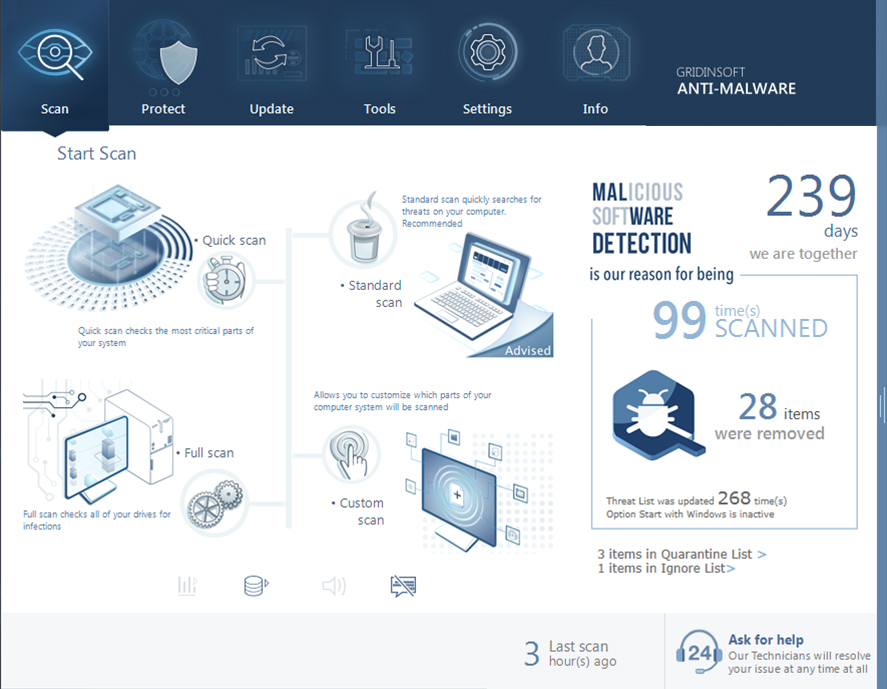
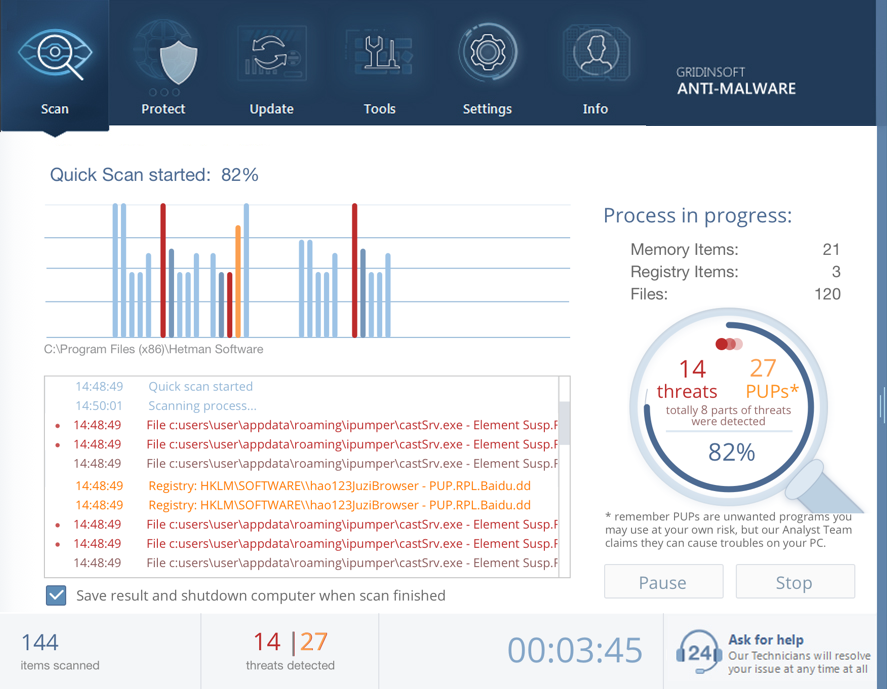
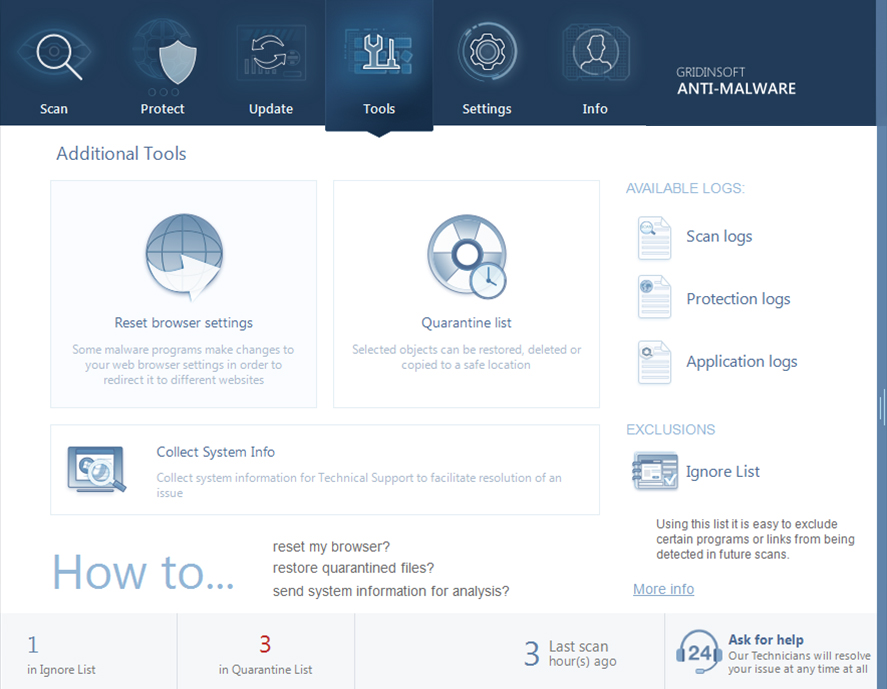

GridinSoft Anti-Malware is the best remediation against all types of computer threats on your Windows PC, including malware, adware, and PUPs. It is quick, reliable and efficient. It’s your primary helper when you’re tired to struggle with unknown processes on your PC. Is not an antivirus, but much better and more effective!
Defeat viruses within a few clicks instead of long-lasting and really boring manual procedures and get the help of security experts whenever you need it. Wherever you are, we are always ready to help you with your PC troubles.
Please note: The program provides a 6 months license for those emails never been used in Giveaway before.
System Requirements:
Windows 7/ 8/ 8.1 10 (x32/x64); 90 MB free hard drive space; Minimum 800x600 Screen resolution; Internet connection
Publisher:
GridinSoftHomepage:
https://gridinsoft.com/antimalware/File Size:
97.1 MB
Licence details:
6 months
Price:
$29.95
GIVEAWAY download basket



Comments on GridinSoft Anti-Malware 4.1.67
Please add a comment explaining the reason behind your vote.
iPhone app giveaways »





Android app giveaways »





Simple install and registration. Easy to understand and fast scanning. Took care of what had been plaguing my PC even though it had what is supposedly one of the best antivirus/antimalware programs on my PC. Huge Thanks for getting this program for free here today. Most likely I will be buying a license after the 6 month one is up.
Save | Cancel
Power remover/protective very -well! I prefer this to Malware Byte'. Very good choice as it is great worker. I would pay for it as my first choice. It has a nicer ability. On UI you can skin it. WEB FILTER.-on/off.
Save | Cancel
Trying this one for the first time - easy install.
The Good: Easy install. Nothing annoying. Performed a quick scan and, even though I thought my Windows 10 64-bit was clean, it found about 30 files that were suspect. It wants to reboot to finish the cleaning, but I said NO and this time ran the full, slower, deep scan. It did find one additional suspect file. Quarantine was easy as you'd suspect. I thought even the deep scan was not too horrible on processing time, but, as you'll see in the next paragraph, maybe it's speedy because it doesn't look around much, I can't find a way to tell.
The Bad: So far I can't find where it can show me exactly what drives it is scanning. I have 3 internal hard drives, and 2 external drives. If I request a Quick Scan, it begins scanning immediately, and although you can see a light gray message bar that shows you it's running through various C:/ directories, you can't review that beforehand. I don't see any way I can select any other drive(s). FULL SCAN: Ditto. Can see it flying through C: folders but no way to know unless your staring at it. Standard scan appears it's running through the Windows Directory as well as C: Drive stuff, but again, no way to select or verify what drives it will perform on. CUSTOM SCAN: Says "Add some files or folders to get started" but when I click to browse, it only offers the option of Desktop, or my USER name from windows. I can look at scan logs to see where it's been, but I see nowhere that it offers selection of any other drives.
The "info" tab shows that I do have a registered version, Valid for 183 days and licensed for 1 computer. Although it says registered, the header on top does say "TRIAL".
If I cannot select my other drives to scan, this wouldn't be the software solution for me. I'm grateful for the trial, but I think for my needs, I need this to be a little more informative up front of where it's going to look, and I need to be able to select drives easily, I keep my C: Drive pretty clean, it's the other ones I download to that worry my, and I can't see any way to make this software look there.
Save | Cancel
TuxedoTraveler, thank you for your feedback. The Custom scan allows the user to select any of the particular folders – please, use it to scan your external hard drives and removable disks plugged into your computer too.
Save | Cancel
Looks that quick/standart scan locations is hardcoded, and, you can't change them.
Anyway.
1. i see "Full scan check all of your drives for infection" text right under full scan "button".
2. "custom scan" uses standart windows folder pick dialogue. hard-drives usually located under "This Computer" (at least on win10).
3. "custom scan" in additional supports drag&drop. its accepts files/folders/drives.
Save | Cancel
One more thing - if I have the program open and plug in a USB drive, it does recognize the new drive and asks to scan.
Save | Cancel
TuxedoTraveler, I wholeheartedly agree with you. I started a scan and watched the progress window display what folders/files were being scanned. Best I could tell only my C: drive was scanned, the other two internal hard drives were ignored totally. The scan results showed multiple FALSE POSITIVES. No way to Whitelist individual items, only could send a copy of the scan results to the app developer. UNINSTALLED.
Save | Cancel
Gridinsoft Team, there is no way to select an external drive from the custom scan. There is no way to select much at all. When I select Custom Scan, it literally gives me an option to scan my Desktop, or my user name. Can't even Select the C:/ drive.
The Custom scan is 100% useless, even worse then the other scan options.
Save | Cancel
TuxedoTraveler, it is obviously the problem in some kind of lack of access or there is a bug only in your program. Please contact us via the 'Ask for help" button to open a new support ticket directly from the program.
Save | Cancel
Have not received the activation from the final step, it would not go further than the Get Now button.
Many thanks for looking into the situation and correcting it.
Bruce Weinstein
Save | Cancel
Bruce Weinstein, please try to obtain a license directly from the program with your different working email address
Save | Cancel
GridingSoft says: Please note: The program provides a 6 months license for those emails never been used in Giveaway before.
Question:
- How many Months License does it provide for Emails that were previously used on GOATD before, (for other unrelated programs)?
- Or is the above a coy way of saying you cannot use any Email you have used on GOATD before, for this program, in which case, the program is only availabe for new Emails?
GrindinSoft, please clarify.
Thanks
Save | Cancel
Dan, Quite simple really.
Its meant for NEW customers only based on the fact that if you have tried it before and like it - then BUY it!
If you have registered with them before using 'X' email then you cannot use that email to register again.
So the way round this is ?
Now you do the maths, huh?
Save | Cancel
Dan, maybe it was awkwardly said, however, what was meant: only users with new email addresses would get the key in this giveaway. So use your other email and get a 6-month license. We hope you enjoy the program!
Save | Cancel
Gridinsoft Team,
Thank you for your response.
I must say, you have a way with words!
Basically, you could just have said "You require a never-before-used (new) Email, to subscribe for this program. End of Story and life would have been simpler for all of us.
Thanks.
Save | Cancel
Dan, they must have kept a log of my emails. I tried using an old email and it too said try another email.
Save | Cancel
Probably you have used this email in other product from this company. Try another one.
Save | Cancel
Karlos, only the license for this product can be taken into account when obtaining a new license
Save | Cancel
Having a problem it say's email was already used and this is my first time using this software! Please advise! thank you
Save | Cancel
Steven Nicholls, you need to contact our support team so they can check everything. You may use the 'Ask for help" button to open a new support ticket directly from the program.
Save | Cancel