Every day we offer FREE licensed software you’d have to buy otherwise.
GiMeSpace KMShare 1.2.5 was available as a giveaway on May 2, 2026!

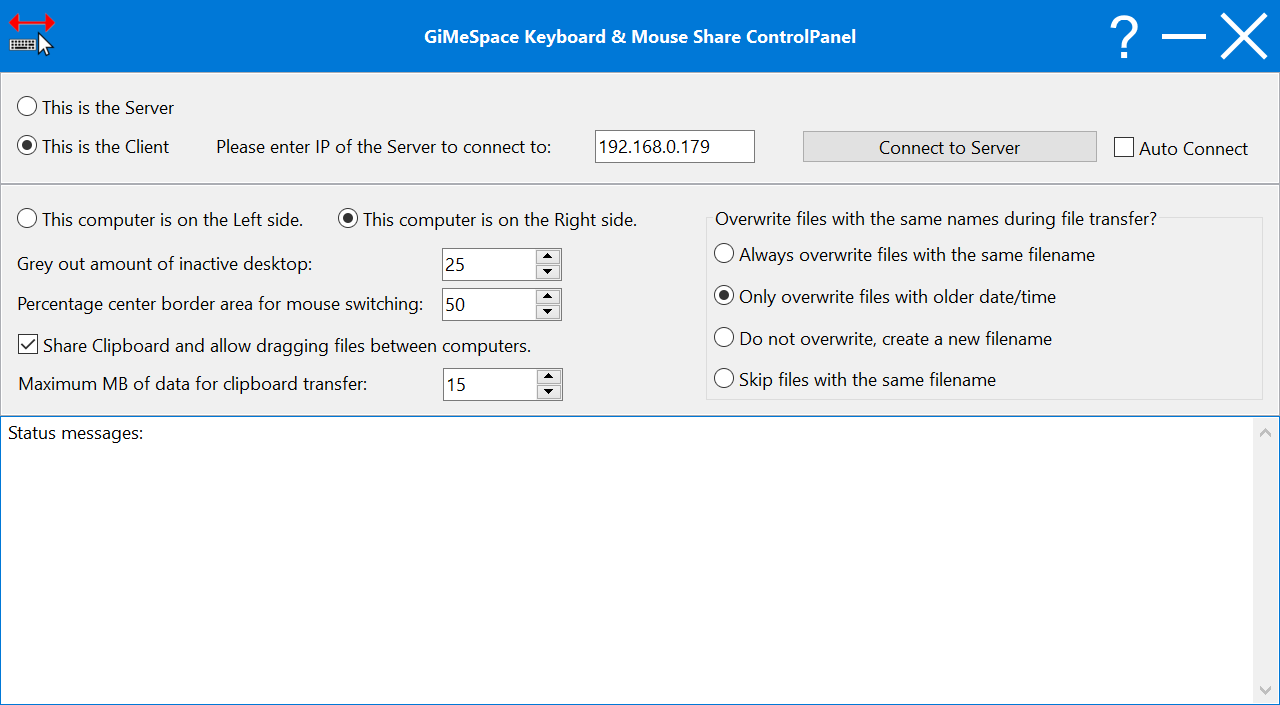
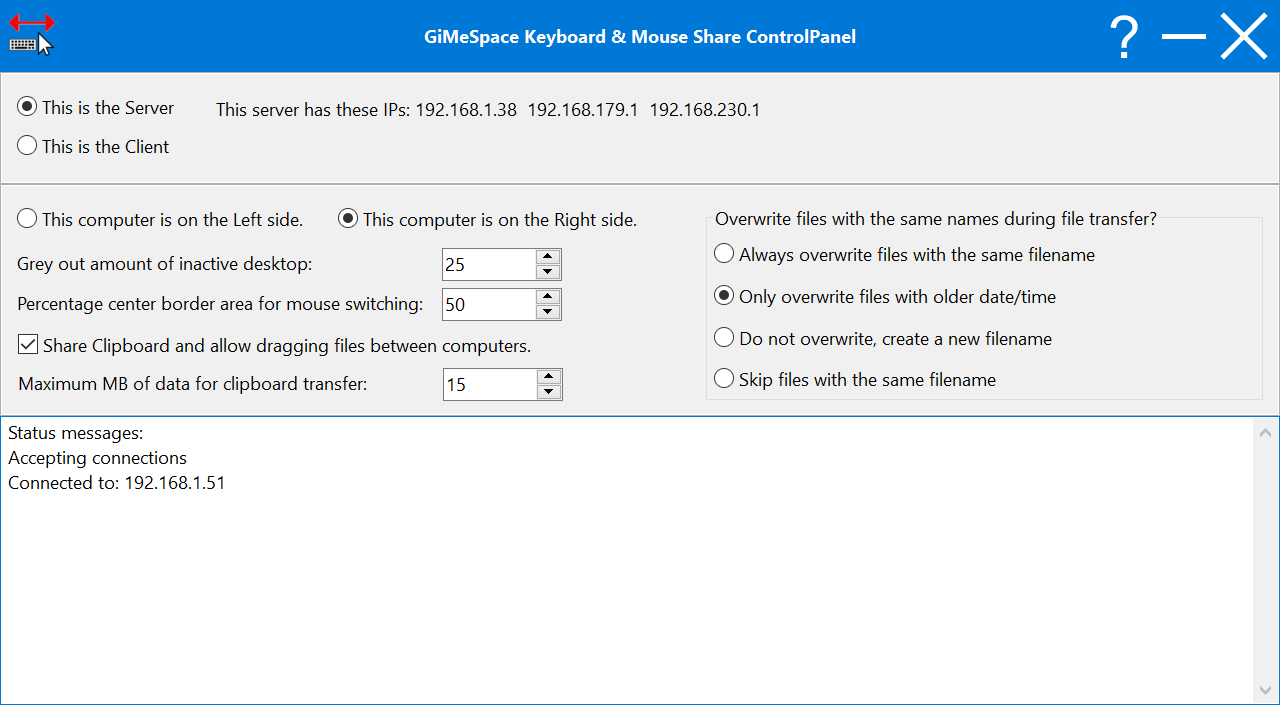
KMShare makes it easy to connect 2 computers together and seamlessly share the mouse, keyboard and clipboard of the 2 computers together. You simply move the mouse to the edge of the screen in the direction of the other computer and your mouse cursor will appear on the other screen. Keyboard focus also follows the mouse and the clipboard contents will also become available on the other computer.
Compared to other similar software this product provides much faster network connection making the mouse movement much more accurate and file transfer much faster.
System Requirements:
Windows 7/ 8/ 10/ 11; mouse is needed
Publisher:
GiMeSpaceHomepage:
https://gimespace.com/kvmshare.htmlFile Size:
1.2 MB
Licence details:
Lifetime
Price:
$19.00
Featured titles by GiMeSpace
The Pro version allows you also to share your windows on the connected computers. A simple hotkey moves your active program window to the screen of the other computer. Up to 3 computers can be connected and also you can share much higher amounts of clipboard data.
This program was created to make playing music on a computer more intuitive and affordable for anyone who wants to make music. It offers the most natural way to make music by simply using your touch screen or your hand in front of the web cam. If you don’t have these you can also use your mouse.
This is the standard edition of the virtual desktop manager. When you move your mouse to the edge of your screen you will notice that your desktop extends beyond the borders of your normal desktop. It provides a cheap alternative for adding more monitors to your computer.
This is the deluxe version of the Desktop Extenders. Like in the standard edition you can scroll left-right, up-down. But now you can also zoom in and out seamless. So you can navigate your desktop in 3 dimensions!
Turn you folders into RAM folders. The Pro version of RAM Folder allows multiple RAM folders, folders than have special write caching enabled and the ability to use as much RAM as you like including the VRAM of your dedicated graphics card.
GIVEAWAY download basket



Comments on GiMeSpace KMShare 1.2.5
Please add a comment explaining the reason behind your vote.
iPhone app giveaways »





Android app giveaways »




Please note that you have to install this program on both computers in order to connect them to each other.
If you have any issues installing this program, unlocking it, or any other problems then please read the Frequently Asked Questions page on the GiMeSpace website. If your issue is not answered on the website then please email GiMeSpace directly to get customer support.
You can also find the Pro edition and other software heavily discounted this week on the GiMeSpace website.
Save | Cancel
GiMeSpace, The "Pro edition" so you call it is a DIFFERENT PROGRAM it's KVMShare Pro not KMShare Pro!
Waiting for you to offer that different program as KMShare is just confusing to use in the long term having to keep in mind which computer you are controlling... I don't have large enough working memory to comfortably use this and always maintain in my working memory which computer I am actually typing into or controlling via mouse or touch pad.
TK
Save | Cancel
GiMeSpace, thank you
Save | Cancel
GiMeSpace,
Installed still not working?
Have a look at the https:// address.
At the Server end it says how many and which connections you can set at the cliënt.
At cliënt it might be showing on top:
Please enter the IP of the Server to Connect to: 0.0.0.0
Change this Server Address into one of the ones shown on top at
At This is the Server you can find the connection addresses as shown on top:
This server has these IP's: ???.???.??.? or ???.??.???.? or ???.???.?.???
Try one of thoose & ENJOY! :
Save | Cancel
Many thanks about the GOTD! :)
Why does it need a full Internet connection?
Why can't it be done by USB LAN, WIFI LAN, WHATEVER LAN?
Might be much safer and better responstimes too, to use.
Would be nice to have thoose options too! :)
PS: Have a happy study/work week, weekend & stay healthy! :)
Save | Cancel
Where is the registration spot? I have the program open, nowhere I can see to click to register, the webpage opened as part of the install, I don't see where to add there either.
Save | Cancel